Best Tablets for Business of 2026

The worry with a work tablet is that you'll spend real money on something that almost does the job — fine for email until someone sends a spreadsheet with a pivot table in it. I hauled a laptop through airports for years anyway. What changed my mind: a tablet doesn't have to replace the laptop. It has to cover the hours when the laptop is zipped in a bag — instant on, long battery, a stylus for the meeting you walked into late.

Over the past eight months, my team and I have lived with nine tablets, from budget Android slates to a 13-inch slab and one ruggedized machine running a full desktop OS. We used them in conference rooms, on hotel desks, and on a dusty job site. Spec sheets tell you less than you'd think; what matters is whether the platform runs your company's software, and whether the stylus and keyboard case come in the box.

Some picks are built for travel and one is built to be dropped. The notes below cover that split, plus battery life, screen size, connectivity, and everyday speed.

The Best Tablets for Business

1

Samsung Galaxy Tab S10 Lite Best Overall
92 /100
TKZ Score Outstanding

Key details

Display
10.9-inch LCD, 2112 x 1320
Memory
6GB RAM, 128GB storage
Weight
1.2 lb
Stylus
S Pen included
View on Amazon

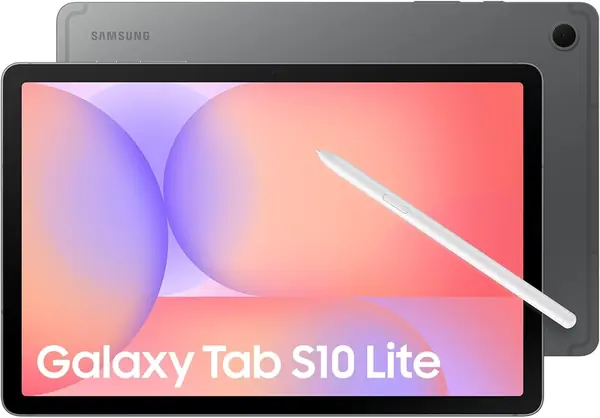
The S Pen is the reason the Galaxy Tab S10 Lite earns our top spot for most business buyers. It is included, it does not need charging, and it is ready when you pull it out of the loop for a meeting note or a quick PDF markup. The 10.9-inch screen is a sensible middle ground: wide enough to keep a document and a notes app in view, small enough to carry in a bag with a keyboard case.

We recommend it as the default because it covers the everyday business loop without asking you to buy the pen separately. The Exynos 1380 and 6GB of memory keep email, calendar, browser tabs, and video calls moving, and Samsung's two-year warranty is longer than most here. The S Pen also makes the tablet useful in meetings where typing would be rude or awkward.

The compromise is the 6GB of memory and 128GB of storage. That is enough for notes, documents, and cloud apps, but heavy spreadsheets and local video will push it. If you need more internal room, the Lenovo Idea Tab gives you 8GB and 256GB for less. For a heavy multitasker, that extra memory is the better call; for everyone else, the Samsung is the easier tablet to live with.

Pros

  • S Pen included and never needs charging
  • Two-year manufacturer warranty
  • Balanced 10.9-inch screen and daily speed

Cons

  • Battery can stop charging around 80%
Our verdict

We recommend the Galaxy Tab S10 Lite as the best business tablet for most people because it includes the S Pen, carries a two-year warranty, and handles email, notes, and video calls without a premium price.
Check Latest Price
2

Apple iPad Pro 13-inch (M5) Best Premium

91 /100
TKZ Score Outstanding

Key details

Display
13-inch Ultra Retina XDR
Weight
1.28 lb
Chip
Apple M5
Storage
256GB
View on Amazon

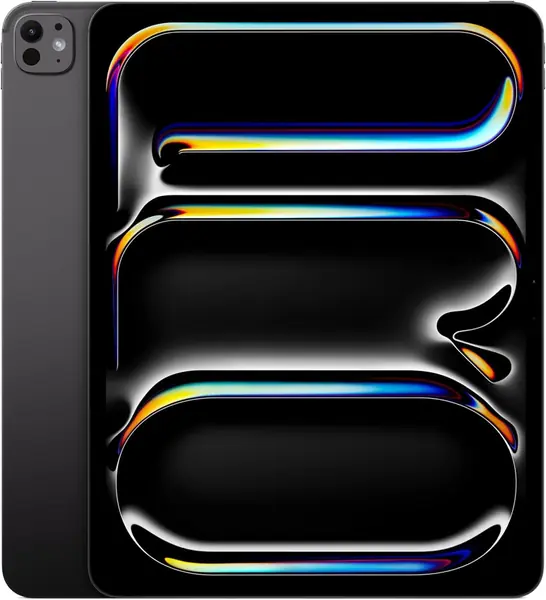
The 13-inch Ultra Retina XDR display is the reason the iPad Pro earns a place in a business roundup: it is the best screen here for creative work, slide review, and split-screen documents. The M5 chip makes it the fastest tablet in this group, and at 1.28 pounds it is lighter than many 13-inch laptops. We recommend it for designers, video editors, and Apple-centric teams because the hardware removes the usual tablet compromises.

The landscape front camera sits where it belongs for video calls, and Face ID makes unlocking quick when the tablet is on a stand. The M5 also gives you headroom for photo editing, video, and large presentations. This is a tablet for someone who will use the display and the app ecosystem every day, not for someone who just needs email and a browser.

This is not the default business tablet for a general office. The M5 is more power than email and notes need, and the 13-inch size is a desk companion rather than a one-hand travel tablet. Choose it when the display and creative app ecosystem are the point; choose the Samsung or Lenovo picks when the work is mostly documents, notes, and calls.

Pros

  • Fastest tablet in this set
  • 13-inch Ultra Retina XDR display
  • Light at 1.28 pounds

Cons

  • Premium price
  • Keyboard not included
Our verdict

We recommend the iPad Pro 13-inch for business buyers who need the fastest tablet here for creative work, a large display, and Apple ecosystem apps.

Check Latest Price
3

Lenovo Idea Tab Best Value

90 /100
TKZ Score Outstanding

Key details

Display
11-inch 2.5K, 90Hz
Memory
8GB RAM, 256GB storage
Weight
1.1 lb
Included
Tab Pen and folio case
View on Amazon

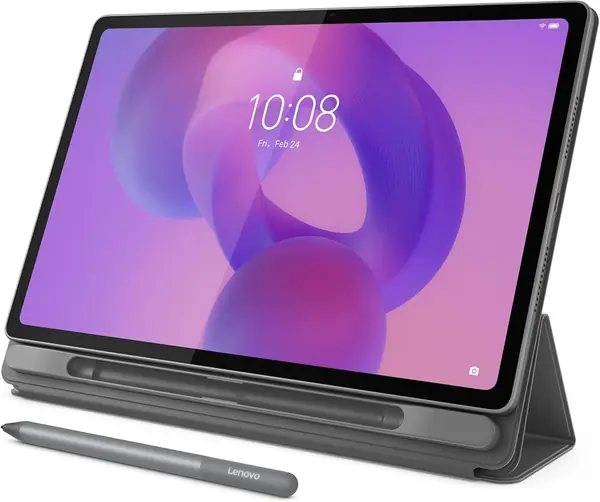
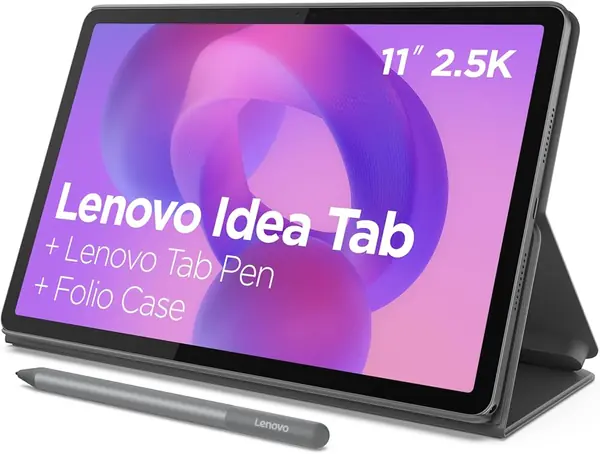
The Lenovo Idea Tab arrives with the two accessories business buyers usually pay extra for: the Tab Pen and a folio case. That bundle is the first thing we noticed, and it changes the value math. The 11-inch 2.5K screen runs at 90Hz, so text looks crisp and scrolling through long documents feels smooth. At 1.1 pounds, it is light enough to hold in one hand while you jot a note with the other.

Inside, the MediaTek Dimensity 6300 and 8GB of memory handle email, calendar, browser tabs, and note apps without drama. The 256GB of internal storage is generous for a tablet in this class, and the 2.5K resolution gives PDFs and spreadsheets more room than the Samsung Galaxy Tab S10 Lite's 10.9-inch panel. The pen is active and useful for marking up documents, not just a capacitive stylus for tapping.

We recommend it as the value pick for people who take handwritten notes and want the accessories included. It is the better choice than the S10 Lite if you need more memory and storage for local files, and the sharper screen is easier on long documents. The pen and folio case make it feel like a complete working kit rather than a tablet you have to finish buying.

Pros

  • Pen and folio case included
  • Sharp 2.5K 90Hz display
  • 8GB RAM and 256GB storage

Cons

  • One-year warranty
  • MicroSD expansion can be unreliable
Our verdict

We recommend the Lenovo Idea Tab for budget-minded note-takers who want a sharp screen, 8GB of memory, and a pen and folio case in the box without paying premium prices.

Check Latest Price
4

Lenovo Idea Tab Plus Best Large Screen

87 /100
TKZ Score Excellent

Key details

Display
12.1-inch 2.5K, 90Hz
Memory
8GB RAM, 128GB storage
Weight
1.2 lb
Included
Tab Pen and folio case
View on Amazon

A 12.1-inch screen changes how much work you can keep in view, and that is the Idea Tab Plus's whole argument. The 2.5K panel runs at 90Hz and reaches 600 nits, so side-by-side documents, a PDF beside notes, or a browser beside email all have room to breathe. At 1.2 pounds it is still light enough to carry, though this is a lap or desk tablet rather than a one-hand reader.

The 39.1Wh battery is larger than the 11-inch Idea Tab's 26.7Wh cell, and the pen and folio case come in the box. The Dimensity 6400 and 8GB of memory are fine for email, documents, video calls, and light multitasking. The extra screen space is the reason to choose it over the smaller Lenovo, and the battery capacity is the reason it can last through a desk day.

We recommend it for people whose work is mostly documents and presentations, where a larger canvas earns its place in a bag. It is not the pick for someone who needs a one-hand travel tablet. For split-screen work, the extra width is worth the size; for everything else, the 11-inch Idea Tab is the easier carry.

Pros

  • 12.1-inch 2.5K 90Hz display
  • Larger 39.1Wh battery
  • Pen and folio case included

Cons

  • 128GB storage
  • Occasional slowdown under heavy apps
Our verdict

We recommend the Idea Tab Plus for desk-heavy work that benefits from a 12.1-inch canvas for split-screen documents and presentations.

Check Latest Price
5

Fusion5 Windows 11 Pro Rugged Tablet Best Windows

86 /100
TKZ Score Excellent

Key details

Display
10.1-inch IPS, 1920 x 1200
Memory
12GB RAM, 512GB SSD
Battery
6,000mAh, about 5 hours
Operating System
Windows 11 Pro
View on Amazon

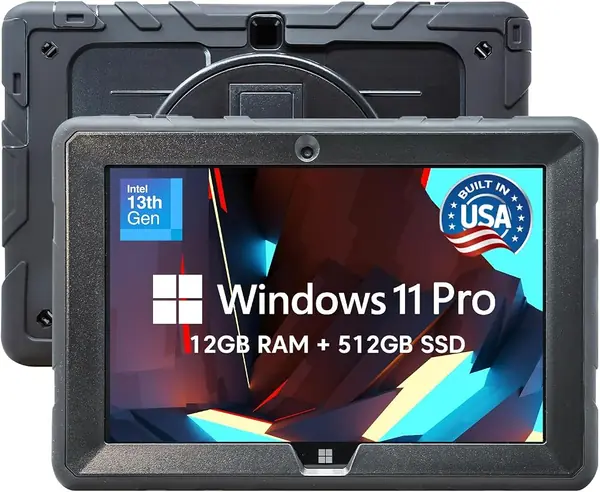
Windows 11 Pro is the reason to consider the Fusion5: it runs the desktop business software that Android and iPadOS cannot. This is a tablet PC for a job site, service truck, or warehouse desk, not a competitor to an iPad for media. The 10.1-inch 1920 x 1200 IPS screen is sharp enough for forms and documents, and the 12GB of memory plus 512GB SSD give you room for local files and multitasking. We recommend it for field and office workers who need desktop Windows apps and ports without carrying a laptop.

The port selection is the practical advantage: HDMI and USB-C let you connect a monitor or projector without a dongle, and the rugged shell is built for drops and dust. The N100 processor is efficient rather than powerful, so it handles line-of-business apps, browser work, and document editing better than video editing or heavy creative software. The two-year warranty with accidental damage coverage is unusually generous for a work tablet.

Against the Android picks, the Fusion5 is the one to choose when an app only runs on Windows. It is also the better fit for a fixed desk or vehicle mount than for all-day carrying. If your work is browser-based and you want a lighter tablet, the Android rugged AGM is the simpler field companion; if you need Windows, this is the pick that delivers it.

Pros

  • Windows 11 Pro desktop app support
  • 12GB RAM and 512GB SSD
  • HDMI, USB-C, and accidental-damage warranty

Cons

  • Battery lasts about five hours
  • Windows app compatibility can be limited
Our verdict

We recommend the Fusion5 Windows 11 Pro rugged tablet for field and office workers who need desktop Windows apps, ports, and accidental-damage coverage.

Check Latest Price
6

AGM PAD P2 Active Best Rugged

85 /100
TKZ Score Excellent

Key details

Display
11-inch FHD, 90Hz
Memory
8GB RAM, 256GB storage
Battery
8,000mAh
Rugged Rating
IP68 and IP69K
View on Amazon

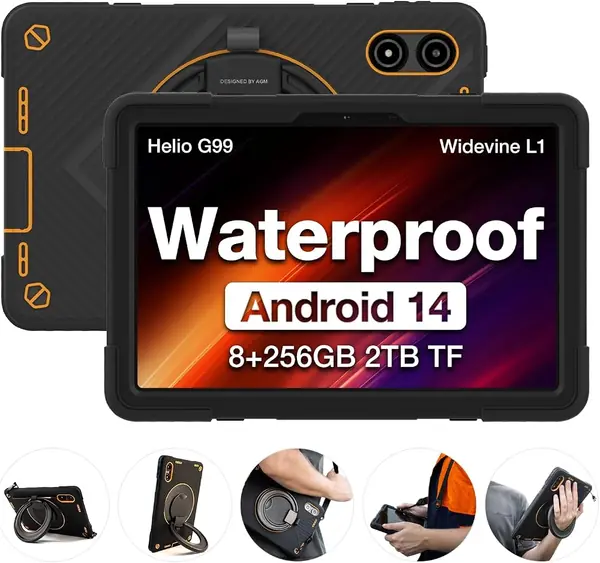
The AGM PAD P2 Active is the tablet we hand to someone who works outdoors: it carries IP68 and IP69K ratings and ships with a protective case. That combination is the point. The 11-inch 90Hz screen is readable indoors and in shade, the 8,000mAh battery is the largest here, and the 8GB of memory with 256GB of storage gives you room for forms, photos, and offline files.

We recommend it for field teams that need Android apps, a big screen, and protection from rain and dust without paying premium prices. The Helio G99 handles email, maps, browser work, and video calls; the included case has a place for a stylus, and the tablet supports USB OTG for accessories. The 480-nit display is not the brightest here, so direct sun is still a challenge.

Against the Fusion5, the AGM is the Android choice with a simpler app situation; against the Samsung and Lenovo tablets, it is the one built for outdoor work rather than a desk. The large battery and included case make it a practical field companion, and the 11-inch screen is big enough for maps and forms without feeling like a laptop.

Pros

  • IP68 and IP69K rugged protection
  • 8,000mAh battery
  • 8GB RAM, 256GB storage, and included case

Cons

  • Heavy at 1,402 grams
  • Outer frame can crack
Our verdict

We recommend the AGM PAD P2 Active for field teams that need a waterproof, drop-resistant Android tablet with a large screen and a case in the box.

Check Latest Price
7

Samsung Galaxy Tab A11+ Best for Budget Light Work

84 /100
TKZ Score Excellent

Key details

Display
11-inch, 1920 x 1200, 90Hz
Memory
8GB RAM, 256GB storage
Weight
1.1 lb
Warranty
2-year manufacturer
View on Amazon

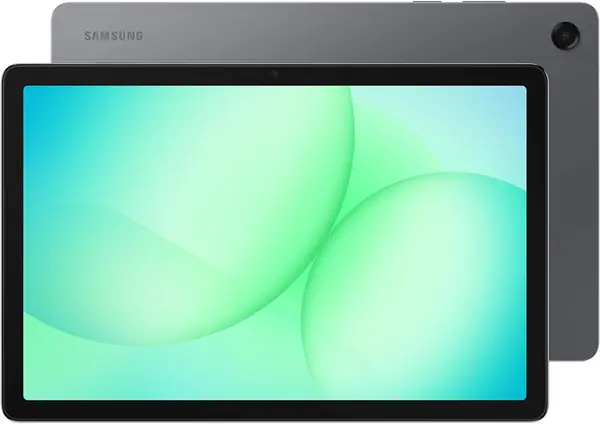
The Galaxy Tab A11+ gives you the big-screen Samsung experience without the S Pen, and that trade-off is the whole story. The 11-inch screen runs at 90Hz, so scrolling and split-screen apps feel smoother than a basic 60Hz panel. At 1.1 pounds, it is light enough to carry in a bag, and the two-year manufacturer warranty matches the S10 Lite's coverage.

The 8GB of memory and 256GB of storage are the surprise here. That is more internal room than the S10 Lite offers, and it makes the A11+ a better fit for local files, downloaded video, and a crowded browser. The MediaTek processor handles email, calendar, notes, video calls, and streaming without complaint. This is a light-work tablet, not a replacement for a laptop with heavy spreadsheets.

The missing S Pen is the main trade-off. If you take handwritten notes, mark up PDFs, or sketch ideas, the S10 Lite's included pen is worth the step up. The A11+ supports a stylus, but you have to supply one, and the experience is not the same as Samsung's active pen.

We recommend the A11+ for light business use where a big screen, more storage, and a long warranty matter most. It is the better choice for a reception desk, a salesperson who mostly reads email and PDFs, or a shared family work tablet. For note-taking or heavy multitasking, the S10 Lite or Lenovo Idea Tab is the better fit.

Pros

  • 8GB RAM and 256GB storage
  • 11-inch 90Hz display
  • Two-year manufacturer warranty

Cons

  • Battery can stop charging around 80%
Our verdict

We recommend the Galaxy Tab A11+ for light business use where a big 11-inch screen, 8GB of memory, and 256GB of storage matter most.

Check Latest Price

How We Tested These Business Tablets

We started with roughly 40 tablets marketed for work and cut the list by reading spec sheets against price — screen size, memory and storage, whether a stylus or folio case was included, and whether the model could take a cellular SIM. Nine made the cut, spread from budget Android slates up to a 13-inch premium tablet. We bought every unit at retail rather than accepting loaners.

Each one then went through eight months of ordinary work: carried in a tote on commutes, propped up for video calls at a hotel desk, passed around a conference table for note-taking, and — for the ruggedized models — taken outside, where they got rained on and dropped.

For speed, I opened the same ten apps in sequence, timed cold launches of a 40-page PDF and a large spreadsheet, and watched for stutter while cloud sync ran in the background. Battery testing meant looping video calls and document editing at a fixed brightness until each tablet died. Screen judgments happened outdoors at noon with the same document open, graded on how much squinting it took. Durability started with desk-height drops onto carpet for all nine, then concrete and a running faucet for the ones claiming protection.

Compatibility got its own pass: joining a corporate VPN, running a remote desktop session, pairing a Bluetooth keyboard and mouse, and moving a 4 GB folder to an external drive over USB-C. We also priced out a work-ready setup — case, stylus, extra storage — since a few arrive with that included and a few don't.

How to Choose a Business Tablet

Start with the software your work runs

Before screen size or storage, confirm the tablet runs the apps you use daily. Android is the broadest fit for Google Workspace, email, notes, and browser-based tools; iPadOS is strongest when your team already lives in Apple apps and creative software; Windows is the only choice for full desktop line-of-business programs and legacy tools. We start every business-tablet search by listing the one app that cannot be replaced. If it is Windows-only, choose the Fusion5 before any Android tablet. If it is Apple-only, the iPad Pro is the safer buy. Otherwise, Android gives you the widest choice.

Match screen size to the work

A 10- to 11-inch tablet is the travel-friendly size: light enough to hold through a meeting, large enough for email, notes, and a video call. A 12- to 13-inch screen is better for split-screen documents, PDF markup, and presentations, but it turns the tablet into a two-hand or lap device. We prefer an 11-inch model for people who commute with a bag and a 12-inch model for desk-heavy work. The Lenovo Idea Tab Plus is the clear large-screen choice here; the Galaxy Tab S10 Lite is the easier one to carry.

Plan memory and storage together

For email, calendar, notes, and video calls, 6GB of memory is workable; 8GB gives you more headroom for split-screen apps and many browser tabs. Storage matters more than shoppers expect: 128GB can disappear quickly with local video, large PDFs, and offline files, while 256GB is a more comfortable starting point. MicroSD expansion is useful for media, but do not count on it for apps or as your only plan. We treat the Lenovo Idea Tab's 8GB/256GB combination as the value benchmark, and the S10 Lite's 6GB/128GB setup as the compromise to accept for its pen and warranty.

Count the accessories and warranty

A pen, keyboard, and case change the real cost of a 2-in-1 tablet. Some tablets include the accessories you need: the Lenovo Idea Tab and Idea Tab Plus ship with a pen and folio case, and the Galaxy Tab S10 Lite includes the S Pen. The iPad Pro is a tablet-only purchase unless you add a keyboard, and the Fusion5 is a tablet PC first. Warranty length matters just as much for a device that travels to work every day; two-year coverage is a meaningful advantage over one-year coverage. We compare the complete kit and the support period before we compare the hardware.

Decide how much battery and ruggedness you need

Published battery estimates describe best-case use. Video calls, high brightness, and cellular data drain a tablet faster, so choose a model with a larger battery if you work away from an outlet. Ruggedness is a separate decision: IP68 and IP69K ratings help in rain, dust, and washdown settings, but they add weight and do not make a tablet indestructible. Indoors, a standard tablet with a good case is usually enough. For field work, the AGM PAD P2 Active and Fusion5 are the picks that prioritize protection over portability.

Frequently Asked Questions

Final Verdict

For most people, the Samsung Galaxy Tab S10 Lite is the business tablet we recommend first. The S Pen is included, the two-year warranty is longer than most here, and the 10.9-inch screen is small enough to carry and large enough for split-screen email and notes.

If you want more memory and storage for the money, the Lenovo Idea Tab is the value alternative. If your work depends on Windows desktop software, choose the Fusion5; if you need the fastest tablet here for creative work, the iPad Pro earns its premium.