Best Tablets for Note Taking of 2026

The trouble with shopping for a note-taking tablet is that you're really shopping for two devices at once. One is a notebook: it should feel like paper, erase cleanly, and hold up through a long meeting. The other is a computer, and the moment you want to pull a reading into the margin, the notebook has to get out of the way. Most tablets are excellent at one and grudging at the other, which decides whether the thing lives in your bag or in a drawer.

We've spent seven months writing, sketching, and highlighting on 10 of these tablets to find the ones that hold both jobs. Two things I learned the hard way: pressure-level specs are the most overrated number on the box — past a point almost nobody feels the difference, while latency and palm rejection are what your hand notices immediately — and a color screen is worth paying for only if you annotate in more than one color.

The picks below cover both camps, and none of them made me want to go back to paper.

The Best Tablets for Note Taking

1

Samsung Galaxy Tab S10 Lite Best Overall
91 /100
TKZ Score Outstanding

Key details

Display
10.9-inch LCD, 90Hz
Storage
128GB
RAM
6GB
Stylus
S Pen included
View on Amazon

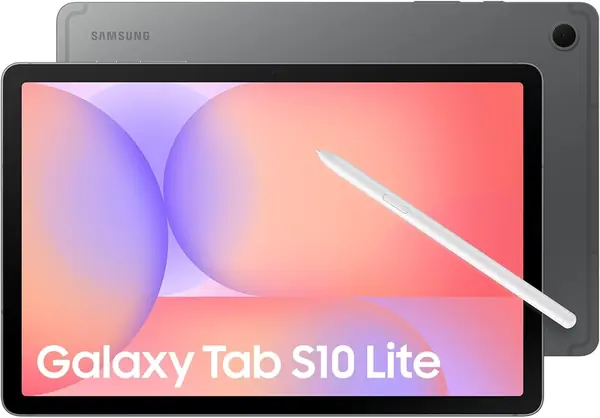
The S Pen is the reason we keep coming back to the Galaxy Tab S10 Lite. It is included, it registers light strokes without feeling twitchy, and the 10.9-inch screen gives you enough room for a full page of notes without turning the tablet into a lap desk. For most people who want one device for class, meetings, and PDF markup, this is the safest default in this group.

What makes it more than a pen holder is the rest of the package. The 90Hz LCD is bright and responsive, Android gives you access to note apps, PDF annotators, and cloud storage, and the 6GB/128GB configuration is enough for apps and documents. We also like the two-year manufacturer warranty, which is the longest in this group. The 8,000mAh battery is rated for up to 16 hours, so a day of classes or meetings should not leave you hunting for an outlet, and the 1.2-pound body is easy to carry.

The 128GB storage is the ceiling, though; if you archive years of scanned PDFs, the Lenovo gives you more room for less. For everyone else, the balance of pen, screen, and app support is the most complete here.

Pros

  • S Pen included and responsive
  • Bright 10.9-inch 90Hz screen
  • Longest warranty in this group
  • Flexible Android app support

Cons

  • No wall charger in the box
  • Battery life varies with heavy use
Our verdict

We recommend the Galaxy Tab S10 Lite as the best all-around note-taking tablet for most people: the S Pen feels natural, the 10.9-inch screen is easy to live with, and Android gives you the apps to organize everything.
Check Latest Price
2

Lenovo Idea Tab 11 Best Value

90 /100
TKZ Score Outstanding

Key details

Display
11-inch 2.5K, 90Hz
Storage
256GB
RAM
8GB
Included
Tab Pen and folio
View on Amazon

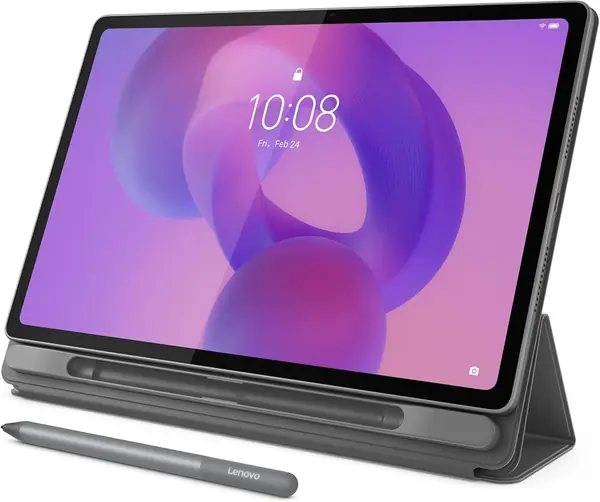
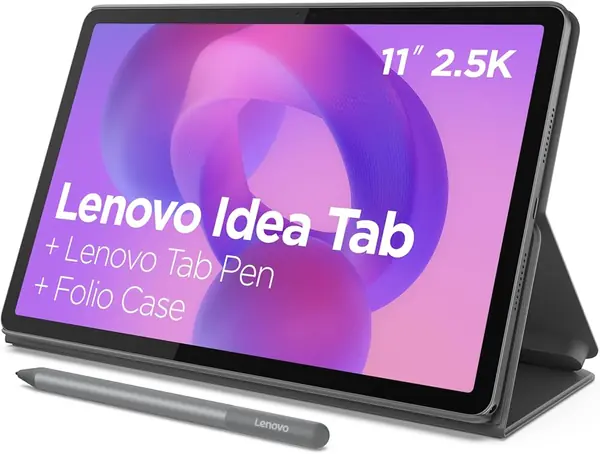
The Idea Tab 11 arrives with the Tab Pen and a folio case in the box, which is the kind of practical bundling we wish every tablet offered. You don't have to hunt down a compatible pen or pay extra for a cover before you can start writing. That alone makes it one of the easiest recommendations here for a student on a budget.

The bundle is only part of the value. The 11-inch 2.5K screen is sharper than the Samsung's, the 90Hz refresh keeps scrolling smooth, and 8GB of RAM with 256GB of storage gives you more room for notes, PDFs, and downloaded lectures. The Tab Pen is responsive, and the included learning apps—Lenovo Notepad, Squid, Nebo, and MyScript Calculator—cover handwriting, sketching, and math. We found the combination hard to argue with for everyday note taking.

The practical caveat is connectivity. Wi-Fi and app compatibility are the uneven part, so if you rely on cloud sync in class, test it on your network early. The other trade-off is the screen: 500 nits is fine indoors but not brilliant in direct sun. Neither bothered us enough to offset the storage and bundle, especially for a student who mostly writes indoors. The microSD slot is the escape hatch if 256GB ever fills.

Pros

  • Pen and folio included in the box
  • 8GB RAM and 256GB storage
  • Sharp 11-inch 2.5K 90Hz screen
  • MicroSD expansion for archived files

Cons

  • No wall charger included
Our verdict

We think the Idea Tab 11 is the value pick to beat: it comes with the pen and folio, gives you 256GB of storage, and costs less than the Samsung while handling everyday notes and PDFs comfortably.

Check Latest Price
3

reMarkable Paper Pure Best for Focused Writing

86 /100
TKZ Score Excellent

Key details

Display
10.3-inch E-Ink
Included
Marker Plus and sleeve
Weight
12.7 oz
Ink Latency
21 ms
View on Amazon

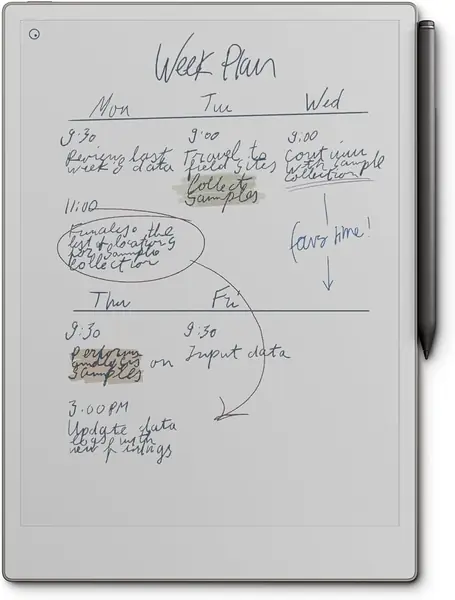
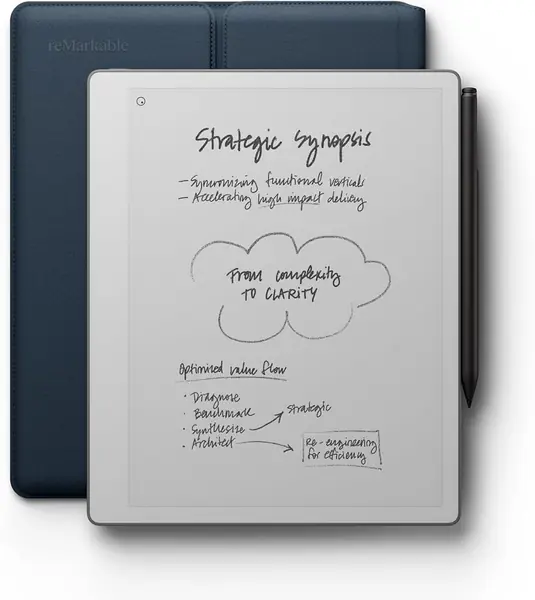
The first thing you notice about the Paper Pure is how little competes for your attention: an uncluttered screen, a page, and the Marker Plus. That's the point. It's a 10.3-inch E-Ink notebook built for writing and reading, and after a few minutes with it, the quiet feels less like a limitation and more like the feature you paid for. The 8.98 by 7.37-inch body is close to a thin hardback, so it slips into a bag without a dedicated tablet sleeve.

The writing feel is the reason to choose it. The third-generation display is whiter and higher-contrast, the Marker Plus creates enough friction to slow your handwriting in a good way, and the 21 ms ink latency keeps the line close to the nib. We also appreciate the 360-gram body: it's light enough to hold in one hand while you pace through a meeting.

Organization is straightforward: folders, tags, and handwriting-to-text conversion keep notes from turning into a pile of pages, and you can send PDFs and articles over Wi-Fi. The screen is monochrome, which keeps the device focused. The black-and-white page is also easier to read outdoors than a glossy LCD, which makes it a good fit for notes on a bench or at a café table. If your work lives in color, the Paper Pro is the upgrade; if it lives in text, this is the one.

Pros

  • Paper-like writing with 21 ms latency
  • Light 360-gram body
  • Folders, tags, and handwriting conversion
  • Distraction-free E-Ink screen

Cons

  • Some sync and search need a subscription
  • Screen needs good light in dim rooms
Our verdict

We recommend the Paper Pure for anyone who wants a dedicated writing tablet that feels like paper and refuses to distract: it does handwriting and document markup beautifully, and the 10.3-inch page is easy to carry.

Check Latest Price
4

XPPen Magic Note Pad Best Paper-Feel LCD

85 /100
TKZ Score Excellent

Key details

Display
10.95-inch matte LCD
Storage
128GB
RAM
6GB
Pressure
16,384 levels
View on Amazon

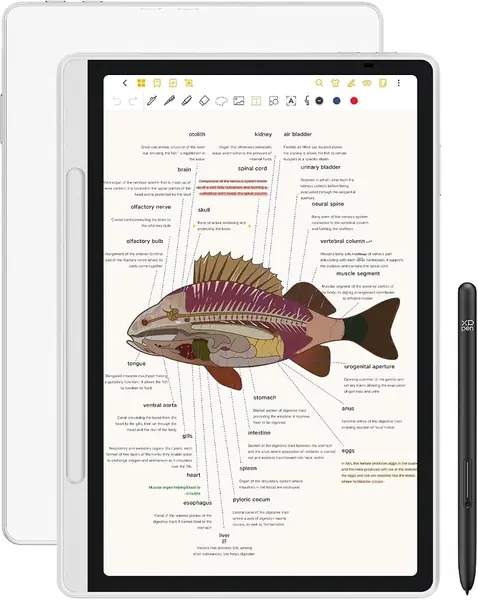
The Magic Note Pad's trick is the screen: a matte, nano-etched LCD that can shift between monochrome, soft color, and full color. We like that flexibility for notes, because you can keep the page calm for writing and switch to color when a diagram or highlight needs to stand out. The 10.95-inch panel is large enough for a split page, and the anti-glare finish keeps overhead lights from washing it out. The matte surface is also the first thing you notice: fingerprints and glare are much less obvious than on a glass screen.

The writing experience holds up. The X3 Pro Pencil registers 16,384 pressure levels, the 90Hz panel keeps the line from lagging, and the surface has just enough texture to stop the pen from skating. It runs Android 14 with 6GB of RAM and 128GB of storage, so you can install OneNote, Google Keep, or the built-in XPPen Notes app and organize notes the way you already do.

This is a tablet, not an E-Ink notebook, and that changes the ownership math. The color LCD is easier on the eyes than a glossy panel, and the Android app support makes it more flexible than a dedicated writing tablet. If you want color and app support, this is the most paper-like Android option here; if you want a device that disappears into a bag for a week, choose an E-Ink model.

Pros

  • Matte screen cuts glare and fingerprints
  • 16,384 pressure levels for precise strokes
  • Switch between mono and color modes
  • Android 14 with 128GB storage

Cons

  • Shorter battery life than E-Ink models
Our verdict

We recommend the Magic Note Pad for color-coded notes and PDF markup on a matte LCD: the paper-like surface and 16K pen are genuinely pleasant, though you have to plan around its shorter battery life.

Check Latest Price
5

Lenovo Idea Tab Plus Best Large Screen

84 /100
TKZ Score Excellent

Key details

Display
12.1-inch 2.5K, 90Hz
Storage
128GB
RAM
8GB
Included
Tab Pen and folio
View on Amazon

A 12.1-inch screen changes how you take notes. On the Idea Tab Plus, you can keep a PDF on one side and a blank page on the other without shrinking either to a thumbnail, and the 2.5K resolution keeps text crisp at that size. For annotated readings, lecture slides, or split-screen research, the extra canvas is immediately useful.

The rest of the package is familiar Lenovo: an included Tab Pen and folio, 8GB of RAM, Android 15, and the included learning apps. The 90Hz panel makes scrolling feel smooth, and the tablet is light enough to hold in one hand for a while, though this is not a one-hand-forever device. We also appreciate the 39.1Wh battery, which is sized for a long study session rather than a short commute.

The trade-off is storage. The Plus comes with 128GB, while the smaller Idea Tab gives you 256GB for less money, so the larger screen is the reason to choose it. If your notes live in split-screen PDFs and you want the bigger page, the Plus earns its place; if you archive everything locally, the smaller model is the better buy. The microSD slot is the escape hatch if 128GB does run out.

Pros

  • Large 12.1-inch 2.5K 90Hz screen
  • Pen and folio included
  • 8GB RAM for split-screen apps
  • Light 1.2-pound body

Cons

  • No wall charger included
Our verdict

We recommend the Idea Tab Plus when you want a bigger canvas for split-screen reading and notes: the 12.1-inch 2.5K screen is the star, and the pen and folio come included, though the 128GB storage is the trade-off.

Check Latest Price
6

Penstar eNote 2 Best for Meeting Notes

83 /100
TKZ Score Excellent

Key details

Display
10.3-inch E-Ink, 300 ppi
Storage
128GB
Pressure
8,192 levels
Battery
6,500mAh
View on Amazon

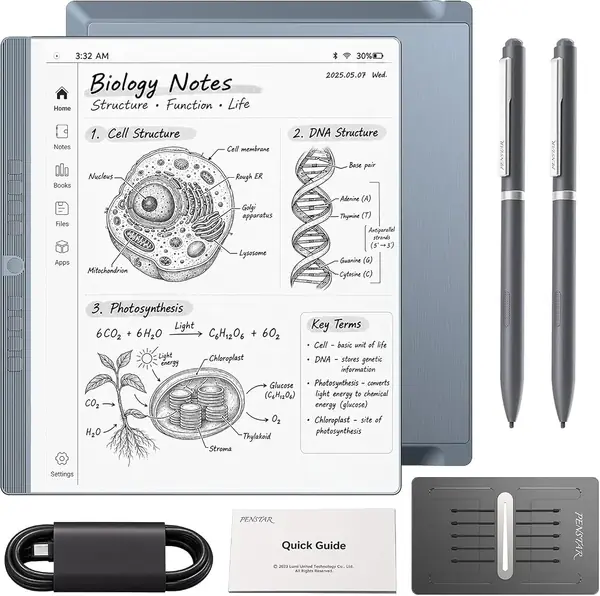
The eNote 2 is built around the meeting, not the app drawer. A four-microphone array, voice-to-text, and an AI meeting summary are the headline features, and the 10.3-inch E-Ink screen gives you a clean white page for handwritten notes while the tablet captures the audio. If your day is a sequence of discussions you need to remember, that combination is more useful than another Android tablet.

The writing hardware is serious: 8,192 pressure levels, a 300-ppi display, and a pen that doesn't need charging. The bundle includes two B5 pens and a leather folio, plus 128GB of storage and a 6,500mAh battery. The stylus-only input has a practical side: your palm can rest naturally without leaving stray marks, and the bright white screen with strong black contrast makes handwriting easy to read at a glance.

What separates it from the Paper Pure is the meeting workflow. The eNote 2 is not trying to be a general tablet; it is trying to replace the notebook you carry into a conference room, and the voice capture and summary features make that case. If you want a dedicated device that turns discussion into a written record, this is the most targeted pick here. We also like that the 128GB storage leaves room for audio files alongside your pages.

Pros

  • Voice-to-text and AI meeting summaries
  • 300-ppi E-Ink screen with 8,192 pressure levels
  • Two pens and leather folio included
  • 128GB storage for notes and audio

Cons

  • Stylus-only input limits quick navigation
  • App selection is narrow
Our verdict

We recommend the eNote 2 for meeting-heavy work: its voice-to-text and AI summaries turn a recorded discussion into searchable notes, and the 10.3-inch E-Ink screen is easy on the eyes.

Check Latest Price
7

reMarkable Paper Pro Premium Color Markup

82 /100
TKZ Score Excellent

Key details

Display
11.8-inch color E-Ink
Storage
64GB
Included
Marker Plus
Lighting
Adjustable reading light
View on Amazon

The Paper Pro is the first reMarkable that makes color feel like part of the note-taking experience rather than a novelty. The 11.8-inch Canvas Color display handles highlights, diagrams, and annotated PDFs in muted but useful color, and the adjustable reading light means you can use it in a dark room without hunting for a lamp.

The writing feel is still the main event. The Marker Plus has a built-in eraser, the display creates realistic friction, and the larger page gives you room for margin notes and sketches. We found the size comfortable for a desk or a lap, though it is a two-hand device when you are standing.

The software is the same reMarkable system: folders, tags, handwriting conversion, and PDF markup, with a deliberately narrow set of tools. That focus is why the Paper Pro is pleasant to write on, and why it is not the right choice for anyone who wants a browser, email, or a color Netflix screen.

We think it's a strong choice for someone who marks up color documents and wants a front-lit E-Ink page. The Paper Pure is the quieter, cheaper writing tool, and an Android tablet is the better fit if you need apps; the Paper Pro sits in the middle as the color specialist.

Pros

  • 11.8-inch color E-Ink canvas
  • Adjustable reading light for dim rooms
  • Marker Plus with built-in eraser
  • Handwriting conversion and PDF markup

Cons

  • Premium price for a single-purpose device
  • Some units can develop pen or charging faults
Our verdict

We recommend the Paper Pro for color markup and bedtime reading: the 11.8-inch color E-Ink screen and adjustable light make it the most versatile reMarkable here, provided you want a single-purpose notebook.

Check Latest Price

How We Tested the Best Tablets for Note Taking

To build the shortlist, I started with what the pens do rather than what the processors do: whether a stylus ships in the box or costs extra, how the screen responds to pressure, and whether the device runs a full Android app store or a closed, distraction-free note system. That narrowed a long list to 10 tablets, which my team and I used as our only notebooks for seven months — through meetings, lecture-style talks, PDF markup, and a lot of half-finished sketches on the couch.

Every unit got the same writing test: 30 unbroken minutes of handwriting, first fast diagonal hatching to see whether the ink trailed the tip, then small print to judge how the stylus handled light pressure. I rested my palm flat on the screen the whole time to see what registered, and wrote the same paragraph in every accent color available to check whether highlights and margin notes were actually distinguishable from each other.

Off the page, I charged each tablet to full and left it on standby overnight to log the drain, then ran it down through a normal day of notes, email, and a video or two. I opened a 60-page PDF, jumped to the middle, and kept annotating; I exported a notebook to PDF and emailed it to myself to see how much formatting survived; I paired each stylus over Bluetooth and checked whether it reconnected after a few days asleep. Value came down to what shipped in the box — pen, folio, or neither.

How to Choose a Tablet for Note Taking

Decide Between E-Ink and Android

The biggest fork is the screen and the operating system. E-Ink digital notebooks like the reMarkable Paper Pure feel like paper, keep distractions out, and usually last longer between charges, but they are slower and limited to writing, reading, and markup. Android tablets like the Samsung Galaxy Tab S10 Lite run note apps, browsers, and cloud storage, so they fit into the rest of your work, but they need regular charging and can pull you into email. Choose E-Ink if writing is the main event; choose Android if notes have to live alongside apps.

Put the Pen Before the Spec Sheet

A pressure-level number is not a writing test. What matters is an active pen with palm rejection, a tip that does not feel loose, and a screen with enough texture to give you control. The XPPen's 16,384 levels are impressive, but we care more about how the pen tracks a slow line. Avoid capacitive styluses sold as bundles; they tap and swipe but cannot reject your palm or vary line weight. Make sure the pen is included before you buy; a tablet that needs a separate pen is a different purchase.

Choose a Screen You'll Carry

We think a 10- to 11-inch screen is the sweet spot for most note takers: one page fits comfortably, and the tablet still slips into a bag. Step up to 12.1 inches, as on the Lenovo Idea Tab Plus, when you want split-screen PDFs or two-page views; the extra canvas is useful, but the tablet becomes a two-hand device. Step down only if you mostly capture short notes and do not need to annotate full pages. For PDF markup, 10.3 inches is the practical minimum.

Check How the Notes Get Organized

Handwriting is only half the job; the other half is finding what you wrote. Look for folders or notebooks, tags, search, PDF markup, and handwriting-to-text conversion. Samsung and Lenovo tablets can run apps such as OneNote, Nebo, and Squid; reMarkable uses its own folders, tags, and conversion. We prioritize fast page creation and reliable export over a long list of templates. If you work across classes or clients, a consistent folder-and-tag system matters more than another pen tip.

Budget for the Whole Kit

The tablet is not the whole purchase. A pen, a folio, cloud storage, and sometimes a subscription all affect what the device costs to own. Lenovo includes the Tab Pen and folio with both Idea Tab models, which is a real advantage for students. reMarkable sells the Marker with its bundles but gates some sync and search features behind a subscription. We think it is better to buy the bundle you need up front than to add accessories one at a time. Check storage too: 64GB is fine for text notes, but 128GB or more gives you room for PDFs and audio.

Frequently Asked Questions

Final Verdict

For most people, the Samsung Galaxy Tab S10 Lite is the note-taking tablet we recommend first. The S Pen is included, the 10.9-inch 90Hz screen is comfortable for a page of notes or a PDF, and Android gives you the apps to move those notes into the rest of your work. It is the most complete all-around choice here.

If your priority is value, the Lenovo Idea Tab 11 includes the pen and folio and gives you more storage for less. If you want a dedicated writing surface that keeps distractions out, choose the reMarkable Paper Pure. The Samsung remains the default unless one of those specific needs matters more.