Best Tablets for Reading of 2026

A tablet for reading is a compromise you make in public: a full-color slate gives you magazines, PDFs, comics, and email in one slab, then asks for a charger on the second night of a trip. An e-reader runs for weeks on a charge and shrugs off beach light, but it stumbles on a scanned textbook. The right pick isn't the most powerful device you can buy — it's the one you'll actually reach for instead of your phone at 11 p.m.

I do most of my reading in bed with the lights off and someone next to me trying to sleep, so two things matter to me more than anything on a spec sheet: how a screen looks at its dimmest setting, and how heavy the thing feels held overhead for an hour. Over the past six months, my team and I read on 12 tablets, from 7-inch e-readers to 11-inch color models. We worked through a 400-page novel, a scanned PDF, and a stack of library loans on each one.

Two things surprised me. Screen size matters less than balance — a 10-inch tablet that sits comfortably over your palm beats a smaller one with a sharp edge digging in. And the display technology shapes your experience far more than storage or processor specs, which is where most of the marketing attention goes. The picks below are the ones that survived half a year of real reading; they're organized by who each one suits.

The Best Tablets for Reading

1

Kindle Paperwhite (2024) Best Overall
95 /100
TKZ Score Outstanding

Key details

Display
7-inch glare-free
Storage
16 GB
Battery
Up to 12 weeks
Front Light
White to amber
View on Amazon

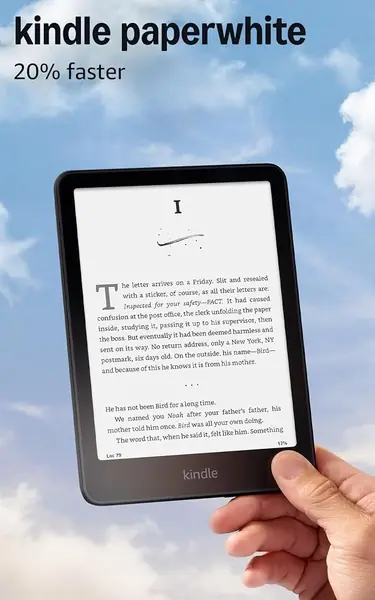
Reading on a backlit tablet often means trading eye comfort for convenience. The Kindle Paperwhite makes the opposite trade. Its 7-inch display is glare-free, so we could read in bright sun without angling the screen away from the light, and the front light shifts from white to amber when the room goes dark. That combination is why it earns the top spot: it is the one device here that lets the page, not the screen, hold our attention.

The 7-inch size is the useful middle ground. It gives you more words per page than the 6-inch Kindle without turning into a two-hand tablet, and the battery is rated for up to 12 weeks. In practice, that means the Paperwhite is the reader we leave in a bag and forget about until we want it; charging is a rare chore rather than a nightly ritual. For someone who reads a chapter at a time, that rhythm matters more than processor speed.

The Paperwhite is built around Amazon's bookstore rather than a full app drawer. If your reading is mostly novels, essays, and library e-books, that focus is a feature. If you need a full app ecosystem, the iPad mini is the better fit.

We also appreciate the lack of notifications, social apps, and other distractions; opening the Paperwhite is a clean on-ramp to a book. The screen is not the largest here, but it is the one we kept reaching for when we wanted to read for an hour without noticing an hour pass.

Pros

  • Glare-free 7-inch screen is easy on the eyes
  • Up to 12 weeks of battery life
  • Distraction-free Kindle reading experience

Cons

  • Black-and-white screen limits color comics
Our verdict

We recommend the Kindle Paperwhite for long-form readers: the 7-inch glare-free screen and weeks-long battery make it the easiest device here to read on for hours.
Check Latest Price
2

Kindle (2024) Best Budget E-Reader

94 /100
TKZ Score Outstanding

Key details

Display
6-inch glare-free
Storage
16 GB
Battery
Up to 6 weeks
Front Light
Adjustable brightness
View on Amazon

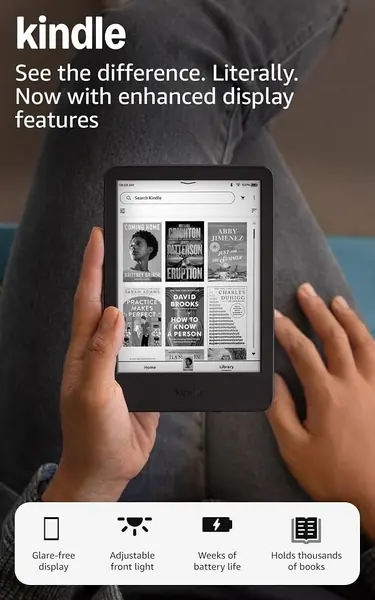
The standard Kindle is the one to hand to someone who says a tablet is too big for reading. Its 6-inch screen and light body make it the closest thing here to a paperback you can slip into a jacket pocket, and the glare-free display keeps text sharp without the glow of an LCD. We found the smaller screen surprisingly easy to live with for novels; you turn pages a little more often, but the device never feels like a slab.

What makes it our budget pick is not just the lower price tier. It keeps the essentials: a 16GB library that holds thousands of books, an adjustable front light, and a battery rated for up to six weeks. For a novel-only reader, that is a fair trade for a device that disappears into a bag.

The Kindle is also the e-reader we are least worried about carrying everywhere, which is its own kind of reading freedom. It is the one we recommend when the goal is to read more and carry less.

Pros

  • Pocketable 6-inch design
  • Up to six weeks of battery life
  • Low-cost entry to Kindle books

Cons

  • Small screen cramps PDFs and comics
Our verdict

We recommend the standard Kindle for readers who want the smallest, least expensive e-reader here, provided novels and text are the main event.

Check Latest Price
3

iPad mini (A17 Pro) Best Compact Color Tablet

93 /100
TKZ Score Outstanding

Key details

Display
8.3-inch Liquid Retina
Storage
128 GB
Weight
10.4 oz
Chip
A17 Pro
View on Amazon

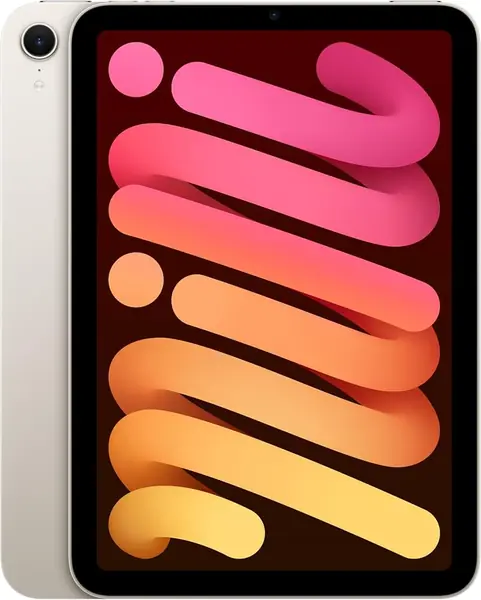
An e-reader is a wonderful thing until you want to read a magazine, a comic, or a PDF with a chart in it. The iPad mini is the compact answer: its 8.3-inch Liquid Retina screen brings color and contrast that e-ink cannot, and the 10.4-ounce body is small enough to hold like a paperback or slip into a coat pocket. We used it for reading apps, library books, and the occasional comic, and the size felt like the point rather than a compromise.

The A17 Pro chip is more than page turns need, but it makes apps open quickly and keeps split-screen reading smooth. The 128GB storage is generous for a small tablet, and the screen is sharp enough for dense magazine layouts. It is still an LCD, though, so a long novel can feel less restful than on a Kindle, especially at night. The battery is rated all-day, which suits mixed reading and app use.

Where the mini earns its place is flexibility: Apple Books, Kindle, library apps, comic apps, and PDFs all live on one device. If you want one small device for color reading and tablet tasks, this is the one we recommend. The mini is the reader for the person who refuses to carry a second device.

Pros

  • 8.3-inch color screen is sharp and portable
  • Runs full reading and comic apps
  • Light 10.4-ounce body

Cons

  • Premium price for a secondary device
Our verdict

We recommend the iPad mini for readers who want a compact color tablet for comics, magazines, and apps in a paperback-sized package.

Check Latest Price
4

Lenovo Idea Tab Best Large-Screen Value

92 /100
TKZ Score Outstanding

Key details

Display
11-inch 2560 x 1600
Storage
256 GB
Weight
1.1 lb
Included Accessories
Tab Pen and folio case
View on Amazon

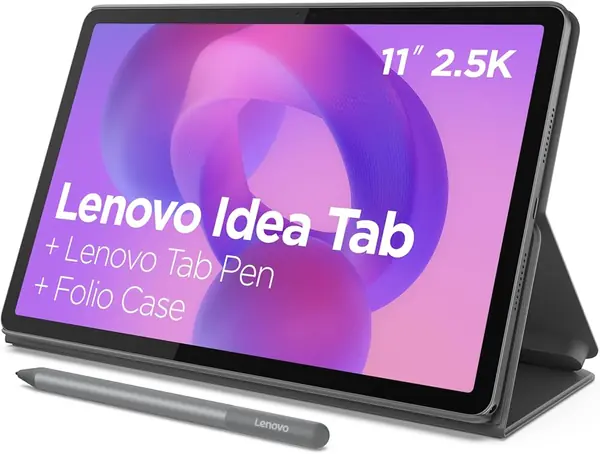
The Lenovo Idea Tab looks like a plain study tablet until you turn it on. Its 11-inch 2.5K display is the highest-resolution large screen in this group, and the 90Hz refresh makes scrolling through long PDFs feel less like work. We also like that the Tab Pen and folio case are in the box; with a lot of tablets, those are the extras that quietly push the real cost up.

The 8GB of memory and 256GB of storage give you room for downloaded textbooks, comics, and a few semesters of notes, and the microSD slot adds more if you need it. The 500-nit screen is bright enough for a kitchen table or a dorm desk. The quad speakers are a bonus for audiobooks and video, not the reason to buy.

For PDFs, textbooks, and note-taking, the screen and pen make it the value pick in this group. It is the tablet we recommend when your reading looks more like a worksheet than a novel.

Pros

  • Sharp 2.5K 11-inch display
  • Pen and folio case included
  • 256GB storage with microSD expansion

Cons

  • No wall charger included
  • Some Play Store apps have compatibility issues
Our verdict

We recommend the Lenovo Idea Tab for readers who want a sharp 11-inch screen for PDFs and notes, with a pen and case included instead of sold separately.

Check Latest Price
5

iPad 11-inch (A16) Best Large Apple Tablet

91 /100
TKZ Score Outstanding

Key details

Display
11-inch Liquid Retina
Storage
128 GB
Weight
1.05 lb
Chip
A16
View on Amazon

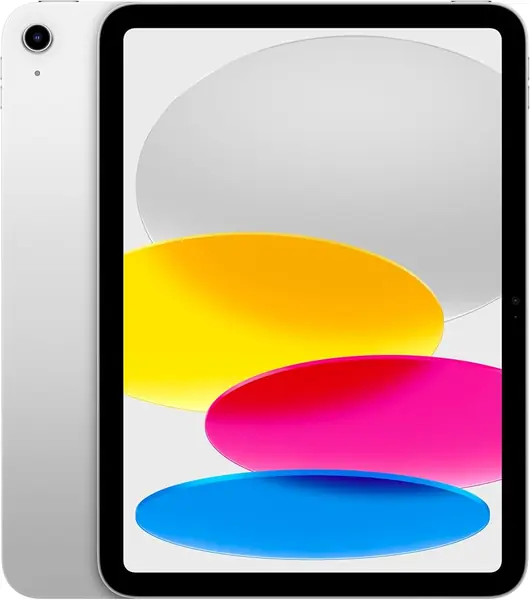
An 11-inch screen is more canvas than most novels need, but it is the right size for a magazine spread, a comic page, or a PDF textbook with margin notes. The iPad 11-inch pairs that big Liquid Retina display with the A16 chip and 128GB of storage, and it handles all of it without the app compromises that come with budget Android tablets.

We like the size for reading at a desk or on a lap. The screen is bright and clear, and the battery is rated all-day for mixed use. For reading, the bigger win is iPadOS: Kindle, Apple Books, library apps, comic apps, and PDF annotation all work the way you expect.

You are paying for Apple's app ecosystem and a large, color screen, not for a paper-like reading experience. If you read mostly novels, a Kindle is easier on the eyes. If your reading is magazines, comics, and PDFs, the iPad 11-inch is the large-screen Apple pick. It is the iPad we point to when the reading list is visual.

Pros

  • Large 11-inch Liquid Retina screen
  • Full iPadOS reading and comic apps
  • 128GB storage and A16 performance

Cons

  • 1.05-pound body needs two hands
Our verdict

We recommend the 11-inch iPad for readers who want a large color canvas for magazines, comics, and PDFs, and value Apple's app ecosystem over a paper-like screen.

Check Latest Price
6

Samsung Galaxy Tab A11+ Best Budget Android Tablet

90 /100
TKZ Score Outstanding

Key details

Display
11-inch 1920 x 1200
Storage
128 GB
Battery
15 hours
Weight
1.1 lb
View on Amazon

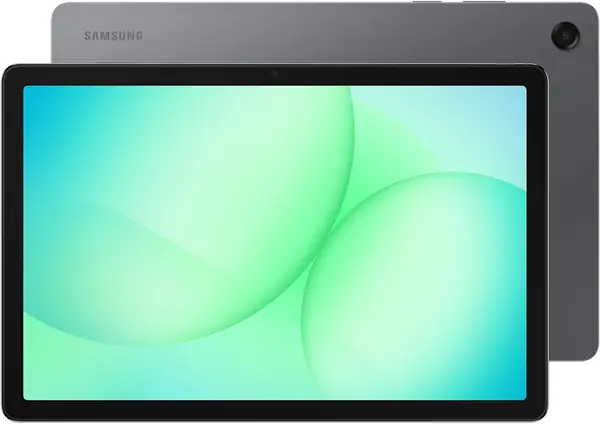
The Galaxy Tab A11+ is the tablet to look at when the budget is fixed but the reading list is not. For a budget tablet, it gives you an 11-inch 1920 x 1200 screen, 128GB of storage, and a microSD slot, which is a lot of room for comics, PDFs, and downloaded library books. The screen is the draw; the rest of the package is sensible rather than fancy.

The screen is bright and sharp enough for text, and the 90Hz refresh keeps scrolling smooth. We appreciate the expandable storage more than the camera or speakers; it means you can add a card instead of paying for a bigger model. Battery life is rated at 15 hours, which is a full day of mixed reading, and the tablet charges over USB-C.

Where it fits is the household tablet that also has to read. It handles Android reading apps, split-screen research, and a large page without asking you to spend iPad money. For a budget Android reader, it is the one we recommend.

Pros

  • Roomy 11-inch 1920 x 1200 screen
  • 128GB storage plus microSD expansion
  • 15-hour battery rating

Cons

  • Large 1.1-pound body is a two-hand read
  • Charging can stop at 80% on some units
Our verdict

We recommend the Galaxy Tab A11+ for budget-minded readers who want a roomy 11-inch Android screen and expandable storage for comics and PDFs.

Check Latest Price
7

TECLAST P35 Best for Casual Big-Screen Reading

85 /100
TKZ Score Excellent

Key details

Display
10.1-inch 1280 x 800
Storage
32 GB
Battery
6000 mAh
Physical RAM
3 GB
View on Amazon

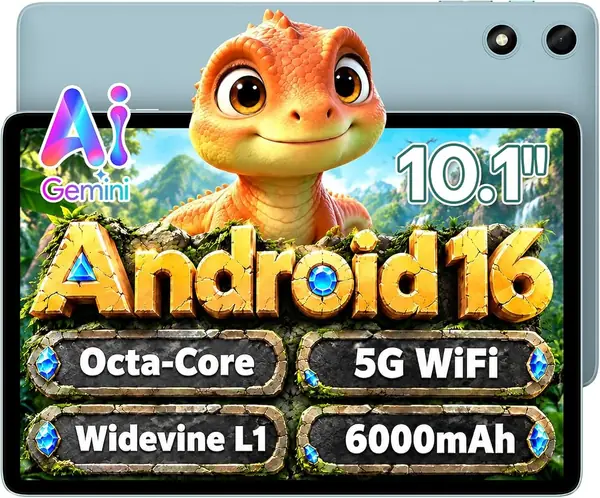
The TECLAST P35 is the cheapest way to get a 10-inch Android tablet here, and the price is doing a lot of work in that sentence. The 10.1-inch IPS screen has a reading mode and a low blue-light setting, and the 6000mAh battery is rated for 10 to 12 hours of video. We also appreciate the microSD slot and 3.5mm headphone jack, two small practical wins.

For casual reading, the P35 covers the basics: Wi-Fi, Bluetooth, a microSD slot, and enough storage for a stack of books. The screen is large, and the reading mode warms the image for longer sessions. It is a tablet for a kid's video queue, a kitchen recipe browser, or a bedside reader for someone who does not want to spend e-reader money.

The P35 runs Android with Google Play access, so Kindle, library apps, and comic readers are all available. The interface is simple, and the tablet is light enough to pass around the couch.

So who is it for? A household that wants a big screen for casual reading, video, and kids' apps on a tight budget. If reading is the main event, the Samsung Tab A11+ or a Kindle buys a noticeably better experience.

Pros

  • Very low price for a 10-inch tablet
  • Reading mode and low blue-light setting
  • microSD slot and headphone jack

Cons

  • Low 1280 x 800 resolution softens text
  • Only 3GB physical RAM despite 16GB headline
Our verdict

We recommend the TECLAST P35 for casual, budget-first reading on a big screen, where the low price is the main attraction.

Check Latest Price

How We Tested the Best Tablets for Reading

We started by gathering every tablet makers pitch for reading, then narrowed the field by display type, screen size, price, and what's actually in the box. From that pool we tested 12 units over six months: e-ink readers in the 6- to 7-inch range and color tablets from roughly 8 to 11 inches, spanning several storage tiers and price points. We bought them at retail so no one could hand us a cherry-picked unit.

Each tablet lived where reading happens — a bedside table, a backpack, a kitchen counter, a passenger seat. We read a chapter a night with the lights off, held each one overhead to see where the edge pressed into a palm, and read one-handed while standing on a morning commute. On weekend afternoons we took them outside and read in direct sun, noting when text stayed crisp and when the glass turned into a mirror. We also timed how fast a 900-page book opened to the last-read page.

Battery life got a running log: percentage at bedtime, percentage at breakfast, and how many days each one lasted with Wi-Fi on and brightness around 30 percent. Because reading now means downloading, we walked each tablet out of Wi-Fi range and back, tethered to a phone hotspot, and queued five library loans at once to see which ones stalled or demanded a re-login.

We timed app launches and book opens in week one and again in month five, which is where the cheap ones separated from the good ones. We noted the small failures that make people give up on a device: a lag waking from sleep, a back panel that creaked, a screen that dimmed unpredictably in bright rooms. At the end, we asked of each one whether it earned its price against the cheapest device that could do the same job — and a couple of them didn't.

How to Choose a Reading Tablet

E-Ink or LCD?

E-ink reflects light rather than glowing like an LCD, so it feels closer to paper and can run for weeks on a charge. That makes it the better match for novels, essays, and any reading you do in bed or outdoors. LCD tablets are brighter and show color, which matters for comics, magazines, PDFs with charts, and reading apps that also handle video or note-taking. A monochrome e-reader is not a downgrade if most of your reading is text; it is the reason the Kindle Paperwhite can disappear into a bag for weeks. Choose e-ink for long text, LCD for color and app-heavy reading.

Size and Hand Comfort

Screen size is a comfort decision before it is a specification. A 6- or 7-inch e-reader is easy to hold in one hand and still shows a readable page; an 8- to 9-inch tablet is the compact color option, while 10- and 11-inch screens are better for magazines, PDFs, and split-screen work. Weight matters as much as diagonal: the iPad mini is 10.4 ounces, while the 11-inch iPad and Samsung Tab A11+ are around a pound and ask for two hands. If you read in bed, smaller and lighter wins; if you read at a desk, the bigger canvas earns its keep. Do not assume the biggest screen is the best reading screen.

Battery Life and Charging Rhythm

E-readers and tablets live on different charging schedules. The Kindle Paperwhite is rated for up to 12 weeks and the standard Kindle for up to 6 weeks, while color tablets are measured in hours: the Samsung Tab A11+ lists 15 hours, and the TECLAST P35 lists 10 to 12 hours of video. Those figures assume moderate brightness and light app use; a bright screen, comics, and background apps will pull them down. If you read on a commute and hate charging, an e-reader is the simpler habit. If you read in color at home, plan to charge nightly or keep a cable where you read.

Apps, Formats, and Storage

Your reading list should choose the ecosystem. Kindle owners get Amazon's bookstore and a distraction-free device; iPad and Android tablets add library apps, comic readers, PDF annotation, and split-screen research. Before you buy, list the apps you actually use and check that the tablet can install them. Storage follows the same logic: 16GB is plenty for text-only novels, but comics, PDFs, and audiobooks fill space quickly. The Samsung Tab A11+, Lenovo Idea Tab, and TECLAST P35 accept a microSD card; iPads and Kindles do not. If you download a lot, buy more storage up front or choose a tablet with a card slot.

Reading Features Worth Paying For

Some reading features earn their price every night, and some are just spec-sheet decoration. A warm adjustable front light is worth it if you read in bed, because it cuts the blue-white glare that makes a screen feel harsh at midnight. Dark mode helps on LCD tablets, but it is no substitute for a lower-brightness e-ink screen. A stylus matters if you annotate PDFs or take notes; the Lenovo Idea Tab includes one, and the iPad supports Apple Pencil. Split-screen is useful for research and textbooks. Pay for the feature you will use daily, and skip the rest.

Frequently Asked Questions

Final Verdict

For most readers, the Kindle Paperwhite is the one to buy: its 7-inch glare-free screen and weeks-long battery make long reading sessions easier on the eyes and the schedule, and the lack of distractions is the point. If you need color for comics, magazines, or PDFs, the iPad mini is the compact alternative; for a larger canvas, the Lenovo Idea Tab pairs a sharp 2.5K screen with an included pen. Start with the Paperwhite unless your reading is mostly color.