Best Android Tablets for Kids of 2026

A kids tablet is one of the few purchases where going cheap can cost you twice. I've watched a bargain slab turn into a stuttering, cracked, out-of-storage brick before the first school year was out, and the kid still asked for my phone instead. What a good one actually fixes is the handoff: it goes in the backpack, survives a drop on the kitchen tile, and stays locked to a kid-safe corner of Android, so you can pass it over without hovering.

My team and I spent six months with 12 of them, setting each up from scratch and handing it to kids between four and ten. The number printed biggest on the box is rarely the one that decides it: RAM is often partly virtual, storage vanishes once Android and the preloaded apps settle in, and parental controls swing from real per-app time limits to a colorful launcher with a password on the settings menu. Watch the version, too, since an international model can mean a different warranty path.

Below are the ones that held up, with notes on which size and age group each one suits. Two kids sharing one tablet is a different shopping problem than one kid who drops everything.

The Best Android Tablets for Kids

1

Evermyth 10-Inch Kids Tablet Best Overall
91 /100
TKZ Score Outstanding

Key details

Display
10-inch 1280 x 800 IPS
Storage
64 GB, expandable to 1 TB
Battery
6,000 mAh
Case
Protective case with stand
View on Amazon

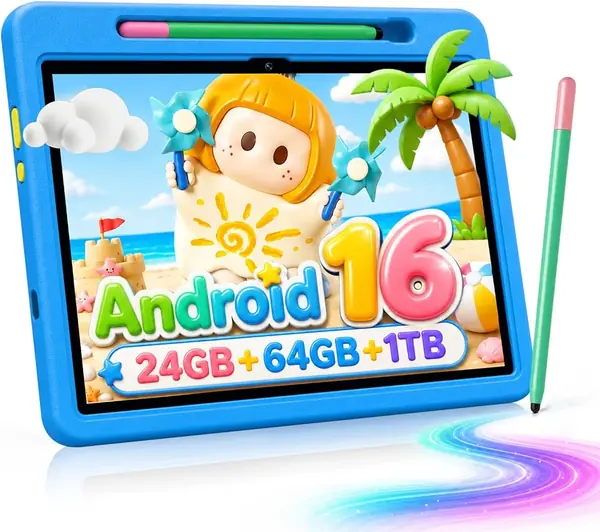
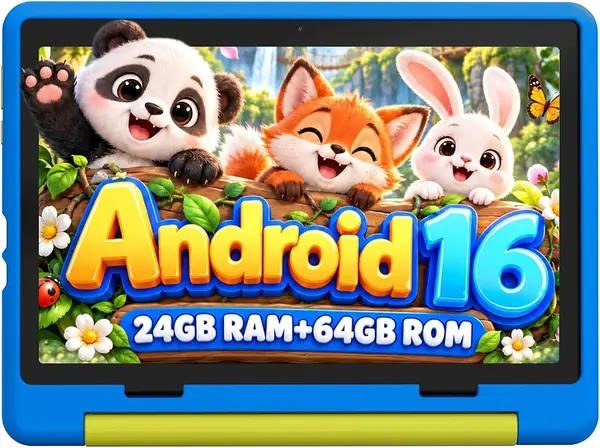
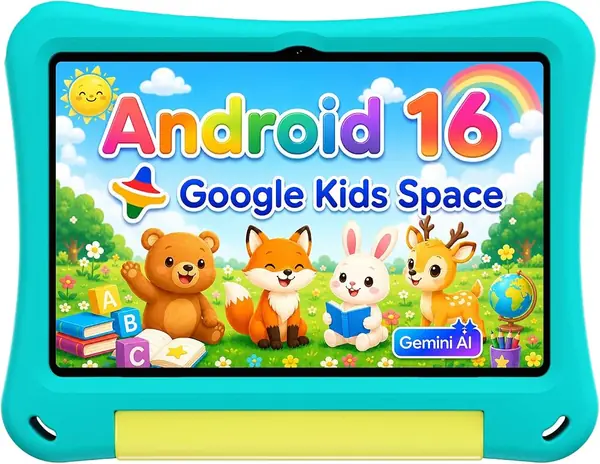
The first thing we noticed about the Evermyth is how complete it feels for a kids tablet: the protective case, the 180-degree stand, and a stylus are in the box, not on a separate shopping list. That matters more than a fancy processor at this price. We like that the 10-inch screen is big enough for a cartoon shared on a couch but still light enough for a child to carry, and the 64GB storage means you aren't immediately deleting apps to make room for a download.

The UKIDOZ Kids Space is the other reason this one earns the top spot. It gives you a child-facing home screen and parent controls without turning setup into a project. We also appreciate the microSD slot, which takes the pressure off the 64GB of built-in storage if your kid downloads a lot of video. The 6,000mAh battery is in line with the other 10-inch picks here; we treat it as a charge-every-night tablet.

We don't put much weight on the 24GB RAM headline. For a kids tablet, the 64GB of storage and the Android 16 software matter more; the practical question is whether the apps your child uses open without a long wait, and the hardware here is aimed at everyday streaming and light games. The microSD slot is the quiet win: it lets you add a cheap card for offline video instead of paying for a bigger model.

Pros

  • Case, stand, and stylus included
  • 64GB storage with microSD expansion
  • UKIDOZ Kids Space parental controls

Cons

  • 1280 x 800 display is basic for the size
Our verdict

We recommend the Evermyth first for most families: it arrives with the case, stand, and stylus that parents usually buy separately, and the 10-inch screen and 64GB storage leave room for school apps and offline video.
Check Latest Price
2

Jeazans 10-Inch Kids Tablet Best Value

90 /100
TKZ Score Outstanding

Key details

Display
10-inch 1280 x 800 LCD
Storage
64 GB, expandable to 1 TB
Battery
6,000 mAh
Case
Protective case included
View on Amazon

The Jeazans has a 6,000mAh battery, but the spec sheet also quotes only 3.5 to 4 hours of nonstop fun. That's a more useful number for a parent than the capacity alone: it makes the Jeazans a short-session tablet, good for a preschooler who uses it in 20-minute stretches, not the one we hand over for a six-hour drive without a charger.

What we like about the Jeazans is the combination of a 10-inch screen and a case that looks ready for a toddler's hands. The 64GB storage is the same as the top pick, and the microSD slot means you can add more for offline video. The built-in parental controls give you profiles and time limits, which is the main thing a parent needs from a first tablet. It's a sensible choice for a first tablet, especially if you want to keep the spend below the Evermyth.

The 10-inch screen is the right size for a child who wants a bigger canvas for watching and simple games, but it makes the tablet a two-hand device for smaller kids. If you need something that disappears into a backpack, the Galaxy Tab A7 Lite is the smaller alternative. The Jeazans covers the basics without asking you to buy the case separately.

Pros

  • 10-inch screen with 64GB storage
  • Protective case included
  • Built-in parental controls

Cons

  • 1280 x 800 screen is basic for 10 inches
Our verdict

The Jeazans is our value pick for toddlers and preschoolers: it gives you a 10-inch screen, 64GB storage, and a protective case for less than the Evermyth, with Android 16 and a 6,000mAh battery.

Check Latest Price
3

EDUAITABLET 10.1-Inch Kids Tablet Best Budget

89 /100
TKZ Score Excellent

Key details

Display
10.1-inch 1280 x 800 IPS
Storage
32 GB, microSD slot
Battery
6,000 mAh
Case
Shockproof EVA case
View on Amazon

At this price, the EDUAITABLET gets the basics right: Android 16, a 10.1-inch IPS screen, and a shockproof EVA case with a foldable stand. We like that the case is part of the package rather than an afterthought, because a kids tablet without one is a repair waiting to happen. The 6,000mAh battery and USB-C charging are also the right calls for a device that will live on the kitchen counter and in the car.

The 32GB of storage is the number to watch. It's enough for a starter set of learning apps and a few downloaded shows, but not for a child who wants a big offline library; the microSD slot helps, though you'll need to buy a card. For a first tablet used mostly indoors, that's an acceptable trade; for a family that travels a lot, the 64GB picks are worth the step up.

We don't get a stylus, but that's not the point. The EDUAITABLET is a starter tablet, and it behaves like one: the case is protective, the software is current, and the price leaves room for a microSD card. If you need more storage for offline video, the Evermyth doubles it and adds a stylus for more money; if you need a sharper small screen, the Galaxy Tab A7 Lite is the compact alternative.

Pros

  • Android 16 on a budget
  • Shockproof EVA case included
  • 10.1-inch IPS screen

Cons

  • 250-nit screen is dim in bright light
Our verdict

The EDUAITABLET is the budget pick for families who want Android 16 and a shockproof case without spending much; it's a good first tablet for a careful kid.

Check Latest Price
4

Samsung Galaxy Tab A7 Lite Best Compact

88 /100
TKZ Score Excellent

Key details

Display
8.7-inch 1340 x 800
Storage
32 GB, microSD slot
OS
Android 11
Weight
13 oz
View on Amazon

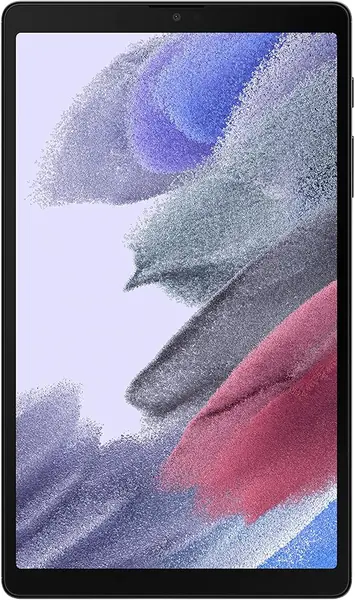
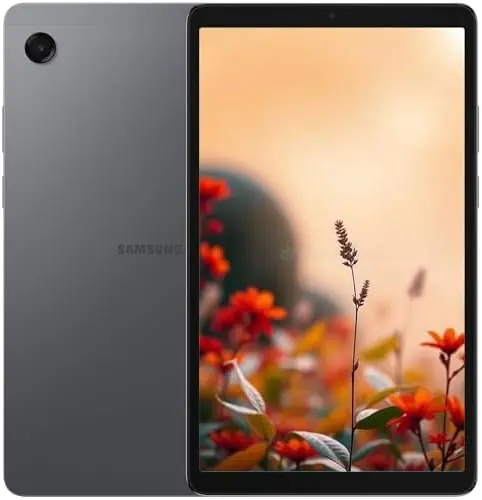
The Galaxy Tab A7 Lite is the smallest tablet here, and that's the point. At 8.7 inches and just under 13 ounces, it's the one that disappears into a backpack and feels manageable in two hands. We like the metal frame for older kids who have outgrown the foam-case look; it feels more grown-up than the 10-inch kids tablets, even if it isn't as drop-proof.

The screen is a 1340 x 800 panel, which is sharp enough for video and reading; the bigger limitation is the 32GB of storage. That's enough for streaming, browsing, and light games, not for a child who wants a big library of apps. The microSD slot helps, but you'll need to add a card. This is a tablet for a kid who wants a real device, not a toy-styled one.

What we appreciate is the US version. Samsung sells this one with a domestic warranty, which is not true of every international Galaxy tablet you'll find. That matters for a device that will be dropped, stuffed in a backpack, and charged every night. The 5,100mAh battery is in line with the 8.7-inch Galaxy Tab A11, so expect a day of mixed use rather than a week.

For a 4-year-old, this is not the tablet we hand over. It's the one for a 9- or 10-year-old who wants a compact screen for video, reading, and light games, and who can be trusted with a case. If you want the same size with a sharper 90Hz screen and more storage, the Galaxy Tab A11 is the newer alternative, but it's an international model without a US warranty.

Pros

  • US version with domestic warranty
  • Compact 8.7-inch metal frame
  • Light at 12.96 ounces

Cons

  • Android 11 is several versions behind
Our verdict

The Galaxy Tab A7 Lite is the compact pick for older kids who want a real tablet, not a chunky kids model; its 8.7-inch metal body is easy to carry, and the US version gives you a warranty.

Check Latest Price
5

TECLAST P35 Best for Streaming

85 /100
TKZ Score Excellent

Key details

Display
10.1-inch 1280 x 800 IPS
Storage
32 GB, expandable to 2 TB
Battery
6,000 mAh
Streaming
Widevine L1
View on Amazon

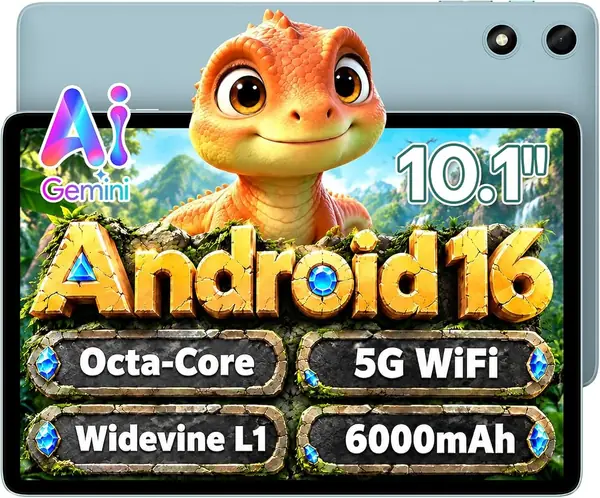
The TECLAST P35 is the one we reach for when the priority is video. Widevine L1 support means it can play HD from the major streaming services, which is not a given on budget Android tablets. The 10.1-inch 1280 x 800 IPS screen is fine for cartoons and movies, and the dual speakers help dialogue sound less thin.

We also like the Android 16 software and the 6,000mAh battery, which put it in the same league as the 10-inch kids tablets for everyday streaming and browsing. The catch is the memory: the 16GB RAM figure is 3GB of physical memory plus 13GB of virtual expansion, so don't expect it to juggle heavy games. For Netflix, school apps, and light games, it's fine.

There's no case in the box, so budget for one. Once it's protected, the P35 is a capable family streaming tablet, and the 10.1-inch screen is big enough for two kids to watch together. It's also the pick for a parent who wants a shared tablet that can stream in HD, not a locked-down kids-only device. The lack of a case is the main reason it isn't our top pick for a younger child.

Pros

  • Widevine L1 for HD streaming
  • 10.1-inch IPS screen and dual speakers
  • Android 16 and 6,000mAh battery

Cons

  • Screen resolution is only 1280 x 800
Our verdict

The TECLAST P35 is the streaming pick for an older kid or a family tablet: it has Widevine L1 for HD video and a 10.1-inch IPS screen for a low price.

Check Latest Price
6

Samsung Galaxy Tab A11 Sharp Small Screen

84 /100
TKZ Score Excellent

Key details

Display
8.7-inch 1340 x 800, 90Hz
Storage
64 GB, microSD slot
Battery
5,100 mAh
Warranty
No US warranty
View on Amazon

The Galaxy Tab A11 is the small Samsung we point to when a kid wants a smoother screen. The 8.7-inch panel runs at 90Hz, so scrolling and games look less choppy than on the 60Hz Tab A7 Lite, and the 64GB of storage is double the A7 Lite's. Those are meaningful upgrades for an older child who uses the tablet for video, browser tabs, and light games.

The 5,100mAh battery and 8.7-inch size put it in the same carryable class as the A7 Lite. We like that it runs Android 15, which is newer than the A7 Lite's Android 11, and that it keeps the microSD slot. The 90Hz screen is the detail that changes the feel: it makes a budget tablet feel less budget.

The reason it isn't one of our top picks is the warranty. Samsung sells this as an international model with no US warranty, and the setup can ask you to choose a country that isn't the US. If you want the peace of mind of a domestic warranty, the Galaxy Tab A7 Lite is the safer compact choice; if you want the better screen and more storage and can live with the risk, the A11 is the nicer device.

Pros

  • 90Hz 8.7-inch screen
  • 64GB storage with microSD
  • Android 15

Cons

  • Charger not included
Our verdict

The Galaxy Tab A11 is the sharper compact Samsung: its 90Hz screen and 64GB storage make it a nicer small tablet than the Galaxy Tab A7 Lite, as long as you accept the international-model caveats.

Check Latest Price

How We Tested a Dozen Kids Tablets

We started with a wide sweep of kid-oriented Android tablets, then narrowed by price and screen size to the 8-to-10-inch band most families shop in, keeping only models that ship with a real kids mode and, in most cases, a protective case in the box. That left 12. Each one got the same setup a parent would do: an adult account, a kid profile, and the same ten apps, from a drawing app to two school apps and a handful of games.

For six months they lived where kids actually use them: the kitchen table during homework, the back seat on the school run, the last twenty minutes before lights out, and one very long road trip. We timed cold starts and app switching and watched how fast things bogged down with four games open. We checked how much storage was truly free after setup, and more than one 32GB model had barely half left. We also set a 30-minute daily limit and watched the clock to see whether it actually locked the kid out.

Battery went the dull route: full charge, then a looped video at 60 percent brightness until the tablet died. Every case got dropped three times from counter height onto hardwood, then wiped down while smeared with peanut butter.

We held each screen at arm's length to judge whether e-book text was legible, slid the smaller ones into a kid's backpack pocket, and handed each tablet to a 4-, 7-, and 10-year-old to see if they could find their own apps without help. At setup we noted whether the region wizard defaulted to the US and whether the app store behaved normally. By month six we also knew which ones had a loose charging port or a splitting case seam.

How to Choose an Android Tablet for Kids

Start With Parental Controls

The first job of a kids tablet is to keep a child in a safe, age-appropriate space. Google Kids Space and the UKIDOZ kids space both give you a child-facing home screen, app filters, and time limits, but the setup and the amount of control vary. Before you hand the tablet over, create a child profile, set a PIN, and decide whether you want curated apps or full Play Store access. A fast tablet with weak controls is the wrong trade for a 5-year-old.

Match the Screen to the Child

A 10-inch screen is great for shared video and schoolwork, but it's a two-hand device for a small child. An 8.7-inch tablet like the Galaxy Tab A7 Lite or Tab A11 is easier to carry in a backpack and use on a car seat or tray table. For a 3- to 5-year-old, we prefer a 10-inch tablet with a sturdy case and stand because it stays put on a table; for a 9- to 12-year-old, the smaller Samsung is the more grown-up choice. Resolution matters less than brightness and viewing angle at this size.

Treat Battery Claims as Best-Case

A 6,000mAh battery sounds like all-day power, but capacity is not runtime. Games, video, and a bright screen can cut a tablet's day much shorter than the spec sheet suggests. We plan on a nightly charge for any kids tablet and look for USB-C, so a dead tablet on Saturday morning is a short fix rather than a hunt for a proprietary cable. If the tablet is going on a trip, download video in advance and pack a power bank.

Read the RAM and Storage Numbers Carefully

Budget tablets love a big RAM headline. Some of those totals include virtual memory, so a 16GB or 24GB figure can sit on top of 3GB or 4GB of physical RAM. Physical RAM is what keeps apps from reloading; storage is what holds downloaded video and games. For a young child, 32GB is a starter amount and a microSD slot is a useful escape hatch. For a child who downloads a lot, 64GB is the safer buy. The TECLAST P35 is a good example: its 16GB RAM figure is 3GB physical plus 13GB virtual expansion.

Budget for the Case, Charger, and Warranty

The case is not a cosmetic accessory for a kids tablet; it's the difference between a working tablet and a cracked screen. The Evermyth, Jeazans, and EDUAITABLET include one, while the Samsung Galaxy Tab A7 Lite and TECLAST P35 do not. Add a case to those totals, and check the charger: the Galaxy Tab A11 ships without one. Warranty is the other hidden variable. The Galaxy Tab A7 Lite is a US version with a domestic warranty; the Galaxy Tab A11 is an international model with no US warranty, which is a real risk for a device a child will carry around.

Frequently Asked Questions

Final Verdict

The Evermyth 10-Inch Kids Tablet is the one we recommend first. It comes with the case, stand, and stylus that parents usually shop for separately, and the 10-inch screen and 64GB of storage give a child room for apps, video, and schoolwork without constant cleanup. If you want a smaller tablet for an older kid, the Galaxy Tab A7 Lite is the better fit, provided you add a case and accept the older Android 11 software.