Best Tablets for Travel of 2026

A four-hour flight with no seatback screen is where most people decide they need a travel tablet, and where a cheap one gives itself away. What a good one buys back is the dead time: the gate wait, the hotel room at nine at night, the back seat on the drive to the coast. That only works if the screen stays readable, the battery holds, and the thing still feels quick on day four.

I check a few things before I look at any spec sheet: brightness against an airplane window, real battery life on a full travel day, and whether it streams in HD on hotel Wi-Fi. My team and I have spent the past eight months living with 12 tablets, and the gaps between them showed up fast.

Here's what first-time buyers miss: the giant RAM numbers on budget listings often include virtual memory borrowed from storage, and some inexpensive tablets lack the Widevine certification Netflix and Disney+ need for HD playback. Neither shows up in a product photo, and both change how a tablet feels at hour three. Reliability and connectivity separated this field more than any processor did, and the picks below are the ones that held up.

The Best Tablets for Travel

1

Apple iPad 11-inch (A16) Best Overall
95 /100
TKZ Score Outstanding

Key details

Display
11-inch Liquid Retina
Storage
128GB
Weight
1.05 lb
Chip
A16
View on Amazon

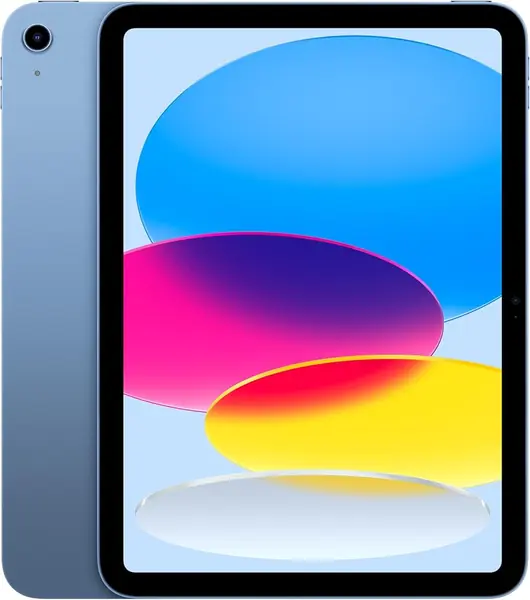
The iPad is the tablet we stopped thinking about. It handles the unglamorous travel jobs — boarding pass at security, camera backup at dinner, a downloaded movie on a tray table — and it was still awake at the end of the days we leaned on it hardest. Apple doesn't publish an hours rating for the all-day battery, so we paid attention to what drained it instead: streaming over hotel Wi-Fi took the most, downloaded video and reading took very little. The A16 chip is the quickest thing in this group, and nothing we opened made it stutter.

At 1.05 pounds and 0.28 inch thick it's light enough to hold one-handed in a hotel bed, and at 7.07 inches wide it slides into a tote without a fight. The 11-inch Liquid Retina display is the best of these for reading and photos, True Tone shifts the white balance to match the room, and the 12MP front camera handles a video call home without hunting for a lamp. Wi-Fi 6 and USB-C round out the practical side.

What the money buys is polish and range. iPadOS runs two apps side by side without the reloading that cheaper Android tablets do, Scribble lets you write with an Apple Pencil in any text field, and the apps built for the bigger screen are better here than anywhere else in this roundup. Storage is 128GB, chosen when you order.

The one thing we look after is setup. Some units arrive stuck or freezing on the setup screen, so set it up the day it lands rather than the night before a flight, when arranging a return is the last thing you want to be doing.

Pros

  • Fastest tablet here, with no stutter in daily use
  • 1.05 pounds and 0.28 inch thick
  • Best screen here for reading and photos

Cons

  • The priciest tablet in this group
  • 128GB fixed, with no memory card slot
Our verdict

We recommend the iPad 11-inch to anyone who wants one dependable device for flights, photos, and a bit of work, and doesn't mind paying the most here to get it.
Check Latest Price
2

Samsung Galaxy Tab A11+ Best Value

91 /100
TKZ Score Outstanding

Key details

Display
11-inch 1920 x 1200, 90Hz
Storage
128GB, microSD
Battery
7040mAh, up to 15 hours
Weight
1.1 lb
View on Amazon

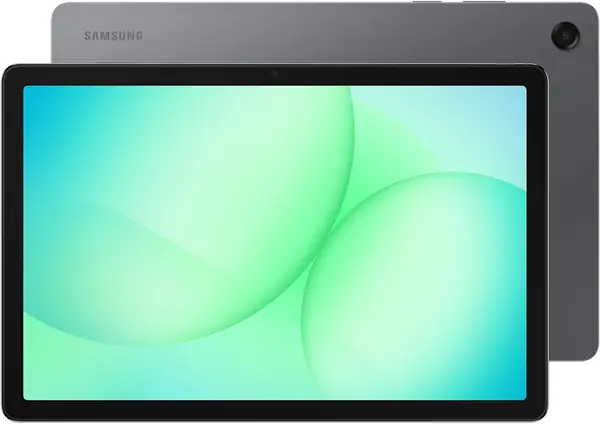
Anyone who flinched at the iPad's price should start here. The Galaxy Tab A11+ is the Android answer to it: an 11-inch screen with a 90Hz refresh rate, 128GB of storage that a microSD card can extend, a 7040mAh battery, and four Dolby Atmos speakers in a body that weighs 1.1 pounds.

That battery is rated at 15 hours, the longest figure any tablet in this group states, and it's the number that decides a travel day — two flights, a layover, and one hotel outlet behind the nightstand. The 90Hz panel makes scrolling feel far smoother than the money suggests, and the speakers fill a hotel room without a Bluetooth speaker. We think this is the best value here for streaming and reading.

The screen is where the savings show. At 1920 x 1200 it's sharp enough for video and perfectly readable for news, but it's a step behind the 2.5K Idea Tab, and the 16:9 shape favors movies over documents. Charging has one quirk worth knowing: the battery can stall around 80 percent and need the cable pulled and reinserted before it finishes.

None of that changes the arithmetic. If the tablet's job on your trips is watching, reading, and being handed to a kid in the back seat, this is the one — the memory card slot alone makes it easier to live with than a fixed-storage iPad.

Pros

  • 15-hour battery rating, the longest here
  • 90Hz 11-inch screen and quad Dolby Atmos speakers
  • microSD slot adds storage cheaply

Cons

  • Charging can stall around 80 percent
  • 1920 x 1200 panel trails the sharpest here
Our verdict

Buy the Galaxy Tab A11+ if you want the biggest screen and the longest battery rating in this group for roughly half what the iPad asks.

Check Latest Price
3

Lenovo Idea Tab Best for Work and Notes

90 /100
TKZ Score Outstanding

Key details

Display
11-inch 2.5K, 90Hz, 500 nits
Storage
256GB
Battery
26.7 Wh
In The Box
Tab Pen, folio case
View on Amazon

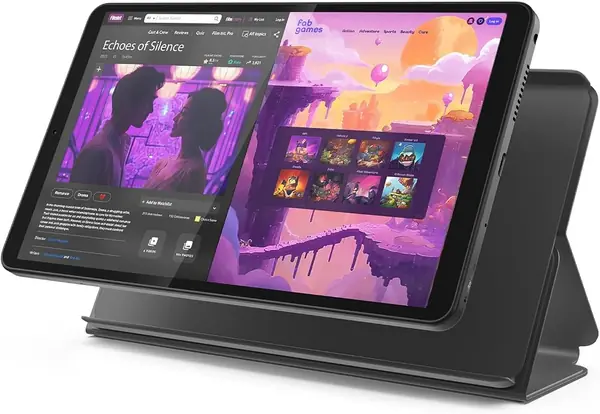
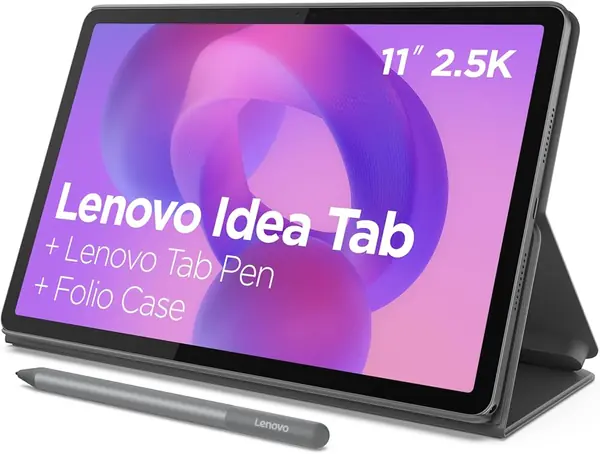
Most tablets make you buy the useful parts separately. The Lenovo Idea Tab arrives with the Tab Pen and a folio case in the box, which is the reason it stayed in the bag on working trips instead of getting left on the desk.

The screen is the best-specified of these: 11 inches at 2560 x 1600, a 90Hz refresh, and 500 nits, the brightest figure any tablet here states. A PDF is crisp enough to read for an hour, the quad Dolby Atmos speakers hold up for a hotel-room movie, and 256GB of storage with 8GB of memory keeps a document and a browser alive at the same time. The Dimensity 6300 doesn't stumble on ordinary work.

Our verdict is that this is the travel tablet for people who do something on the road. Scribbling in the margin of a contract, circling a phrase to search it, and sketching over a screenshot all work with the pen, and none of it costs extra. Lenovo's learning apps are a bonus if you're traveling for a course and irrelevant if you aren't.

At 1.1 pounds and 0.28 inch thick it carries like the other 11-inch tablets, and the folio folds into a stand for tray-table video. The battery is a 26.7 Wh pack, roughly what the Tab A11+ carries, which is enough for a working day as long as you're not streaming through all of it.

Pros

  • Tab Pen and folio case included
  • 2.5K, 90Hz screen; brightest panel here at 500 nits
  • 256GB of storage and 8GB of memory

Cons

  • No charger in the box
  • Wi-Fi can drop on some networks
Our verdict

Our pick for travelers who write, annotate, or study on the road: the Idea Tab includes the pen and case other tablets make you buy.

Check Latest Price
4

Lenovo Tab One Best Small Tablet

86 /100
TKZ Score Excellent

Key details

Display
8.7-inch 1340 x 800, 480 nits
Storage
64GB, microSD
Battery
Up to 12.5 hours video
Weight
11.2 oz
View on Amazon

Eleven ounces is the whole argument. The Lenovo Tab One weighs 11.2 ounces and measures 0.22 inch thick, which is the difference between a tablet that comes out of the bag and one that stays in it. We read on it one-handed for long stretches without wanting to prop it against anything, and it disappears into a small shoulder bag that an 11-inch tablet has no chance with.

The 8.7-inch 1340 x 800 screen is sharp enough for text, and at 480 nits it's the second-brightest panel here after the Idea Tab, so a window seat isn't a problem. Lenovo rates it at up to 12.5 hours of YouTube streaming and includes a folio case, which means the first accessory is already paid for.

The awkward part is the money. At this price you're within reach of the 11-inch Galaxy Tab A11+, which gives you more screen, more memory, and a bigger battery for a little more. The Tab One earns its place only when size is the deciding factor — the tablet you can hold in one hand and read from in a queue. Buy it for the commute and the nightstand, and treat everything else as a bonus.

Pros

  • 11.2 ounces and 0.22 inch thick
  • Folio case included in the price
  • Up to 12.5 hours of YouTube streaming

Cons

  • 4GB of memory limits heavy multitasking
  • Slow to wake from a cold start
Our verdict

Choose the Tab One when size decides the purchase — it's the tablet here you can hold in one hand and forget you packed.

Check Latest Price
5

Amazon Fire HD 8 (Like-New) Best Budget

85 /100
TKZ Score Excellent

Key details

Display
8-inch HD
Storage
32GB, microSD to 1TB
Battery
Up to 13 hours
Condition
Certified Like-New
View on Amazon

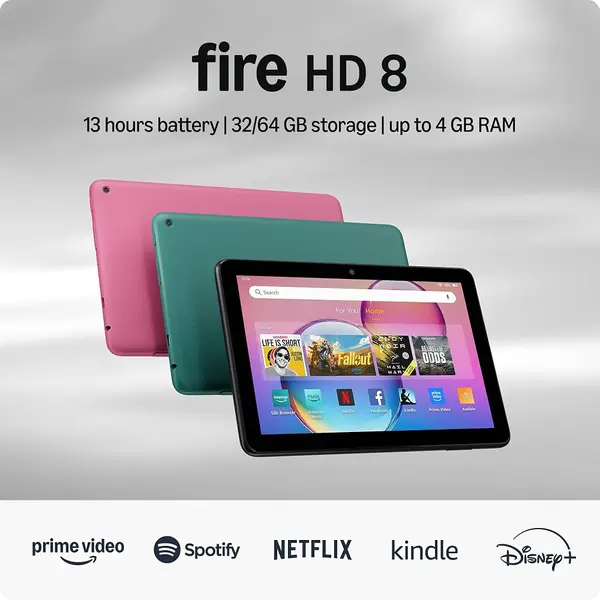
The Fire HD 8 is the wrong tablet for anyone who lives inside Google's apps. Software comes from Amazon's own store, so the Google Play catalog isn't available — the big streaming services are there, the long tail of Android apps is not. If your trip runs on Google Maps and Gmail, stay with the Android picks.

What it does well is the thing you actually want at 30,000 feet: 8 inches, up to 13 hours of battery, 32GB of storage that a microSD card stretches to 1TB, and a body light enough to hold in one hand while the tray table is down. This one is certified Like-New — refurbished, tested, and covered by the same limited warranty as a new device — and it's the least expensive route here to a tablet from a brand with a support line you can call.

Set your expectations at media device. It charges in about two hours and it's happiest doing one thing at a time, and the interface carries ads, which is part of how the price stays where it is. As a second screen that lives in a carry-on and never asks anything of you, it's hard to argue with.

Pros

  • Certified Like-New with the same warranty as new
  • Up to 13 hours of battery
  • microSD slot takes storage to 1TB

Cons

  • No Google Play; smaller app catalog
  • Ads in the interface
Our verdict

The Fire HD 8 is what we hand someone who wants a cheap, dependable screen for flights and nothing more ambitious than that.

Check Latest Price
6

TECLAST P35 Big-Screen Streaming for the Least Money

84 /100
TKZ Score Excellent

Key details

Display
10.1-inch 1280 x 800 IPS, 350 nits
Storage
32GB, microSD to 2TB
Battery
6000mAh, 10-12 hours video
Memory
3GB RAM plus 13GB virtual
View on Amazon

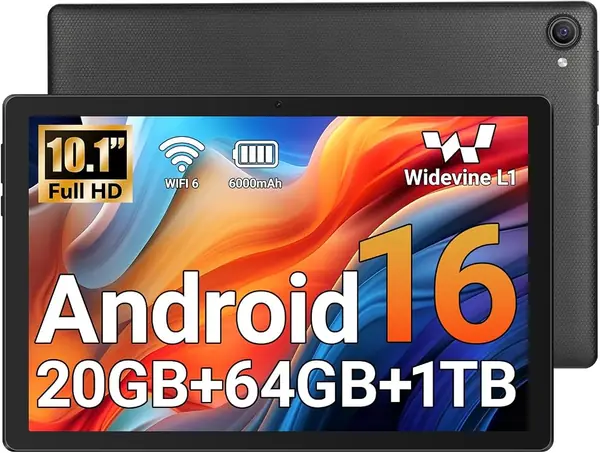
Widevine L1 is the spec budget tablets quietly skip, and it's the one that decides whether Netflix hands you HD or a soft standard-definition stream. The P35 has it, along with Google certification, so the streaming apps look the way they should on a 10.1-inch screen.

The rest is capable budget hardware: a 1280 x 800 IPS panel, dual speakers, a headphone jack, dual-band Wi-Fi, and 32GB of storage that takes a card up to 2TB — enough room for a whole season of something. Battery is rated at 10 to 12 hours of video. It also carries GPS with Glonass and Galileo, which most tablets at this price leave out and which turns it into a usable map screen in a rental car.

Our judgment is that this is the cheapest way here to get a big screen and HD streaming for a flight, and the one to pick when the tablet's job is entertainment and nothing more. Two limits define it: the physical memory is 3GB — the 16GB in the title includes 13GB of virtual expansion — and 350 nits is the dimmest panel brightness any pick here states, so a sunny window seat will wash it out.

Pros

  • Widevine L1 for HD streaming
  • GPS with Glonass and Galileo
  • microSD support up to 2TB

Cons

  • Only 3GB of physical memory
  • 350-nit screen is the dimmest stated here
Our verdict

Get the P35 if the tablet's job is watching downloaded shows on a big screen and the budget is genuinely tight.

Check Latest Price
7

Jeazans KB11 A Light 10-Inch Tablet for the Hotel Room

83 /100
TKZ Score Excellent

Key details

Display
10.1-inch 1280 x 800
Storage
64GB, microSD to 1TB
Battery
6000mAh, 6-8 hours
Weight
1.08 lb
View on Amazon

A 10.1-inch screen for less money than the 8-inch Fire HD 8 is the headline here, and it's worth understanding what you're trading before you take it.

What you get is a 1280 x 800 display, 64GB of storage with a card slot that takes up to 1TB, Wi-Fi 6, Bluetooth 5.4, and Widevine L1 for HD streaming — spec for spec, more than the P35 offers for a little more money.

The body is 0.49 kg with thin bezels, which puts it between the 8-inch tablets and the 11-inch ones in the hand and feels better made than the price suggests. The battery is the compromise: a 6000mAh pack rated at six to eight hours, the shortest stated figure of any tablet here, so this is a charge-it-nightly device rather than an all-day one.

Our take is that it makes sense as a hotel-room and long-layover tablet where an outlet is never far away, and as a reasonable first tablet for a teenager who mostly streams. For a full day away from the room, spend more or pack a battery brick.

Pros

  • 64GB of storage with a 1TB card slot
  • Wi-Fi 6 and Bluetooth 5.4
  • 0.49 kg, light for a 10-inch tablet

Cons

  • Shortest stated battery rating here, 6 to 8 hours
Our verdict

A light 10-inch streaming tablet for the hotel room, and the one we point to when the P35's 32GB feels too small.

Check Latest Price
8

Keoaxll A20Plus Best for Storage and Accessories in One Order

82 /100
TKZ Score Excellent

Key details

Display
10.1-inch 1280 x 800 IPS
Storage
128GB, microSD
Memory
6GB RAM plus 12GB virtual
In The Box
Keyboard, mouse, stylus
View on Amazon

128GB of built-in storage is the reason to look at this one. It's more room than any other budget pick here offers, and it means downloaded shows, offline maps, and photos without a memory card or a delete-something decision halfway through a trip.

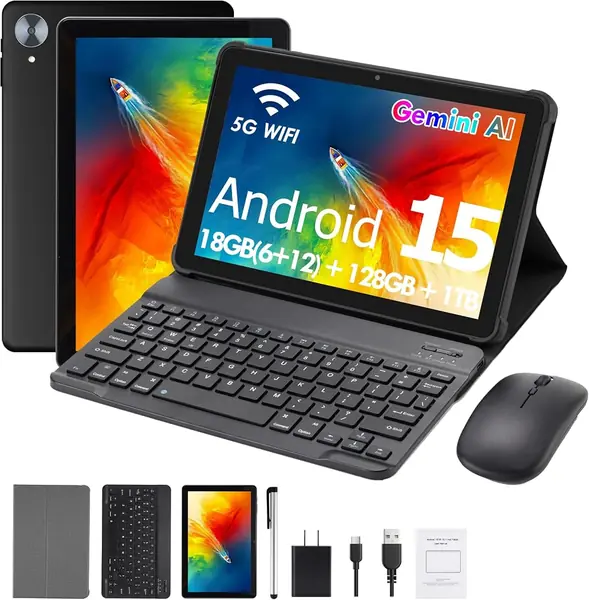
The bundle is the second reason: a keyboard, a mouse, and a stylus in the box, plus Android 15 with Google Play, dual-band Wi-Fi, and a 6000mAh battery. The screen is a 10.1-inch 1280 x 800 IPS panel, which is the standard budget spec and the low end of this group.

Keep the keyboard in perspective. A 10-inch tablet in a keyboard case is a cramped laptop — fine for answering email in a lobby, unpleasant for a spreadsheet, and no substitute for a real machine on a work trip.

Two numbers to read carefully. The 18GB of memory is 6GB of physical RAM plus 12GB of virtual expansion, so treat it as a 6GB tablet, which is still more than most of the budget field. Our judgment: buy it if you want storage and accessories handled in one order, and look at the Idea Tab if typing is the point of the trip.

Pros

  • 128GB of built-in storage
  • Keyboard, mouse, and stylus included
  • 6GB of physical memory beats most budget picks

Cons

  • Keyboard case is cramped for real work
  • 1280 x 800 screen, the low end of this group
Our verdict

Buy the Keoaxll for its 128GB of storage and the keyboard bundle if you want one order to cover a trip's basics.

Check Latest Price

How We Picked and Tested the Best Tablets for Travel

We started by gathering every tablet we could find in the 8- to 11-inch range that a reasonable person would actually pack for a trip, then narrowed the field by price, current operating system, storage options, and whether the manufacturer backs it with a real warranty. That left 12 units, from well-known brands and budget names alike, and we bought them at retail rather than accepting loaners.

Testing ran eight months and happened wherever a tablet actually gets used. On flights, I started a downloaded episode at 100 percent on the runway and wrote down the battery percentage at the gate, then checked overnight standby drain on hotel nightstands. I joined hotel captive portals, tethered to phone hotspots, and walked through terminals with headphones connected to see whether the connection held or the audio stuttered mid-episode.

Every unit went through the same rough sequence: a dozen apps open, switching between streaming and a browser, downloading a full season for offline viewing, and a video call on the front camera. We noted whether the touchscreen kept up with a thumb or lagged behind it, whether apps crashed, and whether the tablet charged reliably overnight without a fuss. Screen brightness got its own check against a bright window, and we loaded a microSD card into the models that accept one to see how expanded storage handled downloaded video.

Weight went into a tote bag alongside a laptop and a water bottle for a full travel day, and we held each one long enough to notice when a corner started digging into a palm. In the end, value came down to what a tablet did at hour three of a long day rather than what its spec sheet promised.

How to Choose a Travel Tablet

Battery Is the Spec That Decides the Trip

Compare the hours figure, not the milliamp-hour capacity. Capacities are quoted at different voltages, which is why the Idea Tab's 26.7 watt-hours and the Tab A11+'s 26.34 watt-hours are near-equals while the Tab One's 19.55 watt-hours is the smaller pack of the three.

Then check what the rating measures — the Tab One's 12.5 hours is YouTube streaming, the P35's 10 to 12 hours is video playback — and pack accordingly. What's in the box matters too: the Idea Tab ships without a charger, so one USB-C brick for phone and tablet is worth the space.

Weight and Size, Measured Against a Tray Table

The 11-inch picks here run about 1.05 to 1.1 pounds, which is fine in a tote and noticeable after twenty minutes of holding it up in bed. The 8.7-inch Tab One is 11.2 ounces and 0.22 inch thick, and that's the class to choose if you read one-handed.

Watch the word compact in a listing: it usually describes the box the tablet ships in, not the seat-back pocket it has to fit. Go by the width instead — an 11-inch panel is roughly 7 inches across before you add a case.

Storage You Can Live With Offline

Downloaded video is what makes a travel tablet useful, and it's what fills 32GB. If you plan to load a season of something plus offline maps, 128GB is the comfortable floor.

A microSD card makes cheap Android tablets easy to top up — the P35 takes one to 2TB, the Fire HD 8 to 1TB — while the iPad has no card slot, so its capacity is decided at checkout.

Read Past the RAM Headline

Several budget listings add virtual memory to the physical figure: the P35's 16GB is 3GB of RAM plus 13GB of expansion, and the Keoaxll's 18GB is 6GB plus 12GB. Virtual memory is swap space on storage, not speed.

Pay for the physical number. Four gigabytes keeps a couple of apps alive, 6GB is comfortable, and the Idea Tab's 8GB is why it holds a browser and a document open without reloading.

What Comes in the Box Changes the Real Price

Accessories are the quiet part of the budget. The Idea Tab includes the Tab Pen and a folio case, the Tab One includes a folio, and the Keoaxll bundle adds a keyboard, mouse, and stylus — all things you would otherwise buy separately.

The iPad, P35, and KB11 ship with a cable and little else, so add a case to your total. One caution on bundles: a keyboard case on a 10-inch tablet is fine for email and bad for anything longer, so don't let it talk you into the wrong tablet.

Frequently Asked Questions

Final Verdict

The iPad 11-inch (A16) is the tablet we point most travelers to. It's the quickest thing in this group, light enough to hold one-handed, and the only one whose apps are built for a big screen rather than stretched onto it. Pay once and stop thinking about it.

If that's more tablet than the trip needs, the Galaxy Tab A11+ covers the same 11 inches with the longest stated battery rating here and a memory card slot, at roughly half the price. And if you plan to write, mark up, or study on the road, the Idea Tab's included pen and 2.5K screen settle it.