Best Tablets of 2026

A tablet is the easiest tech purchase to regret. Spend laptop money and you get a slab that never leaves the desk; spend too little and the thing stutters through a video call and dies before the movie ends. I've made both mistakes.

The one that earns its place has a screen big enough to read on, is light enough to hold through a two-hour flight, and has a battery that outlasts a real day. My team and I have lived with 10 tablets for six months — on the couch, on the train, at the kitchen counter, in bed at 11 p.m. — and the winners aren't the most powerful, they're the ones that get out of your way. Worth knowing before you shop: stylus and keyboard support matter far more than processor speed for most people, and a smoother 90Hz screen does more for daily enjoyment than a marginally faster chip.

Battery life, screen durability, and whether the apps you actually rely on run properly did more to separate these picks than any benchmark. Here's what survived six months of daily use.

The Best Tablets

1

Apple iPad 11-inch (A16) Best Overall
95 /100
TKZ Score Outstanding

Key details

Screen
11-inch Liquid Retina
Storage
128GB
Chip
A16
Weight
1.05 lb
View on Amazon

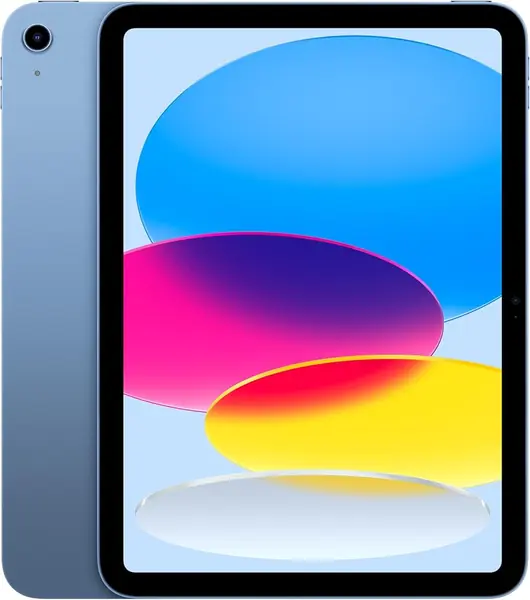
Eleven inches, 1.05 pounds, and a picture that stays readable at an angle on the couch — the Apple iPad 11-inch is what we hand someone who says they want a tablet and nothing more specific. The A16 chip and 128GB of storage take the whole everyday list in stride: streaming, mail, a dozen browser tabs, a child's homework. At 9.79 by 7.07 inches it slides into a tote beside a paperback.

What settled it for us is how little there is to work around. The battery covers a full mixed day, and the front camera is a 12MP sensor — the same resolution as the rear one, which is unusual here and the one that counts on a device you mostly use facing you, whether that's a work call or a weekly catch-up with a grandparent. True Tone shifts the white balance with the room, a spec-sheet line that becomes a real comfort when you're reading at eleven at night. Reliability is the exception worth naming: some units arrive glitchy and freeze during setup, so buy where returns are simple and put it through its paces in the first week.

If handwriting notes is the point, the Samsung Galaxy Tab S10 FE includes a pen and we think it's the better study tool. For everything else, the depth of tablet-shaped apps and the way iPadOS handles a split screen make this the safer default, and 128GB is enough base storage that you stop rationing photos.

The catch is accessories. The Apple Pencil and any keyboard are separate purchases, which is how a midrange tablet creeps toward laptop money. If you never plan to type or sketch on it, that's money you keep — and for streaming, browsing, and reading, you won't miss either.

Pros

  • A16 chip keeps everyday apps quick
  • Full-day battery that charges fast
  • Sharp 11-inch Liquid Retina display

Cons

  • Some units arrive glitchy; test early
  • Apple Pencil and keyboard sold separately
Our verdict

Our pick for most people is the Apple iPad 11-inch: the A16 chip, 128GB of storage, and a full day of battery cover everyday apps, browsing, and streaming without asking you to think about it.
Check Latest Price
2

Samsung Galaxy Tab S10 FE Best for Note-Taking

93 /100
TKZ Score Outstanding

Key details

Screen
10.9-inch, 2304 x 1440, 90Hz
Storage
128GB
Stylus Included
S Pen
Water Resistance
IP68
View on Amazon

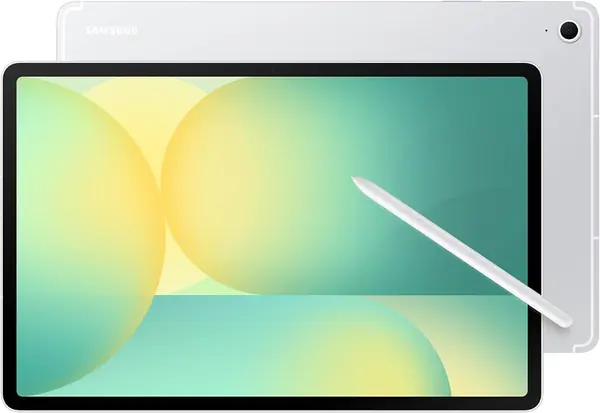
The S Pen ships in the box, and that one decision changes the math on the Samsung Galaxy Tab S10 FE. Add IP68 — it's the only tablet here you can rinse under the tap after a session at the kitchen counter — and you have an Android tablet that undercuts the iPad once a stylus is in the basket. For students it's the pick of this group: the 10.9-inch 2304 x 1440 panel at 90Hz keeps handwriting and PDFs crisp, and Handwriting Assist straightens the notes you would otherwise retype.

Samsung rates the battery at up to 20 hours, and the 8,000mAh cell with a 2.9GHz Exynos 1580 kept pace with split-screen notes and a video running in the corner. At 1.2 pounds it's the heaviest tablet we're recommending; you feel it reading one-handed in bed, less so with a case propping it on a desk. The 13MP rear camera is the best in this group, though we suspect most of its work will be photographing whiteboards.

Two things to know before choosing it over the iPad: a handful of Android apps still reach tablets as stretched phone layouts, and the 128GB starting point is half what the cheaper Galaxy Tab A11+ gives you, though the microSD slot softens that. Neither outweighs a pen in the box and a two-year warranty.

Pros

  • S Pen included in the box
  • IP68 water and dust resistance
  • Crisp 90Hz 2304 x 1440 display

Cons

  • Heaviest of our picks at 1.2 pounds
  • 128GB costs more than the 256GB A11+
Our verdict

For anyone who writes by hand, we rate the Samsung Galaxy Tab S10 FE above the iPad: the S Pen is included, the screen suits notes, and it shrugs off water.

Check Latest Price
3

Samsung Galaxy Tab A11+ Best Value

91 /100
TKZ Score Outstanding

Key details

Screen
11-inch, 1920 x 1200, 90Hz
Storage
256GB
Card Slot
microSD
Memory
8GB RAM
View on Amazon

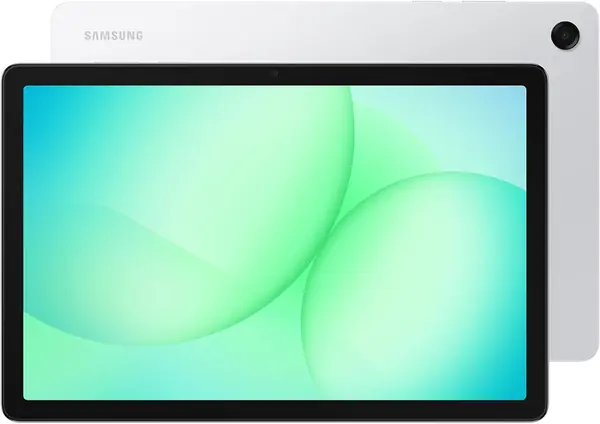
The Samsung Galaxy Tab A11+ leads with storage: 256GB built in, plus a microSD slot, for less money than the S10 FE. For a family tablet that's the specification that earns its keep, because the photos, downloaded shows, and games that fill a slate are exactly the things nobody wants to prune.

The 11-inch 1920 x 1200 panel runs at 90Hz, and the MediaTek chip with 8GB of RAM opened apps without lag through our everyday rounds of browsing, streaming, and a little Roblox. Android 16 with Samsung's interface will feel like home to anyone coming off a Galaxy phone, and the quad Dolby Atmos speakers are clear enough for a kitchen.

What we appreciate most is how little it gives up for general use. Against the S10 FE you lose the pen, some resolution, and the water resistance, and you gain double the storage for less money; if nobody in the house is taking handwritten notes, that's the trade to make. It's the one we hand a household that wants a single tablet on the counter doing school, shows, and video calls.

Battery deserves a check. The 26.34Wh cell runs a long mixed day, but charging can stall around the 80% mark on some units, so run it down and back up in the first two weeks and use the two-year warranty if that turns out to be yours.

Pros

  • 256GB of storage plus a card slot
  • Smooth 90Hz 11-inch screen
  • Two-year Samsung warranty

Cons

  • No stylus or case in the box
  • Less sharp than the Lenovo at the same size
Our verdict

We point families to the Samsung Galaxy Tab A11+ when one tablet has to hold everyone's shows, games, and photos: 256GB and a big 90Hz screen for less than the S10 FE.

Check Latest Price
4

Lenovo Idea Tab Best for Students

90 /100
TKZ Score Outstanding

Key details

Screen
11-inch 2.5K, 90Hz
Storage
256GB
Brightness
500 nits
In The Box
Tab Pen and folio case
View on Amazon

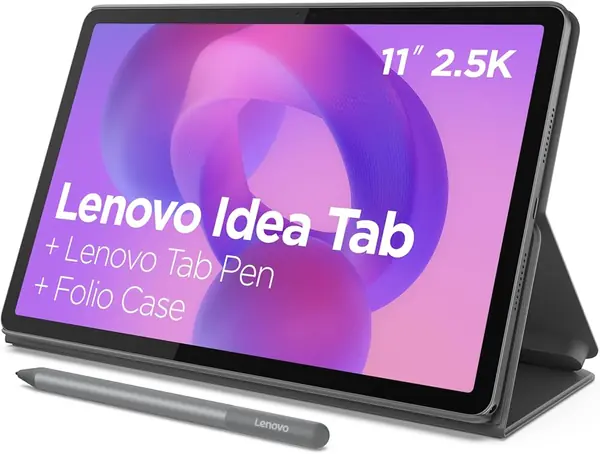
A pen, a folio case, and a 2.5K screen: the Lenovo Idea Tab is the bundle we point students to, and it costs less than either Samsung here. The 11-inch 2560 x 1600 IPS panel is the sharpest in this group at 500 nits and 90Hz, and a textbook PDF reads like paper rather than a photocopy of one. The Tab Pen and the case come in the box, both of which are usually extra.

We're convinced by it as a study machine. The Dimensity 6300 with 8GB of RAM held notes in one window and a lecture video in the other, the quad Dolby Atmos speakers filled a small room without turning thin, and Lenovo's four learning apps — AI Note, Squid, Nebo, and MyScript Calculator — are useful rather than bloat. You'll settle on one of them, but the pen makes the others worth an afternoon.

Two practical notes before you order. Lenovo includes a USB-C cable but no charging brick, so plan on one you already own or add one to the basket. And the battery is average rather than exceptional — a day of classes, not a weekend away. Nothing else at this price puts screen, pen, and case together.

Pros

  • Sharpest screen in this group
  • Pen and folio case included
  • Quad Dolby Atmos speakers

Cons

  • Average battery life
  • One-year warranty
Our verdict

Students on a budget should start with the Lenovo Idea Tab; we like that a 2.5K screen, a pen, and a folio case arrive together for less than either Samsung.

Check Latest Price
5

Apple iPad 10.2-inch (8th Gen, Renewed) Best Budget Tablet

88 /100
TKZ Score Excellent

Key details

Screen
10.2-inch Retina
Storage
32GB
Warranty
90 days
Condition
Renewed
View on Amazon

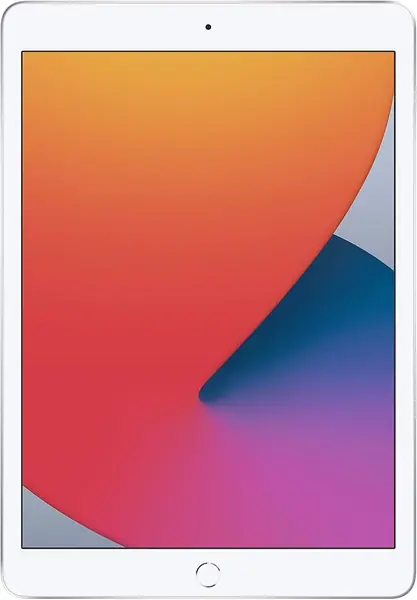
The renewed 10.2-inch iPad is the cheapest way into iPadOS here: a 2020 model with the A12 chip, a Retina screen, Touch ID, and a 90-day warranty. That's the right shape of purchase for a first tablet — a child's homework and cartoons, a recipe screen in the kitchen, a spare for the car — and it handles all three without complaint.

Set expectations on two things. Thirty-two gigabytes goes quickly once the system and a couple of games are installed, so plan on streaming rather than storing and on offloading photos. Battery health varies from unit to unit because these are refurbished machines, and the 90-day cover is short — buy where returns are simple and check everything in the first week.

Two details we did not expect to care about. There's a 3.5mm headphone jack, the only one in this group, which matters for a child doing homework in a shared room. And it takes the first-generation Apple Pencil and the Smart Keyboard, a wider accessory pool than a 2020 model suggests.

Pros

  • Cheapest route into iPadOS
  • Headphone jack, the only one here
  • Takes first-gen Apple Pencil and Smart Keyboard

Cons

  • 32GB of storage fills quickly
  • Battery health varies between units
Our verdict

Buy the renewed Apple iPad 10.2-inch as a first tablet or a spare, going in knowing that 32GB of storage and an aging battery are what the low price buys.

Check Latest Price
6

Jeazans KB11 Tablet Best for Light Streaming Use

86 /100
TKZ Score Excellent

Key details

Screen
10.1-inch, 1280 x 800
Storage
64GB
Card Slot
microSD up to 1TB
Streaming
Widevine L1
View on Amazon

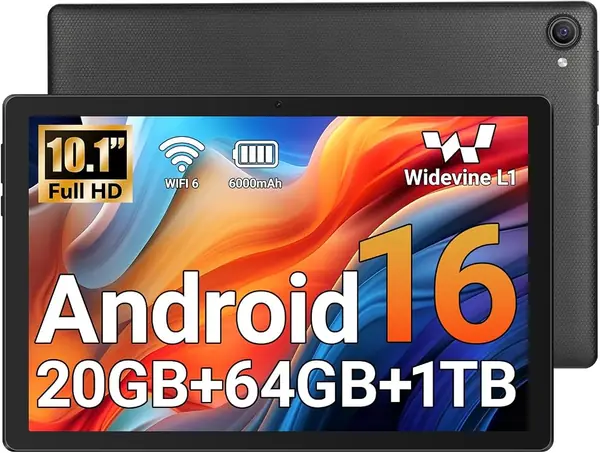
Widevine L1 is the least glamorous specification here and the one that decides whether Netflix actually plays in high definition. The Jeazans KB11 has it, along with Wi-Fi 6, Google certification for the Play Store, and a 10.1-inch screen, for less than anything else we're recommending. For a kitchen counter, a treadmill, or a first big screen for a child, that's a useful combination.

The panel is 1280 x 800, and we won't pretend it looks sharp beside the Lenovo's 2.5K display — text has visible edges and a spreadsheet is not its friend. What it does have is a 0.9cm body at 490 grams, the lightest tablet here, plus a 6000mAh battery rated for six to eight hours. The microSD slot takes cards up to 1TB, which matters more than the 64GB it ships with.

Our take: buy it as a second screen rather than an only one. Light browsing, video, email, and reading are where it feels comfortable, and its two-year warranty is longer cover than the refurbished iPads come with. As the household's only tablet, it runs out of headroom.

Pros

  • Widevine L1 for HD streaming
  • Lightest tablet here at 490 grams
  • microSD slot takes cards up to 1TB

Cons

  • 1280 x 800 panel looks soft
  • Suited to light use, not heavy multitasking
Our verdict

We recommend the Jeazans KB11 as a second screen for video and browsing rather than the household's only tablet: the money buys a light body and HD streaming, not sharpness.

Check Latest Price

How We Tested 10 Tablets Over Six Months

We started with roughly 40 tablets on the market from the major makers and cut the list down using specs, price, and availability. We kept current models only, stuck to screens between about 10 and 12 inches, and made sure the shortlist spanned a few price tiers so we could tell what spending more actually buys.

That left 10 tablets. For six months, each one ran on the same accounts, the same 15 apps, and the same brightness. We ran a repeatable day: unplugged at 8 a.m., two hours of streaming, a 45-minute video call, an hour of browsing with six or seven tabs open, and a note-taking session with whatever stylus came in the box. I logged the time each one hit zero, noted whether apps launched instantly or with a pause, and watched for stutter while scrolling long pages.

Durability got the least gentle treatment: every tablet spent a week riding in a tote bag next to keys and a metal water bottle with no case on, and I checked the glass for scratches each night. For connectivity, I walked to the far corner of the house and out to the backyard to see where Wi-Fi dropped, and left Bluetooth headphones paired across the room to catch any disconnects. Compatibility meant opening the same streaming, banking, and note-taking apps on every device and flagging the ones that were phone apps stretched to fill the screen.

The last measure was the least scientific and the most useful. After the first month I kept a running note of which tablets I picked up without thinking and which ones I had to talk myself into using — the ones I avoided said more about reliability and long-term satisfaction than any spec sheet did.

How to Choose a Tablet

Look at resolution before screen size

Ten or eleven inches is the sweet spot for reading and streaming — big enough for a page, small enough to hold one-handed — but the diagonal tells you nothing about sharpness. At this size, 1280 x 800 looks soft, 1920 x 1200 is comfortable, and 2560 x 1600 stays crisp on small text and PDFs. Product photos won't show the difference; the numbers will.

Refresh rate is the second number worth finding. The Samsung and Lenovo picks here run at 90Hz, which makes scrolling and pen strokes visibly smoother. Buy resolution first and refresh rate second — jagged text keeps bothering people long after a 60Hz scroll stops registering.

Treat battery claims as a starting point

Rated hours assume a dim screen and very little running, so expect less in real use. What separates tablets day to day is charging behavior as much as capacity: one of our picks can stall around 80% on the charger, which you either find in week one or never meet at all.

Run a full discharge and recharge inside the return window, and if a tablet will be shared around the house, favor the models with the bigger cells — 8,000mAh, or roughly 26 watt-hours, at this size.

Storage is where budget tablets bite

Thirty-two gigabytes is the classic trap: enough for an afternoon of apps, then not enough to install the next system update without deleting something. 128GB is comfortable for most people, and 256GB is what a family that downloads shows and games should buy. A microSD slot buys room for photos and video, but it isn't a substitute for internal storage.

Buy the capacity you'll want in two years rather than the one that fits today, and treat the card slot as a bonus.

Price the pen and the case with the tablet

A stylus is what turns a media tablet into a note-taking one, and it's where bundles separate. The Samsung Galaxy Tab S10 FE and the Lenovo Idea Tab both ship with a pen, and the Lenovo adds a folio case. Apple sells the Pencil separately, which narrows the gap between an iPad and a Samsung that already includes one.

Add up tablet, pen, and case before you compare, then ask honestly whether you'll write on it. If handwriting isn't part of the plan, that money is better spent on storage or a sharper screen.

Choose the platform you'll actually live in

The iPad still has the deeper bench of apps designed for a tablet; Android has closed the gap on the big names, and Samsung's software is the most polished version of it. What Android gives back is expandable storage, a longer warranty, and, on the S10 FE and Idea Tab, a pen in the box.

If you already carry an iPhone or a Galaxy phone, your photos, messages, and passwords follow you to the matching tablet, and that convenience is worth more than a column of specifications.

Frequently Asked Questions

Final Verdict

We recommend the Apple iPad 11-inch for most people. It covers the everyday list — streaming, browsing, reading, homework, video calls — with a fast chip, a full day of battery, and enough base storage that you aren't managing it constantly.

Buy the Samsung Galaxy Tab S10 FE instead if you want to write by hand; the pen is in the box and the screen is made for notes. And if one tablet has to serve a whole family with downloaded shows and games, the Samsung Galaxy Tab A11+ and its 256GB go further for less.