Best E-Readers of 2026

E Ink holds an image without drawing power until the page changes, which is why these readers run for weeks on a charge and why the screen looks like paper instead of a flashlight at 1 a.m. What that fact hides is how much the details separate one model from the next.

Size is the first fork. A 6- or 7-inch reader disappears into a coat pocket; an 11-inch color screen is closer to a notebook you can write in, and you feel the difference in one hand. Over the past eight months, my team and I have lived with 12 of them — monochrome and color, buttons and touchscreens — on commutes, in bed with the lights off, and beside a pool where a splash is a real risk. A few were a pleasure; a couple had me reaching for paper.

One thing worth knowing before you shop: color E Ink is lovely for covers, comics, and highlighting, but it reads dimmer and softer than a black-and-white panel at the same price. The picks below are sorted by how you actually read, not by spec sheet.

The Best E-Readers

1

Kindle Paperwhite (2024) Best Overall
93 /100
TKZ Score Outstanding

Key details

Storage
16 GB
Screen Size
7 in
Battery
Up to 12 weeks
Front Light
White to amber
View on Amazon

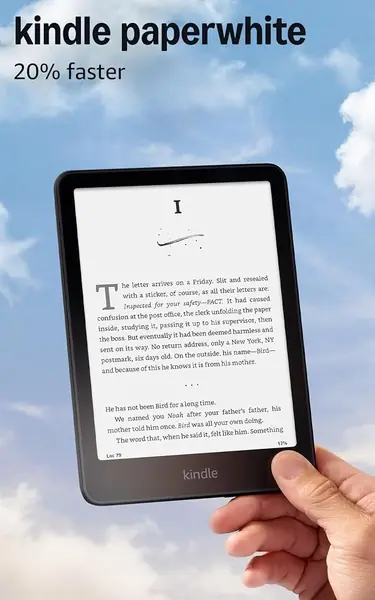
Seven inches is the number that decides this one. Next to the 6-inch Kobo Clara BW, the Paperwhite puts roughly a third more page area in front of you without turning into a two-handed object, and that balance is why it's the reader we point most people toward. The glare-free panel holds up at an angle too, so you can prop it on a pillow and still see the page.

What struck us during testing was how little there is to fiddle with. No buttons, so pages turn with a tap or a swipe, and no notifications or browser tabs nudging you away from the chapter. The light slider runs from cool white to amber, and the warm end is the setting that made late reading easy on the eyes.

The Kindle store is the other half of what you're buying. Samples, purchases, and progress syncing across the Kindle app all work without a second thought, and 16 GB holds more books than most people read in a decade. Battery is listed at up to 12 weeks; keep the light high and Wi-Fi on and you'll charge it far more often, which is true of every reader here.

Two practical notes before you order. There's no wall charger in the box, only a USB-C cable, so plan on your own adapter. And look the panel over in the first week: this generation's screen is crisp on most units, but now and then one arrives with a dead pixel or a yellow cast at the bottom, and that is exactly what a return window is for. Neither point should send you elsewhere — both decide whether you're delighted or annoyed on day one.

Pros

  • Big 7-inch page in a one-hand body
  • Warm-to-cool light for bed and sun
  • Kindle store makes buying and syncing easy
  • Up to 12 weeks per charge

Cons

  • Page turns are tap or swipe only
  • No wall charger in the box
Our verdict

For most people this is the e-reader to buy: a big, sharp page, a warm light for bed, and a store that stays out of the way.
Check Latest Price
2

Kobo Clara BW Best for Library Borrowers

90 /100
TKZ Score Outstanding

Key details

Storage
16 GB
Screen Size
6 in
Weight
6.14 oz
Waterproof
IPX8
View on Amazon

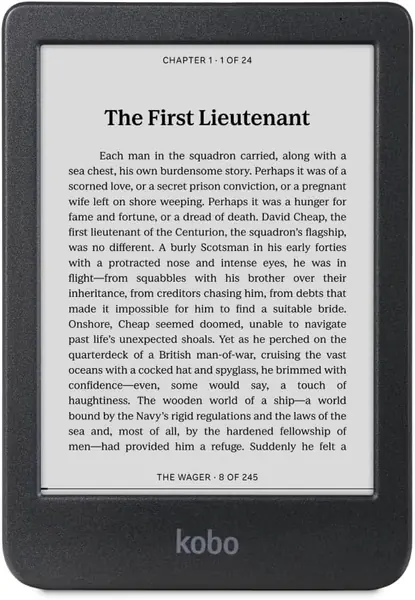
If your books come from the library, this is where to start. Kobo handles Libby on the device itself: a hold that lands on your phone shows up after a sync, and the borrow-read-return loop never routes you through a shop. On a Kindle the same loan arrives through a handoff that works, but it is still a handoff, and it's the reason library borrowers end up here.

The 6-inch Carta 1300 panel does the plain, non-reflective thing E Ink is for, and text renders cleanly at small sizes. ComfortLight PRO separates brightness from color temperature, so you can pull the blue out at night without dimming the page into uselessness. At 6.14 ounces with a soft-touch back it sat comfortably in one hand through a long chapter, which is more than we can say for the bigger readers here.

What actually sold us was the waterproofing. Kobo states an IPX8 rating — 60 minutes in two meters of water — which is the spec-sheet way of saying the bath, the pool, and a wet beach towel are all fine. The Kindles here don't list a water rating, so this is the one to take near water.

The trade-offs are small and specific. The Libby sync sometimes needs a second try before a loan appears. What isn't small: EPUB files dragged straight across from Calibre, no ads on the lock screen, and nothing about the device pushing you toward a storefront. If you want out of Amazon's ecosystem without giving up a polished reader, this is the exit.

Pros

  • Libby library loans handled on the device
  • IPX8 waterproof for bath and beach
  • Crisp 6-inch Carta 1300 screen
  • EPUB sideloading without conversion

Cons

  • Library sync can need a second try
  • No page-turn buttons, touchscreen only
Our verdict

Our pick for library borrowers and bath readers: Libby on the device, a waterproof body, and no account nudging you toward a store.

Check Latest Price
3

Kindle Scribe Colorsoft Best for Note-Taking

88 /100
TKZ Score Excellent

Key details

Storage
64 GB
Screen Size
11 in color
Weight
14.1 oz
Pen
Included, no charging
View on Amazon

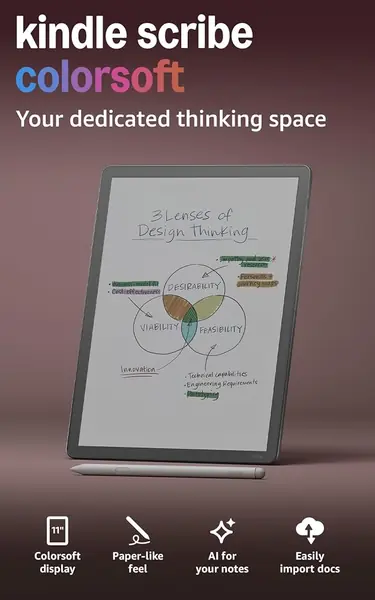
The Scribe Colorsoft is a notebook that also reads books, and that framing decides whether it's right for you. At 11 inches and 400 grams it's a desk-and-lap device, not something you hold on a bus, and the pen comes in the box instead of being sold as an add-on. If margin notes, PDF markup, and handwritten planning are part of your reading life, nothing else here comes close.

The writing feel is the surprise. The textured surface gives the pen just enough drag to feel like pencil on paper, and because the pen never needs charging it's ready whenever you pick it up. Notes land in the built-in notebook, where handwriting converts to text and the AI tools can summarize a page or answer a question about what you wrote. We're less convinced the summaries save time than the transcription does, but the transcription earns its place.

Reading on a color layer this large is a different experience from a Paperwhite. Comics and illustrated books finally look like themselves, and highlighting in five colors makes study notes easier to scan. The cost is contrast: the page reads grayer than black-and-white E Ink, and a color panel plus the front light draws more power than a plain display, so heavy reading days end with the charger.

The honest caveat is that this is the most expensive reader here by a wide margin, and for straight novel reading it isn't better than the Paperwhite — heavier in the hand and dimmer on the page. Set it on a desk and it earns its keep; balance it on a pillow and the weight makes itself known.

Pros

  • Pen included and never needs charging
  • 11-inch color page for notes and comics
  • Paper-like writing surface
  • Handwriting converts to text

Cons

  • Most expensive reader here by a wide margin
  • Heavier and dimmer than a plain e-reader
Our verdict

Buy it for the notebook rather than the novels: a big color page, a pen that never needs charging, and handwriting that turns into text.

Check Latest Price
4

Kobo Libra Colour Best Color E-Reader

87 /100
TKZ Score Excellent

Key details

Storage
32 GB
Screen Size
7 in color
Weight
7.05 oz
Waterproof
IPX8
View on Amazon

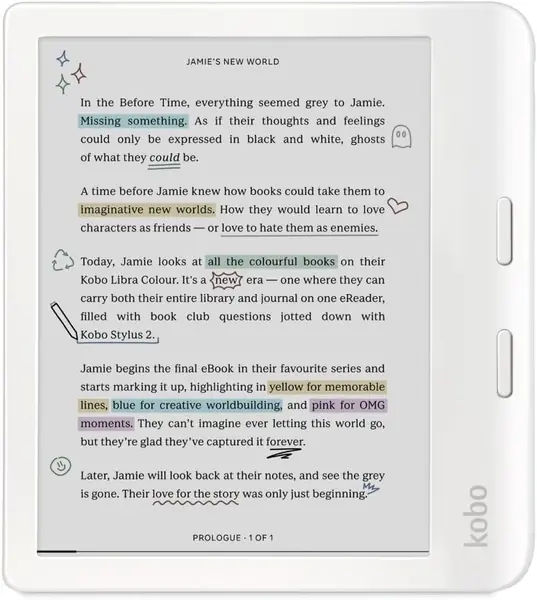
The wide side bar and two physical page buttons are the reason to pick the Libra Colour over the smaller Clara Colour. You hold it one-handed with a thumb on the button, and the screen rotates when you switch hands — a small thing that makes a long book easier to finish. The buttons have a definite click to them rather than a mush.

The 7-inch Kaleido 3 panel is the other draw. Covers show up in color on the shelf, comics read the way they were drawn, and with the Kobo Stylus 2 you can highlight in color and write in the margins. Set expectations at colored paper rather than tablet: the palette is muted and black text sits a shade lighter than on a black-and-white screen.

We came away thinking the color is the nice-to-have and the form is the reason to buy. Thirty-two gigabytes, an IPX8 rating, and a battery listed at four weeks make it a travel reader you don't have to baby, and the color is what makes carrying the graphic novels worthwhile. Read almost nothing but text? The Clara BW is cheaper and crisper.

Two costs to plan for. The stylus is sold separately, so budget for it if notes are the reason you're looking at this model. And page turns run a fraction slower than a Kindle's; the gap is small enough that we stopped noticing it, but you'll see it when you flip back through a chapter.

Pros

  • Physical page buttons with hand rotation
  • 7-inch Kaleido 3 color for comics
  • IPX8 waterproof and 32 GB

Cons

  • Stylus sold separately
  • Color layer softens black text
Our verdict

A color reader for people who hold a book one-handed: real page buttons, a waterproof 7-inch screen, and comics that look like comics.

Check Latest Price
5

XTEINK X4 Pro Best Pocket E-Reader

82 /100
TKZ Score Excellent

Key details

Storage
16 GB
Screen Size
4.3 in
Weight
2.5 oz
Front Light
Warm and cool
View on Amazon

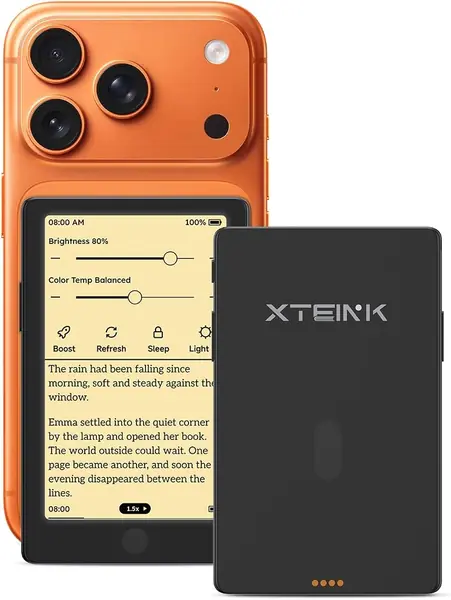
The X4 Pro spent a week riding in a shirt pocket and came out for two stops at a time, which is precisely the job it was designed for. At 72 grams and 5.95 mm it's closer to a card case than a tablet, and the 4.3-inch screen is small enough that pages turn often and big enough that a paragraph never feels cramped.

Small readers usually botch the light. This one has warm and cool front lighting, so it works on a night bus as well as at noon, and the screen stays readable at low brightness without going blue. Touch and side buttons are both here, and it's the buttons you'll use: thumb on the edge, page turned, eyes never leaving the line.

The software is the weak point. The stock reader opens EPUB, MOBI, PDF, and TXT and stumbles on badly built files, and the device is open enough that installing alternative firmware is a well-trodden path, so plan on an evening of setup if typography matters to you. Reliability is the other gamble — some units stop working within weeks, so buy it where returns are easy.

Charging deserves its own warning. It runs on a magnetic cable with a proprietary connector, which is tidy right up until you leave the cable in a hotel room. A spare is inexpensive insurance.

Pros

  • 72 grams, fits a shirt pocket
  • Warm and cool front light
  • Touchscreen plus physical side buttons
  • Storage you can expand

Cons

  • Stock software feels unfinished
  • Magnetic charging cable is easy to lose
Our verdict

The one we carry when the bag stays home: 72 grams, a warm front light, and buttons, as long as basic software doesn't put you off.

Check Latest Price
6

XTEINK X3 Best for Daylight Pocket Reading

81 /100
TKZ Score Excellent

Key details

Storage
16 GB
Screen Size
3.7 in
Weight
2.05 oz
Battery
10 hours
View on Amazon

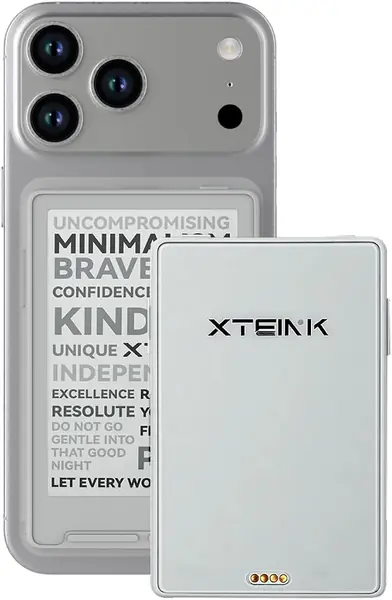
There's no front light, and that single omission decides who the X3 is for: daylight, a lit train carriage, or the lamp beside your chair, but never a dark bedroom. If most of your reading happens after the lights go out, skip this one and look at the X4 Pro instead.

What you get in exchange is 58 grams and a 3.7-inch screen you forget is in a pocket. The plastic shell is the least substantial in this group and the 800x480 screen is the lowest resolution, so text is legible rather than lovely at small sizes. Physical buttons and a gyroscope shake-to-turn make it a genuinely one-handed device on a crowded platform.

Two details we appreciated. An adhesive metal ring lets you park the reader on the back of your phone, which is the sanest way to carry two screens at once. And between EPUB, MOBI, PDF, and TXT support and a microSD slot, you can load a library and top it up without a computer.

Battery is listed at 10 hours, the shortest figure here, so charge it weekly rather than trusting it across a trip. That number is the honest summary of the device: a tiny reader that asks to be topped up often and kept out of the dark.

Pros

  • 58 grams, smaller than a phone
  • Physical buttons and shake page turns
  • Sticks to a phone with the included ring
  • Lowest price in this group

Cons

  • No front light, so daylight only
  • Lowest-resolution screen here
Our verdict

A daylight-only pocket reader: buy it as the second device you keep in a jacket, not the e-reader you read in bed with.

Check Latest Price

How We Tested the Best E-Readers

We built the shortlist from the specs shoppers actually compare — screen size and panel type, front lighting, waterproofing, storage, and price — then cut anything that looked fine on paper but thin in practice. Twelve units came in, from a 3.7-inch pocket reader to an 11-inch writing tablet, and we spent eight months living with them.

That meant a lot of ordinary reading. Each one went on morning bus commutes held in one hand, into bed with the room lights off, and on weekend trips where I deliberately left the charger at home. I read the same two chapters on every device so I could compare how the text sat on the screen, then ran each front light from its dimmest setting up to full to see where it turned blue or washed out. Water went over every display for ten seconds to see which shrugged it off and which I'd never take near a bathtub, and file transfers, PDF markup sessions, and audiobook handoffs got timed with a stopwatch.

Page turns were where the differences showed. I turned 50 pages in a row on each model and noted the delay and how much ghosting trailed behind the text. Battery got tracked by logging reading time against the percentage drop, Wi-Fi off and brightness fixed, which is how the gap between a week and a month became obvious. I also kept a running note of small irritations — a home button that needed three taps, buttons too stiff for cold hands — because those are what make a reader feel cheap long before the hardware does.

Value came last: I set each price against its screen and asked whether the extra money bought something I'd notice on page 40 of a novel.

How to Choose an E-Reader

Size and Reading Posture

Six inches fits a coat pocket and one hand; seven inches gives you noticeably more words per page but wants a bag; eleven inches is a desk device. The trap is assuming a bigger screen is always the upgrade. At 400 grams the Kindle Scribe Colorsoft is a two-handed read, and a 4.3-inch pocket reader gets through more of a novel on the train because you actually have it with you. Seven inches is the sweet spot for most adults, six inches for commuters and smaller hands.

Which Store You're Buying Into

This is the decision you can't undo. Kindle books live in Amazon's apps, and the Kindle store is the smoothest buying experience in this group. Kobo reads EPUB, connects to Libby on the device itself, and takes files straight from Calibre. The XTEINK readers sit at the open end: you supply the files, and the store is beside the point.

Pick the ecosystem your books already live in, because switching later means rebuying. If you borrow more than you buy, that points at Kobo.

Light, Warmth, and the Dark

E Ink isn't backlit. A front light washes across the page instead of shining into your eyes, and it's the difference between reading in bed and needing the lamp on. Look for two things: adjustable color temperature, so you can go amber at night without losing brightness, and a dim enough minimum for a dark room.

This is where cheap pocket readers split. The XTEINK X4 Pro has warm and cool front lighting; the cheaper XTEINK X3 has none at all, which makes it a daylight-only device.

What Color Costs You

A color E Ink layer sits on top of the black-and-white one and takes contrast with it: text looks a shade lighter and the page a little grayer than on a plain panel. That's why novel readers still do better with black-and-white. Buy the color if you read comics, illustrated nonfiction, or want colored highlights in your notes — the Kobo Libra Colour and the Kindle Scribe Colorsoft both earn it that way. Buy it just for pretty covers and you'll wonder what you paid for.

The Details That Decide It

Waterproofing matters if you read in the bath or by the pool. IPX8 means 60 minutes at two meters, and both Kobos here state it while the Kindles don't. Page buttons matter if you read one-handed on a commute; the Libra Colour and the pocket XTEINKs have them. Storage is the least important number on the page: 16 GB holds thousands of text books, and only color comics and audiobooks make 32 GB worth the difference.

Frequently Asked Questions

Final Verdict

The Kindle Paperwhite is the e-reader we recommend without hedging: a 7-inch page, a warm light for bed, and a store that never gets in the way. Choose the Kobo Clara BW if your books come from the library or you read in the bath, the Libra Colour if comics are the point, and the Scribe Colorsoft if you want to write in the margins.

If you want a reader that lives in a pocket, the XTEINK X4 Pro is the one, with the X3 for daylight-only duty in a jacket.