Best E-Readers for PDFs of 2026

A PDF was designed for a sheet of paper, not a 6-inch screen. Open a 180-page report on the wrong e-reader and you get the whole page shrunk to a playing card, zoom that lags a beat behind your fingers, and a footnote you can only read by panning around like a security camera. The right one crops the margins, reflows the columns, and redraws fast enough to keep up with you.

I read long documents for a living, so I am picky about this. Over the past six months my team and I have worked through 12 e-readers, from palm-sized models that ride in a jacket pocket to 7-inch screens that fit a full PDF page without constant zooming. Screen size drives most of the comfort here, but storage for scanned files, warm front lighting for late-night reading, and a weight you can hold in one hand for an hour matter just as much. Below are the ones that survived a folder full of leases, journal articles, and charts.

The Best E-Readers for PDFs

1

Kobo Libra Colour Best Overall
89 /100
TKZ Score Excellent

Key details

Storage
32 GB
Screen Size
7 inches
Resolution
1264 x 1680
Waterproof
Yes
View on Amazon

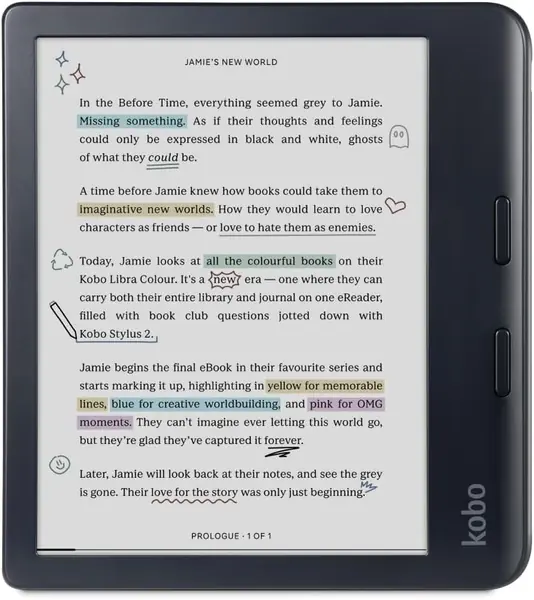
A letter-size PDF squeezed onto a six-inch screen is a keyhole view: you read half a paragraph, pan, read the next half. The Libra Colour is the pick that fixes most of that. Its 7-inch Kaleido 3 panel is the largest screen in this group, and at 1264 x 1680 it holds a single-column page at a size you can read without pinching. Screen size did most of the sorting for us once documents were the job, and this is where the sorting landed.

The rest of the package is built for documents rather than novels. There's 32GB of storage, matched here only by the Paperwhite Signature, which starts to matter once scanned textbooks and long reports arrive at a few hundred megabytes apiece. PDF, EPUB, DOCX and HTML all open without conversion, and the physical page buttons along the side mean you aren't tapping glass every time you move through a file.

At 7.05 ounces it carries a little more weight than the six-inch readers, though the mass sits over your palm rather than your fingertips and the side-button layout genuinely works one-handed. Waterproofing and a battery measured in weeks are the kind of features you stop noticing because they never interrupt you.

There is one place it gives ground to a cheaper screen. If dense two-column scans with 8-point footnotes are your daily diet, the Clara BW below draws finer strokes; the Libra Colour earns its spot when the biggest page matters more than the last increment of crispness.

Pros

  • Largest screen here at 7 inches
  • 32GB for scanned books and long reports
  • Side page buttons work one-handed

Cons

  • Colour layer softens fine black text
Our verdict

We recommend the Libra Colour to anyone whose reading includes PDFs: the 7-inch screen is the difference between reading a page and hunting through it.
Check Latest Price
2

Kobo Clara BW Best for Sharp Text

88 /100
TKZ Score Excellent

Key details

Storage
16 GB
Screen Size
6 inches
Resolution
1072 x 1448
Waterproof
IPX8
View on Amazon

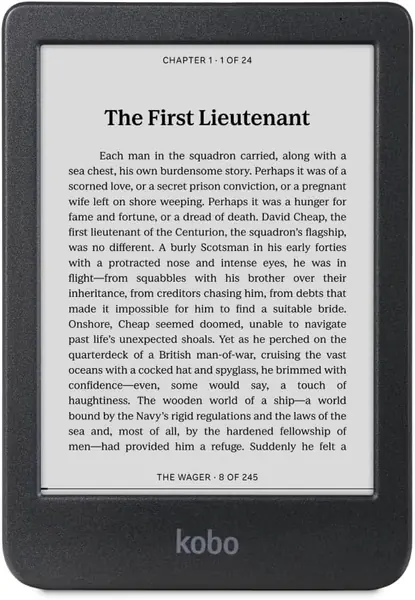
Where the Libra Colour buys you a bigger page, the Clara BW buys sharpness. Its 1072 x 1448 panel across six inches works out to roughly 300 pixels per inch, and black text on it lands with an edge the colour screens can't quite match. It is also the size that disappears into a coat pocket, and at 6.14 ounces it stays comfortable in one hand for an hour at a time.

For a PDF that's mostly words — a contract, a reading packet, a novel you exported — that sharpness is worth more than the extra inch, and this is the reader we point people to for couch reading rather than desk work. Sixteen gigabytes is plenty for text files, ComfortLight PRO shifts warm after dark, and the IPX8 body shrugs off a bathtub or a beach bag.

The limit is geometry, not build. Two-column scans, tables, and fine print still need zooming on six inches, and cropping the margins or turning the reader sideways is the workaround that makes it manageable. Nothing else about this one feels compromised, which is why it stays in the conversation even next to a screen an inch larger.

Pros

  • Near-300 PPI text stays sharp small
  • IPX8 body for pool and bath
  • Warm ComfortLight PRO at night

Cons

  • Library sync can be finicky
Our verdict

Our pick for word-heavy PDFs is the Clara BW — its near-300 PPI black-and-white screen is the sharpest read here and still fits one hand.

Check Latest Price
3

VIWOODS AiPaper Reader Best for PDF Apps

87 /100
TKZ Score Excellent

Key details

Storage
128 GB
Weight
4.87 oz
Display
300 PPI Carta 1300
Connectivity
4G, Wi-Fi, Bluetooth
View on Amazon

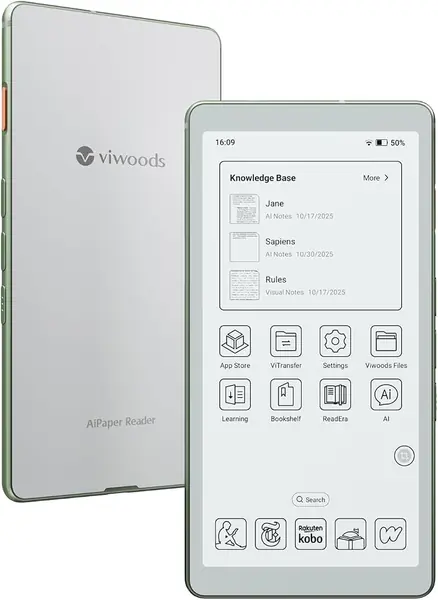
PDF reading is as much about the app as the panel, and this is the only pick that runs Android. That means Google Play, which means the PDF reader you already use on your phone — with its cropping, its annotation tools, its bookmarks — instead of a manufacturer's cut-down viewer. If you work through journal articles or marked-up drafts, that one fact is worth more than the battery and screen advantages of the two picks above it.

The hardware holds up its end. A 300 PPI Carta 1300 panel is about as crisp as e-ink gets for text, 128GB swallows a scanned archive whole, and 138 grams with a 4G radio means you can pull a paper down on a train without hunting for a hotspot. The front light adjusts across 20 levels, and the metal frame makes it feel like an object rather than a shell.

What it costs is money and fuss. It runs more than the Kobo and Kindle models here, and the AI button sits exactly where your thumb rests, so it fires by accident until you switch it off in settings — a minute of setup that resolves the annoyance completely. For a device you buy to run your own software, that is a fair trade rather than a dealbreaker.

Pros

  • Runs Android apps from Google Play
  • 300 PPI Carta 1300 display
  • 128GB storage plus 4G

Cons

  • Cool-only front light, no warm setting
  • Battery drains faster than the e-ink norm
Our verdict

We keep coming back to the AiPaper when a PDF needs a real app: Android, Google Play, and 128GB make it the most capable file handler in this group.

Check Latest Price
4

PocketBook Verse Best for File Formats

86 /100
TKZ Score Excellent

Key details

Storage
8 GB, microSD slot
Screen Size
6 inches
Resolution
1024 x 758
File Formats
25, including PDF
View on Amazon

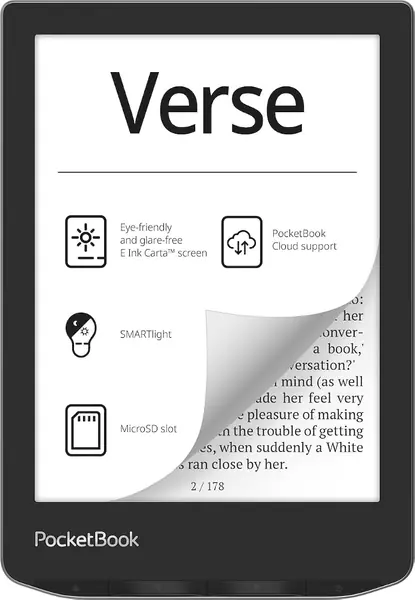
Twenty-five formats is the number that sells this one. Where most readers want you to convert first, the Verse opens EPUB, FB2, DOC, DJVU, PDF and a long tail of others directly, and it handles Adobe DRM — which is exactly what a locked library PDF needs before it will open at all. If your reading is a folder of mismatched files rather than a tidy store library, that flexibility is the entire feature.

Behind the 8GB of built-in memory there's a microSD slot, and it's the practical way to carry a few hundred scanned documents without thinking about space again. SMARTlight adjusts brightness and colour temperature together, so night reading slides toward amber, and the physical page buttons keep your thumb off the touchscreen while you work through a file. PocketBook also throws in offline dictionaries, which sounds like filler until you hit a word in a foreign-language PDF.

It's cheaper than either of the other six-inch picks here, and its two-year warranty is twice the cover the Kobos carry. For a reader who wants one device for documents, library loans, and stray files in formats nobody else will open, that trade is easy to make — and it leaves budget for a bigger card.

Pros

  • Opens 25 formats, PDF and Adobe DRM included
  • microSD slot for large scanned libraries
  • SMARTlight warms the screen at night

Cons

  • Soft 1024 x 758 screen blurs small text
Our verdict

The Verse is our choice for mixed formats and DRM-locked library files, and it's the only pick here that takes a memory card.

Check Latest Price
5

Kindle Paperwhite Signature Edition Best for Kindle Owners

85 /100
TKZ Score Excellent

Key details

Storage
32 GB
Screen Size
7 inches
Waterproof
Yes
Battery
Up to 12 weeks
View on Amazon

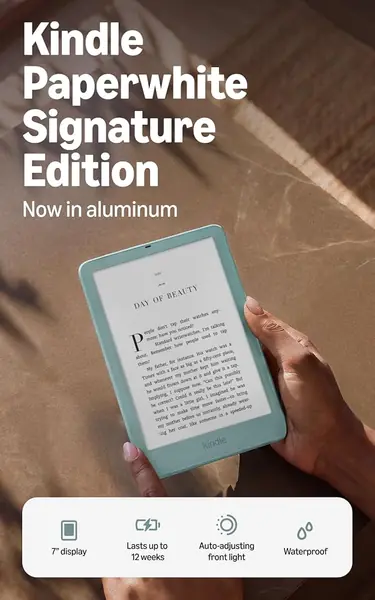
If your library already lives in Amazon's store, the arguments about format flexibility matter less than a single question: which Kindle is best at PDFs? This one. Seven inches and 32GB put it level with the Libra Colour on page size and storage, without asking you to move your books anywhere or learn a new store.

It is the most substantial hardware in this guide. The aluminum back feels like a piece of equipment rather than a plastic shell, the front light adjusts itself as the room dims and turns warm as the evening goes on, and the battery is rated at up to 12 weeks with a panel you can replace yourself when it eventually fades. It's waterproof, it ships without ads, and a double tap turns the page.

What we noticed first is how little you have to think about it. The light settles itself, the screen stays readable in direct sun, and the software never gets between you and a book — the sort of invisibility you only get from a device that has been iterated on for years. That is the real reason to stay put rather than switch ecosystems just to gain an inch.

Where it gives ground is document handling. The PDF work happens inside Amazon's world, and for scanned, annotated, or two-column files the Kobo picks and the Android reader give you more say over how a page is displayed. If PDFs are an occasional detour from novels, this is the better everyday device; if they are the main road, it isn't.

Pros

  • 7-inch screen with 32GB storage
  • Auto-adjusting warm front light
  • Up to 12 weeks of battery, replaceable

Cons

  • Heavier in hand than the plastic Kindle
Our verdict

For anyone already inside Amazon's ecosystem, we think the Paperwhite Signature is the Kindle to get for PDFs, with the screen and storage to carry them.

Check Latest Price
6

Amazon Kindle (2024) Best for Everyday Novels

84 /100
TKZ Score Excellent

Key details

Storage
16 GB
Screen Size
6 inches
Battery
Up to 6 weeks
Front Light
Adjustable, with dark mode
View on Amazon

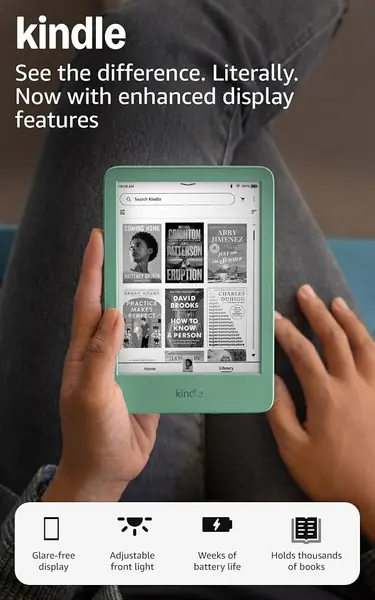
The standard Kindle is the model most people end up with, and the 2024 version shows why. You get a 6-inch glare-free screen with an adjustable front light that's 25 percent brighter at its maximum setting than before, dark mode for reading with the lights off, and 16GB for a library of thousands. The Matcha finish is a nicer object than the money suggests.

It's also small enough to live in a coat pocket and light enough to hold one-handed through an entire evening, which is the honest reason this model has the following it does. For novels, borrowed library books, and the odd long article, it does the job without asking anything of you, and it is the cheapest Kindle in this guide.

For PDFs, though, this is the weakest fit here. Six inches without the sharpness of the Clara BW or the app support of the AiPaper means a fixed-layout page needs near-constant zooming, and the base model is where the software feels least forgiving of a 300-page scan. Buy it for prose and keep a tablet or a bigger reader for anything with figures in it.

Pros

  • Pocketable 6-inch body, one-handed
  • Adjustable front light plus dark mode
  • The cheapest Kindle here

Cons

  • Swipes and page turns can lag
  • Battery life can fall well short of the claim
Our verdict

We recommend the Amazon Kindle for novels and library borrows in a pocketable size — for a reading list built on PDFs, spend the difference on a pick above.

Check Latest Price

How We Tested E-Readers for PDFs

We built the shortlist by pulling every current e-reader with a documented PDF mode — page cropping, column reflow, annotation — then filtering for screen size, storage, file-transfer options, and price so the group spanned 6- and 7-inch screens and a range of budgets. Twelve units made the cut, and we used them for six months.

The hard part of a PDF is the file itself, so we made our own. Each device loaded the same three documents: a 180-page scanned academic paper, a 40-page lease with signature lines, and a chart-heavy annual report. We timed how long each file took to open, pinched into a footnote to see whether the page kept up or smeared, dragged the margins in to crop, and switched to column view to check how much of the layout survived. On the one color screen in the batch, we also noted whether highlighted charts were easier to parse than in grayscale. A device that froze on a large file or rendered a chart as gray mush lost ground right there.

Then we lived with them. Every reader was charged to full and left in a bag for a week to see what the battery actually did, held one-handed for an hour at a time during evening reading sessions to check for wrist fatigue, and read in a dark bedroom with the front light turned as warm as it would go. We loaded books over home Wi-Fi, a hotel network, a phone hotspot, USB, and a memory card, counted the taps it took to get from the home screen into a sideloaded file, and weighed what each one cost against what it actually did well. The frustrating ones failed in specific ways: a zoom that lagged behind the pinch, a library that buried our own files, a screen just small enough that a full page still needed panning.

How to Choose an E-Reader for Pdfs

Screen Size Comes First

A reader cannot reflow a PDF the way it reflows an EPUB, because the file carries its own layout. Whatever you see is the page, scaled, so size is not a luxury — it is the feature. At six inches, a single-column document is workable and a two-column journal page is not. Seven inches is where a full page stops fighting you, which is why the Kobo Libra Colour and the Kindle Paperwhite Signature lead this group for anything with figures, tables, or footnotes.

Before you buy, open the PDF you read most and note whether it runs in one column or two. That single glance sets your size floor and rules out half the market.

Resolution Decides the Small Print

Once the page fits, sharpness decides whether 8-point footnotes resolve. Read resolution and screen size together: 1072 x 1448 across six inches works out to roughly 300 pixels per inch, while 1024 x 758 on the same diagonal lands nearer 210, and the gap shows up first in superscripts and table rows.

Colour e-ink puts a filter over the panel that costs a little black-text crispness. It earns its keep on charts, comics, and covers, not on a wall of type. Unless your documents carry colour, the black-and-white panel is the better read.

Look at How the Reader Opens a PDF

A spec sheet that says PDF can mean a proper viewer with zoom, crop, and a bookmark that survives a reboot, or a slow renderer that shows you a page and little else. The difference appears on long documents, when you want to jump to a section, trim the margins, and pick up where you stopped.

The most flexible answer is an Android reader, where you install the PDF app you already trust — that is the case the VIWOODS AiPaper Reader makes. Otherwise, read the manual's PDF section before you order, not after the box arrives.

Storage, Light, and Battery

Scanned PDFs are heavy. A textbook or a set of filings can run to hundreds of megabytes, so 16GB fills faster than a book count suggests, and 32GB or a memory card is cheap insurance against a full drive halfway through a semester.

A front light matters more than it sounds, because document reading happens in bed, and only some panels go warm; cool light at midnight is a genuine irritant. Treat battery claims as book figures. Every zoom and pan redraws an e-ink screen, so a PDF habit drains a reader well before the rating runs out.

Frequently Asked Questions

Final Verdict

Start with the Kobo Libra Colour. Seven inches of screen and 32GB of storage are the two things that change how a PDF feels to read, and the Libra Colour delivers both with page-turn buttons, waterproofing, and weeks of battery.

If your PDFs are text rather than scans, the Clara BW's sharper black-and-white panel is the better read. And if your library already lives in Amazon's store, the Paperwhite Signature matches the page size without asking you to leave it.