Best Android E-Readers of 2026

For years my e-reader was a one-trick device — great for novels, useless for anything else. The day I loaded a library app, a note-taking app, and a work PDF onto one screen was the day I stopped carrying two gadgets. Android e-readers are that trade: a paper-like display that runs the apps your phone runs. The gap between a good one and an irritating one comes down to page-turn speed, how the buttons feel under your thumb, and whether the frontlight is even enough to read in bed.

I've spent the better part of a year with these. We gathered 10 Android e-readers and used them for seven months — pocket-size models that vanish into a jacket, seven-inch tablets built for books and handwriting, and a 10-inch notebook that replaced paper in meetings.

First-time buyers tend to overrate resolution. A 300 PPI screen looks great on a spec sheet and buys you little if the processor lags half a second behind your thumb. What matters is refresh modes, page buttons, and whether your apps open without a stutter — the things that ended up separating the ten we tested.

The Best Android E-Readers

1

Musnap Ocean Best Overall
85 /100
TKZ Score Excellent

Key details

Display
7-inch E Ink
Storage / RAM
64GB / 4GB
Stylus
Sold separately (Musnap Pencil)
Front Light
Brightness and color temperature
View on Amazon

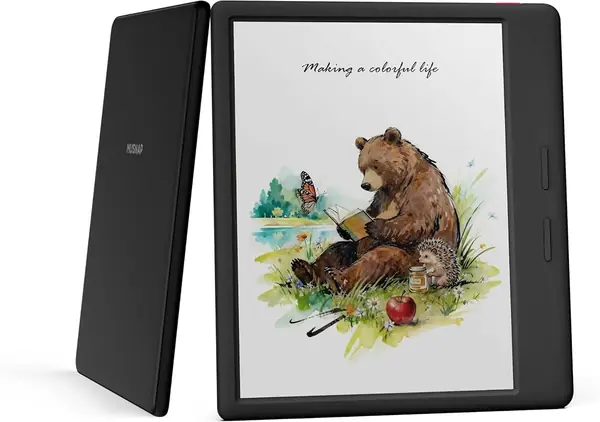
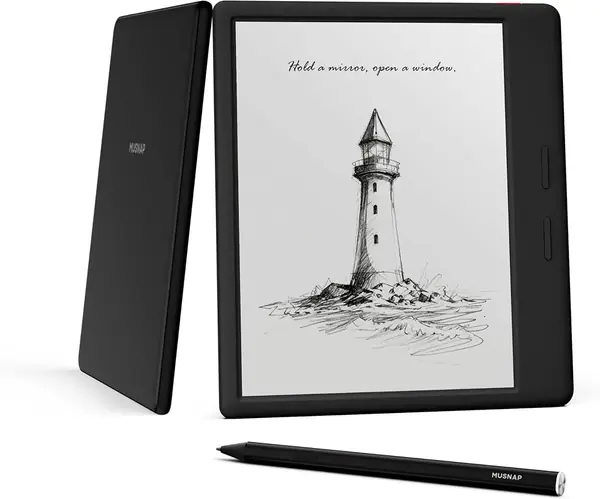
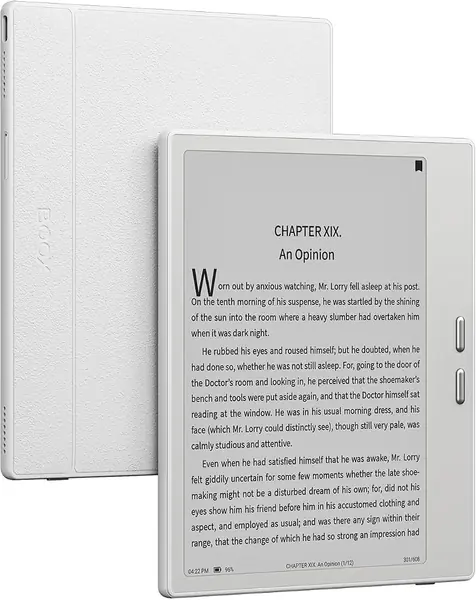
Speed is not what anyone expects from an E Ink screen, and it's the first thing we noticed about the Ocean. Pages turn in the Kindle app without the pause we've learned to tolerate, menus open on the first tap, and the octa-core processor with 4GB of RAM holds several reading apps in memory without complaint. Of the seven-inch Android readers here, it's the quickest to use and the least fussy about switching between apps.

What we appreciate most, though, is the pairing of buttons and light. The page-turn buttons sit exactly under a thumb and click cleanly, so a whole chapter can be read one-handed on a crowded train without smudging the screen, and the front light runs from cool to warm for reading in bed. It also happens to be the cheapest pick in this guide, which makes the package feel like a small steal: the same seven-inch screen as the BOOX Go 7, faster in our hands, for less.

Two practical notes. Battery life depends heavily on how Android-heavy your use is — with store apps installed and Wi-Fi left on, we charged every few days rather than every couple of weeks. And fast scrolling through a browser or a store page can leave a ghost of the previous screen; changing the refresh mode clears it, but that setting is buried, and finding it is the entry fee for an open Android reader.

Pros

  • Fast page turns and quick app switching
  • Page-turn buttons plus a warm and cool front light
  • Lowest price of the picks here

Cons

  • No microSD slot; storage is fixed at 64GB
  • Stylus is sold separately
Our verdict

We recommend the Ocean to most readers: it's the quickest Android e-reader here, with warm light and page buttons, for the least money.
Check Latest Price
2

VIWOODS AiPaper Reader Best for Commuting

84 /100
TKZ Score Excellent

Key details

Display
6.13-inch Carta 1300, 300 ppi
Storage / RAM
128GB / 4GB
Weight
4.87 oz
Connectivity
Wi-Fi, Bluetooth, 4G
View on Amazon

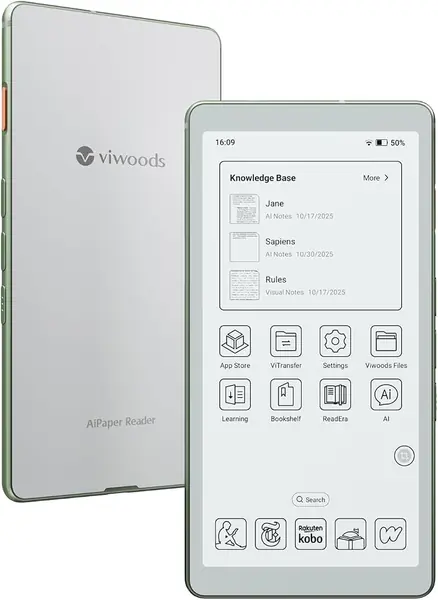
At 138 grams and 6.7 millimeters thick, the AiPaper Reader is the only pick here that genuinely disappears into a jacket pocket, and that's the whole argument for it. We carried it places a seven-inch tablet would never go — a train platform, the school pickup line, the vet's waiting room — and the 6.13-inch Carta 1300 panel at 300 ppi is as crisp as anything in this guide. The metal frame helps too: nothing about it feels like a cheap second device.

Android is what makes the size useful. The reader arrives with Kindle, Libby, and Kobo already installed and full Google Play access behind them, and 128GB of storage swallows an audiobook library alongside your books. The 4G connection is the underrated part — a new book downloads on a platform instead of waiting for Wi-Fi. One quirk: the AI side button sits exactly where a thumb lands, so accidental presses come easily, and it can be reassigned or switched off. That's the first setting to change.

What it doesn't give you is page area. This is a 6.13-inch device, so you're paying for the weight loss rather than the display: fine for novels and short-form reading, less so for letter-size PDFs or comics, which want the Penstar's bigger page or a seven-inch screen. If most of your reading is long-form text picked up in spare minutes, that trade is an easy one to make.

Pros

  • Pocketable at 138 g and 6.7 mm
  • Crisp 300 ppi Carta 1300 screen
  • Google Play access with reading apps preinstalled

Cons

  • Cool-only front light, no warm setting
  • Battery life is on the short side
Our verdict

If you read on the move, this is the one we recommend: 138 grams, a crisp 300 ppi screen, and the apps you already use.

Check Latest Price
3

BOOX Go 7 Best for Notes and Apps

83 /100
TKZ Score Excellent

Key details

Display
7-inch E Ink, 300 ppi
Storage / RAM
64GB / 4GB
Stylus
InkSense, sold separately
Front Light
Warm and cold
View on Amazon

The Go 7 is the BOOX you buy when you want the company's software without the flagship outlay: Android 13, the Play Store, per-app refresh control, and a 7-inch 300 ppi screen under a flat cover lens. The white version uses a PMMA cover rather than glass, which is worth knowing before ordering — the two finishes feel different in the hand, and the white one is the more plasticky of the pair.

In the hand it's the most traditional reader here: page-turn buttons along one grip, a front light that runs warm to cool with color temperature management, auto-rotation when you turn it sideways, dual speakers, a USB-C port that doubles as a headphone jack, and a microSD slot the Musnap Ocean doesn't offer.

Where it asks for patience is setup. Settings are scattered across the display, app, and system menus, and the first evening goes into refresh modes and font tuning; the reading is good once it's dialed in, but nothing about getting there is obvious. Text at 300 ppi is genuinely sharp, and the ghosting that appears when you scroll a store page or a browser clears once a faster refresh mode is applied. This device gives you more knobs than most, which is both the appeal and the chore.

Pros

  • Warm and cool front light with temperature control
  • Page-turn buttons plus a microSD slot
  • Full Android 13 with Play Store access

Cons

  • Fiddly setup with settings scattered across menus
  • InkSense stylus costs extra and isn't included
Our verdict

Buy the Go 7 for BOOX's flexible Android software, page buttons, and a warm light — just plan on an evening of settings first.

Check Latest Price
4

Musnap Ocean C Best for Color Comics

82 /100
TKZ Score Excellent

Key details

Display
7-inch color E Ink
Storage / RAM
64GB / 4GB
Stylus
Sold separately (Musnap Pencil)
Front Light
Brightness and color temperature
View on Amazon

Color is the only real difference between the Ocean C and the standard Ocean, and it decides who should buy which. Comics, manga, magazines, and illustrated cookbooks arrive in actual hue — soft, paper-like color rather than the saturated glow of a phone — while a shelf of plain novels gains very little beyond cover art. Color E Ink layers a filter over a monochrome panel, so black text loses a little bite compared with the standard Ocean.

Everything we like about the Ocean carries over. The same octa-core processor and 4GB of RAM keep app switching quick, the page-turn buttons remain the best way to read one-handed, and the front light still runs from cool to warm. That combination is why it's our color pick: nothing else here reads an illustrated book this comfortably at this size and speed.

The honest split is by library. If most of what you open is text, the monochrome Ocean does the identical job with better contrast for less money; if you read comics most weeks, the extra buys you the one thing a black-and-white screen can't fake.

Pros

  • Color E Ink for comics and magazines
  • Same fast platform and page buttons as the Ocean
  • Warm and cool front light

Cons

  • No microSD slot; 64GB is fixed
  • Musnap Pencil sold separately
Our verdict

We recommend the Ocean C for comics and magazines: it's the same fast seven-inch platform as our top pick, with color on the page.

Check Latest Price
5

Penstar eNote 2 Best for Handwriting and PDFs

81 /100
TKZ Score Excellent

Key details

Display
10.3-inch, 300 ppi
Battery
6,500 mAh
Storage
128GB
Pen Pressure
8,192 levels
View on Amazon

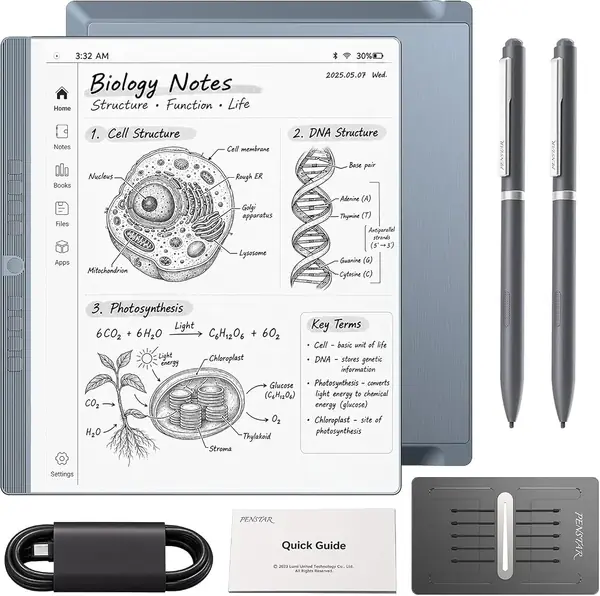
The eNote 2 is built for a pen and nothing else, and that single decision explains everything about it. The 10.3-inch, 300 ppi surface responds only to the stylus, so your palm can rest on the page the way it does on a legal pad, and handwriting lands with the most paper-like feel in this group. If the idea of navigating menus with a pen sounds exhausting, this isn't your device.

What it does well, it does properly. The 8,192 pressure levels give line weight that varies the way ink does, the pen never needs charging, and the screen splits so a PDF and a blank page sit side by side while you work through a document. Around that, Penstar adds a four-microphone array with voice-to-text and AI meeting summaries, 128GB of storage, and a battery rated for about two weeks.

As a reading tablet it's a specialist. Android apps can be sideloaded and the PDF experience is excellent, but a limited app store makes tapping through the Kindle app a chore, and there's no thumbing a page-turn button here. Buy it for handwriting and document markup that happens to include reading; buy a seven-inch Android reader for everything else.

Pros

  • 10.3-inch 300 ppi page for PDFs
  • 8,192 pressure levels with a pen that never needs charging
  • Voice-to-text and AI meeting summaries built in

Cons

  • No touchscreen
  • Limited app store; sideloading is fiddly
Our verdict

Choose the eNote 2 if you annotate PDFs and take notes by hand; it's the best pen-first device here, not a tap-and-swipe reader.

Check Latest Price
6

BOOX Palma 2 Pro Best for One-Handed Reading

76 /100
TKZ Score Very Good

Key details

Display
6.13-inch E Ink, 150 ppi color
Storage / RAM
128GB / 8GB
Stylus
InkSense Plus, sold separately
Front Light
Color temperature control
View on Amazon

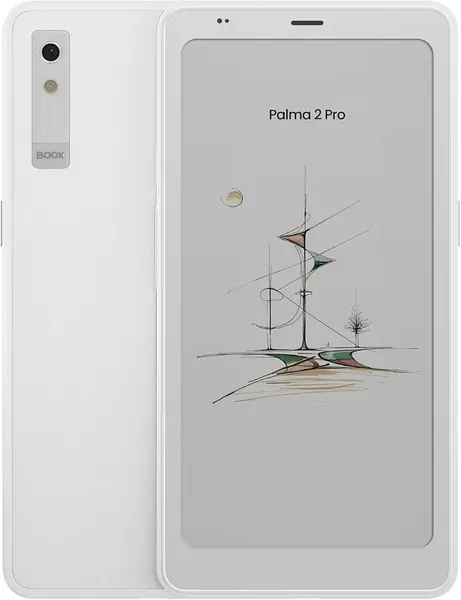
Shaped like a phone and about as pocketable, the Palma 2 Pro is the odd device out in this guide — a 6.13-inch reader with side buttons, auto-rotation, and a color temperature setting for the front light. It's also the best-equipped on paper, with 8GB of RAM and 128GB of storage, more than any other pick here, running BOOX's Android software with the Play Store behind it.

Reading on it is a one-handed pleasure: thumb on the buttons, device balanced in a palm, the way you hold a phone rather than a book. What you give up is page area — a 6.13-inch screen fits noticeably fewer words than a seven-inch model, which is fine for a chapter in a waiting room and less fine for a three-hour sitting.

So it comes down to whether the shape justifies the spend. As a second device for someone who already owns a big reader or a tablet, the Palma 2 Pro is genuinely nice to live with: the size makes it the one you grab for a five-minute wait, and that's more reading than a bigger device tends to get. As a first and only e-reader, it asks a lot for the smallest screen in the group.

Pros

  • Phone-shaped body with side page buttons
  • 8GB RAM and 128GB storage
  • Color temperature control and auto rotation

Cons

  • Color mode is only 150 ppi and looks soft
  • InkSense Plus stylus sold separately
Our verdict

We recommend the Palma 2 Pro only if a phone-sized reader is exactly what you want; it's the most expensive pick here and the smallest screen.

Check Latest Price

How We Tested 10 Android E-Readers Over Seven Months

We started by collecting every e-reader we could find that runs Android and lets you install your own apps, then cut anything with a closed app store, no adjustable frontlight, or no way to sideload a PDF from a work email. Screen size, price, and stylus support narrowed it to 10 units, from six-inch pocket readers to a 10-inch digital notebook. Testing ran seven months.

Those devices went everywhere reading happens: a bedside table at 11 p.m., a commuter train held one-handed, a coffee shop with the news apps open, and a conference room where I marked up agendas with a stylus. Each got at least an hour of nightly reading plus a weekly battery check, and I noted how it felt after an hour in hand — the heft, the creak of the back panel, the warmth.

For speed, I timed how long apps took to open and turned 200 pages per device while counting missed presses and ghost taps. For brightness, I read in a completely dark room at the lowest and highest settings, looking for blotchy patches and a blue cast. For battery, I charged to full, left Wi-Fi on at 50 percent brightness, and read an hour a night for a week, tracking how far the percentage fell. I took meeting notes with each stylus to feel the lag, remapped buttons to see how far the interface could be customized, and flipped through comics on the color models to judge whether the palette looked washed out or merely muted. Then we weighed what each device cost against what it actually did.

How to Choose an Android E-Reader

Match the Screen to How You Read

Screen size settles more than any spec sheet. A 6.13-inch device like the VIWOODS AiPaper Reader or the BOOX Palma 2 Pro slips into a pocket and suits novels read in short bursts, while a 7-inch screen — the Musnap Ocean, the BOOX Go 7 — is the sweet spot for hour-long sessions and most PDFs. A 10.3-inch pen-first E Ink tablet such as the Penstar eNote 2 finally makes annotated letter-size documents comfortable, but you won't hold it one-handed. Choose for the reading position you're in most often, not the one you aspire to.

Check App Access Before Anything Else

Android is only worth paying for if you can install what you read on. Confirm the reader ships with the Play Store or a working app loader, and expect to spend time on refresh modes: an E Ink panel trades speed for contrast, and Kindle, Libby, and a browser each look best at a different setting. Every pick here accepts third-party reading apps, but the Penstar does it by sideloading rather than through a full store, which is part of why it's a notebook first.

One warning about listings: "supports third-party apps" is not the same as Play Store access. If the product page doesn't say the store is there, ask before ordering.

Monochrome or Color E Ink?

Color E Ink lays a filter over a black-and-white panel, so hue arrives at the cost of contrast and color resolution — BOOX's Kaleido 3 screen, for example, is 300 ppi in black and white and 150 ppi in color. For novels, the monochrome version of a reader almost always wins on text crispness and on price. Choose color only if comics, manga, or illustrated reference are a real part of your week; the Musnap Ocean C is our color pick for exactly that reason.

Warm Light and Buttons Are the Comfort Details

Two small things decide whether you enjoy a reader at 11 p.m.: a front light that shifts from cool to warm, and physical page buttons under your thumb. Warm light cuts the blue cast of a dark page, and buttons let you read one-handed without touching the glass. Both are easy to miss in a listing and impossible to add later — the VIWOODS skips warm light entirely, while the BOOX Go 7 and both Musnap Oceans include it. If you read in bed nightly, weigh these above storage.

Battery Life: What Android Costs You

Battery life is the least predictable part of owning an Android reader. The same device can run for weeks in airplane mode with the light low, then days once a store app, Wi-Fi, and background sync are in play. Download books ahead of time, switch off background refresh for apps you rarely open, and keep the front light below full. Treat any manufacturer's "weeks of battery" figure as a best case measured with wireless off.

Frequently Asked Questions

Final Verdict

The Musnap Ocean is the Android e-reader we recommend to most people: it turns pages faster than anything else here, pairs page buttons with a warm and cool front light, and costs less than the rest of the group.

If you read standing up, the VIWOODS AiPaper Reader's 138-gram body is worth the smaller screen. And if your reading is mostly letter-size PDFs you annotate by hand, the Penstar eNote 2 is the only pick built for that — just don't expect to tap through apps on it.