Best Tablets for Toddlers of 2026

Hand a toddler a tablet and the first thing you think about isn't the processor — it's the drop. A tablet built for kids answers that worry up front: it ships in a thick foam or EVA case, it boots into a locked kids profile instead of a full app drawer, and the screen is sized for small hands rather than for getting work done.

The catch is that most of these run similar Android builds, so the spec sheet tells you less than you'd expect. What separates a good one is the parental dashboard you'll actually use at 7 a.m., whether the case comes off for cleaning, and how much storage survives the preloaded learning apps. I've spent the past six months with 11 of these, from 7-inch models a 3-year-old can haul around to 10-inch tablets with double the memory.

Screen size drives more of the decision than the box admits: a 7-inch suits a toddler who mostly taps and watches, while a 10-inch earns its keep once drawing apps and split-screen games arrive. Durability and a kids mode that actually holds came before raw speed in every pick below.

The Best Tablets for Toddlers

1

Evermyth Kids Tablet 10-Inch Best Overall
90 /100
TKZ Score Outstanding

Key details

Screen
10 inches
Battery
6000 mAh
Storage
64 GB, 1 TB expandable
Weight
1.1 lb
View on Amazon

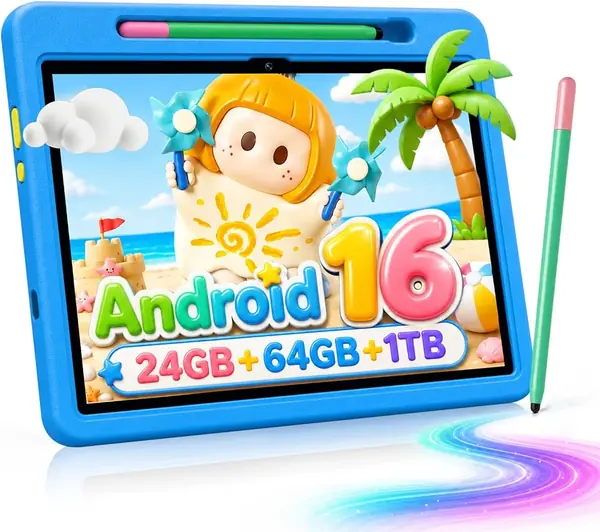
A 10-inch screen, 64GB of storage, and a case in the box: that combination is why the Evermyth is our top pick. At 1.1 pounds, it is light enough for a child to hold with two hands, and the included stylus means drawing apps are ready without an extra purchase. The 64GB of built-in storage is the detail we keep coming back to: it leaves room for a stack of downloaded shows, and the microSD slot expands to 1TB if your child's library grows.

What makes it our top pick is the balance. The 10-inch IPS display is sharp enough for picture books, the 6000mAh battery is in line with the other 10-inch picks here, and UKIDOZ Kids Space sits alongside access to the Play Store, so you are not stuck with a tiny preloaded app library. We appreciate that the case and stand turn it into a tabletop device, and the stylus is a nice extra for drawing apps rather than a reason to buy on its own.

The trade-off is the missing 3.5mm headphone jack. Bluetooth headphones work, but a wired pair is one less thing to charge on a car trip. A 10-inch tablet is also a lap or table device for a 2-year-old; if your child carries it around, the 7-inch DIGITHINK is the easier fit. Neither issue changes our pick for a family that wants one screen for videos, games, and learning at home.

Pros

  • 64GB storage with 1TB microSD expansion
  • Protective case and stylus included
  • 10-inch screen with kids space and Play Store access

Cons

  • No 3.5mm headphone jack
Our verdict

We make this our top pick for most families: a bright 10-inch screen, 64GB of storage, and a case and stylus in the box.
Check Latest Price
2

EDUAITABLET Kids Tablet 10-Inch Best Value 10-Inch

89 /100
TKZ Score Excellent

Key details

Screen
10.1 inches
Battery
6000 mAh
Storage
32 GB, 1 TB expandable
Weight
2 lb
View on Amazon

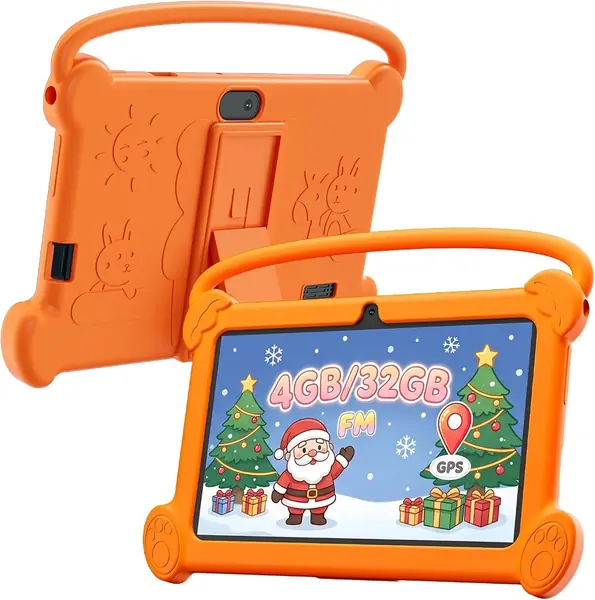
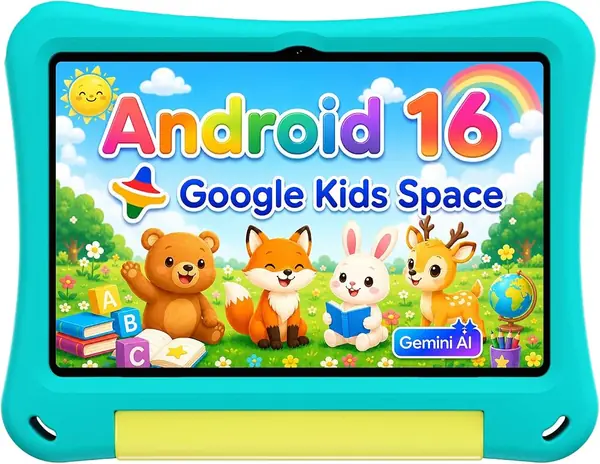
The EDUAITABLET is the lower-cost way to get a 10-inch screen for a toddler. What we noticed first is the case: it wraps the tablet in EVA foam and folds into a stand, which is exactly what you want for video calls, cartoons, and learning apps at the kitchen table. The 10.1-inch IPS screen is the same 1280x800 resolution as several pricier picks here, so the savings do not come from a visibly softer display.

The 32GB of built-in storage is the main compromise. It is enough for a handful of apps and a few downloaded episodes, but a family that loads up a whole season will want the microSD slot, which accepts up to 1TB. We also treat the 2-pound weight as a tabletop fact rather than a carrying feature: a small child can steady it on a lap, but it is not the tablet to toss in a backpack for a restaurant.

Where it earns its place is simplicity. The 6000mAh battery is in line with the other 10-inch picks, the Android 16 setup includes parental controls, and the case means there is no extra purchase before the first handoff. For a grandparent's house or a shared family tablet that stays near the couch, that is a better trade than paying for a lighter body. If your child will carry the tablet from room to room, choose a 7-inch model instead.

Pros

  • 10.1-inch screen with folding EVA stand
  • MicroSD storage expands to 1TB
  • Android 16 and built-in parental controls

Cons

  • Weighs 2 pounds
  • Only 32GB of built-in storage
Our verdict

We recommend this budget 10-inch for tabletop use, with its stand-ready case and 32GB of storage, as long as the 2-pound weight stays on a table.

Check Latest Price
3

ZIOVO Kids Tablet 10-Inch Best for Downloads

88 /100
TKZ Score Excellent

Key details

Screen
10.1 inches
Battery
6000 mAh
Storage
128 GB, 1 TB expandable
Operating System
Android 14
View on Amazon

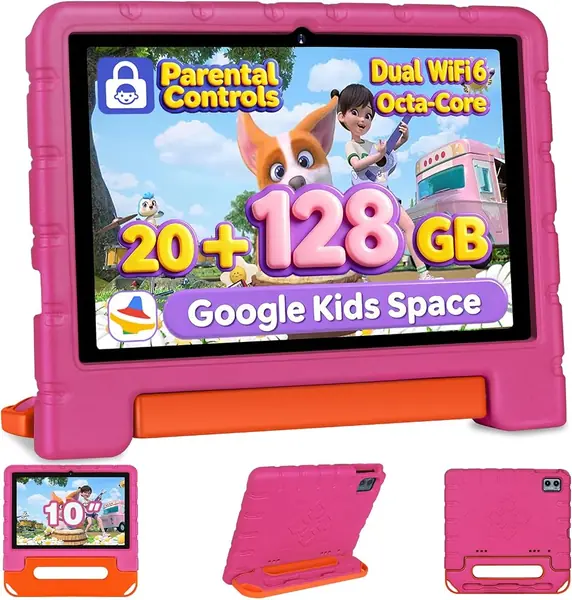
Storage is the reason to look at the ZIOVO: 128GB built in, which is more than double what most 10-inch kids tablets here offer. That extra room matters if you download whole seasons of shows and a stack of learning apps before a trip, and the microSD slot still expands to 1TB. The 10.1-inch IPS screen and 6000mAh battery put it in the same size class as our top pick, and the included case means it arrives ready for a child.

We are less impressed by the 20GB RAM headline. Only 6GB is physical memory; the other 14GB is virtual expansion, which is not the same as having 20GB of real RAM. Read the storage figure instead, and treat the octa-core processor and Android 14 as competent rather than exciting. The parental controls and kids space are the features that matter day to day, and they are present.

The open question is long-term durability, especially the case and charging port. The specifications are strong, but they cannot tell you how this one holds up after months of drops and charging cycles. If you want the pick with more of a track record, choose the Evermyth; if your priority is loading a tablet with offline content for a trip, the ZIOVO's 128GB can be the difference between one tablet and a bag of memory cards.

Pros

  • 128GB storage with 1TB microSD expansion
  • 10.1-inch screen and 6000mAh battery
  • Protective case included

Cons

  • 6GB physical RAM, not 20GB
  • Android 14 instead of Android 16
Our verdict

We choose this one when storage matters more than a track record: 128GB built in, a 10.1-inch screen, and a 6000mAh battery.

Check Latest Price
4

DIGITHINK Kids Tablet 7-Inch Best for Little Hands

87 /100
TKZ Score Excellent

Key details

Screen
7 inches
Battery
3000 mAh
Storage
32 GB, 1 TB expandable
Protective Case
Included
View on Amazon

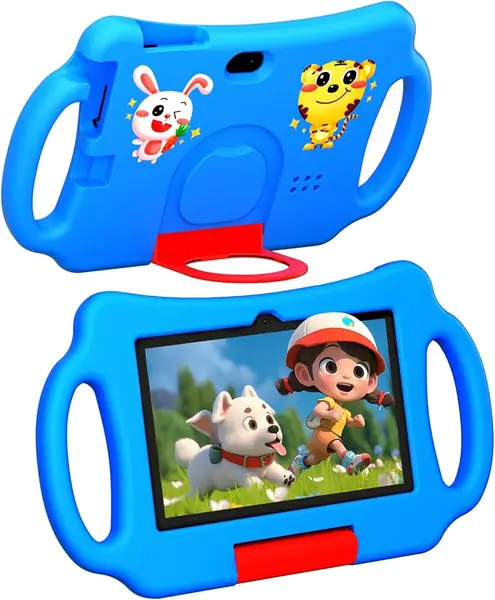
Seven inches is not a downgrade for a toddler; it is the size that lets a 2- or 3-year-old hold the tablet with two hands and still see the screen. The DIGITHINK leans into that with a chunky protective case and a 7-inch 1024x600 display. The resolution is modest, so text in learning apps looks softer than on a 10-inch model, but cartoons and picture books are fine.

We like the 32GB of storage paired with a microSD slot, which is enough for a curated set of apps and a few downloaded videos. The 3000mAh battery is the limitation: it is about half the capacity of the 10-inch picks here, so plan on charging it most nights. The Android 12 software is also older than the Android 16 on our top pick, which matters more for long-term app support than for today's toddler games.

Where this one earns its keep is the handoff. The case is included, the parental controls are built in, and the whole package is small enough to live in a diaper bag without taking over. We see it as a first tablet or a travel spare rather than the family's main screen. If your child is rough on devices, the low price and bundled case make the risk easier to accept.

Pros

  • 7-inch size fits small hands
  • 32GB storage with microSD expansion
  • Drop-resistant case included

Cons

  • 3000mAh battery needs frequent charging
  • Low 1024x600 screen resolution
Our verdict

We favor this as a first tablet for a toddler who mostly watches downloaded videos, with a 7-inch screen and a case for small hands.

Check Latest Price
5

Jeazans Kids Tablet 10-Inch Best for Shared Family Use

86 /100
TKZ Score Excellent

Key details

Screen
10 inches
Battery
6000 mAh
Storage
64 GB, 1 TB expandable
Operating System
Android 16
View on Amazon

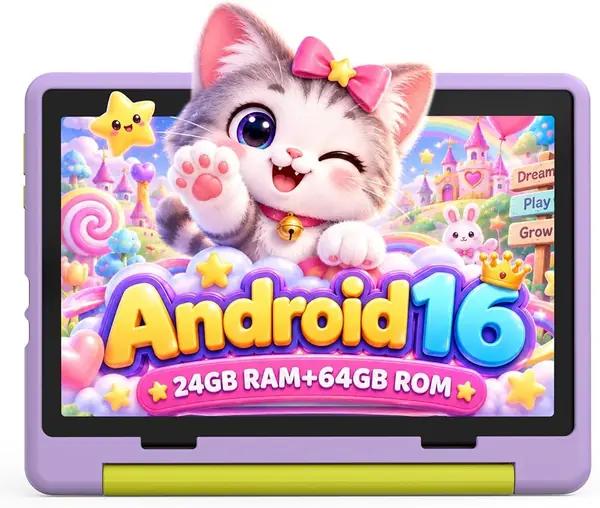
Battery life is the first thing to know about the Jeazans: it is rated for about 3.5 to 4 hours of nonstop use from a 6000mAh cell. That is short for a 10-inch tablet, and it changes who this one is for. A child who watches a movie at home or uses it at the kitchen table will be fine; a family hoping for a full travel day without a charger will not.

The rest of the package is competitive. The 10-inch HD screen is the right size for shared viewing, the 64GB storage holds a healthy app library, and the purple finish is a nice change from the usual blue and pink. We also like that the parental controls let you set separate profiles, so siblings do not have to share one home screen.

That makes this a home tablet rather than a travel one. If it will live on a shelf near an outlet, the big screen and 64GB are easy to live with; if it needs to go in a backpack, the Evermyth's 1.1-pound body is the better fit. The Jeazans is a good second tablet for a household that already has a charging routine.

Pros

  • 64GB storage with 1TB microSD expansion
  • 10-inch HD screen
  • Separate parental profiles

Cons

  • Rated for 3.5 to 4 hours of use
Our verdict

We see this big-screen tablet as a home device for a child who mostly uses it at the kitchen table, where 64GB of storage goes a long way.

Check Latest Price
6

Vyrolina Kids Tablet 7-Inch Best for Travel Use

81 /100
TKZ Score Excellent

Key details

Screen
7 inches
Battery
11 Wh
Storage
32 GB, 1 TB expandable
Weight
1.32 lb
View on Amazon

At 0.6 kg, the Vyrolina is light enough for a small child to carry, and the 7-inch screen fits the same niche as the DIGITHINK. The 4GB RAM figure is split between 2GB physical and 2GB virtual, so the setup is modest; storage is 32GB with microSD support up to 1TB. For a car ride or a restaurant, that is a useful combination.

The 11Wh battery is small, and the 1024x600 screen is not sharp enough for small text. Neither is a dealbreaker for video, but they are reasons to keep this as a travel spare rather than a primary learning tablet. The Android 12 software is also a step behind the Android 16 picks here.

The risk is a tablet that stops powering on or refuses to charge, and the speed is another weak point when apps load. That does not make it unfit for every family, but it is not the one we pick as the only tablet in the house. It earns a place as an occasional-use extra; if you want the more established 7-inch pick, the DIGITHINK has the stronger overall argument as a first tablet.

Pros

  • Light 0.6 kg body
  • Shockproof case included
  • 1TB microSD support

Cons

  • Small 11Wh battery
  • Low 1024x600 screen resolution
Our verdict

For travel and small hands, we pick this light 7-inch tablet with a shockproof case and room for a 1TB memory card.

Check Latest Price

How We Tested 11 Toddler Tablets

We started with every kids tablet we could find that shipped with a dedicated kids mode and a bundled case, then narrowed by screen size, memory, and how honest the listing was about storage left after preloaded apps — this is a category where the same internals get sold under a dozen names. That left 11 tablets across the budget and mid-range tiers, and we brought them home to families with kids between 3 and 9.

They lived where these things actually live: in the back seat on the school run, on the playroom floor during a rainy afternoon, propped on a restaurant table, and in bed at 7:30. Each one got set up cold, timed with a stopwatch from power-on to a working kids profile, then handed over without instructions to see what a kid would figure out on their own.

Then we watched what happened. We noted how long apps took to open on the first launch versus after a month of installed games, and whether video streamed without stalling at the far end of the house. We set time limits in the parental controls and then tried to break out of them, and checked whether a kid could reach the app store or a browser from inside the kids space. Battery life was tracked from morning pickup to naptime, with the screen brightness left wherever the kid put it.

Durability got its own rounds: a waist-high drop onto tile with the case on, screen and case wiped down with baby wipes after snack time, charged with the case still attached, and a sibling test where two kids swapped apps for an hour straight. After six months we checked the cases for stretched corners and cracked foam, and looked at whether the charging port had filled with crumbs.

How to Choose a Kids Tablet for a Toddler

Start with screen size and weight

Screen size is a fit question, not a spec-sheet contest. A 7-inch tablet weighs less and fits small hands, which makes it the better first device for a 2- or 3-year-old. A 10-inch screen is easier to watch together and kinder to learning apps, but it becomes a lap or table device for a young child. The EDUAITABLET, at 2 pounds, is one to use with its stand rather than carry around. If your toddler will move from room to room with the tablet, start at 7 inches.

Look past the RAM headline

Kids-tablet marketing loves big memory numbers, but many mix physical and virtual RAM. The ZIOVO advertises 20GB, for example, but only 6GB is physical and 14GB is virtual expansion; virtual memory is not the same as real memory. Check the physical RAM and the storage separately. For most toddlers, 32GB of storage is a workable floor. Choose 64GB or 128GB if you download shows for trips, and look for a microSD slot so you can add space without replacing the tablet.

Treat battery runtime as a separate spec

A 6000mAh battery sounds generous, but capacity is not runtime. The Jeazans has a 6000mAh cell and an advertised 3.5 to 4 hours of nonstop use, which is short for a 10-inch tablet. If the tablet travels, look for a stated runtime and plan a charging routine; if it stays home, a larger battery is easier to live with. Check that the charging port is USB-C and that replacement cables are easy to find.

Set up parental controls before the first handoff

Built-in kids spaces, such as Google Kids Space, UKIDOZ, or iWawa, let you set profiles, time limits, and app approvals. The important question is whether you can also add apps from the Play Store; a locked-down kids library is safer but frustrating if a favorite app is missing. Set up the child profile, test a video and a game, then hand it over. The Evermyth includes both a kids space and Play Store access, which makes it a useful benchmark.

Buy the case with the tablet

Most kids tablets here come with a protective case, and that is a real part of the value. Look for a raised lip around the screen, a stand for tabletop viewing, and a snug fit that does not block the charging port. A case protects against bumps, not every drop; a cracked screen is still possible, so check the warranty before a trip. The DIGITHINK's bundled case is the sort that makes a 7-inch tablet feel ready for a toddler.

Frequently Asked Questions

Final Verdict

Most families should start with the Evermyth 10-inch kids tablet. It has the best balance here of screen, storage, speed, and a case that comes in the box, and 64GB of built-in space is enough for a real app and video library without an immediate microSD card. The missing headphone jack is the one annoyance; Bluetooth headphones solve it.

If your toddler will carry the tablet, choose the DIGITHINK 7-inch instead. If you download a lot of shows, the ZIOVO's 128GB is worth the step up.