Best Tablets for Roblox of 2026

Roblox will technically run on almost anything with a screen, which is why the budget tablet aisle looks like a solved problem. It isn't. Ten minutes into a full server, the frame rate sags right as the last jump of an obby comes up, and I've watched a kid take a lag spike very personally. What you're actually buying is a display big enough to read the chat, a touchscreen that registers quick taps, and a battery that outlasts a Saturday.

Over the past five months, my team and I have put 14 tablets through the same three games, and the pattern is clear: the ones that hold up are the ones that don't oversell themselves. The first thing I'd tell a first-time buyer is to ignore the RAM number in the product title — a "36GB" tablet is usually 6GB of real memory with the rest borrowed from storage, and the real number is what decides whether a crowded server runs smoothly. The second is that most of these now ship with a kid profile and parental controls, and how easy those are to set up varies wildly from one to the next.

What follows is tuned for Roblox sessions specifically, not for homework, photo editing, or spreadsheets. If that's the job, the picks below are built for it.

The Best Tablets for Roblox

1

SCREENOVATE 10.1-Inch Tablet Best Overall
89 /100
TKZ Score Excellent

Key details

Battery
6000mAh
Storage
128GB, 1TB expandable
Memory
32GB RAM (8GB physical + 24GB virtual)
Processor
Unisoc octa-core, 2GHz
View on Amazon

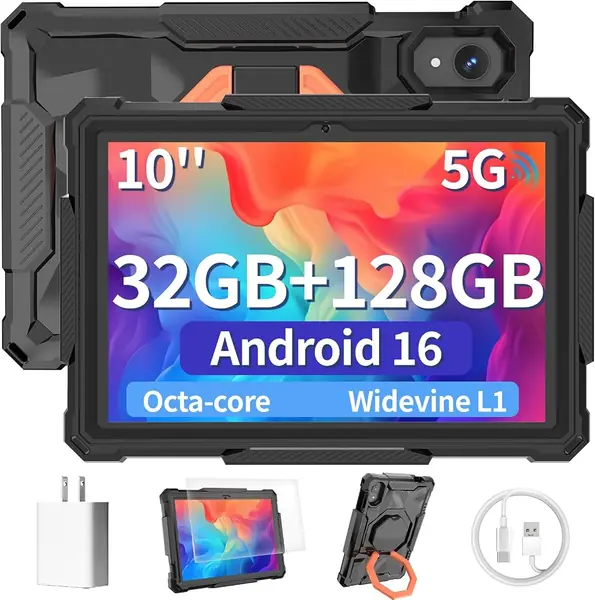
The 32GB RAM headline on the SCREENOVATE is the first thing you see, but the number that matters for Roblox is the 8GB of physical memory underneath it. The extra 24GB is virtual RAM, which can help with background apps but doesn't turn a budget chip into a gaming tablet. We like that this one is clear about the split, and the 2GHz Unisoc octa-core plus 128GB storage give Roblox more room for installs and updates than the 64GB picks here.

The included EVA case is a real advantage for a tablet that will be handed to a kid: it swivels into a stand, covers the edges, and saves you from buying a separate folio. The 10.1-inch 1280 x 800 screen is the same resolution as most of this group, and it's fine for Roblox's chunky UI and for video between sessions. We also appreciate the 6000mAh battery, which is average here rather than a standout.

The catch is the price. This is one of the more expensive Android tablets in the group, and it hasn't built the same long track record here as the URAO or Evermyth. We're comfortable making it the default because the physical memory is the right kind of headroom for Roblox, but the URAO X109 is the safer value if you want to spend less.

Pros

  • 8GB physical RAM for Roblox
  • 128GB storage with 1TB expansion
  • Included rotatable EVA case

Cons

  • Only 1280 x 800 resolution
  • No Wi-Fi 6
Our verdict

We recommend the SCREENOVATE for most Roblox players because it pairs 8GB of physical RAM with a 2GHz octa-core, 128GB storage, and a protective case.
Check Latest Price
2

URAO X109 Tablet Best Value

88 /100
TKZ Score Excellent

Key details

Battery
6000mAh
Storage
128GB, 1TB expandable
Memory
36GB RAM (6GB + 30GB)
Processor
Allwinner octa-core, 1.8GHz
View on Amazon

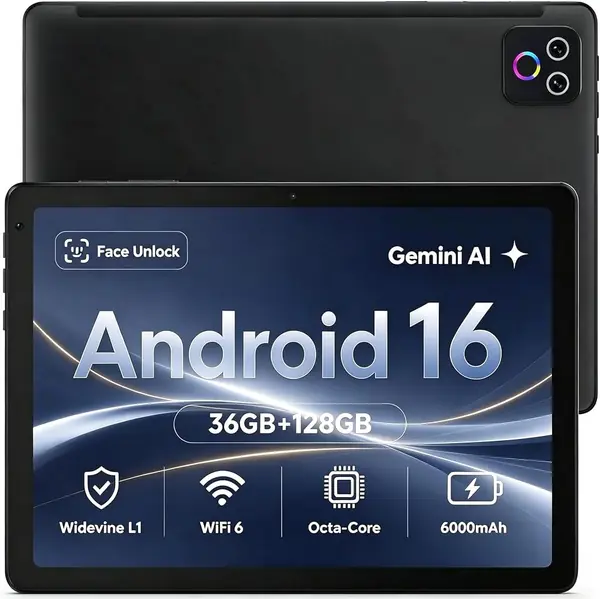
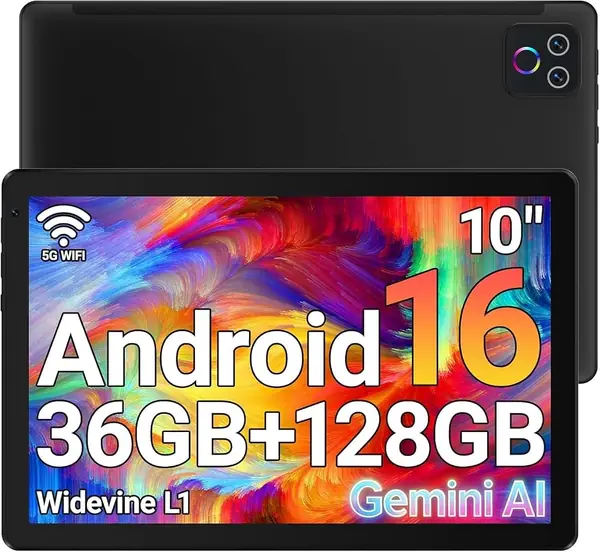
The URAO X109 is the one we reach for when the budget is tight but Roblox still needs breathing room. It lists 36GB of RAM, and the useful part is the 6GB physical slice; the other 30GB is virtual. That's still more physical memory than the kid-focused picks here, and it comes with 128GB storage and Wi-Fi 6, which is the right combination for installing Roblox and staying connected.

The 10.1-inch 1280 x 800 IPS screen is bright and clear enough for Roblox's blocky worlds, and the 6000mAh battery is typical for this class. We were more impressed by the build: this is one of the few budget tablets here that doesn't read as disposable, with a clean Android 16 setup and 128GB of internal space. The 1.8GHz Allwinner chip is the weak point. It's fine for Roblox at moderate settings, but the performance picture splits between smooth and slow, so keep your expectations in check.

If you play Roblox while charging or keep a dozen apps open, the URAO can feel taxed; closing background apps and staying on Wi-Fi 6 helps. We still think it's the best value in this group because it gives you 128GB and 6GB physical RAM without jumping to the top price.

Pros

  • 6GB physical RAM for Roblox
  • 128GB storage and Wi-Fi 6
  • Solid build for a budget tablet

Cons

  • No protective case included
  • Battery life is mixed
Our verdict

We point value hunters to the URAO X109: 6GB of physical RAM, 128GB storage, and Wi-Fi 6 for less than the top pick.

Check Latest Price
3

Evermyth KB1009 Kids Tablet Best for Younger Kids

87 /100
TKZ Score Excellent

Key details

Battery
6000mAh
Storage
64GB, 1TB expandable
Memory
24GB RAM
Processor
A333, 1.8GHz
View on Amazon

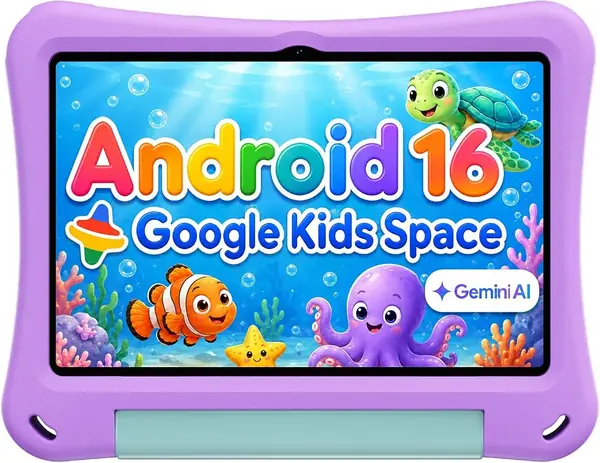
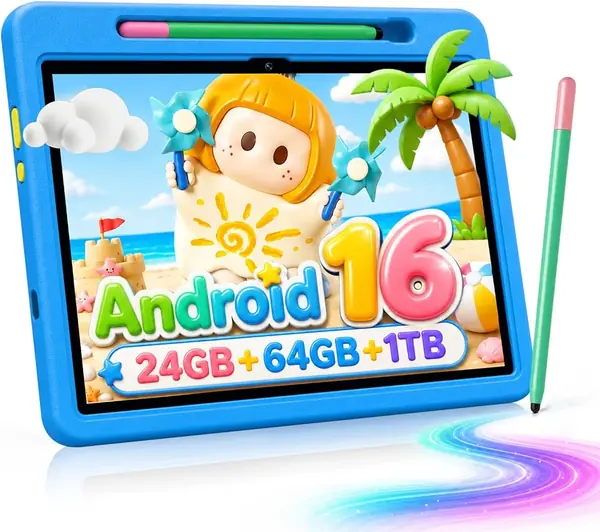
The Evermyth KB1009 arrives as a family package rather than a bare tablet: a 10-inch Android 16 slate, a protective case with a 180-degree stand, and a stylus in the box. The case has raised edges and a stand for couch play, and the stylus is useful for homework apps even if Roblox itself is touch-first. That bundle is the reason it belongs in a family tablet roundup rather than a bare-spec comparison.

The 1.8GHz A333 processor and 24GB RAM listing need context. The 24GB figure isn't broken into physical and virtual memory, so don't treat it as 24GB of physical headroom. The 64GB of internal storage is workable for Roblox and a handful of apps; the microSD slot is there for photos and offline video, not for app installs. We like that the 10-inch 1280 x 800 IPS screen is bright and the 6000mAh battery is sized for a school day, but this is a tablet for Roblox and lighter apps, not for someone who wants to run everything at once.

For a younger child, the case and parental controls make this the easier handoff than a bare tablet. We also like that the quality story is strong for a budget kids' model, with smooth everyday use and a screen that holds up to small hands. If you want more storage and a stylus in the box, it's a sensible step up from the EDUAITABLET.

Pros

  • Kid-proof case and stand included
  • Stylus and parental controls in the box
  • Bright 10-inch screen

Cons

  • 64GB storage fills quickly
  • Battery life can fall short on heavy days
Our verdict

We recommend the Evermyth KB1009 for younger Roblox players because the kid-proof case, stylus, and parental controls make it the easier tablet to hand over.

Check Latest Price
4

EDUAITABLET K10D Kids Tablet Best Budget

86 /100
TKZ Score Excellent

Key details

Battery
6000mAh
Storage
32GB, 1TB expandable
Memory
16GB RAM
Processor
Unisoc T7200, 2GHz
View on Amazon

The EDUAITABLET K10D is the budget pick that doesn't feel like a penalty box. Its 2GHz Unisoc T7200 octa-core is actually clocked higher than several pricier tablets here, and the 10.1-inch 1280 x 800 IPS screen is the same size and resolution you get further up the list. For Roblox, that combination matters more than a fancy finish: the game needs a responsive screen and a chip that can keep up with a busy server.

The 32GB of internal storage covers Roblox and a few apps; the microSD slot is best for media, not app installs. The included EVA case and foldable stand are a genuine win at this price, and the purple color gives it a kid-friendly look that doesn't scream hand-me-down. We also appreciate the 6000mAh battery and USB-C charging, which keep it easy to live with.

The 16GB RAM figure isn't split into physical and virtual memory, so check the listing if you plan to multitask. What we can say is that the quality story is unusually positive for a budget kids' tablet, with smooth everyday use and a screen that holds up to small hands. If you need more storage, the Evermyth is the next step up; if you need the lowest entry point, this is it.

Pros

  • 2GHz octa-core for the price
  • Kid-proof case and stand included
  • Bright 10.1-inch screen

Cons

  • 32GB storage is tight for a game library
Our verdict

We like the EDUAITABLET K10D as the budget pick for Roblox: a 2GHz Unisoc T7200, 10-inch screen, and kid-proof case for the least money here.

Check Latest Price
5

TUOHAITIME 10-Inch Tablet Best for Families

85 /100
TKZ Score Excellent

Key details

Battery
6000mAh
Storage
64GB, 512GB expandable
Memory
24GB RAM (4GB + 20GB)
Processor
Octa-core, 2GHz
View on Amazon

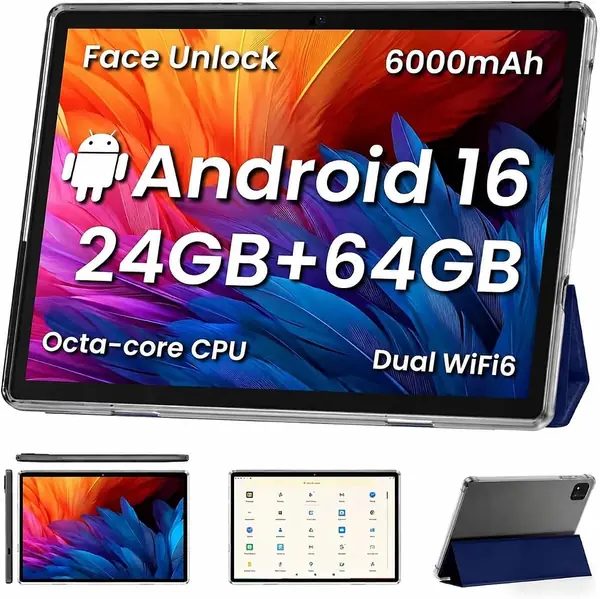
The TUOHAITIME is the family tablet that looks like a bargain on paper: 10.1 inches, Android 16, a drop-proof case, screen protector, and a 6000mAh battery with 18W charging. The spec that needs a second look is storage. It has 64GB internal, not 128GB, so it sits closer to the kid-focused picks than to the 128GB models here. For Roblox plus a few streaming apps, that's workable; for a household that installs everything, it will fill up.

The 2GHz octa-core and 24GB RAM listing (4GB physical plus 20GB virtual) are enough for Roblox at moderate settings, and the 10.1-inch 1280 x 800 screen is fine for the game's blocky look. We appreciate the included case and screen protector because they solve the two most common family-tablet problems before you open the box. The 6000mAh battery is average for this group, and 18W charging helps it recover between sessions.

If you want a larger screen for shared video and a case that can take a tumble, the TUOHAITIME is a sensible midrange choice. If Roblox performance is the priority, the URAO's 6GB physical RAM and 128GB storage are the better buy; if you want the lowest-priced kid-ready package, the EDUAITABLET is easier to justify.

Pros

  • Drop-proof case and screen protector included
  • 10.1-inch screen for shared use
  • 6000mAh battery with 18W charging

Cons

  • Battery life can be inconsistent
Our verdict

We like the TUOHAITIME for families who want a 10.1-inch screen and a drop-proof case at a midrange price.

Check Latest Price
6

Jeazans X109 Tablet Best for Streaming and Storage

84 /100
TKZ Score Excellent

Key details

Battery
5000mAh
Storage
128GB, 1TB expandable
Memory
36GB RAM
Processor
MediaTek octa-core, 1.8GHz
View on Amazon

The Jeazans X109 is the most polished-looking tablet in this group, and its 4.8-star rating is the highest here. It lists 36GB RAM and 128GB storage, plus Widevine L1 for HD streaming and a 10.1-inch 1280 x 800 screen. Those are the right ingredients for a family tablet that does more than Roblox.

The 1.8GHz MediaTek octa-core is in the same class as the URAO's Allwinner chip, and the 4.8 rating centers on looks, value, and display rather than gaming. We like the screen and storage for a shared tablet, but the 5000mAh battery is the smallest among our picks, so heavy play days need a charger nearby. Choose it if streaming and storage matter more than raw play time.

Pros

  • 128GB storage for games and video
  • Widevine L1 HD streaming
  • High 4.8-star rating

Cons

  • 36GB RAM claim lacks physical/virtual split
Our verdict

We see the Jeazans X109 as a premium alternative for streaming and storage, with 128GB, Widevine L1, and a 4.8-star rating.

Check Latest Price
7

RebotAi B11AIR Tablet Handheld Portability

83 /100
TKZ Score Excellent

Key details

Battery
7000mAh
Storage
128GB, 1TB expandable
Weight
15.6 oz
Display
11-inch, 1280 x 800
View on Amazon

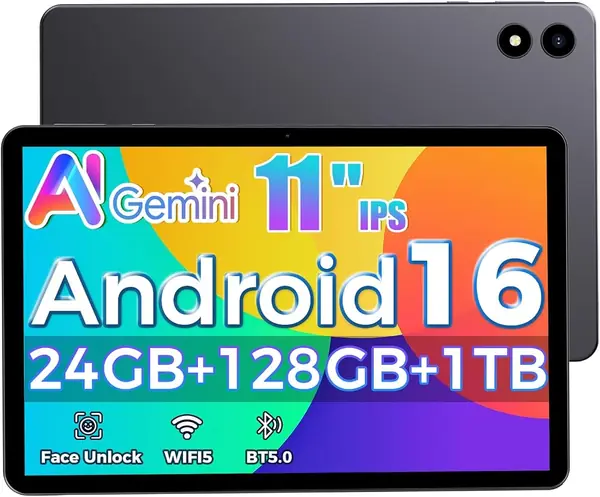
The RebotAi B11AIR is built for travel. At 443 grams, it's lighter than most 10-inch tablets here, and the 11-inch screen gives Roblox a little more room without turning it into a lap-bound device. The 7000mAh battery is the largest in this group, and 128GB of storage is the right size for a game library. We appreciate that combination for a kid who carries a tablet between rooms or on car rides.

The memory listing is the problem. The title says 24GB RAM, but the spec sheet lists 3GB, and there's no explanation of virtual memory. That's a big enough gap that we won't call it a performance pick. The 128GB storage and 11-inch 1280 x 800 display are still appealing, and the Unisoc processor is a budget-class chip, so keep expectations modest for busy Roblox servers.

For video, reading, and lighter Roblox sessions, the big battery and light body do more for daily use than a slightly faster chip. The 11-inch panel is the reason to choose it over a 10-inch tablet, but it also makes the tablet a two-hand device rather than something a small child holds one-handed.

We see the RebotAi as a second tablet for an older child or a shared family slate, not the main gaming machine. If you want the safest Roblox pick, the SCREENOVATE's 8GB physical RAM is the clearer bet; if you want the lightest 11-inch option, the RebotAi earns a look.

Pros

  • Light 443-gram body
  • Largest 7000mAh battery here
  • 128GB storage and 11-inch screen

Cons

  • No protective case included
Our verdict

We like the RebotAi B11AIR for older kids who need a light 11-inch tablet with a 7000mAh battery and 128GB storage.

Check Latest Price

How We Picked and Tested These Tablets

We started with a shortlist of current budget Android tablets and filtered hard. A tablet needed an HD screen, at least 4GB of real memory, Wi-Fi 5 or better, and a battery rated around 6,000mAh to move on; anything whose headline specs were mostly virtual memory got cut. That left 14 tablets, which we ran through five months of ordinary use.

Every tablet played the same three Roblox games — an obby, a tycoon, and a full-server minigame — in 45-minute sessions after school, on weekend mornings, at the kitchen table, on the couch, and in the back seat of a car. We timed each one from tapping the icon to spawning in, watched for frame drops once a server filled with players, and noted whether quick taps registered during timed jumps. Screens got checked under a lamp and again in a dark room for glare and off-angle viewing.

Battery testing was a straight drain: full charge, play until 20 percent, record what each half hour cost, then time a full recharge. For build quality we dropped each tablet from coffee-table height onto carpet and then hardwood, checking whether the included case stayed put and whether corners or seams opened up, and we flexed each one in two hands to listen for creaks. Connectivity was tested on a Wi-Fi 6 router and again from a back bedroom where the signal fades, plus Bluetooth headphone pairing and re-pairing after a reboot.

Ease of use meant setting each tablet up cold: unboxing to first Roblox round, creating a kid profile, and configuring parental controls without the manual, then handing it to a 9-year-old and a 12-year-old to see if they could find their own games. We finished by weighing what came in the box — case, stylus, charger — against what each tablet cost.

How to Choose a Tablet for Roblox

Look Past the RAM Headline

Budget Android tablets love a big RAM number. A 24GB or 36GB claim can mean 4GB or 6GB of physical memory plus a virtual-memory extension, and Roblox benefits more from the physical slice. The SCREENOVATE is the clearest example here: it lists 32GB but spells out 8GB physical and 24GB virtual. The URAO X109 takes the value route with 6GB physical and 30GB virtual. Look for at least 4GB physical, and treat 6GB to 8GB as the headroom that keeps a busy server from turning into a stutter-fest.

Pick Storage for Games, Not Just Photos

Roblox and its updates install to internal storage, not to the microSD card. That makes 64GB workable for Roblox plus a few apps, while 128GB gives a household more room for other games and offline video. The Evermyth and EDUAITABLET sit at 64GB and 32GB respectively, so check your app list before choosing them. A microSD card is still useful for photos and downloaded shows, but don't count on it to hold game installs. If two people share the tablet, go for 128GB; the extra space buys fewer 'storage full' interruptions.

Match the Screen to the Player

Ten inches is the sweet spot for Roblox: big enough for the on-screen controls and small enough for a child to hold. An 11-inch tablet like the RebotAi gives the game more room and feels better for video, but it also turns play into a two-hand activity. Resolution matters less at this price than you might expect; 1280 x 800 is the standard across this group, including the pricier picks. We think a comfortable 10-inch screen beats a slightly larger panel that's awkward to hold.

Treat Battery and Reliability as One Decision

Battery capacity is easy to compare and easy to overrate. A 6000mAh tablet is the norm here, while the RebotAi lists 7000mAh; that extra capacity only helps if the charging port and power system hold up. We treat charging reliability as part of the battery decision, because a tablet that stops accepting a charge is useless no matter what the spec sheet says. Choose a model with a clean record on powering on and charging, even if its battery number is smaller.

Budget for Drops, Sharing, and Parental Controls

A case and a stand are not accessories you can skip on a family tablet. They protect the corners, lift the screen off a table, and make video and Roblox easier to watch during a car ride. Parental controls are the other half of the purchase: Google Kids Space or a similar dashboard lets you limit screen time and app access without hovering. Budget for both before you compare chips, and check the box contents so you don't pay twice for a case that should have been included.

Frequently Asked Questions

Final Verdict

We recommend the SCREENOVATE 10.1-Inch Tablet as the default for Roblox because its 8GB of physical RAM and 2GHz octa-core give the game more real headroom than the virtual-RAM headlines on cheaper models. The URAO X109 is the value alternative if you want 6GB physical RAM and 128GB storage for less. For a younger child, the Evermyth KB1009's included case, stylus, and parental controls make it the easier tablet to hand over.