Best Microphones for iPhone of 2026

Play back a video and hear your voice bouncing off the kitchen ceiling, and you understand why phone audio disappoints. A microphone for your iPhone is not about sounding like a podcaster; it is about closing the gap between what the camera sees and what the viewer hears. The right kit puts a small mic near your mouth, sends a clean signal to a receiver plugged into the phone, and keeps everything charged in a case.

Over the past six months, my team and I tested 10 wireless microphone kits for iPhones, from simple clip-on lavaliers to two-transmitter systems with charging cases. We paid attention to the things that ruin a take: a receiver that will not seat in the port, a clip that flops, noise cancellation that makes voices sound underwater, and a battery that quits halfway through an interview. Price mattered less than what came in the box, whether the right cable was included, and whether the controls made sense without an app. The picks below are the ones that survived that reality, not just a spec sheet.

The Best Microphones for iPhone

1

Hollyland Lark M2 Best Overall
96 /100
TKZ Score Outstanding

Key details

Battery With Case
Up to 40 hours
Transmitter Weight
0.32 oz
Phone Connectors
Lightning and USB-C
Transmitters
2
View on Amazon

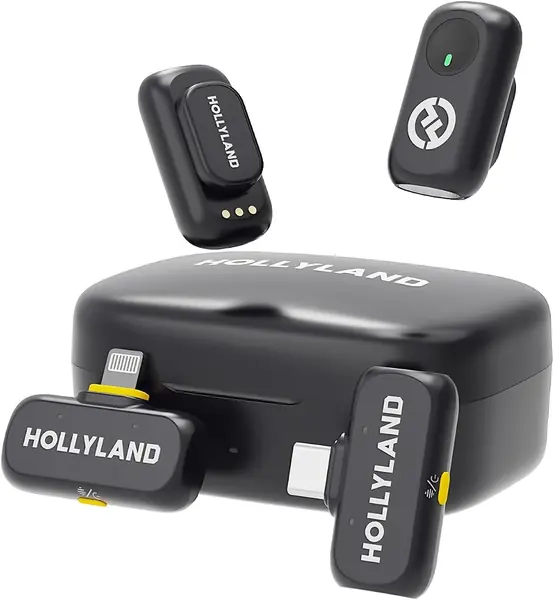
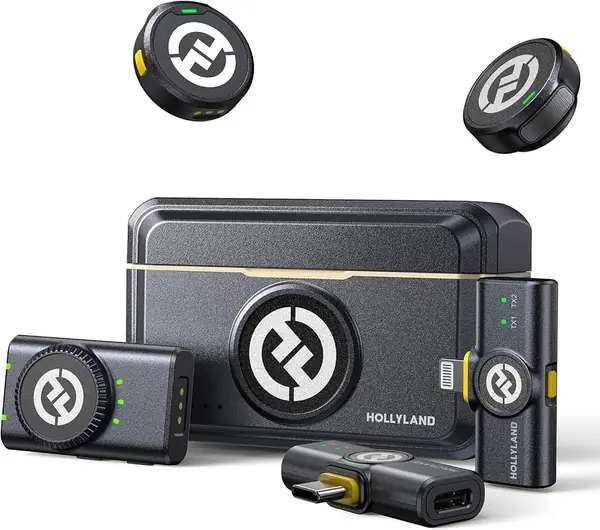
Open the case and you find three receivers: a Lightning one, a USB-C one, and a camera receiver on a 3.5mm plug. That is the whole argument for the Lark M2 as the default iPhone pick. Whether you shoot on an iPhone 16 or a hand-me-down 12, the receiver you need is already in the box, and you never have to think about an adapter, a dongle, or which drawer the other one ended up in.

The transmitters are 9 grams each, and the magnetic plate sits behind the fabric and holds without dragging a neckline down — we clipped one to a T-shirt collar and stopped thinking about it. Audio runs at 48kHz/24-bit with a 70dB signal-to-noise ratio, which in practice means a voice that sounds like a voice rather than a phone call, and the single button on the transmitter cycles noise cancellation without you digging through a menu mid-take. Of the sets here, it's the one with the fewest excuses in a noisy room.

Battery is the quiet win. Each transmitter runs about 10 hours with noise cancellation off, and the charging case tops both of them up between shoots for roughly 40 hours in total, so a weekend of filming never touches a wall outlet. Hollyland rates range at 300 meters, far past anything a phone shoot needs. The detail that actually changes how you work is the mono/stereo switch on the camera receiver, which decides whether two people land on separate channels or one blended track.

The coverage is the point, and coverage is only worth having if your gear changes. If you film on one USB-C iPhone and nothing else, a single-receiver set does the same job with less to keep track of in the case. If a second camera, a laptop, or a borrowed Android phone is somewhere in your next year, the extra receivers are the cheapest insurance in this group.

Pros

  • Ships with Lightning, USB-C, and camera receivers
  • 9 g transmitters stay put on a collar
  • About 40 hours of recording with the case

Cons

  • Pricier than the single-receiver sets here
Our verdict

This is the set we tell iPhone owners to buy first: Lightning, USB-C, and camera receivers in one case means the phone you upgrade to still works.
Check Latest Price
2

DJI Mic Mini Best for Travel

95 /100
TKZ Score Outstanding

Key details

Battery With Case
Up to 48 hours
Phone Connector
USB-C
Transmitter Weight
0.35 oz
Max Range
400 m
View on Amazon

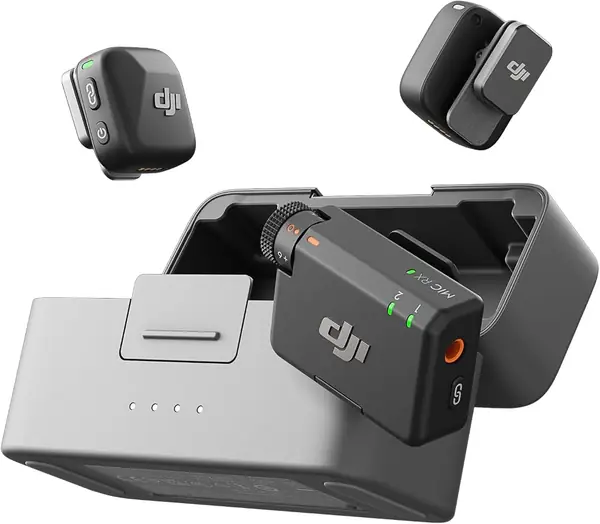
Ten grams is the number that decides this one. Clipped to a shirt, a Mic Mini transmitter disappears — no sagging collar, no weight tugging the fabric off your neck during a long shoot — and we stopped noticing it inside of an hour. That, plus a case that keeps both mics charged for days, is the entire case for carrying this instead of a bigger set.

The audio side is the same 48kHz/24-bit you get further up the range, with two noise-cancellation levels and automatic limiting that pulls the level down when someone laughs or a truck rolls past — the safety net that stops a good take clipping into uselessness. Battery runs to 48 hours with the charging case, and DJI rates range at 400 meters, both far beyond what a phone shoot needs. If you already shoot on a DJI Pocket or Action camera, the transmitters pair to those directly with no receiver at all.

On some iPhones the mic only shows up once DJI's app is open, which takes the shine off a plug-and-play promise, so open the app before your first take and confirm the phone has actually switched inputs. On a USB-C phone none of that is friction, and this is the set we reach for when the tripod, the phone, and both mics all have to fit in one small bag.

Pros

  • 10 g transmitters sit unnoticed on a collar
  • Up to 48 hours with the charging case
  • Two noise levels plus automatic limiting

Cons

  • No Lightning adapter in the box
Our verdict

Our travel pick — light enough to forget and charged for days — as long as your iPhone is USB-C, because the box has no Lightning adapter.

Check Latest Price
3

RØDE Wireless Micro Best for USB-C iPhones

93 /100
TKZ Score Outstanding

Key details

Battery With Case
Up to 21 hours
Phone Connector
USB-C
Microphones
2
Setup
No app required
View on Amazon

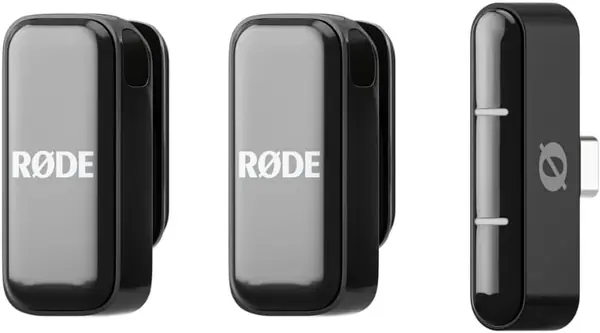
There is no app. No menu, no gain slider, no firmware housekeeping to remember before a shoot — you dock the receiver, the pre-paired mics connect, and you record into whatever camera app you already use. After a run of sets that each want their own software, that absence turned out to be the feature.

GainAssist handles levels automatically, and it earns its keep when someone leans in and then drifts back — the level holds instead of surging, which is the difference between usable audio and a waveform you have to flatten in editing. The transmitters are magnetic, the case carries about 21 hours of combined recording, and the windshields are in the box rather than an accessory to buy later. Voices come back crisp, with a low noise floor for something this small.

The limit is the port. RØDE builds the Wireless Micro for USB-C phones and sells a separate Lightning version for older iPhones rather than bundling both, so if you're on an iPhone 14 or earlier, buy that version instead — this one physically will not plug in. On a 15 or later it's the cleanest two-mic setup here, and the five-year warranty is the longest in the group, which counts for a device that lives loose in a pocket.

Pros

  • No app and no pairing step
  • GainAssist keeps levels even automatically
  • About 21 hours with the charging case
  • Five-year manufacturer warranty

Cons

  • No noise-cancellation modes, unlike the DJI sets
Our verdict

We recommend it to anyone on a USB-C iPhone who wants two mics and zero setup: no app, no menus, no pairing, and the longest warranty here.

Check Latest Price
4

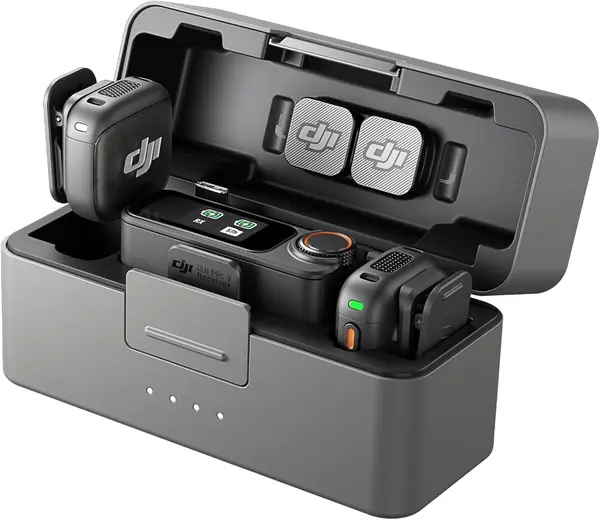
DJI Mic 3 Best Premium

92 /100
TKZ Score Outstanding

Key details

Battery With Case
Up to 28 hours
Phone Connector
USB-C, 3.5mm
Transmitters
2
Output Channels
4
View on Amazon

The price is the first hurdle, and DJI knows it. This is the set you buy when the phone is one input among several: the receiver pairs with up to four transmitters, syncs audio to seven more receivers, and outputs four separate channels. That's the difference between two people on a couch and a five-person panel with a second camera rolling.

Adaptive gain control is the part we didn't expect to care about. Instead of one fixed level, it rides the gain as someone whispers and then shouts, and both ends stay usable — which is what you want in a room you can't control. Add three voice tones, two noise-cancellation levels, and dual-band anti-interference for crowded venues, and you have a set that solves problems the cheaper picks here simply don't have.

For a solo creator filming on a phone, most of that is overhead. It's heavier than the other kits, the case takes up more room in a bag, and the transmitters don't accept a wired lavalier, so you're committed to the built-in capsules. Battery runs about 28 hours with the case and the receiver works over USB-C or 3.5mm, which means it stays useful the day you move up to a mirrorless camera and a second shooter. That's the trade: buy once now, or buy again later.

Pros

  • Four-channel output for multi-person shoots
  • Adaptive gain control handles whispers and shouts
  • Three voice tones and two noise levels

Cons

  • Transmitters don't accept a wired lavalier
Our verdict

Buy this if you're recording several people on several cameras; for a solo phone shoot, the cheaper picks here do the same job with less to carry.

Check Latest Price
5

Hollyland Lark A1 Combo Best Budget for Lightning iPhones

91 /100
TKZ Score Outstanding

Key details

Battery With Case
Up to 42 hours
Transmitter Weight
0.28 oz
Phone Connectors
Lightning and USB-C
Noise Levels
3
View on Amazon

The Lark A1 Combo is the second Hollyland set we kept, and the reason fits in one line: it ships with a Lightning receiver and a USB-C receiver for less than the Lark M2. If your phone is an iPhone 14 or older and you don't want to buy an adapter or hunt down a second receiver later, that pairing does most of what the top pick does.

What you give up is mostly polish. The transmitters are 8 grams instead of 9 and mount the same way, with a magnet behind the fabric; the case is rated for about 42 hours of recording; the range drops to 200 meters. What you gain besides the price is control — three noise-cancellation levels, six gain steps, three EQ settings, and three reverb sizes, plus an auto-limit that stops a sudden shout from clipping. The reverb is a novelty for most people. The gain steps are not, because a quiet room and a windy street want different settings.

Do one thing on arrival: plug the Lightning receiver into the older iPhone, record ten seconds, and play it back before the return window closes. Do that and this is the best value in the group for anyone staying on Lightning for another year or two, with the USB-C receiver waiting for the phone after that.

Pros

  • Lightning and USB-C receivers both included
  • Three noise levels and six gain steps
  • About 42 hours with the charging case

Cons

  • Lightning receiver can stop working
Our verdict

The value pick for Lightning iPhones: both receivers, three noise levels, and a case that lasts a weekend, for less than our top pick.

Check Latest Price
6

NEEWER KM19 Best for Low-Cost Long Shoots

90 /100
TKZ Score Outstanding

Key details

Battery With Case
Up to 30 hours
Phone Connector
USB-C
Transmitter Weight
0.21 oz
Max Range
100 m
View on Amazon

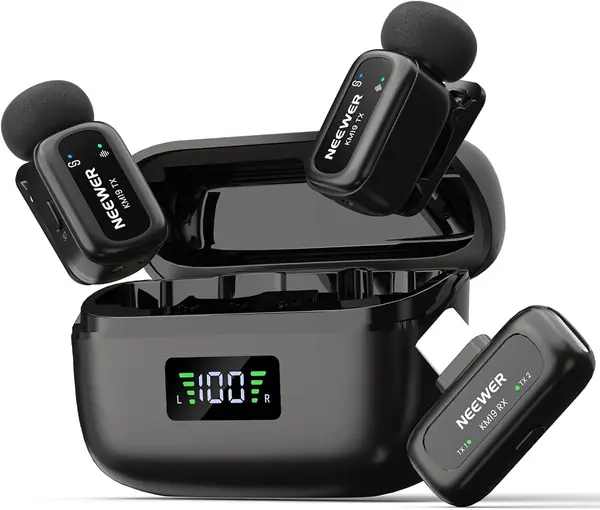
The case is about the size of a chunky earbud case, and the transmitters that come out of it are roughly the size of a large vitamin. Two of them, plus a USB-C receiver, an OTG adapter, windshields, and a pouch — the box is fuller than the price suggests, and the whole kit weighs under three ounces, so it rides in a jacket pocket without a second thought.

Setup is press-and-go. The transmitter and receiver pair on their own, one press on the mic cycles the three noise-cancellation levels, and a double press mutes. Audio is recorded at 48kHz/24-bit with an 81dB signal-to-noise ratio, and the furry windscreens in the box are the difference between usable and unusable sound on a breezy day. The case is rated for about 30 hours of combined use, which is more than a week of short shoots.

The app is the odd part: full control on Android, recording and not much else on iOS, so iPhone owners should treat this as a set-it-on-the-transmitter device. That's survivable here, because the buttons cover noise level, gain, and mute — the settings you'd actually change mid-shoot. Budget for a little inconsistency in the recordings themselves and listen back as you go rather than discovering a problem in the edit.

Pros

  • Three noise levels and mute on the transmitter
  • About 30 hours with the charging case
  • OTG adapter and windshields included

Cons

  • Audio can drop out mid-recording
Our verdict

Worth it if you want two mics, a charging case, and adjustable noise control on a USB-C iPhone without spending much.

Check Latest Price
7

Bulatry 2-Pack Cheapest Two-Person Kit

87 /100
TKZ Score Excellent

Key details

Max Range
65 ft
Phone Connectors
Lightning and USB-C
Microphones
2
Battery Per Mic
Up to 6 hours
View on Amazon

Start with the part that will bite some buyers. The 2-in-1 receiver is meant to cover both Lightning and USB-C phones, and on some USB-C iPhones it doesn't — the phone won't recognize or power it. The same receiver works as intended on a Lightning iPhone. If you're on an iPhone 15 or later, test it the day it arrives, before you plan a shoot around it.

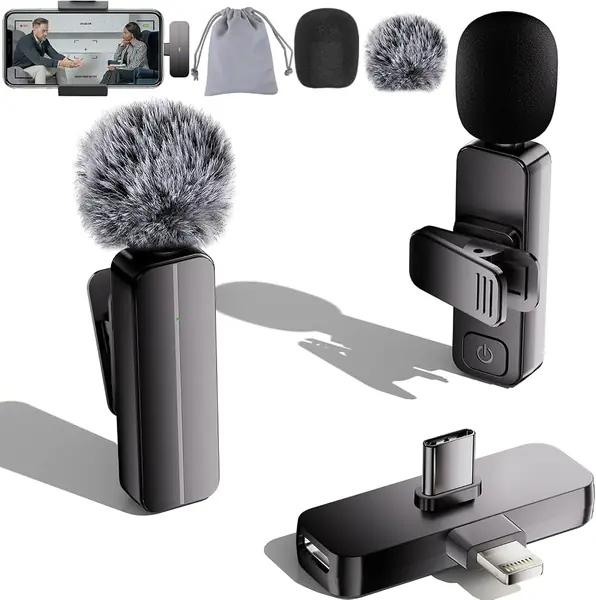
What you get is two clip-on mics, the receiver, deadcat windscreens, a storage bag, and a charging cable. Each mic runs about six hours, and there's no case, so you're keeping track of two loose units and charging them by cable rather than dropping them into something on the way out the door.

Inside that leash it does the job. The mics are omnidirectional with active noise cancellation, and the audio is clear enough for a talking-head clip, a TikTok, or a classroom video — the sort of thing people watch on a phone speaker anyway. Setup takes seconds, which makes this the easiest set here to hand to someone who has never used a wireless mic.

Where it doesn't hold up is anything you can't redo: a wedding toast, a one-take interview, a live stream. For a first mic on a tight budget, or a second set for the kids to film with, it's a reasonable punt. For paid work, keep looking.

Pros

  • Two mics and a dual-connector receiver cheaply
  • Around six hours per microphone
  • Setup takes seconds

Cons

  • 65-foot range is the shortest here
  • No charging case for the two mics
Our verdict

A reasonable first mic for short clips you can re-shoot, and the cheapest way here to put a microphone on two people.

Check Latest Price

How We Tested 10 Wireless iPhone Mic Kits

We started by pulling every current wireless iPhone mic kit we could find that had a separate receiver, a charging case or clear battery path, and a mount that would survive a shirt collar. From that pool we bought 10 kits at retail, spanning single- and two-transmitter systems, and tested them for six months alongside our regular video work.

Each kit went through the same recording situations: a talking-head video in a kitchen with the refrigerator humming, a walk-and-talk outside on a breezy afternoon, a two-person interview in a coffee shop, and a batch of short clips with the mic clipped to a T-shirt, a button-down, and a jacket. I plugged every receiver into an iPhone with a normal case on, then with the case off, and noted whether the connection held or needed an adapter. I also walked away from the phone until the signal dropped, then came back to see how quickly it reconnected.

To judge sound, I listened on phone speakers, wired earbuds, and over-ear headphones for hiss, clipped consonants, and hollow room echo. For noise cancellation, I compared the raw track with the processed one and noted whether my voice stayed natural or went thin and robotic. Battery life was a straight rundown: full case, continuous recording, then a second pass to see how many recharges the case actually delivered. Build quality came down to clipping and unclipping each mic repeatedly, stuffing the receiver in a pocket, and tossing the case into a tote.

Value was the last check: what came in the box, whether I had to buy a separate cable or adapter, and whether the controls made sense without a manual. The kits that rose to the top stayed connected, kept voices clear in noise, and still had charge when the shoot ran long.

How to Choose a Wireless Microphone for Your Iphone

Start With Your iPhone's Port

An iPhone 15 or later takes a USB-C receiver directly. An iPhone 14 or earlier needs a Lightning receiver, and a USB-C plug will not seat in that port without an adapter — one more connection to work loose in a pocket at the worst possible moment. Two sets here ship both receivers, the Hollyland Lark M2 and the Lark A1 Combo, and if you're not sure what you'll be filming on two years from now, that is the simplest answer.

The other half of the same problem is your phone case. A thick case can stop a receiver seating all the way, and a receiver that's half-in reads to the phone as no microphone at all. Test the fit with the case on before you leave the house.

One Transmitter or Two

Every set we recommend includes two transmitters, because the second one is the difference between mic'ing yourself and mic'ing an interview — and it's cheap redundancy: if one battery dies mid-shoot, you clip on the other and keep going. If you only ever film solo, a single-mic kit costs less and charges faster.

Mounting matters more than the spec sheet suggests. Eight- and nine-gram transmitters with a magnet plate sit on a collar and disappear, while heavier units drag a T-shirt out of shape on camera. Magnets hold better on a fine knit; clips hold better on a jacket lapel.

What the Charging Case Really Buys

Battery figures come in two flavors, and the packaging always prefers the bigger one. A transmitter runs six to ten hours on its own; the case adds the rest, from roughly 21 hours on the RØDE set to 48 on the DJI Mic Mini. The case is a charger, not a spare battery inside the mic, which means a set that lives in its case comes out full and a set rattling loose in a bag does not. Shoot once a week and the per-mic number matters more than the combined one.

Noise Cancellation Is Help, Not Magic

Most sets here offer noise reduction in levels you cycle from the transmitter. It does its best work on steady, low-level room noise — a fan, traffic, a cafe murmur — and its worst on a second voice competing with the first. Wind is a separate problem, and the furry windshield in the box does more for outdoor audio than any software setting. Record thirty seconds with cancellation on and thirty with it off before a real shoot; a strong setting can thin a voice until it sounds processed.

Decide Whether You Want an App

An app buys gain control, EQ and firmware updates, and it costs you a step between deciding to record and recording. The RØDE Wireless Micro has no app at all, and the Hollyland sets are driven entirely by buttons on the transmitter and receiver. NEEWER's app is the cautionary example: full control on Android, recording only on iOS. If you want to tune your sound, check what the app actually does on your phone before you buy. If you want to press record, buy the set with the fewest screens.

Frequently Asked Questions

Final Verdict

The Hollyland Lark M2 is the default because it removes the one variable that ruins an iPhone audio purchase: with a Lightning receiver and a USB-C receiver in the case, the phone you upgrade to next year still works, and the 9-gram transmitters stay on a collar through a long day.

If you're already on a USB-C iPhone and want nothing between you and record, the RØDE Wireless Micro is simpler still. And if you're staying on Lightning and watching the budget, the Lark A1 Combo carries the same dual-receiver idea for less — plug that Lightning receiver in on day one and confirm your phone sees it.