Best Large Tablets of 2026

A big tablet earns its size the moment you stop squinting: a full textbook page without pinching, a split screen wide enough for a script and your notes side by side, a movie that actually fills the frame. Then you pick it up one-handed and remember why most people buy the smaller one. Every extra inch costs weight, battery, and money, and the models that get that tradeoff right are the ones worth carrying around.

I've spent a few years using these as laptops-lite — reading, sketching, sheet music on a stand, a streaming screen on a tray table — and my team has now put 10 large tablets through eight months of the same. The screen and the processor are what you notice every single day; the pen, keyboard, and case in the box often swing the value math more than the spec sheet does.

Two things trip up first-time buyers. Budget big tablets tend to pad the memory figure with virtual RAM, and a Widevine L1 badge is the difference between a crisp stream and a grainy one. The picks below handle both, and none of them made me regret the size.

The Best Large Tablets

1

Samsung Galaxy Tab S10 FE+ Best Overall
91 /100
TKZ Score Outstanding

Key details

Display
13.1 inches, 2880 x 1800, 90Hz
Memory
8GB RAM, 128GB storage
Battery
10,090mAh, up to 21 hours
Included
S Pen, 2-year warranty
View on Amazon

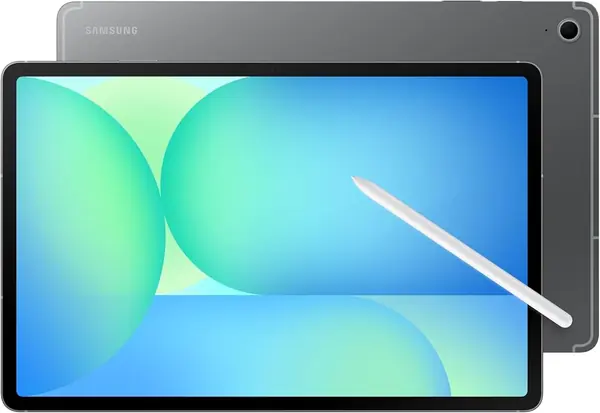
A 13.1-inch screen and an included S Pen are the two reasons this Samsung earns the default spot. The 2880 x 1800 panel gives you enough room for two apps side by side, and the pen slips into the workflow for notes, sketches, and marking up PDFs. We also like the IP68 rating, which is rare among big tablets and useful if the tablet lives on a kitchen counter or in a busy house.

The rest of the package is unusually complete. You get 8GB RAM, 128GB storage, microSD expansion, a fingerprint scanner, and a two-year manufacturer warranty. In our testing, the Exynos 1580 kept up with split-screen browsing and streaming; it is not a gaming-first tablet, but it never felt out of its depth with everyday work. Samsung's LCD is sharp and bright enough for documents, though it is not the showiest panel in this group.

Where it wins is as a default: the screen is big enough for real work, the pen is included rather than an extra, and the water resistance means you don't have to baby it. If you mostly read in bright rooms, the TCL's matte panel is the specialist; for everything else, this is the safer place to start. The 90Hz refresh is a small step behind the 120Hz screens here, but it is not the reason to pass on this one.

Pros

  • Included S Pen works for notes and sketches
  • Sharp 13.1-inch 2880 x 1800 screen
  • IP68 water resistance and two-year warranty

Cons

  • Charging can be slow
  • At 1.5 pounds, handheld use tires
Our verdict

The large Android tablet we recommend first: a sharp 13.1-inch screen, included S Pen, and water resistance cover work, notes, and video.
Check Latest Price
2

TCL NXTPAPER 14 Best for Sheet Music

88 /100
TKZ Score Excellent

Key details

Display
14.3 inches, 2400 x 1600
Memory
8GB RAM, 256GB storage
Battery
10,000mAh
Included
Stylus and flip case
View on Amazon

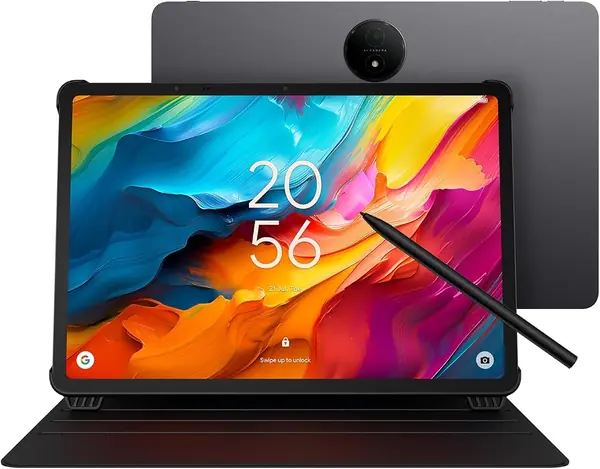
The 14.3-inch NXTPAPER screen is the reason to pick this one. Its matte finish cuts reflections and gives text and sheet music a paper-like look, which matters more on a large panel than on a phone. At 2400 x 1600, the display is sharp enough for dense scores and PDFs, and we found the 16:10 shape gives you a useful amount of vertical space without making the tablet feel like a laptop.

TCL includes the 4096-level stylus and a flip case, and that changes the math. You can annotate a score, mark up a document, or sketch without buying add-ons. The 8GB RAM and 256GB storage are generous for the class, and Android 15 with an upgrade to Android 16 gives you a modern app environment. The Helio G99 is fine for reading, streaming, and split-screen sheets; it is not a gaming tablet.

What we keep coming back to is the eye comfort. The display modes and low-glare finish make long reading sessions easier, and the included pen makes the screen useful rather than just big. For the musician or student who spends hours looking at a page, the comfort is the point. In a bright room, the difference between this screen and a glossy panel is obvious within a minute.

Pros

  • Matte 14.3-inch 2.4K display reduces glare
  • Stylus and flip case included
  • 256GB storage and 8GB RAM

Cons

  • Battery life varies with use
Our verdict

For musicians and readers, the 14.3-inch NXTPAPER screen and included stylus make this the most comfortable large tablet here.

Check Latest Price
3

Lenovo Idea Tab Plus Best Lightweight

87 /100
TKZ Score Excellent

Key details

Display
12.1 inches, 2560 x 1600, 90Hz
Memory
8GB RAM, 128GB storage
Included
Tab Pen and folio case
Weight
1.2 lb
View on Amazon

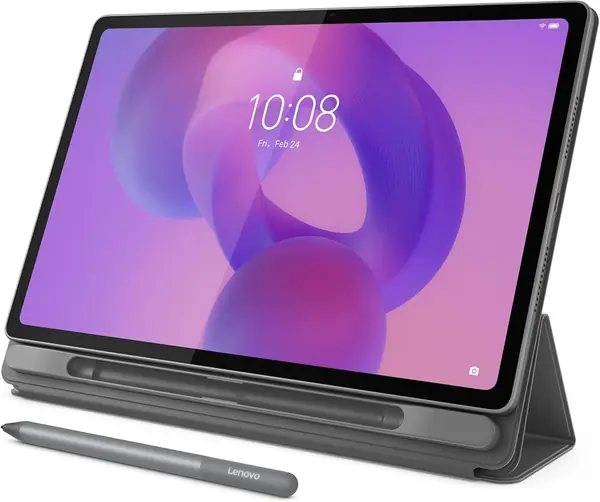
At 1.2 pounds, the Idea Tab Plus is the one we reach for when the tablet has to go in a bag every day. The 12.1-inch 2.5K screen is bright and crisp, and the 90Hz refresh makes scrolling through notes and feeds smoother than a standard panel. It is small enough to hold one-handed for a few minutes, which is not true of the 14- and 15.6-inch tablets here.

Lenovo includes the Tab Pen and a folio case, and the pen stores in the case rather than rolling loose in a bag. The Dimensity 6400 and 8GB RAM handle study apps, video, and split-screen browsing without drama. There are four learning apps built in, including Lenovo Notepad and Squid, and they give the tablet a clear student focus rather than a generic Android setup.

For lectures, readings, streaming, and note-taking, the combination of low weight, sharp screen, and included accessories is hard to beat here. The pen and case being included is the detail that seals it: you can start using it for notes the day it arrives, without another shopping trip.

Pros

  • Just 1.2 pounds for easy daily carry
  • 12.1-inch 2.5K 90Hz screen
  • Tab Pen and folio case included

Cons

  • Performance slows under heavy multitasking
  • Interface takes getting used to
Our verdict

A light, well-priced 12.1-inch tablet for students and commuters, with the pen and folio case included.

Check Latest Price
4

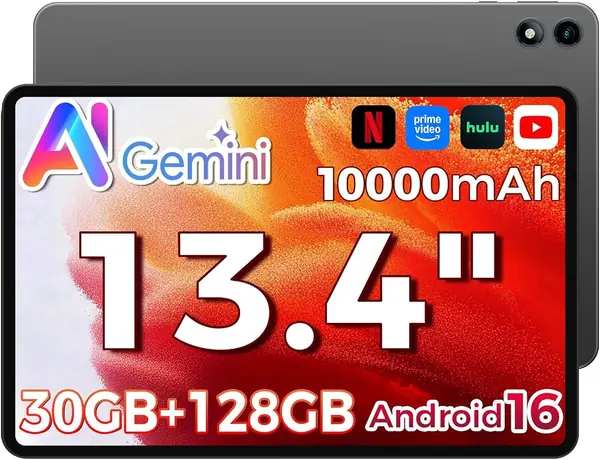
TECLAST T65 Best Budget Big Screen

86 /100
TKZ Score Excellent

Key details

Display
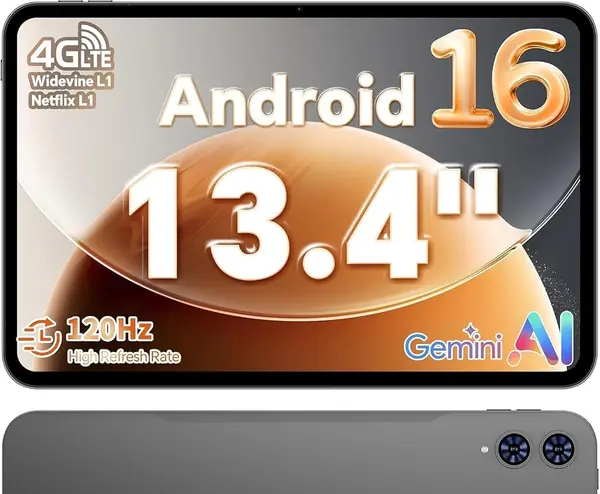
13.4 inches, 1920 x 1200, 120Hz
Battery
8,000mAh
Storage
128GB, microSD expandable
Connectivity
Wi-Fi and 4G LTE
View on Amazon

A 120Hz 13.4-inch screen at the budget end is the pitch, and it holds up. The 1920 x 1200 panel is not the sharpest here, but the high refresh rate makes scrolling and page turns feel smoother than the 60Hz alternatives, and the size is generous for streaming and split-screen apps. We also like that TECLAST adds 4G LTE, which makes it useful away from Wi-Fi if you have a compatible plan.

The T7280 octa-core chip and 128GB storage are enough for browsing, video, and sheet music, and the tablet runs Android 16 with Google Mobile Services. The listed memory is a mix of physical and virtual RAM, so the headline number is not the whole story; check the physical spec if you plan to multitask heavily. The 8,000mAh battery is standard for this price class.

The 4G LTE is limited, so check carrier support before you rely on it as an always-connected tablet. For Wi-Fi use, though, it is a lot of screen and speed for the money. If you want the largest possible panel, the MESWAO is bigger; if you want a fluid budget screen that can also take a SIM, this is the one.

Pros

  • 120Hz 13.4-inch screen feels smooth
  • 4G LTE option for away-from-Wi-Fi use
  • Android 16 with Google Mobile Services

Cons

  • Battery life is inconsistent
Our verdict

The budget pick for a big screen: a smooth 120Hz 13.4-inch display, 4G LTE, and enough performance for media and light work.

Check Latest Price
5

MESWAO 15.6 Pro Full-Page Sheet Music

83 /100
TKZ Score Excellent

Key details

Display
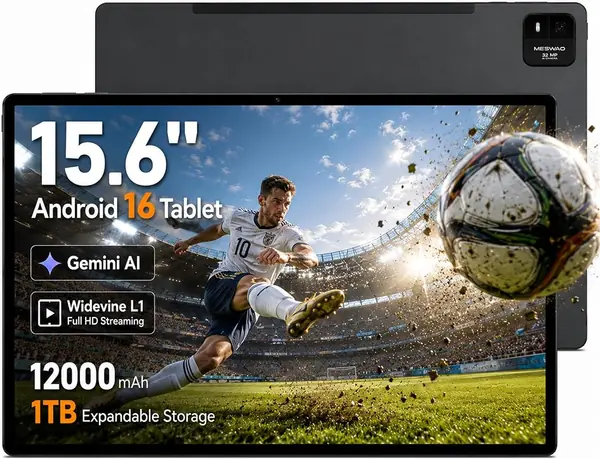
15.6 inches, 1920 x 1080
Memory
8GB RAM plus 8GB extended, 256GB storage
Battery
12,000mAh, 30W charging
Audio
Quad speakers
View on Amazon

The 15.6-inch screen is the whole argument. In landscape, it gives you a full-page view of sheet music or a PDF with room left for a toolbar, and the 1920 x 1080 panel is bright enough for indoor use. It is the closest thing here to carrying a small monitor, and for a pianist or a document-heavy worker, that extra diagonal is not a luxury.

The rest of the hardware is built for that role: 8GB physical RAM plus 8GB extended memory, 256GB storage, quad speakers, and 30W charging. The Helio G99 is the same chip used in several tablets here, so it handles streaming, browsing, and page turns without complaint. We appreciated the 256GB storage because scanned scores and PDF libraries add up fast.

The trade-off is portability: at 15.6 inches, it is a two-hand or stand-mounted tablet, not something you hold on the couch for an hour. The 60Hz refresh and 350-nit brightness are basic compared with the smoother, brighter panels here, and the size makes a case and stand close to essential.

The screen is the reason to accept the weight, and the 3.5mm headphone jack is a small but welcome extra for practice rooms and classrooms. This is a specialist, not a default. If your tablet lives on a stand, the extra inches are worth the trade; if it lives in a bag, look elsewhere.

Pros

  • 15.6-inch screen for full-page scores
  • 256GB storage and 30W charging
  • Quad speakers and headphone jack

Cons

  • Reliability is the open question
Our verdict

If you need the biggest screen here for full-page sheet music or split-screen documents, this 15.6-inch tablet delivers, with a reliability caveat.

Check Latest Price
6

Amazon Alexa Tablet 12 Pro Best for Glare-Free Reading

82 /100
TKZ Score Excellent

Key details

Display
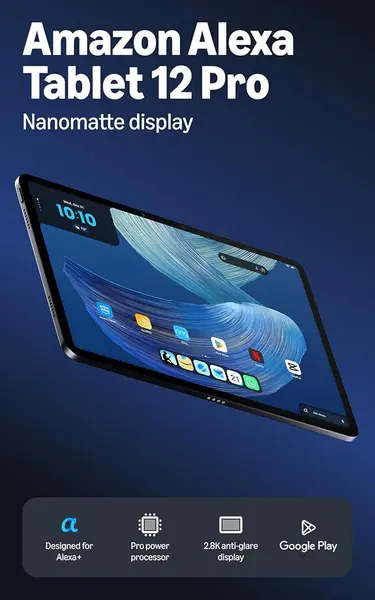
12 inches, 2.8K Nanomatte, 120Hz
Memory
16GB RAM, 256GB storage
Software
Google Play support
Aspect Ratio
3:2
View on Amazon

The Nanomatte finish is the feature that sets this tablet apart. Instead of a glossy panel that turns into a mirror under overhead lights, the 12-inch 2.8K display diffuses reflections, and the 3:2 shape gives documents and comics more vertical room than a wide-screen tablet. At 120Hz, scrolling feels smooth, and the 280ppi density keeps text crisp.

Amazon built this one around its own services, but the presence of Google Play means you are not locked into the Amazon app store. The aluminum body feels more expensive than the plastic budget tablets here, and the 16GB RAM and 256GB storage configuration is the one to get if you plan to keep it for years. The 3:2 aspect ratio is also the reason one-page PDFs feel less cramped.

The matte screen is the reason to choose it over the Samsung or TCL for reading in a bright room. It is not the lightest 12-inch tablet, but the aluminum body feels solid, and the 3:2 display makes one-page documents feel less cramped. It is the one tablet here that makes a glossy phone screen feel like a step down for reading.

Pros

  • Matte 2.8K display cuts glare
  • 120Hz refresh and 3:2 shape
  • Full Google Play access

Cons

  • Performance can stutter under heavy load
  • Premium price tier
Our verdict

The best pick here for glare-heavy reading: a matte 2.8K 3:2 screen, 120Hz scrolling, and full Google Play support.

Check Latest Price
7

URAO 14-inch Tablet Budget Bundle

80 /100
TKZ Score Excellent

Key details

Display
14 inches, 1920 x 1200
Memory
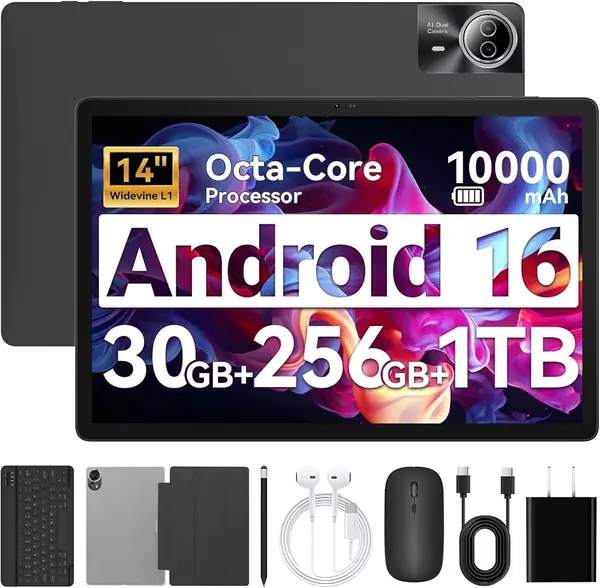
30GB (6GB + 24GB virtual), 256GB storage
Battery
10,000mAh, 30W charging
Included
Keyboard, stylus, case, headphones
View on Amazon

The bundle is the reason to look at this one. URAO includes a keyboard, mouse, stylus, case, and headphones, so the tablet arrives as a usable little workstation rather than a bare slab. The 14-inch 1920 x 1200 screen is large enough for split-screen browsing and video, and the included keyboard pairs over Bluetooth without extra software.

The 30GB RAM headline is really 6GB physical plus 24GB virtual memory. Virtual memory can help with background apps, but it is not the same as physical RAM, so treat this as a 6GB tablet for multitasking. The Allwinner octa-core chip is fine for streaming, email, and browser tabs, not for demanding games or heavy editing. We like that the 256GB storage leaves room for downloads and that 30W charging is quicker than the 18W RebotAi.

For a student or a household that wants a shared streaming and typing tablet, the included accessories save real money and setup time. The 14-inch screen is the draw; the bundle is what makes it feel complete. If you already own a keyboard and stylus, the bundle's value is less compelling.

Pros

  • Keyboard, mouse, stylus, case, and headphones included
  • 14-inch 1920 x 1200 screen
  • 30W charging and 256GB storage

Cons

  • Battery life can fall short of a full day
Our verdict

A budget bundle for light work and streaming: 14-inch screen, keyboard, mouse, stylus, case, and headphones included.

Check Latest Price
8

RebotAi AF13 Air Best for Light Streaming

79 /100
TKZ Score Very Good

Key details

Display
13.4 inches, 1920 x 1200
Memory
30GB (4GB + 26GB virtual), 128GB storage
Battery
10,000mAh
Processor
Unisoc T610, 1.6GHz
View on Amazon

A 13.4-inch tablet at the bottom of the price range is the appeal here. The 1920 x 1200 IPS screen is big enough for video and a single document, and the 16:10 shape is familiar. It also includes a case, which is not a given at this end of the market.

Video and a single document fit comfortably on the 16:10 panel, and the included case makes it easier to prop up. The 10,000mAh battery is a big number for the price. The 128GB storage is fine if you stream most of your content, but a local library will fill it faster.

The 30GB RAM figure is actually 4GB physical plus 26GB virtual memory. That is the number that matters: 4GB is enough for streaming and a browser tab or two, but it will not keep up with heavy split-screen work. The Unisoc T610 at 1.6GHz is a light-use chip, and the 18W charging is on the slow side.

For a kitchen counter, a kid's streaming tablet, or a second screen for a desk, it covers the basics at the lowest cost here. It is not the one to choose for note-taking or heavy work. The 13.4-inch screen is the real draw; the rest of the hardware is there to keep the price down.

Pros

  • 13.4-inch screen at the lowest price
  • 10,000mAh battery and included case
  • Android 16 with 128GB storage

Cons

  • Wi-Fi 5 only
  • 18W charging is slow
Our verdict

The lowest-cost route to a 13.4-inch screen, best for light streaming and a second display, not for heavy multitasking.

Check Latest Price

How We Tested Large Tablets

We started with the current crop of tablets 12 inches and larger, cross-checked each spec sheet against independent benchmark results and owner reports, and cut anything vague — unnamed processors, unconfirmed resolution, or an operating system two releases behind. That left 10 tablets, which we ran for eight months.

They lived where big tablets actually live: propped on a music stand during practice, on a kitchen counter next to a recipe, on a tray table at 30,000 feet, and in a tote bag on the morning commute. At home they did split-screen duty, a video call open beside a shared document, and each one spent a week as the only device I brought to meetings for handwritten notes.

Battery life got a looped video at fixed brightness until the tablet quit, then a timed recharge with the included charger. We weighed each one bare and in its case, and held it overhead through a five-minute reading session to see where the arms started to complain. Screens were judged at an angle in a bright room for glare and color shift, and we checked whether streaming apps actually served HD. Stylus testing meant a full page of handwriting and a quick sketch, watching for lag, dropped strokes, and palm marks. We logged the unglamorous failures too: crashes, a stylus that lost pairing, a keyboard folio that missed keystrokes, and how many taps it took to get through setup. Finally, we tallied what came in the box, since a bundled pen and case quietly change what you're paying.

How to Choose a Large Tablet

Match the Screen to the Job

Start with the physical size you can live with, not the biggest number on the listing. A 12- to 13-inch tablet is the sweet spot for holding in two hands, split-screen apps, and carrying in a bag; the 13.1-inch Samsung and 12.1-inch Lenovo feel like tablets first. A 14.3- or 15.6-inch screen is better for full-page sheet music and documents, but those models are closer to a laptop in footprint and usually need a stand. Measure your music stand, bag, or keyboard tray before choosing the largest size.

Read the Memory Numbers Carefully

Large tablets often advertise 20GB, 30GB, or 32GB of RAM, but those figures can include virtual memory borrowed from storage. What apps actually get is the physical RAM: 4GB on the RebotAi, 6GB on the URAO, 8GB on the Samsung, TCL, Lenovo, and MESWAO, and 16GB on the Amazon. Virtual memory helps keep background apps alive, but it does not turn a budget chip into a workstation. For split-screen work, choose at least 8GB physical RAM; for streaming and reading, 4GB to 6GB can be enough.

Decide Between Matte, Glossy, and High Refresh

A matte or paper-like finish is the big differentiator for readers. The TCL NXTPAPER and Amazon Nanomatte cut reflections, which makes them easier to use near a window or under a lamp. A glossy panel usually looks punchier for video but can mirror overhead lights. Refresh rate matters for scrolling: 120Hz on the TECLAST and Amazon feels smoother than 60Hz, while 90Hz on the Samsung and Lenovo is a good middle ground. If you mostly read static pages, resolution and glare handling matter more than refresh rate.

Budget for the Pen, Case, and Keyboard

The sticker price is not the whole cost. The Samsung, TCL, and Lenovo include a stylus, and TCL and Lenovo add a case or folio; that makes them better values than a bare tablet once you add accessories. The URAO bundle goes furthest with a keyboard, mouse, stylus, case, and headphones, but check the physical specs because the bundle is doing a lot of the selling. If you plan to type, confirm the keyboard connection and layout before buying; a cheap bundled keyboard can be the weakest part of the kit.

Check Battery, Charging, and Software Support

Big screens draw power, and battery life is the most common split among the tablets here. Look at both capacity and charging speed: the 12,000mAh MESWAO supports 30W charging, the 10,000mAh URAO supports 30W, and the 8,000mAh TECLAST is the smallest pack here. A large battery with slow charging can still be inconvenient. Software support is harder to compare because the listings do not spell out update commitments; if you keep a tablet for years, check the manufacturer's policy before buying.

Frequently Asked Questions

Final Verdict

For most people, the Samsung Galaxy Tab S10 FE+ is the large tablet we recommend first. Its 13.1-inch screen is big enough for split-screen work, the S Pen is included, and the IP68 rating makes it easier to live with. It is the safest all-rounder in this group.

If you mostly read music or PDFs, the TCL NXTPAPER 14 is the better fit: its matte 14.3-inch display and included stylus are built for long sessions. Choose the Samsung for mixed work and media; choose the TCL when glare and page comfort matter most.