Best Tablets for Work of 2026

The pitch for a work tablet is easy to like: one device that covers the flight, the client meeting, and the email backlog in between. The reality is messier — a tablet that feels quick while you scroll can stutter the moment a video call connects, and the clever-looking keyboard case is often the reason the thing ends up in a drawer. What a good one actually fixes is the gap between your phone and your laptop, but only if the screen, the battery, and the accessories hold up on a random Tuesday.

I spent six months with 11 of them, carrying each through ordinary workdays instead of benchmark runs. One thing worth knowing before you shop: the enormous RAM numbers on budget listings are mostly a magic trick, memory padding that doesn't make anything snappier. What separates the good ones is the chip inside, the panel you stare at for eight hours, and whether the pen keeps up with your handwriting.

The picks below are the ones that survived my commute, my chicken-scratch notes, and a hotel network that drops twice an hour.

The Best Tablets for Work

1

Apple iPad 11-inch (A16) Best Overall
95 /100
TKZ Score Outstanding

Key details

Storage
128GB
Display
11-inch Liquid Retina
Chip
A16
Cameras
12MP front and back
View on Amazon

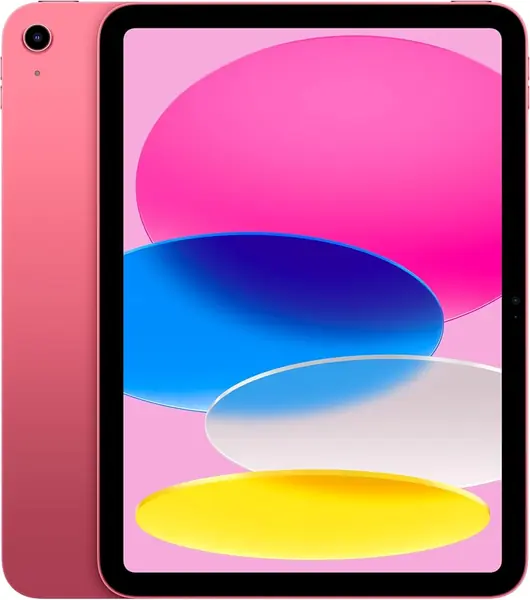
For most people, the work-tablet question ends with the 11-inch iPad. The A16 chip gives it enough headroom that switching between email, a video call, and a spreadsheet feels ordinary, and iPadOS has the deepest library of tablet-ready work apps among the three platforms here. That combination is why we put it first: it is the safest default when you don't want to think about whether an app exists.

The 11-inch Liquid Retina display is sharp enough for documents and split-screen work, and 128GB of storage is workable for cloud-first files. We like that it uses USB-C, so the cable and drives you already carry can connect, and the 12MP front camera is a practical detail for meetings. Battery life is rated all day, which is the right baseline for a tablet that moves between desk, bag, and couch.

If you mostly write notes by hand, the Android tablets here that include a pen and folio are the smarter spend. The iPad is the better fit when your day is email, documents, meetings, and apps you already know from your phone. The 128GB model is the one we recommend for cloud-first work, and USB-C makes it easy to offload photos and files.

Pros

  • Fast A16 chip for mixed app switching
  • Deep tablet app library
  • All-day battery and USB-C
  • Sharp 11-inch Liquid Retina display

Cons

  • Keyboard and Apple Pencil sold separately
Our verdict

The 11-inch iPad is the default work tablet we point most people to, thanks to broad app support and A16 headroom.
Check Latest Price
2

Lenovo Idea Tab 11 Best Android Value

92 /100
TKZ Score Outstanding

Key details

Storage
256GB
Memory
8GB
Display
11-inch 2.5K, 90Hz
Included
Tab Pen and folio case
View on Amazon

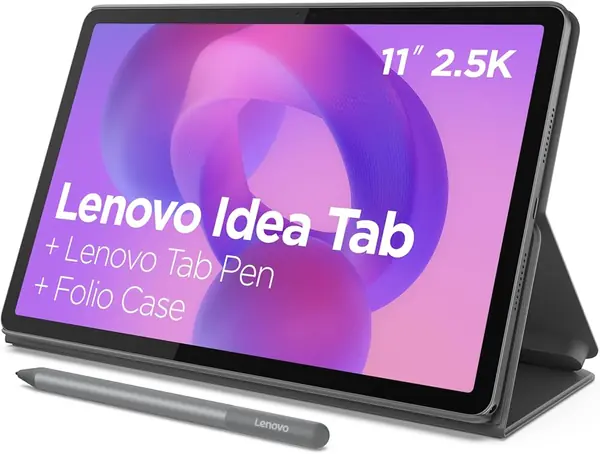
The Idea Tab 11 arrives with the two accessories that usually push a tablet past its sticker: the Lenovo Tab Pen and a folio case. That bundle is the first reason it earns a place here, because it turns a midrange Android tablet into a note-taking setup without a second shopping trip. The 11-inch 2.5K display runs at 90Hz, and the 256GB storage is double what several rivals offer at this end.

We recommend it most for students and meeting-heavy workers who want to write, annotate PDFs, and switch between apps on a sharp screen. The Dimensity 6300 and 8GB of RAM are not desktop-class, but they are adequate for email, documents, video calls, and a browser with a dozen tabs. The included pen is the decisive feature: it makes the Idea Tab 11 a better note-taking value than an iPad with a separately purchased Pencil, and the folio protects the screen in a bag.

The compromise is battery life. Lenovo doesn't publish a runtime here, and the 26.7Wh battery is smaller than the Samsung Tab S10 Lite's 29.95Wh; for long days away from an outlet, plan on a mid-day top-up or keep a charger in your bag. The display is also LCD rather than OLED, which is fine for documents but not the tablet to choose for black-level movie watching. Neither issue changes our recommendation for note-heavy work.

Pros

  • Pen and folio included
  • 2.5K 90Hz display
  • 256GB storage
  • Light at 1.1 pounds

Cons

  • No charger in the box
Our verdict

For students and note-takers, this is the Android tablet we pick first because the pen and folio are already in the box.

Check Latest Price
3

Samsung Galaxy Tab S10 Lite Best for Note-Taking

91 /100
TKZ Score Outstanding

Key details

Storage
128GB
Memory
6GB
Display
10.9-inch, 90Hz
Included
S Pen
View on Amazon

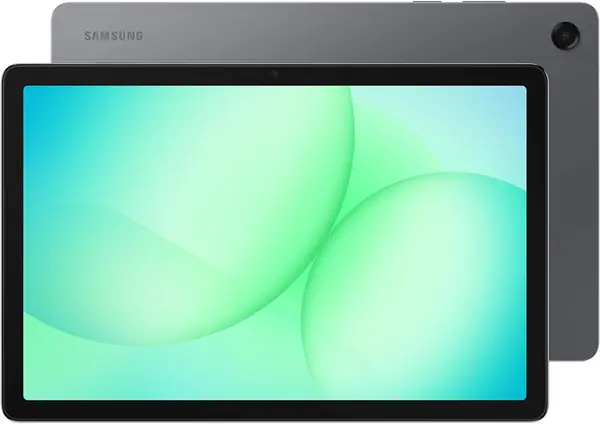
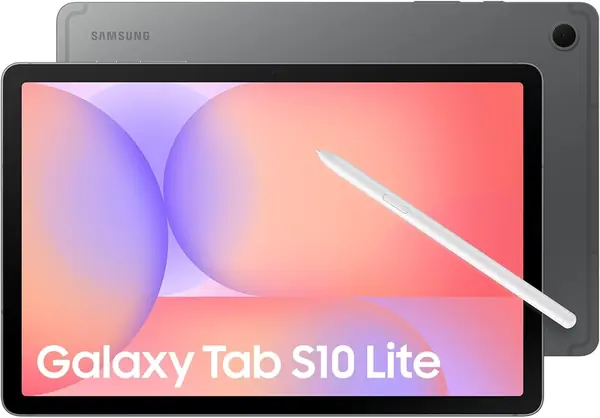
Compared with the Lenovo Idea Tab 11, the Galaxy Tab S10 Lite gives up storage and RAM but gains Samsung's S Pen integration and a 10.9-inch 90Hz screen. That trade is the whole decision. If you already carry a Samsung phone and want a tablet that feels like a larger version of it, the S10 Lite is the smoother fit.

The S Pen is the reason to pick this one. It doesn't need charging, it tucks onto the tablet magnetically, and it's responsive enough for meeting notes and quick annotations. The 10.9-inch LCD is sharp and the 90Hz refresh keeps scrolling smooth; Samsung also rates the battery at up to 16 hours, which is a light-use figure rather than a promise for a day of video calls.

Where it falls short is headroom. The 6GB of RAM and 128GB of storage are the tightest combination among the Android picks here, so heavy split-screen work and a large local file library will feel the squeeze sooner. If you need more storage and don't care about the S Pen, the Galaxy Tab A11+ is the better fit. For pen-first notes and Samsung phone owners, the S10 Lite remains the pick.

Pros

  • S Pen doesn't need charging
  • Sharp 10.9-inch 90Hz screen
  • Up to 16 hours rated battery

Cons

  • No charging adapter in the box
Our verdict

Samsung phone owners who take handwritten notes should start here; we like the responsive S Pen that never needs charging.

Check Latest Price
4

Fusion5 Windows 11 Tablet Best Windows Tablet

87 /100
TKZ Score Excellent

Key details

Storage
512GB SSD
Memory
12GB
OS
Windows 11 Pro
Ports
HDMI, USB-C
View on Amazon

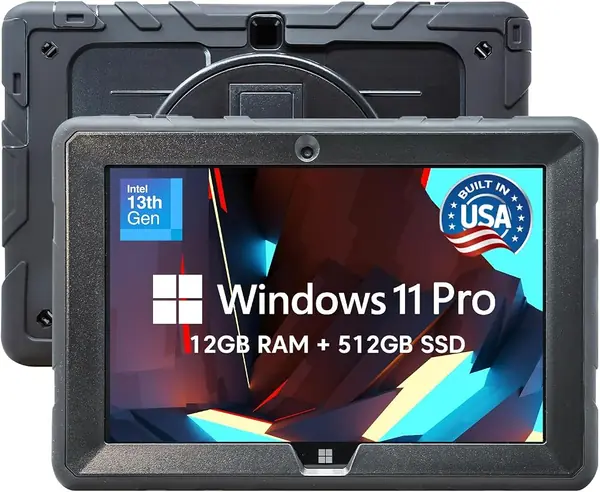
Windows software is the reason this tablet exists, and the HDMI and USB-C ports are the tell. The Fusion5 FWIN232 PRO runs Windows 11 Professional on an Intel N100 with 12GB of RAM and a 512GB SSD, so the desktop apps you already use—accounting software, a full browser, remote desktop, older industry tools—don't need a tablet version. That alone makes it the most capable work machine here for office software.

The hardware is more practical than stylish. You get HDMI and USB-C, two USB ports, a microSD slot, and a 10.1-inch 1920x1200 IPS screen that is wide enough for the on-screen keyboard. The rugged chassis and two-year warranty with accidental damage coverage are why we like it for job sites, service calls, and anywhere a laptop would get knocked around. At 636 grams, it is light enough to hold for a while, and the rugged body is built for a life away from a desk.

It is not the pick for heavy photo or video editing, and the Windows app store still has gaps for tablet-style apps. But if your must-run software is a desktop program, those compromises are easier to accept than an Android tablet that can't open the file at all. The Fusion5 is the specialist here: not the best tablet for everything, but the one that turns a tablet into a small Windows workstation.

Pros

  • Runs full Windows 11 Pro
  • 12GB RAM and 512GB SSD
  • HDMI, USB-C, and USB ports
  • Rugged build with accidental damage warranty

Cons

  • Battery rated at only 5 hours
Our verdict

Choose this one when your work requires desktop Windows software; we value the ports, 512GB SSD, and rugged warranty.

Check Latest Price
5

AGM PAD P2 Active Best Rugged for Fieldwork

86 /100
TKZ Score Excellent

Key details

Storage
256GB
Memory
8GB
Display
11-inch FHD, 90Hz
Protection
IP68 and IP69K
View on Amazon

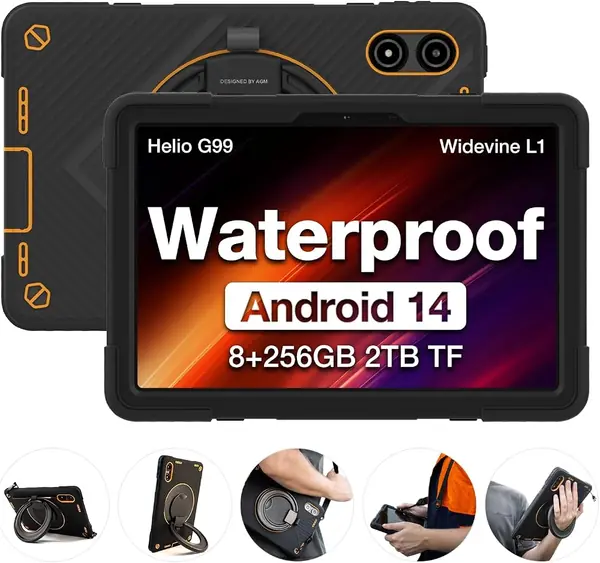
IP68 and IP69K ratings are the first thing to know about this tablet, and the included case adds a stylus holder and a bit more drop protection. The AGM PAD P2 Active is built around a simple promise: it can take the kind of abuse that would end a normal tablet's day. For a warehouse, jobsite, or service van, that is a more useful feature set than a slightly slimmer bezel.

We recommend it for fieldwork where the tablet gets cleaned, dropped, or used in the rain. The 11-inch 90Hz screen is bright enough for indoor and covered outdoor use at 480 nits, and the 8GB of RAM plus 256GB of storage is workable for forms, email, and video calls. The MediaTek G99 keeps Android 14 moving, and the 4G option means you're not tied to Wi-Fi. The included case is a real plus because rugged tablets often make you buy the protection separately.

At 1402 grams, it is a two-hand tablet and a commitment in a bag; if you need something that disappears into a backpack, this isn't it. For a truck or a jobsite, the trade-off is worth it because the protection is the point. If you want a tablet that can sit in a bag all day and still feel light, choose the Lenovo or the iPad instead.

Pros

  • IP68 and IP69K protection
  • Included protective case
  • 8GB RAM and 256GB storage
  • 4G connectivity for field work

Cons

  • Battery life can fall short of a full shift
  • Outer frame is the weak point under hard impacts
Our verdict

Fieldworkers who need a tablet to survive water, dust, and drops should put this rugged model at the top of our list.

Check Latest Price
6

TABWEE T90 Tablet Best Budget Bundle

85 /100
TKZ Score Excellent

Key details

Storage
128GB
Memory
8GB + 16GB virtual
Display
11-inch 1920x1200
Included
Keyboard, mouse, stylus, case
View on Amazon

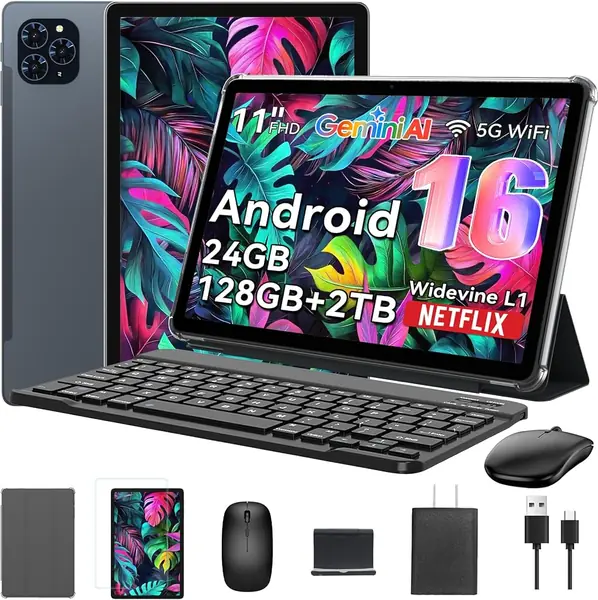
A keyboard, mouse, stylus, and case all arrive in the box with the TABWEE T90. That bundle is the reason to look at it, because it lets you try a keyboard-and-stylus workflow without buying three accessories separately. The 11-inch 1920x1200 screen is sharp for documents, and the 8GB of physical RAM plus 128GB of storage is a sensible base for email, browsing, and word processing.

The T615 processor and the 16GB of virtual memory are not the same as 24GB of physical RAM; virtual memory helps with light multitasking but won't make a heavy spreadsheet feel fast. We like it for students, reception desks, and home-office overflow—the kind of work that lives in a browser, a PDF, and a video call. The keyboard connects quickly and the mouse is a nice inclusion, though the stand can feel shaky when you tap the screen.

The ceiling is real: this is a tablet for a browser, a PDF, and a video call, not for a dozen heavy apps or a mission-critical spreadsheet. If your work is light and you want the full kit without hunting for accessories, the T90 is a practical start. If you need a reliable all-day work tablet, spend more.

Pros

  • Keyboard, mouse, and stylus included
  • Sharp 11-inch 1920x1200 screen
  • 8GB physical RAM and 128GB storage
  • Complete kit for light office work

Cons

  • Wi-Fi and Bluetooth can be unreliable
Our verdict

This is our budget bundle pick for light email, documents, and video calls, with the keyboard, mouse, and stylus included.

Check Latest Price
7

Samsung Galaxy Tab A11+ Best for Light Office

84 /100
TKZ Score Excellent

Key details

Storage
256GB
Memory
8GB
Display
11-inch, 90Hz
Speakers
Quad Dolby Atmos
View on Amazon

Memory and storage are the headline here: 8GB of RAM and 256GB in an 11-inch, 90Hz tablet. That is a more generous configuration than the S10 Lite's 6GB and 128GB, and for a family tablet or a light-office machine that will hold a lot of photos, downloads, and apps, it matters more than a stylus.

The 1920x1200 screen is sharp for documents and video, and the quad speakers with Dolby Atmos are a nice touch for calls and streaming. Android 16 and Samsung's 2-year warranty make it a low-drama choice for a shared device, and the 90Hz refresh keeps scrolling and app switching smooth. It is not a performance tablet for heavy multitasking, but the 8GB of RAM gives it more breathing room than most budget Android tablets.

The A11+ is built for the household work tablet role: email, calendar, video calls, shopping, homework, and streaming, with enough storage that you aren't deleting photos every month. It is the shared screen you can leave on the kitchen counter without worrying about who picks it up.

The caveat is battery consistency. Samsung rates it for long use, but a day of heavy video calls and games will bring the charger into the day sooner than the marketing suggests. For a shared tablet that lives near an outlet, that is easy to live with. For all-day field work, choose the AGM or the Fusion5 instead.

Pros

  • 8GB RAM and 256GB storage
  • 11-inch 90Hz screen
  • Quad Dolby Atmos speakers
  • Two-year Samsung warranty

Cons

  • No pen included for note-taking
Our verdict

Families and light-office users get the most from this Samsung's generous storage and smooth 11-inch screen, and we like the two-year warranty.

Check Latest Price
8

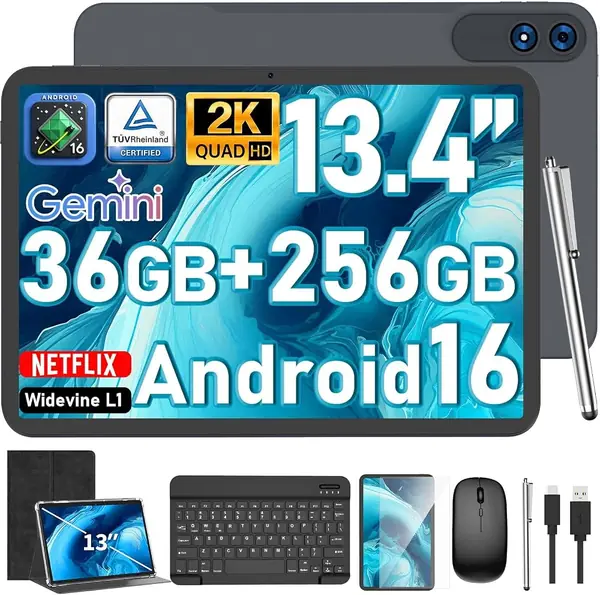
JJGJ P90 13.4-inch Tablet Large-Screen Basics

78 /100
TKZ Score Very Good

Key details

Storage
256GB
Memory
36GB (6+30)
Display
13.4-inch 1920x1200
Included
Keyboard, mouse, stylus, case
View on Amazon

A 13.4-inch display is the biggest screen in this group, and the JJGJ P90 leans into that: a 1920x1200 panel paired with a keyboard, mouse, stylus, and case. If your work is mostly a browser, a document, and a spreadsheet, the extra canvas is the appeal; split-screen windows finally feel roomy. The bundle is the other draw, because it lets you set up a desktop-style station without adding accessories.

The specs read like a budget desktop: Android 16, a Unisoc T615, 6GB of physical RAM plus 30GB of virtual memory, and 256GB of storage. The physical RAM is the number that matters, and 6GB is on the lean side for heavy multitasking. For light office work, email, and streaming, the screen is the star; the T615 is not the chip for demanding apps or serious creative work.

The keyboard and mouse make it feel more like a laptop than a tablet, which is exactly what you want if the tablet will live on a desk. The 13.4-inch body is not a one-hand device, and the included case adds bulk, so this is not the pick for a commuter who works on a train. It is the pick for a kitchen table, a dorm desk, or a small office where the screen does the heavy lifting.

The reason it sits in also-consider rather than higher is the software polish. The P90 gives you the big screen and the bundle, but it does not feel as refined as Samsung's or Lenovo's tablets, and the T615 is a basic-work chip. If you want a large screen for light tasks and don't mind trading polish for size, the P90 is worth a look. If you need reliable all-day performance, spend more on the iPad or the Idea Tab 11.

Pros

  • 13.4-inch 2K screen
  • Keyboard, mouse, stylus, and case included
  • 256GB storage
  • Big-screen value for basic work

Cons

  • Battery life is inconsistent under heavy use
Our verdict

Budget buyers who want the biggest screen here for basic documents and browsing will find the P90 worth our recommendation.

Check Latest Price

How We Tested the Best Tablets for Work

We started with a list of roughly 40 tablets marketed to people who work and cut anything with a vague spec sheet or a price that only made sense with a trade-in. That left 11, ranging from budget Android slates that ship with a keyboard and pen to a rugged Windows machine built for job sites. Each one spent six months as my main mobile device, which meant the kitchen table at 7 a.m., a call at 9, and a tote bag that also held keys and a water bottle.

Performance was judged mid-task: a 12-tab spreadsheet open beside a PDF while a call ran in a corner window, with me timing app launches and watching whether switching between them caused a stutter. Screen quality came down to reading a contract outdoors at noon and marking it up, and the stylus test was handwriting the same paragraph on glass to see which one kept pace with my scrawl. For battery, I unplugged at 8 a.m., ran email, a long call, and background video, and wrote down the percentage left at 5.

Wi-Fi got tested where it actually fails — a coffee shop, a hotel room, the far end of the house — with a call running so I could see whether it dropped. Durability meant six months in an unpadded tote; the rugged ones also took a splash at the sink and a drop from counter height. For compatibility I opened the same work files on every unit and connected each to a monitor and a projector, and I logged every crash or forced restart along the way. At the end I weighed what came in the box against the price and noted which tablet I still reached for on a Sunday.

How to Choose a Tablet for Work

Pick the operating system by your must-run apps

The first question is not screen size or price; it is whether your work apps exist on the platform. iPadOS has the broadest tablet-app library, Android covers Google Workspace, Microsoft 365, and most browser-based tools, and Windows is the only option here that runs desktop software natively. We start with the app list for that reason. If your day depends on a program that only installs on Windows, choose the Fusion5; if you can work in a browser and a few polished apps, the iPad or a Samsung tablet will feel more natural in hand.

Match the screen and pen to the work

An 11-inch screen is the work-tablet sweet spot: enough room for a document and a chat window, still light enough to hold. Step up to 12 or 13 inches only if split-screen spreadsheets are your day; the extra canvas is real, but so is the weight. We treat an included pen as a real value feature, not a footnote. The Lenovo Idea Tab 11 and Galaxy Tab S10 Lite both ship with a pen and a folio, while the iPad makes you buy the Apple Pencil separately. Check that your note apps support the pen's pressure and palm rejection before you commit.

Treat memory and storage as work limits

For Android and Windows tablets, 8GB of RAM is the comfortable starting point for split-screen work; 6GB is workable for email and notes but gets tight with a browser, a video call, and a document open at once. Storage is simpler: 128GB is fine for cloud-first files, and 256GB is worth paying for if you keep video, PDFs, or photo libraries on the device. We ignore inflated memory claims unless the listing separates physical RAM from virtual memory. The Galaxy Tab A11+ is the straightforward example here with 8GB and 256GB.

Plan for battery, keyboard, and the trip between desk and bag

Battery estimates are usually measured with light use, so discount them for a day of video calls. A Windows tablet PC like the Fusion5 is rated around five hours and is best kept near a charger; the iPad and most Android picks will go longer, but heavy multitasking still eats the day. The keyboard is the other thing that changes the math: a folio adds protection and a stand, but also weight and bulk. We look for a stable hinge first, because a wobbly stand makes a tablet worse than a laptop on a lap.

Frequently Asked Questions

Final Verdict

Buy the 11-inch iPad if you want the safest work tablet for mixed office apps, meetings, and note-taking. It has the broadest app support and the most performance headroom here, and it will feel familiar if you already use an iPhone. Budget for the keyboard or pencil you need, because neither is in the box.

If your work requires desktop Windows software, choose the Fusion5 instead; its ports, 512GB SSD, and rugged warranty matter more than all-day battery. For pen-first Android notes at a lower price, the Lenovo Idea Tab 11 is the better fit.