Best iPad Air 13-Inch Cases of 2026

A 13-inch iPad Air is a lot of glass and aluminum to trust to whatever else is rattling around in your bag. Cases exist to absorb that risk, and the category splits fast: thin folios that keep the tablet feeling like a tablet, and heavy-duty shells that treat it like equipment. Most people want something in between, so a tight fit and a stand that doesn't collapse under a typing hand matter as much as padding does. My team and I spent three months living with 16 cases to sort that out.

One thing I didn't expect: the 13-inch Air has kept the same footprint across M2, M3, and M4, so nearly every listing claims all three years — fit comes down to how firmly the shell grips the corners, not the model year on the box. Magnets are the quieter differentiator: they hold the cover shut, trip the sleep/wake sensor, and pin the tablet at an angle. Weak ones do all three badly. The cases below are the ones that stayed tight and stood steady.

The Best iPad Air 13-Inch Cases

1

ZUGU Case for iPad Air 13 Best Overall
96 /100
TKZ Score Outstanding

Key details

Compatibility
iPad Air 13 M2/M3/M4; iPad Pro 12.9 (3rd/4th gen)
Stand
10 magnetic angles
Pencil Support
Holder with charging
Protection
5-foot drop rating
View on Amazon

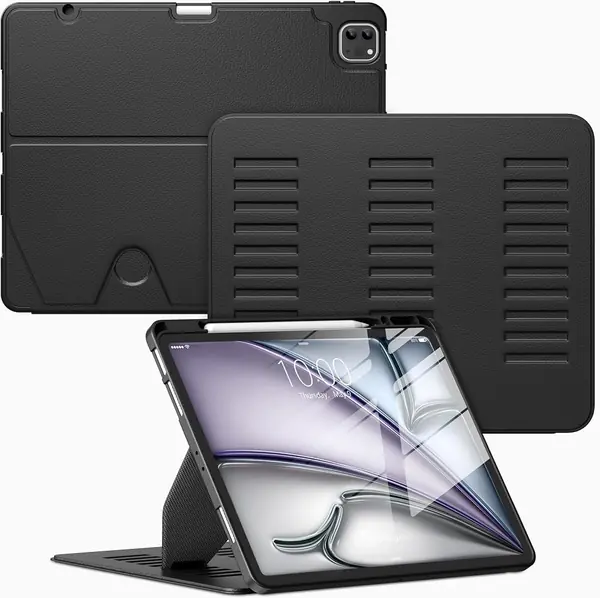
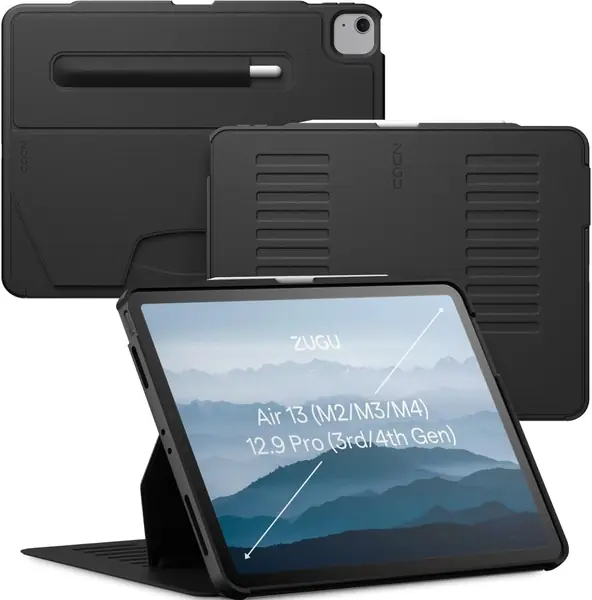
Ten angles sounds like a spec-sheet boast until you set a 13-inch Air on a kitchen counter. The ZUGU's magnetic stand stays where you put it, from a near-flat drawing position to a steep movie angle, and we think that flexibility is what makes it the best all-around case here. It turns the tablet into something you can use hands-free without propping it against a mug.

The case itself is a fitted folio, not a rubber tank. ZUGU lists 5-foot drop protection, a microfiber lining, and a pencil holder that lets the Apple Pencil charge in place. We like the way the cover folds behind rather than flopping loose, and the stand is backed by magnets that hold the cover in place instead of relying on friction.

At 1.2 pounds, it adds heft to an already large tablet, though the weight is spread across a slim profile. The bigger caveat is compatibility: this is for the iPad Air 13 in M2, M3, or M4 form, plus the older 12.9-inch iPad Pro third and fourth generations. It does not fit the 13-inch iPad Pro or any 11-inch model, so check the model number in Settings before you order.

That leaves the ZUGU as the case for someone who uses the Air as a portable TV, a sketchpad, or a countertop recipe screen and wants it to feel good every time. The SEYMAC is the one for job-site abuse; the ZUGU is the one we reach for when the tablet is coming to the couch.

Pros

  • Ten-angle stand holds steady for drawing and video
  • Five-foot drop protection in a slim folio
  • Pencil holder supports wireless charging

Cons

  • Costs more than most cases here
Our verdict

The ZUGU is the case we recommend to most iPad Air 13 owners: its 10-angle stand, premium finish, and strong everyday protection make it the easiest all-around choice.
Check Latest Price
2

SEYMAC Case for iPad Air 13 Best Heavy-Duty

94 /100
TKZ Score Outstanding

Key details

Compatibility
iPad Air 13 M2/M3/M4
Stand
360° rotating kickstand
Weight
1.4 lb
Protection
Built-in screen protector
View on Amazon

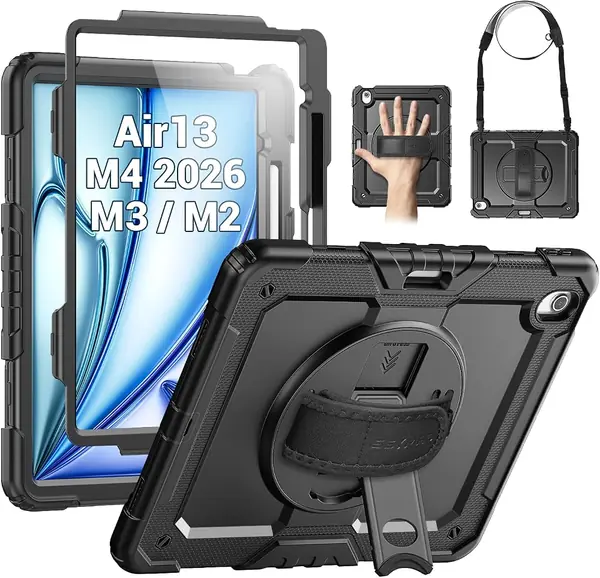
The SEYMAC looks like the case you buy when the tablet has a dangerous job. Its silicone-and-polycarbonate shell wraps the Air 13 in a thick bumper, and the built-in screen protector, rotating kickstand, hand strap, and shoulder strap all point to the same use: a tablet that leaves the house and gets handled by people who are not careful with it.

We tested it as the rough-and-tumble option, and it earns that role. The 360-degree stand clicks into portrait or landscape, the hand strap gives you a one-handed grip for showing someone a screen, and the shoulder strap lets the tablet hang at your side. The built-in screen protector is a real convenience because there is no separate film to align, and the pencil holder keeps the Apple Pencil with the tablet.

Against the ZUGU, it trades polish for straps and a screen protector. Against the AZZSY, it feels more reinforced and the shoulder strap is an extra the cheaper case does not have. The SEYMAC is the one we hand to a kid or toss in a work bag; the ZUGU stays on the coffee table.

Pros

  • Built-in screen protector and reinforced shell
  • Hand and shoulder straps for carrying
  • 360° stand works in portrait or landscape

Cons

  • Heavy at 1.4 pounds for daily carry
  • No water resistance rating
Our verdict

For a tablet that goes to job sites, back seats, or kids, the SEYMAC is the case we trust to take the knocks.

Check Latest Price
3

TORRAS Ostand K1 Guardian Best for Desk and Typing

93 /100
TKZ Score Outstanding

Key details

Compatibility
iPad Air 13 M2/M3/M4
Stand
Dual metal kickstand
Weight
8.24 oz
Drop Rating
MIL-STD-810H
View on Amazon

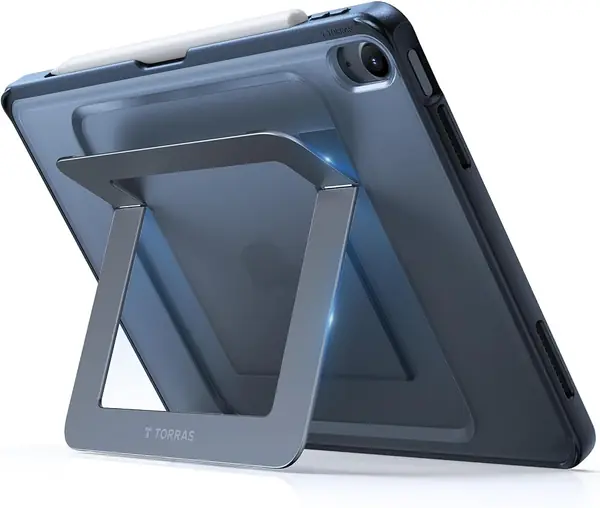
A metal kickstand on a tablet case sounds like a small upgrade until you try to type on a bouncing folio. The TORRAS Ostand K1 uses two metal stands: one for a low, near-flat writing angle and one for a more upright viewing position. The hinges feel firmer than the folding covers on most folios here, and the case stays slim enough to leave on between uses.

At 8.24 ounces, it adds less weight than the ZUGU or SEYMAC, and TORRAS lists MIL-STD-810H protection. The pencil holder supports magnetic attachment and wireless charging, and the cutouts leave the buttons and port accessible. We like the fact that the stand is a separate mechanism rather than a folded flap; it makes the Air feel like a small monitor at a desk.

That desk-first design is why we recommend it for typing, drawing, and video calls. It is not the case for a kid or a job site: the metal stand is exposed, and the rubber foot pads under it are the part to watch. If one works loose, the stand gets less stable, so check them now and then.

Compared with the ZUGU, the TORRAS has fewer viewing angles but a more mechanical, planted feel for work. Compared with the JETech, it gives up the 360-degree swivel, but it is the sturdier stand for serious typing. For a desk-heavy Air, that trade is the right one.

Pros

  • Dual metal stands stay planted for typing
  • Slim enough at 8.24 ounces
  • MIL-STD-810H protection and pencil charging

Cons

  • Costs more than basic folios here
Our verdict

Our pick for desk work is the TORRAS Ostand K1, whose dual metal stands keep the Air steady for typing and drawing.

Check Latest Price
4

JETech 360° Rotating Case Best Rotating Value

92 /100
TKZ Score Outstanding

Key details

Compatibility
iPad Air 13 M2/M3/M4
Stand
360° rotating stand
Pencil Support
Built-in holder
Weight
15.3 oz
View on Amazon

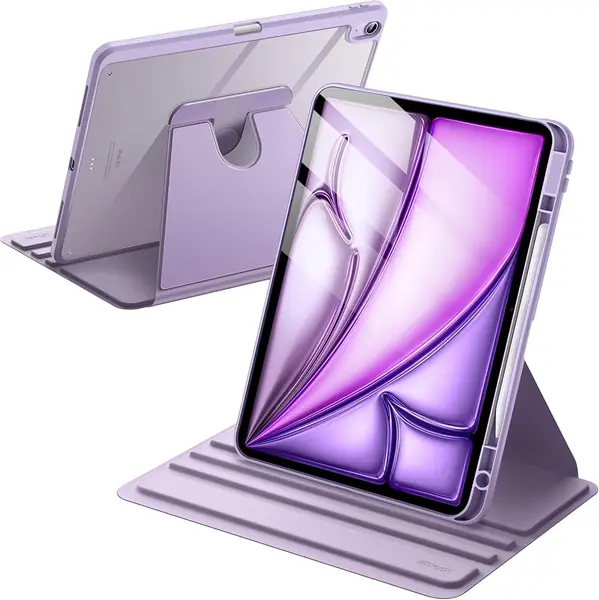
The JETech case answers a simple question: why should a folio only stand in landscape? Its 360-degree swivel lets the Air 13 sit upright in portrait for reading or in landscape for video, and the front cover folds into a stand. For a case at the budget end of the rotating options, that is a lot of flexibility.

We like it best as a second case or a first case for someone who reads a lot. The clear back shows the iPad's color, the pencil holder keeps the Apple Pencil with the tablet, and the TPU frame has enough give to get the tablet in without a fight. At 434.4 grams, it is not the lightest case here, but it is far from the heaviest.

The front cover is the weak spot: it can slide out of alignment when the case is closed, and the magnetic edge does not always stay put when folded back. That is the trade for the swivel and the budget price; if you mostly type on your lap, the TORRAS is the more stable choice.

The rotation is the reason to pick it, and the price is the reason it is easy to try. If you want one case that moves between portrait and landscape all day, this is the one we point to first; if you need a case that can survive a drop onto concrete, spend more on the SEYMAC.

Pros

  • 360° swivel switches portrait and landscape
  • Clear back shows the iPad's color
  • Built-in pencil holder at a budget price

Cons

  • Stand can slip at steep angles
Our verdict

We point portrait-and-landscape flippers to the JETech, a capable rotating case that stays in the budget tier.

Check Latest Price
5

ProCase Slim Case Best Slim Budget

91 /100
TKZ Score Outstanding

Key details

Compatibility
iPad Air 13 M2/M3/M4
Stand
Tri-fold, two positions
Pencil Support
Pencil Pro and USB-C Pencil
Thickness
0.4 inch
View on Amazon

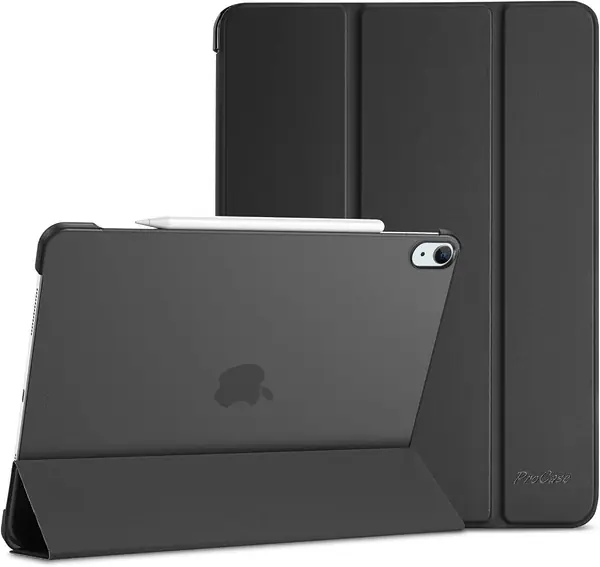
The ProCase is the case you buy when you want a slim cover, a stand for video, and not much else. It adds 0.4 inch of thickness, wraps the back in a translucent hard shell, and folds into two viewing positions. We think that is the right mix for an iPad that mostly moves between a desk, a sofa, and a bag.

The frosted back is a nice touch: it lets the iPad's color and Apple logo show through while hiding fingerprints better than a glossy clear shell. The front cover supports auto wake and sleep, and the case works with the Pencil Pro and USB-C Pencil. For scratch protection and a stable enough video stand, it covers the basics without bulk.

The cover is the part that feels basic. The magnet is not strong enough to hold the flap neatly against the back when you fold it open, so it can dangle while you hold the tablet. That is a small annoyance, but it is the kind of thing you notice every time you read in portrait.

The ProCase is for the reader who wants a low-cost folio that disappears onto the tablet. If you need a case that can take a tumble, the AZZSY or SEYMAC is the safer buy; if you want more stand positions, the ZUGU is worth the step up.

Pros

  • Slim 0.4-inch profile
  • Frosted back hides fingerprints
  • Auto wake/sleep and Pencil support

Cons

  • Thin shell gives limited drop protection
Our verdict

The ProCase is our budget folio for scratch protection, auto wake/sleep, and light stand use.

Check Latest Price
6

AZZSY Rugged Case Best Budget Rugged

90 /100
TKZ Score Outstanding

Key details

Compatibility
iPad Air 13 M2/M3/M4
Stand
Pop-out kickstand
Pencil Support
Built-in holder
Weight
11.6 oz
View on Amazon

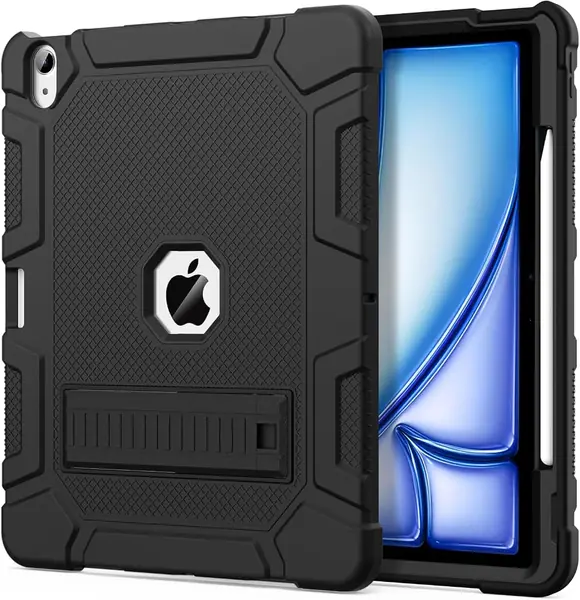
The AZZSY gives you the look and feel of a rugged case without the rugged-case price. A hard polycarbonate shell sits inside a silicone bumper, a kickstand pops out of the back, and a built-in holder keeps the Apple Pencil charged and close. At 330 grams, it is heavier than a slim folio but lighter than the SEYMAC.

The bright color options are more useful than they sound. A yellow or purple case is easy to spot in a couch cushion or a backpack, which matters when the tablet is shared around the house. The kickstand is best for watching something at a table; it is not the multi-angle stand of the ZUGU.

We think this is the best budget rugged case in the group. It covers the basics of drop protection and pencil storage, and it does not feel as bulky as the SEYMAC. The ZUGU and TORRAS have more refined stands, but they sit in higher price tiers; the AZZSY puts its money into the shell. For a family tablet, that is the right trade.

The AZZSY is the case for a household that wants protection without paying for a premium folio. It is also a good pick for a teenager or a shared family tablet, where a bright color and a grippy bumper do more work than a leather finish. For the roughest handling, the SEYMAC still has the edge.

Pros

  • Rugged shell at a budget price
  • Built-in pencil holder
  • Bright colors are easy to spot

Cons

  • Hard plastic edges feel less refined
Our verdict

We see the AZZSY as the family-and-student pick: a budget rugged case with a pencil holder and a grippy shell.

Check Latest Price
7

TiMOVO Clear-Back Case Clear-Back Light Duty

89 /100
TKZ Score Excellent

Key details

Compatibility
iPad Air 13 M2/M3/M4
Stand
Trifold stand
Weight
11.6 oz
Back
Clear polycarbonate
View on Amazon

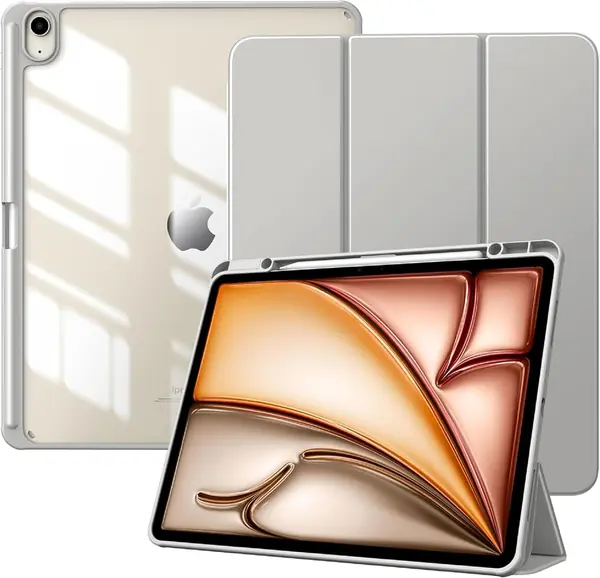
The TiMOVO's clear back is the reason to notice it. Instead of hiding the iPad's color or engraving under a solid cover, it puts a crystal-clear polycarbonate panel over the back and wraps the edges in a shockproof TPU bumper. The front is PU leather with a soft microfiber lining, so the screen gets a clean surface when the cover is closed.

At 11.62 ounces, it is one of the lighter full-cover cases here, and the trifold front gives you a stand for typing or video. The built-in pencil holder keeps the Apple Pencil from getting lost in a bag, and auto wake/sleep works as expected. We like it as a leave-on case for a desk or a coffee table, where the clear back can show off the tablet.

The cover magnets are the weak point. They are strong enough for wake/sleep and for holding the pencil, but the front flap can shift in a bag, and the stand is not as planted as the ZUGU or TORRAS when you tap the screen. This is a folio for light handling.

We recommend the TiMOVO to someone who wants a cheap, light folio that does not hide the iPad's finish. It is an easy, attractive pick for a bedside or desk tablet, and the clear back gives it a look the solid folios cannot match.

Pros

  • Clear back shows the iPad's finish
  • Light at 11.62 ounces
  • Pencil holder and auto wake/sleep

Cons

  • Slim shell gives limited drop protection
Our verdict

The TiMOVO is our budget pick for a light folio that shows off the iPad's back and keeps the Pencil close.

Check Latest Price
8

DTTO Rotating Folio Leather-Look Rotation

88 /100
TKZ Score Excellent

Key details

Compatibility
iPad Air 13 M2/M3/M4
Stand
360° rotating stand
Pencil Support
Built-in holder
Material
Faux leather
View on Amazon

Brown faux leather and a swivel base give the DTTO a different look from the plastic-and-rubber cases here. The cover has a leather-like grain, the interior is microfiber, and the whole thing rotates 360 degrees so the Air can sit upright in portrait or landscape. It reads more like a planner than a tablet case, which is exactly the appeal.

The stand uses deep grooves to hold the tablet at different angles, so the Air sits in a slot instead of relying only on friction. A hand strap on the inside makes one-handed reading easier, and the pencil holder keeps the Apple Pencil secure. We like it for meetings, recipes, and reading in bed, where the case's appearance matters as much as its armor.

There is some weight to the leather-look folio, and it feels more substantial in hand than the slim ProCase. That weight is part of the appeal, but it is noticeable when you hold the tablet one-handed for a long time.

We recommend the DTTO to someone who wants a rotating folio with a richer look. The faux leather and deep-groove stand make it pleasant for meetings and reading, and the swivel earns its keep when you move between apps.

Pros

  • 360° rotation for portrait or landscape
  • Deep-groove stand and hand strap
  • Leather-look finish

Cons

  • Limited drop protection compared with rugged cases
Our verdict

Our pick for a leather-look rotating folio is the DTTO, with a comfortable hand strap and a 360-degree swivel.

Check Latest Price
9

VIKESI Magnetic Stand Case Best for Multi-Angle Desk Use

87 /100
TKZ Score Excellent

Key details

Compatibility
iPad Air 13 M2/M3/M4
Stand
Three-bracket magnetic stand
Pencil Support
Built-in holder
Material
Faux leather and TPU
View on Amazon

Three brackets instead of one magnet or two is the idea behind the VIKESI, and on a 13-inch tablet that extra support is not a gimmick. The stand props the Air at multiple angles, with a shallower tilt for drawing and a more upright position for video, and the brackets keep the tablet from tipping sideways when you touch the screen.

The case is a hybrid of faux leather and TPU, and it feels smoother than the rubberized rugged cases here. A built-in pencil holder keeps the Apple Pencil with the tablet, and the cover supports auto wake/sleep. VIKESI also says the design is about half a pound lighter than similar folios, which matters on a tablet this large.

The three-bracket stand is the part we appreciate most. It gives the Air a more planted feel than the simple trifold covers, and the shallow angle is useful for drawing or tapping through a form.

The cover hinge has some flex, and the magnetic edge can slide on a smooth table when you push the screen. Those are small things, but they are the difference between a folio and a case that feels overbuilt. The three-bracket stand is the part that feels engineered; the cover is the part that feels ordinary.

We recommend the VIKESI to someone who wants a stable multi-angle stand without the bulk of a rugged case. It is a good fit for a student or a desk worker who moves the Air between typing and drawing, and the three-bracket stand is the part that earns its place.

Pros

  • Three-bracket stand stays planted
  • Pencil holder and auto wake/sleep
  • Slimmer feel than rugged cases

Cons

  • Folio-level drop protection
Our verdict

The VIKESI earns its spot with a stable three-bracket stand and a slimmer feel than the rugged cases here.

Check Latest Price
10

PITAKA Folio3 Case Best for Lightweight Pencil Work

78 /100
TKZ Score Very Good

Key details

Compatibility
iPad Air 13 M2/M3/M4
Pencil Support
Magnetic strap
Weight
11.9 oz
Angles
Five stand angles
View on Amazon

The PITAKA Folio3 is for the person who wants the Air 13 to feel like a notebook, not a tablet in armor. It weighs 11.91 ounces, uses a skin-friendly polyurethane leather cover, and attaches magnetically so you can pop it off when you want the bare tablet. The five-angle stand includes a 9-degree writing position, which is lower than most folios go.

We like the low writing angle more than we expected. It puts the screen at a comfortable slant for note-taking with the Apple Pencil, and the magnetic strap keeps the pencil secure when you are not using it. The portrait and landscape positions are easy to switch, and the case supports auto wake/sleep.

The magnet system is the star. The case holds firmly when you carry it by the cover, and the stand stays put for tapping, though it is not as rigid as the metal stand on the TORRAS. The PU leather has a soft, slightly grippy feel that makes the tablet easier to hold than a bare aluminum back.

The trade is protection. The Folio3 covers the screen and back, but the edges are minimal, and the folio design is meant for careful handling rather than drops. It is a case for an adult who wants a light folio, not for a child or a job site.

We recommend the PITAKA to a careful user who wants a featherweight folio and a low writing angle for the Apple Pencil. The TORRAS is the better desk stand; the ZUGU is the better all-rounder; the PITAKA is the one that makes the 13-inch Air feel less like a laptop.

Pros

  • Five angles include a 9-degree writing position
  • Light at 11.91 ounces
  • Strong magnets and pencil strap

Cons

  • Premium price for a folio
Our verdict

We point careful users who want a featherweight folio and a low writing angle to the PITAKA Folio3.

Check Latest Price

How We Tested These iPad Air 13-Inch Cases

I started by reading through several dozen listings and cutting anything that wasn't molded specifically for the 13-inch Air, along with anything that skipped the Pencil holder or the stand. That left 16 cases across three styles — slim folios, rotating stands, and heavy-duty shells with straps and built-in screen protectors — and each one went onto the same tablet and stayed there for at least a week of real use.

In that time the cases went into a tote bag next to keys, rode a commuter train, propped up on a kitchen counter during dinner prep, and lay flat on a lap through an evening of note-taking. We snapped each one on and off ten times to see whether the corners stretched or the shell pulled away from the edges, and checked that the button and port cutouts lined up without pressing on anything underneath.

For the stands, we set each case at every angle it advertised and typed on the screen to see how much it rocked. For the magnets, we flipped the tablet face-down and shook it gently to see whether the cover let go, then folded the cover behind to confirm the sleep/wake sensor still tripped. To test protection, we dropped each case from counter height onto hardwood, corner first, and checked both shell and screen for damage.

After three months, we looked at which ones had scuffed at the folds, which clear backs had clouded over, and which still felt solid at the hinge — because a case that looks good in week one and sags by month three isn't a bargain at any price.

How to Choose an Ipad Air 13-Inch Case

Decide between a folio and a rugged shell

We start with how much case you want to carry. A slim folio like the ProCase or TiMOVO keeps the Air close to its bare size and handles scratches, light bumps, and video. A rugged shell like the SEYMAC or AZZSY adds a built-in screen protector, reinforced corners, and straps, but it also adds bulk and weight. The ZUGU sits in the middle: 1.2 pounds, a 5-foot drop rating, and a folio shape. If the tablet stays home, start slim. If it rides in a backpack or gets handled by kids, start rugged and accept the weight.

Put the stand through a real test

The stand is the feature you use every day, and the labels do not tell you enough. A trifold cover gives two positions and depends on friction; a rotating ring adds portrait mode; a metal or three-bracket stand is more planted for typing. Magnetic stands are convenient but can shift if the magnets are weak or the surface is slick. We pay attention to whether the stand holds when we tap the top of the screen. If you type or draw, pick a metal or multi-bracket stand like the TORRAS or VIKESI. If you mostly watch video, a lighter folio is enough.

Plan for the Apple Pencil

A pencil holder sounds like a checkbox until you have to remove the Pencil to charge it. The holder should leave the charging side exposed, or the case should pass the charge through, so the Pencil tops up while it stays with the tablet. A magnetic strap is convenient for quick access; a full holder is better for travel. Check that the case still lets you attach the Pencil magnetically if you use a Pencil Pro. The ZUGU, TORRAS, and SEYMAC all list charging support, but the holder design differs, and that difference matters more than the label.

Match the material to the way you use it

Faux leather looks warmer and feels grippier than polycarbonate, but it shows wear and usually comes on folios with less drop protection. Clear backs show the iPad's finish and protect it from scratches, but they can look smudged. Silicone and TPU bumpers are the ones to choose for kids and job sites because they absorb impact and give you something to grip. Leather is not worth it if the tablet lives in a backpack; a reinforced shell is. For a conference table, the DTTO's leather look earns its keep.

Frequently Asked Questions

Final Verdict

We recommend the ZUGU for most people because it nails the two things a 13-inch tablet case has to do: hold a useful angle and protect the Air without turning it into a brick. Its 10-angle stand is the one we keep coming back to, and the 5-foot drop rating covers everyday knocks.

If your tablet travels to job sites or gets handed to kids, the SEYMAC's built-in screen protector and straps make it the better buy. For a desk-first Air, the TORRAS gives you a more planted typing stand.