Best E-Readers for Seniors of 2026

The first time I handed my mom an e-reader instead of a paperback, she read for two hours straight — no reading glasses, no book light. That's the whole pitch: these devices take the friction out of reading. The text goes as big as you need it, the screen stays legible in direct sun, and it weighs less than a hardcover.

I've spent the past six months reading on twelve of them, from a 4-inch pocket model to a 7-inch color screen, and size turned out to drive everything else. Bigger screens mean fewer page turns and room for large type; smaller ones slip into a coat pocket but cramp the layout. Color E Ink is a real upgrade for covers and comics, though it runs dimmer than plain black-and-white.

Battery claims deserve a raised eyebrow too — most run for weeks with the front light low, days with it high. What kept people reading longer, though, was physical page-turn buttons, a light that warms at night, and a weight that doesn't tire a wrist. The picks below are the ones worth the money because they got those right.

The Best E-Readers for Seniors

1

Kindle Paperwhite (2024) Best Overall
93 /100
TKZ Score Outstanding

Key details

Screen
7-inch glare-free
Storage
16 GB
Lighting
White-to-amber adjustable
Battery
Up to 12 weeks
View on Amazon

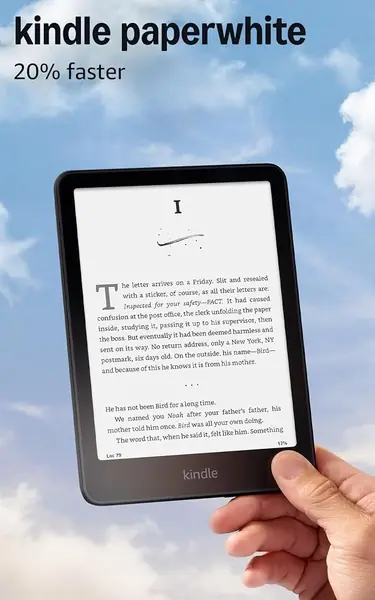
Seven inches is the size we keep recommending for older readers: the Kindle Paperwhite gives large text room to breathe without making the device feel like a tablet. The screen is glare-free, and the light shifts from white to amber, so you can read in bed without a blue-white panel washing out the room. That combination is why it is our top pick. The Kindle store is also the least intimidating place to buy books, and the software stays focused on reading instead of notifications.

The Paperwhite rewards a reader who is comfortable with a touchscreen. If a tap or swipe is unreliable because of arthritis or a tremor, the Kobo Libra Colour is the alternative to look at first. For everyone else, the controls stay out of the way and leave a clean, distraction-free reader with 16GB of storage and a battery Amazon rates at up to 12 weeks. In daily use, the warm light is the feature we noticed most; it turns a harsh bedside screen into something closer to a paper page.

The base Kindle is smaller and less expensive, and the Paperwhite asks you to pay for the larger screen and the amber light. We think that is the right trade for long sessions: more words per page, less fiddling with brightness, and enough battery to stop thinking about charging. The screen and light are the parts that earn their keep; the rest stays out of the way.

Pros

  • 7-inch glare-free screen leaves room for larger text
  • Warm-to-amber light for nighttime reading
  • Up to 12 weeks of battery

Cons

  • No charging block included
  • Screen tint or dead pixels can occur
Our verdict

The Kindle Paperwhite is our top pick for most older readers: its 7-inch glare-free screen and warm light make long sessions easier.
Check Latest Price
2

Kindle (2024) Best Budget Kindle

91 /100
TKZ Score Outstanding

Key details

Screen
6-inch glare-free
Storage
16 GB
Lighting
Adjustable front light
Battery
Up to 6 weeks
View on Amazon

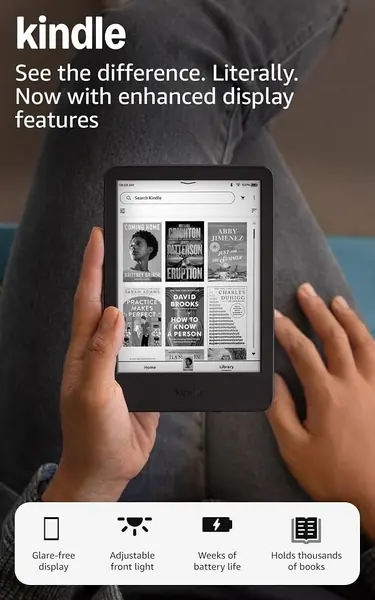
The step down from our top pick is mostly a step down in size. The base Kindle has a 6-inch glare-free screen instead of 7, a lower price, and a lighter, more pocketable body. For a reader who wants a simple Kindle for a purse or bedside table, that trade can be the right one.

We think this is the better choice when the Paperwhite feels like more device than the reader needs. The 6-inch screen is small but not cramped for ordinary novels, and the adjustable front light plus dark mode handle nighttime reading. The 16GB storage holds thousands of books, and the simplified Kindle interface is the same one that makes the Paperwhite easy to hand over to a first-time e-reader user.

The screen is where the savings show up: larger text fills the page faster, so a reader who needs big type will turn pages more often than on the Paperwhite. That is not a dealbreaker for everyone, but it is the reason we treat the 7-inch model as the default. The base Kindle makes more sense as a second reader or for someone who reads in short bursts. The 6-inch canvas is the dividing line: for short sessions it disappears, and for long ones the Paperwhite is the better tool.

Pros

  • Light, compact body
  • Adjustable front light and dark mode
  • 16GB storage for thousands of books

Cons

  • Battery may fall short of six weeks
Our verdict

On a tighter budget, we point to the base Kindle: light, simple, and less expensive than the Paperwhite.

Check Latest Price
3

Kobo Clara BW Best for Library Borrowing

90 /100
TKZ Score Outstanding

Key details

Screen
6-inch Carta 1300 HD
Weight
6.14 oz
Lighting
ComfortLight PRO
Waterproof
IPX8
View on Amazon

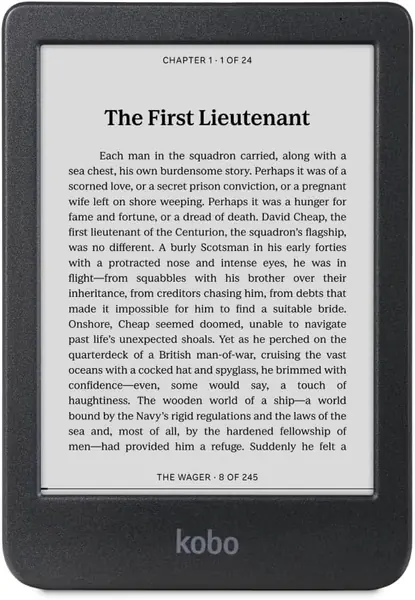
If most of an older reader's books come from the public library, the Kobo Clara BW is the one we reach for. OverDrive support is built in, so borrowing a library book does not require a second app or a trip through a computer. It also accepts EPUB files, which makes a folder of sideloaded books easy to move over.

The 6-inch Carta 1300 HD screen is the crisp black-and-white panel we prefer for long text. Unlike the color Kobos, it has no extra layer softening the letters, and ComfortLight PRO adjusts both brightness and color temperature. IPX8 waterproofing is a sensible bonus for a reader who likes to read near the tub or pool, and the compact body fits a coat pocket.

If physical page buttons make the difference, the Libra Colour is the one to choose. But if tapping the edge of the screen is comfortable, the Clara BW keeps the text crisp and the library close at hand. The screen is crisp enough to forget about, which is what you want from a reader.

Pros

  • Built-in public-library borrowing
  • Crisp Carta 1300 HD black-and-white screen
  • IPX8 waterproofing

Cons

  • Some units crash or freeze
Our verdict

We favor the Kobo Clara BW for library borrowers: crisp black-and-white text, easy OverDrive borrowing, and no need for page buttons.

Check Latest Price
4

Kobo Libra Colour Best with Page-Turn Buttons

89 /100
TKZ Score Excellent

Key details

Screen
7-inch color Kaleido 3
Weight
7.05 oz
Storage
32 GB
Controls
Page-turn buttons
View on Amazon

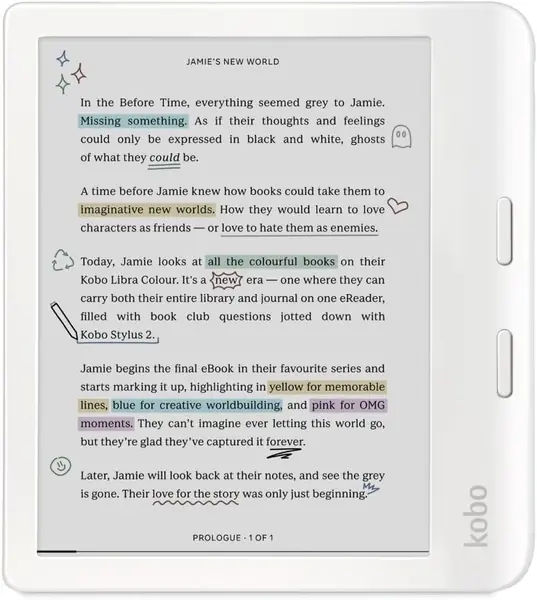
Page-turn buttons sound like a small thing until you have to swipe a touchscreen with sore hands. The Kobo Libra Colour puts two physical buttons on a wide side grip, and the screen rotates so left- and right-handed readers can hold it the same way. That makes it the model we point to when physical buttons are the deciding feature.

The 7-inch color E Ink screen is pleasant for covers, comics, and colored highlights, but the color layer costs some contrast, so black-and-white text is softer than on the Clara BW. We still like the size and the buttons together, because the wider grip balances the 200-gram body and gives a thumb something to rest against.

Battery life is rated at four weeks, and the 32GB storage plus IPX8 protection make it a good travel companion. The premium over the Clara BW buys the buttons, the larger canvas, and color, not a better monochrome screen. If those first two matter, the trade is easy to understand. The buttons are the reason; the color is the bonus.

Pros

  • Physical page-turn buttons
  • Large 7-inch color E Ink screen
  • 32GB storage and IPX8 protection

Cons

  • Stylus sold separately
Our verdict

When physical page buttons are the deciding feature, our choice is the Kobo Libra Colour.

Check Latest Price
5

PocketBook Verse Pro Color Best for Text-To-Speech

82 /100
TKZ Score Excellent

Key details

Screen
6-inch color Kaleido 3
Weight
12.3 oz
Waterproof
IPX8
Audio
Text-to-speech and Bluetooth
View on Amazon

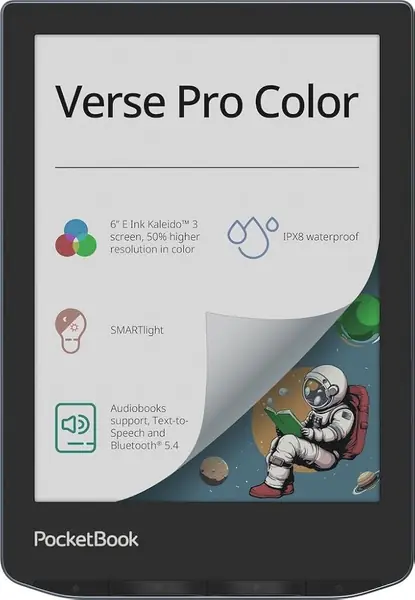
For a reader whose eyes tire before the page does, the PocketBook Verse Pro Color offers text-to-speech that can read a text file aloud. Bluetooth 5.4 sends the sound to headphones or a speaker, so the same device can switch from reading to listening without a phone. That is a genuine accessibility feature, not a novelty.

We think it is the strongest pick here for a reader who wants to alternate between reading and listening, or whose vision makes an audio backup valuable. The 6-inch Kaleido 3 color screen is fine for covers and graphic novels, but it is softer and darker than a black-and-white panel, so text contrast is not its strength. SMARTlight adjusts the color tone, and IPX8 waterproofing adds peace of mind.

This is a specialist reader, not the simplest all-rounder. The color layer and flexible software are the reasons to choose it, and the audio features are what justify the extra complexity. If listening is a real part of the plan, it earns its place; if not, a black-and-white Kindle or Clara BW is easier to live with.

Pros

  • Text-to-speech for text files
  • Bluetooth audio to headphones or speakers
  • IPX8 waterproofing

Cons

  • Heavy at 349 grams
  • Touch response can lag
Our verdict

Our pick for text-to-speech and Bluetooth listening is the PocketBook Verse Pro Color.

Check Latest Price
6

PocketBook Verse Best for File-Library Reading

81 /100
TKZ Score Excellent

Key details

Screen
6-inch Carta HD
Storage
8 GB plus microSD
Lighting
SMARTlight adjustable
Battery
Up to 1 month
View on Amazon

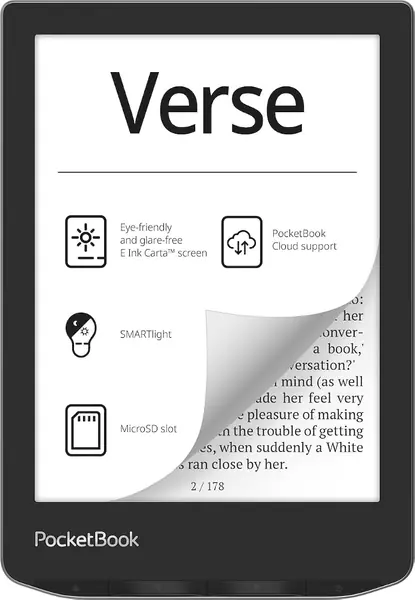
The microSD slot is the practical detail that sets the PocketBook Verse apart from most of this group. If an older reader has a folder of DRM-free books, PDFs, or family documents, that card can carry the library without touching the 8GB of built-in storage. The reader supports 25 formats, including EPUB, PDF, and FB2, so there is less converting before books will open.

The 6-inch Carta HD screen is glare-free, and SMARTlight adjusts brightness and color temperature for nighttime reading. PocketBook rates the battery at up to a month, the longest claim here. We like the format freedom, but the interface is more flexible than a Kindle's and that cuts both ways: more settings and more menus to learn. Set it up before handing it over.

We recommend it when file freedom matters more than polish. Page turns and menus can feel slower than a Kindle, and the reading experience is functional rather than seamless. The card slot and broad format support give it a role the others do not fill, especially for a reader with an existing digital library. For a reader with an existing digital library, that makes it worth the learning curve.

Pros

  • MicroSD card expansion
  • 25 supported file formats
  • Up to one month of battery

Cons

  • Reliability can be inconsistent
Our verdict

We keep the PocketBook Verse on this list for one clear reason: its memory-card slot and broad file support.

Check Latest Price
7

Musnap Ocean Best for Large-Screen Reading

80 /100
TKZ Score Excellent

Key details

Screen
7-inch E Ink
Weight
15.1 oz
Storage
64 GB
Software
Android
View on Amazon

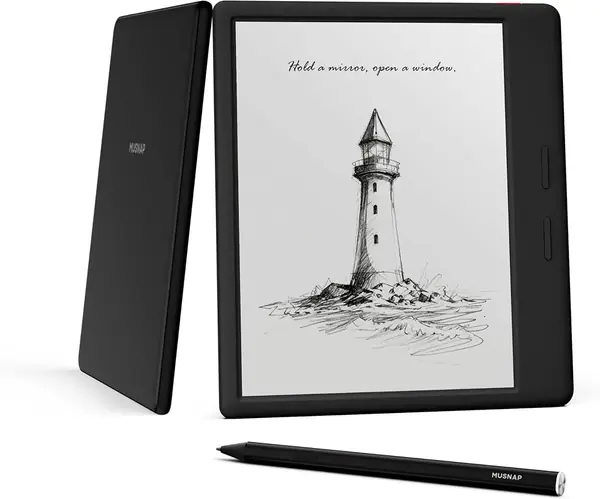
A 7-inch E Ink tablet with Android is a different kind of purchase from a Kindle. The Musnap Ocean packs an octa-core processor, 4GB of RAM, and 64GB of storage, so it can run third-party reading apps and handle PDFs and comics that make a 6-inch screen feel cramped. The display is glare-free with adjustable brightness and color temperature.

We like the physical page-turn buttons and the large canvas together. They make the Ocean feel more like a reading device than an Android tablet, and the performance is quick enough for page turns and app switching. The Ocean also supports handwriting and third-party apps, so it can do more than turn pages.

The screen can show ghosting, especially with images, and Android adds setup steps that a Kindle does not. We think that is the price of flexibility, not a reason to avoid it for the right reader. The 64GB storage means you can keep a large library on board without managing a card.

We recommend the Ocean to the reader who wants an app-friendly E Ink device and will accept a little tinkering. It is not the simplest first e-reader, and its battery and interface are less predictable than the Kindles. But the 7-inch screen and Android flexibility give it a place for PDFs, library apps, and notes. The large screen and Android flexibility give it a place that the dedicated readers cannot fill.

Pros

  • 7-inch E Ink screen
  • 64GB storage and 4GB RAM
  • Android support for third-party apps

Cons

  • Heavy at 15.1 ounces
  • Stylus sold separately
Our verdict

The Musnap Ocean earns a look from readers who want a 7-inch, app-friendly E Ink tablet and will accept Android's setup.

Check Latest Price
8

XTEINK X4 Pro Best for Pocket Reading

79 /100
TKZ Score Very Good

Key details

Screen
4.3-inch E Ink
Weight
2.5 oz
Lighting
Dual-tone front light
Controls
Touch and page buttons
View on Amazon

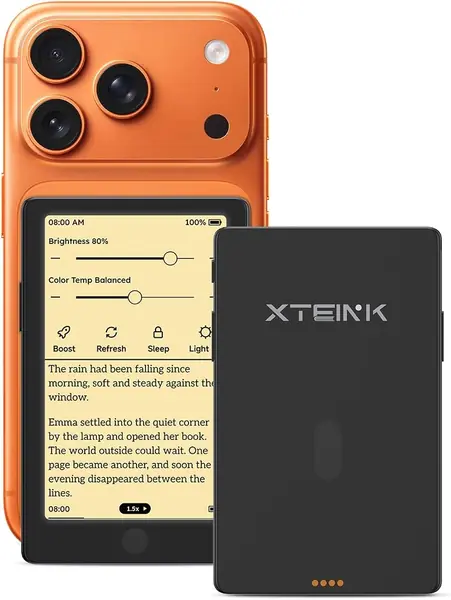
At 2.5 ounces, the XTEINK X4 Pro disappears into a shirt pocket in a way no 6- or 7-inch reader can. The 4.3-inch screen is the catch: it is small enough that large text turns into a lot of page turns, and it will not suit every older reader. The dual-tone front light, touchscreen, and physical page buttons are all here, which is impressive at this size.

We like it as a second reader for appointments and commutes, not as the main device for long sessions at home. The 16GB storage and magnetic charging keep it simple, and the front light means it works in a dark waiting room. The buttons help when the screen is this small; a swipe on a 4.3-inch panel is more fiddly than a button press.

The 1100mAh battery is small, and the software is plainer than the Kindle or Kobo experience. Those are the compromises that come with the pocketable body, and they are easier to accept in a reader that lives in a bag rather than on a nightstand.

We recommend the X4 Pro as a pocket second reader for short sessions, not as an older reader's only device. The size is the whole point and the whole compromise: it goes places a Kindle will not, but it makes every long chapter more work. It is the reader we tuck into a coat pocket, not the one we leave on the nightstand.

Pros

  • 2.5-ounce pocketable body
  • Dual-tone front light
  • Touch and physical page buttons

Cons

  • Reliability can be inconsistent
Our verdict

The XTEINK X4 Pro is our pocket-size pick, a second reader for short sessions rather than an only device.

Check Latest Price

How We Tested a Dozen E-Readers

I built the shortlist by reading spec sheets and owner reviews, then filtering for the things that matter most to older readers: a 6- or 7-inch screen, an adjustable front light, physical buttons where the maker offered them, waterproofing on the models that claimed it, and a mix of black-and-white and color E Ink so we could compare the two directly. Twelve devices came in, and each one spent six months in rotation.

That rotation was deliberately unglamorous. Every reader went home with me and got passed around to older relatives, neighbors, and a couple of book-club friends who had never used one before. They read in bed at 2 a.m. with brightness at its lowest, at the kitchen table in morning sun, on the back porch in direct afternoon glare, and one-handed on the bus with a bag in the other hand.

We weighed each one on a kitchen scale with and without a case, timed page turns, and ran every device from full charge to dead with the front light at 50 percent to see how many days it actually lasted. We cranked the font to its largest setting and looked for clipped lines, awkward hyphenation, and menus too small to read. Waterproof models got held under a running faucet for a minute, and color screens got compared side by side against black-and-white on the same page of text. We also wrote down what disappointed us — laggy touch, buttons placed where a thumb can't reach, a screen that washed out at an angle — because those are the things that end up mattering in month three.

How to Choose an E-Reader for an Older Reader

Start With the Screen, Not the Storage

A 6-inch screen is the smallest we recommend for most older readers. The 7-inch Kindle Paperwhite and Kobo Libra Colour give large text more room, so sentences do not break as often. A 4.3-inch pocket reader such as the XTEINK X4 Pro is a different purchase: handy for appointments, cramped for a long novel. Storage matters less because 8GB already holds thousands of books; only a large PDF or comic collection makes 16GB or 32GB worth paying for.

Prioritize Warm Light and Contrast

The front light changes daily use more than almost any other feature. Look for adjustable brightness and a warm color temperature so the screen can shift from white to amber at night. The Paperwhite, Kobo Clara BW, and PocketBook models make that adjustment easy. Contrast matters more than color. Color E Ink is pleasant for covers and comics, but the extra layer can make black text look softer. If novels are the main diet, a black-and-white Carta screen is the better bet.

Decide Whether Page Buttons Matter

Touchscreens are simple: tap or swipe, and the page moves. For a reader with arthritis, a tremor, or limited grip, physical page-turn buttons are easier to hit without looking. Look for a model that explicitly lists them. The Kobo Libra Colour is the clearest button-first choice here, with a wide grip and left-and-right screen rotation. If touch is fine, the Paperwhite and Clara BW keep the design cleaner. Try the motion yourself: if a swipe is unreliable, pay for buttons.

Match the Store to the Reader's Library

Kindle is the simplest path if the reader already buys from Amazon or wants a huge catalog with little setup. Kobo is stronger for public-library borrowing through OverDrive, and it accepts EPUB files without conversion. PocketBook is for the reader who owns files in many formats or wants a memory card. None of these is universally better; the right answer depends on where the books already live. If the reader is starting from scratch, choose the store with the largest selection in their preferred language, then confirm that library loans work in their country.

Weigh Weight, Case, and Charging

A 6-ounce reader is comfortable in one hand; a 12-ounce model is better rested on a table or propped on a cushion. Add a cover only if it does not double the weight, and check that the buttons and charging port stay accessible. Battery claims range from weeks to a month, but front light, Wi-Fi, and large text all shorten them. A USB-C reader is easiest to live with because the cable is already in the house; magnetic or wireless charging is convenient but adds a proprietary dock or cable.

Frequently Asked Questions

Final Verdict

Most older readers should start with the Kindle Paperwhite. Its 7-inch glare-free screen leaves room for larger text, the white-to-amber light is easy on the eyes at night, and the Kindle store keeps buying and borrowing simple.

If physical page-turn buttons are the deciding feature, choose the Kobo Libra Colour. If price and weight matter more, the base Kindle is the sensible step down.