Best E-Readers for Comics of 2026

Color e-ink never looks quite the way people expect. The first time I opened a comic on one, the art came through flat and a little grainy — closer to newsprint than to the glossy tablet I was used to — and then I read four hours in direct sun while the battery barely moved. That's the trade these screens make, and for comics it's a fair one.

The differences between models show up on page two, not on the spec sheet. A color filter thins the pixel density underneath, so speech bubbles can go soft, and a slightly bigger screen often serves you better than a sharper one because it spares you the pinch-zoom that breaks a panel's pacing. My team and I read on 10 of these over seven months, and the gap between finishing a volume and giving up on one shows up fast.

Storage and file support matter more here than they do for novels, since a single digital trade can run hundreds of megabytes. The picks below are the ones I kept reaching for after the novelty wore off.

The Best E-Readers for Comics

1

Kobo Libra Colour Best Overall
92 /100
TKZ Score Outstanding

Key details

Storage
32 GB
Screen Size
7 inches
Color Display
Kaleido 3 color E Ink
Comic Formats
CBZ and CBR
View on Amazon

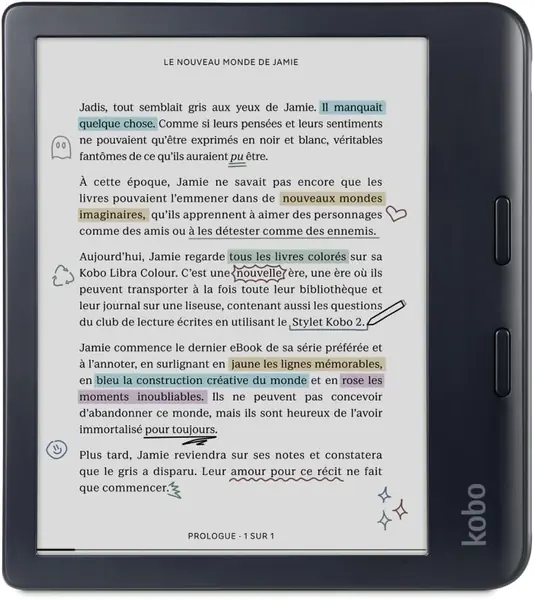
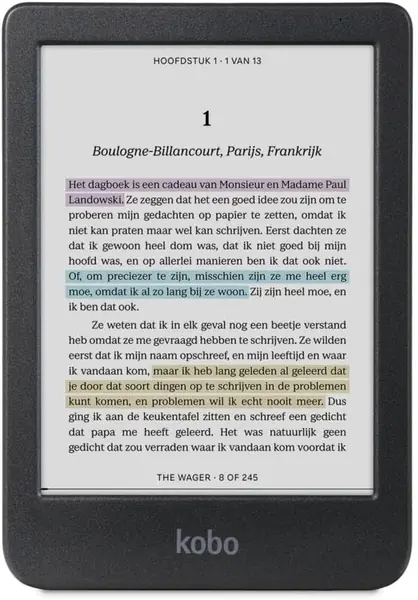
Seven inches is where a comic page stops feeling like a compromise, and the Kobo Libra Colour pairs that size with a color E Ink panel and 32GB of storage. It also lists CBZ and CBR support, which is the detail that makes it our top pick: you can move a folder of digital comics onto the reader without converting each issue first. We like the physical page-turn buttons more than we expected; they make one-handed reading feel natural, and the left-right rotation keeps the buttons under your thumb whichever hand you use.

The color layer is the trade-off. Blacks are not as deep as they are on a black-and-white reader, and the panel can look grainy at close range, especially around small lettering. For comics, we accept that because color covers and panel art add so much, but it is why the Libra Colour is not the best choice for someone who reads mostly dense text. IPX8 waterproofing is a useful bonus for bath or beach reading, and the 7.05-ounce body is light enough to hold for a long session.

Battery life is the one area we treat as a bonus rather than a promise: color and large comic files use more power than a text page, so a charging cable belongs in your bag. That does not change our recommendation; it just makes this the reader for someone who values the screen and file support more than a long trip without an outlet. If you want the same 7-inch color idea inside a simpler Amazon library, the Kindle Colorsoft is the alternative.

Pros

  • 7-inch color screen for full pages
  • 32GB storage and CBZ/CBR support
  • Physical page-turn buttons

Cons

  • Color E Ink looks grainier than black-and-white
Our verdict

We recommend the Libra Colour as the best all-around comic reader because its 7-inch color screen, 32GB storage, and native CBZ/CBR support handle full-page comics without workarounds.
Check Latest Price
2

Kindle Colorsoft Best for Kindle Libraries

91 /100
TKZ Score Outstanding

Key details

Storage
16 GB
Screen Size
7 inches
Color Display
Yes
Battery Life
Up to 8 weeks
View on Amazon

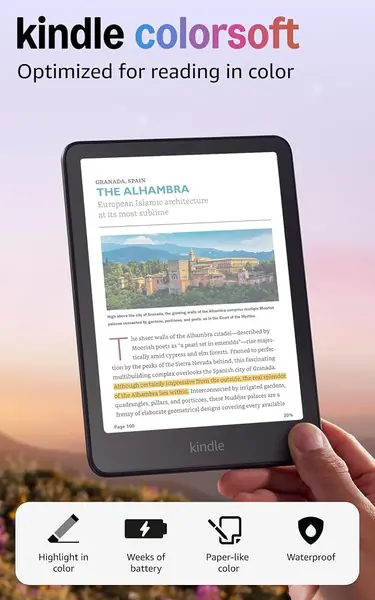
If your library already lives in Kindle, the Colorsoft is the least disruptive way to add color. It has a 7-inch color display, the same screen size as the Libra Colour, and a reading experience built around the Kindle store rather than file folders. The color is a real upgrade for covers and graphic novels; it is not a tablet-style punch of color, but it makes a comic feel less like a gray photocopy.

We think the Colorsoft makes the most sense for someone who buys comics from Amazon and wants a single library. The compromise is visible: the color layer mutes the palette and softens black text compared with a standard Kindle, so dense lettering can look less crisp. Battery life is a strong point on paper, with up to eight weeks, and the adjustable white-to-amber light is comfortable for night reading. We still prefer the Libra Colour for sideloaded CBZ and CBR files, because the Colorsoft gives you 16GB and a more closed ecosystem.

Sixteen gigabytes is the number to watch if you keep long runs on the device. It is enough for a healthy stack of comics, but a collector with a big digital shelf will feel the ceiling sooner than they expect. For the reader who wants color covers, Amazon convenience, and a device that is easy to hold, that is a fair trade.

Pros

  • 7-inch color display
  • Up to eight weeks of battery
  • Fits an existing Kindle library

Cons

  • Colors look muted and text less crisp
  • 16GB fills quickly with comic files
Our verdict

We recommend the Colorsoft for readers already invested in Kindle who want a 7-inch color screen and can accept softer colors and 16GB of storage.

Check Latest Price
3

Kobo Clara Colour Best Compact Color

90 /100
TKZ Score Outstanding

Key details

Storage
16 GB
Screen Size
6 inches
Color Display
Yes
Battery Life
49 hours
View on Amazon

Six inches is a real constraint for full-page comics, and the Clara Colour is the reader for someone who wants color without carrying a bigger device. It weighs 6.14 ounces, slips into a small bag, and the 6-inch color E Ink screen handles manga and single-panel strips well. We like it for travel and for reading in bed; the compact body is easy to hold with one hand, and IPX8 waterproofing means a spilled drink or a bath-side drop is less of a disaster.

The compromise is the page itself. A full comic page on a 6-inch screen is legible but tight, and small sound effects or credit lines can require a pinch and zoom that e-readers do not handle as smoothly as a tablet. We keep coming back to it for manga, where the page is simpler, and reach for a 7-inch model when the art is dense.

Kobo's library integration is another reason it earns a spot. Borrowing through Libby is straightforward, and 16GB is enough for a good stack of manga if you do not hoard entire series. It is not the reader for a collector who wants every issue on hand, but it is the one we tuck in a bag when the trip matters more than the page size.

Pros

  • Pocketable 6.14-ounce body
  • Color E Ink screen for manga
  • IPX8 waterproofing

Cons

  • 6-inch screen cramps full-page comics
  • 16GB storage limits large collections
Our verdict

We recommend the Clara Colour for manga readers and commuters who want a pocketable color screen, not for full-page comics with small lettering.

Check Latest Price
4

Musnap Ocean C Best for Android and Storage

89 /100
TKZ Score Excellent

Key details

Storage
64 GB
Screen Size
7 inches
Color Display
Yes
Operating System
Android
View on Amazon

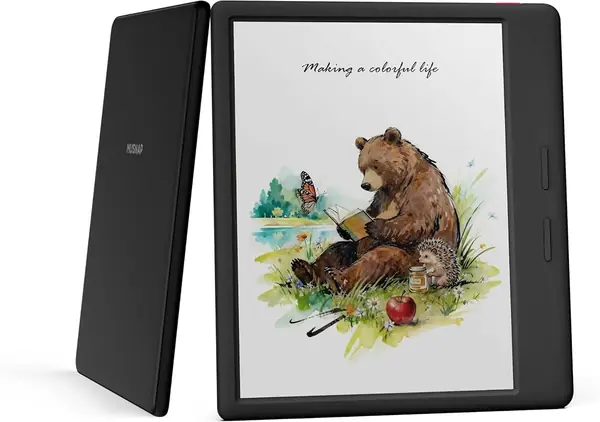
If your comics are spread across apps rather than locked to one store, the Ocean C is the one here that treats Android as the point. It has a 7-inch color E Ink screen, 64GB of storage, and enough processing power to move through apps and page turns without the usual e-reader crawl. We like the storage headroom: 64GB leaves room for downloaded issues and app caches, and the physical page buttons are a genuine convenience.

The catch is the body. At 14.9 ounces, the Ocean C is more than twice the weight of the Libra Colour, and you feel it when you hold the device one-handed for a long chapter. Battery life is the other uneven part; Android and a color screen ask more of a charge than a simple reader. This is a desk or two-hand reader, not a purse companion, and the stylus is sold separately if you want notes.

None of that makes it a bad comic reader. The 7-inch color panel is good for art, the page buttons are well placed, and the Android layer means you can use the comic app you already know. It is the pick for someone who wants one color device for apps and storage and does not mind a heavier hold. If you want a lighter, more polished reading experience, the Libra Colour is the better default.

Pros

  • 7-inch color screen
  • 64GB storage and Android apps
  • Well-placed page-turn buttons

Cons

  • 14.9-ounce body is heavy one-handed
  • Battery life can fall short under app use
Our verdict

We recommend the Ocean C for readers who want a 7-inch color Android e-reader with room for downloaded comics, as long as the 14.9-ounce weight and battery life are acceptable.

Check Latest Price
5

Kindle (2024) Best Budget

88 /100
TKZ Score Excellent

Key details

Storage
16 GB
Screen Size
6 inches
Battery Life
Up to 6 weeks
Adjustable Front Light
Yes
View on Amazon

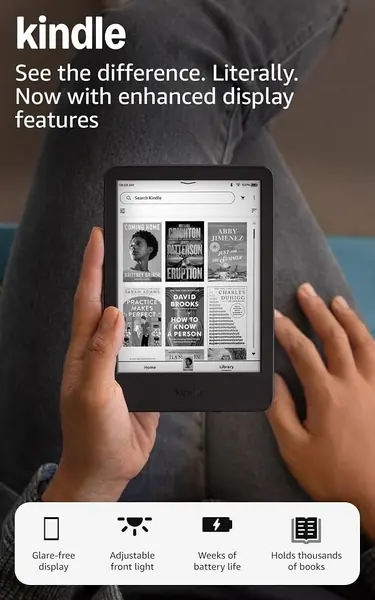
The 2024 Kindle is the budget answer, and it is honest about what that means. For the least money in this group, you get a 6-inch screen, 16GB of storage, and the light, pocketable body that made the Kindle name. It is a fine black-and-white manga reader if you are not chasing color covers or a larger page, and the adjustable front light makes it usable in bed without a lamp.

The 6-inch screen is the limitation that matters for comics. A full page fits, but detailed panels and small lettering feel cramped, and you will do more zooming than you do on a 7-inch reader. Battery life is the other place where the listed six weeks and real use diverge: the figure assumes light reading, and heavier use will bring the charger around sooner. We treat it as a starter reader rather than a comics-first machine.

Where it wins is simplicity. There is no color layer to soften the text, no Android setup, and no learning curve beyond the Kindle interface. If you read manga in black and white and want to spend as little as possible, this is the sensible entry point. If you read color comics or full-page art, the extra money for a 7-inch color model buys a noticeably better experience.

Pros

  • Lowest price in this group
  • Light, pocketable 6-inch body
  • 16GB storage and adjustable light

Cons

  • 6-inch screen cramps detailed pages
  • Battery life falls short with heavy use
Our verdict

We recommend the 2024 Kindle as a budget black-and-white manga reader for people who want a simple, light device and can live without color or a larger page.

Check Latest Price
6

VIWOODS AiPaper Reader Best for Pocket Android Reading

82 /100
TKZ Score Excellent

Key details

Storage
128 GB
Screen Size
6.13 inches
Weight
4.87 oz
Resolution
300 PPI
View on Amazon

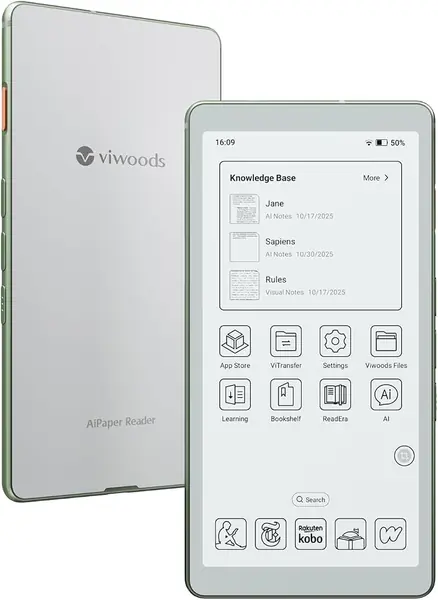
At 138 grams, the AiPaper Reader is the one that disappears into a jacket pocket, and 128GB of storage means you can carry a large manga library without thinking about space. The 6.13-inch Carta 1300 screen is sharp at 300 PPI, and the Android software plus 4G make it a genuinely portable reading device for a commute. We see the appeal for someone who wants a phone-sized e-reader that is not a phone.

But it is not the comic reader we reach for first. The screen is monochrome, so color comics lose their main advantage, and 6.13 inches is still tight for a full page. The front light is cool-only, with no warm setting, which is less comfortable at night. The AI button sits where a thumb can catch it; it is easy to disable, but it is not why you buy this. For a commuter reading manga in apps, those are acceptable trade-offs; for full-page color comics, they are not.

The price is the other hurdle: this is premium money for a monochrome 6-inch reader, and the color Kobo Libra Colour asks less while giving you a bigger screen. The AiPaper Reader earns its place as a pocket Android device for commuters and app-based manga readers, not as the best comic reader for a collection. If pocket size is the priority, it is a strong niche; if the page is the priority, go bigger.

Pros

  • 138-gram pocketable body
  • 128GB storage
  • Sharp 300 PPI screen

Cons

  • Monochrome 6.13-inch screen limits comics
  • Cool-only front light
Our verdict

We recommend the AiPaper Reader for commuters who want a pocketable Android e-reader with 128GB, not for readers who need color or a large comic page.

Check Latest Price

How We Chose and Tested Comic E-Readers

We started by pulling every current e-reader from the major manufacturers and narrowing to models with a 6- to 7-inch screen, the range where a comic page stays legible without constant zooming. We kept both color and grayscale devices on the shortlist — manga reads beautifully in black and white, and grayscale usually gets you sharper text — which left 10 units to test.

Each one had to earn its place on real reading rather than a spec sheet. We loaded the same three titles onto every device: a color-heavy superhero trade, a black-and-white manga volume, and a scanned PDF, then read a full book of each on a morning train commute, in bed with the lights off, and on a sunny patio. We timed cold boots and page turns, flipped 20 pages quickly to see how much ghosting trailed behind, and noted whether small lettering stayed readable at default zoom or forced a pinch.

Comfort got judged the way you'd actually notice it — held one-handed for an hour, then slipped into a jacket pocket or a tote. We tracked battery drain as a percentage per hour at the same front-light level and checked how much charge a week in a bag cost. We also ran water over the models rated waterproof, side-loaded a folder of comic files to see what the software would accept, and weighed what each one cost against the screen quality you got for it.

How to Choose an E-Reader for Comics

Start With Page Size, Then Decide on Color

Seven inches is the size we treat as the comfortable minimum for a full comic page; a 6-inch screen is pocketable and fine for manga, but spreads and small lettering get tight. Color is the other fork: Kobo Libra Colour and Kindle Colorsoft bring covers and panel art to life, while the 2024 Kindle and other black-and-white readers cost less and avoid the grainy color layer. If you mostly read manga, monochrome is a reasonable trade; if you read Western comics, we prioritize color. The trap is assuming compact means convenient: on a 6-inch model, a full page can feel like a thumbnail.

Check Comic Formats and Storage

Comics arrive as CBZ, CBR, PDF, or store purchases, and not every reader opens every file without help. A native CBZ/CBR path is the easiest: the Kobo Libra Colour lists both, so a folder of issues can go straight onto the device. If your library lives in an app, an Android model such as the Ocean C gives you that flexibility. Storage matters more than it does for novels; 16GB is workable, but 32GB or 64GB leaves room for long runs. Check the formats you actually own before you fall for a screen.

Buttons, Weight, and One-Hand Reading

A page-turn button is not a luxury on a comic reader; it keeps your thumb from reaching across the screen every panel. Weight matters just as much. The Libra Colour is 7.05 ounces and the Ocean C is 14.9 ounces, and that difference is more noticeable than a diagonal inch of screen when you are holding the device in bed. We look for physical buttons and a balanced body before extra features. If you read mostly at a desk, weight matters less; if you read in bed, it decides whether you finish the chapter.

Match the Store and Apps You Already Use

The easiest reader is the one that fits the library you already have. Kindle buyers get a familiar path with the Colorsoft, while Kobo's Libby integration is a strong draw for library borrowers. Android readers such as the Ocean C and AiPaper Reader let you install comic apps, but that flexibility comes with more setup, shorter battery life, and a screen that may not be optimized for every app. Decide whether you want a sealed, simple reading experience or an app-friendly one; that choice narrows the field faster than any specification.

Frequently Asked Questions

Final Verdict

We recommend the Kobo Libra Colour first. The 7-inch color screen, 32GB of storage, and native CBZ/CBR support make it the least fussy way to read full comics, and the page buttons are a daily comfort rather than a checkbox feature. If your library is already Amazon's, the Kindle Colorsoft is the easier fit; if you mostly read manga and want to spend less, the 2024 Kindle is the honest budget compromise. The choice turns on where your comics live and how much page you need.