Best Wireless Microphones for Vlogging of 2026

Every good vlog has a take that gets wrecked by audio — wind picks up, a blender starts in the next room, or you step a few feet too far from your phone and your voice goes thin. A wireless mic fixes that: a tiny transmitter clips to your collar and sends your voice to a receiver plugged into your phone, camera, or laptop, so you can move and gesture while the sound stays close. The catch is that some cheap kits clip, some nice-looking ones die mid-shoot, and the box copy never tells you which is which.

I've recorded enough walk-and-talks to be fussy. Over the past five months, we put 12 kits through real shoots, and the gap between a pleasing mic and a frustrating one shows up inside ten minutes. What I wish someone had told me sooner: how a mic is mounted matters nearly as much as the mic itself, since a clip that flops against a jacket zipper will wreck a take faster than any spec difference. The picks below are the ones that stayed clean, stayed charged, and stayed out of the way without costing a fortune.

The Best Wireless Microphones for Vlogging

1

Hollyland Lark M2 Best Overall
96 /100
TKZ Score Outstanding

Key details

Wireless Range
300 m
Transmitter Weight
0.32 oz
Battery With Case
40 hours
Receivers Included
Camera, USB-C, and Lightning
View on Amazon

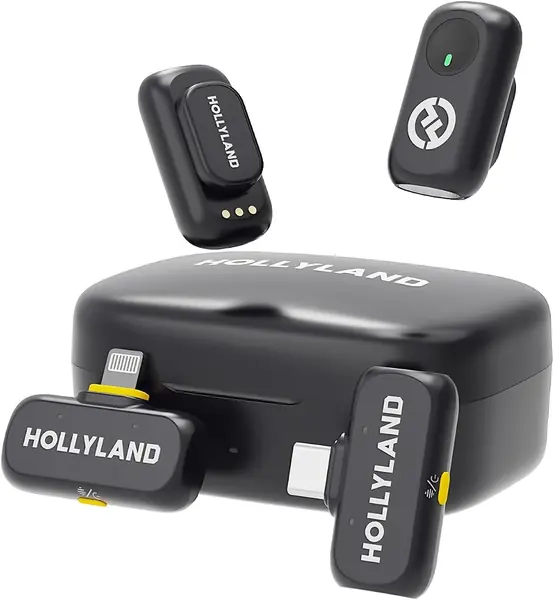
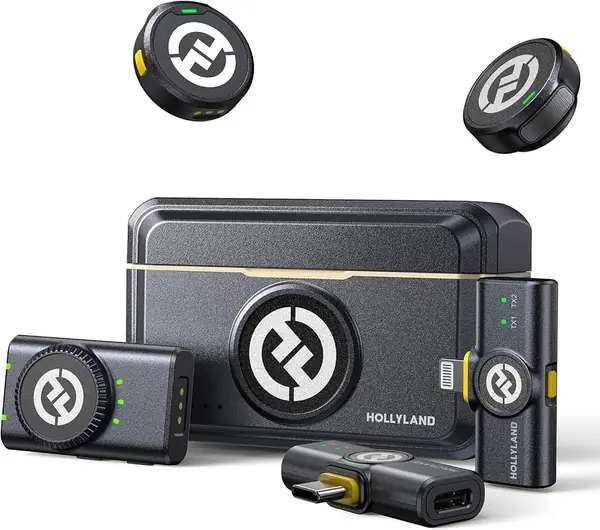
Three receivers in one case is the reason the Lark M2 earns our top spot. Hollyland includes a camera receiver, a USB-C receiver, and a Lightning receiver, so a vlogger can move from an Android phone to an older iPhone to a mirrorless camera without hunting for another dongle. The transmitters weigh 9 grams and use a magnetic clip, and the kit also includes necklace-style silicone cases for a second way to wear one on camera.

We put connector coverage first because it is the part of a vlogging setup that most often stalls a shoot. The 48kHz/24-bit recording and 70dB signal-to-noise ratio give voices a clean, present sound, and the one-button noise cancellation is easy to reach when a room turns echoey. Range is 300 meters, far more than most vlogs need; we care more that the 40-hour charging case keeps both transmitters ready.

The cost of that flexibility is more hardware: three receivers and two transmitters take up more pouch space and give you more pieces to keep track of. For a solo creator who only uses a USB-C phone, the DJI Mic Mini is simpler and less expensive; for anyone juggling devices, the Lark M2 remains the safer default.

Pros

  • Three receivers cover phone and camera
  • Nine-gram transmitters hide easily
  • Forty-hour charging case

Cons

No notable drawbacks to flag.

Our verdict

We recommend the Lark M2 as the default vlogging kit: three receivers cover USB-C phones, Lightning iPhones, and cameras, and the 9-gram transmitters disappear on a collar.
Check Latest Price
2

DJI Mic Mini Best Battery Life

95 /100
TKZ Score Outstanding

Key details

Wireless Range
400 m
Transmitter Weight
0.35 oz
Battery With Case
48 hours
Phone Connection
USB-C adapter
View on Amazon

The 48-hour charging case is the feature that makes the Mic Mini a travel kit. DJI rates the set for up to 48 hours of total use with the case, the longest in this group, and each transmitter weighs 10 grams. For a vlogger who films in short bursts across a trip, that means the case can live in a bag and the transmitters can stay charged without a nightly routine.

Two noise-cancellation levels are more useful than a single strong mode: Basic is the one for a quiet room, while Strong is for a street or a crowded cafe. Automatic limiting helps when a subject laughs or raises their voice, and the 400-meter range is more than enough for a talking-head setup. We also appreciate the camera cable and USB-C phone adapter being in the box, so the kit works with a mirrorless camera or a modern phone.

Older iPhones are the catch. The box includes a USB-C phone adapter, not a Lightning one, and some iPhone setups need a third-party app before the receiver is recognized. Check that before a paid shoot; if your phone is USB-C, this is one of the easiest kits here, and adding the right adapter solves the Lightning case.

Pros

  • Ten-gram transmitter disappears on camera
  • Forty-eight-hour charging case
  • Two noise-cancellation levels

Cons

No notable drawbacks to flag.

Our verdict

We recommend the Mic Mini for travel-heavy vloggers who use USB-C phones or cameras: the tiny transmitter and 48-hour case make it the easiest kit to carry.

Check Latest Price
3

DJI Mic 3 Best for Multi-Person Shoots

92 /100
TKZ Score Outstanding

Key details

Battery Life
28 hours
Audio Control
Adaptive gain, 3 voice tones
Receiver Capacity
4 TX + 8 RX, four-channel output
Included Transmitters
2
View on Amazon

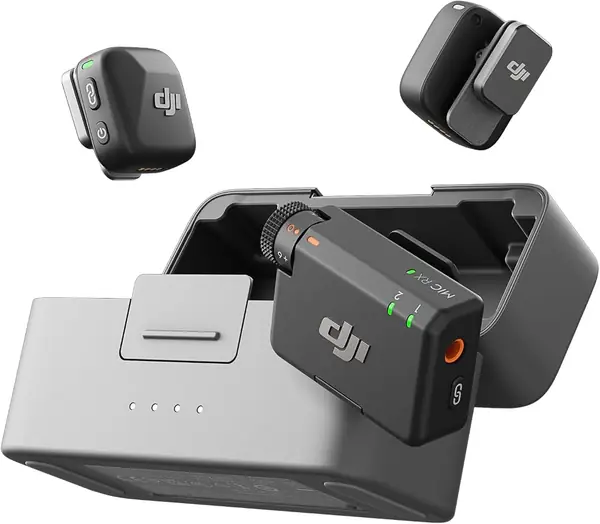
The receiver's four-transmitter ceiling is what sets the Mic 3 apart here. This kit ships with two transmitters, but the receiver can pair with up to four and output four channels, so it can grow into a panel or group interview without replacing the whole system.

The audio tools are aimed at unpredictable shoots. Adaptive gain keeps levels consistent when you move from a whisper to a shout, and there are three voice tones and two noise-cancellation levels. Dual-band anti-interference is the less visible feature, but it is the one that matters in a crowded venue or a busy street.

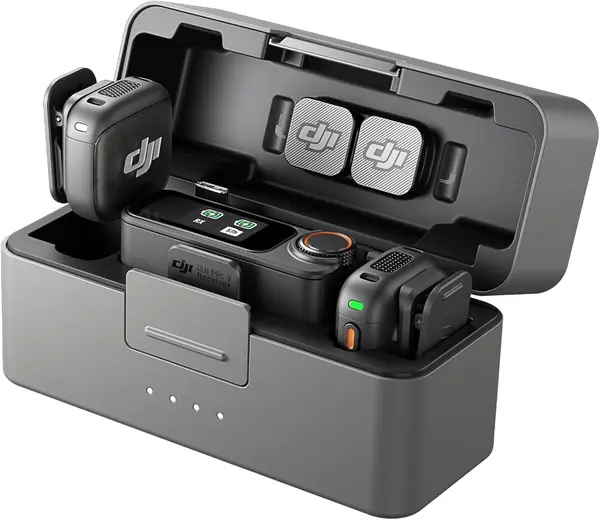
Battery life is 28 hours with the case, and the kit includes a USB-C phone adapter and a 3.5mm camera cable. The transmitters are small enough to clip on, and the case keeps the set organized.

We think the Mic 3 is the right pick for a growing production, not a solo vlogger who mostly films on one phone. Its value is in the headroom: steadier levels, more channels, and a receiver that can take on more people as the work grows. If you need a straightforward phone kit, the Lark M2 covers more devices for less; if you need that headroom, the Mic 3 earns its premium.

Pros

  • Receiver scales to four transmitters
  • Adaptive gain and three voice tones
  • Dual-band anti-interference

Cons

  • Extra transmitters required for four-person shoots
  • No Lightning adapter included
Our verdict

The Mic 3 is the pick for growing productions: its receiver handles four transmitters and four channels, and adaptive gain keeps levels steady, but the two-transmitter kit is a premium purchase.

Check Latest Price
4

Hollyland Lark A1 Combo Best Budget for iPhone and Android

91 /100
TKZ Score Outstanding

Key details

Wireless Range
200 m
Transmitter Weight
0.28 oz
Battery With Case
42 hours
Receivers Included
Lightning and USB-C
View on Amazon

The pair of receivers is what makes the Lark A1 Combo worth a look. Hollyland includes one Lightning receiver and one USB-C receiver, so the same kit can serve an older iPhone and a newer Android phone, and the two 8-gram transmitters attach with strong magnets. The charging case is rated for 42 hours of total use, and the wireless range is 200 meters.

The audio side is surprisingly complete for a budget kit. It records 48kHz/24-bit sound with a 67dB signal-to-noise ratio, offers three noise-cancellation levels, and adds EQ and reverb adjustments for creators who want a more produced voice. The auto-limit clip protection is the practical feature we appreciate most, because it keeps a sudden laugh from blowing out a take.

The weak point is the Lightning receiver: test it the day the kit arrives and keep the USB-C receiver as a backup. If the Lightning connection is solid, this is a lower-cost way here to cover both phone types without buying a second kit; if you shoot only on USB-C, the BOYA BY-V20 is simpler and less expensive.

Pros

  • Both Lightning and USB-C receivers included
  • Eight-gram magnetic transmitters
  • Forty-two-hour charging case

Cons

No notable drawbacks to flag.

Our verdict

The Lark A1 Combo is our budget pick for mixed phone households: both Lightning and USB-C receivers are included, the 8-gram magnets hold well, and the 42-hour case covers a shoot week.

Check Latest Price
5

BOYA BY-V20 Best for USB-C Phones

90 /100
TKZ Score Outstanding

Key details

Wireless Range
328 ft
Transmitter Weight
0.37 oz
Battery Life
9 hours
Phone Connection
USB-C
View on Amazon

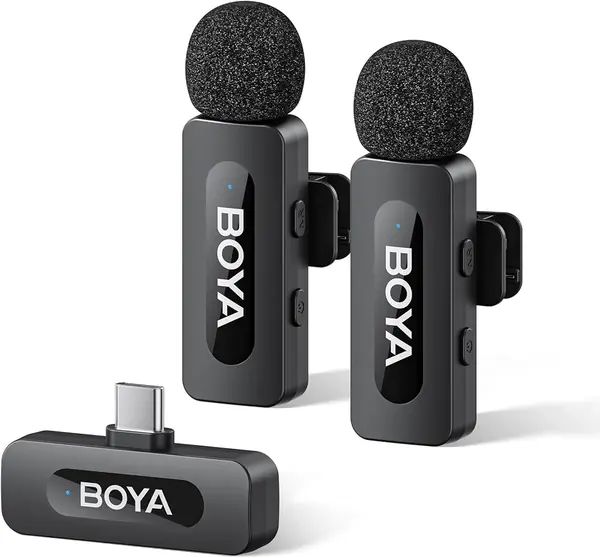
The 328-foot range is the number that stands out on the BY-V20. That is far more than a talking-head vlog needs, but it gives you room to set the phone down and walk through a scene without losing the receiver. The two transmitters weigh 10.5 grams, and the kit uses a simple USB-C receiver that plugs straight into a compatible phone.

We like the one-click noise reduction for outdoor clips: it is easy to find by touch, and it takes the edge off traffic or wind without burying the voice. The 9-hour battery is enough for a day of short takes, and the two transmitters let you hand one to a second person. The carrying bag keeps the pieces together.

For a USB-C phone, this is a straightforward budget pick: plug in, power on, and record. We reach for it when the priority is a light two-person kit that stays out of the way; the BY-V20 does that without adding another app or a screen to manage.

Pros

  • Long 328-foot range
  • One-click noise reduction
  • Light 10.5-gram transmitters

Cons

  • No charging case included
  • USB-C only, no Lightning option
Our verdict

We recommend the BY-V20 for USB-C phone vloggers on a tight budget: it reaches far, clips on light, and keeps voices clear with one-click noise reduction.

Check Latest Price
6

NEEWER KM19 Compact Budget Kit

89 /100
TKZ Score Excellent

Key details

Wireless Range
100 m
Transmitter Weight
0.21 oz
Battery Life
30 hours
App Control
Android only
View on Amazon

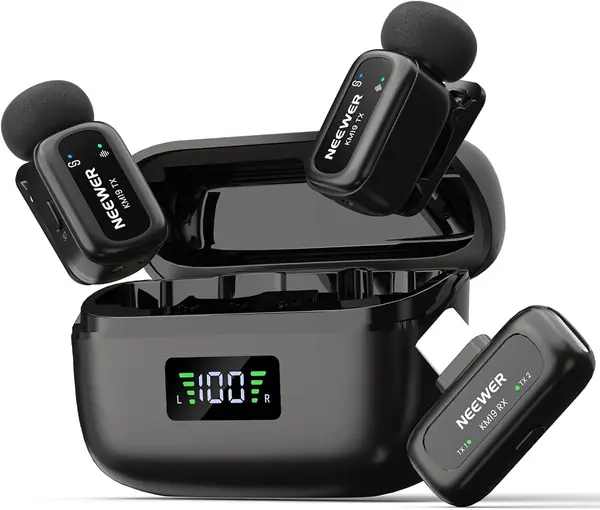
The six-gram transmitters are the reason the KM19 feels different from most budget kits. They are light enough to clip to a collar without tugging, and the receiver itself is only 3 grams, so the whole set stays out of the way. NEEWER packs it in a charging case rated for 30 hours, with a 100-meter range.

The audio specs are competitive for the price: 48kHz/24-bit recording, a 20Hz-20kHz frequency response, 81dB signal-to-noise ratio, and three noise-cancellation levels. A single press cycles the noise modes, a double press mutes, and the receiver can switch between stereo and mono.

The case is easy to live with: it holds both transmitters and the receiver, and the 30-hour rating means it can go a few shoots between charges. The 100-meter range is enough for a backyard or a small venue, and the set stays organized in its pouch.

We recommend the KM19 to vloggers who want the smallest transmitters here and a case that disappears in a bag. Its 6-gram body and 3-gram receiver are the real story, and the 30-hour case makes it a grab-and-go set. If you switch between phone platforms often, the Lark A1 Combo is the easier choice; if size is the priority, the KM19 is the one.

Pros

  • Six-gram transmitters and three-gram receiver
  • Thirty-hour battery
  • Three noise-cancellation levels

Cons

  • App control is Android-only
  • Audio can drop out
Our verdict

The KM19 is a compact budget kit for Android users who want app control: the 6-gram transmitters and 30-hour battery are easy to live with.

Check Latest Price
7

Bulatry 2-Pack Best for Casual Two-Person Clips

87 /100
TKZ Score Excellent

Key details

Wireless Range
65 ft
Battery Life
6 hours
Receiver
USB-C and Lightning
Microphones
2
View on Amazon

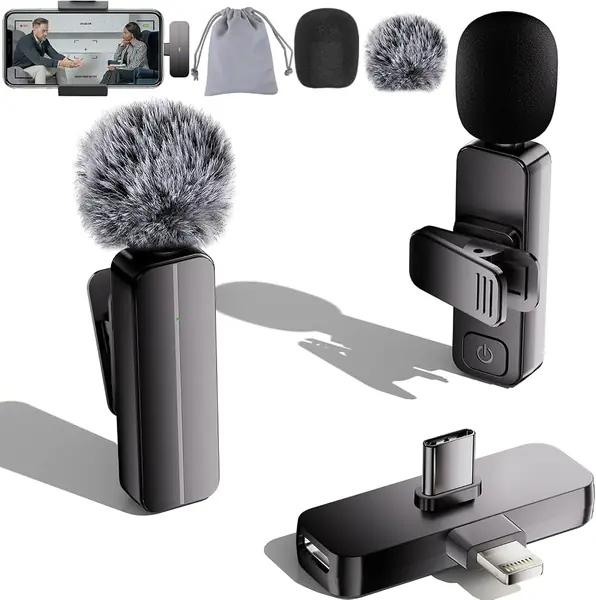
The least expensive kit here is also one of the easiest to hand to someone who does not want a setup ritual. Bulatry includes two clip-on transmitters and a single receiver with both USB-C and Lightning connectors, so a household with mixed phones can share one kit. The mics pair quickly, and the 360-degree pickup is forgiving for casual talking-head clips.

We recommend it for short interviews, errands, and family videos where the phone stays close. The two transmitters let you put one on a second person, and the receiver is small enough to leave plugged into the phone. The sound is clear enough for social clips, and the deadcat windscreen helps outdoors.

Android phones are the question mark: the receiver is recognized on many, but not all, so test your phone before a shoot and keep the Lightning path for iPhones. If it pairs, this is the lowest-cost way here to put two people on wireless mics.

Pros

  • Two transmitters in one kit
  • USB-C and Lightning receiver
  • Simple plug-and-play setup

Cons

  • Sixty-five-foot range
  • Six-hour battery
Our verdict

The Bulatry kit is for casual two-person clips on a tight budget: one receiver covers both Lightning and USB-C phones, and the mics pair quickly.

Check Latest Price

How We Tested the Best Wireless Mics for Vlogging

We started by pulling every wireless lav kit that could plug straight into a phone, then filtered by what actually shipped in the box: a Lightning adapter, a USB-C adapter, a charging case, spare windscreens. That alone eliminated a surprising number of inexpensive sets that assume you already own the right cable. Twelve kits made the cut, and we spent five months with them, weighing price only as value — whether the cheapest kit still delivered clean, usable audio next to one that cost several times as much.

Every kit got the same first test: I handed it to someone who had never used a wireless mic and timed how long it took to record a 30-second clip on both an iPhone and an Android phone. Then I paired each set with a mirrorless camera and a laptop and walked away until the audio dropped, noting whether the cutoff came in an open parking lot, at a wall, or in a crowded café full of competing signals.

For sound quality, I recorded the same paragraph in a quiet room, beside a running vent hood, and on a windy rooftop, then listened back on headphones and compared the raw and noise-cancelled takes to hear how much of my voice survived processing. Two-person interviews checked whether the second transmitter stayed matched in volume and tone.

Battery life got a stopwatch, not a spec sheet — each transmitter ran from full to dead while I worked. Build quality was deliberately clumsy: clipping and unclipping each mic twenty times, dropping transmitters onto concrete from waist height, and carrying them loose in a tote for a week to see what scratched or rattled.

How to Choose Wireless Microphones for Vlogging

Start with the receivers, not the microphone

Wireless kits fail at the connection point more often than at the capsule. A USB-C receiver fits most recent Android phones and the iPhone 15 and later; a Lightning receiver is still the cleanest path for older iPhones; a camera receiver with a 3.5mm cable is what you need for a mirrorless body. The Hollyland Lark M2 is the clearest example of full coverage here because it includes all three receivers. If you carry one USB-C phone and nothing else, a kit like the BOYA BY-V20 or DJI Mic Mini keeps the bag lighter. Write down every device you film with before you choose.

Weight and mounting decide whether you forget it

On camera, a clip-on lavalier transmitter that tugs at a neckline is a distraction you hear in the take. The lightest kits here are the NEEWER KM19 at 6 grams and the Hollyland Lark A1 at 8 grams; the Lark M2 and BOYA sit around 9 to 10.5 grams, which is still easy to hide. We care more about the mount than the last gram: a strong magnet under a shirt is more reliable than a weak clip on a loose tee. A necklace mount, like the one included with the Lark M2, is useful when a collar has no good clip point.

Battery and range: buy enough, not the biggest number

Charging cases change the math. The DJI Mic Mini is rated for 48 hours of total use with its case, the Lark M2 for 40, and the Lark A1 for 42; the BOYA and Bulatry kits rely on cable charging and shorter per-charge runtimes. Range is similar: 65 feet is fine for a kitchen or backyard, while 300 to 400 meters is for roaming. We prioritize a case and a full afternoon of recording over the longest range claim. If you shoot multi-day travel, the case matters more than the biggest number on the page.

Use noise cancellation as a rescue tool

Noise cancellation is most useful when it rescues a take, not when it runs all the time. The DJI Mic Mini offers two levels, the Hollyland Lark A1 three, and the NEEWER KM19 three; the DJI Mic 3 adds adaptive gain that adjusts as you move from a whisper to a shout. Strong modes can dull consonants or make a voice sound processed, so record a short sample in each mode before a paid shoot. We treat auto-limit and gain control as more valuable than a single aggressive noise setting, because they protect a take without changing the character of the voice.

Choose the transmitter count for the work you actually do

Two transmitters are the sweet spot for vlogging: one for you, one for a guest, or a spare when a battery dies. Every kit here includes two, but the DJI Mic 3 is the only one that can grow to four transmitters and four channels, which matters for panel interviews. The Hollyland Lark M2 takes a different route with three receivers, so one kit can move between devices. If you mostly film solo, a two-transmitter kit is still worth it for the flexibility; if you regularly film three or four people, pay for a receiver that supports them.

Frequently Asked Questions

Final Verdict

We recommend the Hollyland Lark M2 first. It is the only kit here that includes camera, USB-C, and Lightning receivers in one case, so it follows you from phone to phone and onto a camera without a dongle hunt. The 9-gram transmitters and 40-hour case make the extra hardware worth packing.

If you shoot only on a USB-C phone and want the longest case life, the DJI Mic Mini is the easier travel kit. If you need both phone connectors at a lower cost, the Lark A1 Combo is the budget answer, provided you test the Lightning receiver first.