Best Samsung Tablets of 2026

I gave up paper notebooks for an S Pen tablet a few years ago and never went back, and since then I've been the person friends text before they buy one. The trouble is that Samsung's lineup reads like a riddle — FE, FE+, Lite, Plus, and a model number that climbs every year — while the differences that actually matter sit in the fine print. Get it right and a single tablet absorbs your notes, your second screen, and the kids' streaming queue.

We've spent the past seven months with nine of these, from the budget-friendly end up to the AMOLED models, and the gap between them is wider than the naming suggests. The lesson I'd pass along before you scroll: for most people the display matters more than the processor. You'll notice a washed-out screen every single night, but you'll rarely notice a chip that's a beat slower. The picks below are the ones we kept reaching for.

The Best Samsung Tablets

1

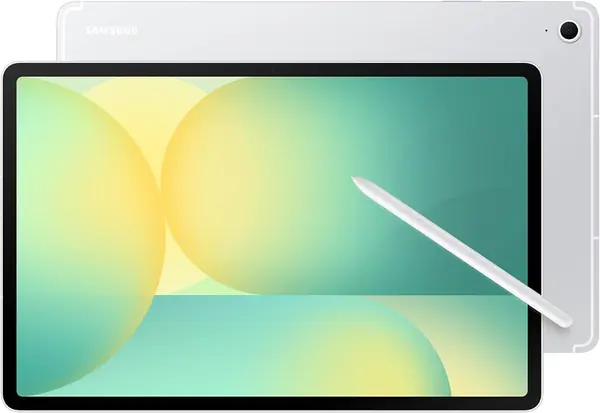
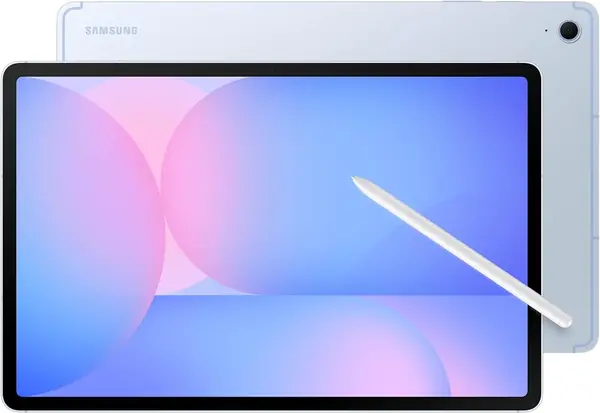
Galaxy Tab S10 FE Best Overall
94 /100
TKZ Score Outstanding

Key details

Memory
8 GB RAM
Display
10.9-inch LCD, 90 Hz
Storage
128 GB, microSD
S Pen
Included
View on Amazon

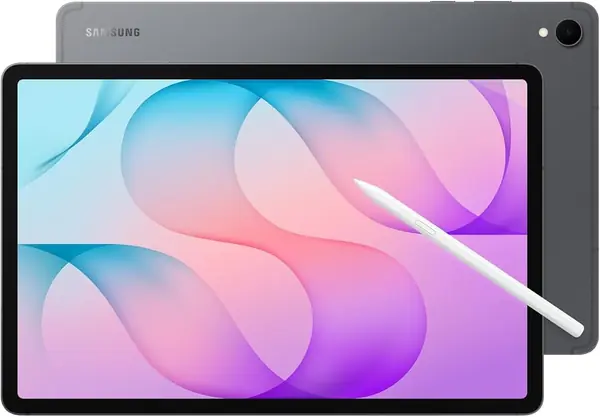
Most people should start with the Galaxy Tab S10 FE. It is the middle of Samsung's lineup, but it gets the everyday balance right: a 10.9-inch screen that is big enough for split-screen and small enough to hold, an included S Pen, and 8GB of RAM so apps do not feel cramped. We kept reaching for it for reading, notes, and streaming because it does not ask you to specialize.

The 90Hz LCD is smooth in motion, and the 2304 x 1440 resolution keeps text crisp for long reading sessions. For a lot of buyers the S Pen matters more than the panel type: it is in the box, it needs no separate purchase, and it makes the tablet useful for class, meeting notes, and quick sketches. Add microSD expansion and IP68 water resistance, and this is the tablet we are comfortable recommending to a household that will use it for several different jobs.

The 8,000 mAh battery carries a 20-hour estimate, one of the longer ones in this group, and the 1.2-pound body slips into a tote without much thought. The 128GB model is the one to get if you keep a few streaming downloads and a folder of PDFs; microSD handles the rest.

Pros

  • Included S Pen handles notes and sketches
  • 8GB RAM keeps split-screen apps comfortable
  • IP68 water resistance suits family use

Cons

  • LCD panel trails OLED for contrast
Our verdict

We recommend the Galaxy Tab S10 FE to most people because it pairs a comfortable 10.9-inch screen and included S Pen with strong everyday performance and water resistance.
Check Latest Price
2

Galaxy Tab S10 FE+ Best for Big-Screen Viewing

93 /100
TKZ Score Outstanding

Key details

Memory
8 GB RAM
Display
13.1-inch LCD, 90 Hz
Storage
128 GB, microSD
Battery
10,090 mAh
View on Amazon

A 13.1-inch screen is the whole argument for the Galaxy Tab S10 FE+. It turns the tablet into a small television you can pass around the couch, and the 2880 x 1800 panel is sharp enough for split-screen documents, streaming, and drawing.

We like it best as a shared screen or a desk tablet. The 1.5-pound body is not a one-hand device, and the 90Hz LCD is better for video than for reading in bed. But the size pays off: two apps side by side feel roomy, the S Pen has space to work, and the 10,090 mAh battery has a 21-hour estimate. This is the pick for a household that watches together or for someone who wants a canvas bigger than a laptop.

We found a stand more useful than a slim folio here; at this size, the tablet is happiest propped up. The S Pen also has room to become a real drawing tool, not just a pointer.

Pros

  • 13.1-inch screen gives split-screen room
  • Included S Pen has a large canvas
  • 21-hour battery estimate for long sessions

Cons

  • Large battery takes a long time to charge
Our verdict

We recommend the Galaxy Tab S10 FE+ to anyone who wants a huge 13.1-inch screen for shared streaming, split-screen work, and drawing, and who will mostly use it propped up.

Check Latest Price
3

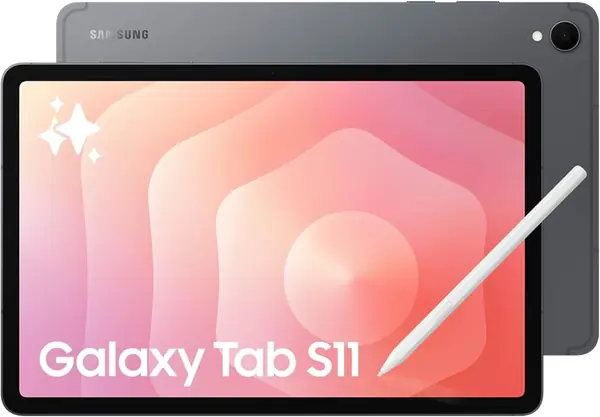
Galaxy Tab S11 Best Premium Compact

92 /100
TKZ Score Outstanding

Key details

Memory
12 GB RAM
Display
11-inch OLED
Storage
128 GB, microSD
Weight
1.1 lb
View on Amazon

If the S10 FE is the sensible choice, the Galaxy Tab S11 is the one for the person who wants the better screen. Its 11-inch AMOLED panel is one of the two OLED displays here, and it makes movies and photos look richer than the LCD models do.

The rest of the package is built for multitasking: 12GB of RAM, 128GB of storage, microSD expansion, and the same included S Pen and IP68 water resistance as the FE. At 1.1 pounds, it is the premium tablet that still travels well. We noticed the difference most in split-screen work and reading, where the deeper blacks are easier on the eyes at night.

Battery life is the caveat. The 8,400 mAh cell is smaller than the FE+'s, and heavy gaming or long video sessions can send you looking for a charger before the end of the day. That is a fair trade for the lighter body and better screen, but it is the reason the S11 is not our default for a family tablet.

Pros

  • AMOLED screen has deep contrast
  • 12GB RAM supports heavy multitasking
  • 1.1-pound body travels easily

Cons

  • Charger not included
Our verdict

We recommend the Galaxy Tab S11 for buyers who want an OLED screen and 12GB of multitasking headroom in a light 11-inch tablet.

Check Latest Price
4

Galaxy Tab A11+ Best Budget for Families

91 /100
TKZ Score Outstanding

Key details

Memory
6 GB RAM
Display
11-inch LCD, 90 Hz
Storage
128 GB, microSD
Battery Life
15 hours
View on Amazon

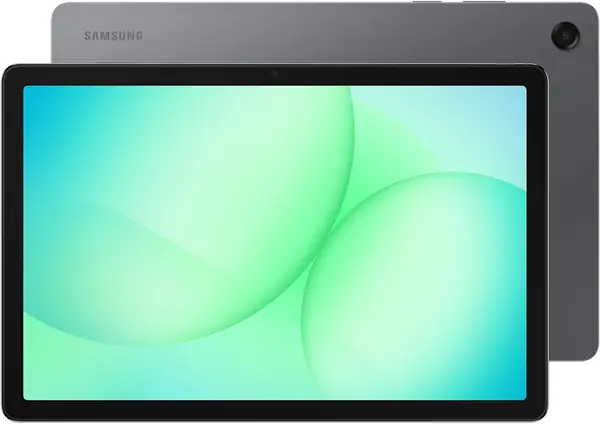
The Galaxy Tab A11+ is the family tablet in this lineup. It is the least expensive full-size pick here, and it gives you an 11-inch 90Hz screen, 128GB of storage, and a two-year manufacturer warranty without the premium price.

We like the 90Hz panel for the way it makes scrolling and games feel smoother than a 60Hz display, and the microSD slot means a household can add storage instead of deleting apps. The 6GB of RAM is the right amount for streaming, browsing, and school apps; this is not the tablet for heavy multitasking. The 15-hour battery estimate is shorter than the FE models, but the bigger issue is charging: a full charge can stop around 80%. Buy it from a seller with a good return window and check that early.

What it does well is cover the basics without feeling like a punishment: quad speakers, a light 1.1-pound body, and a warranty that the international budget models do not match. We hand this one to kids and guests before the expensive tablets.

Pros

  • 90Hz screen smooths everyday use
  • 128GB storage plus microSD expansion
  • Two-year warranty adds peace of mind

Cons

  • No S Pen in the box
Our verdict

We recommend the Galaxy Tab A11+ to families and casual users who want a big 90Hz screen and a long warranty for the least money here.

Check Latest Price
5

Galaxy Tab S9 FE+ Best for Large-Screen Notes

90 /100
TKZ Score Outstanding

Key details

Memory
8 GB RAM
Display
12.4-inch LCD, 90 Hz
Storage
256 GB, microSD
Battery
10,090 mAh
View on Amazon

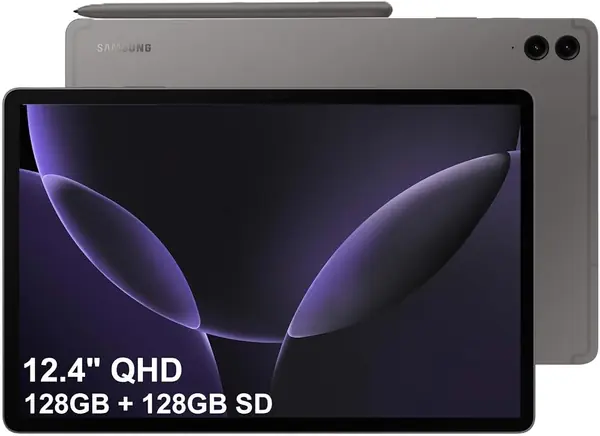
The Galaxy Tab S9 FE+ is the older model that still makes sense if storage and screen space matter more than the newest chip. It pairs a 12.4-inch 90Hz LCD with 256GB of built-in storage and an included S Pen, which is a useful combination for someone who downloads a lot of video or keeps years of notes.

We like the size for split-screen reading and sketching, and the 1.4-pound body is slightly easier to handle than the 13.1-inch FE+. The 10,090 mAh battery has an 18-hour estimate, and the IP68 rating means it can handle a splash at the kitchen table. The 256GB of storage is the quiet luxury here: you can keep a semester of PDFs and a few downloaded movies without hunting for space.

That storage is the reason to pick this over the 128GB FE models. For a large-screen tablet that lives on a desk or in a bag, this is a practical package.

Pros

  • 256GB storage holds more offline media
  • 12.4-inch screen suits split-screen work
  • S Pen and IP68 durability included

Cons

  • Older Exynos chip trails newer models
  • LCD lacks OLED contrast
Our verdict

We recommend the Galaxy Tab S9 FE+ to note-takers and movie hoarders who want a large screen and 256GB of storage without paying for the newest chip.

Check Latest Price
6

Galaxy Tab S10 Lite Budget S Pen

89 /100
TKZ Score Excellent

Key details

Memory
6 GB RAM
Display
10.9-inch LCD, 90 Hz
Storage
128 GB, microSD
S Pen
Included
View on Amazon

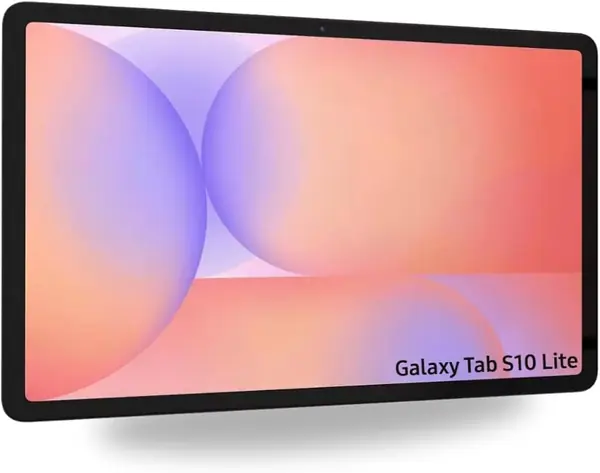
The Galaxy Tab S10 Lite is the budget route to an S Pen, but it is an international model, and that changes the purchase. It has a 10.9-inch 90Hz screen, 6GB of RAM, 128GB of storage, and the pen in the box, which is a lot of tablet for someone who mainly wants to annotate PDFs, take notes, or sketch.

We like the size and the 90Hz panel; it makes writing and scrolling feel more responsive than a 60Hz display. The 8,000 mAh battery and 524-gram body are easy to live with, and microSD expansion covers the gap if 128GB fills up. For a student or a note-taker on a tight budget, the combination is compelling.

The catch is the regional model. It does not carry a U.S. warranty, and the setup process may not offer your country; you may need to choose any available region and change it later after connecting to Wi-Fi. That is manageable for a patient buyer who accepts the risk, but it is not the tablet we recommend to someone who wants a no-fuss return or repair path.

Pros

  • Included S Pen at a budget price
  • 10.9-inch 90Hz screen
  • microSD expansion adds storage

Cons

  • 6GB RAM limits heavy multitasking
Our verdict

We recommend the Galaxy Tab S10 Lite to budget note-takers who want an included S Pen and can accept an international model with no U.S. warranty.

Check Latest Price
7

Galaxy Tab S12+ Future-Proof Premium

88 /100
TKZ Score Excellent

Key details

Memory
12 GB RAM
Display
OLED, 2800 x 1752
Storage
256 GB
Processor
Dimensity 9500
View on Amazon

Do you need the newest Galaxy Tab, or the most proven one? The Galaxy Tab S12+ makes the case for newest: 12GB of RAM, 256GB of storage, a MediaTek Dimensity 9500 processor, Android 17, and an OLED panel with a 2800 x 1752 resolution.

We see it as a long-term buy for someone who runs demanding apps or wants the latest Galaxy AI features. The 1.2-pound body is light for a premium tablet, and the OLED screen is the kind of upgrade you notice every time you open a photo or a movie. The hardware is current in a way the older FE models are not.

The caveat is that it is the least proven pick in this group. The design is new, there is little long-term experience to draw on, and at this level we want a track record before we call it the default for anyone but an enthusiast.

That makes it a specialist: the tablet for someone who uses it as a primary work device and wants the newest chip and screen. If you mostly stream, read, and take notes, the S11 or S10 FE+ gives you more of the experience for less.

Pros

  • Latest Dimensity 9500 processor
  • 12GB RAM and 256GB storage
  • OLED screen with 2800 x 1752 resolution

Cons

  • Highest price in this set
Our verdict

We recommend the Galaxy Tab S12+ for buyers who want the newest Samsung hardware, 12GB of RAM, and a premium OLED screen, and who are willing to pay for it.

Check Latest Price

How We Tested These Samsung Tablets

We started by building a spreadsheet of the current lineup and sorting it by screen size, processor generation, Wi-Fi versus cellular, S Pen support, expandable storage, and price. Anything that was last-generation stock or overlapped too closely with a sibling got cut, which left nine tablets.

Those nine went everywhere tablets actually go: onto a desk as a second screen during the workday, onto the couch for evening streaming, into a tote for commutes and flights, and into kids' hands for homework. We took notes with the S Pen in meetings, propped each one up to watch video on a tray table, and handed them around to see how quickly a case got scuffed.

To judge displays, we read articles outdoors at noon and noted how much we had to squint. For speed, we timed how long it took to open a browser, a notes app, and a game, then cycled through five open apps and watched for stutter. Each tablet ran the same looping video at 50 percent brightness until it died, which is where the battery claims got interesting. We held each one in a single hand for a 20-minute reading session and marked the point our wrist gave out. Every unit was paired with a Bluetooth keyboard and earbuds, reconnected to Wi-Fi after airplane mode, and checked against a phone hotspot. We also read the warranty terms and the one-star reviews closely, since charging complaints and speaker complaints show up there long before they show up in a spec sheet.

How to Choose a Samsung Tablet

Start With Size and Weight

An 11-inch tablet is the sweet spot for most people: large enough for split-screen apps and a keyboard, small enough to hold for a long reading session. The 10.9- and 11-inch models here weigh around 1.1 to 1.2 pounds, which is comfortable in a bag. Step up to 12.4 or 13.1 inches and you get a more immersive canvas, but the 1.4- to 1.5-pound bodies are better on a stand or lap than in one hand.

Choose the bigger size only if the tablet will mostly live on a desk, a kitchen counter, or a couch arm. If you read in bed, commute, or hand the tablet to a child, the smaller models are easier to live with.

Choose LCD or OLED

LCD panels with a 90Hz refresh rate are smooth and perfectly readable; the Galaxy Tab S10 FE and FE+ show how much of the everyday experience you can get without OLED. The step up to AMOLED buys deeper blacks, richer color, and better contrast for movies, photos, and reading at night. The S11 and S12+ are the OLED choices here.

If you mostly watch in a bright room or use the tablet for schoolwork, an LCD is enough. If the screen is the main event, the OLED premium is easier to justify.

Budget for the S Pen and Storage

The S Pen is included on the FE and S models here, but not on the Galaxy Tab A11+. If you plan to take notes, annotate PDFs, or sketch, make the pen part of the purchase decision rather than an afterthought.

Storage is the other quiet cost. 128GB is workable for streaming and cloud files, especially with microSD expansion. If you keep downloaded movies, games, or years of notes on board, 256GB on the S9 FE+ and S12+ is worth the step up.

Look at Battery and Charging Together

Battery estimates in this group run from 15 to 21 hours, but the number is only half the story. A large 10,090 mAh battery can last through a long flight, yet it also adds weight and can take longer to charge. A smaller 8,000 mAh cell is easier to carry and often enough for a day of mixed use.

If the tablet leaves the house, favor a lighter body and a battery you can top up quickly. If it stays on the couch, capacity matters more than charging speed.

Confirm the Model and Warranty

Samsung sells U.S. and international versions of similar tablets, and the model number matters. An international version may lack a U.S. warranty and may not offer your country during setup. The Galaxy Tab S10 Lite here is one example; it is a legitimate budget S Pen tablet, but the warranty and setup path are part of the deal.

Before you buy, check the model number, the seller's return policy, and whether the listing says U.S. warranty. A lower price is not a bargain if you cannot get service.

Frequently Asked Questions

Final Verdict

Most people should buy the Galaxy Tab S10 FE. It has the right screen size for reading and split-screen work, an included S Pen, enough memory for everyday apps, and water resistance that matters in a family tablet. If you want a better screen, the Galaxy Tab S11's OLED panel is the upgrade; if the tablet will be shared or propped up, the 13.1-inch Galaxy Tab S10 FE+ is the better fit. The Galaxy Tab A11+ is the budget family alternative when the tablet will be handed around, not carried to work.