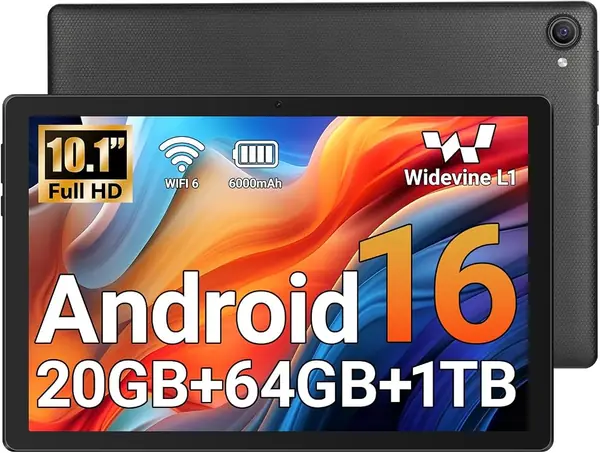
Best Tablets for Web Browsing of 2026

Reading the web on a phone means pinching and zooming at every paragraph; on a laptop it means a hot machine balanced on your knees. A tablet splits the difference — a screen that holds a full article, light enough to hold one-handed, and a battery that outlasts an evening of link-following. The catch is that the cheap end of this category is full of tablets that feel fine in a store and miserable on a page loaded with video ads.

Here's what nobody tells a first-time buyer: the RAM figure on the box is often partly virtual, borrowed from storage, so a tablet advertising 16GB can behave like a 4GB one. Real memory, a screen that stays readable in daylight, and Widevine L1 support if you plan to stream matter more than the headline number. I've spent the past six months living with fourteen tablets, from 8.7-inch minis to 11-inch slabs.

A few arrived with keyboards and cases in the box, and more often than not the bundle was the reason to pick one over another. What follows are the ones I kept reaching for after the novelty wore off.

The Best Tablets for Web Browsing

1

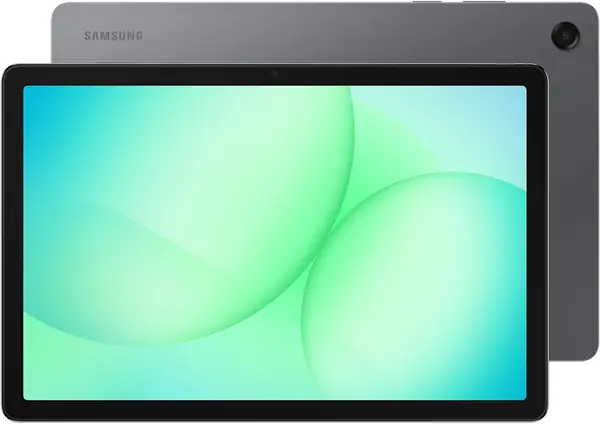
Samsung Galaxy Tab A11+ Best Overall
90 /100
TKZ Score Outstanding

Key details

Memory
6GB RAM, 128GB storage
Battery
7,040mAh, up to 15 hours
Display
11-inch 1920 x 1200, 90Hz
Weight
1.1 lb
View on Amazon

The 11-inch, 1920 x 1200 screen at 90Hz is the first thing that makes the Galaxy Tab A11+ feel like the right browsing tablet. Pages have room to breathe, text stays crisp, and scrolling is smoother than on the 60Hz budget models here. The 6GB of RAM and 128GB of storage also give it more headroom than most of this group for keeping a handful of tabs open, and that combination is why it earns our top pick.

We also like the practical size: 1.1 pounds is light enough to hold on the couch but substantial enough for a two-handed read. Android 16 and the MediaTek octa-core chip keep the interface responsive, and the 90Hz refresh is the detail we noticed most when switching back from cheaper panels. The 7,040mAh battery is rated for up to 15 hours, which is enough for a day of mixed browsing if you charge it at night.

Against the cheaper 10-inch tablets, the A11+ is the one we reach for when we want to read a long article without pinching and zooming. It costs more, but the better panel and extra physical memory are the difference between a tablet that browses and one that makes browsing pleasant.

Pros

  • Sharp, smooth 11-inch screen
  • 6GB physical RAM handles several tabs
  • 128GB storage and Android 16
  • Light enough for long handheld reads

Cons

  • Charging can stop at 80% on some units
Our verdict

The Galaxy Tab A11+ is our top pick for everyday browsing because its 90Hz screen and 6GB of RAM make pages feel quick without a premium price.

Check Latest Price
2

Lenovo Tab One Best Compact

87 /100
TKZ Score Excellent

Key details

Memory
4GB RAM, 64GB storage
Battery
Up to 12.5 hours YouTube
Display
8.7-inch 1340 x 800, 60Hz
Weight
11.2 oz
View on Amazon

The 8.7-inch Lenovo Tab One is the tablet we pick up when the goal is a quick read, not a full desk session. It weighs 11.2 ounces, comes with a folio case, and its 480-nit screen is bright enough for a kitchen counter or a train seat. The 1340 x 800 resolution is not as sharp as the 11-inch Samsung, but text is still easy to read at normal distance.

What we like most is the size: it fits in one hand and disappears into a bag, which makes it easier to browse for a few minutes at a time. The 4GB of RAM and Helio G85 are fine for a few tabs, but this is not the tablet for a dozen open pages or heavy multitasking. Battery life is a strong point, with up to 12.5 hours of YouTube streaming and fast charging that tops it up quickly.

The included folio case is a nice touch at this price, though it adds a little bulk. For a compact browsing tablet that is easy to hold, the Tab One is our pick; if screen space matters more, the Galaxy Tab A11+ is the better buy.

Pros

  • Light 11.2-ounce body
  • Bright 480-nit display
  • Folio case included
  • Battery lasts up to 12.5 hours

Cons

  • Price sits close to larger tablets
Our verdict

We choose the Lenovo Tab One when portability matters most: it is light, bright, and comes with a folio case.

Check Latest Price
3

Teclast P35 Best Budget

86 /100
TKZ Score Excellent

Key details

Memory
3GB physical RAM, 32GB storage
Battery
6,000mAh, up to 10-12 hours video
Display
10.1-inch 1280 x 800 IPS
Expansion
microSD up to 2TB
View on Amazon

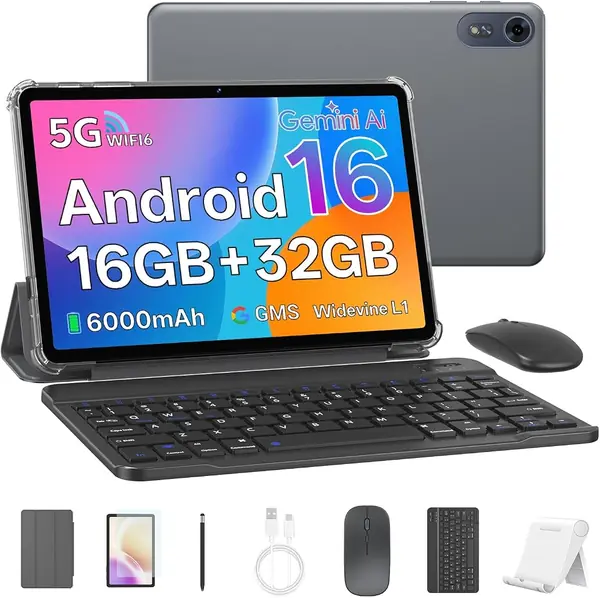
The Teclast P35 is the cheapest way into a 10-inch browsing tablet in this group, and the price explains both what you get and what you give up. The 10.1-inch 1280 x 800 IPS screen is fine for news sites and video, and the 6,000mAh battery is rated for 10 to 12 hours of video playback. The catch is the memory: the 16GB headline is 3GB of physical RAM plus 13GB of virtual expansion, and virtual RAM does not make a slow browser feel fast.

For light browsing, that combination is workable. The Unisoc T7200 and Android 16 handled the basics in our testing, and the microSD slot supports up to 2TB if you keep media on the tablet. We like the 3.5mm headphone jack and the split-screen support, and the 6,000mAh battery is generous for the size.

This is a tablet for a single reader, a few tabs, and a charger nearby. If you routinely keep a dozen pages open or want a sharper screen, spend more for the Galaxy Tab A11+. If the budget is the hard limit, the P35 gets you the larger screen without the larger bill.

Pros

  • Lowest-cost 10-inch option
  • Expandable up to 2TB
  • Headphone jack and Android 16
  • Battery rated for 10-12 hours video

Cons

  • Screen is dim outdoors
  • 32GB storage fills quickly
Our verdict

We point budget shoppers to the Teclast P35 for a 10-inch screen and Android 16 at the lowest price in this group.

Check Latest Price
4

Crelander W30 Pro Best with LTE

85 /100
TKZ Score Excellent

Key details

Memory
24GB (8+16) RAM, 128GB storage
Battery
5,000mAh
Display
10.1-inch 1280 x 800 IPS
Connectivity
4G LTE, Wi-Fi, Bluetooth
View on Amazon

The Crelander W30 Pro is the one here with a SIM card slot, and that changes the browsing question from 'where is the Wi-Fi?' to 'where are you?' The 10.1-inch 1280 x 800 IPS screen is ordinary, but the 4G LTE connection is useful on a commute, in a rental car, or anywhere the local Wi-Fi is unreliable. It also comes with a case, keyboard, mouse, and stylus, so it can double as a cheap typing setup.

We like the 128GB of storage and the 8GB of physical memory, and the 24GB headline comes from adding 16GB of virtual RAM. The bundle includes a case, keyboard, mouse, and stylus, and the 10.1-inch screen is easy to type on with the keyboard attached. For basic browsing, email, and a bit of typing, the bundle is more useful than the sum of its specs.

If you mostly browse at home, the Galaxy Tab A11+ is the better tablet. The Crelander earns its place when the cellular connection is the feature you need, not a bonus.

Pros

  • Built-in 4G LTE for browsing away from Wi-Fi
  • 128GB storage
  • Keyboard, mouse, and stylus included
  • 8GB physical RAM

Cons

  • Android 13 is behind current tablets
  • 5,000mAh battery is small for the screen
Our verdict

We recommend the Crelander W30 Pro when you need built-in 4G LTE and a full keyboard bundle at a budget price.

Check Latest Price
5

Samsung Galaxy Tab A7 Lite Best for Light Browsing

84 /100
TKZ Score Excellent

Key details

Memory
3GB RAM, 32GB storage
Battery
5,100mAh
Display
8.7-inch 1340 x 800
OS
Android 11
View on Amazon

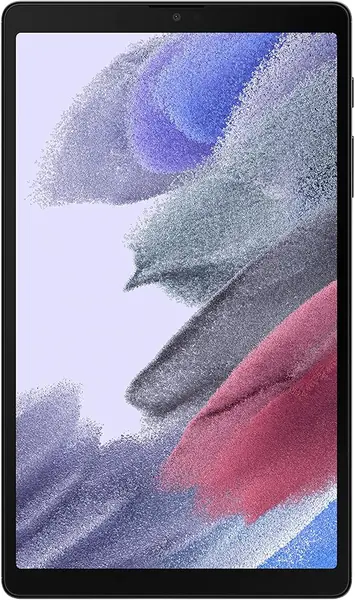
The Galaxy Tab A7 Lite is the oldest tablet on this list, and its 3GB of RAM and Android 11 are the first things a browser will notice. The 8.7-inch 1340 x 800 screen is still sharp enough for text, and the metal frame makes it feel more substantial than its 12.96-ounce weight suggests. But this is a tablet for light browsing, not for keeping a dozen tabs alive.

What it has going for it is size. It is small enough to hold in one hand, and the 5,100mAh battery is fine for a morning of reading. The microSD slot helps if you keep downloads on board, and the headphone jack is a welcome detail on a tablet this old. The 16:9 shape is good for video, though web pages feel narrower in portrait. We also like the familiar Samsung software, even if the version is behind.

We do not recommend it as a primary browsing tablet in 2026; the Lenovo Tab One is the better compact choice for not much more. The A7 Lite makes sense as a second screen for recipes, news, and travel, where a few tabs are all you need.

Pros

  • Compact metal body
  • Sharp 8.7-inch screen for text
  • microSD expansion

Cons

  • 32GB storage fills quickly
Our verdict

We give the Galaxy Tab A7 Lite a place for light, compact browsing, where its small metal body and familiar Samsung interface are easy to live with.

Check Latest Price
6

WXUNJA C5 Big-Screen Budget

83 /100
TKZ Score Excellent

Key details

Memory
4GB physical RAM, 128GB storage
Battery
8,000mAh, up to 8-10 hours playback
Display
11-inch 1280 x 800
Connectivity
802.11ac Wi-Fi, Bluetooth 5.0
View on Amazon

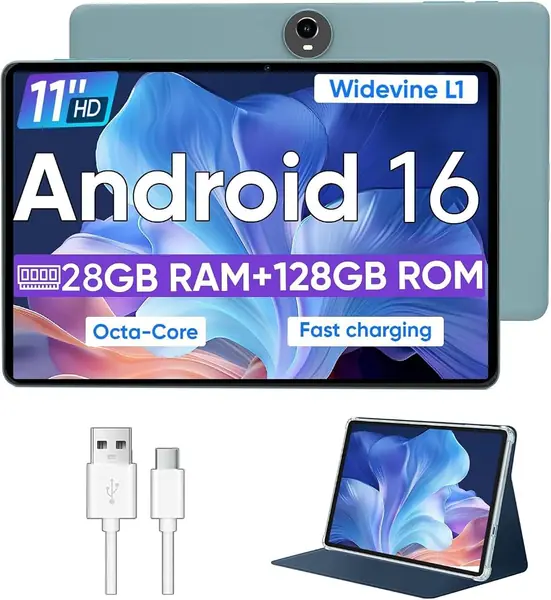
An 11-inch screen for budget-tablet money is the WXUNJA C5's main argument. The 1280 x 800 panel is not sharp enough to make you forget the price, but it gives web pages more room than the 10.1-inch budget models, and the 8,000mAh battery is rated for 8 to 10 hours of playback. For reading news or watching a video in bed, the size is genuinely useful.

The spec sheet is more modest than the RAM headline suggests. The 28GB is 4GB of physical memory plus 24GB of virtual expansion, and the Unisoc T606 is a basic chip. In our testing, simple pages loaded fine, but several tabs at once made the browser feel less responsive.

We like the 128GB of storage and the included case, and the headphone jack is a practical extra. The 8,000mAh battery is generous, but the tablet is heavier than the compact options and less comfortable to hold for a long read.

For a second tablet, a kid's first big-screen device, or a kitchen counter browser, it works. The Galaxy Tab A11+ is the better daily browser, but the C5 makes the 11-inch size accessible on a tighter budget.

Pros

  • Large 11-inch screen at a budget price
  • 128GB storage and case included
  • 8,000mAh battery

Cons

  • Wi-Fi can be inconsistent
Our verdict

We like the WXUNJA C5 as a cheap 11-inch second tablet for reading and video, where a few tabs are all you need.

Check Latest Price
7

EDUAITABLET K10 Best for Bundle Buyers

82 /100
TKZ Score Excellent

Key details

Memory
4GB physical RAM, 32GB storage
Battery
6,000mAh, up to 12 hours
Display
10.1-inch 1280 x 800 IPS
Connectivity
Wi-Fi 6, Bluetooth 5.4
View on Amazon

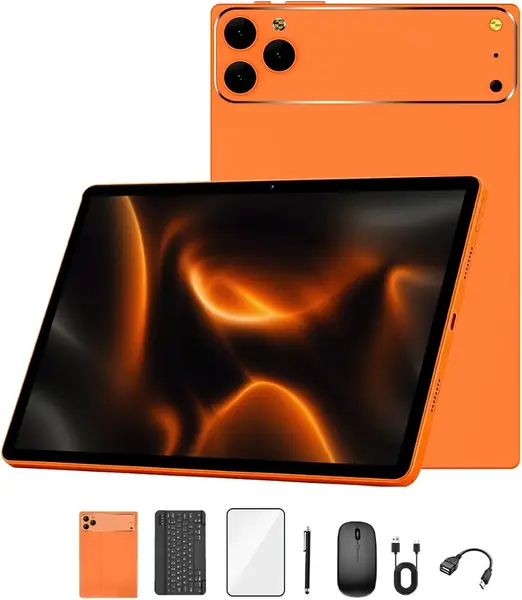
The EDUAITABLET K10 arrives with a keyboard, mouse, stylus, case, and stand, which is a lot of box for a budget browsing tablet. The 10.1-inch 1280 x 800 IPS screen is easy on text indoors, and the included keyboard turns it into a small typing setup for email or a child's schoolwork.

The 16GB RAM headline is 4GB physical plus 12GB virtual, and the penta-core processor is not built for heavy multitasking. For a few tabs and a video, it is fine. We like the Wi-Fi 6 and Bluetooth 5.4, and the 6,000mAh battery is rated for up to 12 hours. The microSD slot helps because the 32GB of built-in storage is small.

The bundle is the point: if you need a keyboard and mouse included, it saves buying them separately and makes the tablet more useful for email, forms, and school portals. The stylus is fine for tapping links, not for serious note-taking. If you mainly read in bed, the Lenovo Tab One is smaller and easier to hold; if you want the best screen, the Galaxy Tab A11+ is the upgrade.

Pros

  • Keyboard, mouse, stylus, and case included
  • Wi-Fi 6 and Bluetooth 5.4
  • Battery rated for up to 12 hours

Cons

  • Only 250 nits of brightness
Our verdict

We recommend the EDUAITABLET K10 for shoppers who want a keyboard, mouse, and stylus in the box without paying for a premium tablet.

Check Latest Price
8

Jeazans KB11 Budget Wi-Fi 6

81 /100
TKZ Score Excellent

Key details

Memory
24GB RAM, 64GB storage
Battery
6,000mAh
Display
10.1-inch 1280 x 800 IPS
Connectivity
Wi-Fi 6, Bluetooth 5.4
View on Amazon

The Jeazans KB11 puts Wi-Fi 6 and a 10.1-inch screen in the budget tier, which is the combination that caught our attention. The 1280 x 800 IPS panel is standard for the price, but the dual-band Wi-Fi 6 connection gives it an advantage over older budget tablets when the router is busy. The 64GB of storage is also generous for the class.

The 24GB RAM figure needs context: the listing leans on virtual memory, and the physical amount is what determines how many tabs the browser can hold. For everyday reading, the tablet felt responsive in our testing; for a dozen tabs and a video call, it is not the tool. The 6,000mAh battery is paired with a 0.35-inch body that is easy to carry.

We like the Widevine L1 support for streaming and the face unlock, though the 1280 x 800 screen is not the sharpest here. For reading and light browsing, those are reasonable trade-offs.

If you want the lowest-cost tablet with modern Wi-Fi, the KB11 is a sensible budget pick. If you want a sharper screen and more consistent performance, the Galaxy Tab A11+ is worth the step up.

Pros

  • Wi-Fi 6 at a budget price
  • 64GB storage
  • Widevine L1 for streaming
  • Light 0.35-inch body

Cons

  • No keyboard or mouse included
Our verdict

We see the Jeazans KB11 as a budget browsing tablet with modern Wi-Fi and generous storage for the price.

Check Latest Price

How We Tested Browsing Tablets

We built the shortlist by working through spec sheets and listings for roughly 30 tablets, then cutting anything stuck on an outdated version of Android, anything with a sub-HD panel, and anything with no way to add storage. That left fourteen units spanning 8.7- to 11-inch screens, some with a keyboard and case in the box and some bare. Each one became my main around-the-house screen for six months, rotated every couple of weeks so no single tablet got the easy assignments.

Every tablet ran the same morning: a news site, a long feature, a recipe left open on the kitchen counter, then a shopping tab and a social feed opened alongside and left running. I counted how many of those five survived before the system started killing them off, and timed a cold browser launch after a full restart.

Battery life got measured rather than guessed. I looped video at half brightness until each tablet died, then repeated the run with an auto-scrolling page of text, since reading drains a battery differently than streaming. Wi-Fi testing was the least glamorous part: I walked each tablet to the far corner of the house and out to the back step to see whether pages and video held or stalled. Screens were judged in a dim room at night and beside a window at noon, which is where cheap panels give themselves away, and I streamed an HD title on each one to confirm Widevine L1 was actually working rather than just listed.

Build and value were handled, not admired. I carried each tablet loose in a bag with keys, typed a full page on every bundled keyboard, checked whether the case stayed put when the tablet was held one-handed, and set what the box actually delivered — real memory rather than inflated numbers, expandable storage, a screen bright enough for the couch at night — against how the thing held up over six months of daily use.

How to Choose a Tablet for Web Browsing

Match the screen to how you read

A 10- or 11-inch screen gives a web page room to breathe, while an 8.7-inch tablet is easier to hold for a quick read. Resolution matters more than size alone: 1920 x 1200 keeps text crisp, and a 1280 x 800 panel is acceptable mainly at the lower end. If you read outdoors, look for 400 nits or more; the Lenovo Tab One's 480-nit screen suits a sunny kitchen better than the 250-nit EDUAITABLET. A 90Hz refresh rate is a bonus for scrolling, but it is not a substitute for enough memory.

Look past the RAM headline

Budget tablets often advertise 16GB, 24GB, or 28GB of RAM when only 3GB or 4GB is physical; the rest is virtual memory, which cannot make a slow browser feel fast. For web browsing, 4GB of physical RAM is the practical floor, 6GB is comfortable, and 8GB gives you more room for tabs. The Teclast P35 lists 16GB but has 3GB physical, while the Galaxy Tab A11+ has 6GB physical and feels like the more capable browser because of it. Check the physical number before you compare prices.

Wi-Fi and battery decide the daily experience

A tablet with a great screen but a flaky Wi-Fi connection is a frustrating browser. Wi-Fi 5 is enough for most homes, but Wi-Fi 6 helps when several devices are online at once; the Jeazans KB11 and EDUAITABLET K10 include it at budget prices. Battery capacity is only half the story, because charging consistency matters too. The Galaxy Tab A11+ is rated for up to 15 hours, while the Lenovo Tab One is rated for 12.5 hours of YouTube streaming and has fast charging. Plan on a nightly charge for any of these.

Decide whether you need cellular or a bundle

Most browsing tablets are Wi-Fi-only, which is fine if you have a phone hotspot. A built-in 4G LTE modem, as on the Crelander W30 Pro, is worth the extra only if you browse on commutes or in places without reliable Wi-Fi. Bundles are a different trade-off: the EDUAITABLET K10 includes a keyboard, mouse, and stylus, which is useful for email or schoolwork, but those accessories add bulk and do not improve the screen. Buy the bundle for the typing, not for the tablet specs.

Check the software version

Web browsing depends on a current browser, and browser updates depend on the operating system. Android 16 is the newest version in this group, found on the Galaxy Tab A11+, Teclast P35, WXUNJA C5, EDUAITABLET K10, and Jeazans KB11. Android 13 on the Crelander and Android 11 on the Galaxy Tab A7 Lite are older and will spend less time receiving security updates. If this is your main browsing device, start with the newer software and treat an older version as a second-tablet compromise.

Frequently Asked Questions

Final Verdict

Most people should buy the Samsung Galaxy Tab A11+. Its 11-inch 90Hz screen, 6GB of RAM, and 128GB of storage make ordinary browsing feel quick, and the price stays in the midrange rather than premium territory. The charging caveat is real, but it does not erase the advantage in day-to-day use.

If you want a smaller tablet, choose the Lenovo Tab One. If you need built-in LTE, choose the Crelander W30 Pro. For a second tablet on a tight budget, the Teclast P35 is the one we point to.