Best Tablets for Teens of 2026

The worry with a tablet for a teenager isn't whether it turns on in the store — it's whether it's still usable in February, with the group chat, the science project, and three streaming apps all open at once. I've watched a hand-me-down turn homework into a loading screen, and that's the fastest way to push a kid back to doing everything on a phone. A good one just handles the evening quietly: notes, a video call, an episode, the morning alarm.

We've spent the past six months living with 12 tablets, and the lesson is that the spec sheet is the least trustworthy thing on the box. A headline RAM figure usually counts virtual memory borrowed from storage, and expandable storage matters more than raw gigabytes once a photo library and a few game downloads pile up. The other spec worth hunting for is Widevine L1, which is what decides whether Netflix streams in crisp HD or a soft, grainy blur.

Screen size is the second daily trade-off: big enough for split-screen notes, small enough to survive a locker and a backpack. Everything below earned its place the boring way — by holding up on a Tuesday night.

The Best Tablets for Teens

1

Samsung Galaxy Tab A11+ Best Overall
90 /100
TKZ Score Outstanding

Key details

Display
11 in, 1920 x 1200, 90Hz
Storage
128GB, microSD slot
Battery
7,040 mAh
Memory
6GB RAM
View on Amazon

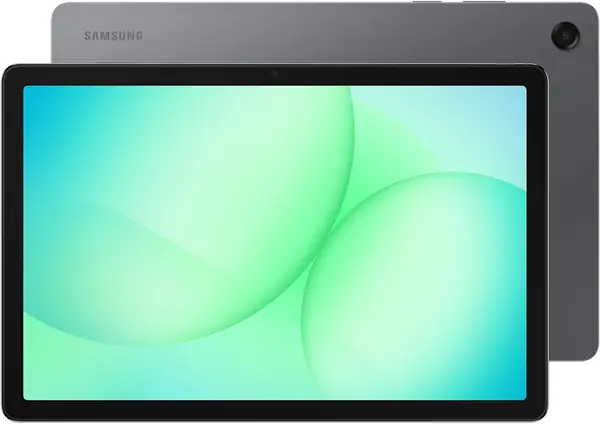
Eleven inches at 1920 x 1200 with a 90Hz refresh is the specification that settled this one for us. A teenager's tablet spends most of its life showing two things at once, an assignment and a browser or a video and a group chat, and that resolution keeps both legible without shrinking anything to a squint. It takes the top spot because nothing about it asks the buyer to make an excuse for it, which is more than we can say for the rest of this field.

The 6GB of memory is physical rather than the expanded kind, and 128GB of storage swallows a school year of slides and PDFs without a card. The 7,040 mAh battery handles a full day of classes and streaming, and the two-year manufacturer warranty is the longest coverage on this page. That matters more than any single specification, since the second year is when a tablet's problems tend to surface.

Two practical notes from living with it. The box holds a cable and a quick-start guide, not a charging brick, so order a USB-C adapter in the same go. At 0.27 inches and 1.1 pounds it slides into a backpack sleeve beside a notebook without adding a lump, and the quad speakers with Dolby Atmos are loud and clean enough that earbuds are not mandatory.

Pros

  • Best display here: 11 inches at 1920 x 1200, 90Hz
  • 6GB of physical memory and 128GB of storage
  • Two-year warranty, the longest in this group

Cons

  • Most expensive tablet in this group
  • Charging can stall around 80 percent
Our verdict

This is the one we tell most families to buy: the best display here, real memory, 128GB of storage, and a two-year warranty.
Check Latest Price
2

TECLAST P35 Best Budget

87 /100
TKZ Score Excellent

Key details

Display
10.1 in, 1280 x 800 IPS
Storage
32GB, microSD to 2TB
Memory
3GB + 13GB virtual
Streaming
Widevine L1
View on Amazon

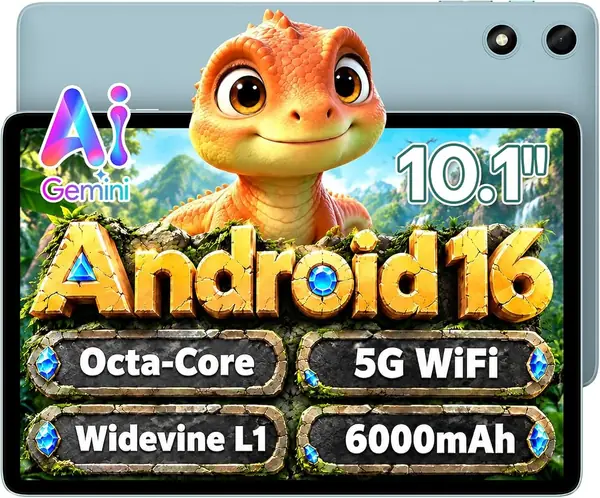
Widevine L1 is the least glamorous line on any spec sheet and the one that decides whether Netflix and Prime Video play in HD. The P35 has it and still costs less than anything else we recommend. That is not a footnote, because a budget tablet that streams in standard definition is one a teenager quietly stops using.

The rest of the package is honest about what it is. Three gigabytes of physical memory sit behind the 16GB on the box, and the other 13GB is virtual, which does not run apps. A class portal, a browser, and a video at the same time are fine; a game on top of that is not. The Unisoc T7200 keeps up with everything a school day asks of it, and at this price that is the trade we prefer. Put the difference into a 128GB microSD card, because 32GB of built-in storage will not hold a year of schoolwork and a game library.

The details run better than the price suggests: a charger in the box, a 3.5mm headphone jack, GPS, dual speakers, and a reading mode with low blue light for long e-book assignments. TECLAST rates the 6,000 mAh battery at 10 to 12 hours of video, which covers a school day and most of an evening.

The 1280 x 800 panel is where you feel the money. It is fine for reading and video and cramped for a spreadsheet, and 350 nits is indoor brightness. As a first tablet, or a spare that lives in a locker, those limits are exactly why it costs what it does.

Pros

  • Widevine L1 HD streaming at the lowest price here
  • Charger and headphone jack both included
  • Battery rated for 10 to 12 hours of video

Cons

  • Only 32GB of built-in storage
  • 3GB of physical memory limits multitasking
Our verdict

We send budget shoppers here: HD streaming, a charger and headphone jack in the box, and a memory card closes the storage gap.

Check Latest Price
3

URAO X109 Best Value

86 /100
TKZ Score Excellent

Key details

Display
10.1 in, 1280 x 800
Storage
128GB, microSD to 1TB
Battery
6,000 mAh
Memory
6GB + 30GB virtual
View on Amazon

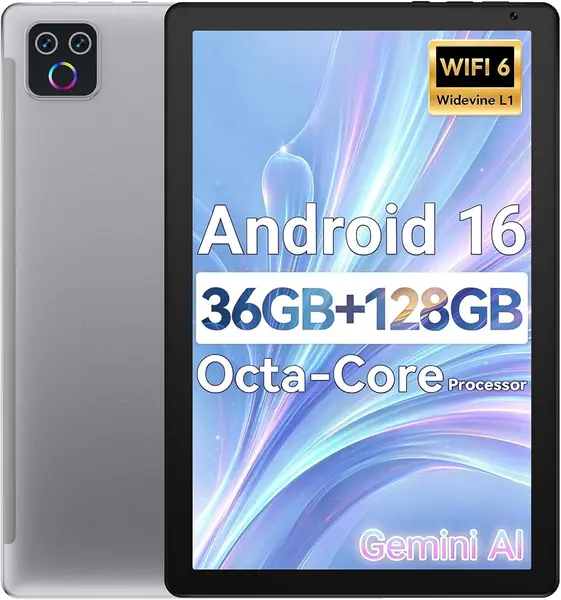
This is the least expensive route to 128GB of storage in this group, and it throws in a 6,000 mAh battery and a 10.1-inch screen. What it does not throw in is the Samsung's 1920 x 1200 resolution or its 90Hz refresh, and reading on both back to back, that is the gap we felt first: text is a little softer and scrolling a beat behind.

The 36GB of memory on the box breaks down as 6GB physical plus 30GB virtual, and the 6GB is the number to plan around. It carries split-screen homework, a browser full of tabs, and a video in the corner without complaint. Nobody should buy it expecting a gaming tablet, because it is not one.

Two things push it ahead of the other budget picks. The front camera is 5MP instead of the 2MP units most of this group ships, which matters for the video calls and online classes that fill a teenager's week. And the microSD slot takes a 1TB card, so storage stops being a question for the life of the device. We also liked the greige finish, which does not read as a toy the way a bright plastic shell does.

It is the least-established name in this roundup, so buy it somewhere with a forgiving return window. The contents stop at the tablet, with no case and no charger named, so add both to the order along with a screen protector.

Pros

  • 128GB of storage for less than the top pick
  • 5MP front camera for classes and calls
  • microSD slot takes cards up to 1TB

Cons

  • 1280 x 800 screen is a step behind the leaders
  • Least-established brand in this group
Our verdict

We keep this one on the list for its 128GB of storage, 6,000 mAh battery, and 5MP front camera, with a screen that trails the top pick.

Check Latest Price
4

EDUAITABLET TAB K10PK Best Bundle for Schoolwork

85 /100
TKZ Score Excellent

Key details

Display
10.1 in, 1280 x 800 IPS
Storage
32GB, microSD to 1TB
Battery
6,000 mAh
In The Box
Keyboard, mouse, stylus, case, stand
View on Amazon

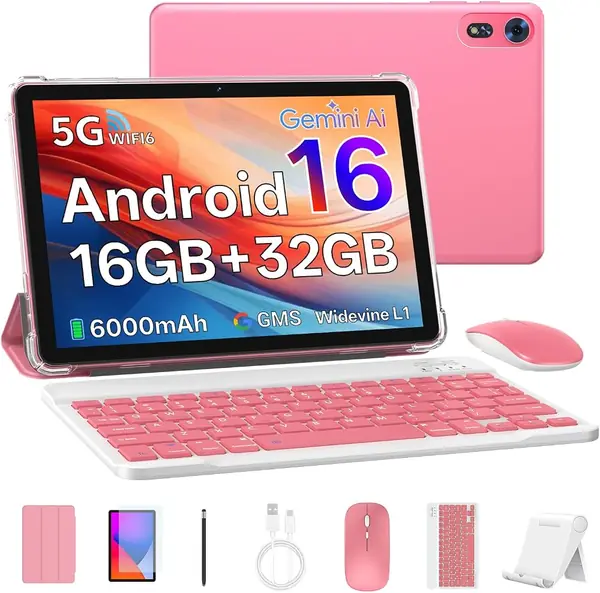
What arrives in the box is the reason to buy this one: keyboard, mouse, stylus, protective case, and a stand, along with the tablet. For a teenager writing essays and building slide decks, that turns a tablet into something closer to a laptop, and it is why this earns a place despite a modest processor.

The 10.1-inch 1280 x 800 IPS panel is the same class as most of the group, and 250 nits makes it an indoor machine, good at a desk and washed out on a patio. We found the compact keyboard and mouse fine for typing rather than for an all-day writing session, and the stand is the piece that makes it work on a kitchen table.

Storage is the compromise: 32GB built in, with a microSD slot that takes up to 1TB, so a card belongs in the same order. The 1.8GHz processor handles documents, video, and browsing; heavier games stutter, and speed is the weakest part of the package. The 6,000 mAh battery is rated at 12 hours, and Wi-Fi 6 with Bluetooth 5.4 keeps the connectivity current.

It is also the only tablet here whose spec sheet names teens as the intended user, and it comes in pink. That sounds like marketing, but a fifteen-year-old who likes how a device looks is a fifteen-year-old who remembers to charge it.

Pros

  • Keyboard, mouse, stylus, case, and stand included
  • Battery rated for 12 hours
  • Wi-Fi 6 and Bluetooth 5.4

Cons

  • Only 32GB of built-in storage
  • Modest processor for anything beyond schoolwork
Our verdict

We hand it to the teen who types: keyboard, mouse, stylus, and stand arrive together, and the processor is what you trade for it.

Check Latest Price
5

Samsung Galaxy Tab A11 Best Compact

84 /100
TKZ Score Excellent

Key details

Display
8.7 in, 1340 x 800, 90Hz
Storage
64GB, microSD to 2TB
Battery
5,100 mAh
Warranty
No U.S. warranty
View on Amazon

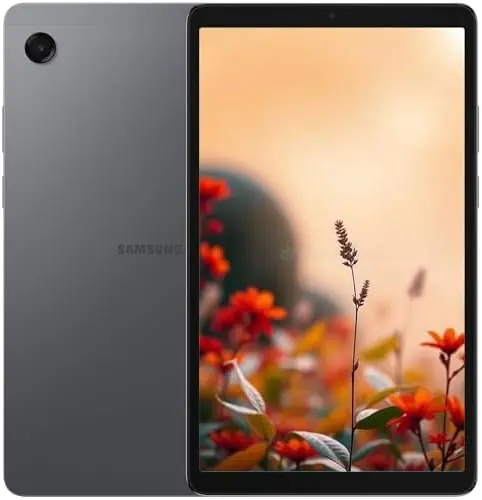
If the tablet goes into a backpack and comes out on a bus, the size is the feature. At 8.7 inches and 15.2 ounces, this is the only pick here that works one-handed, and its 1340 x 800 panel runs at 90Hz, smoother than the 10-inch budget tablets manage.

We like it most for the teenager who reads more than they type. Text is sharp, the body disappears into a bag, and One UI on Android 15 makes a PDF or a long article feel less like homework. The Helio G99 and 4GB of memory carry reading, streaming, and a couple of open apps; they do not carry much past that.

Two things to weigh first. This is an international model with no U.S. warranty, so the seller's return policy is the coverage, which is worth knowing before anything goes wrong. Setup can also ask for a country that is not on the list; the product notes say to pick any country and it updates later. With 64GB of storage, a microSD card, and the slot takes up to 2TB, the card is part of the plan rather than an upgrade.

Where it fits: a commuter, a reader, a first tablet that has to survive a locker and a locker room. Where it does not: a teenager editing video or playing demanding games, both of which want a bigger screen and more memory than this one has.

Pros

  • 8.7-inch body at 15.2 ounces
  • 90Hz display, unusual at this size
  • microSD support up to 2TB

Cons

  • No U.S. warranty on this international model
  • 4GB of memory and 64GB of storage
Our verdict

Our pick when the tablet has to travel: 8.7 inches, 15.2 ounces, a 90Hz screen, and an international warranty worth knowing about.

Check Latest Price
6

COLORROOM 11-Inch Tablet Best for Marathon Video Sessions

82 /100
TKZ Score Excellent

Key details

Display
11 in, 1280 x 800
Storage
128GB, microSD to 1TB
Battery
8,000 mAh
View on Amazon

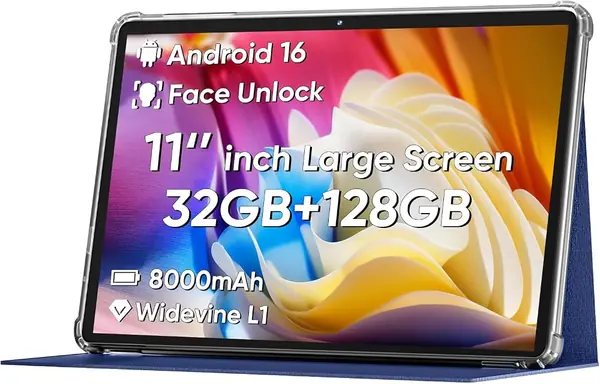
8,000 mAh is the largest battery in this group, and 18W charging is quicker than most of these tablets get. Paired with an 11-inch screen, it is a combination built for a teenager who watches two hours of something and then leaves the tablet under a couch cushion for a day.

The screen is where the arithmetic catches up. 1280 x 800 across 11 inches works out to roughly 137 pixels per inch, well short of the Samsung panel, and body text in a document shows it. Dual stereo speakers help for video, and 128GB of storage with a microSD slot to 1TB is generous at this price.

We rank it below the top pick because a big battery and a big screen are only half the story. The 32GB memory figure is the sort that means virtual expansion rather than physical memory at this price, and the rest of the hardware is described in broad strokes, an octa-core Unisoc chip, Android 16, Wi-Fi 6 and face unlock, without the detail that tells you how it holds up in year two. Confirm the physical memory with the seller before you order.

Keep it for the couch, the car ride, and the long weekend, where a big screen and a battery that outlasts both matter more than pixel density. For anything text-heavy, the Samsung is the better buy.

Pros

  • 8,000 mAh battery with 18W charging
  • 11-inch screen with dual stereo speakers
  • 128GB of storage, expandable to 1TB

Cons

  • Low pixel density on an 11-inch panel
Our verdict

We save it for battery-first buyers: the largest cell here and a big screen, with pixel density that will not flatter a document.

Check Latest Price
7

SCREENOVATE 10.1-Inch Tablet Best for Rough Handling

81 /100
TKZ Score Excellent

Key details

Display
10.1 in, 1280 x 800
Storage
128GB, microSD to 1TB
Memory
8GB + 24GB virtual
Case
Rotating EVA stand case
View on Amazon

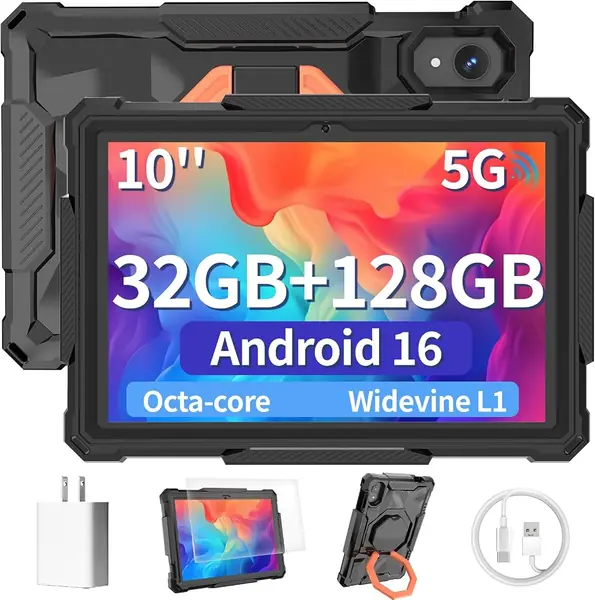
The case is the pitch. A rotating EVA bumper with a built-in stand lets you prop this on a desk, a kitchen counter, or a lap tray, and EVA foam is the same material that keeps kids' tablets alive through a school year. That is why this one survives a backpack better than a glass-and-aluminum slab, and it is also why the whole thing measures 1.2 inches thick.

Underneath the foam it is a 10.1-inch 1280 x 800 Android 16 tablet with 128GB of storage, memory listed as 8GB physical plus 24GB virtual, and a 6,000 mAh battery. Eight gigabytes of physical memory is more than any other tablet here, and it is what we paid attention to while switching between apps: the difference shows when three or four are open at once.

What the extra memory buys is patience, since the tablet keeps its place when you jump from a document to a video to a message. The panel is ordinary for the money, and Google Kids Space with Family Link is built in, which a teenager will ignore and a parent of a younger sibling will not.

This is the pick for a tablet that will be dropped, shared, or used as a counter screen for recipes and video, and it earns that on the case and the real memory. Test everything in the first month, because 30 days is the coverage you get.

Pros

  • Rotating EVA case with a built-in stand
  • 8GB of physical memory, the most here
  • 128GB of storage plus a microSD slot

Cons

  • 30-day warranty is the shortest here
  • Case takes the tablet to 1.2 inches thick
Our verdict

For a tablet that gets dropped or shared, we think the EVA case and 8GB of memory justify it.

Check Latest Price

How We Tested Tablets for Teens: Six Months, Twelve Devices

I began by pulling every tablet in the size and price band a family would realistically hand to a teenager, then cut anything that couldn't run a current version of Android, anything without a microSD slot, and anything whose listing stayed vague about its streaming certification. That left 12 tablets, which my team and I rotated through six months of ordinary use: homework at the kitchen table, note-taking in class, video calls with grandparents, one long road trip, and more streaming in bed than any of us should admit to.

Each tablet got set up the way a teen would set it up — a school portal, a couple of games, a video app — and I timed app launches, kept eight browser tabs open at once, and watched for the stutter that shows up when storage and memory are both nearly full. Battery ran on a fixed schedule: unplugged at 7 a.m., used hard all day, and I wrote down the percentage left when the household sat down to dinner.

Because several of these arrive as international versions, I checked region compatibility the tedious way: confirming the app store worked, that streaming services played at full resolution, and that a U.S. buyer could actually register the warranty. Reliability was tested partly by neglect — each tablet went into a backpack next to a water bottle and a set of keys and came back out to see whether it had survived.

Value came last, and it wasn't about the sticker. I counted what arrived in the box, how cheaply the storage could be expanded, and whether the thing still felt solid rather than creaky in the hand by month six.

How to Choose a Tablet for a Teen

Ignore the Expanded Memory Number

Almost every tablet here advertises more memory than it has. The headline figure, whether it reads 16GB or 36GB, is a small physical amount plus virtual expansion, and virtual memory does not run apps; it is a swap file with a marketing budget. Look for the bracket that says how much is physical, because that is the number your teenager will feel.

Four gigabytes carries browsing, video, and a couple of open apps. Six to eight is where split-screen homework stops feeling tight. The TECLAST P35's 3GB is exactly why we treat it as a budget pick rather than a do-everything tablet, and it is also why the SCREENOVATE tablet feels more capable than its price suggests.

32GB of Storage Is a Starter Kit

Android plus a school app suite will eat half of a 32GB drive before anyone takes a photo. A microSD card fixes the rest cheaply, and the budget picks here accept cards up to 1TB or 2TB, but it is an extra purchase and an extra thing to lose in a backpack.

If you want the tablet to see four years of school, start at 128GB and treat the card slot as headroom rather than a plan. If 32GB is what the budget allows, buy the card in the same order as the tablet, not three weeks later when the first storage warning appears.

Pick the Screen for How It Is Held

An 11-inch panel is right for split-screen work and video on a couch, and a 1920 x 1200 resolution keeps two windows legible. The same 1280 x 800 panel stretched across 11 inches does not, which is the clearest difference between our top pick and the cheaper large-screen option. A 90Hz refresh rate makes scrolling a PDF noticeably smoother and is worth having at any size.

If the tablet lives in a bag, go the other way. 8.7 inches and 15 ounces is the difference between a tablet that gets carried and one that stays on a dresser.

Runtime Matters Less Than How It Ages

Batteries here run from 5,100 to 8,000 mAh, and a school day of mixed use is roughly the same ask for all of them. What separates the picks is what happens in month six: 18W charging on the COLORROOM refills faster than the standard-rate units, and the two-year coverage on the Samsung is worth more than a slightly larger cell.

Read the capacity as a starting point and the warranty as the real answer to whether the tablet is still usable in year two.

Check the Warranty Before the Case

A tablet that rides in a backpack will be dropped, so a bundled case is worth real money. The rotating EVA bumper on the SCREENOVATE and the folio and stand in the EDUAITABLET bundle both save you a purchase and a cracked screen.

Coverage varies more than you would expect across this group: two years from Samsung on the Tab A11+, one year on most of the others, 30 days on the SCREENOVATE, and none at all on the international Tab A11. Buy the case, then set a reminder to check the tablet thoroughly before the return window shuts.

Frequently Asked Questions

Final Verdict

Most teenagers should get the Samsung Galaxy Tab A11+. Its 11-inch 1920 x 1200 screen at 90Hz, 6GB of physical memory, 128GB of storage, and two-year warranty are the combination nothing else here matches, and it is the pick least likely to be handed back in a year.

If the budget decides, the TECLAST P35 covers schoolwork and HD streaming as long as a memory card goes in the same order. And if the tablet will live in a backpack, the 8.7-inch Galaxy Tab A11 is the one that actually gets carried, provided you accept an international model without a U.S. warranty.