Best Tablets for Teachers of 2026

A teacher's tablet has three jobs before lunch: take attendance, get a lesson onto the board, and survive a stack of essays marked up with a stylus. Get the wrong one and all three get slower, usually while 28 students watch. Battery that lasts until the last bell and Wi-Fi that holds a school network matter far more than the refresh rate or the memory count printed on the box.

My team and I spent six months with 12 tablets, using them the way teachers do: planning lessons on a Sunday, marking up PDFs with a stylus, running slides from the front of the room, hauling them home in a tote bag. We counted what came in the box, too, since a pen or a keyboard case you buy separately comes straight out of a classroom budget.

Most picks sit in the 10- to 11-inch range, the sweet spot for reading a rubric without buying a bigger bag. What separates them is how they feel once the novelty wears off: whether the stylus tracks your handwriting, whether the keyboard is worth typing on, whether the tablet still opens your gradebook quickly in May. The ones below held up.

The Best Tablets for Teachers

1

Lenovo Idea Tab Best Overall
92 /100
TKZ Score Outstanding

Key details

Memory
8GB RAM, 256GB storage
Display
11-inch 2560 x 1600, 90Hz
Stylus
Tab Pen included
Weight
1.1 lb
View on Amazon

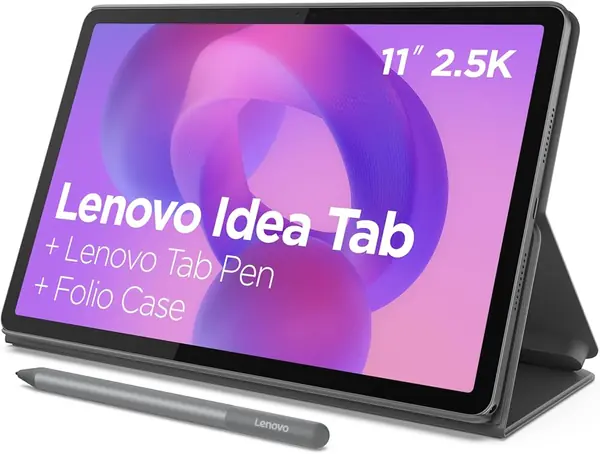
Lenovo does the accessory math for you: the Idea Tab arrives with the Tab Pen and a folio case, so you are not adding a stylus and cover before you can take notes or prop the tablet up for a lesson video. That is the practical difference between this and most tablets here.

The 11-inch 2.5K display at 90Hz is the feature we appreciate most for classroom work. A 2560 x 1600 panel gives you enough room to keep a lesson plan beside a PDF or a slide deck, and the higher refresh rate makes scrolling through long documents less choppy. The 8GB of memory and 256GB of storage are a better starting point than the 6GB/128GB configuration many rivals use; microSD expansion helps if you carry a lot of video or scanned handouts. That combination is why we make the Idea Tab our top pick.

Performance is the other reason it earns the top spot. The MediaTek Dimensity 6300 is not a gaming chip, but it is enough for Google Classroom, email, video calls, and note-taking, and Android 15 feels current. Battery life is the number to watch: the 26.7Wh pack is fine for a light day of reading and planning, but a full day of video or split-screen work will send you looking for a charger.

For most teachers, that trade-off is easy to accept. You get the pen and folio up front, a screen that is sharp enough for dense documents, and storage that won't fill up in a semester. The Idea Tab is the strongest all-around starting point here.

Pros

  • 2.5K 90Hz display sharp for split-screen work
  • Pen and folio included in the box
  • 8GB RAM and 256GB storage with microSD

Cons

  • No charger in the box
  • No keyboard included
Our verdict

We recommend the Idea Tab as the best default for teachers: it includes the pen and folio, and its 2.5K screen makes split-screen planning easier than the budget alternatives.
Check Latest Price
2

Samsung Galaxy Tab A11+ Best Budget

91 /100
TKZ Score Outstanding

Key details

Memory
6GB RAM, 128GB storage
Display
11-inch 1920 x 1200, 90Hz
Battery
7040mAh, up to 15 hours
Warranty
2 years
View on Amazon

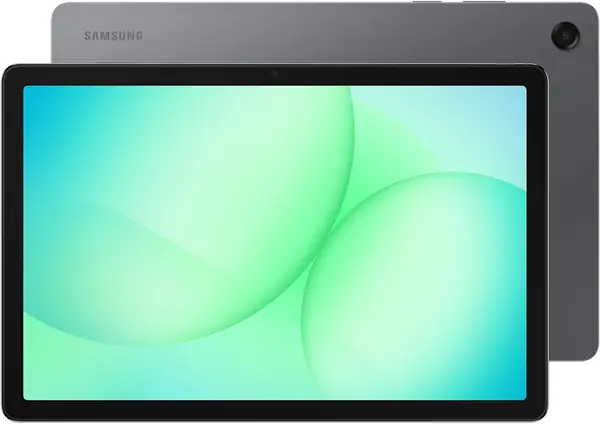
The Galaxy Tab A11+ is the value pick: an 11-inch 90Hz screen, 6GB of memory, and 128GB of storage at the budget end of this group. The 11-inch size is the sweet spot for split-screen reading without feeling like a laptop. For a teacher who mostly reads email, builds slide decks, and streams lesson videos, that is a sensible mix.

We think the screen is the reason to choose it over the cheapest 10-inch tablets. The 1920 x 1200 resolution is not as sharp as the Lenovo's 2.5K panel, but text is still comfortable and the 90Hz refresh rate keeps scrolling smooth. The MediaTek processor is quick enough for everyday apps, and the microSD slot lets you add storage for downloaded videos and document scans. It is the one we point to when the pen is optional and the budget is fixed.

The tablet is comfortable for typing, email, and lesson videos, and the two-year warranty is a real advantage for a classroom device. It is also light enough to carry between rooms, so it earns its place as the budget workhorse.

Pros

  • Large 11-inch 90Hz screen
  • 128GB storage plus microSD
  • Two-year manufacturer warranty

Cons

  • No S Pen included
  • Charging can stop at 80%
Our verdict

We point budget-minded teachers to the Galaxy Tab A11+ when a big, smooth screen matters more than pen input.

Check Latest Price
3

Samsung Galaxy Tab S10 Lite Best for Note-Taking

90 /100
TKZ Score Outstanding

Key details

Memory
6GB RAM, 128GB storage
Display
10.9-inch 2112 x 1320, 90Hz
Battery
8000mAh, up to 16 hours
Stylus
S Pen included
View on Amazon

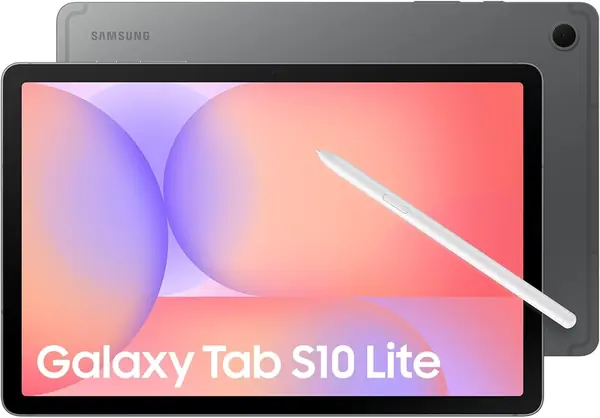
The S Pen is why the Galaxy Tab S10 Lite makes the cut. It comes in the box, it does not need charging, and it turns the tablet into a genuine note-taking and PDF-marking tool. For teachers who write feedback by hand or sketch lesson ideas, that is a more useful upgrade than a slightly faster processor.

The 10.9-inch 2112 x 1320 screen is sharp and bright enough for documents and video, and the 90Hz refresh rate keeps scrolling smooth. Samsung's Exynos 1380 and 6GB of memory handle everyday multitasking, while the 128GB of storage is expandable with a microSD card. We like that the S Pen works without a separate charge, so it is ready when you need to annotate a handout.

The 8000mAh battery is rated for up to 16 hours, and the tablet is light enough to carry between rooms. It is not the cheapest option here, but it is the most focused one for handwritten work.

Choose the S10 Lite if you want Samsung's pen experience without moving up to a premium tablet. The screen is a step behind the Lenovo's resolution, and the base memory is smaller, but the pen changes how you use the tablet in class.

Pros

  • S Pen included and does not need charging
  • Sharp 10.9-inch 90Hz screen
  • Expandable 128GB storage

Cons

  • No charger in the box
  • Charging can fail after about a year
Our verdict

We recommend the Galaxy Tab S10 Lite for teachers who mark up PDFs by hand and want an S Pen that is always ready.

Check Latest Price
4

URAO X109 Tablet Classroom Backup

89 /100
TKZ Score Excellent

Key details

Memory
6GB physical + 30GB virtual, 128GB storage
Display
10.1-inch 1280 x 800
Battery
6000mAh, up to 8 hours
Weight
1.1 lb
View on Amazon

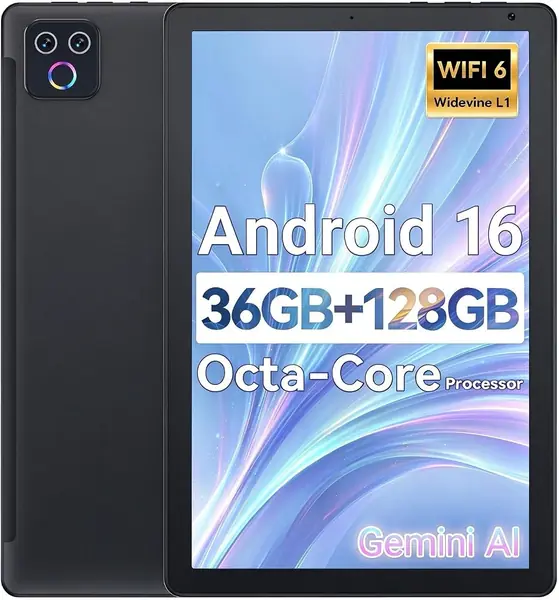
The URAO X109 leads with a 36GB RAM headline, but read the fine print: that is 6GB of physical memory plus 30GB of virtual memory. The distinction matters. Virtual RAM can help with app switching, but it does not turn a budget tablet into a multitasking machine.

What you do get is a 10.1-inch Android 16 tablet with 128GB of storage, a 6000mAh battery rated for up to eight hours, and a price that makes it easy to add a second device to a classroom station. For email, lesson planning, and streaming a video, the hardware is adequate, and the 128GB of storage is generous at this end of the market.

We think of the X109 as a backup or a shared classroom tablet, not the main device you use to grade papers. The price buys basic performance, and the 128GB storage is the part that holds up best. It is a second tablet, not a replacement for a pen-equipped workhorse.

If the budget is tight and the job is basic, the X109 is easy to recommend as a second screen for lesson videos or a sign-in station. Just don't buy it for the RAM number alone.

Pros

  • Budget-friendly 10.1-inch tablet
  • 128GB storage with microSD
  • 6000mAh battery rated up to 8 hours

Cons

  • Low-resolution 1280 x 800 display
  • No keyboard or stylus included
Our verdict

We see the URAO X109 as a cheap backup or classroom-station tablet, not a primary grading device.

Check Latest Price
5

YLEEBG P60 Tablet Best for Budget Typing

80 /100
TKZ Score Excellent

Key details

Memory
4GB physical + 28GB virtual, 256GB storage
Display
10.1-inch 1280 x 800
Battery
8000mAh
In The Box
Keyboard, mouse, stylus, case
View on Amazon

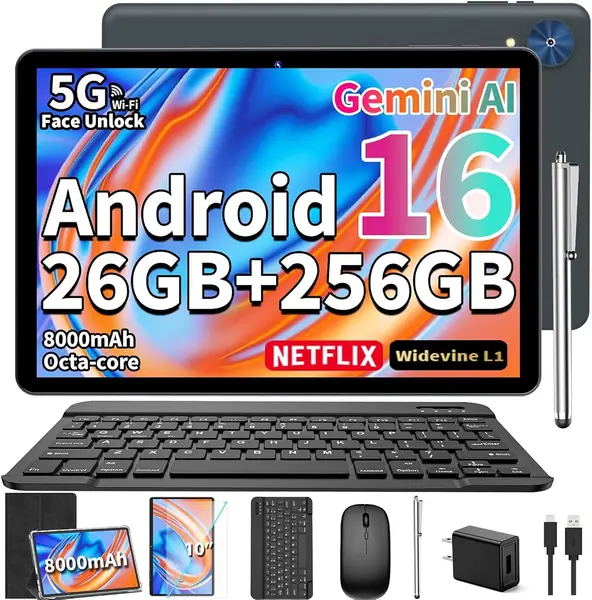
The YLEEBG P60 is sold as a bundle, and that is the whole point: keyboard, mouse, stylus, protective case, screen protector, and 256GB of storage in one box. For a teacher who wants a laptop-style setup for lesson planning without paying laptop money, the kit is genuinely useful.

The spec sheet needs translating. The 32GB RAM claim is 4GB of physical memory plus 28GB of virtual memory, and the 10.1-inch display is 1280 x 800. The physical RAM is the number that matters for keeping apps open, and 4GB is modest. The 256GB of storage is the better part of the package, giving you room for slide decks, PDFs, and downloaded videos.

We think this is a secondary typing station rather than a main note-taking tablet. The bundle makes it easy to set up at a desk, and the included case and screen protector are practical for a classroom. The low-resolution screen is the compromise; it is not kind to dense documents.

Buy it when the accessories matter more than the display, or when you need a cheap second device for a classroom aide. If the tablet will be your primary grading tool, the Lenovo or Samsung picks are worth the stretch.

Pros

  • Complete keyboard, mouse, stylus, and case bundle
  • 256GB storage
  • 8000mAh battery

Cons

  • Performance can lag under multitasking
  • Battery life is inconsistent
Our verdict

We like the YLEEBG bundle for a budget typing station, as long as you accept a low-resolution screen and modest physical RAM.

Check Latest Price
6

SCREENOVATE 10.1 Tablet Best for Shared Classrooms

79 /100
TKZ Score Very Good

Key details

Memory
8GB physical + 24GB virtual, 128GB storage
Display
10.1-inch 1280 x 800
Battery
6000mAh
Case
Rotatable EVA case
View on Amazon

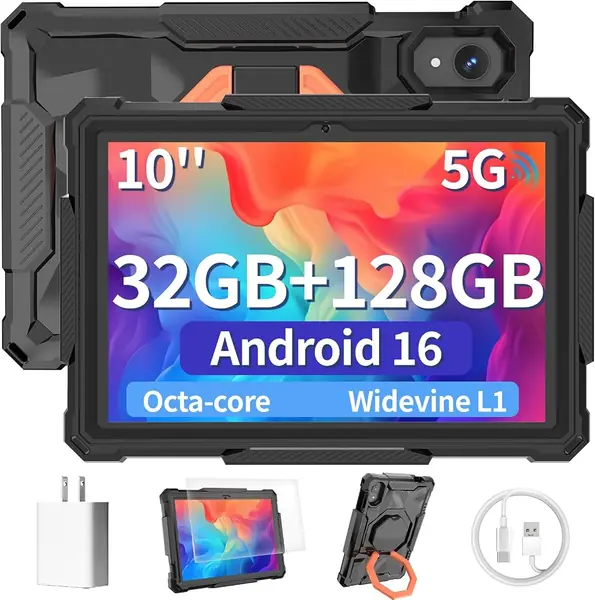
The rotatable EVA case is the reason the SCREENOVATE tablet earns a place. It turns the 10.1-inch Android tablet into a stand-up classroom device that can be passed around, propped on a desk, or packed for a worksite without a separate cover. That is a specific use case, and it is the one this tablet serves best.

The rest of the hardware is basic. The 10.1-inch display is 1280 x 800, the battery is 6000mAh, and the 32GB RAM headline is 8GB of physical memory plus 24GB of virtual memory. For simple apps, video, and web browsing, that is workable. The 128GB of storage gives you room for downloaded lessons and classroom media, and the case doubles as a stand for video playback.

We think of it as a shared classroom tablet or a travel device, not a teacher's primary note-taking machine. The thick EVA case adds bulk, and the tablet is built for durability rather than slimness. If you need to annotate PDFs or type lesson plans all day, the Lenovo and Samsung options are better fits. If you need a device that can survive being handed between students, the SCREENOVATE is the one here built for that.

That is a narrow job, but it is a real one. The case is the feature, and the budget price makes it easier to put a durable second tablet in a classroom station.

Pros

  • Rugged rotatable EVA case and stand
  • 128GB storage
  • Simple Android 16 setup

Cons

  • Low-resolution 1280 x 800 display
  • No stylus or keyboard included
Our verdict

We recommend the SCREENOVATE for a shared classroom tablet that needs a built-in stand and a case that can take handling.

Check Latest Price

How We Tested 12 Tablets the Way Teachers Actually Use Them

We started with roughly 40 tablets and cut anything that couldn't plausibly survive a school year: screens under 10 inches, no pen or keyboard support, and owner reports of a battery that quit before 3 p.m. Price mattered, but so did the extras, because a stylus and a keyboard case included in the box change the math for a teacher paying out of pocket. Twelve made the cut, and we've used them for six months.

Each one went through the same week. Sunday night was lesson planning at the kitchen table, with a slide deck in one window, a gradebook in another, and a dozen browser tabs behind them, watching for the stutter that makes a slow chip obvious. In class, I ran slides from the front of the room, then read a paragraph from the back row under fluorescent lights to judge screen size and glare. Grading meant marking up a stack of PDFs with the stylus and checking whether my handwriting survived conversion to text.

Battery was timed from the 7:30 bell to the end of an after-school staff meeting, with email syncing and notifications on. For connectivity, I logged each tablet onto the school network in the gym and in the portable classroom at the end of the hall where signal dies, then onto a phone hotspot and a home network, noting how quickly each rejoined without me touching a setting. Durability came free with the job: six months of riding in a tote bag next to keys and a laptop, no screen protector.

How to Choose a Tablet for Teachers

Start With the Pen, Not the Processor

If you mark up student work, write lesson notes, or diagram an idea while standing at the board, an active pen matters more than a slightly faster chip. The trap is that 'stylus support' often means the pen is sold separately. We look for a pen in the box, like the Tab Pen on the Lenovo Idea Tab or the S Pen on the Galaxy Tab S10 Lite, because an included pen is one less accessory to buy and one less thing to forget. If you only type and read, put the pen budget toward storage instead.

Size and Resolution Are the Real Screen Specs

For lesson planning, 10.9 to 11 inches is the useful range: it is big enough for split-screen work but still fits in a tote. Resolution matters more than the marketing name. A 1280 x 800 panel is fine for video and simple apps, but dense PDFs and spreadsheets look soft; 1920 x 1200 is a better floor for document work, and a 2.5K panel like the Lenovo's makes small text easier to read. A compact 8.7-inch tablet is great for carrying, but cramped for grading.

Check Physical RAM and Real Storage

Memory claims have gotten silly. A tablet advertised with 32GB or 36GB of RAM may have only 6GB or 8GB of physical memory, with the rest made up by virtual memory. Physical RAM is what keeps apps alive when you switch between a lesson plan and a gradebook. We treat 6GB as the practical minimum and 8GB as the better long-term choice. For storage, 128GB is workable, but 256GB is safer if you keep videos and scanned handouts; microSD helps, though not every app can move there.

Battery Life Is About the Charging Habit

A 7000mAh to 8000mAh battery is the norm in this group, and the hour ratings are best-case numbers. What matters is how the tablet charges after a few months. Charging behavior is where the surprises live: some units stop at 80%, and some fail after a year. Test a full charge during the return window. A tablet without a charger in the box is not a dealbreaker, but factor in a USB-C charger and a charging routine. If you can top up over lunch, a smaller battery is easier to live with.

Budget for the Accessories You'll Actually Use

A keyboard turns a tablet into a lesson-planning machine, but it also adds weight and another thing to charge. If you type a lot, a bundle like the YLEEBG's keyboard, mouse, and case can be a sensible budget route, as long as you accept the lower-resolution screen. If the tablet will be shared or carried between rooms, a rugged case like the SCREENOVATE's is more valuable than a slim folio. We also check the warranty: two years is a meaningful advantage on a device that lives in a classroom.

Frequently Asked Questions

Final Verdict

For most teachers, the Lenovo Idea Tab is the tablet to buy. It includes the pen and folio, has the sharpest screen here, and gives you 8GB of memory and 256GB of storage without pushing into premium territory.

If you want Samsung's S Pen and a lighter 10.9-inch body, the Galaxy Tab S10 Lite is the better note-taking choice. If the pen is optional, the Galaxy Tab A11+ saves money without giving up a big, smooth screen. Start with the job you do most, and let the pen decide.