Best iPad A16 Keyboards of 2026

The pitch for a keyboard case is simple: leave the laptop at home. The catch is weight. A good one adds real heft to a tablet you chose because it was light, and a cheap one makes you pay for the savings in mushy keys, a trackpad you have to aim at, and corners that give up the first time it slides off the couch. Done right, it turns the iPad into something you can type a full day on and still fold shut like a notebook.

My team and I have spent six months typing on 10 of these cases — at kitchen tables, on trains, with the iPad propped on one knee — and the spec sheet turned out to be a poor guide. Backlighting is nice; a trackpad that reads a two-finger scroll without a fight is nicer, and a keyboard that pulls off when you only want to read gets used daily. Appearance and color count too, since these live on your lap in public. The picks below are the ones that balance protection, weight, and price.

The Best iPad A16 Keyboards

1

Logitech Combo Touch Best Overall
91 /100
TKZ Score Outstanding

Key details

Weight
1.26 lb
Backlight
Single color
Modes
Type, View, Sketch, Read
Connection
Smart Connector
View on Amazon

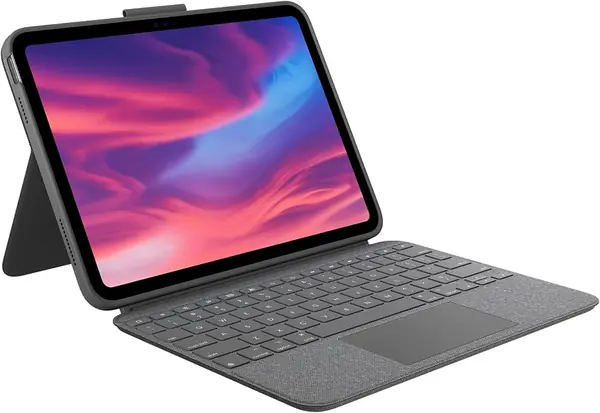
No battery, no pairing button, no charging cable to remember. The Combo Touch draws its power through the iPad's Smart Connector, so the keyboard is live the moment it snaps into place and there is no Bluetooth link to drop in the middle of a sentence. That one design decision is why it sits at the top of this guide rather than in the middle of it.

It also has the best keys of the third-party cases here. There is real travel under each one and a soft landing, so a long afternoon of notes does not leave our fingers flat, and the full row of iPadOS shortcut keys handles brightness, volume and screenshots without a trip back to the screen. The rear cover's kickstand is the other half of the appeal: it props the screen at a genuinely usable angle, and it stays there when the iPad is on your knees rather than a desk.

Four modes come out of the same hinge. Fold the keyboard back and the case lies almost flat for drawing with the Apple Pencil, which is the mode we used most on the couch. Lift the keyboard off entirely and the back cover keeps standing on its own, so you can watch something without a keyboard in your lap.

The price is the honest sticking point: this is the second-most expensive case in the group, behind Apple's. Whether that is worth it comes down to one question. If the iPad is a video-and-email machine, the cheaper picks here type perfectly well. If it is what you write on, this is the case that never gives you an excuse to stop.

Pros

  • No charging and no pairing to manage
  • Comfortable keys with a full shortcut row
  • Kickstand stays put away from a desk

Cons

  • Heavy at 572 g before the iPad
  • Tight fit makes the iPad hard to pull out
Our verdict

The Combo Touch is the keyboard case we point most people to: it never needs charging, never needs pairing, and the kickstand holds its angle away from a desk.
Check Latest Price
2

Apple Magic Keyboard Folio Best Apple Option

90 /100
TKZ Score Outstanding

Key details

Weight
1.96 lb
Connection
Smart Connector
Design
Two magnetic pieces
Function Row
14 keys
View on Amazon

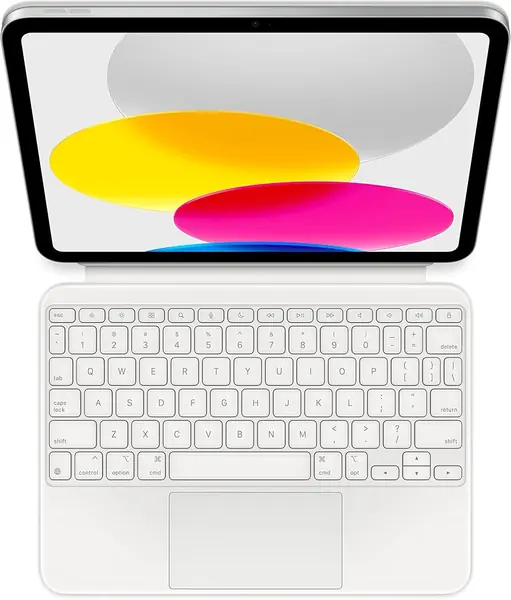
It is the most expensive case here, and what the money buys is the least fiddly experience in the group. The Magic Keyboard Folio uses the Smart Connector, so there is no pairing step, no charging cable and no wake-up delay — the keyboard is awake as soon as the magnets catch. The keys are crisp and quiet, and the 14-key function row puts brightness, volume and playback within reach. If writing is what you do on the iPad, this is the case that makes it feel least like a compromise.

The two-piece design is the part people either love or do not. One panel holds the iPad and becomes a stand you can tilt through a continuous range instead of parking it in a groove; the other is the keyboard, which snaps on magnetically and lifts away when you want to read or draw. Flatten it and the whole thing becomes a tablet again in a couple of seconds.

Protection is where it makes peace with being thin. The back panel covers the rear and the keyboard shields the screen when the case is closed, but the corners are not wrapped in anything. This is a case for someone who carries the iPad in a sleeve, not loose in a tote with keys and a water bottle.

Pros

  • Instant connection with no pairing or charging
  • Crisp keys and a 14-key function row
  • Continuous stand angle with a keyboard that lifts off

Cons

  • Two pieces come apart when carried
Our verdict

We reach for this one when the day is mostly writing: the keys are crisp, the trackpad is precise, and it is live the moment it snaps on.

Check Latest Price
3

ESR Flex Best Lightweight

89 /100
TKZ Score Excellent

Key details

Weight
1.17 lb
Trackpad
65% larger than standard
Viewing Angles
65° and 20°
Thickness
6.9 mm
View on Amazon

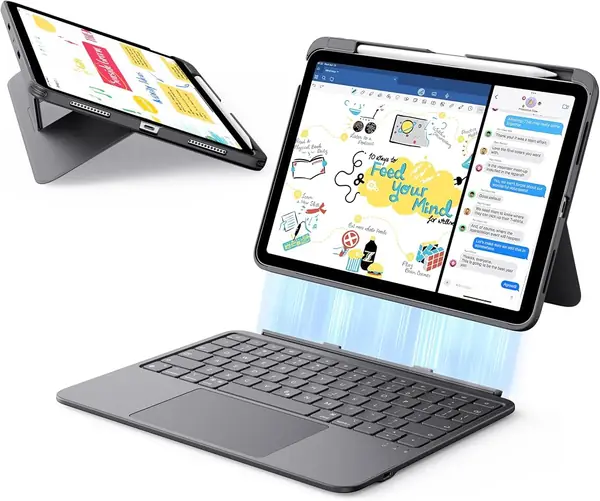
At 530 g and 6.9 mm thick, the Flex is among the lightest cases here, and that is the whole point. It slides into a tote beside a laptop and a water bottle without turning the walk to the train into a workout, and the plain dark cover is the kind of thing you stop noticing, which on a case that is going to get scuffed is a feature rather than a flaw.

The keyboard attaches magnetically and lifts off, and because it pairs over Bluetooth it keeps working when you set it down on the table. The trackpad is the surprise: it is 65% larger than the pads on typical keyboard cases, and the extra width is what makes a three-finger swipe between apps feel natural instead of cramped. Keys are well spaced and backlit in a single color, and battery life is the one thing we stopped thinking about after the first charge.

Where it lands: the middle of the price range, well under the two premium cases, doing the jobs most people actually need — typing, a pointer, a stand for video. Of everything here, this is the one we hand to someone who wants the iPad to stay a tablet that happens to have a keyboard.

Pros

  • Light enough to live in a bag
  • Large trackpad with smooth gestures
  • Keyboard detaches and keeps working

Cons

  • Only two fixed viewing angles
Our verdict

This is the keyboard case we carry when the bag is already full: 530 g, 6.9 mm, and a trackpad that makes the iPad feel like a small laptop.

Check Latest Price
4

ESR Rebound Best for Laptop Feel

88 /100
TKZ Score Excellent

Key details

Weight
1.87 lb
Backlight
Single color
Trackpad
Multi-touch gestures
Stand
Magnetic cantilever
View on Amazon

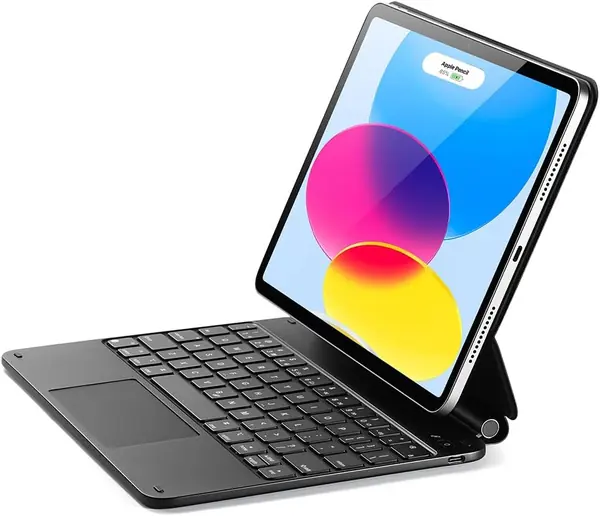
Open it and the Rebound reads as a Magic Keyboard lookalike: the iPad floats above the keys on a cantilever arm, with a plain dark cover wrapped around the whole thing. It is the closest thing here to Apple's design for a fraction of the money, and it manages the impression without looking like a knockoff.

The floating arm is what earns it a place. Instead of grooves, you get a hinge that holds anywhere from nearly flat to fully upright, and the screen sits higher off the desk than it does on a folio, which is the difference between typing for ten minutes and typing for an hour. The hinge is stiff enough that the screen stays where you put it, and the cover has real structure rather than the floppy padding you find on cheap folios.

The keyboard is a 64-key layout with single-color backlighting and a multi-touch trackpad that handles the usual iPadOS gestures. The iPad is held to the back panel by magnets, so if you pick the whole thing up by the screen it can slide off the magnetic pad — carry it by the base and it stays put.

Put it on a desk and it behaves like a small laptop: the screen sits high, the trackpad is where your thumb expects it, and the assembly stays put while you type. That is a narrow brief, but it is the brief a lot of students and desk workers actually have.

Pros

  • Floating stand adjusts to any angle
  • Stiff hinge keeps the screen where you set it
  • Magic Keyboard look at a much lower price

Cons

  • Heavy at 0.85 kg
Our verdict

We like it for a desk that is not really a desk: the floating arm sets the screen at eye level and you get the Magic Keyboard look for a fraction of Apple's price.

Check Latest Price
5

ZAGG Rugged Book Best Drop Protection

87 /100
TKZ Score Excellent

Key details

Weight
1.8 lb
Battery
Up to 2 years between charges
Bluetooth
Two devices at once
Drop Protection
Up to 6.6 feet
View on Amazon

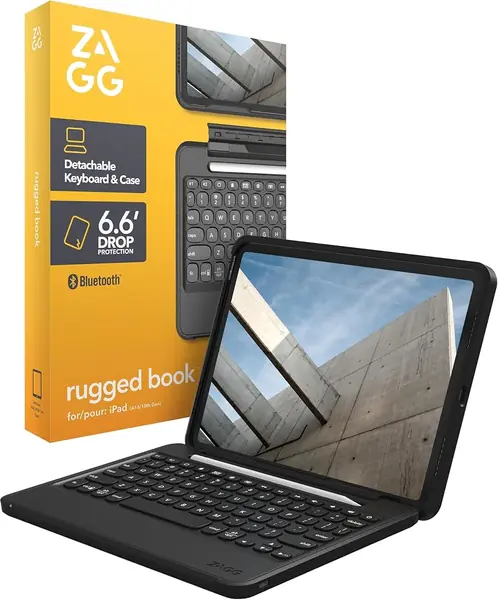
A 6.6-foot drop rating is the headline, and it is the only figure of its kind in this group. The Rugged Book wraps the iPad in polycarbonate and soft silicone, with a magnetic hinge for the screen and a keyboard that pulls off entirely when you want the tablet on its own.

The keyboard is the pleasant surprise. Laptop-style membrane keys, seven backlight colors and 84 keys, and it pairs with two devices at once, so you can switch it between the iPad and a phone without re-pairing either one. The rechargeable battery is rated to run up to two years between charges, depending on how much you lean on the backlight.

The shell covers the corners, leaves the ports reachable, and shrugs off being stuffed into a bag. Nothing about the outside of this case is delicate, which is the point of buying it.

So it is a specific purchase: the iPad that goes to school in a backpack, rides in a work truck, or gets passed around a family. For a tablet that lives on a desk, the extra protection buys you nothing, and the cheaper cases here will do the same job.

Pros

  • 6.6-foot drop protection
  • Battery rated up to two years between charges
  • Pairs with two devices at once

Cons

  • Hinge can stiffen and eventually fail
  • Heavy at 1.8 pounds
Our verdict

If the iPad rides in a backpack or a work truck, this is the one we hand over: it is the only case here rated for a 6.6-foot drop.

Check Latest Price
6

typecase Touch Best for Portrait Reading

86 /100
TKZ Score Excellent

Key details

Backlight
11 colors
Modes
Seven
Charging
USB-C
Hinge
360° rotating
View on Amazon

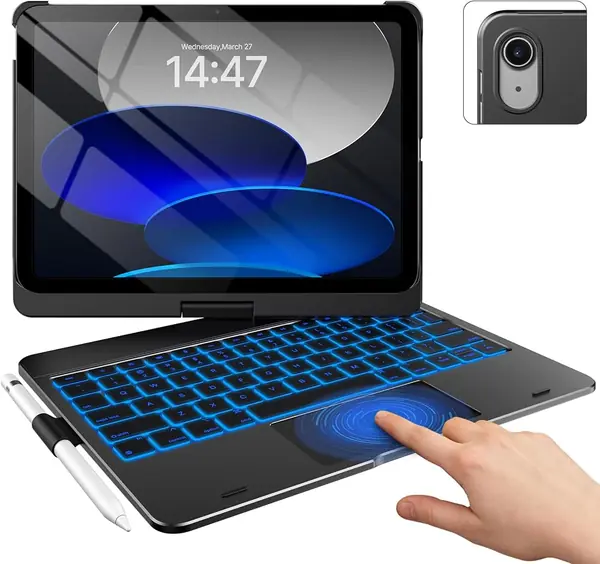
The hinge is the product. It rotates a full 360 degrees, so the same case stands like a laptop for typing, folds flat over the keys for reading, and holds the screen in portrait for a comic, a recipe or a long PDF. Of the cases here, it is the one that asks you to give up the least when you stop typing.

The rest of the spec sheet fills in the details: 11 backlight colors, a multi-touch trackpad with palm rejection, a full row of iPadOS shortcut keys, a hard shell that covers the sides and corners, an Apple Pencil holder and a USB-C rechargeable battery. Seven modes sounds like marketing until you count the ways you actually use a tablet in a day.

The trade-off is thickness. A rotating hinge and a hard shell add bulk to a tablet that was designed to be thin, so this is a case you leave on rather than swap on and off — which, given how much it does, seems like a fair swap to make.

Pros

  • Rotates 360° for portrait and tablet modes
  • 11 backlight colors and a full shortcut row
  • Hard shell covers the sides and corners

Cons

No notable drawbacks to flag.

Our verdict

We recommend it to anyone who reads or sketches in portrait: the hinge spins all the way around, so the same case is a laptop and a tablet.

Check Latest Price
7

Hamile Keyboard Case Best for Kids and Spares

85 /100
TKZ Score Excellent

Key details

Backlight
7 colors
Charging
USB cable
Viewing Angles
3 grooves
Keyboard
Magnetic detachable
View on Amazon

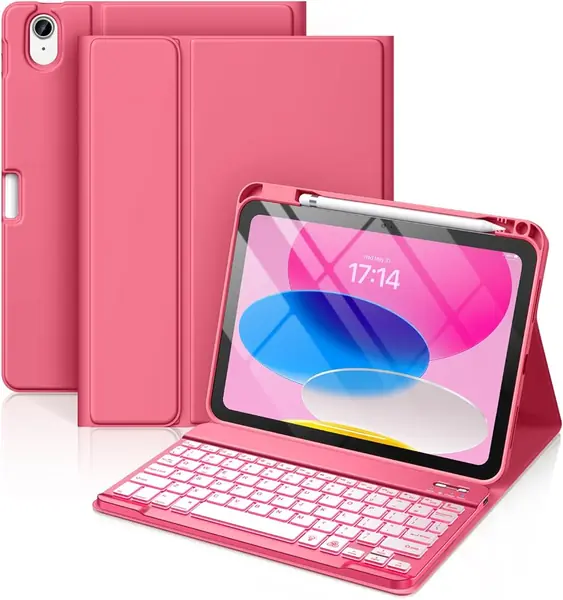
The cheapest case here, and it still arrives with backlit keys, a 78-key layout, three groove angles, an Apple Pencil holder and a keyboard that detaches magnetically. The backlight cycles through seven colors — the kind of thing that sells a case to a twelve-year-old and turns out to be genuinely useful at night.

The keyboard charges over USB and runs a 420mAh battery, and the case has a soft, slightly padded feel that is more considerate of a tablet in a backpack than the price suggests. The grooves hold the screen at a sensible angle for homework or a video, and the detachable deck means the iPad can go back to being a tablet without unclipping anything.

We like it most as a second case or a kid's case: the backlight and the pencil slot are the features that actually get used, and the price leaves room in the budget for a screen protector and a spare cable in the bag.

Pros

  • Backlit keys in seven colors
  • Three viewing angles and a pencil holder
  • Detachable keyboard at the lowest price tier

Cons

  • No trackpad, so no pointer control
  • Keys can wear out with heavy use
Our verdict

Our pick for a kid's iPad or a spare tablet: backlit keys, three angles and a pencil holder for the least money in this guide.

Check Latest Price

How We Tested the Best iPad A16 Keyboard Cases

We started with every case sold as compatible with the iPad A16 and the 10th-generation 10.9-inch model, filtered to the ones with a real multi-touch trackpad and a keyboard that either detaches or folds out of the way, then cross-checked customer reviews and return complaints. That left 10, running from slim magnetic folios to rugged cases with reinforced corners.

Testing ran six months in the places these cases actually live: a commuter train, a kitchen table, a lecture-hall desk, and a couch. We wrote drafts and answered email on each, weighed every case on a kitchen scale with the iPad in and out, and carried it in a tote with keys for a week to see how the finish held up.

On the keyboard, we typed the same three paragraphs on each and noted key travel, whether the space bar registered at the edges, and how loud it was on a quiet train. The trackpad got its own pass: two-finger scrolling, tap-to-click, and cursor accuracy on small text. We paired each one over Bluetooth or the Smart Connector, walked into another room to see whether the link held, and timed how fast it reconnected after the iPad woke. Backlit models ran at full brightness so we could count the evenings between charges and check whether they pulled power from the iPad.

We dropped each case from waist height onto a wood floor and checked the corners, worked the hinges until they loosened, and watched for scuffs and smudges over a week of handling. Last, we set price against what you actually get — trackpad size, key feel, how steady the stand stays on a lap.

How to Choose an Ipad A16 Keyboard

Start With Connection and Charging

Smart Connector keyboards — the Logitech Combo Touch and Apple's Magic Keyboard Folio here — pull power straight from the iPad. Nothing to charge, nothing to pair, and nothing to fail quietly in a bag. Bluetooth models carry their own battery and link like any other accessory: more flexible, since a detachable deck such as the ESR Flex's keeps working across the room, but one more cable to pack and one more connection that can drop.

If you have ever arrived at a coffee shop with a dead keyboard, the Smart Connector is worth paying for. If you swap between an iPad and a Mac and want one deck for both, Bluetooth is the only option that does it.

Match the Stand to Where You Sit

A groove stand, like the Hamile's three slots, props the iPad at two or three fixed angles. It is simple, light, and perfectly fine on a table. A floating cantilever such as the ESR Rebound is a hinge you set anywhere between nearly flat and fully upright, which is what desk work for hours actually needs.

A 360-degree hinge, as on the typecase Touch, rotates to portrait and folds flat over the keys — the better choice for reading, recipes and sketching. Two-piece magnetic designs put the stand in the back panel and let the keyboard come away entirely, which is the lightest way to switch between typing and tablet.

Weigh It Before You Compare Features

Every case here adds weight to a tablet that was built to be held in one hand. A light folio around 530 g is the one that goes in a tote without a second thought; a cantilever or a rugged case, at close to twice that, turns the iPad into a small laptop that lives on a desk. Decide which of those two objects you want before you start comparing backlights, because you cannot have both.

Trackpads, Backlights, and What to Skip

The trackpad changes how the iPad feels more than any other feature. A large one, like the 65% bigger pad on the ESR Flex, makes three-finger gestures natural; a small one sends you back to tapping the screen. Backlighting matters less than the colors suggest — one color at adjustable brightness is plenty in a dark room, and multicolor lighting drains the battery faster.

Prioritize a full row of iPadOS shortcut keys over RGB effects. Brightness, volume and screenshot keys get used every single day, and on a tablet they save an awkward reach to the top of the screen.

The Traps in the Listings

Two different tablets get called an iPad 11-inch, and only one of them takes these cases. Check the model number on the back of your iPad — A3354, A3355 or A3356 for the A16, A2696, A2757 or A2777 for the 10th generation — against the listing before you order.

Read magnetic carefully as well. It can mean a keyboard that lifts off the case, a stand that holds the tablet up, or both, and those are very different promises once the case is in your hands.

Frequently Asked Questions

Final Verdict

The Logitech Combo Touch is the case we recommend to most people. The Smart Connector removes the two failures that make keyboard cases annoying — a dead battery and a dropped pairing — and the kickstand works away from a desk, which is more than most folios manage.

If the bag is already full, the ESR Flex does most of the same job at 530 g and a lower price. And if the iPad is where you actually write, Apple's Magic Keyboard Folio still has the best keys on this page.