Best Tablets for Homeschooling of 2026

Homeschool mornings at my house start at the kitchen table with a math lesson, which for the first year meant a tablet propped against a cereal box, sliding flat every few minutes while I held the charger in with one hand. The tablet a kid watches cartoons on and the tablet a kid does schoolwork on are rarely the same machine.

My team and I spent six months with 12 tablets — kid-branded ones in foam cases, 2-in-1 bundles with a keyboard, and full-size 13-inch screens — and the gaps showed up where spec sheets don't. Many of the giant memory numbers on budget listings are partly virtual memory borrowed from storage; what actually keeps a lesson from stalling is real RAM and a decent processor. Brightness matters more than resolution in a bright kitchen, and parental controls are only worth something if your kid can't wriggle out of them.

Homeschool budgets are real budgets, so I weighed what ships in the box too — a case, a keyboard, and a stylus change what you're really paying. The picks below are sorted by the kind of school day you're running.

The Best Tablets for Homeschooling

1

Lenovo Idea Tab Best Overall
87 /100
TKZ Score Excellent

Key details

Display
11 inches, 2560 x 1600, 90Hz
Memory And Storage
4GB RAM, 128GB storage
Included Accessories
Tab Pen, folio case
Battery Life
Up to 12 hours
View on Amazon

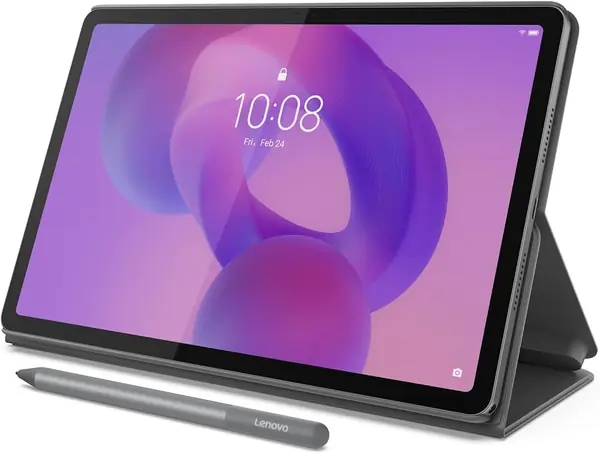
The Lenovo Idea Tab is the closest thing here to a laptop replacement for a student who reads and writes more than they play games. The 11-inch 2.5K panel gives PDFs, lesson slides, and reading apps enough room to avoid the cramped feel of a 10-inch 720p screen, and the 90Hz refresh makes scrolling through long pages easier on the eyes. The included Tab Pen and folio case matter more than the spec sheet suggests: the pen turns the tablet into a handwriting and annotation surface, while the case props it up for video lessons without a separate stand. You get 128GB of storage plus a microSD tray, Android 15, and an advertised 12-hour battery.

For most homeschooling families, that mix is the best default in this group. It is a tablet first, so a child can read, watch, and draw, but the display and pen make it useful for an older student taking notes or working through a lesson. It is not a laptop, and it is not the right choice if typing is the main job; the YLEEBG bundle covers that ground. What the Lenovo gives you instead is a better screen and a more polished study experience, with the pen and case already in the box.

Pros

  • 11-inch 2.5K 90Hz display
  • Pen and folio case included
  • 128GB storage plus microSD

Cons

  • Only 4GB of physical RAM
Our verdict

We recommend the Lenovo Idea Tab for most homeschooling families because its 11-inch 2.5K screen and included pen make lessons, reading, and note-taking feel less cramped.
Check Latest Price
2

YLEEBG 13 Inch Tablet Best Large-Screen Study Station

86 /100
TKZ Score Excellent

Key details

Display
13.4 inches, 1920 x 1200, 120Hz
Memory And Storage
36GB RAM (6GB + 30GB), 256GB
Included Accessories
Keyboard, mouse, stylus, case
Battery Life
16 hours claimed
View on Amazon

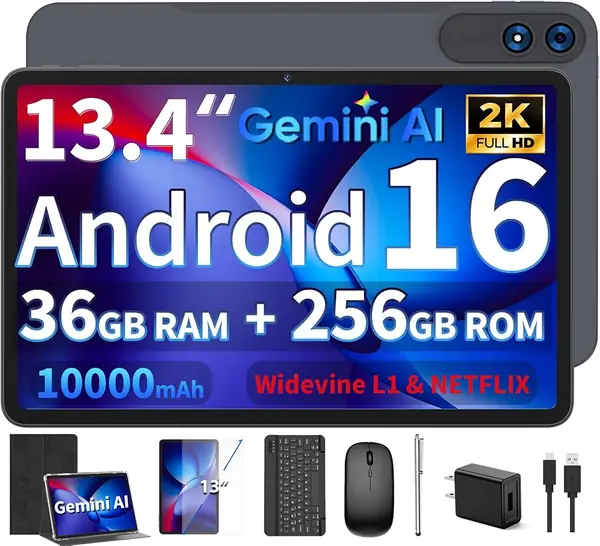
A 13.4-inch tablet takes up real desk space, and that is the point of the YLEEBG. The 1920 x 1200 screen runs at 120Hz, so lesson slides, split-screen research, and video playback have room to breathe, and the package includes a Bluetooth keyboard, mouse, stylus, and protective case. This is a shared desk station more than a take-along tablet: older students can type an essay, switch to the pen for math, and prop the screen for a video lesson without hunting for accessories.

We recommend it for a dedicated homeschool table, especially when one older student needs a big canvas and a keyboard. The 256GB of storage is generous for downloaded courses, and the 16-hour battery claim gives you room to get through a school day. The trade-off is portability and polish: a 13.4-inch slab is not something a young child carries around, and this is a budget 2-in-1, not a premium one. If you need the best screen and pen for reading, the Lenovo is the more balanced choice; if you want the biggest shared desk setup, this is it.

Pros

  • 13.4-inch 120Hz display
  • Keyboard, mouse, stylus, and case included
  • 256GB storage for downloads

Cons

  • Only 6GB of physical RAM
Our verdict

Our pick for a dedicated desk is the YLEEBG: a 13.4-inch 120Hz screen with a keyboard, mouse, stylus, and case for older students.

Check Latest Price
3

COLORROOM C30 Kids Tablet Best for Young Kids

85 /100
TKZ Score Excellent

Key details

Display
10.1 inches, 1280 x 800
Memory And Storage
10GB RAM (4GB + 6GB), 64GB
Battery Capacity
6000mAh
Parental Controls
Google Kids Space
View on Amazon

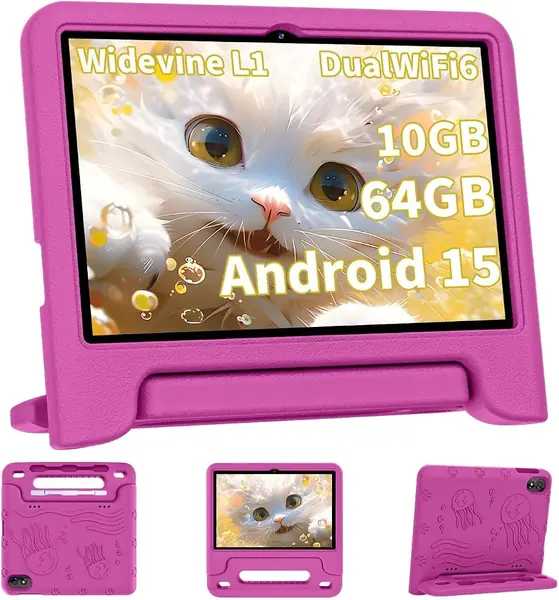
The EVA case is the first thing a parent notices, and it is a big part of why the COLORROOM works for young children. The 10.1-inch screen is large enough for reading apps and video lessons, and Google Kids Space gives you a child-facing home screen with parental controls rather than a bare Android launcher. The case has a stand and a chunky feel that suits a tablet living on the floor, the couch, and the kitchen table.

We recommend it as a young child's main tablet, roughly the 4-to-8 range, where a rugged case and simple controls matter more than a sharp screen. The 64GB storage holds a good stack of apps and downloaded videos, and the octa-core processor is fine for early reading, drawing, and lesson videos. The 10GB RAM figure is 4GB physical plus 6GB virtual, so treat it as a light-use tablet rather than a multitasking machine.

It is not the pick for a teenager typing essays or a student who needs a high-resolution display; the 1280 x 800 panel and entry-level processor are the limits. For a younger child, the combination of Google Kids Space and a case that can take a tumble is the reason to choose it. The Evermyth is the alternative if a stylus matters; the Lenovo is the step up if the tablet will be shared with an older student.

Pros

  • Rugged EVA case with stand
  • Google Kids Space parental controls
  • 64GB storage for apps and video

Cons

  • Charging port is a recurring weak point
Our verdict

We like the COLORROOM C30 for young kids who need Google Kids Space, a chunky protective case, and a big screen without a premium-tablet price.

Check Latest Price
4

Evermyth Kids Tablet Best Kids Bundle with Stylus

84 /100
TKZ Score Excellent

Key details

Display
10 inches, 1280 x 800
Memory And Storage
24GB RAM, 64GB storage
Included Accessories
Stylus, protective case
Parental Controls
UKIDOZ Kids Space
View on Amazon

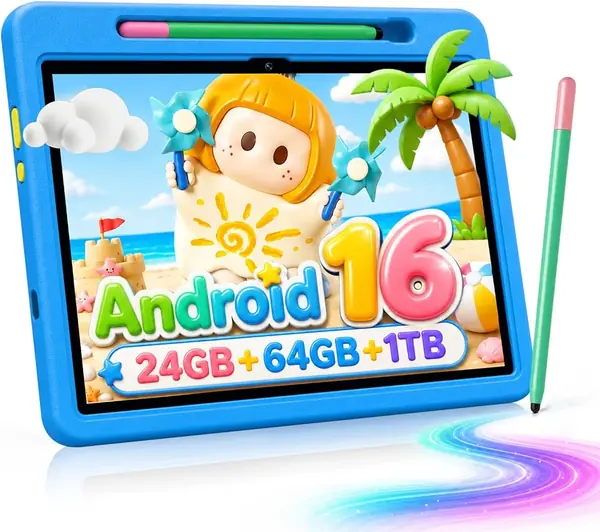
The stylus is the detail that makes this Evermyth tablet feel more like a creative tool than a hand-me-down screen. It ships with a protective case that has an adjustable stand, and the 10-inch display is sized for tracing letters, drawing, and early learning apps. The UKIDOZ Kids Space gives parents a kid-safe launcher, and the 64GB storage leaves room for a child's app library and a few downloaded videos.

For a creative 5-to-9-year-old, the included stylus and case are the reason to choose it over a plain kids tablet. The 6000mAh battery and WiFi 6 cover a school day of lessons and videos, and the Android 16 software keeps the app situation current. This is not the tablet for a student who needs a keyboard for essays; the YLEEBG or Ioojcck bundles are the better fit there. The brand is less familiar than Lenovo, so buy it where returns are straightforward.

Pros

  • Stylus and protective case included
  • UKIDOZ Kids Space for parental controls
  • 64GB storage for apps and downloads

Cons

No notable drawbacks to flag.

Our verdict

The Evermyth kids tablet earns our nod when you want a stylus and protective case in the box, with enough screen space for early reading and drawing apps.

Check Latest Price
5

TECLAST P35 Best Budget for Streaming

83 /100
TKZ Score Excellent

Key details

Display
10.1 inches, 1280 x 800
Memory And Storage
16GB RAM (3GB + 13GB), 32GB
Battery Capacity
6000mAh
Streaming Support
Widevine L1
View on Amazon

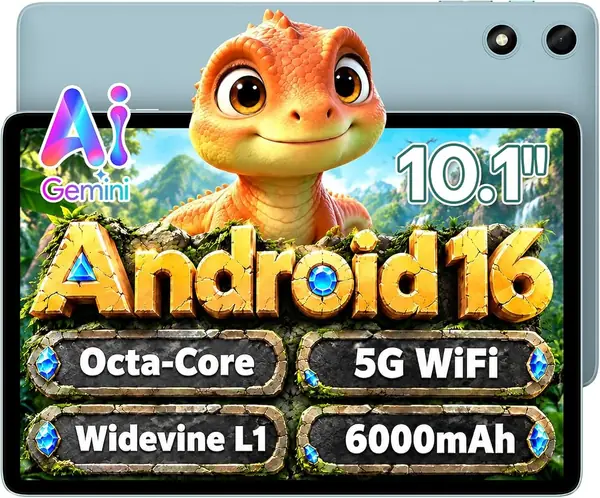
The P35's pitch is simple: a low price and Widevine L1 support for HD lesson streaming. That certification matters more than a slightly faster processor if your student watches recorded classes, documentaries, or educational videos, because it lets streaming apps serve high-definition video instead of a soft standard-definition stream.

The 10.1-inch 1280 x 800 display is basic but readable for a single student at a desk, and Android 16 with Google Play keeps the app situation familiar. The 6000mAh battery is rated for 10 to 12 hours of video playback, which is enough for a school day if you charge it at night. Kids mode and parental controls give you a starting point, though this is not a rugged kids tablet out of the box.

We recommend the P35 when the job is reading, video, and light apps, not creative work or a house full of simultaneous users. The kids mode and parental controls are a starting point, not a full substitute for sitting with a younger child. If you need a sharper screen, the Lenovo; if you need a keyboard, the Ioojcck or YLEEBG.

Pros

  • Widevine L1 for HD streaming
  • Android 16 with Google Play
  • microSD expansion up to 2TB

Cons

  • Only 3GB of physical RAM
  • 32GB storage fills quickly
Our verdict

We made the TECLAST P35 our budget pick because it pairs Widevine L1 HD streaming and Android 16 with a price that leaves room for a microSD card.

Check Latest Price
6

Ioojcck 2-in-1 Tablet Best Budget Keyboard Bundle

82 /100
TKZ Score Excellent

Key details

Display
10.1 inches, 1280 x 800
Memory And Storage
18GB RAM (6GB + 12GB), 128GB
Included Accessories
Keyboard, mouse, stylus, case
Battery Capacity
6000mAh
View on Amazon

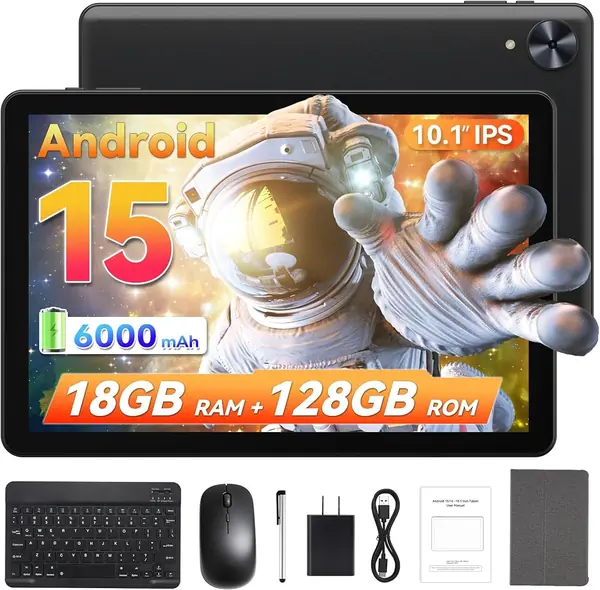
The Ioojcck bundle arrives with a keyboard, mouse, stylus, and case, which sounds like a complete school setup until you look closely at the memory. The 18GB RAM figure is 6GB physical plus 12GB virtual, so the real question is whether a lightweight Android tablet can handle the apps your student uses.

For typing notes, answering email, and watching a lesson video, the package makes sense. The keyboard is the useful part: it turns the tablet into a mini-laptop for short writing tasks, and the 128GB storage leaves room for documents and downloads. The 10.1-inch 1280 x 800 screen is fine for reading and video, though it is not the sharpest display here.

The 6000mAh battery is rated for about 8 hours, so plan on a nightly charge. The included mouse and stylus are nice to have, but the stylus is a basic tool rather than a precision pen for art. Android 15 is a step behind the Android 16 tablets in this group, though it remains familiar and easy to navigate.

We recommend it for a budget-minded family with an older student who needs a keyboard more than a high-resolution screen. It is a better fit for short writing tasks and video lessons than for heavy multitasking or creative work. If you want a nicer screen and pen, the Lenovo; if you want a bigger desk screen, the YLEEBG.

Pros

  • Keyboard, mouse, stylus, and case bundle
  • 128GB storage for schoolwork
  • 6000mAh battery

Cons

No notable drawbacks to flag.

Our verdict

We like the Ioojcck bundle for an older student who types, as long as you understand that its 18GB RAM figure is mostly virtual.

Check Latest Price
7

SCREENOVATE 10.1 Inch Tablet Best for Rugged Everyday Use

81 /100
TKZ Score Excellent

Key details

Display
10.1 inches, 1280 x 800
Memory And Storage
32GB RAM (8GB + 24GB), 128GB
Included Accessories
Rotating EVA case
Parental Controls
Google Kids Space
View on Amazon

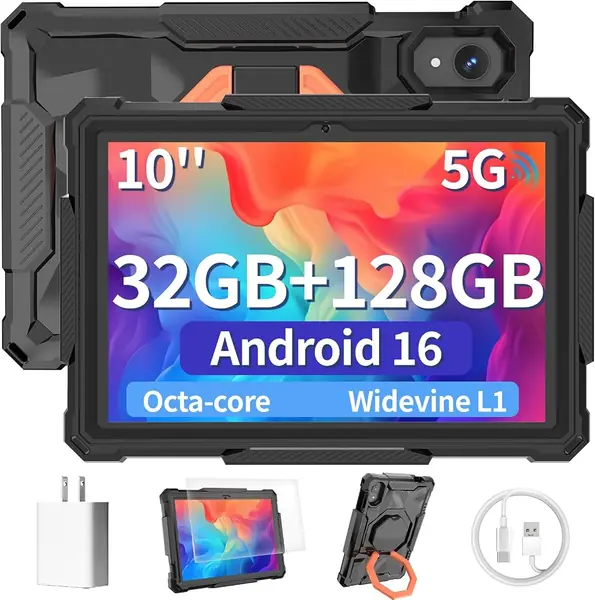
A shared homeschool tablet gets dropped, propped against a cereal box, and passed between kids, which is the use case the SCREENOVATE's rotating EVA case is built for. The 10.1-inch screen is a familiar size for reading and video, and the case adds a stand and a bit of drop protection.

The 128GB of storage is the standout specification. That is enough room for downloaded lessons, offline videos, and a stack of educational apps without reaching for a microSD card on day one, and the 32GB RAM total is a combination of 8GB physical and 24GB virtual.

Android 16 with Google Kids Space and Family Link gives parents a way to manage apps and screen time, and the 6000mAh battery is in line with the other 10-inch tablets here. This is a tablet for a child who needs a durable everyday device, not a student who needs a keyboard for essays.

We are cautious about making it the main tablet in a family because the brand is less established and the long-term support picture is less clear. The hardware makes sense for a second tablet, a travel device, or a kid who is rough on electronics. If you want a more proven kids tablet, the COLORROOM or Evermyth are the better-known choices; if you want a bigger screen for a desk, the YLEEBG.

Pros

  • 128GB storage for downloads
  • Rotating EVA case with stand
  • Google Kids Space and Family Link

Cons

No notable drawbacks to flag.

Our verdict

We recommend the SCREENOVATE tablet when 128GB storage and a rotating EVA case matter more to you than a familiar brand name.

Check Latest Price
8

EDUAITABLET Kids Tablet First Kids Tablet

80 /100
TKZ Score Excellent

Key details

Display
10.1 inches, 1280 x 800
Memory And Storage
16GB RAM, 32GB storage
Included Accessories
EVA case
Battery Capacity
6000mAh
View on Amazon

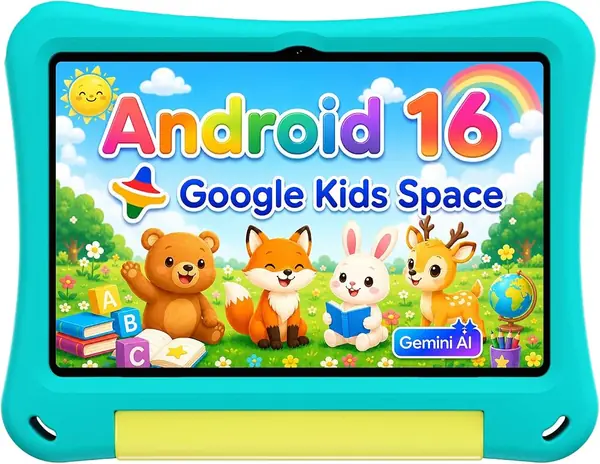
The teal case makes the EDUAITABLET look like a cheerful first tablet, and the 10.1-inch screen and EVA bumper are aimed squarely at small hands. Android 16 with Google Kids Space gives you the parental-control basics, and the fold-out stand helps with video lessons at the kitchen table.

The 6000mAh battery is sized for reading apps, drawing, and downloaded videos, and the 10-inch size is easier to share than a 13-inch desk tablet. This is a tablet for a 4-to-7-year-old who needs a first device, not for an older student who needs to type.

We are cautious about making it the only tablet in a homeschooling family because the brand is less familiar and the hardware is entry-level. That is not a reason to rule it out for a second child or a backup device; the case and kid-focused software are the useful parts. If you want a more established kids tablet, the Evermyth or COLORROOM are better-known options; if you want a sharper screen, the Lenovo.

Pros

  • Android 16 with Google Kids Space
  • EVA case and fold-out stand
  • 6000mAh battery for lesson time

Cons

  • 32GB storage fills quickly
Our verdict

We see the EDUAITABLET as a cheerful first kids tablet with Android 16 and an EVA case, though the lesser-known brand makes it a cautious pick for a main device.

Check Latest Price

How We Picked and Tested Homeschooling Tablets

We started by collecting every tablet sold for study or for kids: the kid-branded ones with foam bumpers, the 2-in-1 bundles with a keyboard and mouse, and the plain 10- and 13-inch models in between. We dropped anything running an outdated version of Android, anything without a memory card slot, and anything smaller than 10 inches, since that's roughly where a worksheet stops needing pinch-zoom. That left 12 tablets, and we spent six months living with them — morning lessons at the kitchen table, afternoon reading on the couch, and a rotating few riding to co-op classes in a backpack next to a water bottle.

The first week with each device followed the same script. I unplugged it at 8 a.m. and ran a normal school day — a video lesson, a math app, a few browser tabs, some drawing — then checked the battery percentage at 3 p.m. and again at bedtime. To judge screens, I read a PDF beside a bright window and noted whether I was squinting. To judge speed, I opened five tabs and a video call at once and watched for stalls when switching between them. To judge parental controls, I set a time limit and a bedtime lock, then handed the tablet to a 7-year-old who has made a hobby of defeating them.

Durability got its own treatment: table-height drops onto tile, a week in a backpack with a metal lunchbox, and plenty of couch flops. The thick-cased kid models mostly shrugged it off; the slimmer ones picked up scuffs at the corners. Over the six months we also logged the small things — surprise restarts, touchscreen edges that went mushy, a stylus that stopped pairing, a keyboard case that wouldn't hold its angle — and noted exactly what came in each box, because a bundled case and stylus often matter as much as the tablet itself.

How to Choose a Homeschooling Tablet

Start With the Screen, Not the Spec Sheet

A 10-inch screen is the practical minimum for reading lessons, watching a teacher, and using a split-screen app. Resolution matters more than size once you get past 10 inches: a 1280 x 800 panel is fine for video, but a 2K screen makes PDFs and handwriting much easier to read. A 13-inch tablet like the YLEEBG works as a shared desk station, but it is too big for a child to hold on the couch. Consider where the tablet will live before you size up.

Separate Physical RAM From the Headline

Budget tablets often advertise a big RAM number made up of physical memory plus virtual expansion. The physical figure is the one that determines how many apps stay open, so look for it in the specs or in the configuration line. We treat 4GB as workable for reading and video, 6GB as more comfortable for typing and split-screen work, and anything labeled 16GB or 32GB as a number to verify. Storage is separate: 64GB is a sensible starting point, and 32GB only works if you add a microSD card.

Decide if You Need a Keyboard or Pen

A keyboard changes the tablet from a consumption device into a writing tool, which matters for older students typing essays or joining video classes with a chat window open. Buy a bundle if typing is regular, because matching a Bluetooth keyboard later is possible but adds friction. A pen is more personal: it helps with handwriting, math, and annotating, but only if the tablet supports an active stylus. The Lenovo Idea Tab includes its pen; the YLEEBG and Ioojcck bundles include keyboards.

Treat Parental Controls and the Case as a System

Google Kids Space and Family Link give you a child-facing launcher, app limits, and content filters, but they work best when you set up a separate child profile rather than handing over your own. A rugged EVA case is not a license to stop supervising; it buys time against drops and gives small hands something to grip. Check that the case has a stand for video lessons and that the charging port is easy to reach. For young children, these features matter more than a sharper screen.

Plan Around Battery and Charging

Most 10-inch tablets here use a 6000mAh battery, with claimed runtimes of roughly 8 to 12 hours; a 13-inch model can claim more but is also heavier. Claims are not the same as a school day, so plan on a nightly charge and keep a charger at the desk. Charging ports are the weak point on several budget kids tablets, so avoid strain on the cable and buy where returns are simple. A power bank helps for co-op days, but it adds another thing to charge.

Frequently Asked Questions

Final Verdict

For most homeschooling families, the Lenovo Idea Tab is the recommendation: the 11-inch 2.5K screen and included pen make daily reading, video, and note-taking easier, and 128GB of storage gives lessons room to breathe. If your student needs a keyboard at a dedicated desk, the YLEEBG bundle is the better fit. If you are buying for a young child, the COLORROOM's rugged case and Google Kids Space matter more than a sharper display.