Best Microphones for Interviews of 2026

The best interview you record all year can still sound like a speakerphone call from a parked car. I learned that in a noisy café, where a clip-on mic picked up every espresso grinder in the room along with my source. A good interview mic gets the voice close, keeps the room out, and lets you forget the gear while someone else is talking. It also has to match what you record into — phone, camera, laptop, or field recorder — because the wrong connector makes an excellent mic useless.

We spent seven months with 12 of them: wireless clip-on systems that live in a charging case, USB mics that sit on a desk, and one old-school XLR dynamic. Battery life turned out to be the spec people overrate on paper and underrate in practice — a transmitter that quits mid-conversation is worse than one with slightly thinner tone.

Sound quality, noise handling, and how quickly you can get rolling vary far more than the spec sheets admit. The picks below cover both the run-and-gun interview and the seated two-person sit-down.

The Best Microphones for Interviews

1

Hollyland Lark M2 Best Overall
96 /100
TKZ Score Outstanding

Key details

Transmitters
2
Battery With Case
Up to 40 hours
Transmitter Weight
0.32 oz
Receivers Included
Camera, USB-C, Lightning
View on Amazon

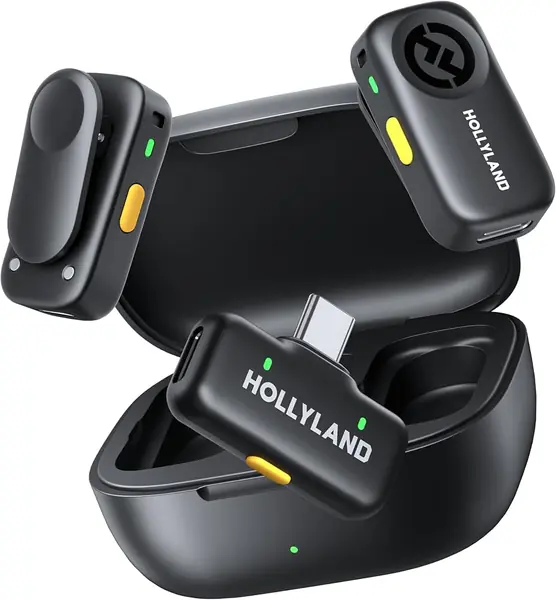
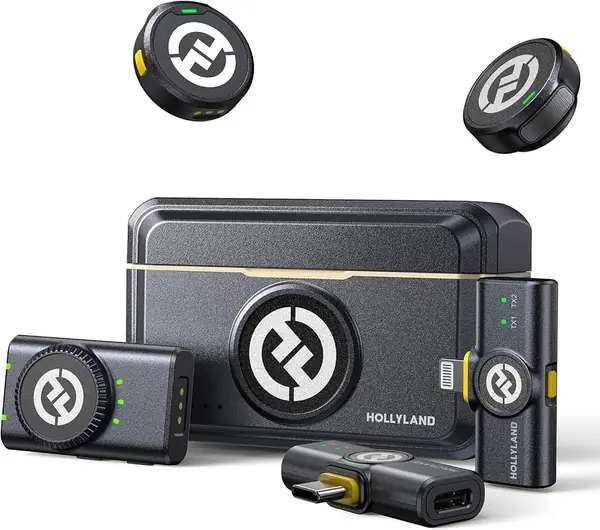
Three receivers come in the charging case: one for a camera, one USB-C, one Lightning. That is the reason the Lark M2 is our top pick for interviews. Whichever device you record into — your phone, your subject's phone, a mirrorless camera — you already own the receiver for it, and nobody is digging through a drawer for an adapter while the guest waits. The transmitters themselves weigh nine grams each, and the magnet clip holds through a shirt collar or a silicone necklace when there is no lapel to grab.

Sound is what kept us coming back to it. The system records at 48kHz/24-bit with a 70dB signal-to-noise ratio, and voices landed crisp and full rather than thin. Two transmitters is the part that matters for an interview: both people are miked at the collar, so the person listening does not sound like they are across the room. One press on the transmitter engages noise cancelling, useful in a hallway or a café, though it lowers the room rather than silencing it.

Battery is the other reason it travels well: ten hours per transmitter with noise cancelling off, and roughly 40 hours once the case is counted, so we charge it weekly rather than nightly. The camera receiver also flips between mono and stereo, which is worth knowing if you want each speaker isolated on a separate channel for editing; record into a phone and that choice disappears, and you get a single mixed track.

Placement deserves a minute of thought. The magnets grab metal zippers and buttons, so check before you trust a magnet-only mount on a jacket, and keep the clip covers as the fallback. Otherwise the kit is ready the moment you open the case: receivers paired, transmitters charged, nothing to install. For a two-person sit-down, that readiness is most of what you are paying for, and it is why this one leaves the office with us.

Pros

  • Two transmitters cover interviewer and subject
  • Camera, USB-C, and Lightning receivers included
  • Nine-gram transmitters hide easily
  • About 40 hours of use with the case

Cons

  • Noise cancelling lowers the room rather than silencing it
  • Shorter total runtime than the DJI Mic Mini
Our verdict

Our top pick for two-person interviews: two transmitters, plus camera, USB-C, and Lightning receivers in one charging case, so any device in the room works.
Check Latest Price
2

DJI Mic Mini Best Battery Life

95 /100
TKZ Score Outstanding

Key details

Transmitters
2
Battery With Case
Up to 48 hours
Transmitter Weight
0.35 oz
Range
Up to 400 m
View on Amazon

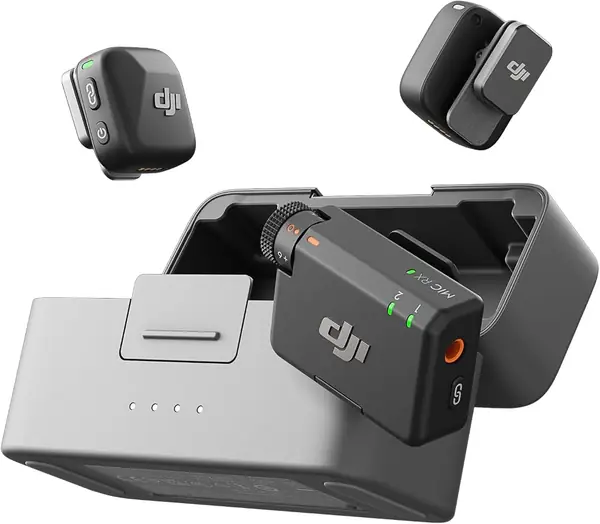
There is no Lightning adapter in the DJI Mic Mini box. You get a USB-C phone adapter, a camera cable, and that is the lot. On a USB-C phone the kit is genuinely plug-and-play; on an older iPhone it becomes an adapter errand, and that difference shows up in the first five minutes of setting up rather than in the recording.

What we like is how little the rest of it asks of you. The transmitters weigh about ten grams, switching between the two noise-cancelling levels is one press, and automatic limiting keeps a laugh or a slammed door from clipping the take. The case carries the whole kit and pushes total use to a claimed 48 hours, which is more than a week of interviews for most people. That is why we stopped thinking about charging between shoots.

Range is listed at 400 meters, far beyond anything an interview needs. The more useful trick is that the transmitters pair directly with DJI's own cameras and gimbals, so on that gear you can leave the receiver in the case. On a USB-C phone with two people talking, this is the longest-running kit here and the easiest to hand to someone who has never used a wireless microphone.

Pros

  • Up to 48 hours of use with the charging case
  • Transmitters weigh about 10 g
  • Two noise-cancelling levels and automatic limiting
  • Camera and USB-C connections in the box

Cons

  • No Lightning adapter in the box
Our verdict

We recommend it for anyone recording to a USB-C phone or a camera: tiny transmitters, a case that keeps them charged, and the fewest setup steps of any kit here.

Check Latest Price
3

Shure SM58 Best Handheld for In-Person Interviews

94 /100
TKZ Score Outstanding

Key details

Connection
XLR
Polar Pattern
Cardioid
Power
None required
Frequency Response
50 Hz – 15 kHz
View on Amazon

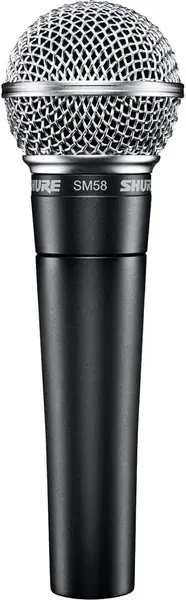
Some interviews are a conversation at a table: one person talks, the other listens, and the mic gets handed across. A handheld dynamic is built for exactly that. You hold the SM58 close, its cardioid pattern ignores most of the room, and there is nothing to clip on, pair, or charge between questions.

The sound is why it has stayed in service so long. A midrange lift makes speech cut through, the spherical grille carries a built-in pop filter that keeps plosives off the track, and the metal body survives being set down harder than you meant to. We like that the microphone has no state to manage — no battery indicator, no firmware, no pairing routine. It either has a cable in it or it does not.

The catch is XLR. There is no USB here and no cable in the box, so the SM58 needs an interface, a field recorder, or a mixer before it makes a sound on your computer, and that extra box is the real cost of owning one. For a podcast or a sit-down interview where the interface already exists, we think it is the most dependable thing on this page. For a phone-only kit, it is not a phone microphone at all.

Pros

  • Cardioid pattern keeps room noise and feedback down
  • No battery, firmware, or pairing to fail
  • Built-in grille tames plosives
  • Metal body handles being passed around

Cons

  • Needs an XLR interface or recorder
  • No cable included
Our verdict

We reach for this one when the interview happens across a table: a handheld that shrugs off room noise and never needs charging.

Check Latest Price
4

DJI Mic 3 Best for Group Interviews

92 /100
TKZ Score Outstanding

Key details

Transmitters
2, up to 4 paired
Battery With Case
Up to 28 hours
Channels
4
Receiver Connections
Camera, USB-C
View on Amazon

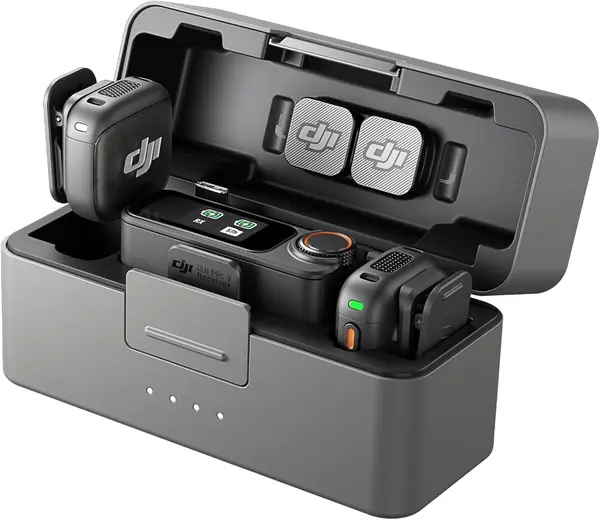
This is the same pocket-sized family as the DJI Mic Mini, aimed at a bigger room. The receiver pairs with up to four transmitters and outputs four channels, which turns a two-person interview into a four-person panel without a second receiver in your bag.

The additions are all about keeping levels sane when people are unpredictable. Adaptive gain pulls the level down when someone shouts and back up when they lean away from the mic, there are three voice tones and two noise-cancelling levels, and dual-band transmission is the specification that matters in a conference hall or on a trade-show floor where the airwaves are crowded. Twenty-eight hours with the case covers a full day of back-to-back interviews.

What you are buying is capacity and automation rather than a different kind of microphone. The transmitters are clip-on pucks, and a close-miked two-person conversation sounds like a close-miked two-person conversation. The phone adapter in the box is USB-C, so a Lightning iPhone needs its own, and those four channels only pay off if you actually put four people on mic.

Our take: for two people, this is more kit than the job needs, and the Lark M2 handles the same conversation for a fraction of the money. The moment three or four people are talking — a roundtable, a panel, a family interview — the extra transmitters and the crowded-room radio are worth the premium. That is when this one earns its place in the bag.

Pros

  • Pairs with up to four transmitters
  • Adaptive gain evens out loud and quiet speakers
  • Dual-band radio resists crowded venues
  • Up to 28 hours with the charging case

Cons

  • Costliest kit here for capacity two people never use
Our verdict

We think it is the right buy for panels and crowded venues: four transmitters per receiver, adaptive gain that looks after itself, and dual-band radio for busy rooms.

Check Latest Price
5

Hollyland Lark A2 Best Value Two-Person Kit

91 /100
TKZ Score Outstanding

Key details

Transmitters
2
Battery With Case
Up to 42 hours
Transmitter Weight
0.3 oz
Receiver
USB-C
View on Amazon

The Lark A2 is the cheaper Hollyland kit in this guide, and the feature we care about most is the one that saves takes: AI auto-limit pulls the level down when someone laughs or a door slams, and a safety track keeps a second, quieter copy of the recording. For interviews that beats another equalizer preset, because clipping is the mistake you cannot fix in editing.

The rest of the specification is respectable for the money. It records 48kHz/24-bit audio through 8.5-gram transmitters that clip on and go, with seven hours per transmitter or nine with power saving, and roughly 42 hours once the case is counted. Setup is genuinely plug-and-play into a USB-C phone, tablet, or laptop, and there is no app to install before the first take.

The receiver is USB-C and only USB-C. There is no Lightning option and no camera receiver, so this is a kit for current iPhones, Androids, and laptops, and simply not the one for a Lightning phone or a camera with a 3.5 mm input. Charging is the other thing to verify early: do a full charge and a ten-minute test recording the day it arrives, because a case that will not accept a charge takes the whole kit offline.

Pros

  • Auto-limit and safety track protect loud moments
  • Two 8.5-gram transmitters and a charging case
  • Plug-and-play into USB-C phones and laptops

Cons

  • Receiver works with USB-C devices only
Our verdict

We point USB-C recordists here: auto-limiting, a safety track, and two 8.5-gram transmitters for about half the price of our top pick.

Check Latest Price
6

ZealSound K66 Podcast-Style Interviews Recorded at a Desk

90 /100
TKZ Score Outstanding

Key details

Connection
USB, with USB-C and Lightning adapters
Polar Pattern
Cardioid
Monitoring
3.5 mm headphone jack
On-body Controls
Gain, volume, mute, echo
View on Amazon

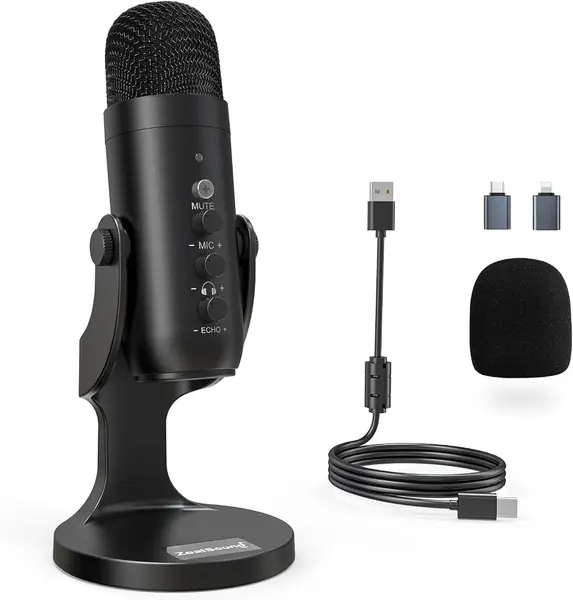
Plenty of interviews happen with both people sitting at a computer: a podcast, a remote guest on a call, a voice-over session. For that, a desk mic makes more sense than a lavalier. The K66 plugs into USB, sits on its base in front of you, and puts gain, volume, mute, and echo controls within reach of one hand.

We are pleasantly surprised by how much control sits on the body at this price: a gain knob, a monitoring knob, a mute button, and a 3.5 mm jack for zero-latency monitoring, so you hear what the recording hears instead of guessing. The cardioid capsule aims at your mouth and away from the desk, and both USB-C and Lightning adapters come in the box.

Two limits are worth knowing. A condenser picks up more of the room than a dynamic, so a hard, echoey office shows up in the track — hang a blanket behind you and keep the mic close. And the noise-reduction mode is processing rather than isolation: it thins the background and leaves voices sounding slightly hollow, so use it sparingly. Phone connection is where this one is fussiest, which makes a computer the safer host.

Pros

  • Gain, volume, and mute controls on the body
  • Headphone jack for zero-latency monitoring
  • USB-C and Lightning adapters included

Cons

  • Condenser capsule picks up more room than a dynamic
Our verdict

Our pick for desk-based, podcast-style interviews: hands-on gain and mute controls, live monitoring, and a plug-and-play setup that undercuts every wireless kit here.

Check Latest Price
7

PQRQP GT19 First-Time Buyers Who Need Any-Phone Flexibility

89 /100
TKZ Score Excellent

Key details

Transmitters
2
Range
Up to 328 ft
Receiver
Lightning, USB-C, 3.5 mm
Battery
Up to 10 hours per transmitter
View on Amazon

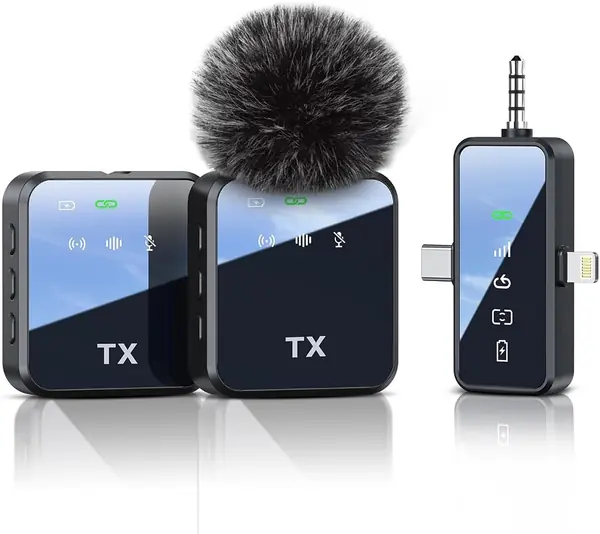
Three hundred and twenty-eight feet of range, two clip-on transmitters, and a single receiver covering Lightning, USB-C, and a 3.5 mm jack: the GT19's specification list reads like a kit costing far more. That range is roughly a football field, well beyond an interview across a table, so what it really buys is a stable link in a room full of phones.

Flexibility is the point of the design. One receiver with the connections built in means the same pair of mics can move from an iPhone to an Android phone to a camera without a second purchase, and the transmitters carry a back clip plus reverb and one-touch mute. Ten hours per transmitter covers a day of interviews, though there is no charging case here, so the mics charge over USB and a long shoot wants a cable and a battery pack.

We think of this as the starter kit: if you are recording your first interviews, or adding a second angle on a budget, the price of entry is low and the connection options are unusually complete. Do a two-minute test with both mics and every adapter you plan to use before an interview that matters. That habit is what separates a cheap kit from a risky one.

Pros

  • Receiver covers Lightning, USB-C, and 3.5 mm
  • Two transmitters in the box
  • Up to 328 ft of range

Cons

  • No charging case included
Our verdict

What we like for a first kit: two transmitters, a receiver that fits any phone or camera, and more range than a room requires.

Check Latest Price

How We Tested Interview Microphones

We started with research rather than shopping: reading spec sheets and long-term write-ups from working reporters and podcasters, then filtering by connector. Anything that couldn't record an hour without a recharge, needed proprietary software to function, or gave no way to check levels got cut. Twelve units made it through — wireless clip-on kits with charging cases, a couple of desk-bound USB mics, and one XLR dynamic.

Over seven months, each mic got the same two-person sit-down at a kitchen table with a dishwasher running one room over, and the same walking interview outdoors on a gusty afternoon, where we paced away from the receiver until the audio dropped. We clipped transmitters to collars, then handed the whole kit to someone who had never seen it and timed the trip from opening the case to actually recording.

On playback we listened for whether the noise cancellation removed the room or just hollowed out the voice. Battery claims got checked the unglamorous way: a full day of stop-and-start recording, noting how much charge was left and whether the case could refill a dead transmitter over lunch. Ease of use usually came down to buttons — whether mute was obvious, whether the receiver told us anything useful at a glance.

For connectivity, every mic went into an iPhone, an Android phone, a camera, and a laptop, and we noted which ones demanded an adapter, a dongle, or an app before they would pass audio at all. We also read the same paragraph into each one and listened back to back, mainly to see whether the pricier units actually sounded better or just louder.

How to Choose a Microphone for Interviews

Who Is Talking, and How Many of Them

One lavalier on a two-person conversation is the most common mistake in this category. The person wearing it sounds close; the other sounds like they are across the room, and no amount of editing evens that out. Count voices before you shop. For an interview, two transmitters is the right starting point, which is why the Hollyland Lark M2 and the DJI kits here come as pairs. A handheld like the Shure SM58 solves the same problem differently, by being passed from one speaker to the other. For three or four people, look for a receiver that pairs with more transmitters rather than buying two kits.

The Receiver Decides What It Works With

The receiver is what determines whether the kit works on the day, and it is the part shoppers check last. Three connection types cover nearly everything: USB-C for current phones and laptops, Lightning for older iPhones, and a 3.5 mm cable for cameras. A kit with only one of them ties you to a single device.

The trap is a listing that promises an iPhone microphone and ships a USB-C adapter only. Read the in-box list before you order, and if the adapter you need is missing, add it to the budget. The Lark M2 sidesteps the question by including all three receivers.

Placement and Pickup Pattern Beat Noise Cancelling

Every wireless kit here offers noise cancelling, and none of it beats putting the mic near a mouth. An omnidirectional lavalier at collar height picks up the voice first and the room second; the same mic set down on a table picks up the room first. Cardioid microphones — the handheld Shure, the desk condensers — reject more from behind and beside, which is why they suit hard, echoey rooms. Treat noise reduction as cleanup rather than isolation: it will pull down a fan or a hum, and it will not stop a café from being audible on the track.

Battery, Charging, and Setup Effort

Two things end interviews early: a dead battery and a setup step that needs a laptop. A case that recharges both transmitters is worth more than a small gain in specification, because the kit is ready when you pick it up. Plug-and-play matters more here than tweakability, since the shorter the gap between a flubbed answer and recording again, the better the interview. XLR microphones trade that convenience for dependability: nothing to charge, but an interface has to be on the table, plugged in, and set before anyone speaks.

Frequently Asked Questions

Final Verdict

For most interviews, the Hollyland Lark M2 is the one to buy: two transmitters so both people are miked, and three receivers so the phone, the camera, and the backup device all work without a trip to the adapter drawer.

Choose differently in two cases. If the interview happens across a table and you already own an XLR interface, the Shure SM58 will outlast every wireless kit here. If three or four people are talking, or the venue is thick with other people's radios, the DJI Mic 3's extra transmitters and crowded-room radio earn their premium.