Best iPad Pro 13-Inch Keyboards of 2026

A keyboard case is what turns a 13-inch iPad Pro into something you can actually work on, and it's also the fastest way to make one feel like a brick. The wrong case doubles the weight, adds a hinge that flops at the angle you need, and makes you pry the tablet out every time you want to read it. The right one just becomes how you use the iPad.

I've worked off a 13-inch iPad for years, and our team has spent the past six months typing on 12 keyboard cases to separate the good ones from the merely compatible. Two things never show up on a spec sheet: a 360-degree swivel is useful right up until the hinge loosens and the screen stops holding its angle, and backlighting at full brightness pulls the battery down faster than the listing admits.

Weight is the number I'd check first — a case that pushes the package past two and a half pounds tends to stay in the bag. The picks below cover folio styles, detachable keyboards, and swivel shells, and every one is still mounted on an iPad around here.

The Best iPad Pro 13-Inch Keyboards

1

Apple Magic Keyboard Best Overall
88 /100
TKZ Score Excellent

Key details

Compatibility
iPad Pro 13-inch (M4, M5)
Trackpad
Glass with haptic feedback
Keys
Backlit scissor with function row
Charging
USB-C pass-through
View on Amazon

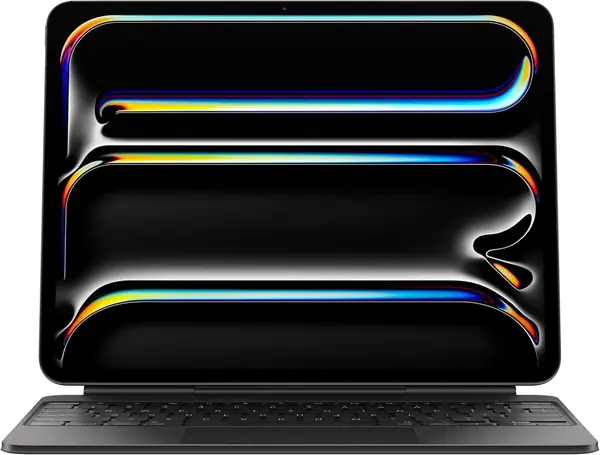
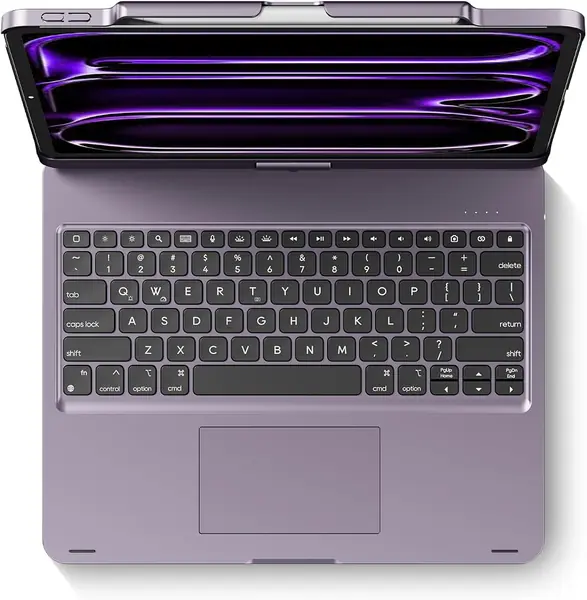
The Magic Keyboard is the one we reach for when the iPad Pro has to do a laptop's job. It snaps onto the back magnetically, folds into a rigid cantilever, and holds the screen at a workable angle without a kickstand clawing at the table. The case also draws power from the iPad and adds a USB-C pass-through port, so a single cable can charge the tablet while you work.

The glass trackpad with haptic feedback is the part that makes it feel like a MacBook rather than a tablet accessory. Cursor movement is precise, the click is firm, and the function row puts brightness, volume, and playback controls within reach. We also like the backlit scissor keys for late-evening typing; the keys are quiet enough for a shared room but still have a clear bottom-out.

What you pay for is integration, and it shows. It is also the priciest keyboard here, and the cantilever can feel top-heavy when you balance it on a couch cushion or an airplane tray. That trade-off is easier to accept if the iPad lives on a desk most days, because the hinge and magnetic fit are the most polished in this group.

The detail we keep coming back to is the function row: it saves a trip to Control Center every time you adjust volume or skip a track. If you want one accessory that makes the 13-inch Pro feel like a complete laptop, this is the one we hand people first.

Pros

  • Seamless magnetic attachment and pass-through charging
  • Glass haptic trackpad with precise cursor control
  • Backlit scissor keys and a full function row

Cons

  • Premium price compared with every other pick
  • Top-heavy on soft or uneven surfaces
Our verdict

We recommend the Magic Keyboard as the default for anyone who wants the iPad Pro to feel like a laptop, with the best trackpad-and-keys integration here.
Check Latest Price
2

ESR Shift Keyboard Best for a Bigger Trackpad

86 /100
TKZ Score Excellent

Key details

Compatibility
iPad Pro 13-inch (M5, M4)
Trackpad
112 x 70 mm click-anywhere
Weight
2.09 lb
Stand
20°–75° landscape
View on Amazon

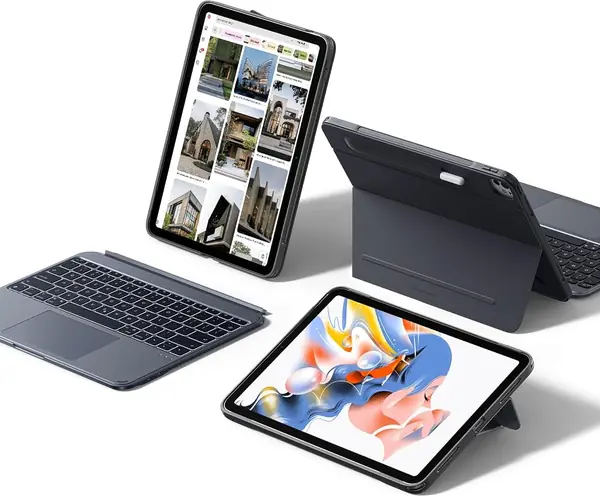
The Shift's 112 x 70 mm trackpad is the first thing we notice, and it changes the way the case feels in use. There is enough room for two-finger scrolls and three-finger swipes, and the click-anywhere surface responds across the whole pad instead of just the lower edge. For spreadsheet work or photo editing, that extra real estate is the difference between a tablet keyboard and a laptop substitute.

The keyboard itself is magnetic and detachable, so you can pull it off and use the back shell as a stand in portrait or landscape. The stand adjusts from 20 to 75 degrees, and the case includes a Pencil holder, which is handy if you draw or take handwritten notes. We like that combination for a desk that has to switch between typing, reading, and drawing without a second case.

The trade-off is weight: the Shift lists at 950 grams, and that heft is obvious when you pick up the whole kit. It is a stay-on-the-desk case for most people, not a daily commuting sleeve. The single-color backlight is also plain next to the RGB cases here, though it is bright enough for dim rooms. If the trackpad matters more than a light show, the Shift is the better-balanced buy.

Pros

  • Large 112 x 70 mm click-anywhere trackpad
  • Detachable keyboard and portrait/landscape stand
  • Built-in Pencil holder

Cons

  • 950-gram kit is heavy to carry
  • Single-color backlight only
Our verdict

We recommend the Shift to anyone who wants a larger trackpad and Pencil storage without paying Apple prices.

Check Latest Price
3

edaiser Swivel Keyboard Best for Portrait Mode

85 /100
TKZ Score Excellent

Key details

Compatibility
iPad Pro 13-inch, Air 13-inch, Pro 12.9-inch
Backlight
7 colors
Keys
83-key QWERTY
Rotation
360°
View on Amazon

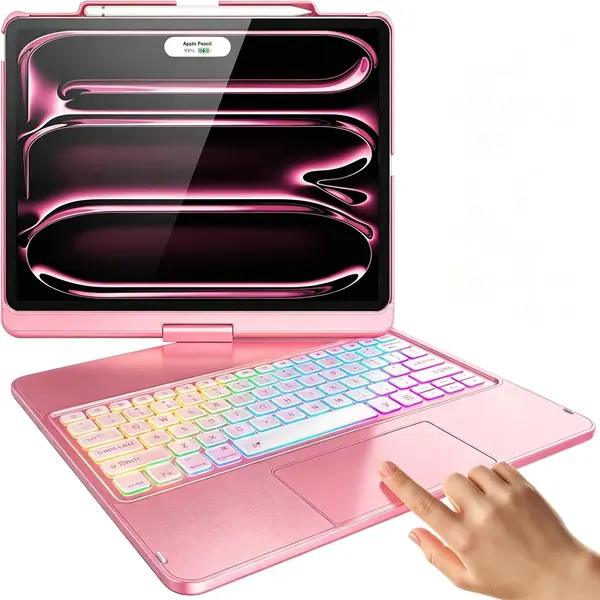
The 360-degree hinge is the reason to look at the edaiser. We can spin the iPad from landscape typing to portrait reading without pulling it out of the shell, which is genuinely useful for PDFs, sheet music, or showing a page to someone across the table. The 83-key layout and multi-touch trackpad make it a full-time typing tool, not just a stand with keys.

The case is built for the 13-inch Pro but also lists the 13-inch Air and the 12.9-inch Pro, so check the model number before you order. That broad fit is convenient if you keep an older 12.9-inch Pro around, but it means the cutouts are shared across several tablets. We paid close attention to the hinge action: it starts firm, which is reassuring, and eases up with use.

The edaiser is not the case for a minimalist. It adds real heft, and the rotating mechanism makes it feel more like a small convertible than a thin folio. Still, for the money it is the most flexible way here to get portrait mode and a keyboard, and the 7-color backlight is a nice extra when you are working late. We keep it in the conversation for students and anyone who reads as much as they type.

Pros

  • 360-degree hinge switches portrait and landscape
  • 83-key QWERTY layout with trackpad
  • Pencil holder and seven-color backlight

Cons

  • Heavy enough to notice in a backpack
Our verdict

We recommend the edaiser for shoppers who rotate the iPad between portrait and landscape and want that flexibility for less.

Check Latest Price
4

FUWANG Rotating Keyboard Best Budget

84 /100
TKZ Score Excellent

Key details

Compatibility
iPad Pro 13-inch (M5, M4)
Backlight
7 colors, 3 levels
Battery
500 mAh
Modes
360° swivel, 180° flip
View on Amazon

The FUWANG is the budget route to a rotating keyboard, and it does not feel like a stripped-down stand. The 360-degree hinge lets you flip from laptop mode to portrait, and the 180-degree lay-flat position is handy when you want to share a screen or draw. The 7-color backlight and multi-touch trackpad are the features we usually see cut first at this end of the market, so finding both here is the pleasant surprise.

Typing is fine for email, notes, and schoolwork; the keys have a light action that suits short sessions more than a full day of writing. The 500 mAh battery charges over USB-C, and the keyboard goes to sleep when idle to stretch it. The bigger issue is the two-pound body, which turns the 13-inch Pro into a small laptop and makes the whole package feel bulky on a lap. Even so, if you want a rotating case and backlit keys without spending much, this is the one we point to first.

Pros

  • Lowest-cost rotating keyboard here
  • 360° swivel and 180° lay-flat modes
  • Seven-color backlight and 500 mAh battery

Cons

  • Two-pound body feels bulky
Our verdict

We recommend the FUWANG as the budget pick for anyone who wants a rotating keyboard cover without spending much.

Check Latest Price
5

Harvopu Magnetic Keyboard Best for Travel

83 /100
TKZ Score Excellent

Key details

Compatibility
iPad Pro 13-inch (M5, M4)
Backlight
7 colors, 3 levels
Weight
14.7 oz
Battery
500 mAh
View on Amazon

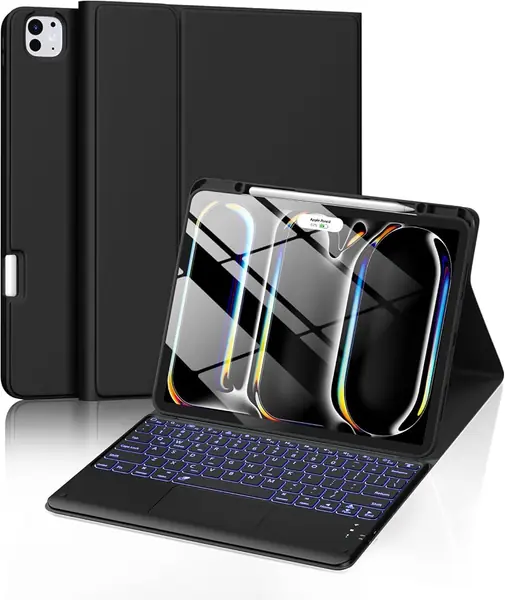
At 14.68 ounces, the Harvopu is one of the lighter keyboards here, and that is the reason it stays in the bag. The keyboard is magnetically detachable, so you can leave it behind for reading or drawing and travel with just the folio. It is a simpler design than the rotating cases, with a clean folio cover and a keyboard that pairs over Bluetooth.

We like the 7-color backlight and the responsive trackpad for the price. The 500 mAh battery is charged over USB-C, and the keyboard goes to sleep after 15 minutes of inactivity to stretch it. The stain-resistant PU cover is the kind of practical detail that matters on a school or commuter bag, where coffee and crumbs find their way in.

The trade-off is simplicity: this is a folio, not a multi-mode stand, so it suits tabletop typing better than sofa surfing. We reach for it when the bag is already full and the typing is mostly email, not when we need a rotating display for a group. That focus is what keeps the weight and the price down.

Pros

  • Light 14.68-ounce build for travel
  • Magnetic keyboard detaches for tablet use
  • Seven-color backlight and 500 mAh battery

Cons

No notable drawbacks to flag.

Our verdict

We recommend the Harvopu for light travel and occasional typing, where a detachable magnetic keyboard and a low price matter most.

Check Latest Price
6

typecase Edge+ Keyboard Detachable Tablet Mode

81 /100
TKZ Score Excellent

Key details

Compatibility
iPad Pro 13-inch (M5, M4)
Trackpad
Larger click-anywhere
Magnets
N54H, 3.4 kgf
Back Case
110 g detachable
View on Amazon

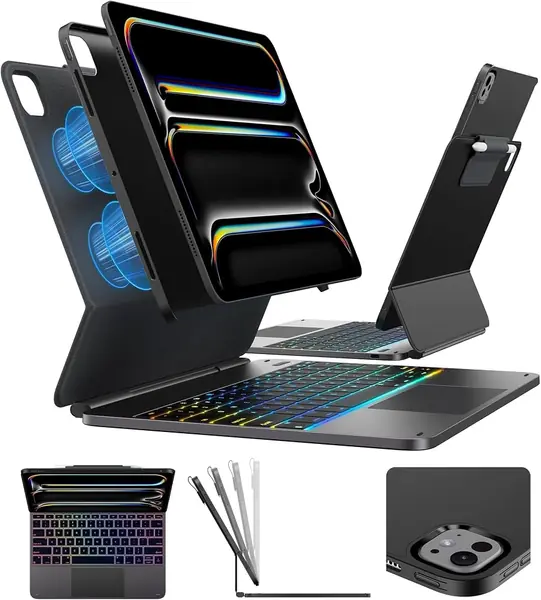
The Edge+ is built around a 110-gram detachable back case, and that is the feature that makes it worth a look. You can leave the keyboard and stand at home and carry the iPad as a tablet without swapping cases, then snap the back shell onto the floating stand when you need to type. The N54H magnets and 3.4 kgf hold are the specs that matter if you have had a magnetic case slip before.

The wider hinge is meant to steady the screen when you tap it, and the larger click-anywhere trackpad gives you more room for gestures. We also like the 11-color backlight and the Pencil holder; those are the details that make a case feel finished rather than merely functional. The full kit still runs about two pounds, so it is not the lightest way to carry the 13-inch Pro.

The part we watch is the magnetic hold: carry it by the body, not by the screen, until you trust the connection. If you want a case that splits into a light tablet shell and a desk stand, this is the most interesting option here; if you want one rigid piece, the ESR Shift is the simpler buy.

Pros

  • 110-gram detachable back case for tablet use
  • N54H magnets rated at 3.4 kgf
  • Larger click-anywhere trackpad and Pencil holder

Cons

  • Full kit weighs about two pounds
Our verdict

We recommend the Edge+ for buyers who want a detachable back case and a laptop-style floating stand in one package.

Check Latest Price

How We Tested 12 iPad Pro 13-Inch Keyboards

The shortlist started with a spec filter. The 13-inch iPad Pro has moved its front camera and rearranged its buttons across generations, so a case cut for the older 12.9-inch body blocks the wrong spots; we only considered keyboards that explicitly listed the 13-inch M4 and M5 models. From there we spread the pool across magnetic folios, detachable keyboards, swivel shells, and floating stand designs, and across the price range, from budget imports to the most expensive option on the shelf, to see what the extra money actually buys. Twelve made the cut.

Testing ran six months, in the places these actually get used: the kitchen table during deadline weeks, train and plane tray tables, the couch, the bed, and standing at the counter reading a recipe in portrait. The same iPad moved between all 12 so nothing else changed.

We weighed each case empty and again with the tablet mounted, then carried it through a normal week. Every keyboard got the same 600-word document to type and a round of editing to see how the trackpad handled cursor placement and drag; we clicked all four corners of each one and checked whether keys near the edges registered. Backlights ran at full brightness so we could watch how quickly the battery fell, and detachable keyboards were pulled off and reattached a dozen times to catch pairing stumbles.

Secure fit got the least scientific test and the most telling one: we held each case upside down by its lid and shook it. Swivel models went through full rotations dozens of times over the months, looking for a hinge that loosened or a screen that stopped holding its angle. The ones that were still tight and still aligned in month six are the ones that survived.

How to Choose a Keyboard for a 13-Inch Ipad Pro

Start with the right model number

Apple has used the same 13-inch screen size across the M4 and M5 iPad Pro, but the chassis and camera cutouts are not shared with the 13-inch iPad Air or the older 12.9-inch Pro. Match your tablet to the listed model numbers: A2925, A2926, or A3007 for the M4, and A3360, A3361, or A3362 for the M5. A multi-model case can be convenient if you own more than one tablet, but it is the wrong place to save money if you want a precise fit.

Choose the stand by where you type

A floating cantilever gives the most laptop-like screen position, but it needs a flat surface and can feel top-heavy on a lap. A detachable keyboard with a separate back stand is better when you switch between typing and tablet use; you can leave the keyboard in a bag and carry a lighter shell. A 360-degree hinge is the most flexible for portrait reading and group viewing, at the cost of extra bulk. Decide which mode you use most, then accept the trade-off that comes with it.

Treat the trackpad as a typing tool

Trackpad size matters less than tracking and click response. A click-anywhere surface lets you press near the edges, while a smaller pad forces you back to the center for every drag. Look for multi-touch gestures, a firm click, and a function row if you type daily. The Apple Magic Keyboard has the most integrated haptic glass pad here; the ESR Shift answers with a much larger surface. If you mostly write email, either is enough; if you edit spreadsheets, the bigger pad earns its space.

Weigh the whole package, not the tablet

The 13-inch iPad Pro is already a large tablet, and the keyboard adds the difference between a lap device and a desk device. A 950-gram case is a leave-it-on-the-desk purchase; a 14.68-ounce folio is easier to commute with. Protection follows the same rule: hard shells and reinforced corners add bulk but help in a backpack, while slim folios keep the profile down and cover less. Pick the larger weight only if the case will spend most of its life on a table.

Decide how you want to charge it

The Magic Keyboard draws power from the iPad and adds a USB-C pass-through port, so your existing charge cable can serve both. Bluetooth keyboards carry their own battery and need a second USB-C cable; how often you charge depends on the model and backlight use. If you travel with one bag and one charger, that difference is worth paying for. If the keyboard stays at a desk, it is mostly an inconvenience.

Frequently Asked Questions

Final Verdict

Start with the Apple Magic Keyboard if the iPad Pro is your main work machine. Its glass trackpad, function row, and pass-through charging make the 13-inch Pro feel like a laptop, and the fit and finish are the most cohesive in this group. If you want a bigger trackpad and Pencil storage for less, choose the ESR Shift. The edaiser and FUWANG make more sense when a 360-degree hinge matters more than a laptop-first feel.