Best Fitbits for Seniors of 2026

The hardest part of a fitness tracker isn't counting steps. It's the clasp you fasten one-handed, the text smaller than a pill-bottle label, and the app that wants a password before it tells you how you slept. I've watched plenty of capable adults give up on a tracker in week two over exactly that, not over the sensors.

My team and I spent seven months wearing 12 trackers and smartwatches through ordinary routines: morning walks, grocery runs, overnight sleep, Sunday naps in the recliner. The keepers weren't the ones with the longest feature list. They were the ones that still felt weightless by hour fourteen, matched a manual step tally, and could be read in the driveway at noon without squinting.

Here's what I'd tell a friend before they shop: battery life is the quiet dealbreaker. A tracker that needs charging every other day ends up in a drawer, however nice it looks. The picks below run from a screenless band to a full smartwatch, so there's one for however much technology you want on your wrist.

The Best Fitbits for Seniors

1

Fitbit Versa 2 Best Overall
91 /100
TKZ Score Outstanding

Key details

Display
Color screen with always-on option
Water Resistance
Swimproof to 50 m
Sleep Tracking
Sleep Score and stages
Voice Assistant
Alexa built in
View on Amazon

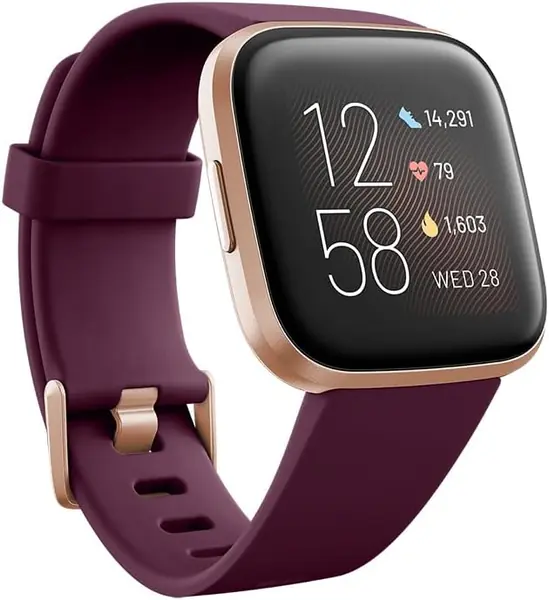
The always-on display is the detail that decides this one for us. Left on, the time and the day's stats stay lit and readable at arm's length, which is a different experience from the tap-and-squint routine a dim band demands. Alexa built in handles the rest, the weather, a timer, a reminder, so nobody has to pick through small icons to get an answer.

Past the screen, this is a complete watch rather than a pedometer. Sleep stages and a nightly Sleep Score, 24/7 heart rate, more than 20 goal-based exercise modes, and a case that is swimproof to 50 meters cover the everyday questions, and Fitbit Pay means a coffee run doesn't need a wallet. It runs on the same app as every other Fitbit, so the family member drafted into setup is on familiar ground.

Two things to know. There is no built-in GPS, so a walk's route comes from the phone in a pocket, though the steps still count if the phone stays home. And the always-on setting is the first thing to switch off if charging turns into a chore, since a lit screen is the biggest draw on the battery.

If the daily walk is the main event and the phone stays on the counter, the Versa 3 below is the better buy. For everyone else, meaning steps, sleep, heart rate, and the time in large print, this is where to start.

Pros

  • Always-on screen readable without a wrist turn
  • Alexa answers questions without menu digging
  • Swimproof to 50 m with sleep and heart-rate tracking

Cons

  • No built-in GPS; routes need the paired phone
  • Charging can turn finicky after months of use
Our verdict

For most older adults this is the one: a large always-on screen, Alexa for the small stuff, and the shortest path to the numbers that matter.
Check Latest Price
2

Fitbit Versa 3 Best for Phone-Free Walks

89 /100
TKZ Score Excellent

Key details

Battery
6+ days
GPS
Built-in
Heart Rate
PurePulse 2.0, 24/7
Voice Assistants
Alexa and Google Assistant
View on Amazon

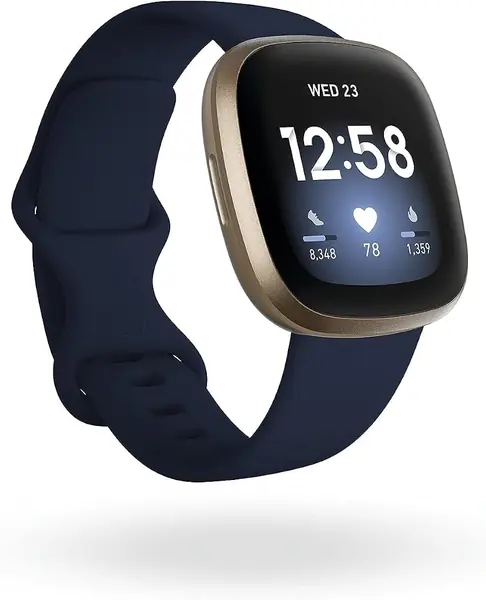
A walk with the phone left on the kitchen counter is the situation this watch is built for. Built-in GPS means the route, pace, and distance land in the app afterward without anyone carrying a phone or retracing the loop from memory, and for a daily neighborhood walk that is the whole point.

It is also one of the least demanding watches here to keep alive. Fitbit rates the battery at six-plus days, so charging settles into a weekly habit rather than a nightly one, and both Alexa and Google Assistant are built in for the questions that don't deserve a menu. PurePulse 2.0 handles 24/7 heart rate, and Active Zone Minutes buzzes when a walk speeds up, which is the sort of nudge that lands better than a step goal on a gray day.

The trade is mostly about what you don't need. It costs more than the Versa 2, and the extra money buys GPS and a longer rated battery rather than a nicer finish. Anyone who never leaves the phone behind can keep the difference and stay with the watch above.

Pros

  • Built-in GPS for phone-free walks
  • Battery rated at six-plus days
  • Alexa and Google Assistant both on the wrist

Cons

  • Daily Readiness score requires a Premium membership
Our verdict

We reach for this one when the phone stays home: built-in GPS, six-plus days of battery, and both major voice assistants on the wrist.

Check Latest Price
3

Fitbit Inspire 3 Best Lightweight Tracker

86 /100
TKZ Score Excellent

Key details

Battery
10 days
Display
0.76 in.
Water Resistance
50 m
Bands
Small and large included
View on Amazon

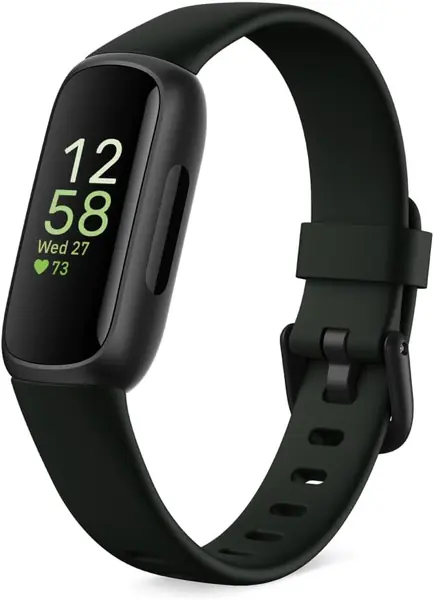
A 0.76-inch screen is the argument here, and it cuts both ways. It is why the Inspire 3 disappears on a wrist and why nobody reads a sleep summary on it without glasses. We think that is a fair trade for the right person: someone who wants the time, the step count, and a heart rate they can check up close.

It tracks more than the size suggests: 24/7 heart rate, automatic sleep tracking with a Sleep Score, a daily Stress Management Score with guided breathing sessions, SpO2 readings, and 40-plus exercise modes. Water resistance to 50 meters means dishes and showers don't require taking it off, and a small and a large band both come in the box, which spares whoever is ordering a second trip.

Syncing is the recurring irritant. The link to the phone app can drop and need re-pairing, so keep the phone in the same room for the first week rather than assuming a quiet tracker has stopped counting. Then the appeal is routine: ten days of battery, a vibrating alarm that wakes without a clock radio, and a band light enough to sleep in.

Pros

  • Ten days of battery between charges
  • Stress score, SpO2, and sleep tracking in a slim band
  • Small and large bands included

Cons

  • 0.76-inch screen needs close reading
  • App syncing can drop and need re-pairing
Our verdict

The one we hand to someone who wants a slim, forgettable band and doesn't mind reading it up close; ten days between charges is the real prize.

Check Latest Price
4

Fitbit Edge Best for Reading Outdoors

84 /100
TKZ Score Excellent

Key details

Battery
Up to 7 days
Display
1.34 in. AMOLED
Water Resistance
50 m
Elevation Tracking
Altimeter built in
View on Amazon

This is the newest Fitbit in the lineup, which usually means paying for a name and a promise. Here it mostly means the screen: a 1.34-inch AMOLED panel that stays legible in direct sun, something a 0.76-inch band screen doesn't manage on a bright sidewalk.

Underneath the display it is the familiar Fitbit set, steps, heart rate, sleep, with two additions that matter afterward. An altimeter finally makes stairs and hills count as something other than flat ground, and a coaching layer built with Gemini adapts a plan week to week. Our read: the screen is worth paying for, and the coaching is worth ignoring unless someone genuinely wants a plan.

Battery is rated at up to seven days and the case is water resistant to 50 meters, so it keeps the same week as everything else here. Where it gives up ground is simplicity. There are more screens to swipe through than on a band, and the coaching prompts keep asking for attention, which is noise for a household that wants one big readable number and nothing else.

Pros

  • 1.34-inch AMOLED screen reads in daylight
  • Altimeter counts stairs and elevation
  • Battery rated at up to seven days

Cons

  • Personal coaching needs a Google Health Premium plan
Our verdict

The newest watch here, and the one we pick when a screen that reads in direct sun matters most; the coaching is a bonus, not the reason.

Check Latest Price
5

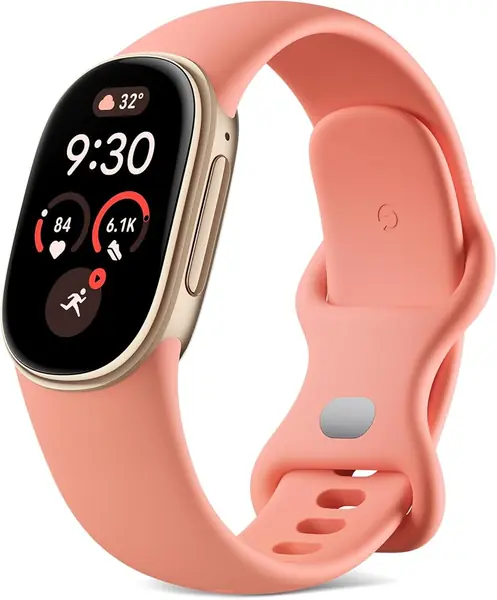
Fitbit Air Sleep Comfort

83 /100
TKZ Score Excellent

Key details

Battery
Up to 7 days
Display
None (screenless)
Water Resistance
50 m
Fit Range
130-210 mm
View on Amazon

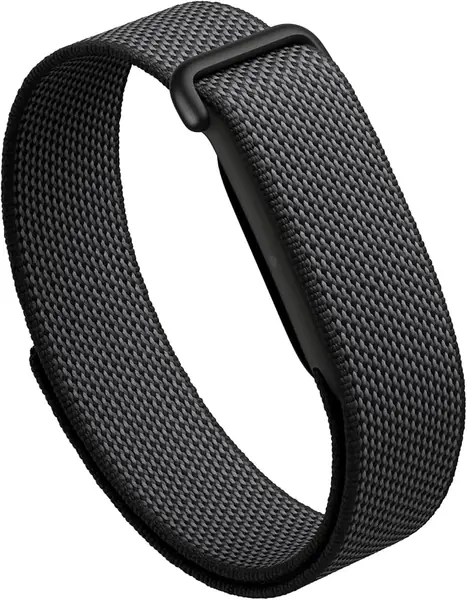
There is no screen on the Air, and that one fact sorts it. No time, no step count, no heart rate on the wrist, because every number waits in the phone app. For someone who likes checking their steps while the kettle boils, that is the wrong trade entirely.

What the missing screen buys is comfort. The tracker weighs about five grams, the one-size band adjusts from 130 to 210 millimeters, and it sits flat enough to forget overnight, so the sleep breakdown arrives without a watch face pressed into a pillow. Battery is rated at up to a week, and five minutes on the charger buys a day, which is the kind of thing that rescues a forgotten charge.

Our judgment after wearing it: the best sleeper of the group and the worst glance-and-go device. Step counts also pick up hand work, sanding, kneading, folding, so compare a day against a known walk before trusting the total.

Pros

  • About five grams, comfortable enough to sleep in
  • Up to seven days of battery, with five-minute top-ups
  • Water resistant to 50 meters

Cons

  • No screen; every statistic lives in the phone app
  • Sleep stages can be inconsistent
Our verdict

Buy it for comfort and sleep, not for glancing at stats: the Air has no screen at all, so every number lives on your phone.

Check Latest Price

What Seven Months on the Wrist Taught Us

We started with every tracker and fitness smartwatch sold in the U.S. from the major brands, then cut anything that hid basic readouts behind a subscription, demanded a phone call to set up, or shipped with only one band size. That left 12 models, which we wore for seven months. Each one went home with a tester and lived there: on the wrist from wake-up to bedtime, in the shower, under the covers overnight, and on the charger only when it genuinely needed to be.

Everyday wear got the most attention. We timed how long each band took to fasten one-handed, read the display at noon in the driveway and again at night in a dim living room, and noted whether the case was light enough to forget about after a few hours. For accuracy, we counted steps by hand over a measured quarter-mile loop and compared heart rates against a chest strap, seated and walking, watching for readings that froze or stalled after a sweaty walk.

Software was its own test. We set up each app ourselves, then handed the phone to someone who had never used a fitness app and wrote down every point of confusion, including how step and sleep data got shared with a family member. We ran each battery from full charge to shutdown with notifications on, and tracked how charging habits drifted as the months went by.

Finally, we weighed value: whether the features a person would actually use justified the price, and which models drew the most complaints over time, from dropped syncs and steps that never registered to a screen that scratched. The ones that disappointed us almost always failed on something small and daily rather than something dramatic.

How to Choose a Fitbit for an Older Adult

Start With the Screen and How It Gets Read

A 0.76-inch band and a 1.34-inch AMOLED watch face are different products by the third day. If the wearer already reaches for reading glasses to check a text, a band that shows three words at a time tends to end up in a drawer, however good the step tracking is. Bigger is easier, but look at what powers it: an always-on display like the Versa 2's keeps the time lit without a wrist turn and drains the battery faster, so switch it off if charging becomes a chore and leave it on if the lit screen is the reason the watch gets worn.

Treat Battery Life as a Memory Problem

Most of the picks here are rated between six and ten days, and the number matters less than whether the routine sticks. Ten days survives a forgotten charger on a trip; six days means a fixed weekly slot. Ratings assume default settings, and GPS or an always-on screen will shorten them. Choose the model whose worst case still outlasts the longest trip they take, and park the charger next to the reading glasses so the habit has somewhere to live.

Decide Who Does the Setup

Every fitness tracker here is set up through a phone app, and that first hour is the usual stumbling block. Do the account work on the wearer's own phone and email, not the helper's, or the data and the password recovery end up in the wrong hands. After that, the phone has to stay in the same room for syncing, not in a purse in the car. If the household phone predates Android 11 or iOS 16.4, sort out the upgrade before the tracker arrives.

Comfort and Skin Beat the Spec Sheet

The Versa 2, Inspire 3, and Edge each ship with a small and a large band, so fit adjusts without a second order; the Air is one size and spans 130 to 210 millimeters. A band worn too tight leaves marks and holds moisture, which is where most irritation starts. Dry the wrist and the band after a shower, and give the skin an hour bare each day. A watch that gets taken off for comfort is a watch that stops being worn, which is the only failure that really counts.

Know Which Health Numbers You're Paying For

Steps and heart rate are the baseline on every pick here, and most add sleep stages and a nightly Sleep Score. Blood oxygen readings and stress scores appear on the models that include them, like the Inspire 3 and the Air. Irregular-rhythm notifications show up on some Fitbits, but none of the picks here carry an ECG app. If atrial fibrillation screening is the reason for buying, that is a different device and a conversation with a doctor, not an upgrade to a band.

Frequently Asked Questions

Final Verdict

Most older adults should start with the Versa 2. The always-on screen keeps the time and the day's numbers lit and readable at arm's length, Alexa takes the small questions off the menu, and the whole thing works without a phone in a pocket. It is the least fussy way into a Fitbit that still looks and acts like a watch.

Two requirements change that. If a daily walk happens without the phone, the Versa 3 and its built-in GPS are worth the extra spend. If a big watch feels like too much on the wrist, the Inspire 3 trades the screen for a band you forget about and ten days between charges.