Best Bose Headphones of 2026

Noise-cancelling headphones are often pitched as an off switch for the world, but the better ones do something subtler: they drop the engine drone and office chatter while keeping voices and detail intact. What you’re really after is a pair that can handle a commute, a string of calls, and a long focus session without clamping your head or running out of battery before dinner. I’ve been living with eight pairs over the past seven months to find that balance.

The specs tell only part of the story. Color is more personal than reviewers admit—the wrong finish can make a great pair feel like someone else’s. Connectivity and reliability reveal themselves over weeks, not minutes, and value only makes sense once you weigh fit, comfort, and how the materials hold up after daily wear. Some headphones feel premium on day one and show loose hinges by month three; others disappear on your head and keep working. The picks below are the ones that stayed comfortable, connected, and true to the music after the novelty wore off.

The Best Bose Headphones

1

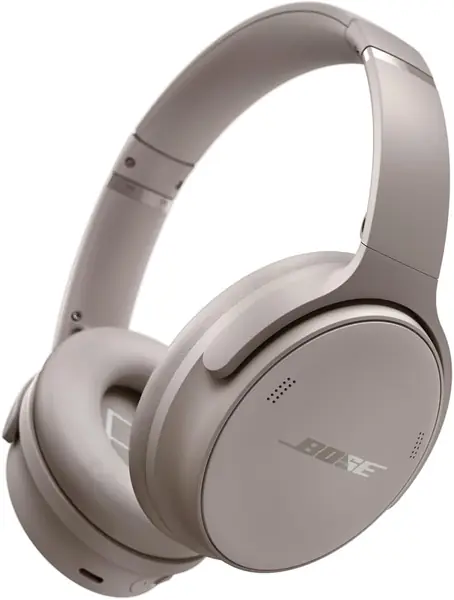
Bose QuietComfort Headphones Best Overall
91 /100
TKZ Score Outstanding

Key details

Bluetooth
5.1
Battery Life
Up to 24 hours
Weight
8.47 oz
Noise Cancelling
Quiet and Aware modes
View on Amazon

A long flight is the easiest test of a headphone, and the QuietComfort is the pair that makes the least fuss of it. The cushions are plush, the band settles in without a hot spot, and the controls are simple enough to work by feel. The result is a headphone that disappears into a travel day, which is exactly what we want from the one we pack most often.

Noise cancellation is the main event, and it's effective without feeling sealed off. Quiet mode handles engine drone and office chatter; Aware mode is a button press away when you need a boarding call or a quick word with someone. We kept Quiet mode on for music and switched to Aware for short conversations, which is the behavior we want from a travel pair.

Battery life is the other reason it's easy to live with: 24 hours on a charge, plus a 15-minute USB-C top-up that adds 2.5 hours. That covers a long travel day and then some, and it means you're not hunting for an outlet the night before a trip. The included case is a useful extra for travel.

The newer 2nd Gen adds spatial audio, and the Ultra goes further on noise cancellation, but neither makes the QuietComfort feel dated for music and travel. If your priority is comfort, quiet, and battery for the money, this is the Bose to start with.

Pros

  • Plush cushions for long listening sessions
  • Effective ANC with Quiet and Aware modes
  • 24-hour battery with fast USB-C charging

Cons

  • Bluetooth 5.1 trails the newer Bose models
  • Call microphone can be inconsistent
Our verdict

We recommend the QuietComfort as the default Bose for most people: plush comfort, effective noise cancellation, and 24-hour battery at a midrange price.
Check Latest Price
2

Bose QuietComfort Headphones (2nd Gen) Best for Newest Features

89 /100
TKZ Score Excellent

Key details

Bluetooth
5.4
Battery Life
Up to 24 hours
Weight
8 oz
Spatial Audio
Immersive Audio and Cinema Mode
View on Amazon

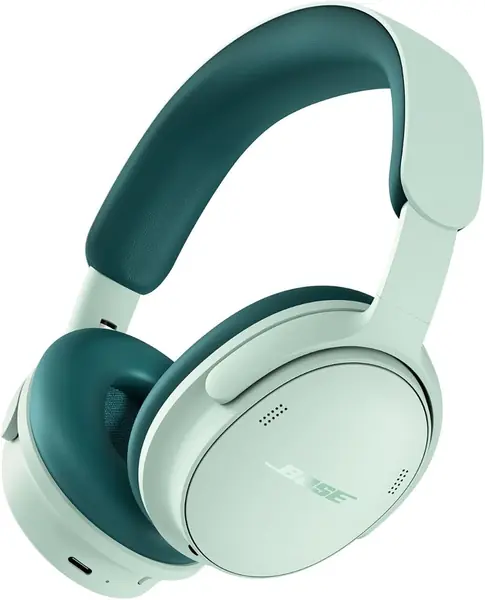
The 2nd Gen is the QuietComfort for someone who wants the newest Bose tricks without jumping to Ultra pricing. The pill-shaped earcups and wider headband are the visible changes; the more useful ones are TrueSpatial audio, Cinema Mode, and Bluetooth 5.4.

Spatial audio is the feature that separates this pair from the standard QuietComfort. Immersive Audio places sound around you, and Cinema Mode rebalances effects for movies, so you can leave the processing off for music and turn it on for a tablet film. We think that flexibility is worth having, even if the effect is not something we want on every track.

The wider headband spreads pressure across a larger area, and the pill-shaped earcups leave more room around the ears. Bluetooth 5.4 is the newest radio in this group, and the hardshell case is a small but welcome upgrade for travel.

The 2nd Gen doesn't change the basic formula: 24-hour battery, over-ear comfort, and strong noise cancellation. The upgrade is about features rather than endurance. If spatial audio, the updated design, and Bluetooth 5.4 matter to you, the step up is easy to justify; if not, the standard QuietComfort remains the smarter buy.

Pros

  • Spatial audio with Immersive Audio and Cinema Mode
  • Wider headband and pill-shaped earcups
  • Bluetooth 5.4 and 24-hour battery

Cons

  • Costs more than the original QuietComfort
Our verdict

If you want the latest QuietComfort features without Ultra pricing, we think the 2nd Gen's spatial audio, wider headband, and Bluetooth 5.4 justify the step up.

Check Latest Price
3

Bose QuietComfort Ultra Headphones (2nd Gen) Best Noise Cancellation

88 /100
TKZ Score Excellent

Key details

Bluetooth
5.4
Battery Life
Up to 30 hours (23 with Immersive Audio)
Spatial Audio
Immersive Audio and Cinema Mode
USB-C Voice
Yes
View on Amazon

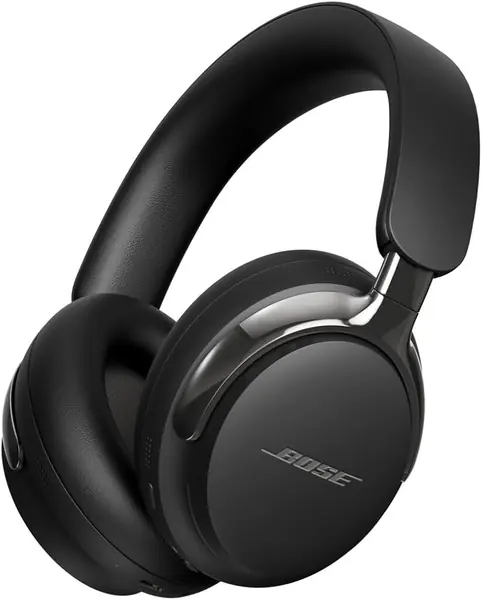
The Ultra is the one we reach for when quiet is the whole point of the trip. We give it the edge for noise cancellation in this group, and the Quiet and Aware modes let you dial the world in or out.

Immersive Audio is the headline feature, and Cinema Mode is the one that makes sense for travel: it spatializes soundtracks and effects for movies on a tablet or seatback screen. The processing is optional, which matters, because spatial audio is not something everyone wants for every album. We appreciate having the choice rather than a single forced sound.

Battery life is rated at 30 hours, or 23 with Immersive Audio on, and the 15-minute fast charge adds up to 2.5 hours. USB-C voice is a practical extra for video calls: the built-in mic works over a wired USB-C connection, which avoids relying on Bluetooth for long meetings.

The fit runs snugger than the standard QuietComfort, which helps the Ultra stay put but may not suit larger heads or glasses. The Ultra makes the most sense for travelers who value the quietest cabin and immersive sound above all; the standard QuietComfort is the safer choice if those extras are not the priority.

Pros

  • Strongest noise cancellation in this group
  • Immersive Audio and Cinema Mode
  • 30-hour battery with USB-C voice

Cons

  • Costs more than the QuietComfort models
  • Long-term reliability is the weakest in this group
Our verdict

The Ultra is the pair we hand to travelers who want the quietest cabin and the most immersive sound in this group.

Check Latest Price
4

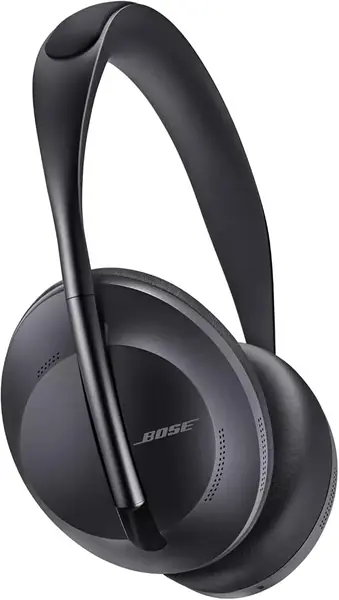
Bose Headphones 700 Best for Calls

87 /100
TKZ Score Excellent

Key details

Bluetooth
5
Battery Life
Up to 20 hours
Weight
8.82 oz
Noise Cancelling
11 adjustable levels
View on Amazon

The 700 is the Bose to pick if your headphones are also your work headset. Its microphone system is designed to adapt to noisy and windy environments, and the adjustable noise cancellation lets you dial in exactly how much of the office you want to hear. We keep it in the conversation because no other pair here is as focused on voice.

The stainless steel headband is light on the head, and the earcups tilt to sit around the ears rather than on them. We found the touch controls easy to use for volume and playback, and the 20-hour battery is enough for a week of meetings if you top up on the weekend.

The 11 levels are the most adjustable in this group. That's useful in an office: you can set a low level to hear a colleague, or max it for a flight. The sound is clear and balanced, and the mic system is built to keep your voice forward on calls.

The 700 is best when calls matter more than the latest features; if you want the most comfortable all-rounder, the standard QuietComfort is the safer buy.

Pros

  • 11 levels of adjustable noise cancellation
  • Microphone system designed for clear calls
  • Lightweight stainless steel headband

Cons

  • Bluetooth connectivity can be unstable
  • Can stop working unexpectedly
Our verdict

The 700 remains our pick for calls, with 11 levels of noise cancellation and a microphone system built for voice.

Check Latest Price

How We Tested These Noise-Cancelling Headphones

We started with the current over-ear lineup, filtering for active noise cancellation, USB-C charging, a built-in mic for calls, and a fit that could work for long stretches. Eight pairs made the cut, and I wore them for seven months—on my morning train, at a shared office desk, on evening walks, and on two flights.

Sound came first: I cycled through acoustic tracks, bass-heavy hip-hop, and live recordings, noting whether vocals stayed put and whether cymbals turned brittle at higher volumes. For noise cancellation, I stood on a busy platform and sat in a coffee shop, listening for how much low rumble disappeared and whether the quiet felt natural or pressurized. Comfort and fit got a full workday each—I noted clamp force, earcup pressure, and whether my glasses broke the seal, then leaned over and shook my head to see if the headphones stayed put.

Battery life was tracked across a week of commutes and calls, with USB-C top-ups timed by whether they rescued a low charge before a meeting. I paired each pair with a phone and laptop, walking between rooms to catch dropouts and failed reconnects, and I checked controls for first-press response. Build quality got a weekly once-over: I looked at hinges, padding, and ports for creaks or looseness, then compared that wear to day one after seven months. Color was judged in daylight and by how quickly fingerprints and scuffs showed. At the end, I weighed every pair against the others on sound, comfort, and the small annoyances that only surface after a month—that was my value test.

How to Choose Bose Over-Ear Headphones

Start With Noise Cancellation

Bose's over-ear models all cancel noise, but they don't offer the same control. The QuietComfort and 2nd Gen give you Quiet and Aware modes, which is the simplest setup for travel: full cancellation for music, transparency for announcements. The 700 adds 11 adjustable levels, so you can fine-tune how much of the office you let in. The Ultra is the quiet-first pick in this group. If you fly often or work in a noisy room, put cancellation strength at the top of your list; if you need to hear people around you, prioritize an easy Aware mode.

Fit Matters More Than Cushion Depth

A wide headband and soft cushions spread pressure, but clamp force decides whether you'll still want the headphones on after two hours. The standard QuietComfort is the safest fit for most people; the 2nd Gen's wider headband and pill-shaped earcups are designed for a roomier feel. A snugger clamp keeps the headphones in place during movement but can feel tight over a long day. We prioritize a gentle clamp for long listening and a secure fit for movement. Try any pair for a full workday while you can still return it.

Match Battery Life to Your Routine

The QuietComfort and 2nd Gen are rated for 24 hours, the Ultra for 30 hours (23 with Immersive Audio), and the 700 for 20 hours. Those numbers are generous across the board, so battery alone rarely decides the purchase. Charging speed is the more practical difference: the QuietComfort and Ultra both quote a 15-minute top-up for 2.5 hours of playback, while the 2nd Gen lists a 3-hour charge and the 700 a 2.25-hour charge. If you're forgetful about charging, prioritize the fast top-up; if you're never far from a cable, 20 hours is plenty.

Calls and Connectivity

If your headphones double as a work headset, the microphone matters as much as the drivers. The 700 is the most call-focused pair here, with a microphone system designed to adapt to noisy and windy environments. The Ultra adds USB-C voice for wired calls, which avoids relying on Bluetooth for long meetings. Bluetooth versions range from 5.0 on the 700 to 5.4 on the 2nd Gen and Ultra, but version alone doesn't guarantee a stable connection. Test pairing with your phone and laptop during the return window, and do the same for charging and call quality, since electronics can fail in ways the spec sheet never shows.

Decide Whether Spatial Audio Is Worth It

Spatial audio is the clearest feature split in the lineup. The 2nd Gen and Ultra add Immersive Audio and Cinema Mode, which can make movies and games feel wider and more cinematic. The standard QuietComfort and 700 stick to conventional stereo. We think spatial audio is worth paying for if you watch a lot of video on a tablet or laptop, but it's not essential for music, and some listeners prefer the unprocessed sound. If you mostly listen to albums and podcasts, put the money toward comfort or noise cancellation instead.

Frequently Asked Questions

Final Verdict

For most people, the Bose QuietComfort Headphones are the pair to buy. They combine the comfort, noise cancellation, and 24-hour battery that make a travel headphone easy to live with, and they cost less than the newer models. If spatial audio and the latest Bluetooth matter more than value, the QuietComfort 2nd Gen is the step up; if you want the quietest ride, the Ultra is the upgrade.