Best 10-Inch Android Tablets of 2026

A budget tablet's spec sheet is a work of optimism. The 10-inch Android models we've unboxed lately all claim an octa-core processor and a RAM figure that seems impossible for the money — and technically it is, since a chunk of that memory is virtual, borrowed from storage and shuffled around the moment you open one app too many. What a good one actually fixes is smaller and more useful: it opens what you tapped, holds a charge through a long flight, and survives being handed to a kid.

I've kept a stack of them on my coffee table and in my bag since early spring, and my team has spent eight months with 12 of these tablets, wearing down screens, batteries, and the keyboard-and-stylus bundles most of them ship with. Two specs mattered more than the marketing suggested: the Widevine L1 certification, which decides whether streaming apps play in crisp HD or a soft, blocky mess, and honest battery capacity.

The rest comes down to feel — whether the keyboard case stays steady on your knees, whether the screen holds up at the kitchen counter, and whether the thing still feels quick in month six. The picks below cleared all three.

The Best 10-Inch Android Tablets

1

AOC M10 Best Overall
95 /100
TKZ Score Outstanding

Key details

Storage
128GB, 1TB expandable
Streaming
Widevine L1
Resolution
1920 x 1200
Refresh Rate
120Hz
View on Amazon

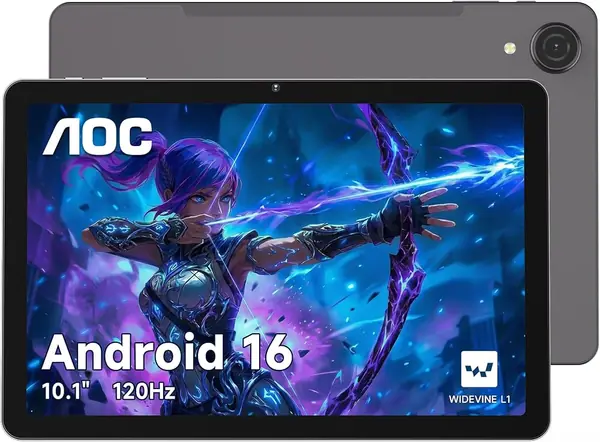
Set the M10 beside any other tablet here and the difference shows before anything loads: 1920 x 1200 across a 10.1-inch IPS panel at 120Hz, against 1280 x 800 at 60Hz everywhere else in this group. That's the whole case for the top pick. Text holds its edges, scrolling keeps up with a thumb flick, and the higher refresh rate does more for how quick the tablet feels than any chip in this price tier.

AOC hasn't cut corners around the screen either. There's 128GB of storage, double what the budget picks carry, with a microSD slot for another terabyte; Widevine L1 so Netflix and Prime Video actually stream in HD; face unlock; and a metal body that stays rigid when you hold it by one corner. Android 16 runs the show, and the 6000mAh battery is the same capacity as everything else here.

The trade is money. This is the most expensive tablet in the guide, and the Evermyth comes in lower with a keyboard in the box. What you can't buy elsewhere in this set is the panel, and the panel is the part you look at for the next three years. For a couch tablet that streams, reads, and browses every day, that's the right place to spend.

Pros

  • 1920 x 1200 at 120Hz leads this set
  • 128GB of storage, expandable to 1TB
  • Widevine L1 for HD streaming

Cons

  • 4GB of RAM, less than the Evermyth's 6GB
Our verdict

For everyday watching, reading, and browsing, the M10 is our pick: the sharpest, smoothest screen here, with 128GB of storage behind it.

Check Latest Price
2

Evermyth X109L Best Bundle

93 /100
TKZ Score Outstanding

Key details

Storage
128GB, 1TB expandable
Memory
6GB physical, 36GB with expansion
In The Box
Keyboard, mouse, stylus, case
Connectivity
Wi-Fi 6, Bluetooth 5.4
View on Amazon

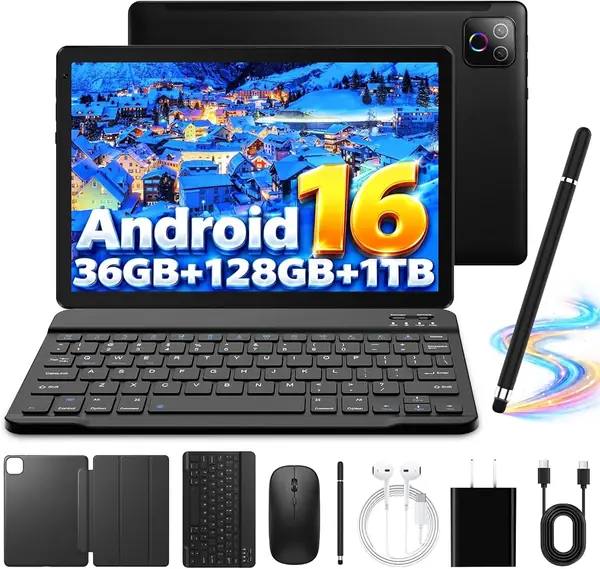
Open the Evermyth box and there's a keyboard, a mouse, a stylus, a folio case, and headphones in with the tablet, which is more kit than any other pick here ships with. That changes the job it can do. This is the one in the group that arrives ready to type on, and for a student or someone answering email at the kitchen table, that's most of the decision made.

The hardware underneath is respectable rather than thrilling: Android 16, a 10.1-inch 1280 x 800 IPS panel, 6000mAh, and the newest wireless here in Wi-Fi 6 and Bluetooth 5.4. The '36GB RAM' in the title is 6GB of physical memory plus 30GB of virtual expansion, and 6GB physical is the most in this group. We read that figure and the 128GB of storage as the two that matter, since neither one ages out the way a headline number does.

Where it wins is the combination: 128GB of storage, real typing hardware, and current Wi-Fi for less than the top pick. Where it gives ground is the screen, since 1280 x 800 looks soft next to the AOC, and if you never open the keyboard you're carrying accessories you paid for and won't use. If the tablet is a video machine first, spend the money on the panel instead.

Pros

  • Keyboard, mouse, stylus, and case included
  • 128GB of storage, expandable to 1TB
  • Wi-Fi 6 and Bluetooth 5.4 are the newest here

Cons

No notable drawbacks to flag.

Our verdict

Choose the X109L if you plan to type on it: it's the only pick that arrives with a keyboard, mouse, and stylus, and it has the most physical RAM here.

Check Latest Price
3

TECLAST P35 Best Budget

85 /100
TKZ Score Excellent

Key details

Storage
32GB, 2TB expandable
Streaming
Widevine L1
Memory
3GB physical, 16GB with expansion
Weight
1.1 lb
View on Amazon

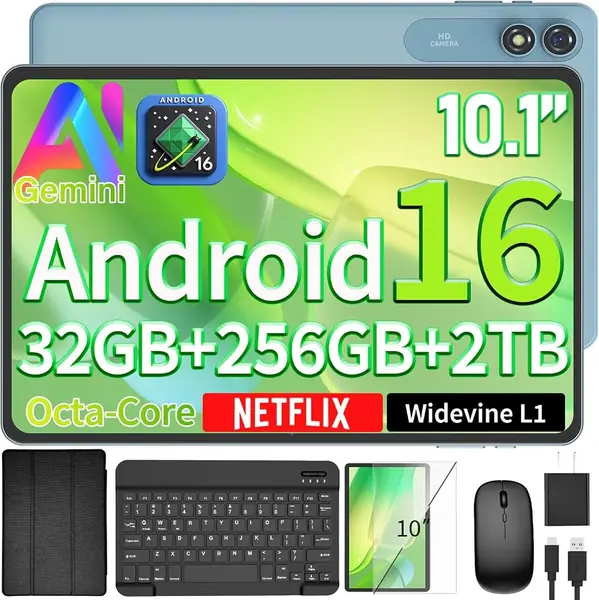
Thirty-two gigabytes is the number to weigh first on the P35, because it's the one place this tablet asks you to compromise. Android 16 and a handful of apps take a serious bite of that before you install anything of your own. The microSD slot takes up to 2TB and handles movies, photos, and books, but apps still want internal storage.

Everything else is more complete than the price suggests: a Unisoc T7200 octa-core, a 10.1-inch 1280 x 800 IPS panel rated at 350 nits, dual speakers, dual-band Wi-Fi, Bluetooth 5.0, a headphone jack, GPS, and 1.1 pounds that disappears into a bag. Widevine L1 is the line we check before anything else, since it's what keeps Netflix and Prime Video out of standard definition, and at this price it's the specification that separates a real streaming tablet from a web browser with a screen.

So it's a second tablet, or a first one for someone whose apps are light: streaming, browsing, email, a video call. Buy a microSD card on day one and it will keep up with that job for a long time. Anyone planning to juggle five apps at once should look at the Evermyth instead, where the extra memory and storage come in the box.

Pros

  • Widevine L1 streaming and GPS at a budget price
  • 1.1 pounds with a headphone jack
  • microSD expansion up to 2TB

Cons

  • 3GB of physical RAM, whatever the 16GB headline says
Our verdict

The P35 is what we point to on a tight budget: Widevine L1, GPS, and a light body, with a microSD card doing the storage work.

Check Latest Price
4

Suicoey T901 Best Battery Life

83 /100
TKZ Score Excellent

Key details

Streaming
Widevine L1
In The Box
Keyboard, mouse, case, stylus
Battery
8000mAh
Display
10 inches, 1280 x 800
View on Amazon

Every other tablet in this guide lists a 6000mAh battery; the Suicoey lists 8000mAh and up to 16 hours of average use. Manufacturer runtime figures are a ceiling rather than a promise, but 2000mAh is a real advantage on a device whose main job is video, and it's why this one earns a slot in the guide at all.

The rest of the package aims at the same buyer. There's a 10-inch 1280 x 800 panel, Widevine L1, GPS, 5G Wi-Fi and Bluetooth 5.0, plus a keyboard, mouse, protective case, and stylus in the box, which is the same kind of bundle as the Evermyth in a lower price tier, trading screen quality for battery. Storage is written more than one way on this page, so confirm the exact configuration in the spec sheet before you order.

Treat it as the long-haul tablet: a transatlantic flight, a shift at a market stall, a kitchen counter that never has a free outlet. That's a narrower brief than the AOC's, and it's the one thing this tablet does better than anything else here.

Pros

  • 8000mAh battery is the largest here
  • Keyboard, mouse, case, and stylus included
  • Widevine L1 and GPS onboard

Cons

No notable drawbacks to flag.

Our verdict

For long stretches away from an outlet, this is the pick: the largest battery in the guide, with a keyboard and stylus in the box.

Check Latest Price
5

EHFiDC E10L Pro Best for Family Use

80 /100
TKZ Score Excellent

Key details

Storage
128GB, 2TB expandable
Case
Shock-proof EVA included
Charging
18W fast charging
Warranty
2 years
View on Amazon

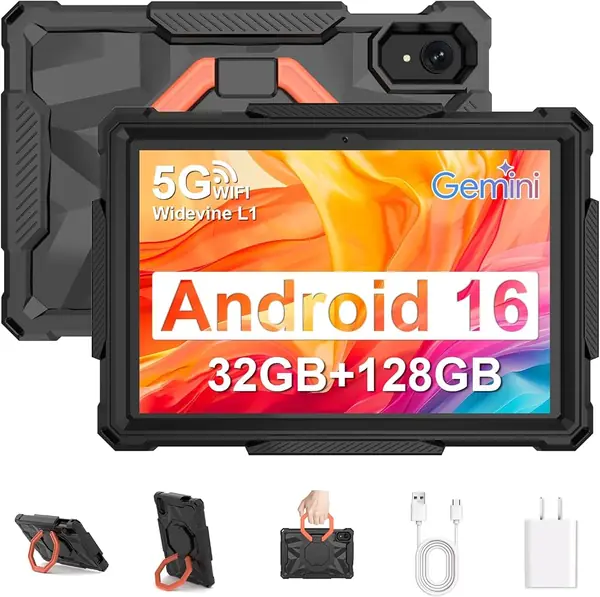
The E10L Pro is the one in this group we hand to a house where the tablet lives on the floor. It comes with a 360-degree rotating EVA case and a screen protector, and the shell is the thick foam kind designed to take a tumble off a couch arm without the screen paying for it.

Inside the case it's a normal budget Android tablet with better-than-average charging: Android 16, a Unisoc T7280 octa-core at 2.2GHz, a 10.1-inch 1280 x 800 panel, 128GB of storage expandable to 2TB, dual speakers, a headphone jack, GPS, face unlock, and 18W fast charging. The two-year warranty is the longest here, and given what tends to fail first in this tier, that's worth more than a marginal spec bump.

It lands in also-consider because the case is the reason to buy it. If the tablet stays on a desk, the AOC's panel is the better spend and the Evermyth's keyboard is the more useful bundle. Buy this one for the handling and the warranty, and know that you're giving up display quality for both.

Pros

  • Shock-proof EVA case and screen protector included
  • 128GB of storage, expandable to 2TB
  • Two-year warranty and 18W fast charging

Cons

  • 300-nit panel washes out in daylight
Our verdict

Shared with kids or carried from room to room, the E10L Pro earns its price on the shock-proof case and the two-year warranty rather than on the screen.

Check Latest Price
6

Gleeso 10.1-Inch Tablet Best for Bedside Streaming

79 /100
TKZ Score Very Good

Key details

Storage
32GB, 1TB expandable
Streaming
Widevine L1
Memory
3GB physical, 24GB with expansion
Connectivity
Wi-Fi 6, Bluetooth 5.4
View on Amazon

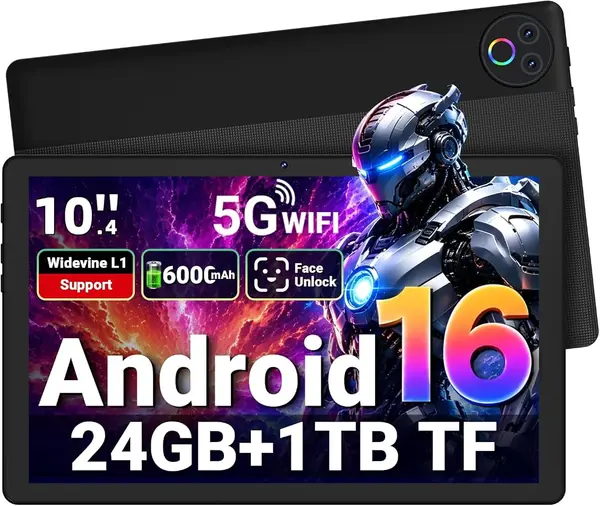
At the bottom of the price range, the Gleeso still lists Widevine L1, Wi-Fi 6, Bluetooth 5.4, face unlock, a 6000mAh battery, and a 10.1-inch 1280 x 800 display. The '24GB RAM' in the title is 3GB of physical memory plus 21GB of virtual expansion, which is the number that actually describes what the tablet can do.

For a second screen, bedside or kitchen or a spare room, that's a fair trade, and the Wi-Fi 6 radio is a genuine plus on a mesh network. It's the least expensive way into HD streaming in this guide, and the 1TB card slot means a downloaded library doesn't have to compete with the system for space. This is the pick we name for someone who wants a screen in the kitchen and doesn't want to think about it again.

Pros

  • Widevine L1 and Wi-Fi 6 at the lowest price here
  • 1TB microSD expansion
  • 6000mAh battery and face unlock

Cons

  • 32GB of storage fills quickly
Our verdict

As a second screen for the kitchen or bedroom, the Gleeso covers the basics with Widevine L1, Wi-Fi 6, and the lowest price here.

Check Latest Price

How We Tested These 10-Inch Android Tablets

We started by pulling every 10-inch Android tablet we could find from brands we could verify, then filtered on the things that separate a usable tablet from a doorstop: a current Android version, Widevine L1 streaming support, an all-day battery rating, and the option to add storage. That left 12 models spanning the budget and mid-range tiers, which we bought at retail, set up as our own, and judged against what each one cost rather than against a flagship.

Speed and battery life got timed, not eyeballed. I opened the same five apps in sequence on each tablet and counted the seconds until the last one was ready, then filled storage past 80 percent to see whether the virtual RAM started stuttering. Every tablet ran a screen-on video loop from full charge to shutdown, and we logged overnight drain — the number that tells you whether a device can sit in a bag for a week and still have something left.

The rest of testing looked like ordinary life. Tablets went into tote bags with keys, slid off a counter onto hardwood, got handed to a seven-year-old for a car ride, and propped up next to the stove for a recipe. We typed email on the bundled keyboard cases and noted whether the stylus felt responsive or like an afterthought, tested face unlock in a dim bedroom, and confirmed HD playback on the major streaming apps instead of trusting the box. A tablet scored well only if it had logged few crashes and stalls and still held its charge in month six, not week one.

How to Choose a 10-Inch Android Tablet

Start with the panel, not the processor

Almost every budget tablet PC at this size runs a 1280 x 800 panel at 60Hz, whatever the listing calls it. That's watchable for video and rough on small text, and it's the single biggest difference between a tablet that feels current and one that feels like a toy. The one real step up in this group is the AOC M10's 1920 x 1200, 120Hz screen.

If the tablet is your main screen for reading or streaming, pay for resolution first. If it lives in a kitchen or gets handed around, 1280 x 800 is enough. Check the pixel figure rather than the words: 'HD' and even 'FHD' get applied to 1280 x 800 panels here.

Decode the RAM and storage claims

Headline memory numbers are inflated by virtual RAM, which borrows storage to pad the figure: a tablet with 3GB of physical memory gets sold as 16GB. Physical RAM in this group runs from 3GB to 6GB, and 4GB is a comfortable floor for streaming and browsing.

Internal storage matters more. A 32GB tablet is half full after Android and a few apps, and a microSD card holds movies and photos but not most apps. Between two otherwise similar tablets, we take the one with 128GB every time.

Treat battery capacity as a starting point

Six thousand milliamp-hours is standard here; the Suicoey T901's 8000mAh is the outlier and the reason it earns a place. Capacity isn't runtime, since the panel, chip, and brightness all take a bite, but it's the number you can actually compare.

What goes wrong most in this tier is charging: a tablet that stops accepting a charge after a few months. Use the adapter in the box, keep the cable from straining sideways at the port, and favor a longer warranty such as the two years on the E10L Pro.

Look for Widevine L1 before you pay for streaming

Widevine L1 is the certification that lets Netflix, Disney+, and Prime Video serve HD. Without it those apps fall back to standard definition no matter how good the panel is, and the line is usually buried near the bottom of the listing.

Most of our picks list it, including the budget TECLAST P35. Search the spec text for 'L1' before you order; it costs the maker money to certify, which is exactly why some tablets quietly skip it.

Decide what's in the box and how far you'll carry it

A keyboard changes what a tablet is for. The Evermyth X109L and Suicoey T901 ship with one, plus a mouse and case, which makes email and documents realistic without a second purchase. A bare tablet needs a folio bought separately, and that adds bulk to a bag.

The lighter picks here sit around 1.1 pounds, comfortable one-handed for reading and noticeable when held overhead in bed. If the tablet never leaves the couch, skip the bundle and put the money into the screen instead.

Frequently Asked Questions

Final Verdict

The AOC M10 is the one we recommend, and the reason is the panel: 1920 x 1200 at 120Hz is a real step up from the 1280 x 800 screens on every other pick, and AOC backs it with 128GB of storage and Widevine L1. Text, video, and scrolling all benefit, which is most of what a 10-inch tablet does.

If typing is part of the job, the Evermyth X109L puts a keyboard, mouse, and stylus in the box and brings the most physical RAM here, at the cost of a softer screen. And if the tablet will live two rooms from a charger, the Suicoey T901's 8000mAh battery answers that question better than any panel can.