Best Phone Controllers of 2026

Touchscreens are fine for texting, scrolling, and losing twenty minutes on the couch. They are not fine for a boss fight that wants a dodge, an aim, and a jump at the same moment. A snap-on phone controller fixes that in seconds — real sticks under your thumbs, real triggers under your fingers, and no smudged glass between you and the game.

Over the past six months, my team and I have run nine of these controllers through their paces, from slim plug-in models to pocket-size Bluetooth pads, and the pattern was consistent: fit decides everything. A controller that wobbles, presses your volume buttons, or forces you to strip your phone case gets left in a drawer, no matter how good the specs look on paper. The good news is that Hall effect joysticks and triggers — the magnetic kind that resist the slow drift of ordinary sticks — have finally reached this price range, so you can afford to be picky about feel instead of settling for whatever pairs.

I've sorted the winners by how and where you actually play: long couch sessions, rushed commutes, flights with a tablet in your lap. Check your phone model against each pick before you buy — more than one of these works with one platform and not the other.

The Best Phone Controllers

1

GameSir G8 Galileo Best Overall
87 /100
TKZ Score Excellent

Key details

Connection
USB-C wired
Sticks And Triggers
Hall effect
Charging
Pass-through plus 3.5mm jack
Case Clearance
1 mm or less
View on Amazon

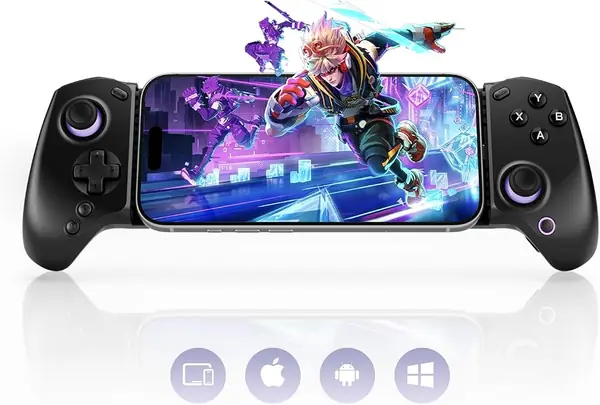
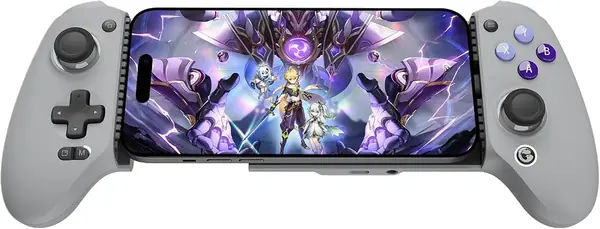
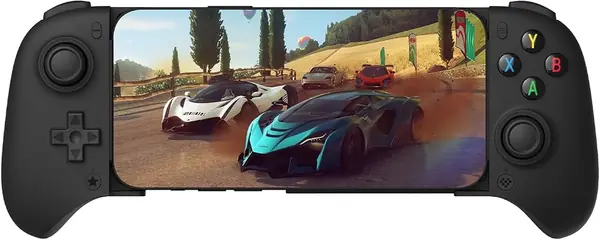
The G8 Galileo is the one that stops your phone from feeling like a phone. Slide it in and you get full-size hall-effect joysticks, triggers with real travel, and grips that fill your palms the way a console pad does — the phone becomes the screen in the middle of a controller rather than the thing you're holding. Few controllers here put that much surface under your hands, and it's the difference you notice in the first minute of play.

The wired connection earns its keep. There's no pairing step and no battery to remember — the movable USB-C plug seats into the phone and the controller runs off it. GameSir passes power through as well, so the phone charges while you play, and there's a 3.5mm jack for headphones without a dongle. Two hours into a session, that combination is worth more than any light ring.

Fit is the part to check against your own phone. The clamp is rated for cases up to 1mm, which covers slim shells and not much else, so plan on going caseless or close to it. It's a USB-C controller besides, which means Android phones and the USB-C iPhones — a Lightning iPhone is out.

Longevity is the one thing we can't promise. Button wear over months is the failure to watch for, and it's the reason to buy somewhere with a return policy you trust. Everything else argues for it: this is the controller that makes mobile games feel like they belong on a console, and it's the one we reach for when a game deserves better than glass.

Pros

  • Full-size hall-effect sticks and triggers
  • Pass-through charging and a headphone jack
  • Grips that make a phone feel like a console

Cons

  • Cases must be 1mm thick or less
  • USB-C only, so no Lightning iPhones
Our verdict

We recommend the G8 Galileo to anyone who wants their phone to feel like a console: full-size hall-effect controls, no pairing, no battery, and charging that passes through to the phone.
Check Latest Price
2

8BitDo Ultimate Mobile Best for Android

86 /100
TKZ Score Excellent

Key details

Connection
Bluetooth
Sticks And Triggers
Hall effect
Phone Fit
100–170 mm
Extra Controls
Two back paddles
View on Amazon

If you're on Android and want to cut the cable, this is where to start. The 8BitDo Ultimate pairs over Bluetooth, holds phones from 100mm to 170mm, and costs meaningfully less than the top pick while still using hall-effect sticks and hall triggers.

The layout is what keeps it in the conversation. Two back paddles and a profile button mean your thumbs can stay on the sticks in games that want more inputs, and the bumpers, d-pad, and face buttons have a light, tactile click that feels like hardware rather than an accessory. The soft-touch backing helps it stay put against a phone.

Bluetooth is the trade. You can't charge the phone while you play, so a long session is bounded by whatever battery the phone started with, and connection trouble is the other soft spot — PS Remote Play is the app where it shows up. The shoulder buttons are also the clickiest part of the pad, which is a taste question more than a flaw.

For Android, this is the best-feeling controller in the guide that doesn't cost premium money, and the paddles give it a job the cheaper picks can't do. iPhone owners should look at the Mocagen MC1 instead; the 8BitDo simply isn't built for them.

Pros

  • Hall-effect sticks and triggers
  • Two back paddles and a profile button
  • Comfortable, console-like grip

Cons

  • Android only
  • Can't charge the phone while playing
Our verdict

For Android phones, we think the Ultimate is the one to beat here: hall-effect controls, back paddles, and a grip that feels like real hardware.

Check Latest Price
3

Mocagen MC1 Best for iPhone and Android

85 /100
TKZ Score Excellent

Key details

Connection
Bluetooth
Sticks
Hall effect, 5M cycles
Compatibility
iPhone and Android
Battery
600 mAh
View on Amazon

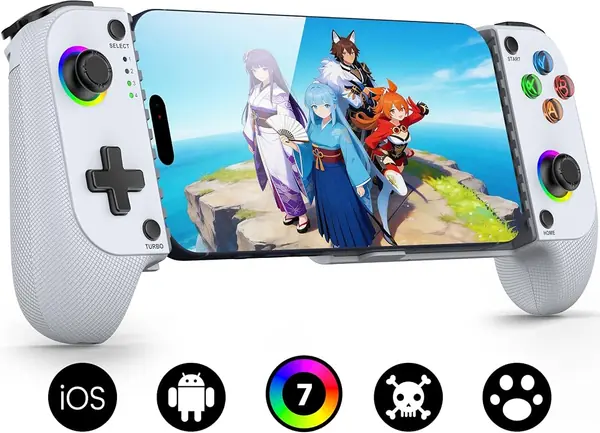
The 8BitDo above feels better in the hand; the MC1 is the one that works with whatever phone you're holding. It pairs over Bluetooth with iPhones and Android alike, and it clamps a phone that's still in a case — a combination that is harder to find in this category than it should be.

The hardware is more than adequate. The hall-effect sticks are rated for 5 million cycles, about two and a half times a standard carbon-film stick, so drift should be a long way off. The textured grip is shaped rather than flat, the RGB ring is adjustable and can be dimmed, and the 600mAh cell is the figure to keep in mind for long sittings. Pairing is quick enough that we stopped thinking about it after the first session.

Consistency is where it gives ground. Bluetooth dropouts and a battery that eventually stops taking a full charge are the two things to know, and neither has a fix you can apply yourself. We still rate it as the right first controller for someone splitting time between an iPhone and an Android, or for anyone who wants a pad that tolerates a case and doesn't charge console money for the privilege.

Pros

  • Works with both iPhone and Android
  • Hall-effect sticks rated for 5M cycles
  • Fits phones that are still in a case

Cons

  • No charging the phone while it's clamped in
Our verdict

The MC1 is our choice for anyone who plays on both an iPhone and an Android, and for anyone who wants a case-friendly Bluetooth pad without premium money.

Check Latest Price
4

abxylute S8 Lite Best Wired Value

84 /100
TKZ Score Excellent

Key details

Connection
USB-C wired
Sticks And Triggers
Hall effect
Charging
Pass-through
Compatibility
iPhone 15–18, iPad mini, Android
View on Amazon

There's nothing to charge and nothing to pair. The S8 Lite is a USB-C controller: slot the phone in, the plug seats, and you're playing. That one decision removes the two things that go wrong with wireless pads — a flat battery and a dropout mid-match — and it's why this is the value pick of the group. It covers more devices than its price suggests, too: USB-C iPhones, Android phones, and an iPad mini all fit, and there are rear buttons for games that want them.

Against the G8 Galileo, the S8 Lite is the simpler and less expensive route to the same console feel. You give up the headphone jack and the swappable faceplates, not the controls — hall-effect sticks and hall-effect triggers are both here, and the phone charges through the controller as you play. The open question is how the sticks hold up after a year, which is the one thing a controller this affordable can't answer yet. Everything we can judge — button placement, stick feel, and the fit — is right.

Pros

  • Plug-and-play with no battery or pairing
  • Hall-effect sticks and triggers
  • Phone charges while you play

Cons

  • Wired only
  • USB-C devices only
Our verdict

For the money, the S8 Lite is the wired controller we point to: plug in, play, and charge the phone through the same port.

Check Latest Price
5

GameSir X5 Lite Best Budget

81 /100
TKZ Score Excellent

Key details

Connection
USB-C wired
Weight
4.78 oz
Sticks
Hall effect
Max Phone Width
213 mm
View on Amazon

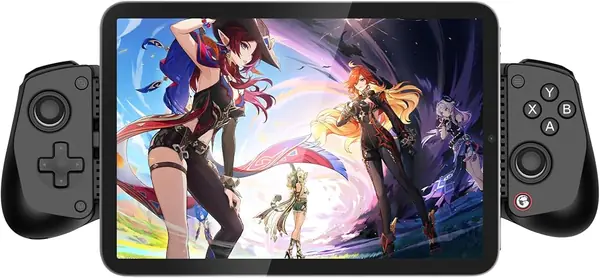
The X5 Lite is the one that disappears into a bag. At 135 grams it's light enough to forget you packed it, and it stretches to 213mm, so it takes everything from a small Android phone to an iPad mini. There's no battery inside either — the phone powers it over USB-C, which is one less thing to charge the night before a trip.

There are trade-offs at this end of the range. The buttons and triggers are cushioned membrane rather than hall effect, which suits platformers, emulators, and retro libraries and suits a racing game less well, where you want a progressive throttle instead of something close to on-off. It's also a small pad: with large hands the grips leave your palms hanging, and the whole thing feels like a phone accessory rather than a console pad.

Then there's the iPhone question. It's rated for iPhone 15 and 16, but iOS is where the trouble shows up, and Android is where this controller is consistently solid. So we treat it as an Android-first budget pick: if that's your phone, it's one of the cheapest routes to hall-effect sticks and a proper grip. If it isn't, the S8 Lite does the same job for a little more money.

Pros

  • Light and easy to pack
  • Hall-effect sticks
  • Stretches to fit an iPad mini

Cons

  • Membrane triggers, not hall effect
  • iOS support is hit or miss
Our verdict

The X5 Lite is our budget pick for Android: light, packable, hall-effect sticks, and no battery to think about.

Check Latest Price
6

abxylute M4 Best Portable

80 /100
TKZ Score Excellent

Key details

Connection
Bluetooth
Weight
3 oz
Mounting
Magnetic snap-on, kickstand
View on Amazon

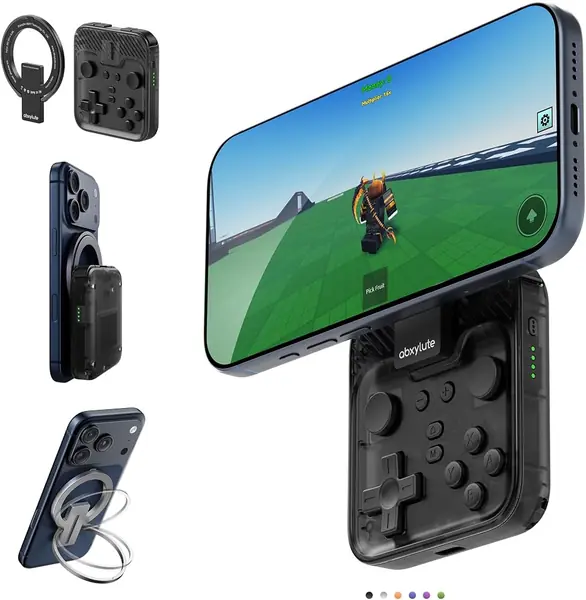
This is the controller that actually rides in a pocket. At 85 grams it slips into a jacket pocket and you forget about it, and a magnet holds it to a ring you stick on your phone case — the same magnet doubles as a kickstand when you want the screen propped up. Portability is the whole design brief here, and it's the one place the M4 has no rival in this group.

It's built for short sessions of retro gaming rather than ranked matches. The face buttons and d-pad are clicky and firm, the sticks are smoother than the size suggests, and pairing with Delta, RetroArch, or PPSSPP takes seconds. The shape is a pad rather than a grip, so a 20-minute session feels great and a two-hour one doesn't.

Two things to know. The face buttons stay in the Xbox layout even in the modes that suggest the Nintendo arrangement, a small annoyance if you're deep into emulators. And with the controller stuck to the back of the phone, the whole stack is bulky enough that you'll probably carry the two separately.

As a travel controller for retro games, this is the best of the group: it's the only one here you can genuinely forget in a pocket, the magnet holds firm in the hand, and the buttons are better than the size suggests. Don't buy it expecting it to replace a full-size pad for shooters.

Pros

  • 85 grams and pocket-sized
  • Strong magnet that doubles as a kickstand
  • Clicky buttons and smooth sticks

Cons

  • Face buttons stay in Xbox layout
  • Bulky when left attached to the phone
Our verdict

For retro emulation on the go, the M4 is the one worth carrying: 85 grams, a strong magnet, and controls that feel better than its size.

Check Latest Price
7

8BitDo FlipPad Portrait Retro

79 /100
TKZ Score Very Good

Key details

Connection
USB-C plug-in
Weight
1.11 oz
Hinge Rating
6,000 cycles
Play Orientation
Portrait
View on Amazon

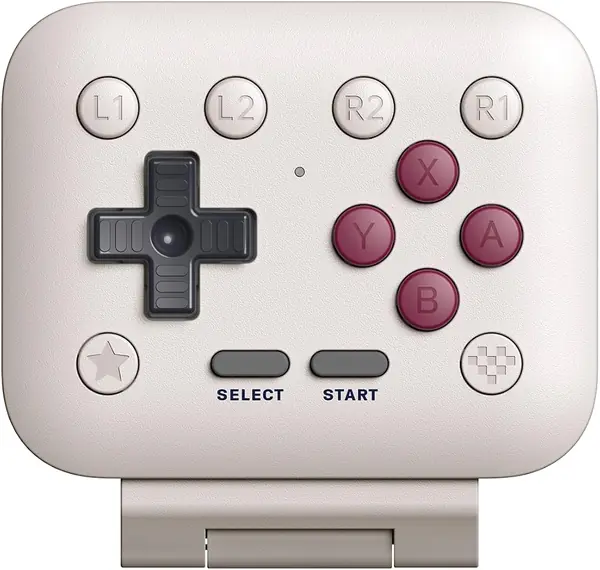
If you play in portrait — Game Boy and DS emulation, vertical shooters — a clamp-on pad is the wrong shape. The FlipPad plugs straight into the USB-C port and folds open into a small pad, with your phone standing upright above it and a d-pad and ABXY buttons under your thumbs. It's the most single-purpose controller here, and for that one purpose it's excellent.

Case fit is the catch. The plug has to reach the port, so a thick case stops it seating, and folding it shut disconnects the controller — fine as a battery-saving habit, less fine if you were hoping to leave it attached between sessions. The layout is cramped besides; adult hands spend the first few minutes adjusting.

The hinge is rated for more than 6,000 open and close cycles and the port for more than 10,000 insertions, which is the kind of number that tells you the designers knew where this thing wears. Treat it as the controller that lives in a bag next to your phone, and the compromises read as the cost of the shape.

Pros

  • Pocketable at 31.5 grams
  • Clicky, quiet buttons
  • No battery

Cons

  • Needs a thin case or none at all
  • Cramped for adult hands
Our verdict

Buy the FlipPad if you play in portrait: it's the only controller here built for that grip, and it folds into a pocket.

Check Latest Price
8

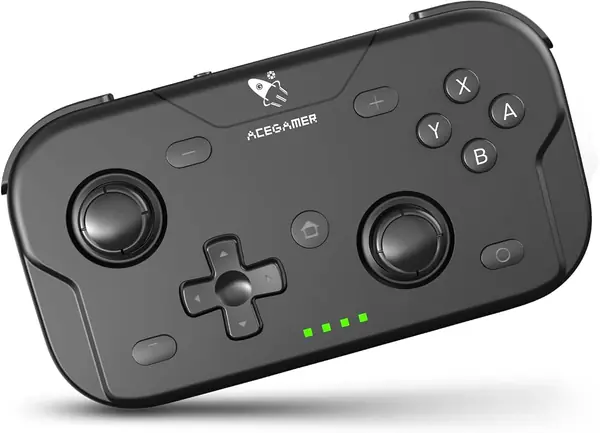
AceGamer Pocket Controller First Controller

78 /100
TKZ Score Very Good

Key details

Connection
Bluetooth
Weight
3.3 oz
Size
4.7 x 2.6 x 1.2 in
Polling Rate
1000 Hz
View on Amazon

This is the least expensive controller in the guide, and it's the one to look at if you want buttons on your phone without committing to a clamp. It doesn't hold the phone — you prop the phone up and pair this to it — which is the trade for something that slips into a chest pocket and works with a Switch, a PC, or a tablet as readily as a phone. The joysticks retract, so it packs flat.

The size cuts both ways. Retractable sticks are what make it pocketable, and the same small body will cramp adult hands after a while, so treat it as a short-session pad or one for smaller players. Pairing is the other thing to test early — Android is the shaky side, and remapping buttons can be fiddly. What it does well is prove the point cheaply: a real d-pad and two sticks change how a phone game plays.

Pros

  • Least expensive pick here
  • Retractable sticks pack flat
  • Works with Switch, PC, and phones

Cons

  • Small for adult hands
  • Android pairing is inconsistent
Our verdict

The AceGamer is the low-risk way to find out whether buttons beat touchscreens on your phone, and it doubles as a Switch and PC pad.

Check Latest Price

How We Tested Phone Controllers

We started with the controllers that actually list the phones we own — current Android handsets and recent iPhones — which trimmed the field quickly. From there we filtered by connection type, whether the unit draws power from the phone or carries its own battery, whether it plays nicely with a case left on, and what came in the box. Nine made the cut and went into rotation.

Testing ran six months, and every controller saw the same real-world schedule: the morning train, a lunch break at the desk, couch play after dinner, and a couple of flights and long car rides where the phone was the only screen. We played the same small set of games on each one — a gacha-style action title, a precision platformer, and retro emulation — because they penalize late inputs in different ways.

Fit got checked first. We snapped each controller on and off twenty times, noted whether the clamps grabbed the volume or power buttons, and tried it with a slim case, a thick case, and no case at all; anything that rocked on the table was marked down. Ergonomics we judged by how our hands felt after forty-five minutes without a break, watching for thumb cramp and palm ache. For responsiveness we replayed sections we'd already beaten, so a missed jump landed on the controller and not on us, and we left each one idle in a game with an on-screen camera to see whether the sticks drifted on their own. Battery life was logged from full charge to the low-battery warning, counting play time rather than standby. Build quality showed up at the seams: which bodies creaked under a squeeze, which triggers went loose after a month, and which shells survived a backpack.

Value came down to what shipped alongside the controller — a travel case, a cable, a headphone jack, pass-through charging — and whether it still felt worth the money after the novelty wore off.

How to Choose a Phone Controller

Wired or Bluetooth: Pick Your Trade

The connection decides more than latency. A USB-C controller draws power from the phone, so there's no battery to charge — but it occupies the port, which is why pass-through charging matters more than it sounds. The G8 Galileo and the S8 Lite both pass power through, so the phone keeps filling while you play.

A Bluetooth mobile gaming controller frees the port on paper, but clamp-style models often cover it anyway, and a phone that starts the session at 40 percent will end it early. Long sittings, go wired. Short bursts, Bluetooth's convenience wins.

Fit and Case Clearance Come First

Two numbers decide whether a clamp-on controller works for you: the length of your phone and the thickness of your case. A clamp rated for 100–170 mm covers most phones but not a tablet; the X5 Lite stretches to 213 mm and takes an iPad mini as well.

Case clearance is the tighter constraint. The G8 Galileo is rated for cases up to 1 mm, which means slim shells and not much else. Measure your phone with the case on, then check that the plug lines up with the port rather than a camera bump — that's the mismatch that sends people back to a listing.

What Hall-Effect Sticks and Triggers Buy You

A hall-effect stick senses position magnetically, so there's no carbon film to wear and no drift to develop. The MC1 rates its sticks at 5 million cycles, about two and a half times a standard carbon-film stick. On a controller you plan to keep, that's worth paying for.

Triggers are a separate decision. Hall-effect triggers give a progressive pull for racing games; membrane triggers are closer to on-or-off. If you mostly play platformers, RPGs, and emulators, a good membrane pad is perfectly fine — the X5 Lite is that pad.

Grip Shape Decides How Long You Play

Two shapes cover this guide. Full-size grips — the G8 Galileo, the S8 Lite — put your hands where a console pad puts them and survive a two-hour session. Pocket pads — the M4, the FlipPad, the AceGamer — fold small and cramp sooner, which is a fair trade for a controller that actually travels with you.

Be honest about session length. A compact pad you carry every day beats a big one that stays in a drawer, and a big one you use at home beats a compact pad that hurts by the second hour.

Check the Game Before the Controller

A controller only helps in games that accept one. Native mobile titles vary, cloud services like Xbox Game Pass and GeForce NOW generally behave, and the PS Remote Play app is the one that most often refuses to recognize a third-party pad — the 8BitDo Ultimate is one where that shows up.

Look up the game's controller support, and for remote play check the app's compatibility list, before you buy. The controller is the easy half of the setup.

Frequently Asked Questions

Final Verdict

The GameSir G8 Galileo is the controller we point most people to. It's the one that turns a phone into a handheld console: full-size hall-effect sticks and triggers, wired play with no pairing or battery to manage, and pass-through charging so the phone doesn't die mid-session. The caveats are real — cases over 1 mm won't fit, and button wear over months is the thing to watch.

If you're on Android and want wireless, the 8BitDo Ultimate is the better buy. If you want that console feel for less and don't need a headphone jack, the abxylute S8 Lite gets you there on USB-C.