Best Kindle Paperwhite Cases of 2026

I've done the classic thing: lying on my back in bed, holding a Kindle over my head, and losing my grip at exactly the wrong moment. The screen survived; my nose didn't. A good case gives your fingers something to hold onto and takes the hit when you don't, while a bad one turns a slim e-reader into a hardcover, blocks the charging port, or flops open the second it goes in a bag.

Generation matters more than anything else here. The 7-inch Paperwhite and the Colorsoft share a shell size, but the older 6.8-inch model doesn't, so a case billed as fitting every generation deserves a hard look at its cutouts. We've spent four months with 16 cases on our Paperwhites and a Colorsoft — reading in bed, in a chair, on the train, and in tote bags — and fitting problems show up on day one.

Most of these add a kickstand, a hand strap, a card slot, or a magnetic back that detaches, and every one of those features adds a little weight and a little cost to something you hold in one hand. The picks below are the ones that got that trade-off right.

The Best Kindle Paperwhite Cases

1

Fintie Kindle Paperwhite Case Best Overall
96 /100
TKZ Score Outstanding

Key details

Fits
Paperwhite 13th/12th/11th gen and Colorsoft
Weight
5.8 oz
Features
Kickstand, hand strap, card slot
Closure
Magnetic clasp
View on Amazon

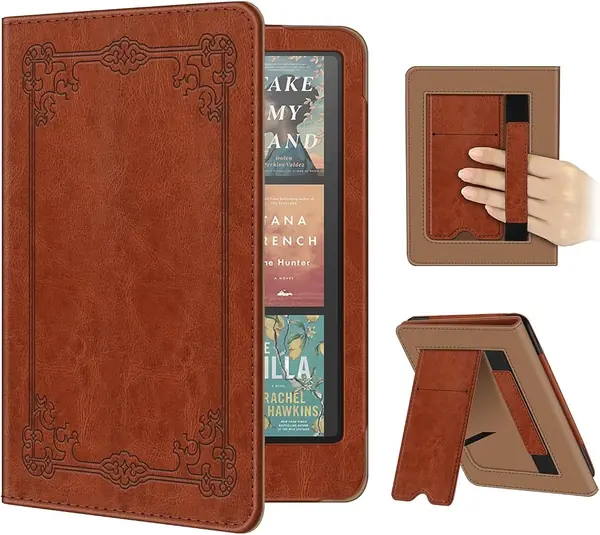
The case we recommend to most people does everything, and it costs about as little as anything here. Fintie's folio brings a folding kickstand, an elastic hand strap, a card pocket, a magnetic clasp, and a front cover that wakes the Kindle when you lift it. No feature was sacrificed to hit that price, which is the whole argument: the cheapest tier here buys the same set of conveniences as the covers selling for several times as much.

Two of those conveniences earn their place every day. The stand folds out of the back and holds the screen at a readable angle, so lunch or a recipe doesn't require propping the device against a mug. The hand strap moves the weight from your fingertips to the back of your hand when you read lying down. The card pocket is the one we could live without - it swallows a transit card or a folded bill, but it adds a lump under the front cover.

The fit list is longer than most: this one covers the 2021 6.8-inch Paperwhite as well as the 7-inch 12th- and 13th-generation models and the Colorsoft. In a house with two generations of Kindle in it, or a device on its way to a kid, that matters more than any feature. The trade-off is bulk - 5.8 ounces and a hard shell make it the heavier kind of folio, and you feel it after a long stretch of holding the device up.

Pros

  • Stand, hand strap, and card pocket in one case
  • Fits the 6.8-inch 2021 Paperwhite too
  • Full feature set at a budget price

Cons

  • 5.8 ounces is heavy for a folio
Our verdict

The one we tell most people to buy: full features, a fit list that includes older Paperwhites, and a price at the bottom of this group.
Check Latest Price
2

MoKo Slim Kindle Paperwhite Case Best Slim Cover

95 /100
TKZ Score Outstanding

Key details

Fits
7-inch Paperwhite 12th gen and Colorsoft
Weight
4.33 oz
Material
PU leather over hard shell
Closure
Magnetic, auto sleep/wake
View on Amazon

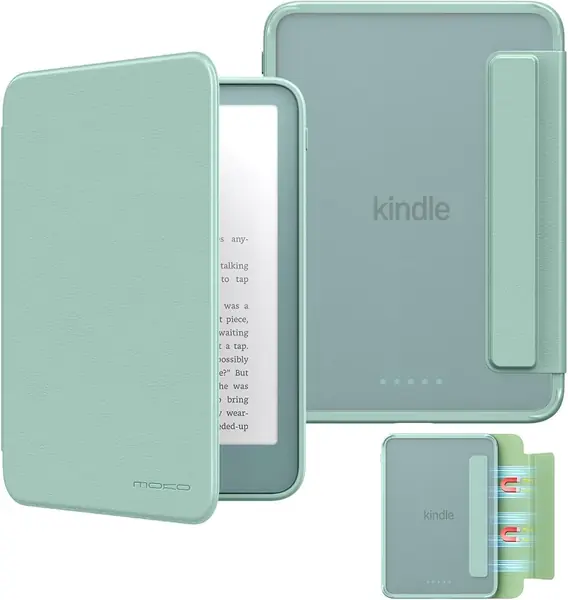
At 4.33 ounces, this is the cover that disappears. MoKo's slim folio is a hardback with a PU leather face and a soft, no-scratch interior, and it is about an ounce and a half lighter than the Fintie. For reading in bed with the device held overhead, that is the number that decides it.

What you give up for the diet is the furniture: no hand strap, no kickstand, no card pocket. We didn't miss the card slot at all, and the stand only matters if you read at a table. The strap is the absence we noticed, because a bare back has to be gripped at the edges, and the edges are exactly where a slim cover gives you the least to hold.

Where it earns its keep is the finish and the fit. The textured PU has enough tooth that it doesn't slide off a lap, the magnetic closure keeps the front cover shut inside a bag, and the cutouts leave the power button and the USB-C port clear. It is listed for the 7-inch 12th-generation Paperwhite and the Colorsoft only, so a 2021 model needs one of the other covers here.

Pros

  • Listed at 4.33 ounces, the lightest full folio here
  • Textured, non-slip PU surface
  • Charges without taking the case off

Cons

  • No hand strap, kickstand, or card pocket
  • Fits only 7-inch 2024-and-newer models
Our verdict

We reach for this one when the Kindle travels in a bag and gets read one-handed: light, slim, and cheap, as long as you can live without a strap.

Check Latest Price
3

Casely Kindle Case, Tortoise Print Best-Looking Cover

94 /100
TKZ Score Outstanding

Key details

Fits
7-inch Paperwhite 12th gen and Colorsoft
Weight
2.29 oz
Features
Built-in back hand strap
Material
Vegan leather, soft lining
View on Amazon

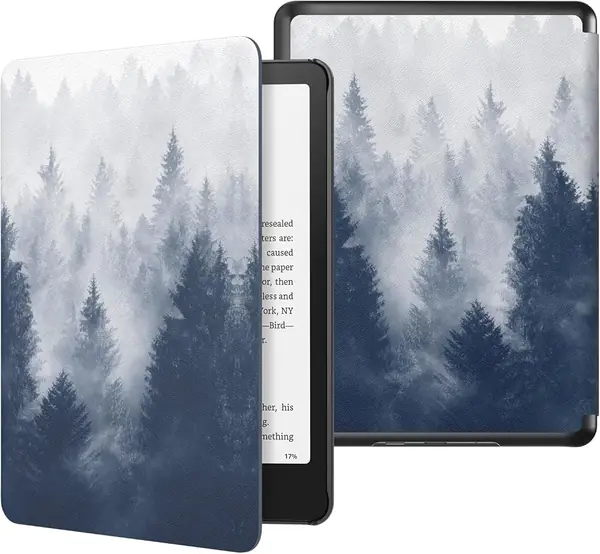
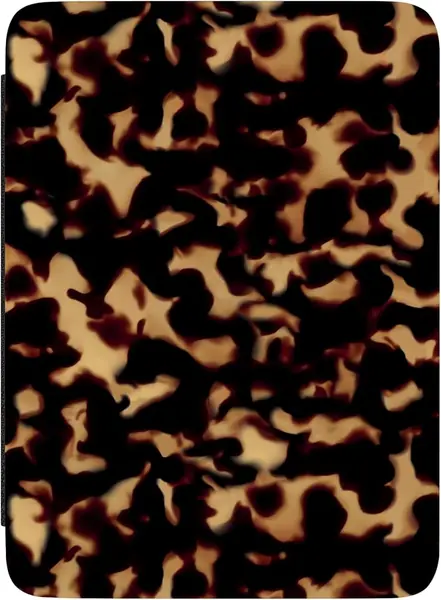
The tortoise print is the reason to look twice. Casely finishes this cover in a printed vegan leather that reads as a pattern rather than a logo - the kind of case that gets noticed when you pull out a Kindle on a train. Under the print it is a stiff hybrid shell with a soft lining, so the look doesn't come with a flimsy feel.

The features are conventional and complete: a built-in hand strap on the back, magnets that wake the screen when you open the cover and hold it flat against the back when you fold it over, and cutouts lined up with the power button and the charging port. The cover folding all the way back matters more than it sounds - a flap that hangs loose while you read with the strap is worse than no strap at all.

It also sits near the top of the price range here, and the money isn't buying better protection. The shell is no more rugged than the Fintie's, the corners get the same thin coverage, and there is no stand or card pocket to show for the difference. What you pay for is the print and a one-year warranty. If the pattern is the reason you pick the Kindle up, that is a fair trade; if you want a case that vanishes into a bag, it isn't.

Pros

  • Printed vegan leather that looks like nothing else here
  • Back hand strap plus magnets that hold the flap open
  • One-year product warranty

Cons

  • Premium price buys the print, not more protection
Our verdict

We point style-first readers here: a printed cover that holds its own as a folio, priced for the look rather than for extra protection.

Check Latest Price
4

MoKo Magnetic Detachable Case Best Detachable Cover

93 /100
TKZ Score Outstanding

Key details

Fits
7-inch Paperwhite and Colorsoft, 2026
Features
Detachable front, clear back
Material
Clear PC back, PU front
Closure
Magnetic, auto sleep/wake
View on Amazon

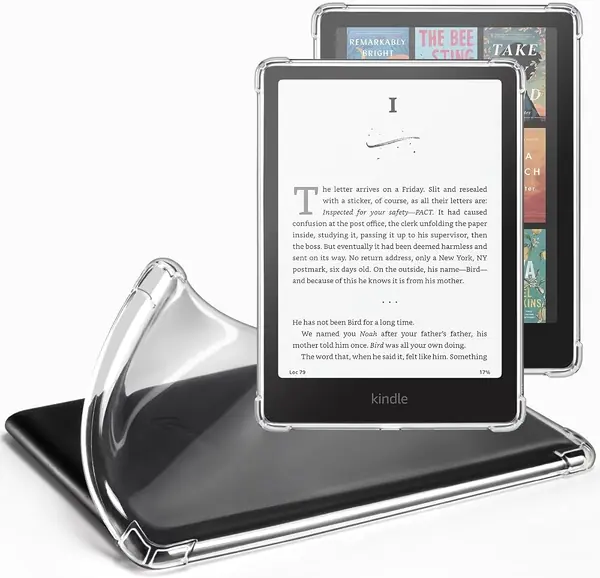
Half of this case comes off. The front cover is held to the back shell by magnets, so you can leave the flap in a drawer and read with a bare, clear-backed Kindle, then snap it back on when the device goes into a bag. That is a different idea from every other folio here, and it is why we kept it in the roundup: most people want protection in transit and almost nothing in their hand.

The back is a clear polycarbonate shell with a soft TPU edge, so the Kindle's color shows through and stickers go on the inside of the plastic instead of on the device. The front is PU leather with a soft lining, and it wakes and sleeps the screen the way a normal cover does - when the magnet lines up. Sleep and wake is the one function that doesn't always land on this model; if the screen stays lit after you close the flap, the cover isn't tripping the sensor and it is worth exchanging.

Fit is where it narrows: MoKo lists this for the 7-inch 2026 Paperwhite and Colorsoft, so a 2024 or 2021 Kindle is out. On a 2026 model, the combination of a slim clear back and a removable screen flap is the most flexible thing in this guide - it is two cases in one, and you will use both.

Pros

  • Front cover detaches for slim at-home reading
  • Clear back shows the Kindle color and holds stickers
  • Reinforced TPU corners absorb drops

Cons

  • Sleep/wake can fail to trigger
  • Fits 2026 7-inch models only
Our verdict

We like it for the reader who wants a slim, decorated Kindle on the sofa and a covered one in a bag - detachable, clear-backed, and 2026-only.

Check Latest Price
5

Amazon Kindle Paperwhite Fabric Case Best Water-Safe Cover

92 /100
TKZ Score Outstanding

Key details

Fits
7-inch Paperwhite and Colorsoft, 2024
Weight
4.97 oz
Material
Water-safe fabric
Design
Folds back flat
View on Amazon

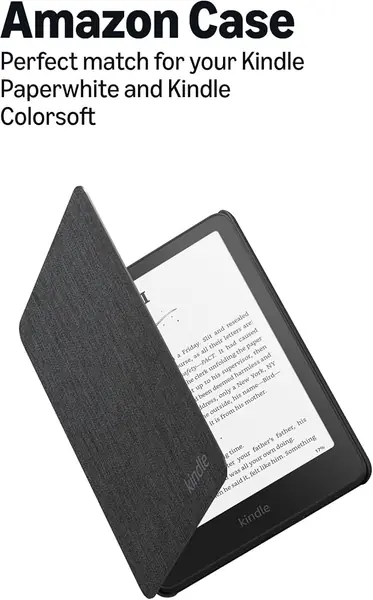
This is the only fabric cover in the group, and the weave is treated to be water-safe - closer to a book jacket than a gadget case. The interior is soft enough that the screen isn't the thing you worry about, it is lighter than the leather-look folios at 4.97 ounces, and it can stay on the Kindle while the device charges.

What it doesn't have is furniture. The cover folds back flat for one-handed reading, and that is the whole ergonomic story: no strap, no kickstand, no pocket. The fold-back is enough for reading in a chair. It is not enough for reading in bed with the device held up, which is where a strap earns its keep.

The edges are the part to watch. The fabric meets the shell at the border, and that border is where a cover of this style starts to lift and fray with use. Nothing about that makes it a bad case - it makes it a case you buy for the material and the exact fit, not for a decade of service.

It is also priced near the top of the group, which only makes sense one way: buy it if you read outdoors, in the bath, or anywhere a splash is possible, and you want the cover Amazon built for this device. If your Kindle lives on a nightstand, the same money buys a strap and a stand elsewhere.

Pros

  • Water-safe woven fabric finish
  • Lighter than the leather-look folios at 4.97 ounces
  • Folds flat and stays on while charging

Cons

  • Edges lift and fray with use
  • No strap or stand at a premium price
Our verdict

We recommend it for readers who want a light, water-safe official cover and don't need a strap - just keep an eye on the edges.

Check Latest Price
6

CoBak Kindle Paperwhite Case, Sage Best for Color Choices

91 /100
TKZ Score Outstanding

Key details

Fits
Paperwhite 13th/12th/11th gen and Colorsoft
Weight
7.41 oz
Features
Kickstand, hand strap, card slot
Shell
Hard shell, PU leather
View on Amazon

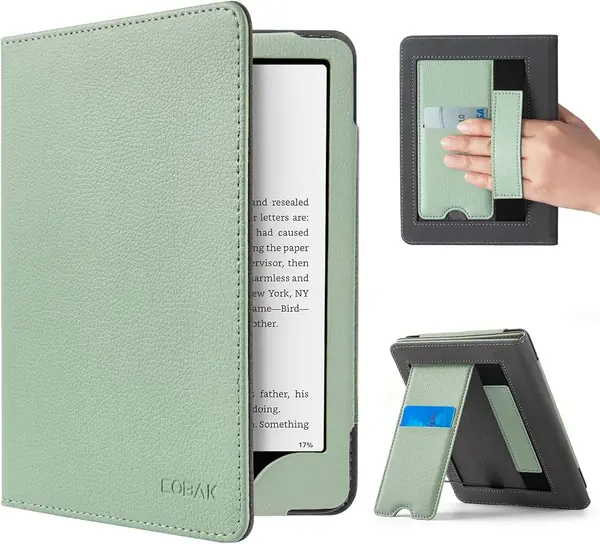
CoBak sells this folio in a long list of colorways, and the sage green is the one that made us look twice - a muted shade that reads as cloth rather than plastic. Under the finish it is the same recipe as the Fintie: hard shell, PU leather outside, microfiber inside, folding kickstand, hand strap, card pocket, magnetic closure, auto sleep and wake.

So why isn't it the top pick? Two honest trade-offs rather than faults. At 0.21 kilograms, about seven and a half ounces, it is the heavier of the two full-feature folios, and the PU finish is smooth - the opposite of what a bare-handed grip wants, which is why the strap matters here more than it does on the Fintie. Neither problem reaches anyone who reads with a hand through that strap, and that is most of us.

Where it beats the Fintie is choice. There are enough options - sage, teal, and a spread of prints and solids - that matching a bag or a mood is realistic, and the case still looks like a notebook rather than a tablet accessory.

The card pocket is the sleeper feature: it holds a transit card or a folded bill inside the cover, which makes the Kindle the only thing you need to carry to a coffee shop. It is also the piece that adds the most thickness, so if you never carry cards, the plainer MoKo is the cleaner shape.

Pros

  • Long list of colorways
  • Kickstand, hand strap, and card slot
  • Fits 2021 through 2026 Paperwhites and Colorsoft

Cons

  • 0.21 kilograms is heavy for a folio
  • Smooth PU back is slick in a bare hand
Our verdict

We keep it for the color range and the card pocket: a full-feature folio with a heavier, slicker feel than the Fintie.

Check Latest Price
7

Naimuesly Dual Strap Case Best for Either-Hand Reading

90 /100
TKZ Score Outstanding

Key details

Fits
Paperwhite 12th/11th gen and Colorsoft
Features
Two hand straps, kickstand, wallet pocket
Closure
Magnetic plus elastic strap
Thickness
0.74 inches
View on Amazon

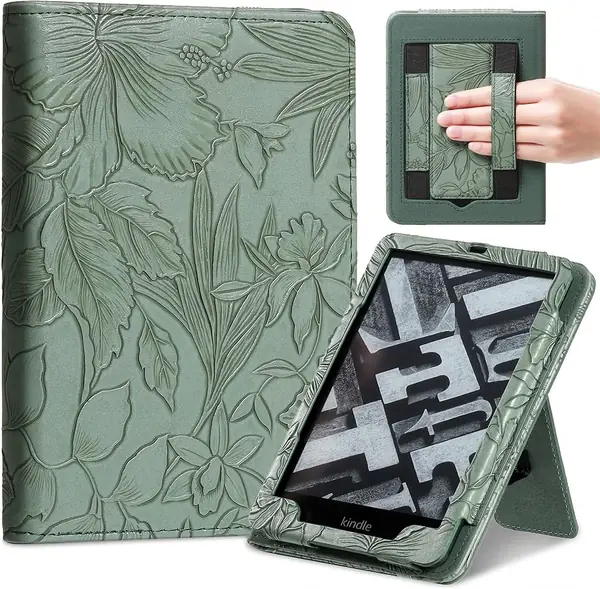
Two hand straps is a small idea that fixes a real annoyance. Most folios fit the strap for one hand, which is fine until you are holding the Kindle in the other - lying on your left side in bed, or switching hands when one arm gets tired. This cover has an elastic strap on each side, so either hand works, and a stand folds out of the back for reading at a table.

The rest is a book-style cover done properly: PU leather with a raised floral pattern, a wallet pocket at the back for cards or cash, an elastic band that keeps everything shut, and magnets for sleep and wake. Sleep and wake is the piece worth checking in the first minute - if the screen stays lit when you close it, the magnet isn't tripping the sensor and the case should go back. The dual straps and the wallet pocket still make this the pick for someone who reads in bed and hates holding a device by its edges.

Pros

  • A hand strap on each side
  • Kickstand plus wallet pocket
  • Raised floral pattern on PU leather

Cons

  • 0.74 inches thick with the wallet pocket
Our verdict

We recommend it for readers who switch hands: straps on both sides, a stand, and a wallet pocket, with sleep/wake worth testing on arrival.

Check Latest Price
8

CoBak Clear Kindle Paperwhite Case Showing off the Device

89 /100
TKZ Score Excellent

Key details

Fits
7-inch Paperwhite 12th gen and Colorsoft
Weight
2.12 oz
Material
Clear silicone TPU
Coverage
Back and edges only
View on Amazon

This isn't a folio. CoBak's clear case is a soft silicone shell that wraps the back and edges of the Kindle and leaves the screen bare - no front flap, no magnet, no sleep and wake. What it does instead is keep the device looking like itself, which is the whole point if you bought a jade or metallic Paperwhite and then covered it in leather.

The part we didn't expect to like: the clear back is a display case. Because the shell is see-through and comes off easily, stickers, a paper insert, or a photo go between the case and the device, so the look changes without adhesive ever touching the Kindle. The smooth back also takes an adhesive grip if you want one, which is more than the folios here can offer.

That makes it the cheapest protection here and the only pick that doesn't hide what you paid for. The trade-off is real: with nothing over the glass, it needs a sleeve or a dedicated pocket in your bag, and the corners take knocks a folio would spread across a bigger shell. For a Kindle that lives on a nightstand and travels in a tote beside a laptop, that is a fair trade.

Pros

  • Cheapest protection in the group
  • Clear back holds sticker inserts and shows the color
  • Snug silicone fit with corner protection

Cons

  • No screen cover and no auto sleep/wake
Our verdict

We recommend it for readers who want scratch protection without hiding their Kindle - and who already carry a sleeve.

Check Latest Price
9

Amazon Kindle Page Turn Cover Best for Button Page Turns

79 /100
TKZ Score Very Good

Key details

Fits
Paperwhite Signature and Colorsoft Signature, 2026
Weight
6 oz
Buttons
Physical page-turn buttons
Water Resistance
IPX8 rated
View on Amazon

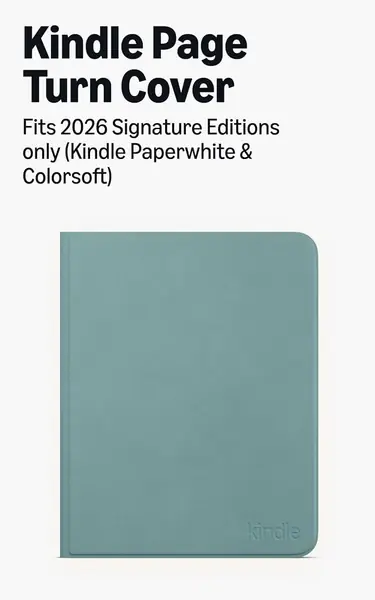
Physical page-turn buttons are the thing Kindle readers have asked for since the Oasis went away, and this cover is Amazon's answer: two metal buttons built into the front flap that click through pages without touching the glass. There is no battery, no pairing, and no charging - the buttons work as soon as the cover is attached, and you choose which one goes forward in the Kindle's settings.

The feel is the draw. A click under your thumb instead of a tap on glass changes reading in bed, where your hand is under a blanket, and on a treadmill, where a swipe is a wobble. The cover folds back flat for one-handed reading, both the Kindle and the cover are IPX8 rated for splashes, and the plant-based leather has a matte finish.

It is not a case, though, and that is the part to understand before you pay the most of any cover here. The cover attaches with magnets and nothing grips the edges of the device, so the Kindle sits in it rather than inside it. Flat on a table or held upright it is secure; tip it, and the device can slide free. Test that in the first minute, because it is the difference between a cover you trust and one you don't.

So: the best page-turn buttons you can put on a Paperwhite, at the highest price here, and only for the 2026 Signature Edition and Colorsoft Signature Edition. If you read for hours a day and resent smearing the screen, the buttons are worth the compromise in grip. If the Kindle rides in a bag, buy a folio with a shell that holds the edges.

Pros

  • Physical page-turn buttons, no pairing or charging
  • IPX8 rated, like the Kindle itself
  • Folds back flat for one-handed reading

Cons

  • Magnetic attach lets the device slide free
  • Most expensive cover here
Our verdict

We recommend it only for 2026 Signature Edition owners who read for hours and want real buttons - it is a cover, not a shell.

Check Latest Price

How We Tested Kindle Paperwhite Cases

We started by pulling every listing that explicitly named the 7-inch Paperwhite 12th generation, the Signature Edition, or the Colorsoft, then read the fine print to rule out cases that only fit the older 6.8-inch body. From there we spread the shortlist across materials and price bands so we weren't testing the same faux leather eight times, and landed on 16 cases.

Fit came first. We snapped each case onto the same Paperwhite, then onto a Colorsoft to confirm the shared shell, pressed every button, plugged in the charging cable without removing the case, and ran a thumbnail around the front lip to feel for a gap or a screen edge left uncovered. For grip, each of us read one-handed for 45 minutes with the cover folded back, watching for a hinge that went limp or a front cover that peeled away from the magnet mid-session. We also held each case upside down by the cover and shook it gently to see whether the Kindle stayed put.

For protection, we dropped each cased reader from counter height onto hardwood and tile, corner first, then carried it loose in a tote with keys for a week to see how the finish held up. Durability was a four-month watch: covers folded back hundreds of times, seams checked for fraying, corners checked for peeling, appearance checked for fingerprints and scuffing.

We weighed every case on a kitchen scale before and after loading, because a few ounces matters when your wrist is holding it up for an hour. The extras got tested where they'd actually be used: kickstands on an airplane tray table and a kitchen counter, the card slot filled with a real library card to see whether the cover still closed flat, and each case opened and closed 20 times while we counted the moments the screen failed to wake. Value was the last filter — what a case added against what it asked, compared with the rest of the field.

How to Choose a Kindle Paperwhite Case

Start with the generation, not the screen size

Kindle has sold three Paperwhites under one name: the 6.8-inch 11th generation from 2021, the 7-inch 12th generation from 2024, and the 7-inch 13th generation from 2026, plus the Colorsoft, which shares the 7-inch body. A shell cut for the 7-inch models won't seat properly on the 6.8-inch one, and the 2026 Signature Edition covers with page-turn buttons fit nothing older.

Check the model in Settings or on the back of the device before you shop. The Fintie, CoBak, and Naimuesly covers here list the 6.8-inch model; the rest are 7-inch only. If you are buying for a hand-me-down Kindle, that one line decides the purchase.

A folio or a back shell

A folio covers the screen as well as the back, and that front flap is what trips the sleep magnet, so the Kindle goes dark the moment you close it. A back shell like the CoBak clear guards against scuffs and lets the device keep its own color, but the glass stays bare and you'll want a sleeve for a bag.

Most readers want the folio. Choose the shell if the Kindle lives at home and the finish you paid for is the point.

The strap and the stand, and who actually uses them

The hand strap changes reading posture: it moves the weight from your fingertips to the back of your hand, which is the difference between twenty minutes in bed and an hour. Most straps are fitted for one hand, so look at which side it sits on before you buy - the Naimuesly is the one here with a strap on each side.

The kickstand earns its place at a table and almost nowhere else. If you read on a train tray or at a desk, it is worth having; if you read in a chair or in bed, the strap is the feature that matters.

What weight and thickness do over a long session

Holding a Kindle up is a small load repeated for a long time. The MoKo slim is listed at 4.33 ounces; the CoBak folio is 0.21 kilograms, about seven and a half ounces, and the card-slot and wallet designs also push the device further out of your palm.

If the Kindle rests on a table, none of that registers. If you read overhead in bed, the lighter and thinner cover is the one that keeps getting used.

Magnets have two jobs, and they fail differently

One magnet wakes and sleeps the screen; another holds the front cover shut. A cover can fit perfectly and still leave the screen awake because the sleep magnet sits a fraction of an inch off the sensor, so close it and watch the display go dark before you trust it.

The closure magnet matters in a bag, where a loose flap lets the screen wake against your keys and drain the battery. Neither problem is a reason to skip a case - they are the two things to check in the first five minutes.

Frequently Asked Questions

Final Verdict

Start with the Fintie. It has the stand, the strap, the card pocket, and the sleep magnet, it fits the 2021 Paperwhite as well as the 2024 and 2026 models, and it sits in the cheapest tier here - that combination is why it's the case we point most people toward.

Two situations change the answer. If you read with the device held overhead, the MoKo slim saves you about an ounce and a half, and the missing strap costs you less than the weight does. If the cover is half the reason you reach for the Kindle, the Casely's print is worth its premium. Buy for the Paperwhite you own, and test the sleep magnet on day one.