Best Kids Smartwatches with GPS of 2026

The first time my daughter rode her bike to a friend's house without me, I did what a lot of parents do: I said yes, then spent twenty minutes inventing worst-case scenarios. I didn't want to hand her a phone — she isn't ready for that. I wanted a way to reach her and to see that she'd arrived, which is the whole job of a kids GPS smartwatch.

What separates the good ones is mostly stuff the box doesn't advertise. A watch is only as good as its parent app, so how quickly a location loads matters more than screen size, and two-way video calling is lovely right up until you watch the battery fall ten percent in five minutes. Whether the SIM is included, how school mode holds up, and what the thing looks like on a second grader's wrist all count too — and since the data plan is a monthly bill, value is a two-part number. We've had 12 of these through school weeks, backpacks, and bathtubs over the past six months, and the picks below are the ones I'd trust on that bike ride.

The Best Kids Smartwatches with GPS

1

Garmin Bounce Best Overall
85 /100
TKZ Score Excellent

Key details

Water Resistance
50 m swim-friendly
Location
GPS with app tracking
Battery Life
Up to 2 days
Connectivity
LTE; subscription required
View on Amazon

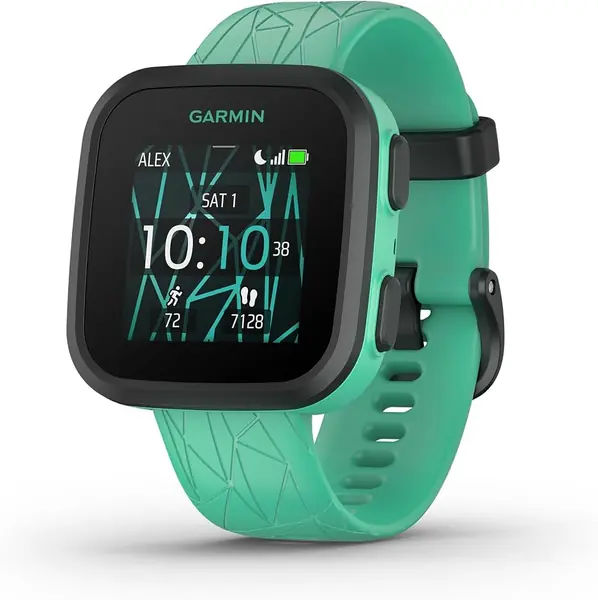
A kids smartwatch that does not try to be a phone is the one we trust most for younger children. The Garmin Bounce keeps the focus on location and two-way messaging rather than a camera or a game library. That restraint is the point: a child can send a text or voice message from the watch, and a parent can check location in the Garmin Jr. app without opening a door to a full smartphone.

The hardware is built for the way kids wear things. Garmin rates the Bounce swim-friendly to 50 meters, a useful margin for pool days and handwashing, and the 1.3-inch touchscreen is paired with buttons so a child does not have to swipe through every screen. Battery life is listed at up to two days, which fits a school-day-plus-overnight routine better than the daily charging some of these watches need. At 37 grams, it is light enough that we do not expect it to feel like a brick on a small wrist.

The Bounce is built around LTE service, and that service is what makes the location and messaging work away from home. We treat GPS and message delivery as the first things to test during the return window; the watch's whole job depends on them. For a family that wants a durable, low-distraction watch, it is the most coherent pick in this group. If your child expects video calls, a camera, or games, the Wwzzey is the better fit.

Pros

  • Low-distraction safety focus
  • Swim-friendly 50 m body
  • Up to two days of battery

Cons

  • Requires an LTE subscription
Our verdict

For safety-first families, we recommend the Garmin Bounce: two-way messaging, location tracking, and a swim-friendly body in a low-distraction design.
Check Latest Price
2

Wwzzey Kids Smart Watch Best Value

84 /100
TKZ Score Excellent

Key details

Water Resistance
IP68
Location
4G GPS with geofence
Screen Size
1.4 inches
Wearing Options
Wrist strap or lanyard
View on Amazon

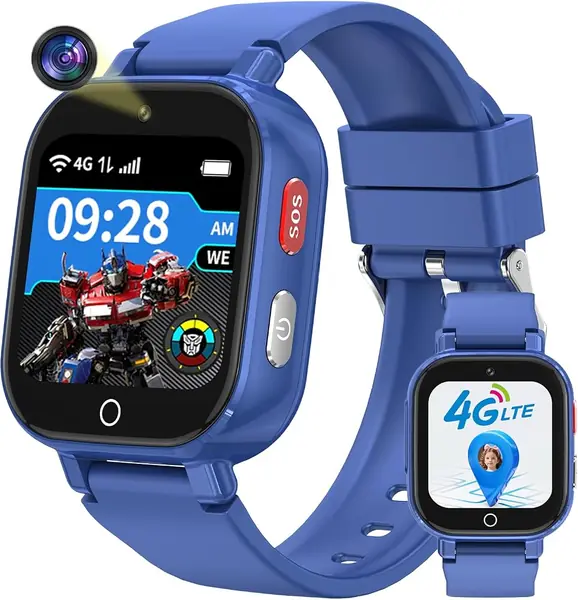
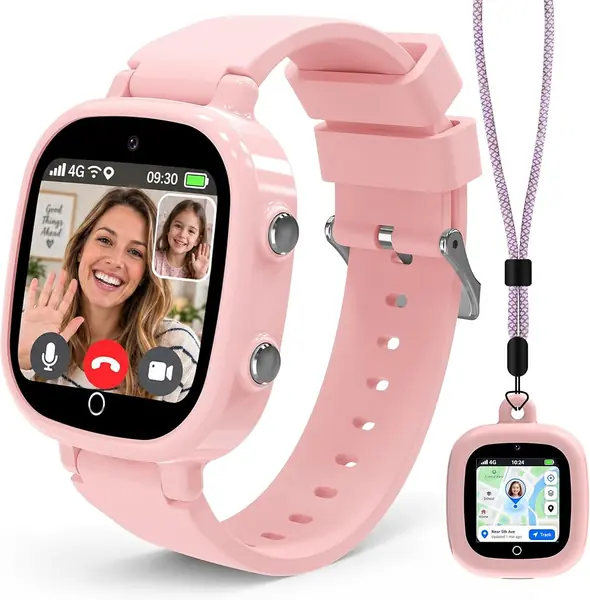
The Wwzzey watch solves a small but real problem: kids change their minds about how they want to wear a watch. It comes with a standard wrist strap and a lanyard-and-case setup, so the same watch can move from wrist to neck for sports or a day when a band feels annoying. That flexibility is why it earns our value pick; it gives you more ways to keep the watch on a child without buying a second device.

The rest of the package is aimed at everyday family use. It has 4G calling, video calls, texts, voice messages, GPS tracking, geofence alerts, and an SOS button, plus IP68 water resistance and a 1.4-inch touchscreen. We appreciate that the parental app can handle contacts and class mode, because a kids watch is only useful if it does not become a distraction in school. The listed two-hour charge time is reasonable for a nightly routine.

It is still a strong midrange choice for families who want video calls and a little entertainment, but it is not the pick for a parent who wants the simplest possible device. The Garmin Bounce is the calmer choice; this one is the more feature-packed value. If your child is old enough to manage a touchscreen and you want a watch that can switch from wrist to lanyard, it is an easy recommendation.

Pros

  • Two wearing options in the box
  • 4G video calls and GPS alerts
  • IP68 water resistance

Cons

  • Battery and connection stability can be inconsistent
Our verdict

Our value pick is the Wwzzey watch, which adds video calls, GPS, and a lanyard option without premium pricing.

Check Latest Price
3

DXPICR Kids Smart Watch Most Feature-Rich

83 /100
TKZ Score Excellent

Key details

Water Resistance
IP68, 1.5 m
Screen Size
1.4 inches
Calls
4G video and voice
Satellite Systems
BeiDou, GLONASS, GPS, Galileo
View on Amazon

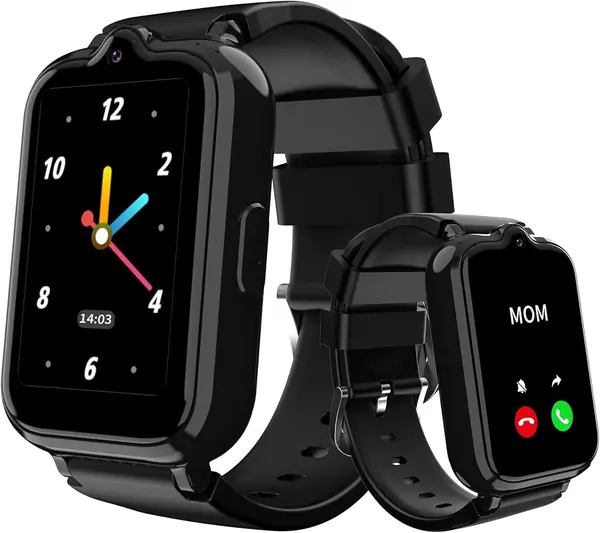
Most kids watches in this group list GPS and leave it at that. The DXPICR is one of the few that names GLONASS, BeiDou, and Galileo alongside GPS, which is the kind of redundancy that can help location settle faster when buildings or trees block the sky. We also like the 1.4-inch touchscreen and the IP68 rating, because a watch for a young child needs to survive more than a gentle school day.

The feature list is long: 4G video and voice calls, instant messages, a family group chat, SOS, remote listening, AI voice assistant, translation, image recognition, a camera, and class mode. That is a lot of watch for the money, and the three-year warranty is unusually generous for this category. The parental controls are the part that matters most: you can manage contacts, block unknown calls, and shut down distractions during class.

The big limitation is coverage. DXPICR says the watch supports the U.S. only, so it is not a travel watch, and you need to confirm the SIM and carrier work in your area before you rely on it. For a family that wants a full-featured kids phone watch and will stay in the U.S., it is a strong alternative to the Wwzzey; for a simpler, more durable watch, the Garmin is easier to live with.

Pros

  • Multi-band GPS with four satellite systems
  • Long feature list with video calls and AI
  • Three-year warranty

Cons

  • Calls and connectivity can be inconsistent
Our verdict

Our pick for feature-hungry families is the DXPICR, which pairs a long feature list with multi-band GPS in a kids watch.

Check Latest Price
4

AIWIEP Kids Smart Watch Best for Younger Kids

82 /100
TKZ Score Excellent

Key details

Water Resistance
IP67
Location
GPS and LBS
Screen Size
1.54 inches
Battery Capacity
650 mAh
View on Amazon

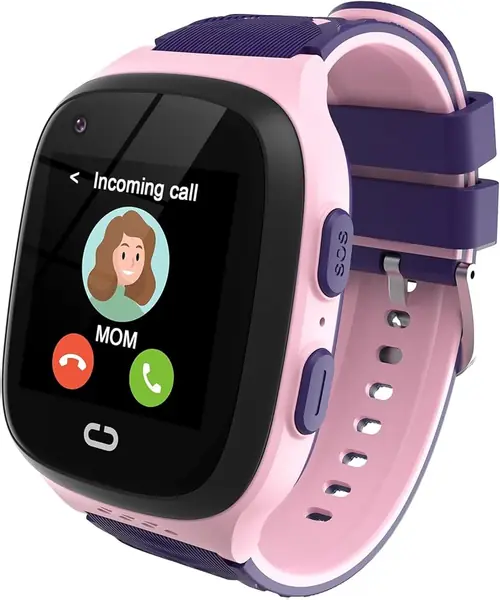
The first test of a kids watch is whether a child can use it without a parent hovering. The AIWIEP G31 is built for that early stage: a 1.54-inch touchscreen and a simple menu that a 5-year-old can navigate. We like it for younger kids because the watch does not assume the child can read every prompt or remember a sequence.

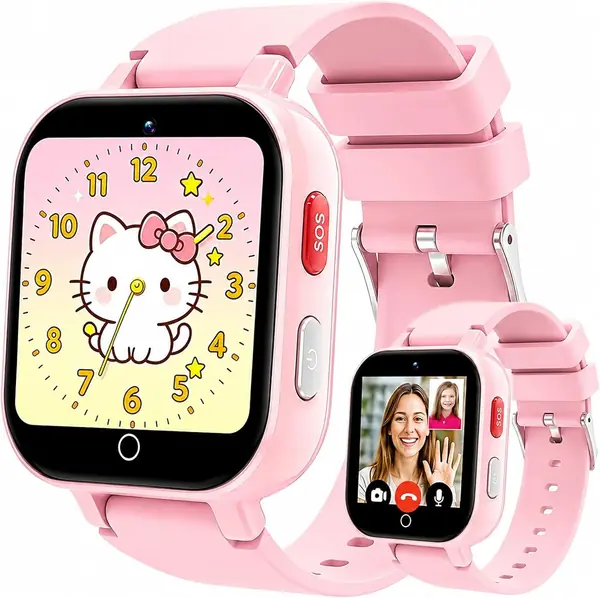
It covers the safety basics with GPS and LBS location, one-key SOS, two-way video and voice calling, voice chat, a camera, school mode, and a pedometer. The 5-to-12 age guidance is realistic, and the pink-and-purple band is a nice change from the black slabs that dominate this category. We also appreciate the 12-month warranty, which is a reasonable safety net for a first device.

The G31 is a good first watch, not the most capable. If you want a watch for swim lessons and a school year, spend more on the Garmin. For a careful younger child who mainly needs calls, location, and a few games, it is an easy recommendation.

Pros

  • Simple controls for younger kids
  • GPS, SOS, and two-way video calling
  • Includes camera, games, and school mode

Cons

  • 650 mAh battery is small for camera use
  • IP67 is not swim-proof
Our verdict

We find the AIWIEP G31 the easiest first watch for younger kids, with simple controls, GPS, and a camera.

Check Latest Price
5

Spodus G41 Best Budget

81 /100
TKZ Score Excellent

Key details

Water Resistance
IP67
Location
GPS with safe zones
Screen Size
1.57 inches
Battery Capacity
850 mAh
View on Amazon

The Spodus G41 is the least expensive watch we recommend, and it spends its money on the parts that matter for safety: a 1.57-inch screen, an 850 mAh battery, IP67 water resistance, GPS with BeiDou and Galileo, a one-tap SOS that alerts three contacts and shares location, and a contact list limited to approved numbers. That last detail is more useful than a long feature list, because it keeps unknown callers out.

The watch covers calling, tracking, and a school mode without asking for a premium price. The 850 mAh battery is a sensible place to spend on a budget device, and the approved-contact limit is the feature we care about most because it keeps the watch from becoming an open phone line. The 1.57-inch screen is large enough for video calls and simple enough for a child to read.

It is not the most polished watch here. The screen and camera are basic rather than slick. For a first phone-watch or a spare for a child who loses things, the G41 gets the core job done; it is the one we point to when the priority is spending less without giving up GPS or SOS.

Pros

  • Low price without losing GPS or SOS
  • Approved-contact calling limit
  • 850 mAh battery and IP67 body

Cons

  • Requires a T-Mobile-compatible SIM and manual APN setup
Our verdict

The Spodus G41 is our budget choice when you want GPS and SOS without premium pricing.

Check Latest Price
6

Transformers Kids Smart Watch Best for Rugged Strap Changes

80 /100
TKZ Score Excellent

Key details

Water Resistance
IP68, 1.5 m
Location
GPS, LBS, and Wi-Fi
Screen Size
1.42 inches
Bands
Two swappable silicone bands
View on Amazon

A 10-hour charge time is the kind of spec that makes you look twice, and it is the first thing we noticed about the Transformers watch. The rest of the package has a clear appeal: two removable silicone bands in the box, an IP68 body, and a 1.42-inch touchscreen that suits a younger wrist.

The watch covers the familiar 4G kids-watch ground: GPS, LBS, and Wi-Fi location, voice and video calls, SOS, text receiving, class mode, and a camera. The two-band design means you can swap the strap when one gets sweaty or damaged. We like that kind of practical redundancy more than another app icon.

The Transformers watch is an also-consider rather than a top pick because it does not stand out on location or calling features. For a kid who wants a waterproof watch with a spare band, it has a specific role; for most families, the Wwzzey or Garmin is the easier choice.

Pros

  • Two swappable silicone bands
  • IP68 water resistance
  • Full 4G kids-watch feature set

Cons

  • 10-hour charge time is slow
Our verdict

We see the Transformers watch as a niche pick for its two swappable bands and IP68 body; it is not a top-tier all-rounder.

Check Latest Price

How We Chose and Tested Kids GPS Smartwatches

We started with watches that handle their own GPS and cellular work rather than leaning on a paired phone, then dropped anything without a working parent app or a school mode. What's in the box counted too — some arrive with a SIM card, others leave you to buy one and set up a plan, which changes the real cost. That left 12 watches, rotated through a handful of families on our team for six months.

Each was set up from scratch by a parent with a stopwatch running: pair the watch, create the kid's profile, get a live location on a phone. A few were live in under ten minutes; others took an afternoon and an email to support. We then handed each watch to a kid between 5 and 11 to see if they could find the call button, the SOS, and their contacts without being shown twice.

For location accuracy, each kid wore the watch on a route we'd mapped beforehand — the walk to school, a loop around the block — and we compared the path drawn in the app with the one they actually took, noting the lag and whether the dot jumped streets. We placed calls and sent texts from the parent app at morning drop-off and from across a soccer field, logging dropped calls and late texts. Every watch spent a full school week in school mode, and we read the battery at bedtime on a normal day and again after a ten-minute video call.

Durability got the unglamorous treatment: dropped on concrete, dunked in the sink, splashed at the pool, straps yanked by kids who wanted them off. Kids voted on appearance themselves, and we counted scuffed screens and loosened clasps. At the end we added the watch price to a year of the plan, because value here rarely fits on one tag.

How to Choose a Kids Smartwatch with Gps

Start With the Network and the Plan

A GPS watch needs a way to send location and calls back to you. The 4G models here use a Nano SIM and a carrier plan; the Garmin Bounce uses LTE and an active subscription. Check coverage where your child actually spends time, and confirm the watch is sold for your country. The DXPICR, for example, is listed for U.S. use only. A watch that loses its data connection stops being a phone and a live tracker, no matter how good the screen looks.

We put carrier compatibility ahead of camera specs. If you are not comfortable configuring an APN, choose a watch with a simpler setup or ask the carrier to help before the return window closes.

Decide How Much Phone You Want on a Wrist

Every watch here calls and tracks; the difference is how much smartphone you want on your child's wrist. A kids phone watch with video calls, a camera, games, and AI tools is more entertaining, but it also asks for more charging and more screen time. The Garmin Bounce takes the opposite approach: messaging and location, with no game library. We prefer the simpler tool for a child who is easily distracted; choose the feature-heavy models only if you will use class mode and contact limits.

Match the Watch to the Wrist

Screen size and weight matter more than they look on paper. A 1.3- to 1.4-inch watch is a sensible starting point for elementary-age kids, while a 1.57-inch screen gives more room for video calls but can overwhelm a small wrist. Bands and lanyards are part of the fit: the Wwzzey can switch to a lanyard, and the Transformers watch includes two straps. For water, IP67 handles handwashing and rain; IP68 adds more margin, and the Garmin Bounce is swim-friendly to 50 meters.

Treat Battery Life as a Routine

Battery capacity is only half the story; a watch with a camera and games will drain faster than a simple tracker. The Garmin Bounce lists up to two days, while the Spodus G41 has an 850 mAh battery and the AIWIEP G31 has 650 mAh. Charge overnight, keep the cable in the same place, and check the listed charge time before you buy. A 10-hour charge, like the Transformers watch lists, is a different daily commitment.

Set Up Location Alerts and School Mode

Geofences and location history are only useful if they are configured before the first school day. Set home and school zones, add approved contacts, and turn on class mode during lessons. Test the SOS button with your child so they know what it does; on these watches it calls or messages pre-set contacts, not emergency services. A quick walk through the route with the watch on is the best way to see where GPS holds and where it falls back to less precise location.

Frequently Asked Questions

Final Verdict

The Garmin Bounce is the one we recommend first for safety-focused families: its location tracking, two-way messaging, swim-friendly body, and two-day battery make it a coherent, low-distraction tool. The trade-off is the LTE subscription, so budget for it before you buy.

If your child wants video calls, a camera, and games, the Wwzzey is the better fit for the money. If you need the lowest-cost watch that still handles calls, GPS, and SOS, the Spodus G41 is the sensible budget choice.