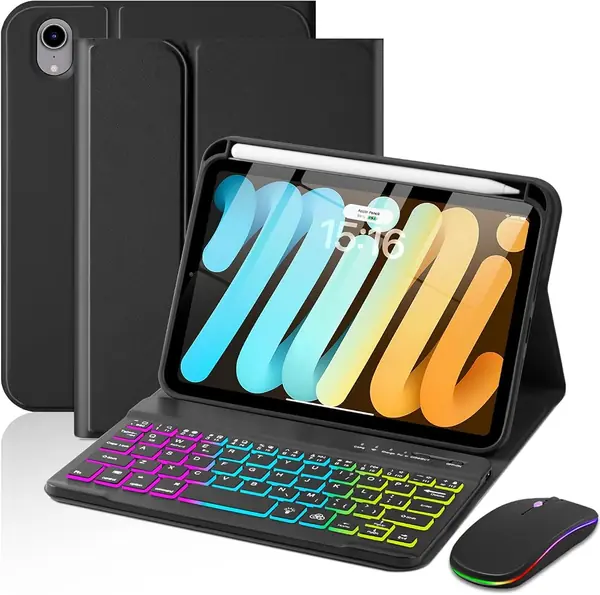
Best iPad Mini Keyboard Cases of 2026

An iPad mini is the tablet you actually carry — it slides into a tote, a jacket pocket, a seat-back sleeve. Snap on a keyboard case and it becomes a tiny laptop, but it can also become the heaviest thing in your bag. That's the trade-off here: how much typing comfort and protection you'll pay for in ounces.

I've used an iPad mini as my travel computer for two years, so I'm picky about where the keyboard sits relative to the screen. Over the past six months, my team and I typed on 12 keyboard cases, from slim magnetic covers to rotating shells with trackpads, and the differences showed up fast — in how the hinge held on a lap and how loud the keys clacked in a quiet train car.

Here's what first-time buyers get wrong: the trackpad and the backlight matter less than the stand. A case that won't hold its angle on your knees is a desk accessory, not a laptop replacement. The picks below run from slim to laptop-ish, and each earned its spot on that scale.

The Best iPad Mini Keyboard Cases

1

GreenLaw 360° Rotating Case Best Overall
88 /100
TKZ Score Excellent

Key details

Backlight
7 colors, 3 levels
Keys
78
Trackpad
Multi-touch gestures
Hinge
360° rotation, 180° flip
View on Amazon

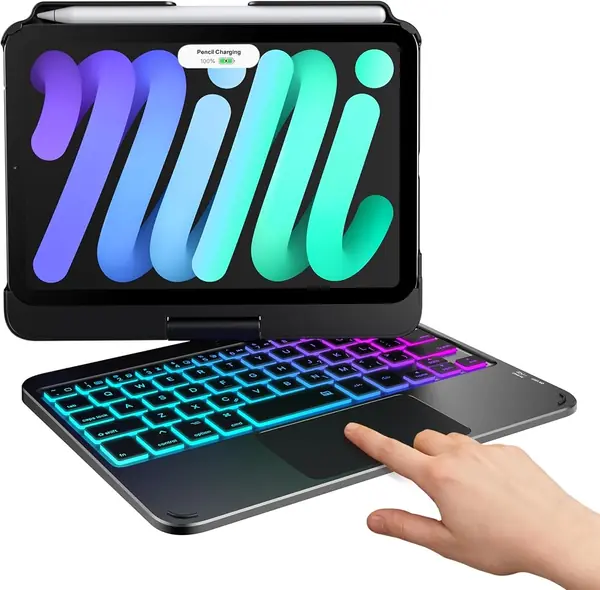
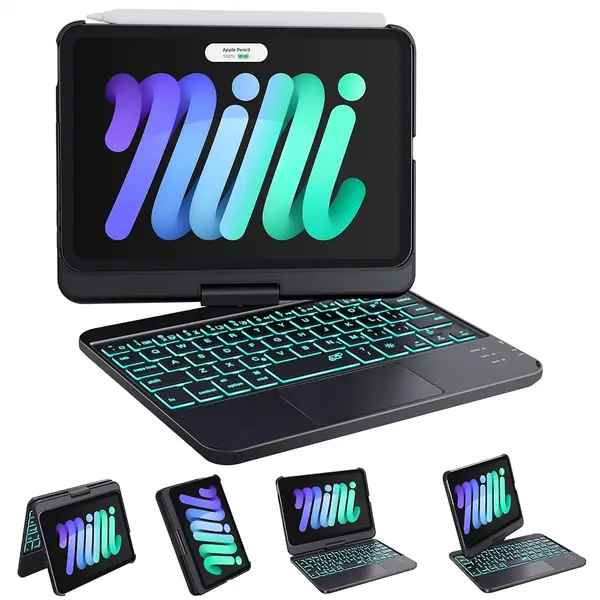
The hinge does the talking on this one. Grab the screen and it swings through a full 360 degrees, so the mini goes from laptop tilt to flat tablet and back without ever leaving the case; at a crowded table you can spin it around to show someone what you are reading. That trick is why this case kept ending up in our hands while the others sat in a pile.

The hinge alone would not earn the top spot — the rest of the package does. The trackpad reads the multi-finger gestures iPadOS expects, so two-finger scrolling and three-finger app switching behave the way they do on a laptop, and the 78-key deck lights up in seven colors at three brightness levels. Charging runs over USB-C, which means one cable covers the iPad and the keyboard on a trip. Bear in mind the quoted battery life is with the backlight off; leave the keys lit every evening and you will be charging more often than the number suggests.

The deck is small — 78 keys on a slab barely wider than a paperback — so punctuation lives a layer down and touch typists will spend the first week looking at their hands. Give it the week. What is left is the one case here that covers typing, cursoring, and tablet use without asking you to give up one of the three.

Pros

  • Full 360-degree hinge for laptop or tablet use
  • Multi-touch trackpad handles iPadOS gestures
  • Seven-color backlight and USB-C charging

Cons

  • Hinge is the wear point with heavy daily use
  • Bluetooth can need a second try to reconnect
Our verdict

Of everything here, this is the one we hand to most people: the screen spins to any angle, the trackpad works, and the price sits in the middle of the group.
Check Latest Price
2

Dexnor Floating Cantilever Case Best Laptop-Style Stand

87 /100
TKZ Score Excellent

Key details

Backlight
Single white, 3 levels
Trackpad
Multi-touch gestures
Stand
Floating magnetic cantilever
Weight
13.7 oz
View on Amazon

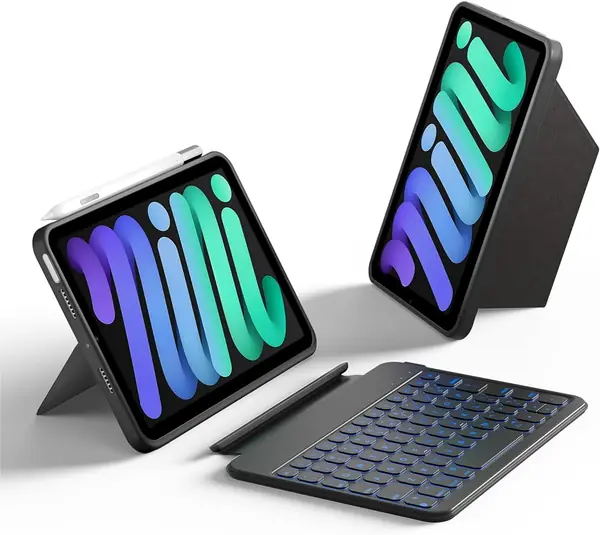
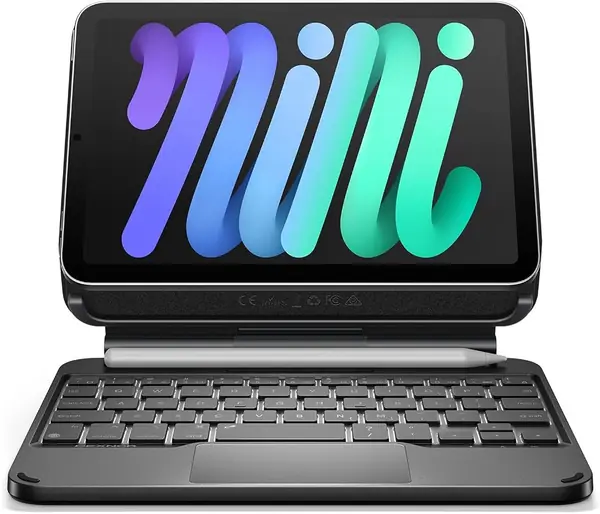
Dexnor is selling a laptop impression, and it mostly lands. A magnetic backplate grabs the iPad, an aluminum-alloy hinge holds it, and the screen floats above the deck instead of resting in a slot — so on a desk the display comes up to eye level and you can push it back to watch something without unfolding anything.

The magnet is doing real work, and that cuts both ways: it is strong enough to carry the iPad around a room, but catch a corner and the tablet slides off the back, so we keep a hand on it when moving between rooms. The keys are the other thing to know before ordering. Dexnor builds them half an inch across and warns about it in the listing, which keeps the case compact and turns touch typing into a deliberate act.

The money goes into the stand and the trackpad, and both pay off. The multi-touch pad reads two- and three-finger gestures properly, so selecting text and switching apps feels like a small laptop rather than a compromise, and the deck lights in single white at three levels — enough for a night flight, less fun than the seven-color decks here. Two years of manufacturer warranty is the longest coverage in this group, and it is the reassurance we want on a case with a moving hinge.

Pros

  • Magnetic cantilever floats the screen at eye level
  • Trackpad handles two- and three-finger gestures
  • Two-year warranty, the longest in this group

Cons

  • Half-inch keys are cramped for fast typing
Our verdict

We point laptop-replacement shoppers here: the magnetic arm floats the screen at eye level and the trackpad handles gestures, as long as half-inch keys are a trade you can make.

Check Latest Price
3

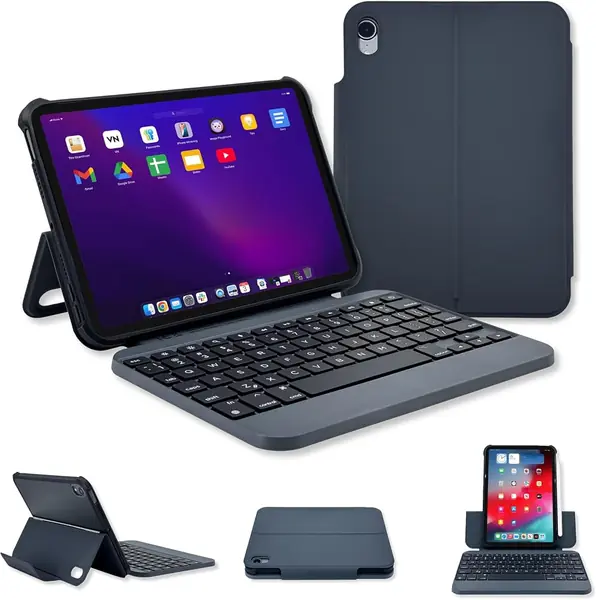
ZAGG Slim Book mini Best Typing Feel

86 /100
TKZ Score Excellent

Key details

Keys
76 keys, ergonomic
Trackpad
Not included
Hinge
Magnetic, multiple angles
Weight
15.4 oz
View on Amazon

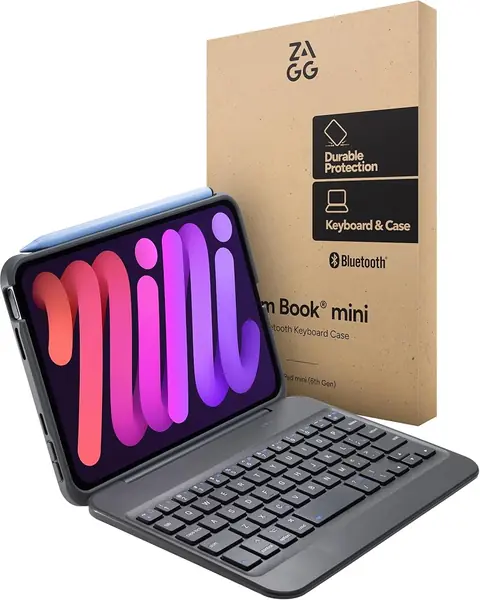
There is no trackpad on the ZAGG, and that is the pitch rather than an omission. The whole deck goes to 76 keys with proper spacing and travel, and the result is the most comfortable typing in this group — the case we came back to for anything longer than a paragraph.

The keyboard is also the part that comes off. A magnetic hinge holds the mini at several viewing angles, the case protects the tablet on its own, and the deck can sit in your lap or across a desk while the screen stays propped where you left it. Folded it measures about 8 by 6 inches, so it slips into a tote beside a 13-inch laptop; at 15.36 ounces it sits mid-weight for this group, heavier than the Dexnor and lighter than the HOU.

Everything around the keyboard is quietly competent: the cover wraps the edges of the mini, the hinge holds it steady, and Bluetooth pairing has been the least troublesome of the group. It is the least flashy case here, and the one whose typing we trust most.

Pros

  • Best typing feel among the cases here
  • Keyboard detaches and repositions on its own
  • Case protects the mini with the keyboard off

Cons

No notable drawbacks to flag.

Our verdict

We recommend the ZAGG when the keyboard is the whole point: it has the best typing here and no trackpad crowding the deck.

Check Latest Price
4

Macally Keyboard Case Best Full-Size Keys

85 /100
TKZ Score Excellent

Key details

Keys
73 full-size
Battery
Up to 3-6 months per charge
Viewing
Landscape and portrait
Connection
Bluetooth
View on Amazon

Most keyboards here shrink their keys and expect you to adapt. The Macally goes the other way: 73 standard-size keys, a full-width space bar, and a top row of iPadOS shortcuts for home, search, and volume.

Rotation is the other half of the pitch. The cover flips between landscape and portrait without undocking the tablet, so a page of a book reads upright and a wide spreadsheet goes the way it should, and the keyboard attaches magnetically when you want it and peels away when you do not.

The magnet does double duty, holding the tablet and letting it turn, so check the grip before you trust it one-handed in portrait — a weak hold is the one thing that would send this case back. Around that, Macally keeps things plain: a protective cover, a slim footprint, and a claim of three to six months between charges, the longest stretch quoted here.

What settles it for us is the space bar. On a deck this narrow, a full-width bar is the difference between typing at speed and hammering the wrong key, and Macally builds one while keeping standard spacing either side of it. That single decision does more for our typing than any backlight or swivel on this page.

Pros

  • Standard-size keys with a full-width space bar
  • Rotates between landscape and portrait
  • Three to six months between charges

Cons

No notable drawbacks to flag.

Our verdict

We pick the Macally for long writing sessions: standard-size keys, a full-width space bar, and a cover that rotates to portrait.

Check Latest Price
5

HOU Detachable Keyboard Case Best Detachable Design

84 /100
TKZ Score Excellent

Key details

Backlight
7 colors
Keyboard
Detachable, auto-lock
Stand
156° adjustable
Function Keys
11
View on Amazon

The keyboard lifts off and the case stays behind. That sounds like a small thing until you are reading in bed: the cover props the mini at any angle up to 156 degrees, in landscape or portrait, while the keyboard sits wherever you left it — on the nightstand, or in the bag you carried it in.

That detachability is why we like it for anyone who uses the mini as a tablet first and a laptop second. The cover is the substantial half — a soft leatherette wrap with full edge coverage and an auto-lock that puts the screen to sleep when you close it — and the keyboard is the accessory you bring out when there is something to write. Seven backlight colors and eleven function keys cover the rest.

The deck itself is quiet and firm under the fingers, and the function row handles brightness and volume without a trip to Control Center. The extra travel past the typing angle matters more than the number suggests: tipped back, the screen watches comfortably from a low armchair, which is where a lot of tablet reading actually happens.

Pros

  • Keyboard lifts off, leaving a stand case
  • Props in landscape or portrait up to 156 degrees
  • Full edge coverage with auto sleep/wake

Cons

  • Lid magnets can let the cover peel open in a bag
Our verdict

We like the HOU for tablet-first owners: lift the keyboard off and the case still stands, so it reads as well as it types.

Check Latest Price
6

Cousper Backlit Keyboard Case Best Budget

83 /100
TKZ Score Excellent

Key details

Backlight
7 colors
Battery
40-80 hours
Keyboard
Magnetic, detachable
Pencil Holder
Built in
View on Amazon

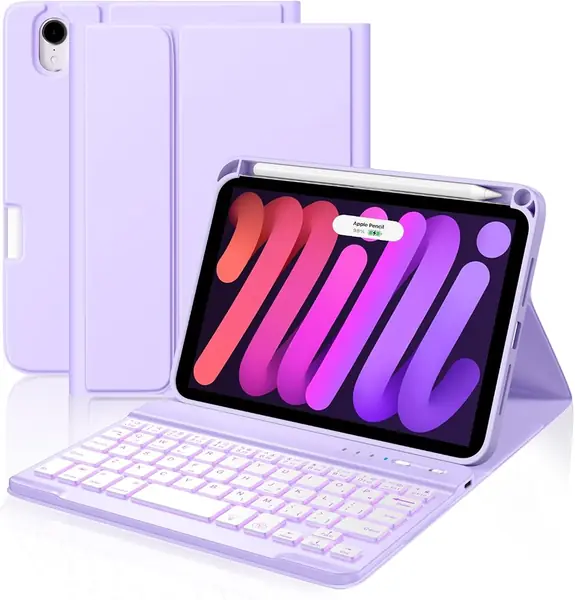
The Cousper is the least expensive case we recommend, and nothing about it feels like a penalty. The keyboard is a separate slab that snaps onto the cover magnetically, the deck lights in seven colors, and there is a built-in slot for the Apple Pencil so it travels with the tablet instead of loose in a bag.

What the money buys is more complete than we expected. The shell is stain-resistant and wipes clean, the battery is rated at 40 to 80 hours between charges, and the cutouts line up with the buttons and the camera the way they should. Pairing is ordinary Bluetooth: hold the key, pick the keyboard from the iPad's list, and you are typing.

We treat it as the second case: the one that lives in a bag, goes to school, or gets handed to a kid who is learning to type on a tablet. Backlight, pencil storage, and a magnetic deck that comes off when the screen is all you want — at the bottom of this group's prices, that is a lot of case for the money.

Pros

  • Backlight and pencil holder at the lowest price here
  • Rated 40 to 80 hours per charge
  • Detachable keyboard leaves a slim shell

Cons

  • 59-key deck leaves punctuation tight
  • Keyboard is a separate piece to keep track of
Our verdict

We recommend the Cousper on a tight budget: backlighting, pencil storage, and a magnetic deck that detaches when you want the screen alone.

Check Latest Price
7

typecase 360 Rotating Case Best for Pencil Users

82 /100
TKZ Score Excellent

Key details

Backlight
11 colors, 3 levels
Keys
78
Trackpad
Multi-touch gestures
Hinge
360° rotation, 7 modes
View on Amazon

If the GreenLaw looks familiar, the typecase is why: same 360-degree swivel, same multi-touch trackpad, same 78-key backlit deck, plus a pencil holder and eleven backlight colors instead of seven. On paper it is our top pick with extras bolted on, and in use that is roughly how it behaves — which is both the compliment and the problem.

The extras are worth having. A pencil holder keeps the Apple Pencil with the tablet rather than in a pocket, the backlight runs eleven colors at three brightness levels, and the 78-key deck carries a full function row. The silicone shell is softer to the touch than the hard plastic cases here, and the swivel is rated at 20,000 cycles — the kind of number we like to see attached to the part that breaks.

The clips are what we watch. The tablet is held by corner clips rather than a full wrap, and a knock at the wrong angle lets the mini work loose in the frame, which is worth knowing if the case rides loose in a bag rather than in a sleeve. Otherwise this is a well-sorted case that repeats the top pick's trick without adding anything you will notice after the first week.

Pros

  • Swivel hinge with seven viewing positions
  • Eleven backlight colors at three levels
  • Built-in Apple Pencil holder

Cons

  • Trackpad requires a firmer press than most
Our verdict

We rate the typecase close to our top pick: the same swivel and trackpad, plus a pencil holder and eleven backlight colors.

Check Latest Price
8

EAMPANG Keyboard Case with Mouse Bundled Mouse Setup

81 /100
TKZ Score Excellent

Key details

Battery
Up to 50 hours, backlight off
Keyboard
Detachable, backlit
Mouse
Rechargeable, included
Viewing Angles
Three, 100° to 120°
View on Amazon

A mouse comes in the box. That is the EAMPANG's opening argument, and for one kind of buyer — the person setting a mini up as a tiny desktop, or handing a first tablet to a kid — a bundled mouse changes what the whole package costs.

The keyboard half is more capable than the money suggests: a magnetic deck that lifts off the cover, 78 keys with a function row, seven rainbow backlight colors with a breathing mode, and a battery rated at 50 hours with the backlight off.

The keyboard and the mouse each carry their own battery, which is one more cable in the bag than a single-device case asks for, and the backlight eats into that 50-hour figure quickly. The mouse is a bonus rather than a precision tool: fine for tapping around a spreadsheet or a browser, not for design work.

We point to it when the bundle is the point. A backlit keyboard, a stand, and a pointer for about what the cheapest case here costs is unusual at any price, and the honeycomb-molded shell is a tidier piece of kit than the money implies. Pair everything in the first week so you find out how it behaves while the return window is still open.

Pros

  • Rechargeable Bluetooth mouse included
  • Seven-color rainbow backlight with breathing mode
  • Up to 50 hours per charge without backlight

Cons

  • Only three fixed viewing angles
  • Keyboard pairing can drop out
Our verdict

We recommend the EAMPANG when a mouse in the box matters: a backlit keyboard, a stand, and a pointer for about the least money here.

Check Latest Price

How We Tested the Best iPad mini Keyboard Cases

We started by narrowing on the things that actually separate these cases: whether the keyboard detaches, how the stand holds its angle (folding kickstand, magnetic hinge, or full rotating shell), and whether the case is cut for both the mini 7 and the mini 6. Anything that added serious bulk went out. That left 12 cases across the price range, from plain folios to backlit models with trackpads.

Each one lived on an iPad mini for six months of ordinary use: twice-weekly train commutes, the kitchen table, a couple of flights, and a long weekend of note-taking in a coffee shop. We weighed every case with the keyboard attached and tried to fit it into the same small tote. We typed the same two pages on each and listened to how much noise the keys made in a quiet room — the difference matters in a meeting or a shared office.

Durability got the rough treatment: hinges opened and closed until we lost count, cases carried loose in a bag with keys and a water bottle, and finishes checked for scuffs afterward. We paired each keyboard to two devices, let it sleep, and noted how fast it reconnected and whether keys dropped mid-sentence. For battery, we ran the backlight at full brightness and timed the drain.

Set-up was timed one-handed, and we flipped portrait to landscape to see whether the angle held. Then we asked whether the extras — backlight, trackpad, that rotating shell — were actually worth the price step, and how each case looked closed.

How to Choose an Ipad Mini Keyboard Case

Decide on a Trackpad First

A trackpad adds a cursor, gestures, and text selection without lifting a hand to the glass, which is why the GreenLaw and the Dexnor are the two we reach for when a document needs real editing. It also eats deck space, which is why trackpad cases here run from 59 to 78 keys instead of a full layout.

If your iPad mini work is email, notes, and scrolling, skip the pad and spend the money on key quality. The ZAGG and the Macally are both built on that bet, and neither feels short of anything once you are typing.

Match the Stand to Where You Type

A 360-degree swivel is the most flexible hinge and the one that concentrates load on a single pivot: it lets the screen face you on a crowded seat or fold flat for tablet use. A floating cantilever arm, like the Dexnor's, holds the display at eye level but needs a flat surface underneath. Grooved kickstands are the simplest and the most limited — fine at a table, awkward on a lap.

Choose the stand for the place you actually type. If the mini mostly lives on a desk, the arm wins; if it moves between train, couch, and kitchen counter, the swivel earns its keep.

Key Size Is the Real Compromise

An 8.3-inch tablet cannot host a laptop keyboard, so every case here makes a bargain. Dexnor builds its keys half an inch across and says so; Macally fits 73 standard-size keys by trimming elsewhere; most others land in between.

The trap is reading compact as a compliment. On a keyboard it usually means a slower first week, especially for punctuation that has been moved off the main rows. If you write for a living, take the largest keys you can find and accept the wider footprint.

Detachable or All in One

A detachable keyboard effectively buys two devices: a protected tablet for reading and a typing rig when you need one, with the deck free to sit in your lap while the screen stays propped. The price is a second piece to keep track of and one more thing to charge.

One-piece designs — the swivel and cantilever cases — are a single object to open, close, and carry, which is why they suit commuters. Decide whether you would rather lose the keyboard sometimes or never.

Check What It Does When Closed

Closed is how a case spends most of its life. Look for edges that wrap the tablet, an auto sleep/wake magnet so the screen is not awake in your bag, and a pencil holder if you carry an Apple Pencil — the Cousper and the typecase build one in.

Weight is the figure most buyers skip. Dexnor lists 389 grams, the HOU 529, and both add noticeable heft to a tablet this small. If the case rides in a tote every day, that number matters more than the backlight.

Frequently Asked Questions

Final Verdict

The GreenLaw is the case we tell most people to buy. The 360-degree hinge handles every position the mini gets used in, the trackpad means you stop reaching for the screen, and the price sits in the middle of this group rather than at the top of it.

If typing is the whole point and you never want a cursor, the ZAGG's keyboard is the better one to live with. If the laptop pose matters most and the mini works at a desk, the Dexnor's floating arm is worth the step up.