Best Android Tablets of 2026

Two Android tablets can look identical in a product photo and feel like entirely different machines by the second week. A good one hands you a big screen for streaming, reading, and note-taking anywhere in the house; a bad one stutters the moment you open three tabs and a notes app at once.

I've handed tablets to kids on long car rides, propped one against the coffee maker with wet hands, and taken meeting notes with a stylus, so I know how quickly a cheap one shows its seams. Over the past six months, my team and I have used 12 Android tablets daily, from small budget models to a 14-inch screen that barely fits in a tote.

The differences that mattered weren't the ones the listings brag about. A stylus only earns its place if the screen rejects your palm and keeps up with your handwriting, and bundled keyboard cases vary wildly in how well they prop the tablet up. Our picks are the ones that survived daily use, not the ones that read best on a spec sheet.

The Best Android Tablets

1

Samsung Galaxy Tab S10 FE Best Overall
93 /100
TKZ Score Outstanding

Key details

Display
10.9 in, 2,304 x 1,440, 90Hz
Storage
128GB, microSD expandable
Included
S Pen stylus
Water Resistance
IP68
View on Amazon

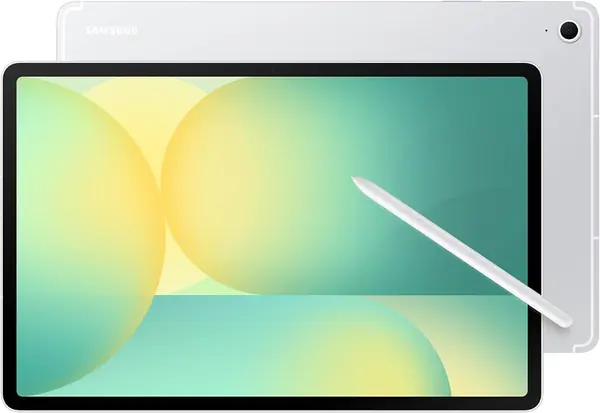
The S Pen comes in the box, and that single detail is what separates the Galaxy Tab S10 FE from everything else here. Note-taking on Android is only as good as the stylus you have, and this is the only tablet in the roundup that hands you one without a second purchase. The IP68 body is the other half of the argument: it's the only model here rated to survive a splash or a dunk, which matters for a tablet that lives on a kitchen counter or rides in a bag next to a water bottle.

The 10.9-inch panel runs 2,304 x 1,440 at 90Hz, and after the 60Hz screens further down this list the difference is immediate — scrolling and page turns keep pace with your thumb. Samsung's Exynos 1580 with 8GB of memory held up through split-screen browsing with a note app open, and the fingerprint reader turns unlocking into a one-touch habit instead of a PIN.

Storage is the compromise. 128GB is thin for the money when the Lenovo Idea Tab gives you twice as much for less, and a couple of downloaded seasons will eat most of it. The microSD slot is the cheap fix, and Samsung's listed 20 hours of video playback from the 8,000mAh battery is the sort of figure you can plan a flight around rather than a spec-sheet boast.

Nothing here is spectacular to look at — the LCD is bright and even rather than rich, so don't buy it expecting OLED contrast. And be fussy about Wi-Fi in the first day: if it won't hold a connection, exchange it rather than living with a tablet that drops mid-stream.

Pros

  • S Pen included, no separate purchase
  • IP68 rating against splashes and dunks
  • Sharp 90Hz 2,304 x 1,440 display

Cons

  • Keyboard case sold separately
  • LCD rather than OLED contrast
Our verdict

We recommend the Galaxy Tab S10 FE to anyone who wants one Android tablet that does everything well, with the pen included and a warranty that runs two years.
Check Latest Price
2

Lenovo Idea Tab Best Value

91 /100
TKZ Score Outstanding

Key details

Display
11 in, 2,560 x 1,600, 90Hz
Storage
256GB, microSD expandable
Memory
8GB
Included
Tab Pen and folio case
View on Amazon

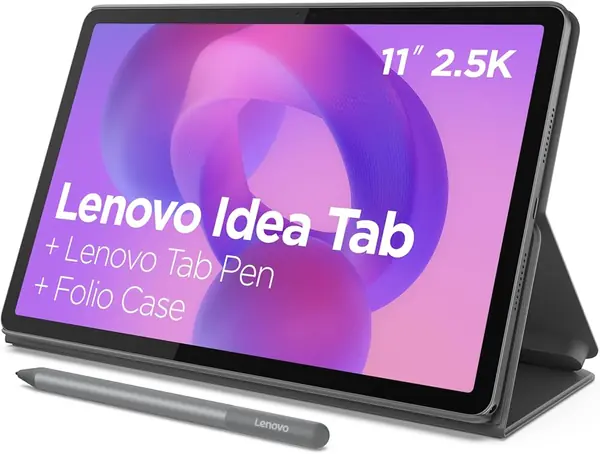
Our top pick costs more and gives you half the storage. The Lenovo Idea Tab undercuts the Galaxy Tab S10 FE and still includes the Tab Pen and a folio case, a 2.5K screen, and 256GB of room. If you shop on hardware per dollar, nothing here beats it.

What we keep coming back to is how little this asks you to give up. The 11-inch panel runs 2,560 x 1,600 at 90Hz — the sharpest of the mainstream picks — and the quad Dolby Atmos speakers are loud and clean enough that we stopped bothering with a Bluetooth speaker in a hotel room. For a tablet that costs less than our top pick, that's an unusual combination.

The pen changes what the tablet is for. Notes, PDF markup, and quick sketches all work, and because the folio case is included you aren't hunting for a stand the week it arrives. MediaTek's Dimensity 6300 with 8GB of memory handled everything we threw at it short of serious gaming.

Battery is where the savings show up. The 26.7Wh cell is modest for an 11-inch screen, and a long streaming session will send you looking for a cable — but for a student carrying it between classes, a top-up at lunch covers it. Test the microSD tray in the first week; a card that won't mount is worth returning over.

Pros

  • Tab Pen and folio case included
  • Sharp 2,560 x 1,600 90Hz screen
  • 256GB storage for less than the top pick

Cons

  • Ships on Android 15, a version behind
  • No power adapter in the box
Our verdict

We point students and value shoppers to the Idea Tab: the pen and case are in the box, the screen is the sharpest here, and you give up very little.

Check Latest Price
3

Samsung Galaxy Tab A11+ Best for Families

90 /100
TKZ Score Outstanding

Key details

Display
11 in, 1,920 x 1,200, 90Hz
Storage
256GB, microSD expandable
Memory
8GB
Speakers
Quad Dolby Atmos
View on Amazon

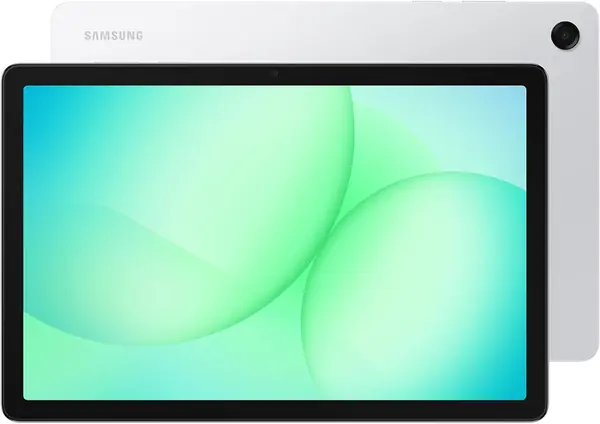
Picture the tablet that gets passed around: a kid watching a show, a grandparent checking email, someone propping up a recipe. The Galaxy Tab A11+ is the one we point at that household, and 256GB of storage with a microSD slot behind it is why — nobody has to delete anything to make room for someone else's downloads.

The 11-inch 1,920 x 1,200 screen runs at 90Hz, so it feels smooth in the hand even though it isn't the sharpest panel of the 11-inch group. The quad speakers are tuned for exactly what this tablet does — video, music, video calls — and a two-hour movie didn't leave us reaching for headphones.

Charging is the one thing to test properly. These tablets sometimes stop at 80% and sit there, which can be a battery-protection setting or a faulty unit depending on what you find. Run a full cycle in the first days; if it caps out and stays capped after you've checked the battery settings, exchange it.

Otherwise it's the least fussy tablet here: big enough for two people to watch, 1.1 pounds in the hand, on Android 16 from day one, and backed by a two-year warranty that matches our top pick.

Pros

  • 256GB storage with microSD expansion
  • Smooth 90Hz 11-inch display
  • Two-year manufacturer warranty

Cons

  • Lower-resolution panel than the other 11-inch picks
  • No stylus or keyboard in the box
Our verdict

For a shared household tablet, we start with the Galaxy Tab A11+: 256GB of storage, a smooth 11-inch screen, and two years of warranty behind it.

Check Latest Price
4

TCL NXTPAPER 14 Best Big Screen for Reading

88 /100
TKZ Score Excellent

Key details

Display
14.3 in, 2,400 x 1,600 matte
Memory
8GB plus 8GB virtual
Included
Stylus and flip case
Battery
10,000mAh
View on Amazon

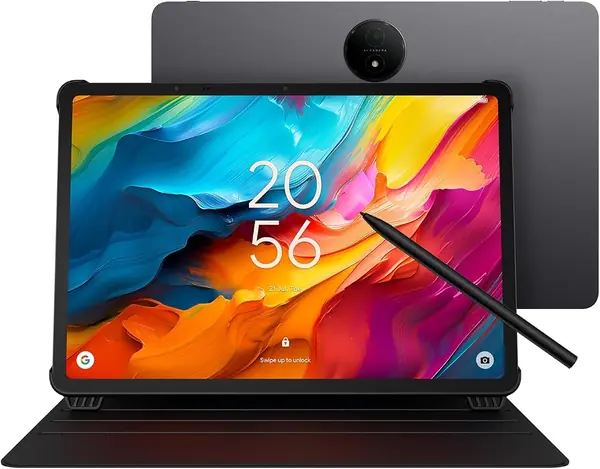
Reading a 300-page PDF on a glossy 10-inch screen is a chore. On the NXTPAPER 14 it's close to reading paper: the 14.3-inch panel is matte, so it scatters light instead of bouncing a window back at you, and the 2.4K resolution is high enough that a full score or a two-page spread sits on screen without zooming. If you read for a living, this is the tablet on the page.

We were ready to dismiss the three display modes — standard, color paper, and ink paper, switched with the NXTPAPER Key — as a gimmick, and ink paper turned out to genuinely calm a long document. What we like most is simpler than that, though. It's the size. No 11-inch tablet here can show a whole page of sheet music, and this one does it without scrolling mid-piece, which is why it's the pick for musicians.

The 4,096-level stylus and the flip case come in the box, so annotating a score and propping the tablet on a stand cost nothing extra. The Helio G99 with 8GB is comfortable with notes, split-screen reading, and streaming; it is not a gaming tablet, and the 60Hz refresh is the giveaway.

The trade is portability and stamina. At 12.69 inches wide this needs a 13-inch sleeve and two hands, and while the 10,000mAh battery is generous on paper, a screen this size at full brightness is a heavy draw — treat all-day runtime as optimistic and keep the charger nearby. Neither matters if the tablet lives on a desk or a music stand.

Pros

  • Matte 14.3-inch 2.4K display kills glare
  • Stylus and flip case included
  • Full-page sheet music without scrolling

Cons

  • 60Hz refresh rate
  • 12.69 inches wide, needs a large bag
Our verdict

Buy the NXTPAPER 14 if you read, annotate, or play from a screen for hours — nothing else here is this easy on the eyes, as long as it stays near a desk.

Check Latest Price
5

URAO X109 10.1-Inch Tablet Best Budget

87 /100
TKZ Score Excellent

Key details

Display
10.1 in, 1,280 x 800 IPS
Storage
128GB, microSD to 1TB
Operating System
Android 16
Battery
6,000mAh, 8-hour rating
View on Amazon

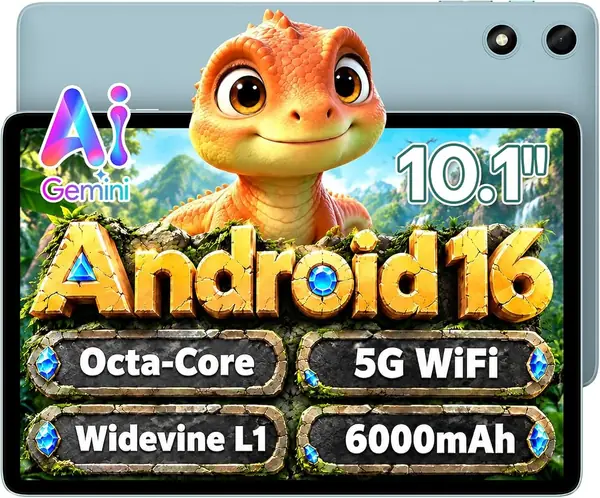
This is the least expensive way here to get 128GB of storage and Android 16 in the same tablet. The URAO X109 sits at the bottom of the price range, and nothing else in the roundup pairs that much room with the current Android release for so little.

The 10.1-inch 1,280 x 800 IPS panel is aimed at video, comics, and big-type reading, and it handles that with decent color and wide viewing angles. Dense web pages are where it runs out of sharpness, so if you read a lot of small text online, spend more.

What we didn't expect at this price is how complete the rest of it feels. It runs Android 16 out of the box rather than an older release, Wi-Fi 6 keeps a stream steady, the 6,000mAh battery carries an eight-hour rating, and the microSD slot takes cards up to 1TB. That last point matters: 128GB plus a cheap card is more storage than most people will ever use on a secondary tablet.

Two caveats. The headline memory figure leans on virtual RAM, so judge it by the physical memory and expect a couple of apps to stay resident rather than a dozen. And this is a small brand with a shorter track record than Samsung or Lenovo and a one-year warranty — as a kitchen, bedside, or travel tablet that's a fair trade; as the only computer in the house, it isn't.

Pros

  • 128GB storage with microSD up to 1TB
  • Android 16 out of the box
  • Wi-Fi 6 and an 8-hour battery rating

Cons

  • 1,280 x 800 panel is soft for small text
Our verdict

We recommend the X109 as a second tablet: it's the least expensive route here to 128GB and Android 16, as long as you aren't expecting flagship polish.

Check Latest Price
6

TECLAST P35 Best for Kids and Kitchen

85 /100
TKZ Score Excellent

Key details

Display
10.1 in, 1,280 x 800, 350 nits
Storage
32GB, microSD to 2TB
Memory
3GB plus 13GB virtual
Operating System
Android 16
View on Amazon

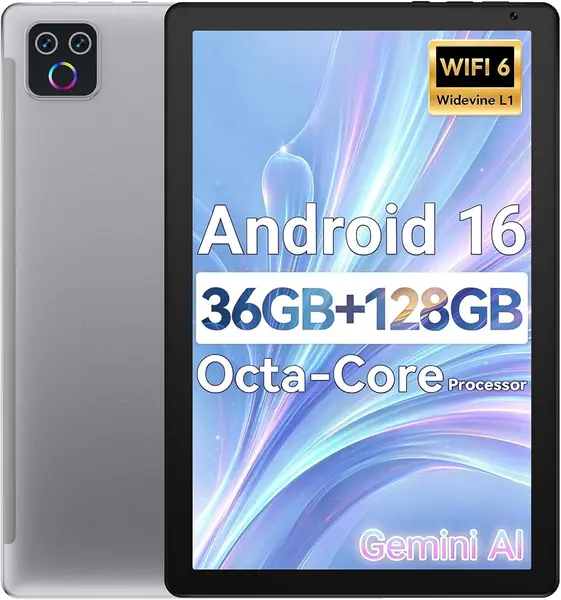
Thirty-two gigabytes is the number that defines the P35, and it's why this is a second tablet rather than a main one. The card slot is what rescues it: it takes microSD cards up to 2TB, so a cheap card turns the P35 into a video library, an e-reader, or a kid's machine without touching the internal storage.

Inside is a Unisoc T7200 with 3GB of physical memory — the listing's 16GB headline leans on virtual expansion — so plan for a device that streams, browses, and runs one app comfortably at a time. The 10.1-inch 1,280 x 800 IPS screen tops out at 350 nits, which is fine indoors and hopeless in direct sun.

What we appreciate at this end of the market is the stuff that usually gets cut. There's a 3.5mm headphone jack, GPS, dual speakers, and a kids mode, and it ships on Android 16 rather than an orphaned older version. For a child's first tablet or a kitchen screen that gets knocked around, those details matter more than the chip.

It won't replace a main tablet, and it isn't meant to — a one-year warranty and 3GB of physical memory set the ceiling. Buy it knowing that, put a card in it the day it arrives, and it does a small job well for very little.

Pros

  • microSD slot takes cards up to 2TB
  • Android 16 with headphone jack, GPS, and kids mode
  • Least expensive tablet in the roundup

Cons

  • 32GB of internal storage fills fast
  • 3GB physical memory limits multitasking
Our verdict

The P35 is our pick for a cheap, capable second tablet — add a memory card on day one, because 32GB of built-in storage won't carry much on its own.

Check Latest Price
7

JJGJ 13.4-Inch Tablet Budget Big Screen

78 /100
TKZ Score Very Good

Key details

Display
13.4 in, 1,920 x 1,200
Storage
256GB, 2TB expandable
Included
Keyboard, mouse, stylus, case
Operating System
Android 16
View on Amazon

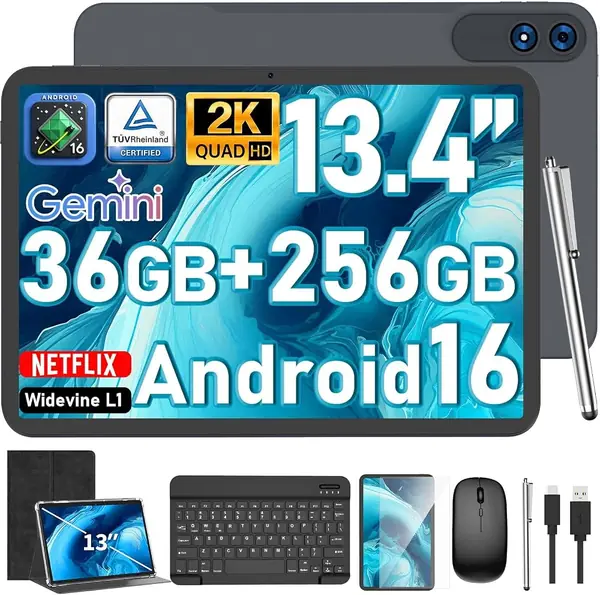
A 13.4-inch screen, a keyboard, a mouse, a stylus, and a case arrive in one box, and together they turn a cheap tablet into something you can leave open on a desk like a laptop. That's the pitch, and for streaming, email, and a spreadsheet in a hotel room, it delivers more screen than anything else here for the money.

The 1,920 x 1,200 panel is bigger than most laptop screens, and it's the reason to consider this at all — a 13-inch canvas makes split-screen genuinely usable in a way an 11-inch tablet doesn't. The bundled keyboard and mouse are basic, but they work, and having them in the box means no second order before you can type.

Performance is where it gives ground. The Unisoc T615 with 6GB of physical memory handles video and documents; heavier games stutter and apps take their time loading. Expect to wait a beat after you tap something.

The deciding question is what you'll do with all that glass. As a second screen for streaming and light office work it earns its place; as a daily driver for a demanding user it doesn't. Run a full charge cycle inside the return window too — battery and charging faults are the risk on this model, so if it stops taking a charge, send it back rather than waiting it out.

Pros

  • 13.4-inch 1,920 x 1,200 screen
  • Keyboard, mouse, stylus, and case included
  • 256GB storage with 2TB expansion

Cons

  • Slow app loading and stutter
  • Battery and charging reliability
Our verdict

We recommend the JJGJ bundle to someone who wants the biggest screen here for streaming and light work — just buy it for the size, not for speed.

Check Latest Price

How We Tested Android Tablets

We started with a long list of about 40 tablets and whittled it down by reading customer reviews alongside spec sheets, weighing screen size, Android version, and how clearly each brand talks about software updates. Listings that were vague about processor or storage got cut. We also logged the recurring complaints, from lag after a few months to weak Wi-Fi and keyboard cases that quit early, so we knew what to watch for. Twelve tablets made the cut, each set up with the same Google account and the same 20-odd apps.

Each one got at least a month of daily use across a six-month testing window. We streamed on the couch, propped tablets against a canister to follow recipes with wet hands, typed email in split-screen, and handed them to kids for games on car rides. Because battery claims are easy to inflate, we unplugged every tablet at 7 a.m. and ran the same mix of video, browsing, and standby until it died. We wrote a full page of notes with each stylus to judge palm rejection and lag, and moved photos onto a memory card to see how expandable storage really worked.

Screens were judged in real light, on a sunny counter, under a kitchen overhead, and in a dark bedroom, looking for glare, washed-out color, and whether a high refresh rate actually smoothed out scrolling. For connectivity we walked to the far end of the house to find where Wi-Fi dropped, paired earbuds and a controller, and cast to a TV. Every tablet ran the same apps and video calls to catch compatibility issues, and after a month we checked for stutter, crashes, chassis flex, and keyboard cases that no longer held their angle.

How to Choose an Android Tablet

Match the Screen to Where the Tablet Will Live

Size decides more than any spec column. A 10- or 11-inch tablet is the handheld sweet spot: light enough to hold through a movie, big enough for split-screen. Anything near 14 inches, like the TCL NXTPAPER 14, is a desk and music-stand device that needs two hands and a 13-inch sleeve.

Resolution matters just as much. A 1,280 x 800 panel is a video screen, fine for streaming and big-type reading, while 2,300 x 1,400 and up is what keeps small text crisp. If you read long documents, buy the resolution first and the diagonal second.

Read the Storage and Memory Numbers Skeptically

Internal storage is the number that ages a tablet: 32GB is a card-dependent compromise, 128GB works if there's a microSD slot behind it, and 256GB is comfortable for a family. The memory figure needs more care. Listings advertising 16GB, 24GB, or 36GB of RAM are usually counting virtual memory, and physical memory on these tablets runs 3GB to 8GB — that's the number that decides how many apps survive in the background.

Buy on physical RAM and real storage, then add a card later for everything else.

Get the Pen in the Box

A stylus is either included or it isn't, and the difference changes what the tablet is for. The Galaxy Tab S10 FE ships with Samsung's S Pen, the Lenovo Idea Tab includes its Tab Pen and a folio case, and the NXTPAPER 14 arrives with a 4,096-level stylus. Shopping for one afterward is often impossible because pen support sits in the hardware.

If you annotate PDFs, take lecture notes, or sketch, choose from that group. If you only type and stream, put the money into storage instead.

What Actually Feels Slow

Chip names tell you less than you'd expect. Scrolling smoothness comes from the refresh rate — 90Hz on the Samsung and Lenovo picks feels better than 60Hz the moment you touch the screen, and you'll notice it before you notice the processor.

Where the chip matters is sustained work: split-screen with video running, heavier games, drawing apps with large canvases. Reading, streaming, and email are comfortable on anything here, including the budget models. Buy one tier below your worst case rather than above it.

Budget for the Charger, the Case, and the Warranty

Two costs hide behind the listing price. Accessories: the Lenovo Idea Tab includes a cable but no power adapter, and cases come with only some picks, so price those in before comparing. Coverage: both Samsungs carry two-year warranties, while the Lenovo, TCL, URAO, TECLAST, and JJGJ carry one.

Check the Android version at purchase too, since a tablet that starts a release behind tends to stay behind. A tablet PC you plan to keep for years is worth buying with the longer coverage.

Frequently Asked Questions

Final Verdict

For most people, the Galaxy Tab S10 FE is the tablet to buy. The S Pen and the water-resistant body are included rather than added, the 90Hz screen is the one you'll appreciate every time you scroll, and the two-year warranty makes it the least risky purchase here.

If the pen matters less than storage and money, the Lenovo Idea Tab gives you more of both and still includes its stylus and case. And if the tablet is really a reading and sheet-music device, the TCL NXTPAPER 14 is the only screen here that behaves like paper.