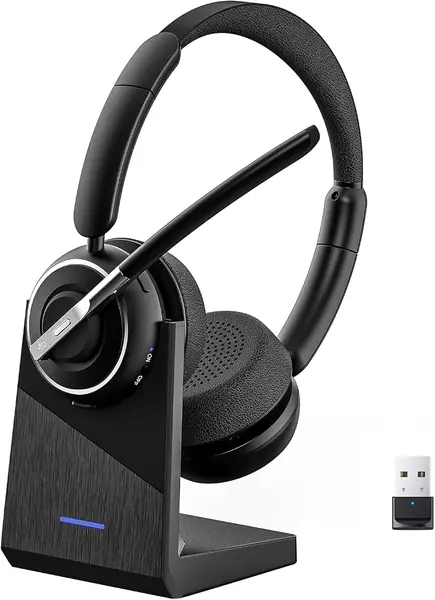
Best Wireless Headphones for Office Work

Halfway through a Tuesday status call, a teammate asked if I was calling from a bus. I was sitting at my desk. That was the week I stopped thinking of a work headset as an accessory and started thinking of it as equipment — and the thing that separates a fine one from a frustrating one is almost never the speaker. It's the microphone, and whether the person on the other end can hear your keyboard, your dog, or the guy two cubes over.

Over the past six months, my team and I have worn 12 wireless work headsets through back-to-back meetings, open-plan chatter, and the occasional coffee shop, and the pattern held: sound quality gets the marketing, but the mic is what your colleagues actually judge you on. The other thing first-time buyers overlook is how the headset connects. A USB dongle gives you a low-latency link that doesn't drop mid-sentence when the Wi-Fi gets busy, while plain Bluetooth lets you walk to the kitchen mid-call. The ones worth owning generally do both, hold a charge through a full day of talking, and survive being tossed into a bag every morning.

The Best Wireless Headphones for Office Work

1

AOC SPK07 Wireless Headset Best Overall
95 /100
TKZ Score Outstanding

Key details

Battery Life
40 hours talk or music
Connectivity
Bluetooth 5.4 + USB-A/C dongle
Weight
4.4 oz (124 g)
Microphone
AI noise-canceling boom
View on Amazon

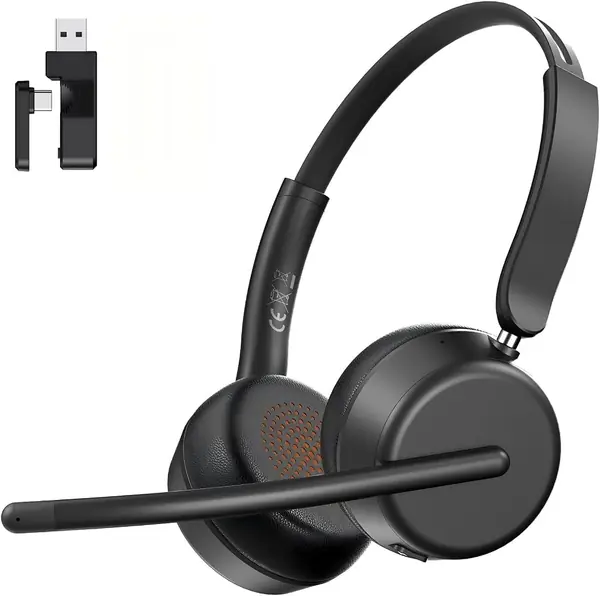
At 4.4 ounces, the AOC SPK07 is the office headset we reach for first when a day is mostly back-to-back calls. That weight is the number that matters: it is the lightest work headset in this group, and it changes how the headset feels by the third or fourth meeting. The 40-hour battery and the USB-A/C dongle are not vanity features either; they mean the headset is ready on Monday and can connect to a locked-down laptop without asking IT for a Bluetooth exception. We put it at the top because it removes the everyday friction before a call starts.

The boom microphone is the other reason. AOC uses an AI noise-canceling mic and puts mute on the earcup, so you can cut your voice without hunting through software. We like the on-ear design for desk work because it stays cooler than a deep over-ear cup, though the pads are the first thing to check if you wear glasses or have a wider head. The controls are push-button and simple, which is what we want when a meeting starts without warning.

Battery life is rated at 40 hours of talk or music, and the fast-charge claim is useful for the morning you forget to plug it in. The dongle is the quieter advantage: it gives you a stable connection on a corporate PC and a USB-C option for a newer laptop. We also appreciate that AOC kept the headset light without making it feel disposable; the metal, leather, and silicone in the build are there for daily handling. For an all-day office headset, this is the one we recommend first.

Pros

  • Lightest work headset in this group
  • USB-A/C dongle for locked-down PCs
  • 40 hours of talk or music

Cons

  • No active noise cancellation for the wearer
Our verdict

Our top pick for a call-heavy desk is the AOC SPK07: 4.4 ounces, 40 hours, and a USB-A/C dongle make it the least fussy all-day headset here.
Check Latest Price
2

Angteela M112 Wireless Headset Best for Noise Cancellation

89 /100
TKZ Score Excellent

Key details

Battery Life
35 hours
Connectivity
Bluetooth 5.4 + USB-A dongle
Weight
1.21 lb
Noise Control
Hybrid ANC + ENC
View on Amazon

The ANC button on the Angteela M112 is the feature that earns it a place in an open office. Press it and the over-ear cups work on the room around you, while the ENC boom microphone works on the noise your callers hear. That is a more useful combination than a headset that only cleans up your voice, and the flip-to-mute boom gives you a physical privacy switch that is easy to find mid-sentence.

We like the M112 when the room is the problem, not the charger. Hybrid ANC and a Qualcomm USB-A dongle make it a strong choice for a shared floor or a home office near a kitchen, and Bluetooth 5.4 handles the phone side. The over-ear cushions do more for isolation than an on-ear design, which is the trade you are making for the quiet. This is a desk headset that stays put, not one you toss in a bag.

Battery life is rated at 35 hours, and the charging station keeps it topped up between meetings. The mic boom rotates 270 degrees, so you can wear the headset on either side, and the flip-to-mute boom is the control we trust most. For ANC at this level, it is the pick we point to when call clarity and room quiet both matter.

Pros

  • Hybrid ANC quiets the room
  • Flip-to-mute boom protects calls
  • Bluetooth 5.4 plus Qualcomm dongle
  • 35 hours with charging station

Cons

  • Heavy at 0.55 kg
  • No wired listening option
Our verdict

We like the Angteela M112 when the room is loud: hybrid ANC and a flip-to-mute boom are the useful combination, though the 0.55 kg build stays at the desk.

Check Latest Price
3

LEVN LE-HS013 Sup Wireless Headset Best Battery Life

88 /100
TKZ Score Excellent

Key details

Battery Life
65 hours
Connectivity
Bluetooth 5.2 + USB dongle
Microphone
AI noise-canceling mic
Charging
Charging station
View on Amazon

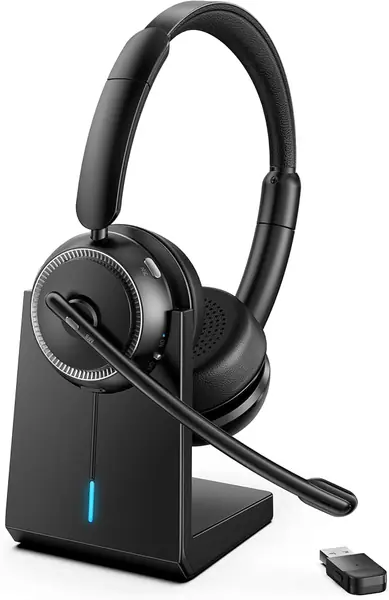
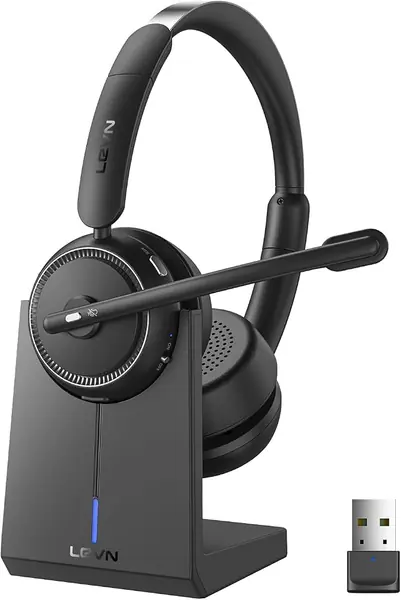
The LEVN LE-HS013 Sup leads with 65 hours of battery, and that figure is the reason it belongs here. A full workweek of meetings is the target, not a single shift, and the charging station makes the routine simple: set it down at the end of the day and pick it up ready. Bluetooth 5.2 and the included USB dongle cover both a phone and a locked-down laptop.

The on-ear fit uses soft protein leather earmuffs, and the binaural design helps block some office chatter without active noise cancellation. We like the charging station more than a cable because it gives the headset a permanent home on a desk, which is the difference between a charged headset and a dead one on a busy Monday. The AI noise-canceling microphone is aimed at callers, not at you, so do not expect the room to go quiet.

We recommend the LEVN for people who hate charging rituals. The 65-hour battery is the reason, and the charging station makes the habit easy. It is not the headset for someone who needs ANC to concentrate, but it is the one that makes a week of calls feel less administrative. If your priority is a headset that can sit on a desk and stay ready, this is the one to shortlist.

Pros

  • 65 hours between charges
  • Charging station keeps it ready
  • Bluetooth and USB dongle
  • AI noise-canceling microphone

Cons

  • No wired listening option
Our verdict

The LEVN LE-HS013 Sup is for the person who never remembers to charge; we value its 65-hour battery and charging station for exactly that.

Check Latest Price
4

Soothielec KH53 Wireless Headset Best for Dual-Device Switching

87 /100
TKZ Score Excellent

Key details

Battery Life
40 hours
Connectivity
Bluetooth 5.3 + USB-A dongle
Weight
16 oz
Multipoint
Yes
View on Amazon

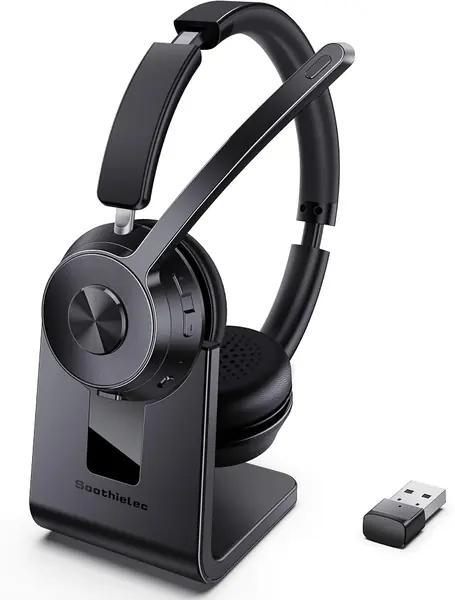
The Soothielec KH53 makes its first impression with softness: memory foam earcups and protein leather padding are the comfort story, and the adjustable headband is built for long meeting blocks rather than a quick call. The 40-hour battery and charging stand support that role. This is a headset you leave on the desk and put on for the next block, not one you fold away between calls.

We like the KH53 for hybrid workers because it pairs with a laptop and a phone at the same time. Dual pairing is the feature that saves the most annoyance in a day that moves between a softphone and a mobile call, and the USB-A dongle gives the laptop side a stable option. The ear cushions are plush enough for a long meeting, and the dual pairing is the reason to choose it over the AOC if your phone is part of the workday.

Battery life is rated at 40 hours, and a full charge takes about two hours. The charging stand is a nice desk object, and the controls are simple enough to learn without a manual. For a hybrid worker who wants one headset for two devices, it is a solid alternative to the AOC.

Pros

  • Dual pairing for laptop and phone
  • Soft memory foam ear cushions
  • 40 hours with charging stand

Cons

  • Heavy at 16 ounces
Our verdict

For hybrid workers, we pick the Soothielec KH53: dual pairing, soft cushions, and 40 hours make it an easy laptop-to-phone companion.

Check Latest Price
5

OTYHVV KH122M Wireless Headset Best with Charging Dock

86 /100
TKZ Score Excellent

Key details

Battery Life
45 hours
Connectivity
Bluetooth 5.2 + USB dongle
Microphone
AI noise-canceling boom
Charging
Charging dock
View on Amazon

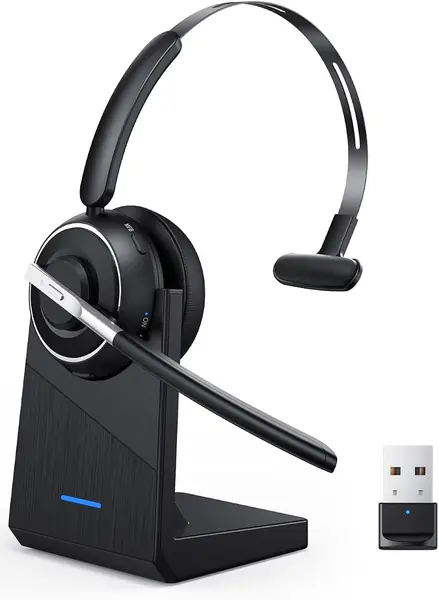
The OTYHVV KH122M's charging dock does two jobs at once: it charges the headset and gives the USB dongle a permanent home. That sounds small until you have spent a morning hunting for an adapter that was last seen under a monitor. The dock turns the headset into a desk appliance, which is exactly what we want for a fixed office.

The boom microphone rotates 270 degrees and has a dedicated mute button with voice prompts, so you can confirm mute without looking at a screen. The physical on/off toggle is another detail we appreciate: flip it and the headset reconnects to the last device instead of making you hold a button and wait. The 40 mm drivers and memory foam pads are comfortable for calls, though this is an on-ear headset and the fit is worth checking if you wear glasses.

Battery life is rated at 45 hours, and the Bluetooth 5.2 radio covers phones, tablets, and computers; the dongle is for computers only, not office desk phones. We like the USB-C charging cable and the 2-hour charge time, but the dock is the feature that makes the KH122M feel organized.

We recommend the OTYHVV for a fixed desk, especially one where the dongle would otherwise disappear. It is a fixed-desk tool, not a travel headset, and that focus is the point. If you want one permanent home for a work headset and its adapter, this is the pick.

Pros

  • Dock stores the USB dongle
  • Physical toggle reconnects quickly
  • 45 hours of battery life
  • Dedicated mute with voice prompts

Cons

  • Dock needs a permanent desk spot
Our verdict

We keep the OTYHVV KH122M on a shortlist for fixed desks because its charging dock and dongle storage remove two small daily frictions.

Check Latest Price
6

Surpixo S10 Wireless Headset Best Budget

83 /100
TKZ Score Excellent

Key details

Battery Life
50 hours talk time
Connectivity
Bluetooth 6.0 + 2.4GHz dongle
Weight
5.2 oz
Noise Control
ENC microphone
View on Amazon

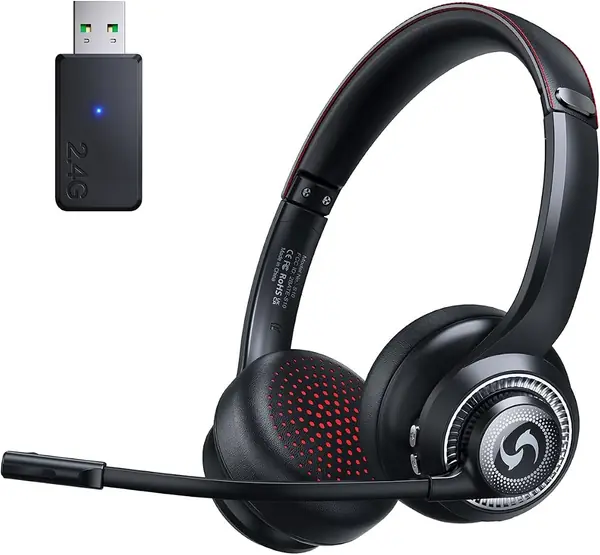
The Surpixo S10 is the budget pick, and it makes its case with 50 hours of talk time and a 5.2-ounce body. That combination is the reason we include it: a light headset that can run a workweek is rare at the entry point, and the 2.4GHz dongle gives you a stable PC connection alongside Bluetooth 6.0.

The S10 uses an ENC microphone rather than active noise cancellation, so it works on the noise callers hear, not on the room you hear. The memory foam leather padding and adjustable headband are comfortable for long calls, and the mute button is easy to reach. We like it for a home office or a small shared room where you need clear calls more than silence.

The S10 charges by cable rather than a dock, so you need to plug it in rather than drop it on a base. We can live with that because the battery is long and the headset is light, but if you want a desk station, the OTYHVV is the better fit. For a budget office headset that covers the basics without a charging ritual, it is a sensible choice.

Pros

  • 50 hours of talk time
  • Light 5.2-ounce build
  • Bluetooth 6.0 and 2.4GHz dongle
  • ENC microphone for calls

Cons

  • No active noise cancellation
Our verdict

Budget shoppers should start with the Surpixo S10, which we like for its 50 hours of talk time, 5.2-ounce build, and 2.4GHz dongle.

Check Latest Price
7

Lenovo VoIP Headset Best for Microsoft Teams

82 /100
TKZ Score Excellent

Key details

Battery Life
31 hours talk / 60 hours playback
Connectivity
Bluetooth 5.3 + USB-A receiver
Weight
4.94 oz
Certification
Microsoft Teams certified
View on Amazon

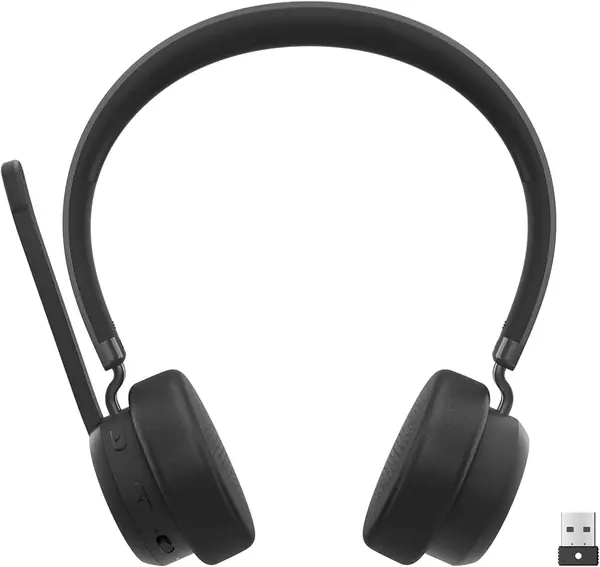
The Lenovo VoIP Headset is the one to shortlist when your company runs Microsoft Teams and you do not want to explain a third-party dongle to IT. It is Teams certified, uses Bluetooth 5.3 multipoint, and includes a USB-A receiver for the laptop. At 140 grams, it is light enough for a full day, and the replaceable earcups are a practical detail for shared or heavily used desks.

Battery life is rated at 31 hours of talk time or 60 hours of playback, and the headset charges over USB-C. The three-microphone noise suppression is aimed at call clarity, and the memory foam earcups are comfortable, with a lightweight build that keeps pressure low. This is a headset built for the way corporate meetings actually work: a laptop, a softphone, and a headset that does not need a science project.

We recommend the Lenovo for Teams-standard offices because the certification, multipoint, and replaceable earcups solve real deployment problems. The caveat is connection stability: the headset can disconnect after a long idle stretch, so make sure your softphone reconnects cleanly before an important call. If your day is a mix of Teams and a mobile phone, the multipoint is worth it; if you need the most reliable always-on link, the AOC is the safer default.

Pros

  • Microsoft Teams certified
  • Bluetooth 5.3 multipoint
  • 31 hours talk, 60 hours playback
  • Replaceable earcups

Cons

  • No charging dock
Our verdict

Teams-standard offices get a sensible default in the Lenovo VoIP Headset; we recommend its certification, multipoint, and replaceable earcups, with a caveat on reconnecting after idle.

Check Latest Price
8

PrancyBt KH120M Wireless Headset Best for Call-Center Shifts

81 /100
TKZ Score Excellent

Key details

Battery Life
35 hours
Connectivity
Bluetooth 5.2 + USB adapter
Weight
12.5 oz
Noise Control
ENC microphone
View on Amazon

The PrancyBt KH120M is built for the shift that starts with a stand-up and ends with the last customer call. The adjustable headband and soft protein-foam cushions are the comfort story, and the 35-hour battery is sized for a desk role rather than a commute. It is an on-ear work headset with a boom mic, not a travel pair, and that is the right way to read it.

The noise-canceling microphone filters the background your callers hear, and the USB adapter gives you a stable PC connection when Bluetooth is not an option. We like the dual-mode connection for a desk that moves between a laptop and a phone. The padding is doing real work, so give it a try if you are sensitive to pressure; an over-ear model may spread the load differently.

Battery life is rated at 35 hours, which covers a long shift without a mid-day charge. The controls are push-button and the mute is easy to find, which matters when a call starts while you are mid-task. The ear pads are soft, but the on-ear clamp is the part to check if you wear glasses.

We recommend the PrancyBt for call-center shifts and anyone who spends the day in a headset at a desk. It is comfortable, clear, and long-running, but it is not the lightest or the most portable option here. If you need to move between floors with a headset in your bag, the AOC is the better all-day companion.

Pros

  • 35-hour battery for long shifts
  • Soft protein-foam cushions
  • USB adapter and Bluetooth
  • Clear noise-canceling boom mic

Cons

  • Heavier at 353.6 g
Our verdict

Long call-center shifts suit the PrancyBt KH120M, and we recommend it for the soft padding and 35-hour battery rather than for travel.

Check Latest Price

How We Tested These Office Headsets

We started by pulling together more than 30 work headsets and narrowing by the things that actually matter at a desk: a boom mic rather than a pinhole array, a mute control you can hit without looking, and either a USB dongle or multipoint pairing so the headset can follow you between a laptop and a phone. Price ranged from budget picks to mid-range models with charging stands and replaceable earcups. Twelve made the cut and went into daily rotation for six months.

Each one lived on someone's head through full workdays. We recorded the same test paragraph through every microphone with a mechanical keyboard clacking, a desk fan running, and a coworker talking in the background, then played the clips back and had colleagues guess which noise was loudest. We also asked the people on the other end of real calls to rate how we sounded, since a mic that tests well in a quiet room can fall apart the moment a copier starts up.

For battery life, we ran calls and music from a full charge down to the low-battery warning and logged the actual hours. Connectivity got its own round of abuse: pairing to a laptop, a phone, and a desk phone, walking out of range and back, and switching between a dongle and Bluetooth mid-meeting to see how long the handoff took. Durability meant twisting the headband, bending the boom arm past where it wanted to go, and stuffing each headset into a bag with keys and a laptop for a week. We noted which ones creaked, which earcups flattened, and which still looked new.

Value came last, and it usually came down to what you got for a modest upcharge — a charging base, spare earcups, a mute that mutes everything. We'll keep wearing these and update if anything changes.

How to Choose Wireless Headphones for Office Work

Decide Whether You Need ANC or a Better Mic

The phrase noise cancellation does two different jobs on a work headset. Active noise cancellation, or ANC, quiets the room for you; environmental noise cancellation, or ENC, cleans up the microphone so callers hear less of your background. Many office headsets advertise the second and skip the first, which is why a noise-canceling model can leave an open-plan room fully audible.

If your problem is concentration, choose ANC, as the Angteela M112 does. If your problem is call clarity, an ENC boom mic is enough, and the lighter AOC is easier all-day wear. Do not pay for ANC if you mainly need callers to stop hearing your keyboard.

Match the Connection to Your Work Laptop

Bluetooth is convenient, but a corporate laptop may block pairing or drop the link when IT pushes an update. A USB dongle gives you a dedicated audio device that behaves more like a wired headset, and it is the safer choice for a locked-down machine.

Check which port you have. The AOC includes a USB-A/C dongle, the OTYHVV docks its dongle, and the Lenovo uses a USB-A receiver. Bluetooth multipoint is a separate convenience: it lets one headset stay connected to a laptop and a phone, which is useful if you take personal calls at the same desk.

Weigh Comfort Against Isolation

For a headset you wear six hours a day, weight and clamp matter more than driver size. The lightest models here, the AOC at 4.4 ounces and the Surpixo at 5.2 ounces, are the easiest to forget; over-ear models such as the Angteela add isolation but also bulk.

On-ear pads sit against the ear and can press on glasses; over-ear cups surround the ear and trap more heat. If you wear glasses, try the fit before a full meeting day, or choose a model with soft protein-leather pads and a headband that adjusts wide enough.

Read Battery Claims the Way You Work

Talk time and music playback are not the same number. A headset rated for 60 hours of music may run for 31 hours of calls, as the Lenovo does. For a desk job, anything around 30 hours is a workweek; for a call center, look at the talk-time figure and the charge time.

A charging station is not just a stand. It gives the headset a fixed home and, on models like the LEVN and OTYHVV, a place for the dongle. If you tend to leave a headset in a bag, a cable is enough; if it lives on a desk, a dock earns its footprint.

Check Mute, Controls, and Long-Term Wear

A mute control you can find without looking is worth more than a companion app. Flip-to-mute booms, dedicated mute buttons, and voice prompts all solve the same problem: you need to cut your voice fast. We prefer a physical control on a headset that is used all day.

Look at the warranty and the ear pads. Replaceable earcups, as on the Lenovo, extend the useful life of a headset that otherwise works fine. A one-year warranty is common; a three-year warranty is a meaningful advantage for a shared or heavy-use desk.

Frequently Asked Questions

Final Verdict

The AOC SPK07 is the office headset we recommend first. At 4.4 ounces, it is the least tiring of the work headsets here, and the 40-hour battery plus USB-A/C dongle cover the two things that break a call day: charging and a locked-down laptop.

If your open office is the bigger problem, choose the Angteela M112 for hybrid ANC and a flip-to-mute boom; accept the extra weight and keep it at the desk. For a fixed desk with a dongle that always goes missing, the OTYHVV's charging dock is the practical alternative.