Best Wireless Chargers for Android of 2026

Wireless charging earned its bad reputation honestly: the phone had to land in exactly the right spot, the power trickled in, and the pad got warm enough that you kept checking on it. Magnetic mounts fixed most of that. The coil snaps into alignment now, so the phone charges at the speed the box promises instead of quietly trickling all night.

The fine print that trips people up is the magnet: on Android the ring is built into some phones and comes from a magnetic case or a stick-on ring on others, so pad and phone have to agree before anything else matters. We've spent four months with 16 chargers, snapping phones onto them at bedtime, at our desks, and in a carry-on, and the differences came down to magnet strength, cord length, heat, and whether an adapter is in the box.

That last one sounds trivial until you're standing in your kitchen holding a charger with no wall brick. These are the pads and stands that held up, the ones we kept plugging back in long after the testing chart was full.

The Best Wireless Chargers for Android

1

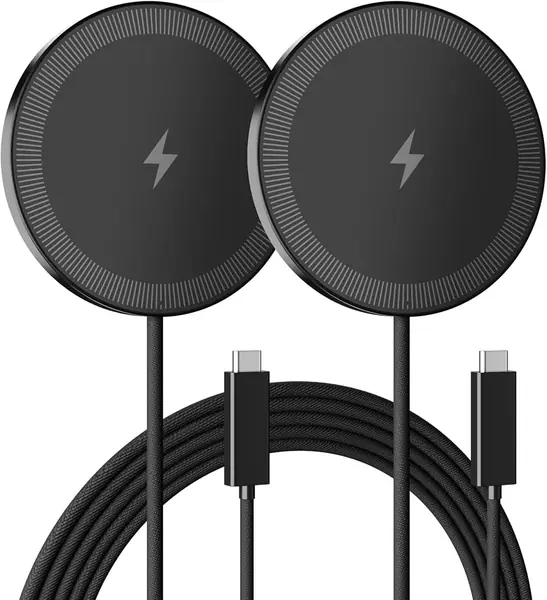
Smile Station W121 2-Pack Magnetic Pad Best Overall
88 /100
TKZ Score Excellent

Key details

Max Output
15W
Wall Adapter
Not included
Cable Length
3.9 ft, built-in
Pack Count
2 magnetic pads
View on Amazon

Two magnetic pads for about what a single charger costs elsewhere in this guide is the reason the Smile Station set takes the top spot. Each one is a slim aluminum disc with a 3.9-foot USB-C cable built in, a USB-C to USB-A adapter for older wall bricks, and N52 magnets that pull a compatible phone onto the center of the coil. One lives on the nightstand, one rides in a bag, and neither asks for a cable.

Fifteen watts is the realistic ceiling for wireless charging on a Galaxy or a Pixel, so none of this pad's output is wasted on a number your phone can't use — an S26 or a Pixel 10 fills at the same rate it would on a 25W pad. The magnets earn their keep only if you're using a magnetic case or a ring sticker; with a plain case the pad still charges, it just won't grab. We think the grab is worth the five minutes of setup, because a phone that lands centered every time is the difference between using the charger and going back to a cable.

What's missing is the wall adapter. Plan on a 20W-or-better USB-C brick for each pad, or accept that one travels between rooms. The 3.9-foot cables are fixed, which keeps the cost down — a frayed cable retires the whole pad. Neither is a dealbreaker for a two-phone household, and the pair covers more ground than any single stand here.

Pros

  • Two pads for a single-charger price
  • N52 magnets center the phone reliably
  • Built-in 3.9-foot cables plus USB-A adapters

Cons

  • No wall adapter in the box
  • Magnet needs a magnetic case on Android
Our verdict

The best all-around Android charger here: two slim magnetic pads that hit the 15W ceiling, with magnets strong enough to hold a phone through a bump.
Check Latest Price
2

Repind Wireless Charging Stand Best Stand Value

87 /100
TKZ Score Excellent

Key details

Max Output
15W
Wall Adapter
18W included
Form Factor
Stand
In The Box
18W adapter, USB-C cable
View on Amazon

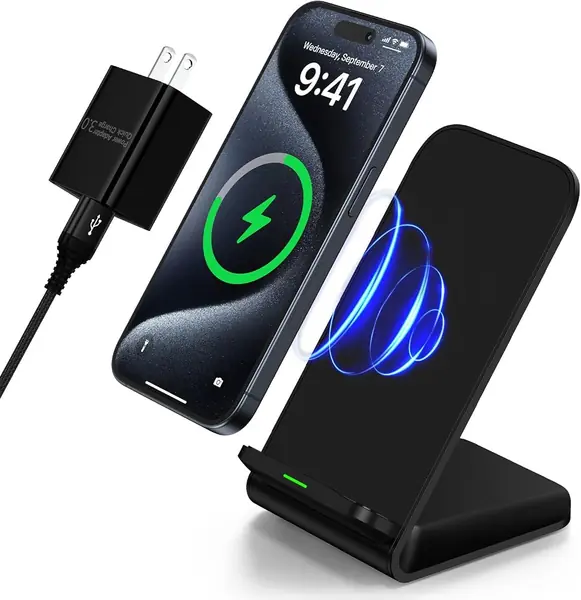
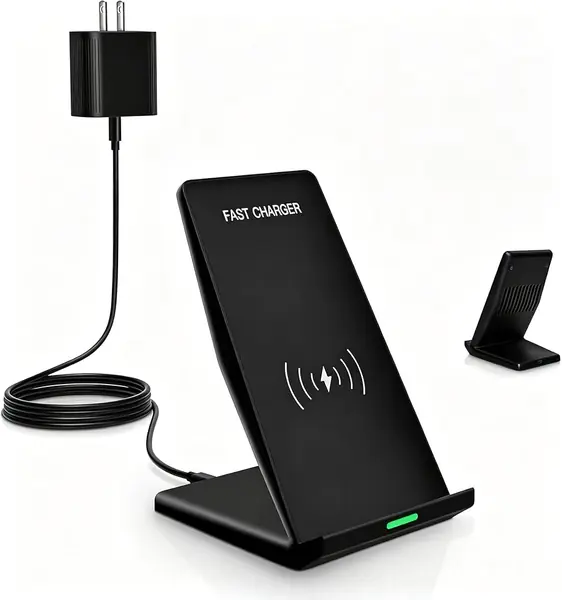
An 18W wall adapter and a USB cable come in the box with this stand, and that is most of the argument for it. Plenty of chargers here expect you to supply a brick, which turns a bargain into a second errand. Plug the Repind in and it's ready: 15W on a Pixel, 10W on a Galaxy, with the phone held upright for face unlock or on its side for a video.

The upright format is what we like for a desk. The screen stays visible, notifications land where you can see them, and the phone charges while you tap through. The dual coil widens the sweet spot so you don't have to aim, and the LED tells you at a glance that it's connected. Speed is where it wobbles: this stand can top a phone up briskly and then crawl on the same phone the next night, so treat it as an overnight and desk charger rather than a quick hit before you leave.

Two things to check before you commit. The Galaxy S24 Ultra is the phone this stand has the most trouble with, so if that's yours, buy it somewhere with an easy return window. And the pad rewards careful placement with heavier handsets — set down centered and it's fine, nudged off and charging stops. On a desk or a nightstand where the phone sits still, neither is a problem.

Pros

  • 18W adapter and cable included
  • Dual-coil stand works upright or sideways
  • 15W on Pixel and 10W on Galaxy

Cons

  • Charging speed varies from session to session
  • Galaxy S24 Ultra compatibility is shaky
Our verdict

The stand we point at a nightstand or a desk when you don't want to shop for a power brick too: complete in the box, upright, and inexpensive.

Check Latest Price
3

Rvelon 20W PD Charging Stand Best for Desk Video Calls

86 /100
TKZ Score Excellent

Key details

Max Output
20W peak
Wall Adapter
20W PD included
Cable Length
3.3 ft
Form Factor
Dual-coil stand
View on Amazon

This is the most expensive stand in the guide, and the money buys a complete kit: a 20W USB-C PD adapter, a 3.3-foot USB-C cable, and a dual-coil stand that holds a phone steady whether it's upright for a call or on its side for a video. Nothing else needs buying, and nothing wobbles.

We used it as a desk charger through a run of video calls, which is where the design makes sense — the phone sits at a workable angle, the weighted base doesn't skate when you tap the screen, and the LED is quiet enough that it doesn't flare in a webcam. The second coil widens the charging area, so a slightly misplaced phone still charges. None of that makes it fast: 15W is the ceiling on Android, and the 20W on the box belongs to the adapter, not the pad.

The cable is the practical catch. At 3.3 feet it's the shortest here, so the stand needs an outlet within reach — fine on a desk with a power strip, awkward on a bookshelf. If you want the tidiest setup with no extra purchases and don't mind paying for it, this is the one. If you mainly want the convenience, the Repind gets most of the way there.

Pros

  • 20W PD adapter and cable included
  • Weighted dual-coil base stays steady
  • Wide charging area for both orientations

Cons

  • 3.3-foot cable limits outlet placement
  • Pricier than the other stands here
Our verdict

The stand for a desk with a webcam and an outlet nearby: everything is in the box and the phone stays put at a usable angle.

Check Latest Price
4

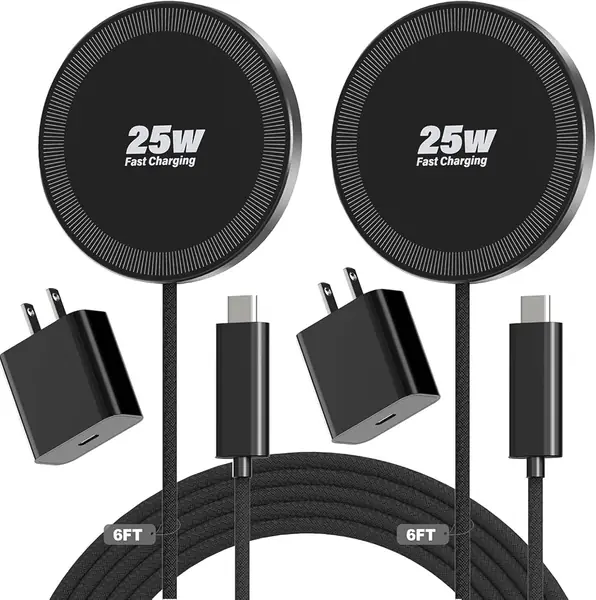
WayLite 25W Magnetic 2-Pack Best Travel Charger

85 /100
TKZ Score Excellent

Key details

Max Output
25W
Wall Adapter
2 × 35W included
Cable Length
6.6 ft braided
Pack Count
2 magnetic pads
View on Amazon

A hotel room with one free outlet and two phones that need to be full by morning is where this kit makes sense. Two magnetic pads, two 35W USB-C adapters, and two 6.6-foot braided cables, with pads 0.21 inch thick and 2.1 ounces each — the whole set disappears into one pocket of a backpack. That completeness is why it's the travel pick.

On Android the 25W headline is decoration; the pads deliver the standard 15W, which is all a Galaxy or Pixel will take. What we appreciate is the rest of the package. The magnets snap hard and hold, the pads stay cool through a long session, and the braided cables reach from a floor outlet up to a nightstand without an extension cord. Two adapters in the box also means you aren't borrowing the one from your laptop bag.

The exception is the Pixel 10 Pro XL. That phone can charge so slowly on these pads that the battery drains while the screen is on, which makes the kit a poor match for Google's biggest handset. Galaxy phones and smaller Pixels do fine. If you carry the XL, the Smile Station pads are the safer bet; everyone else gets a two-phone travel setup for a little more than the cheapest pairs here.

Pros

  • Two 35W adapters included
  • 6.6-foot braided cables reach across a room
  • Thin and light enough for a carry-on

Cons

  • Charges a Pixel 10 Pro XL too slowly
  • Costs more than the other two-packs
Our verdict

Our travel pick: two pads, two 35W adapters, and long braided cables that make one hotel outlet work for two phones.

Check Latest Price
5

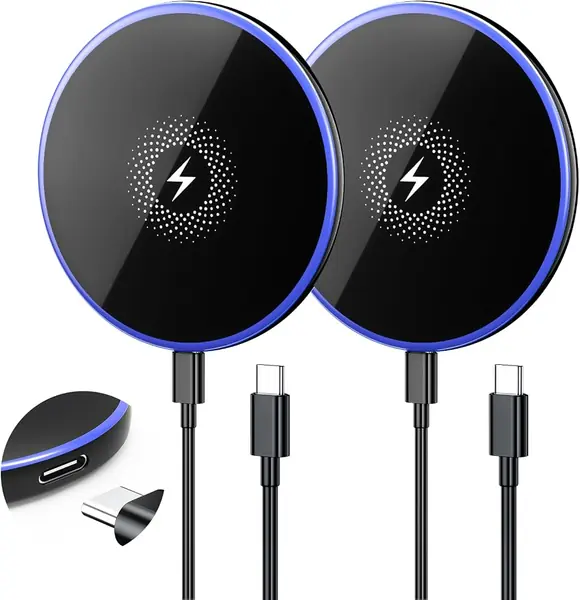
QUZUDN 15W Magnetic 2-Pack Best for Bedside Charging

84 /100
TKZ Score Excellent

Key details

Max Output
15W
Wall Adapter
Not included
Cable Length
6 ft USB-C to USB-C
Pack Count
2 magnetic pads
View on Amazon

These pads run warm — warm enough that it's the first thing to say about them. The charging carries on, but the heat is noticeable enough that placement matters: a hard, open surface with air around the pad, not a stack of mail or under a pillowcase.

What the set gets right is the bedroom detail. Each pad comes with a 6-foot USB-C to USB-C cable, long enough to reach a nightstand outlet from the floor, and the breathing LED shuts off a minute after you set the phone down so it doesn't glow all night. The magnets are strong enough that a bumped nightstand doesn't send the phone sliding, and the two-year warranty is matched only by the WayLite kit here.

The trade is speed. The same phone that fills steadily on one pad can creep on the other, so this isn't the pair for a fast top-up before you walk out the door. You supply the bricks as well — two 20W USB-C adapters are on you. For overnight charging in two rooms, though, it's the least expensive way into a matched pair.

Pros

  • 6-foot cables reach a nightstand outlet
  • Strong magnets stop the phone sliding
  • Charging light shuts off after a minute

Cons

  • Runs warm during charging
  • No wall adapter included
Our verdict

A two-pack for bedside duty: 6-foot cables, a light that dims for sleep, and strong magnets, as long as you can live with warm pads.

Check Latest Price
6

Vifigen 25W Magnetic Charger Pad Best for Bags and Travel

83 /100
TKZ Score Excellent

Key details

Max Output
25W
Wall Adapter
Not included
Cable Length
4 ft braided
Weight
2.89 oz
View on Amazon

Twenty-five watts is the number on the box, and no Galaxy or Pixel will take it — 15W is the ceiling on both. Set that aside and there's a genuinely useful pad here: 2.89 ounces, slim enough to slide into a jacket pocket, with a 4-foot braided USB-C cable attached and a vented back to help it shed heat.

The magnets line a phone up cleanly, and the braided cord is more forgiving of being coiled into a bag than the flat cables on the cheaper pads in this guide. There's no wall adapter, so plan on a 20W brick — a pad like this is only as good as what you plug it into.

Where it fits is portability. It's the pad that turns any outlet plus a battery brick into a wireless charger on a trip, and at this price it's an easy second charger to leave in a bag. For a nightstand with two phones, the Smile Station set is the better use of the same money.

Pros

  • Slim 2.89-ounce body slips into a bag
  • Braided 4-foot cable holds up to packing
  • Vented back helps it run cooler

Cons

  • No wall adapter included
  • 25W headline doesn't apply to Android
Our verdict

The one to keep in a bag: slim, light, and wrapped in a braided cable, provided you aren't paying extra for the 25W claim.

Check Latest Price

How We Tested the Best Wireless Chargers for Android

We started by collecting every magnetic pad and charging stand we could find that advertised Android compatibility and sat in the same rough price band, then dropped anything that couldn't charge through a case or that shipped without the wattage it claimed. Sixteen chargers came out the other side, and we used them for four months.

Each one spent at least a week on a nightstand, where we set the phone down in the dark and checked in the morning whether it had actually reached a full charge, and a week on a desk, where it got picked up and set back down a dozen times a day. Two went into a backpack on weekend trips to see whether the magnet held while the bag got tossed around.

For magnet strength, we stuck the phone on the pad, turned the whole thing upside down, and shook it gently over a mattress. For speed and heat, we put a power meter inline for the first half hour, then read the back of the phone with an infrared thermometer at the one-hour mark; a few ran warm, and one ran hot enough that we moved it off the nightstand entirely. We measured every cable with a tape measure, then ran it from a floor outlet up to a nightstand to see if it truly reached, and we poked at the screen while a phone sat on each stand to watch for sliding or tipping.

Compatibility was the least glamorous part and the most informative: every pad got a Galaxy, a Pixel, and an iPhone, each bare and then in a thick case, plus one phone wearing a stick-on magnetic ring. Anything that worked with only some of those didn't make the cut.

How to Choose a Wireless Charger for Android

Match the wattage to your phone, not the label

Galaxy phones take up to 15W wirelessly, and most Pixel models take less than that on a standard Qi pad, since Google reserves its fastest speeds for its own Pixel Stand. A 25W or 50W headline is written for iPhones or for the shelf, and paying extra for it buys you nothing on Android.

What matters is a pad that holds a steady 15W, and that needs a 20W-or-better USB-C adapter behind it. If a product's main selling point is its wattage, look instead at the adapter and cable it ships with — those are what decide whether you actually get 15W.

Decide between a stand and a pad

A stand holds the phone up, which is better for video calls, face unlock, and glancing at notifications, and it keeps the coil lined up without you thinking about it. A pad is smaller, easier to carry, and easier to fit on a crowded nightstand, but it asks you to set the phone down centered.

If the phone charges overnight, a flat pad is all you need. If it lives on a desk and you want to see the screen while it charges, a stand earns its footprint — just leave clearance behind it, since a light base can slide when you tap the screen.

Magnets need help on Android

Galaxy and Pixel phones don't have a magnet ring built in, so the magnets on a magnetic wireless charger only grip if you use a magnetic case or stick a ring sticker on the back of the phone. Without one the pad still charges, it just won't snap into place and you're back to centering it by eye.

Skip metal plates, magnetic wallets, and cards tucked in a wallet case, all of which interfere with charging. A thick rugged case is the other common reason a pad refuses to start, so test a new charger with the case you actually use.

Check the box before you check the price

Plenty of these chargers ship without a wall adapter, and once you add a 20W brick to a cheap pad it can cost more than a stand that includes one. That is the whole case for the Repind and Rvelon stands: the adapter is in the box, so the price you see is the price you pay.

Cable length decides where the charger can live. A 3.3-foot cable needs an outlet close by, while 6 feet reaches a nightstand from a floor socket. Built-in cables keep the cost down, but when one frays the entire pad goes in the drawer.

Plan for heat and a short life

Wireless charging loses more energy to heat than a cable does, and heat is what wears these pads out. Keep them on a hard, open surface, out of bedding and direct sun, and never stack a phone and a case on a pad that is already warm.

Buy where the warranty is real and the return window is easy, then test the pad in the first week — the pads that fail tend to fail early. If a charger is too hot to hold comfortably after an hour, stop using it and send it back.

Frequently Asked Questions

Final Verdict

For most Android phones, the Smile Station two-pack is the one to buy. Two 15W magnetic pads, strong enough to hold a phone through a bumped nightstand, cover a bedside and a bag for about what a single charger costs elsewhere in this guide. Budget for a 20W USB-C brick for each and you're done.

If a stand suits you better, the Repind includes its 18W adapter and holds the phone upright on a desk. That is the setup to choose when you want the screen visible while the phone charges — and the one to skip if you carry a Galaxy S24 Ultra.