Best Tablet Hand Holders of 2026

I have dropped a tablet on my face exactly once, and I still remember it. A tablet is a two-handed device pretending to be a one-handed one, and the moment you lie back in bed or try to stir a pot at the same time, gravity wins. A hand strap fixes that in about thirty seconds of installation, turning a slick slab into something you grip with your fingers while your thumb scrolls.

The catch is that these are simple objects with very different executions. Over four months, my team and I tried 16 holders — adhesive grips, hook-and-loop bands, swivel mounts, and a couple that double as kickstands. What separates them isn't the padding; it's whether the adhesive stays put on glass or on a fabric case, how much bite the hook-and-loop has left after a few hundred on-and-off cycles, and whether the strap's size range actually matches the tablet you own.

Some are built for e-readers, and some clamp over a chunky protective case without peeling off. Whatever you read, teach, or play charts from, the right one is below.

The Best Tablet Hand Holders

1

FINTIE Universal Hand Strap Best Overall
87 /100
TKZ Score Excellent

Key details

Fits
7-11 in tablets
Attachment
Adhesive patch
Grip
Padded hook-and-loop handle
Rotation
360 degrees
View on Amazon

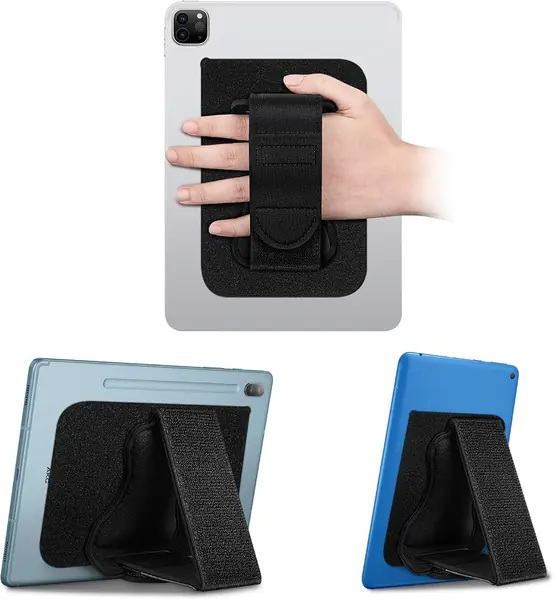
The piece that decides whether a hand holder ever gets used is the part touching the back of your hand, and FINTIE made that a padded, adjustable loop instead of a bare elastic band. It is why this is the one we recommend first for a 7- to 11-inch tablet: your fingers slide under the padding, and the tablet's weight spreads across the back of your hand rather than pinching between two of them.

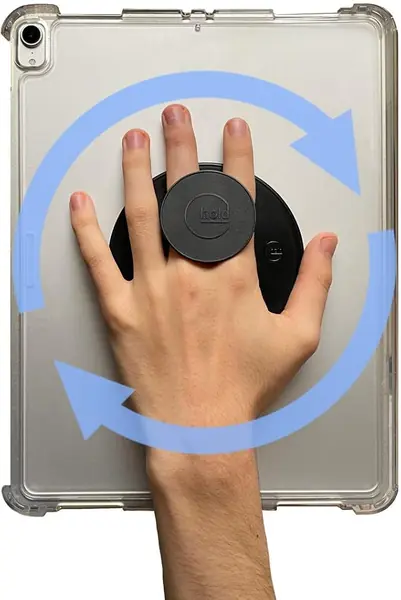
The handle sits on an adhesive patch that stays put on the device, then hooks and loops on and off, so you can pull it free when you want a flat back for a sleeve or a stand. It swivels a full 360 degrees, which turns portrait to landscape into a wrist movement instead of a re-grip, and the handle folds out into a stand for watching something at the kitchen counter.

Two things to know before it goes on. The patch is a commitment: once it has cured, moving this to another tablet means a fresh pad rather than a peel-and-restick, so choose the device you read on most. And the hook-and-loop is the wear point. Press it onto a clean, flat, non-porous back and give the adhesive time to set before you hang a tablet from it, and the grip stays tight far longer than if you start using it straight out of the box.

It adds 3.5 ounces, which we stopped noticing within a page or two. The padding is the difference between a holder you use for ten minutes and one you use for an hour.

Pros

  • Padded strap spreads weight across the hand
  • Handle detaches and swivels 360 degrees
  • Folds into a portrait or landscape stand

Cons

  • Patch stays on one device once applied
Our verdict

This is the one we hand to most people: the padded strap sits across the back of your hand, the hook-and-loop sizes to any grip, and the stand is a real bonus.
Check Latest Price
2

joylink 10-13 Inch Hand Strap Best for Large Tablets

85 /100
TKZ Score Excellent

Key details

Fits
10-13 in tablets
Attachment
Corner clips
Rotation
360 degrees
Case Use
Fits over cases
View on Amazon

A 13-inch tablet in a protective case is the setup most holders cannot handle. Adhesive will not stick to a folio's fabric, and corner bands sized for a bare tablet will not stretch over a rugged shell. joylink builds for that combination: two elastic corner clips ride over a magnetic cover or a thick case, and a padded handle swivels on a base set into the middle of the back.

That over-case fit is what earns it a place. It is rated for 10- to 13-inch tablets, the widest range here, and it is the only pick in this group designed to stay on while the case does. We like the swivel as much as the mount, because flipping orientation without letting go is exactly what you want while reading music or working through a recipe.

The trade-off is where the handle sits. On a 13-inch slab the grip lands at the center of the back, so your hand is further from the edges than with an off-center strap, and a heavy tablet makes that reach felt in the wrist after a while. The corner bands have to be generous to clear thick cases, which also makes them feel stretchier than a snug clip: fine on a 12.9-inch iPad in a normal shell, less reassuring on the heaviest models.

At 2.1 ounces it adds very little. On a tablet this size, the device's own weight is the real load, so the case you choose matters more than the holder does.

Pros

  • Fits over a case without removing it
  • Rated for 10- to 13-inch tablets
  • 360-degree swivel handle

Cons

  • Center handle is a long reach on 13-inch tablets
  • Elastic corners feel stretchy on heavy tablets
Our verdict

If your tablet lives in a case, this is the holder that goes on over it: no adhesive, no stripped cover, and no re-buying the grip when you change devices.

Check Latest Price
3

CoBak Hand Strap Holder Best for E-Readers

84 /100
TKZ Score Excellent

Key details

Fits
4-8 in devices
Attachment
Adhesive patch
Grip
Adjustable TPU strap
Second Use
Folds out as a stand
View on Amazon

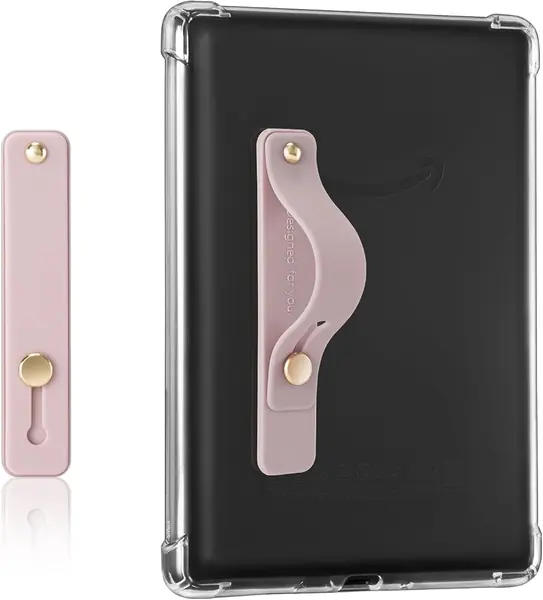
Check the size ceiling first: CoBak rates this for 4- to 8-inch devices, which covers Kindles, Kobos, and most e-readers and leaves out any full-size tablet. That is the point rather than a shortfall. A reader-sized grip is smaller, lighter, and flatter than the tablet holders here, and on the back of a Kindle it almost disappears.

Reading in bed is where we appreciated it. The TPU strap lets your fingers lie flat against the back of the device instead of curling around the edge, and the tightness adjusts so it fits two fingers or three. Fold the strap out and it props the reader up as a small stand, which turns out to be more useful at breakfast than it sounds.

Two things to size up. The strap is built for fingers, not a whole hand, and larger hands find it snug, so loosen it before pushing in rather than after. And the adhesive wants a smooth, hard back; a textured or fabric cover is the wrong surface, so put it on the device itself or a hard shell. It comes in a range of colors, which counts for more on a Kindle than you might expect.

Pros

  • Sized and weighted for e-readers
  • Adjustable strap tightness
  • Doubles as a hands-free stand

Cons

  • Not for tablets over 8 inches
  • Adhesive needs a smooth, hard back
Our verdict

The pick for a Kindle or a 4- to 8-inch reader: a small TPU strap that sticks flat, holds two fingers snugly, and barely changes how the device feels.

Check Latest Price
4

G-Hold Universal Tablet Holder Best Ergonomic Grip

83 /100
TKZ Score Excellent

Key details

Fits
Any tablet or case
Attachment
Velcro base
Grip
Contoured finger stems
Weight Held
Up to 4 lb
View on Amazon

Nobody expects a hand holder to cost as much as a case, and that is the first thing to get past with the G-Hold. What the money buys is a different shape: two contoured plastic stems that sit between your fingers instead of a band stretched across the back of your hand.

The shape changes how you carry a tablet. Rather than pulling your fingers together, the stems give each one something to rest against, so the device hangs from the hand instead of being pinched by it. The difference showed up for us on a heavier tablet held up for a long stretch, where a strap starts to bite and this does not.

It is also the only holder here you can reposition. The base is Velcro, rated to hold up to four pounds, so you can shift the grip to reach a kickstand, move it for your other hand, or peel it off and set it on the next tablet. The stems are rigid, though, and if they land between the wrong fingers you feel every edge, so try two or three positions before you settle. The Velcro makes that easy, and it is why we stopped worrying about getting the placement exactly right the first time.

Pros

  • Stems spread load across several fingers
  • Velcro base repositions between devices
  • Rated to hold up to 4 lb

Cons

  • Rigid stems can dig in between fingers
  • Highest price here for a small accessory
Our verdict

The one we point to when holding a tablet hurts: the finger stems take the load off your grip instead of adding another band to clench.

Check Latest Price
5

Ptwola Elastic Clip Strap Best Budget Clip-On

82 /100
TKZ Score Excellent

Key details

Fits
Devices 8.27-14.96 in
Attachment
Elastic corner clips
Weight
0.31 oz
Material
Elastic polyester
View on Amazon

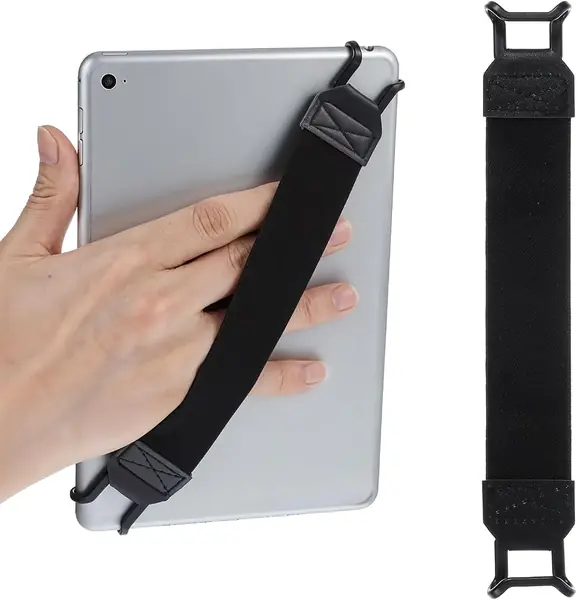
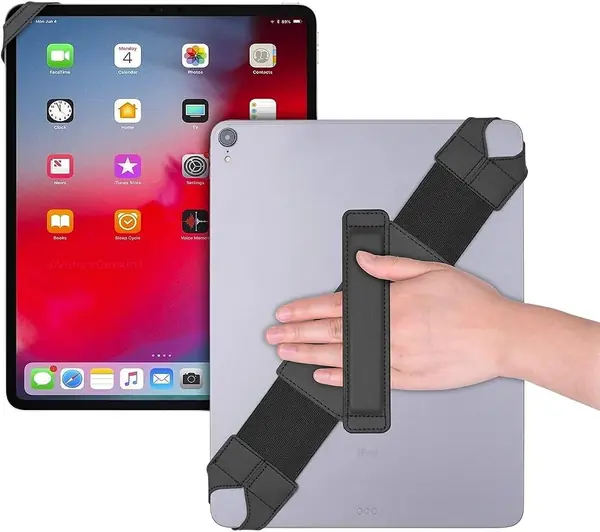
Every other holder here asks you to stick something on your tablet. This one clips: two elastic loops hook over opposite corners and a woven band stretches across the back for your hand. We like that for a household where one strap gets passed around, and for anyone who has peeled a failed adhesive pad off a case and would rather not repeat it.

The band runs 8.27 inches closed and stretches to 14.96, so it spans everything from an 8-inch reader to a 12-inch tablet, and at 8.7 grams it is nothing on a device you are already holding up. Hooking it corner to corner rather than top and bottom changes the angle your hand sits at, and switching takes about five seconds.

What you give up is tension. With nothing pulling the band taut except its own stretch, a small reader shifts around in your hand more than the size range suggests, so under about 8 inches there is more slack than you want. On a 10-inch tablet it sits right.

Pros

  • Clips on with no adhesive or residue
  • Moves between devices in seconds
  • Weighs under a third of an ounce

Cons

  • Band can slacken with use
Our verdict

Our pick if you refuse to glue anything to your tablet: it clips onto two corners, weighs almost nothing, and moves between devices in seconds.

Check Latest Price
6

VGGNUU Hand Strap with Stand Best for One Accessory for Hand and Desk

81 /100
TKZ Score Excellent

Key details

Fits
9-11 in tablets
Attachment
Adhesive back
Grip
Nylon hook-and-loop strap
Second Use
Adjustable kickstand
View on Amazon

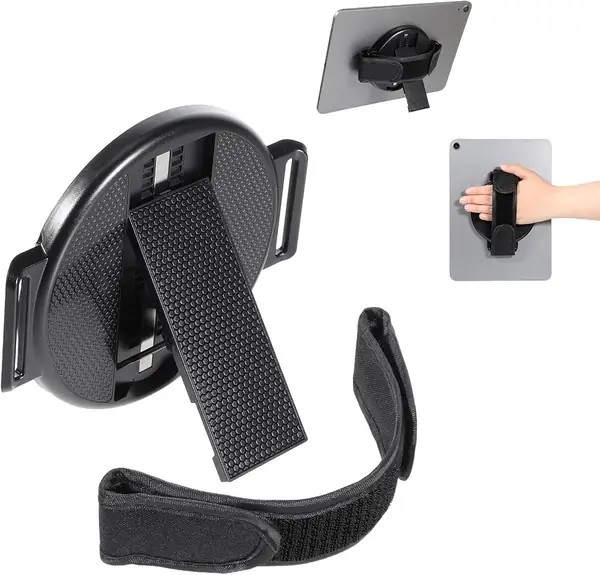
VGGNUU's holder is a nylon strap on a hook-and-loop pad, backed by an adhesive plate the company rates for 22 pounds of pull. What separates it from the other adhesive straps here is the folding arm underneath, which props the tablet up instead of leaving the back flat.

The strap is the good part. Nylon is soft against the hand, the hook-and-loop lets you tighten it down to your fingers, and the swivel turns the tablet under your hand rather than in it. If you have ever had to regrip mid-sentence because a page rotated, that is the movement this one removes.

The stand is the bonus, and it behaves like one: an arm holding a tablet at the end of a lever is happiest on a hard table at a shallow angle. Set it up on a duvet and you will be adjusting it. The adhesive side is the usual story, holding on clean, flat, hard backs and not on textured folios. At 4.2 ounces it stays light for a plate-and-arm design and still lies flat enough to slide into a sleeve.

Pros

  • Soft nylon strap tightens to hand size
  • Swivels 360 degrees
  • Adhesive rated for 22 lb of pull

Cons

  • Stand arm is the least sturdy part
Our verdict

A comfortable adhesive strap with an angle-adjustable kickstand, worth it if the same tablet works a desk shift and a lap shift.

Check Latest Price
7

Gowjaw Hand Holder Strap A Near-Flat Grip on a Slim Tablet

80 /100
TKZ Score Excellent

Key details

Fits
Tablets and Kindles
Attachment
Adhesive patch
Grip
Elastic band
Weight
0.35 oz
View on Amazon

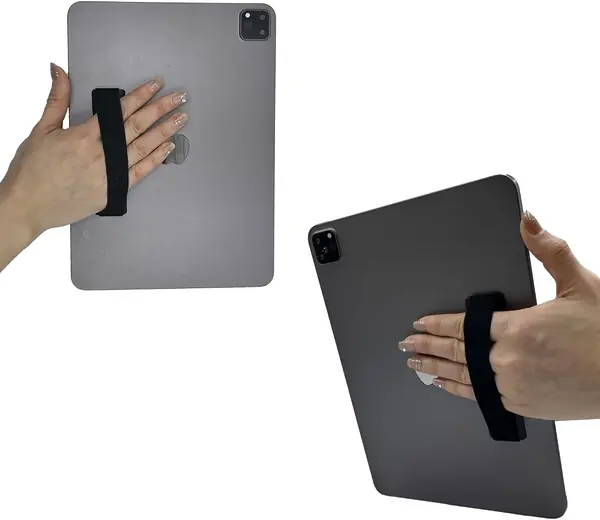
Bulk is the thing this one gets right. The Gowjaw is a soft elastic band over a flat adhesive pad roughly the size of a large sticker: ten grams, well under a tenth of an inch thick, and nothing to fold, swivel, or catch on a bag. Stuck to an iPad or a Kindle, it is barely a bump.

We appreciated it for reading in bed, where the band lets your hand lie flat against the back of the tablet rather than curled around an edge. There is no rotation and no stand, so it does one job, but it does the job the keyword is about, and it does it without adding hardware you can feel.

Elastic lasts as long as its adhesive does, and this is a small pad doing a lot of work. It holds hard on smooth polycarbonate and glass. On a leather or fabric folio, or a case with a raised pattern, it is simply the wrong adhesive for the surface, so stick it to a hard shell or straight to the device and the band stays where you put it.

Pros

  • Adds almost no bulk at 10 g
  • Leaves the back flat for sleeves
  • Soft elastic band is comfortable

Cons

  • No rotation and no stand
  • Adhesive fails on fabric or textured cases
Our verdict

The near-invisible option: a ten-gram elastic strap that leaves the back of your tablet almost flat, so it stays in a sleeve and out of the way.

Check Latest Price
8

Hpmjz 360 Hand Strap A Round-Base Grip with an Angle Stand

79 /100
TKZ Score Very Good

Key details

Fits
7-11 in tablets
Attachment
Adhesive base
Rotation
360 degrees
Base Size
4.53 in diameter
View on Amazon

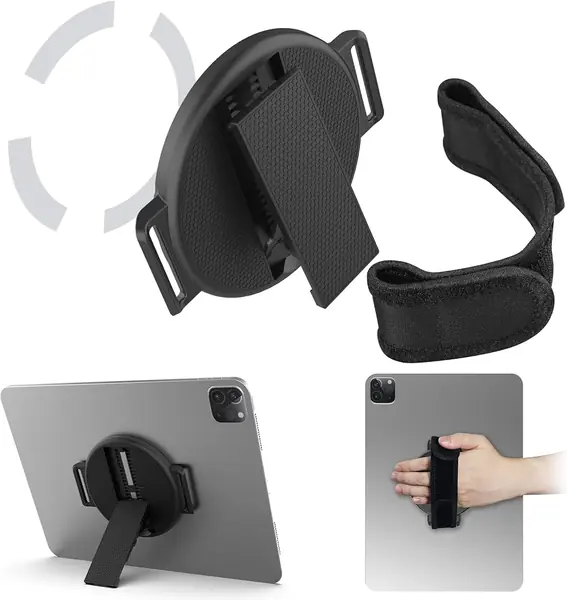
Set this beside our top pick and the difference is the footprint. Hpmjz uses a 4.53-inch round plate instead of a long pad, with a cloth strap across it and a folding arm for standing the tablet up. The round shape centers easily on the back of a small tablet, and the base swivels a full turn.

We found the strap comfortable and the rotation smooth, and the smaller plate is easier to place on a tablet or a large phone without straying over the edges. That is the practical advantage of a circle over a rectangle: you can drop it in the middle of the back and be done.

The folding arm is the part to handle gently, since it is thin plastic doing the same job as a heavier hinge and it is happiest propping the tablet on a table. The nano-gel pad grips better than plain tape on a slim case, but it still wants a smooth surface, so a fabric or leather folio is the wrong home for it. Folded in, the whole thing is just under half an inch thick and slides into a tote.

Pros

  • Round base centers on small tablets
  • Smooth 360-degree swivel
  • Folding arm doubles as an angle stand

Cons

  • Thin plastic stand arm
Our verdict

The same idea as our top pick in a rounder, lower package, with a folding arm that adds a viewing angle for desk use.

Check Latest Price
9

Encased GripMallow A Finger Grip That Folds Away Flat

78 /100
TKZ Score Very Good

Key details

Fits
Kindles and tablets
Attachment
Adhesive pad
Profile
Folds flat
Grip Base
80 mm wide
View on Amazon

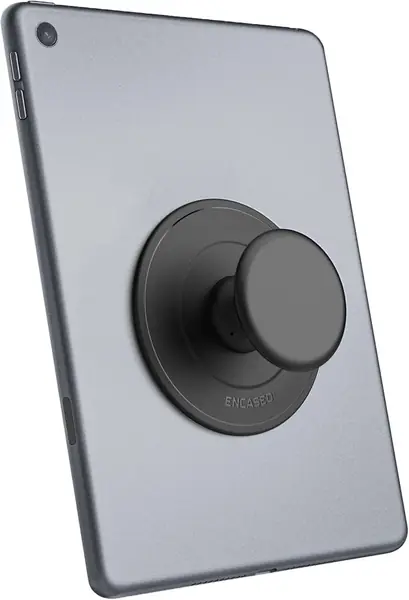
The GripMallow is not trying to be a strap. It is a squishy TPU handle that pops out for two fingers and pushes flat with one thumb, on an 80 mm adhesive plate. That is the widest base here, and it is part of why it holds on cases that defeat smaller pads.

We like it for a Kindle or a small tablet read one-handed, where two fingers are all you need and a full strap is more hardware than the job calls for. The soft stem is comfortable against the fingers in a way hard plastic grips are not, and folding it flat means it does not catch on a sleeve or a bag lining.

Where it stops is at the weight. A soft stem flexes, and holding a full-size tablet out at arm's length turns the give that feels pleasant in bed into wobble. Treat it as a grip for light devices and short reaches, which is what most e-reader sessions are. The two-year warranty is longer than most here, and the pad comes pre-installed, so there is nothing to line up or trim.

Pros

  • Soft stem is comfortable on fingers
  • Folds flat with one push
  • Widest adhesive base here at 80 mm

Cons

  • Soft stem flexes under a heavy tablet
  • Two-finger grip, not a full hand strap
Our verdict

Not a strap at all: a soft collapsible grip for two fingers, best on a Kindle or a tablet you hold lightly rather than a heavy iPad.

Check Latest Price

How We Tested 16 Tablet Hand Holders

To build the shortlist, I combed through listings and customer reviews for holders sized from 7 to 13 inches, then filtered by how each one attaches: an adhesive patch on the back of the tablet, a band that grips around a case, or elastic finger bands. Anything with a fixed, non-adjustable strap length was cut. That left 16 holders, which we used for four months.

Testing happened where tablets actually live: held overhead in bed, gripped one-handed while carrying a mug to the couch, held on a standing-room train commute, propped on a kitchen counter mid-recipe, passed around a classroom, and clipped to a music stand during a rehearsal. Each time, we noted whether the tablet rotated or drooped, whether the strap dug into knuckles after a half hour, and how many fingers it took to feel secure.

The adhesive got its own test. We mounted each patch on a bare glass-backed tablet and on a fabric folio case, let it sit for three days, then lifted the tablet by the strap and shook it gently over a couch cushion. Hook-and-loop straps went through a counted cycle routine — pull, reseat, repeat — so we could watch for frayed edges, curled corners, and grip that softened. Elastic bands were stretched to their stated maximum and checked again a month later for sag.

Finally, we lived with them. Straps that felt fine in the first week started biting in the second, swivels developed play, and a couple of adhesive patches let go on a case they'd seemed happy on for weeks. The ones that survived all four months are the ones worth your money.

How to Choose a Tablet Hand Holder

Start With the Attachment

Almost every holder here is one of three things: an adhesive plate with a strap, a set of elastic corner clips, or a plain band that hooks on with no glue at all. Adhesive gives the flattest, firmest hold and never shifts under your palm, but it commits to one device and needs a smooth, hard back. Corner clips ride over an existing case and move between devices; the trade is that they work by tension, so they can stretch or shift on a heavy tablet.

Pick by how often the holder moves. If your tablet lives in a hard shell and stays home, glue is the simplest answer. If one strap gets passed between a tablet and an e-reader, clip-on is worth the small compromise in rigidity.

Measure the Device, Not the Spec Sheet

Size ranges are printed for bare devices. A corner clip that sits snug on a 10-inch tablet will fight the same tablet in a rugged case with a raised lip, and an adhesive pad won't bond to a folio's fabric at all. That is why some holders are built to clamp over a case and others expect bare glass or hard plastic.

Take the measurement with the case on, and treat e-readers as their own category: a grip sized for a 4- to 8-inch Kindle is smaller and flatter than anything built for a 10-inch tablet, and it suits the smaller device far better.

Where the Pressure Lands

A full strap spreads the tablet's weight across the back of the hand, which is the right answer for long reading sessions. A finger grip concentrates it on two fingers, and rigid stems give each finger a rest of its own. None of these is better in the abstract; they suit different holding styles.

Adjustable tightness matters more than padding. A strap that fits only one hand size will be either slack or numbing, so look for hook-and-loop or an adjustable band.

Rotation, Stands, and the Second Job

A 360-degree swivel lets you turn portrait to landscape without letting go, which is genuinely useful if you read in bed and switch orientation, or follow a recipe. A stand is a bonus, and it is usually the weakest part of the design: a folding plastic arm doing the work of a hinge. Buy for the grip and treat the stand as a free extra.

Fixed stands hold a video angle. An arm you can set holds an angle you choose, which is better for typing and video calls.

Making the Adhesive Last

Press the pad onto glass, polycarbonate, or hard TPU: clean, flat, and non-porous. Leather, fabric folios, textured silicone, and anything with a folded cover are the wrong surface, and that is the most common way a good holder ends up in a drawer.

Let the adhesive cure before you hang a tablet from it, and keep the pad clear of the rear camera and speakers. If a corner lifts, reseat it once; if it lifts again, replace the pad rather than the whole holder.

Frequently Asked Questions

Final Verdict

For most people with a 7- to 11-inch tablet, the FINTIE universal strap is the holder we point to: the padded handle takes the weight across your hand, the hook-and-loop fits any grip, and the stand is a real second job rather than a token one.

Two situations change the answer. If your iPad Pro or Galaxy Tab Ultra never comes out of its case, the joylink is the only holder here built to clamp over a 13-inch tablet and stay there. If the device in your hand is a Kindle, buy the CoBak and skip the rest.