Best Smartwatches for Seniors of 2026

My dad's phone lives in a kitchen drawer, so the watch on his wrist is how we actually reach him. The real job of a smartwatch for an older wrist isn't being a shrunken phone — it's type you can read without hunting for glasses, a buzz you can feel, and a battery that doesn't die before Thursday. We spent six months with 12 of them, and the keepers had a lot in common.

What the spec sheet won't tell you is that the loudest features — sleep scores, workout libraries — are rarely what makes a watch stick. Size, readability, and how it looks on the wrist are. A 40mm case with big adjustable type beats a larger one with a cluttered face, and a watch that needs charging every night is one somebody quietly stops wearing. The budget end has gotten good enough that spending more buys polish, not function.

The picks below run from the easiest to learn to the best at staying connected, with strong value options in between. What they share matters more than what separates them: a call answered, a text read, the time checked without help.

The Best Smartwatches for Seniors

1

Apple Watch SE 3 Best Overall
95 /100
TKZ Score Outstanding

Key details

Battery Life
Up to 18 hours
Phone Compatibility
iPhone
Case Size
40mm
Safety Features
Fall and crash detection
View on Amazon

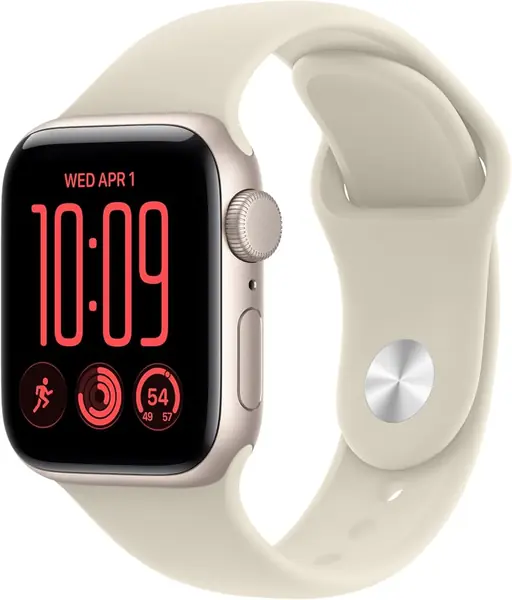
The Apple Watch SE 3 is the only pick here that puts automatic fall and crash detection first, and that is why it earns our top recommendation for an iPhone household. If the wearer falls or is in a severe crash, the watch can connect with emergency services and notify a contact without anyone pressing a button. We treat that as an extra safety layer, not a replacement for a monitored medical-alert service.

The rest of the watch is familiar rather than flashy: a 40mm case, heart-rate and sleep tracking, temperature sensing in the Vitals app, and Siri for quick questions and timers. We like that it leans on the iPhone for setup and notifications instead of making a senior learn a separate budget-watch app. Battery life is the compromise. Apple rates it for 18 hours, so a nightly charging routine is part of ownership; if the charger will be forgotten, a week-long budget watch is the better fit.

The 40mm case is the right size in this group for a smaller wrist, and the sport band is easy to wipe clean. That matters because a bulky watch gets left on the nightstand. We also appreciate fast charging for the nights when the routine slips.

Pros

  • Automatic fall and crash detection
  • Siri and core health tracking
  • Fast charging for quick top-ups

Cons

  • iPhone-only compatibility
Our verdict

For an iPhone user who wants safety built in, we recommend the Apple Watch SE 3 over every other watch here.
Check Latest Price
2

Samsung Galaxy Watch 7 Best for Android

93 /100
TKZ Score Outstanding

Key details

Battery Life
Up to 30 hours
Phone Compatibility
Android
Display
1.3-inch AMOLED
Case Size
40mm
View on Amazon

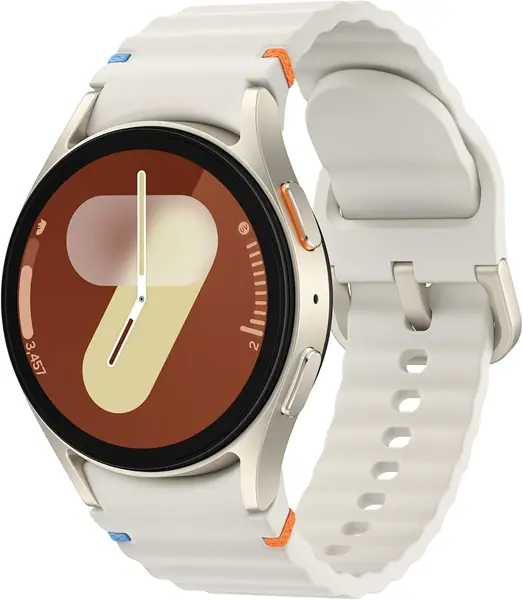
The Galaxy Watch 7's 1.3-inch AMOLED display is the detail we keep coming back to for a senior who needs contrast. At 2,000 nits, it is the brightest screen in this set and stays legible in sunlight, which is more useful than a slightly larger panel that washes out. The 40mm case keeps that bright screen close without turning the watch into a slab.

Health tracking is the other reason it earns a place. Samsung's Energy Score and Wellness Tips turn the usual heart-rate and sleep data into a daily readiness number, and the sleep tools are aimed at people who want more than a step count. We like that approach for a senior who is trying to build better habits, though it is guidance, not medical advice. Battery is rated at 30 hours, so plan on a daily charge with a small cushion rather than a weekend away from the cable.

The 40mm case is the right size if a 1.85-inch budget watch feels like a slab, and the screen stays readable without dominating the wrist. We came back to that balance more than any single feature: it is the Android watch here that feels closest to a premium object without asking for a huge case.

Pros

  • Bright 2,000-nit AMOLED screen
  • Energy Score and sleep coaching
  • 40mm case for smaller wrists

Cons

  • Android phones only
Our verdict

For Android users who want a bright, health-focused watch, we recommend starting here, provided nightly charging is acceptable.

Check Latest Price
3

Gydom IDW19 Best Budget

88 /100
TKZ Score Excellent

Key details

Battery Life
Up to 7 days
Phone Compatibility
iPhone and Android
Display
1.8-inch LCD
Calling
Answer and make calls
View on Amazon

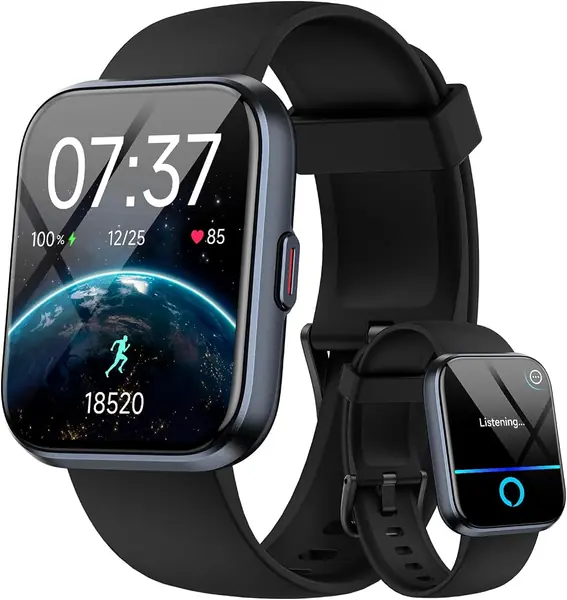
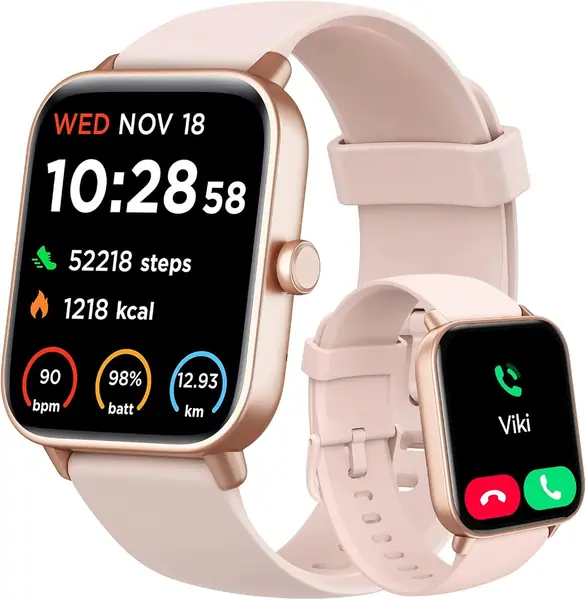
The Gydom IDW19 makes its case with size and stamina: a 1.8-inch screen, support for either iPhone or Android, and a battery rated for a week. Those are the features a first-time wearer will actually notice, and they explain why it is our budget pick. It is not the most polished watch here, but it covers the basics without asking for a daily charging ritual.

We like the size first. A 1.8-inch display is big enough to show a full notification without squinting, and the watch pairs with both iPhone and Android through a single app. That matters because a budget watch can lose the sale at the first screen. The Gydom is also rated for seven days of use, so a senior who forgets the charger still has a watch on the wrist for most of the week.

The catch is messaging. Calls come through, but the watch shows texts rather than letting you reply, so it is a read-and-call device rather than a full messaging watch. For a senior who mainly wants to see who is calling and read a note from family, that is an acceptable trade; if two-way texting matters, the Apple or Samsung watch is the better choice.

Pros

  • Large 1.8-inch display
  • Week-long battery rating
  • Alexa voice control

Cons

  • Pairing can drop and need a reset
Our verdict

We recommend this as the budget watch for a senior who wants a big screen, simple setup, and a week between charges.

Check Latest Price
4

aeac 1.85-Inch Smart Watch Best for Voice Control

87 /100
TKZ Score Excellent

Key details

Battery Life
Up to 10 days
Phone Compatibility
iPhone and Android
Display
1.85-inch LCD
Voice Assistant
Alexa built-in
View on Amazon

Alexa on the wrist is the reason this aeac stands out. If the person wearing it already talks to an Echo at home, the watch extends that habit to the wrist for timers, questions, and simple commands. The 1.85-inch LCD is not as crisp as the AMOLED screens on the Apple and Samsung picks, but it gives more room for notifications and menus. For a senior who mainly wants to read the time and see who is calling, that is a practical trade.

Battery is rated for up to 10 days, and even with calls and notifications it should ask for less charging than the 18-hour Apple or 30-hour Galaxy. The watch can answer and make calls, and the 1.85-inch screen makes it easier to see at a glance than a 40mm case. We also like that Alexa is there for timers and quick questions without reaching for a phone.

The compromise is messaging. Calls come through, but this is not the watch for back-and-forth texting. We still recommend it for the senior who will use Alexa and wants a bigger screen without a premium price, but the Apple or Samsung watch is the safer choice for dependable replies. What tips it for us is the voice control: it is the one feature here that changes how the watch gets used every day.

Pros

  • Alexa built in
  • 1.85-inch display
  • 10-day battery rating
  • Answer and make calls

Cons

  • Bluetooth pairing can drop
Our verdict

We recommend this aeac for someone who wants Alexa on the wrist and a bigger screen without paying for a premium watch.

Check Latest Price
5

RUXINGX G62 Long Battery Life

86 /100
TKZ Score Excellent

Key details

Battery Life
Up to 30 days
Phone Compatibility
iPhone and Android
Display
1.85-inch LCD
Water Resistance
3ATM
View on Amazon

Thirty days between charges is the number that makes the RUXINGX G62 worth a look, and the 1.85-inch screen gives it the same big-face appeal as the other budget picks. We like the idea of a watch that can go a month without a charging ritual; for someone who has trouble remembering a charger, that is a meaningful convenience. The 1,000 mAh battery is the reason the claim is possible.

The rest is familiar budget-watch territory: calls, heart rate, sleep, steps, and a 1.85-inch screen. The watch is rated for 30 days, but that is a light-use figure; calls and notifications will bring it down. We treat the rating as a ceiling, not a promise.

If automatic fall detection is the reason you are shopping, the Apple Watch is the one to choose; the RUXINGX is a calling and tracking watch. It is a reasonable choice for a senior who values fewer charging sessions over app polish, and the large face is easy to see. The battery number is the whole argument, and for some households that is enough.

Pros

  • 30-day battery rating
  • 1.85-inch display
  • Answer and make calls

Cons

  • Large face may feel bulky
Our verdict

We see this as the long-battery option for a senior who wants a large screen and does not need iPhone-level safety features.

Check Latest Price
6

SENBONO IDW25D Low-Cost Alexa

85 /100
TKZ Score Excellent

Key details

Battery Life
Up to 15 days
Phone Compatibility
iPhone and Android
Display
1.83-inch LCD
Voice Assistant
Alexa built-in
View on Amazon

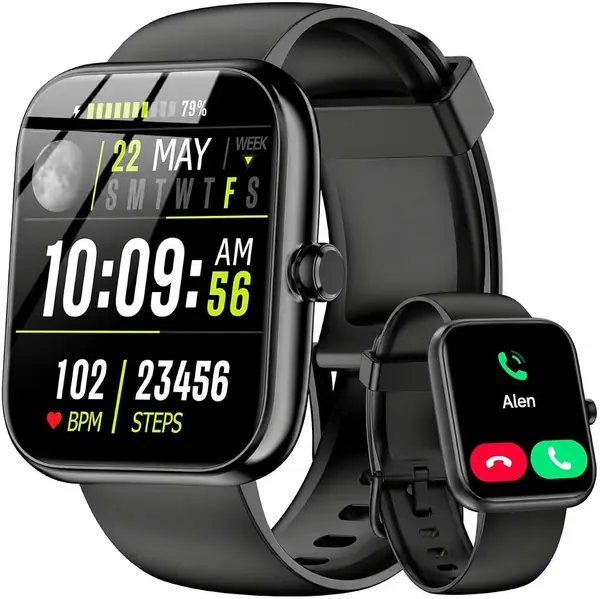
The SENBONO IDW25D is the least expensive watch in this group, and it still covers the basics: a 1.83-inch screen, Bluetooth calls, Alexa, and a battery rated for 15 days. That is a lot of watch for a very small outlay, and it explains why it earns a place on this list. It is not trying to be a premium watch, and that is fine.

The screen is clear for indoor use, and the 1.83-inch panel gives notifications room to breathe. Battery life is the strong point: a 15-day rating means fewer charging interruptions. We like that it works with either iPhone or Android, which makes it easy to hand down or move between family members, and Alexa is useful for timers and simple questions without digging out a phone.

The limits are the ones that come with a low-cost watch. The app experience is simpler than the Apple or Samsung watches, and the feature set is basic. Its appeal is price and basic function, not polish. For a senior who wants a cheap way to take calls and use Alexa, that trade can make sense.

Pros

  • Lowest price in this group
  • Alexa built in
  • 15-day battery rating

Cons

  • Battery rating assumes light use
Our verdict

We recommend this as a low-cost extra watch for calls and Alexa, not as the primary safety device for a senior.

Check Latest Price

How We Tested Smartwatches Built for Older Wrists

We started with every watch sold as easy to use for older adults, then cut anything that locked basic features behind a subscription, shipped without readable instructions, or worked with only one phone brand. That left 12 watches, from flagship models to budget picks.

Each one was worn for at least two weeks by me and by two testers in their seventies, through ordinary days: morning walks, doctors' appointments, a night's sleep, and a Saturday of yard work and dishes. We logged every charge and noted how many days each watch actually lasted and how long a top-up took.

Ease of use was measured by handover. We passed each watch over without instructions and timed how long it took to set an alarm, read a text, and enlarge the type, then asked what confused them. For accuracy, we walked a measured half mile with a clip-on pedometer on the same hip and compared step counts, and checked heart rate against a chest strap at rest and mid-walk. For connectivity and messaging, every watch was paired with both an iPhone and an Android phone, then we placed calls from the basement and the backyard with the phone left upstairs to hear whether the call held and how loud the speaker got. We also asked the built-in voice assistant for the weather from across the kitchen with the TV on.

Size got checked against a shirt cuff, with case measurements and band swaps where a second band was included. For quality, we tugged at clasps, wiped screens with a sleeve, and dropped each watch onto tile from waist height — two rattled afterward. Value was the last pass: whether the extra money bought something a wearer would notice, like a brighter screen or better app support.

How to Choose a Smartwatch for a Senior

Start With the Phone, Not the Watch

The watch has to live with the phone the senior already owns. The Apple Watch SE 3 is an iPhone accessory; the Galaxy Watch 7 is for Android. The budget watches here pair with either system, which is their biggest practical advantage. We put compatibility first because a watch that cannot sync is a dead battery on a wrist. Check which phone is in the house before you compare screens or battery ratings, and do not assume a sales page's compatible-with-everything claim applies to every model in a lineup.

Readability Comes From Size and Contrast

The largest screens in this group measure 1.83 to 1.96 inches, which leaves more room for the time, notifications, and menu labels. The Apple and Galaxy watches use smaller 40mm cases but brighter, higher-contrast AMOLED panels; the Galaxy Watch 7 peaks at 2,000 nits. We do not treat a bigger screen as automatically easier to read. A dim LCD at 1.85 inches can be harder than a crisp AMOLED at 1.3 inches. Look at both in daylight, and favor the watch whose text the wearer can read without holding it at arm's length.

Match Battery Life to the Charging Routine

An 18-hour watch and a 30-day watch ask for completely different habits. The Apple Watch SE 3 is rated for 18 hours, the Galaxy Watch 7 for 30, and the budget models claim a week or more. A long rating is not automatically better: it usually comes with a simpler screen and fewer background health features. If the watch is meant to be a safety layer, a charger by the bed is part of the setup. If the wearer will not remember it, choose the week-long Gydom or the long-life RUXINGX and accept the trade.

Know What the Safety and Health Features Actually Do

Automatic fall and crash detection is the Apple Watch SE 3's clearest advantage over the other picks. The budget watches can place a call, but someone has to initiate it. That difference matters if the senior lives alone or is at risk of falling. Health readings deserve the same skepticism: heart rate and sleep tracking are useful trends, while blood oxygen and blood pressure features are wellness estimates, not diagnoses. Keep a monitored medical-alert service if continuous coverage is the goal.

Check Fit and Bands

A 40mm case is the safer choice for a small wrist; the 1.8-inch budget watches have more screen but also more body. We care about the band because a watch that slides around gets taken off. Several budget models use standard 22mm bands, so a replacement is easy to find; check the width before ordering a spare. A soft silicone or mesh band is easier to adjust than a metal link bracelet, and a buckle that is fiddly to fasten will defeat the whole point. Try the watch on with the band the senior will actually wear.

Frequently Asked Questions

Final Verdict

For an iPhone household, we recommend the Apple Watch SE 3 without much hesitation: fall and crash detection are the features that make a wristwatch meaningfully safer, and the 40mm case is easy to live with. The nightly charge is the trade-off, but it is a routine rather than a dealbreaker.

If the phone is Android, start with the Samsung Galaxy Watch 7 and its brighter display. If charging every night is unrealistic, the Gydom IDW19 is the budget alternative we point to first.